
Crisp has certainly made a splash as an all-in-one platform for customer communication. The idea is to give businesses one single tool to handle just about everything, from sales chats to support tickets. The heart of it all is the Crisp live chat, a feature-packed widget that’s usually the first touchpoint for your customers. But Crisp doesn’t stop there; it also bundles in a shared inbox, a simple CRM, a knowledge base, and a chatbot builder.
If you’re trying to figure out if Crisp is the right move for your team, you’re in the right place. This guide will walk you through what it does, what it costs, and a few key limitations you should think about before you commit.
What is the Crisp live chat platform?
At its core, Crisp is a customer support platform designed to pull all your customer conversations into one spot. Instead of having one app for live chat, another for email, and yet another for your help articles, Crisp tries to bring it all under one roof. Think of it as a command center for your entire customer experience.
Its main parts include:
-
Shared Inbox: This is a unified inbox that grabs messages from live chat, email, Facebook Messenger, WhatsApp, and more, so your team can work together on replies without stepping on each other's toes.
-
Live Chat: A chat widget you can pop onto your website or into your mobile app to talk with visitors in real-time.
-
Knowledge Base: A built-in system for creating a self-service help center that customers can use anytime, day or night.
-
CRM: A straightforward customer relationship management tool to keep track of contact info and conversation histories.
-
AI & Automation: A no-code chatbot builder that lets you set up automated flows for common questions and routine tasks.
Crisp is really built for teams that want to simplify their toolset and manage every customer interaction from a single dashboard. It's less about being the absolute best at one specific thing and more about being pretty good at everything you need.
Key features of Crisp live chat
While Crisp offers a whole suite of tools, the live chat experience is where most people start. Let's break down the features that make it tick.
Omnichannel shared inbox
The big idea behind Crisp is its ability to pull conversations from just about anywhere into one collaborative inbox. This means your team can handle a website chat, reply to an email, and respond to a WhatsApp message, all without leaving the Crisp dashboard.
Some of the key channels it supports are:
-
Website chat
-
Email
-
WhatsApp
-
Facebook Messenger
-
Instagram DMs
-
Twitter DMs
-
SMS (through a Twilio integration)
By bringing these channels together, Crisp helps your team stay on top of things and respond faster. You're not losing precious time flipping between browser tabs or trying to piece together a customer's history from five different apps.
Widget setup and customization
Getting the Crisp live chat widget onto your site is pretty straightforward. It works by adding a small snippet of JavaScript to your website's code. And if you're not a developer, don't worry. Crisp has easy-to-install plugins for popular platforms like WordPress, Shopify, and Webflow, which makes the setup process mostly just pointing and clicking.
Once it's installed, you can start tweaking its appearance to match your brand. On the paid plans, you can change the chatbox colors, move it around on the page, write a custom welcome message, and even add a background pattern to the header. It all helps create a smooth experience that feels like a natural part of your website, not a clunky add-on.
Knowledge base and self-service
Crisp’s built-in knowledge base is made to work closely with its live chat to nudge customers toward self-service. You can write articles and FAQs that people can search for right inside the chat widget before they even try to start a conversation. It's a lifesaver for knocking out those repetitive questions you get a dozen times a day.
For your agents, the integration is just as handy. When they're in a conversation, they can type ? followed by a keyword to quickly search the knowledge base and drop an article link right into the chat. It’s a neat way to give detailed answers without having to type them out from scratch every single time. The catch, of course, is that this feature is only as good as the knowledge base you build and keep up to date inside Crisp.
Chatbot and automation builder
To help you handle conversations as you grow, Crisp gives you a no-code chatbot builder. This tool lets you design automated workflows using a simple drag-and-drop interface. It's really useful for a few key jobs:
-
Qualifying new leads by asking for basics like their name and email.
-
Sending conversations to the right team (e.g., "Are you looking for Sales or Support?").
-
Giving automated replies when you're out of the office or on weekends.
The bot can learn from your Crisp Knowledge Base, content it finds on your website, and Q&As you manually create called "Answer Snippets." This just means you have to do the legwork to build and centralize your knowledge so the bot has something useful to work with.
Core integrations
No tool is an island, and Crisp connects with other popular apps to keep your workflows moving. Some of the most important integrations include:
-
Zapier: This opens the door to connecting with over 2,000 other applications. You can create "Zaps" to do things like automatically add a new Crisp contact to a Mailchimp list or create a Trello card from a support conversation.
-
CRMs: Crisp can sync contact info back and forth with platforms like Pipedrive and Hubspot, so your customer data stays consistent between your sales and support teams.
-
Collaboration Tools: You can connect Crisp to Slack or Discord to get notifications and even reply to customer messages right from your team's internal chat channels.
Crisp live chat pricing
Crisp uses a flat-rate pricing model based on a per-workspace subscription, which makes budgeting nice and predictable. There are four main plans, and each one unlocks more powerful features as you go up.
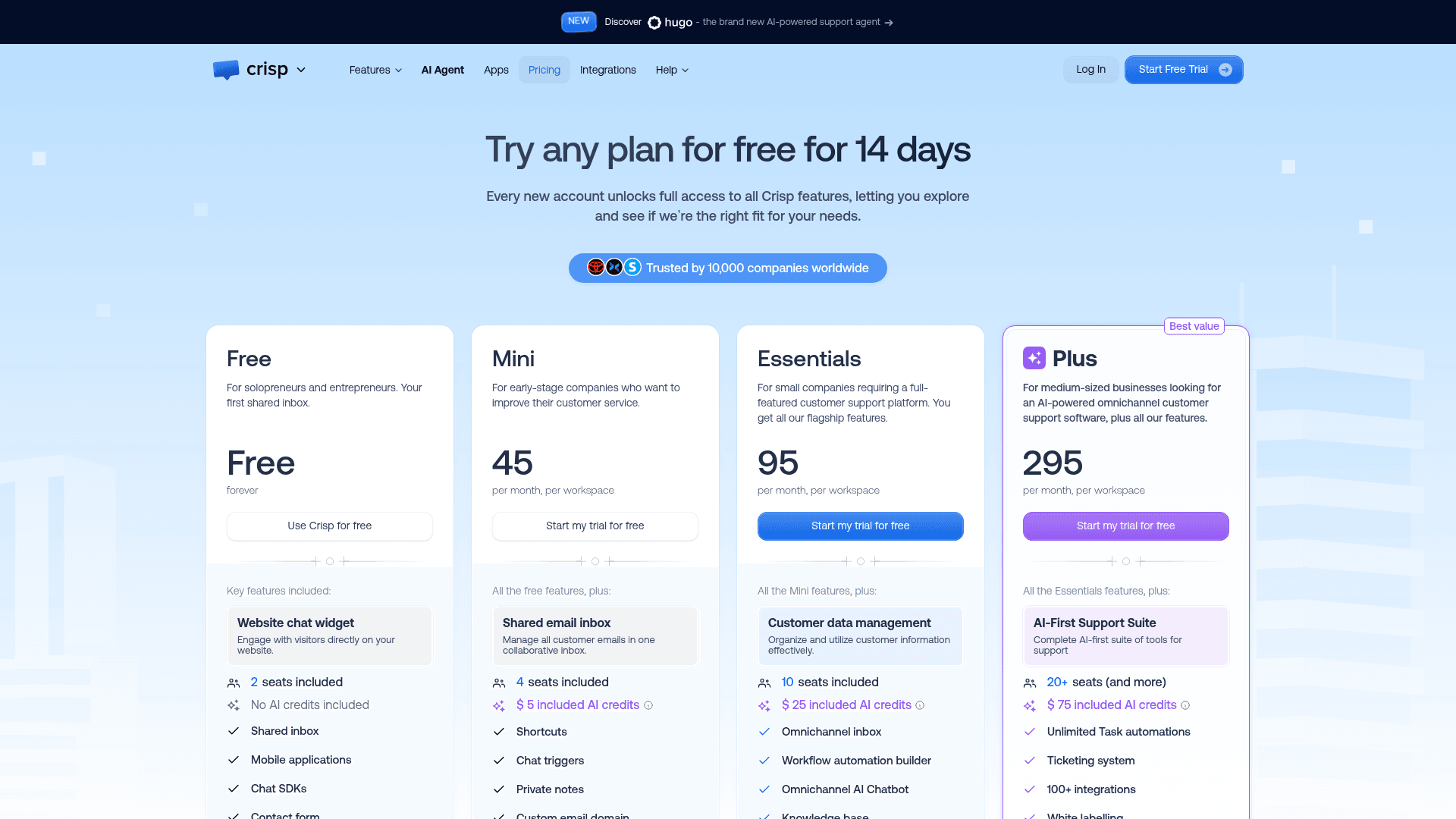
| Feature / Plan | Free | Mini ($45/mo) | Essentials ($95/mo) | Plus ($295/mo) |
|---|---|---|---|---|
| Seats Included | 2 | 4 | 10 | 20+ |
| Core Channels | Live Chat | Live Chat, Email, Messenger, X, Telegram | All Mini + Omnichannel | All Essentials |
| Knowledge Base | No | No | Yes | Yes |
| Chatbot Builder | No | No | Yes | Yes |
| Included AI Credits | None | $5/mo (~90 convos) | $25/mo (~450 convos) | $75/mo (~1,350 convos) |
| Integrations | Basic | Basic | Advanced (Zapier, CRMs) | All Integrations |
| White Labeling | No | No | No | Yes |
It’s worth pointing out that many of Crisp's best features are tucked away in its more expensive plans. The knowledge base, chatbot builder, and key integrations like Zapier and CRM sync are only available on the Essentials plan ($95/mo) and up. And the largest bundle of AI credits ($75/mo, enough for roughly 1,350 automated conversations) comes with the Plus plan at $295/mo.
Every paid plan starts with a 14-day free trial. If you outgrow the included seats, extra agents cost $10 per month each, but Crisp's pricing table only offers them on Plus.
Limitations of Crisp live chat and an AI alternative
While Crisp’s all-in-one approach sounds great on paper, it does come with a few trade-offs, especially if your team already has tools you like and a lot of existing knowledge.
The challenge of siloed knowledge
Here's the catch: Crisp's AI and automation tools work best when they can learn from your company's knowledge. The problem is, they mostly learn from content that's created inside the Crisp ecosystem, its own knowledge base, files you upload, what it can find on your website, and Q&A snippets you enter by hand.
But what about all the valuable information your team has already spent years building elsewhere? Most companies have wikis in Confluence, internal guides in Google Docs, and a goldmine of know-how locked away in old support tickets. To get that information into Crisp, you’re either looking at a long, manual import process or trying to build complicated Zaps. Either way, you're creating another data silo you have to manage.
The friction of platform migration
To really get the most out of Crisp, you have to be all-in. It wants to become your new helpdesk, knowledge base, and CRM. While this definitely simplifies your tech stack, it’s a huge project for any established team.
If your agents are already experts in a powerful helpdesk like Zendesk or Freshdesk, telling them to switch to a new, less specialized tool can be a recipe for frustration and lost productivity. A full platform migration is a disruptive, high-stakes project that many businesses just can't afford to take on.
The eesel AI advantage: Unify knowledge, not tools
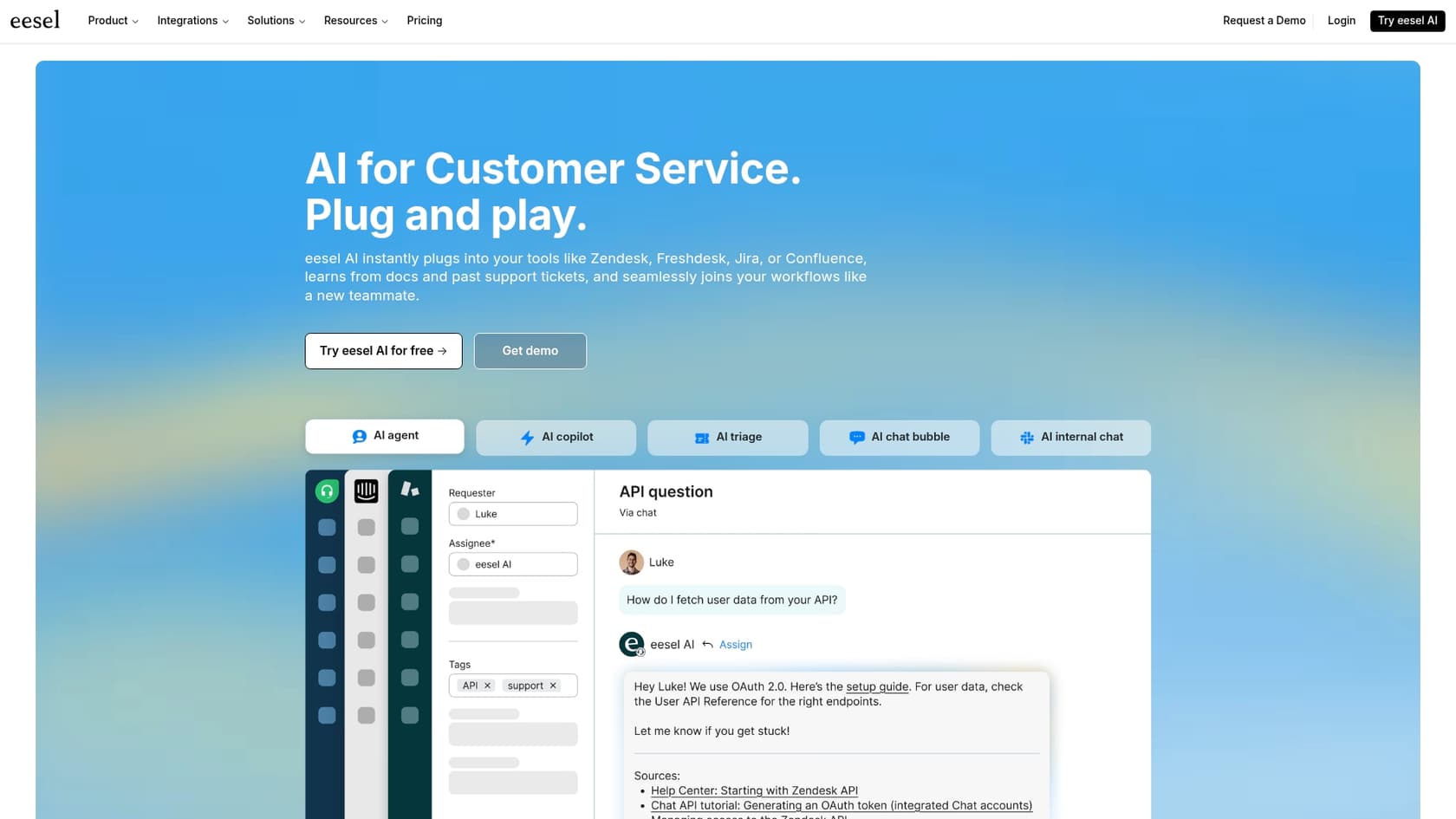
What if you could get powerful AI and automation without the migration headache? That’s where eesel AI comes into play. Instead of making you move everything into its box, eesel AI plugs directly into the tools your team already uses and loves.
-
Unified Knowledge: eesel AI connects to dozens of helpdesks and knowledge sources right out of the box. It instantly learns from your existing content in Confluence, Google Docs, Notion, and past helpdesk tickets. There’s no need to manually copy-paste or duplicate anything, it learns from your knowledge, wherever it happens to be.
-
No Migration Needed: eesel's AI Agent works right inside your current helpdesk. Whether you use Zendesk or Freshdesk, you can deploy a top-tier AI agent without disrupting your team's workflow or forcing them to learn a whole new platform.
-
Go Live in Minutes: Getting started with eesel AI is completely self-serve. Its simulation skill tests the AI against hundreds of your past tickets in a safe environment. It scores how each answer would have performed and suggests fixes before you ever turn it on for live customers.
Final thoughts on Crisp live chat
Crisp live chat is a solid option for teams, especially small to medium-sized businesses, who want to consolidate their customer communication tools into one affordable platform. Its strength is in its breadth of features; it offers a little bit of everything, from chat and email to a knowledge base and CRM.
However, for businesses with well-established workflows, specialized tools, and knowledge spread across multiple platforms, Crisp's all-or-nothing approach can be a real hurdle. The need to centralize all your data and processes inside its ecosystem can end up creating more work than it saves. For these teams, a more flexible AI layer that adapts to their existing setup is often a much smarter move.
Supercharge your support without switching platforms
Tired of juggling knowledge sources or thinking about a painful platform migration just to get better automation?
The eesel AI Agent plugs directly into your existing helpdesk and unifies all your knowledge from Confluence, Google Docs, past tickets, and more. Simulate its performance on your real data and go live in minutes, not months.
Frequently asked questions
Who is Crisp live chat best suited for?
Crisp live chat is primarily designed for small to medium-sized businesses looking to consolidate their customer communication tools into a single, affordable platform. It's ideal for teams that want an all-in-one solution for chat, email, knowledge base, and basic CRM functionalities.
How difficult is it to set up Crisp live chat on my website?
Setting up Crisp live chat is straightforward. You typically add a small JavaScript snippet to your website's code, or utilize easy-to-install plugins for popular platforms like WordPress, Shopify, and Webflow, making the process mostly point-and-click.
What core features are included with Crisp live chat beyond just real-time messaging?
Beyond real-time messaging, Crisp live chat integrates with an omnichannel shared inbox, a knowledge base for self-service, a simple CRM for customer tracking, and a no-code chatbot builder for automation. These features aim to centralize all customer interactions.
What kind of customization options are available for the Crisp live chat widget?
On paid plans, you can extensively customize the Crisp live chat widget's appearance. Options include changing chatbox colors, positioning on the page, writing custom welcome messages, and adding background patterns to the header, helping it blend with your brand.
What are the main limitations of Crisp live chat when it comes to leveraging existing knowledge?
A key limitation is that Crisp live chat's AI and automation tools primarily learn from knowledge created within its own ecosystem. This means valuable information from existing wikis, Google Docs, or old support tickets outside Crisp might require manual import or complex integrations to be fully utilized.
Does adopting Crisp live chat mean we have to migrate all our existing helpdesk tools and customer data?
Crisp live chat's all-in-one nature often implies a full platform migration to maximize its benefits. While it simplifies your tech stack, it can be a significant project if your team already uses specialized helpdesks like Zendesk, as it encourages moving your helpdesk, knowledge base, and CRM into Crisp.