


What is 3CX Live Chat?
3CX Live Chat is a website chat widget made by 3CX, a company that has sold business phone systems since 2005. The WordPress plugin, listed as "3CX Free Live Chat, Calls & Messaging", started life as WP Live Chat Support. Its WordPress.org record goes back to January 2013, and the slug still carries the old name. Since version 10.0.0 in May 2022, the plugin no longer runs chat inside WordPress: it connects your site to a 3CX account, and the chat is managed there.
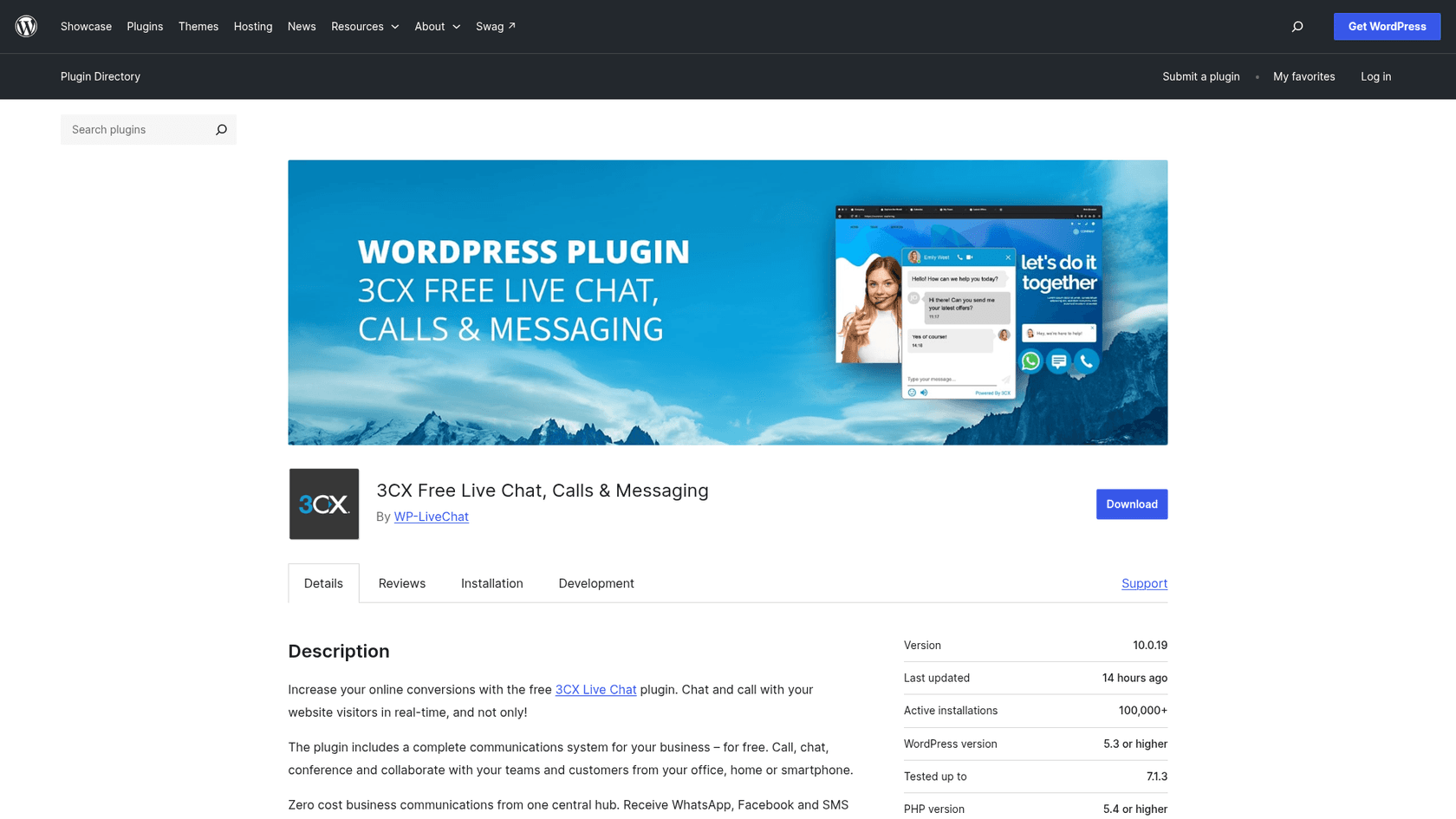
| 3CX Live Chat at a glance | |
|---|---|
| What it is | Website chat and browser calling, answered from the 3CX phone system |
| Install base | 100,000+ active installs (WordPress.org) |
| Rating | 4.6 from 820 reviews: 707 five-star, 59 one-star |
| Version | 10.0.19, released October 14, 2026 (security fix); needs WordPress 5.3+ and PHP 5.4+ |
| Price | Plugin free; needs a 3CX system, free for up to 10 users on SMB Free |
| Channels in the same panel | Website chat, browser voice and video, WhatsApp, Facebook, SMS/MMS |
| Not included | Email tickets, chatbot or AI replies to chat |
| Other sites | HTML snippet plus guides for Drupal, Joomla, Wix, Squarespace, Shopify, Weebly |
| 3CX overall on G2 | 4.4 out of 5 from 548 reviews (G2) |
That last row is for the whole phone system, not the chat alone. It is still a useful signal: people who buy 3CX mostly buy it for calls, and chat comes along.
How 3CX Live Chat works
Setup happens in two places. In the 3CX admin console you go to Voice & Chat, add a live chat, pick a destination (an extension or a queue), enter your website address and choose what visitors must fill in before chatting. Then in WordPress you install the plugin, paste the live chat URL 3CX gives you, and choose which pages show the bubble. 3CX says the whole thing takes under 10 minutes, and the setup guide backs that up: it is a short list of steps.
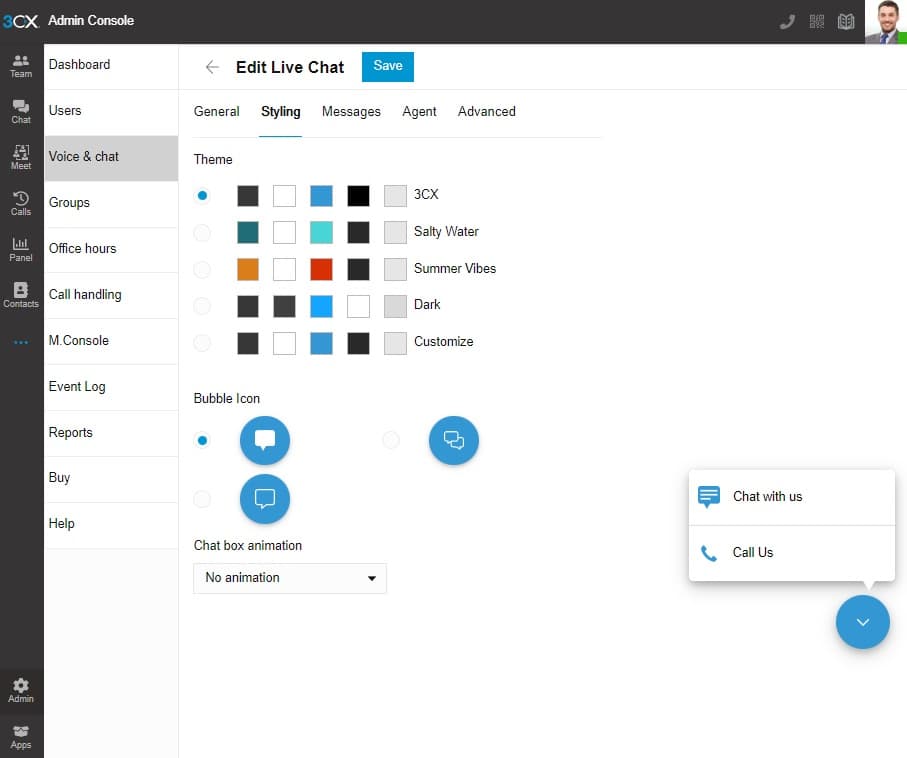
The styling options are modest: four themes or custom colors, three bubble icons, an animation, your own greetings for online and offline hours, and either agents' real names or a default name and avatar. One limit from the docs: the plugin supports only one live chat URL per website, so if you want different bubbles for sales and support you paste code snippets on separate pages instead.
Once a chat arrives, here is the path it takes.
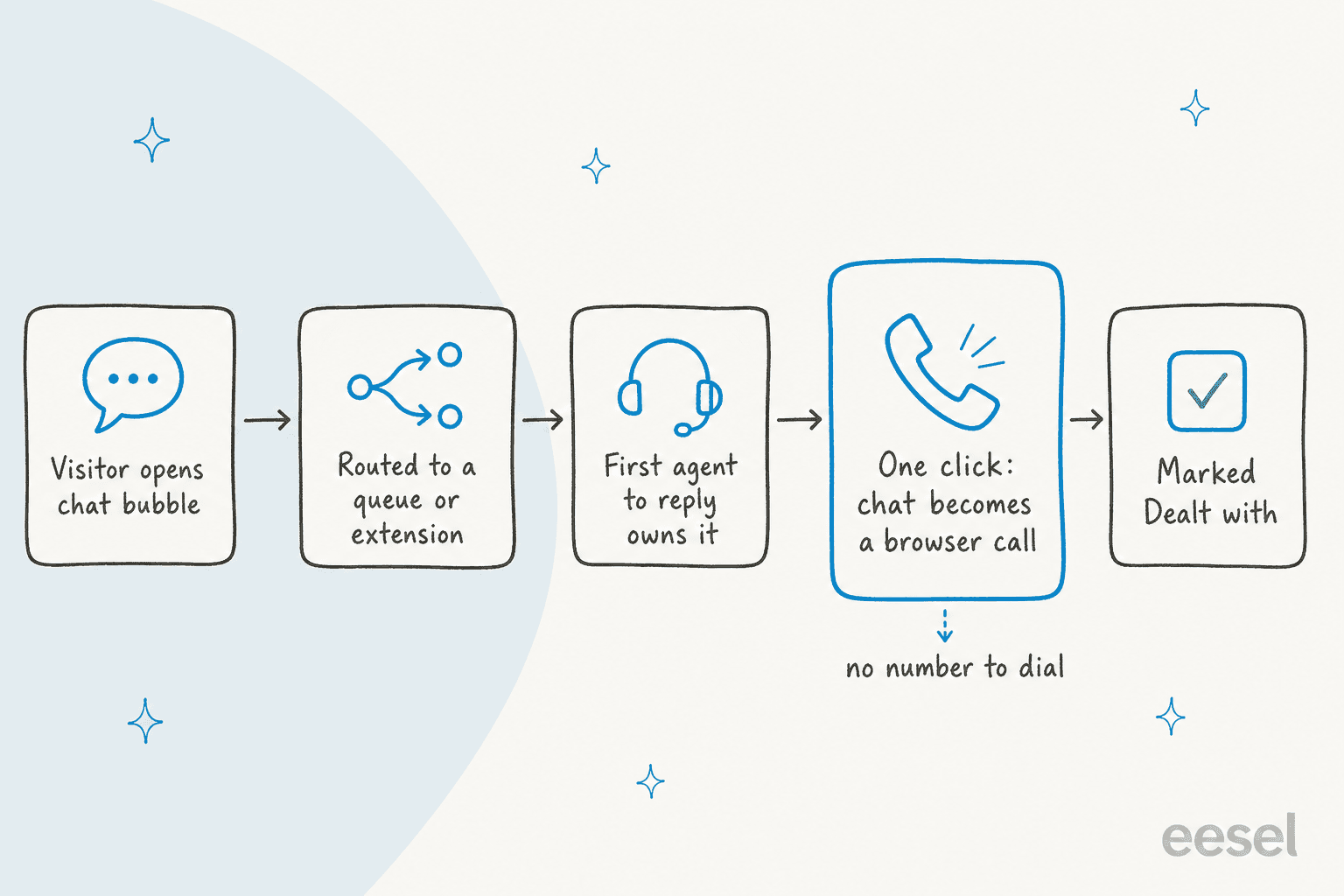
Chats are visible to every agent in the assigned queue until someone replies, and then, per 3CX's chat handling docs, "the chat automatically becomes theirs and no other agent can respond or see the conversation." Agents can transfer, send files, use templates, view the visitor's history, block an anonymous visitor, and mark the chat "Dealt with" to archive it. If a chat is taken but never marked dealt with, the same customer's next message goes straight back to that agent instead of the queue. That is handy for continuity and easy to forget on a busy day.
What 3CX Live Chat does well
Turning a chat into a call
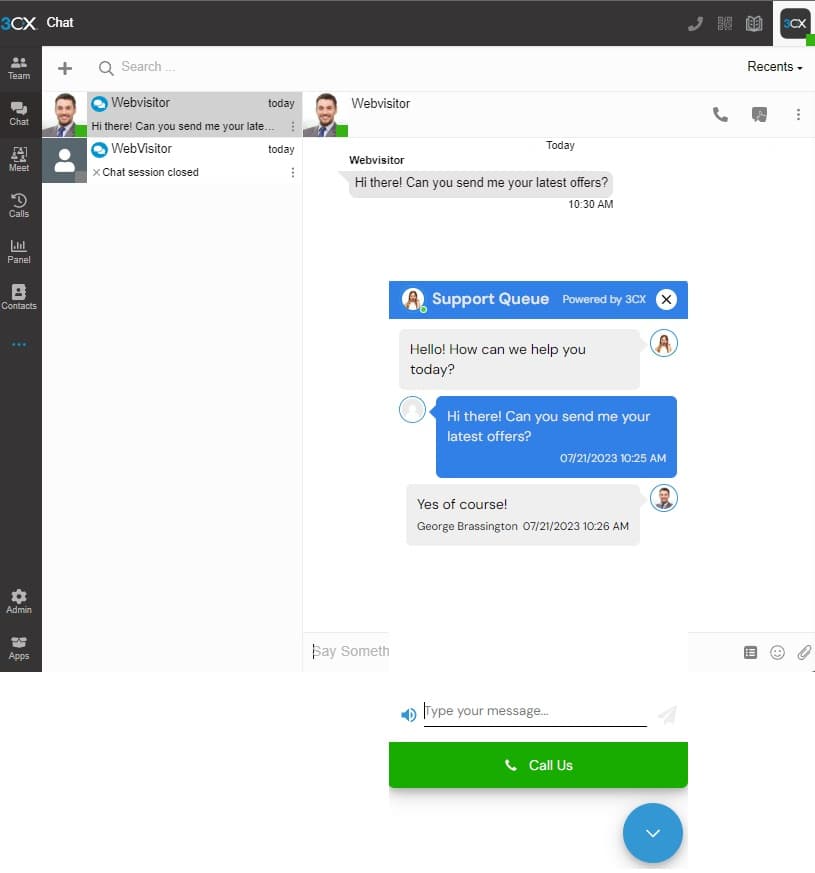
This is the feature nothing else in the free live chat software tier does as smoothly. The visitor or the agent can switch from typing to a voice or video call in the browser, over WebRTC, with no number to dial. You can also let visitors call without chatting first. 3CX's pitch on its live chat page is that "as many as 50% of live chats end up being forwarded to the call center", which is a vendor claim, but the problem is real. When a customer is three messages into explaining a fault, a call is faster, and here the call lands with the same agent and the chat history.
One inbox for chat, WhatsApp, Facebook and SMS
Website chat, WhatsApp, Facebook and SMS/MMS all arrive in the same chat panel, each with its own icon, and agents use the same templates and transfer flow on all of them. For a small team that answers the phone and the website from the same desk, that is a real simplification over juggling a WhatsApp chatbot in one tab and a chat tool in another. Practitioners on Reddit describe it the same way.
"3CX can do livechat, SMS, WhatsApp, Facebook and calls. No emails tho. It's already a great contact center solution."

Two catches from the docs. WhatsApp needs a WhatsApp Business Platform account and a number that is not registered to any other WhatsApp account, and the WhatsApp integration is for answering inbound messages only: the customer writes first, and you have 24 hours to reply. And per 3CX's feature list, WhatsApp and Facebook are included on SMB, PRO and AI, but not on Basic or the self-hosted 4SC Free Basic edition.
The whole team is on it, not only "chat agents"
Because chat is part of the phone system, anyone with a 3CX extension can be a destination, on desktop, web or the iOS and Android apps. Queue-based routing, office hours and chat reports come with it, which covers most of the live chat features a small team uses. For a 6-person business where the person who knows the answer is also the person who picks up the phone, that is the right shape.
It is free, and the plugin is maintained
The plugin is free, and so is the chat for up to 10 users on 3CX SMB Free. The pricing FAQ lists "3CX Live Chat – Free for all users" as part of paid subscriptions too. The plugin also gets regular updates: a chat engine update in August 2025, and security fixes in June and October 2026, per its changelog.
Where 3CX Live Chat falls short
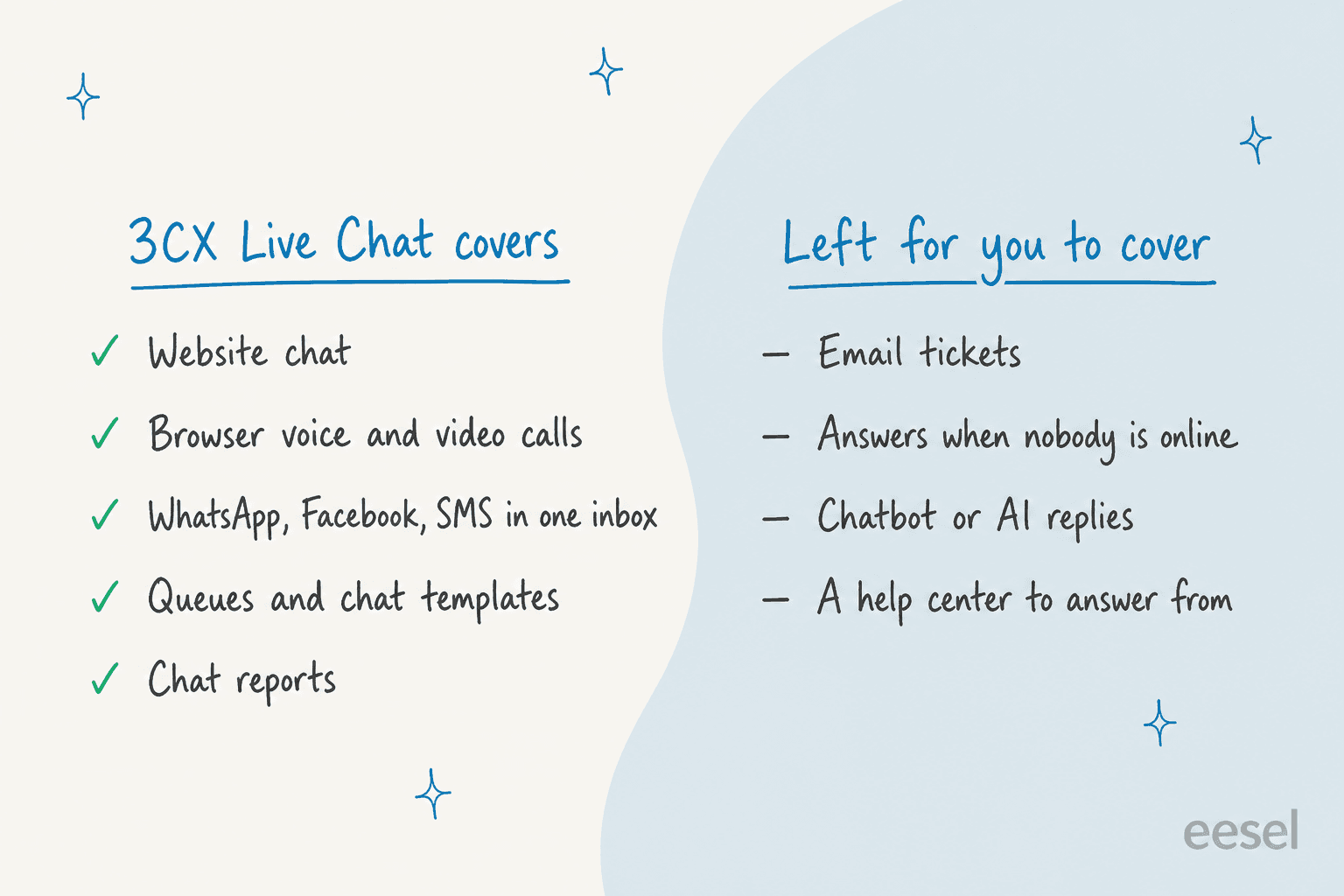
No chatbot, and no answers when nobody is online
When agents are offline, 3CX shows your offline greeting and a form, so the visitor leaves a message and waits. There is no automated answer from your help content. In 2022 a 3CX staff member put it plainly on the 3CX forum:
"Hi there, there are no options for chatbots with 3CX im afraid. We have templated replies for live chat but none for WhatsApp currently."
That reply is from December 2022, so I checked what has changed. 3CX now sells AI, but its AI features are call features: transcription through Google, 3CX, Grok or OpenAI, sentiment scores, summaries, and an AI Receptionist that routes callers. The live chat docs, updated September 9, 2026, still describe greetings, offline messages and agent templates, not AI replies. For a business whose website questions repeat ("do you ship to Austria?", "what are your hours?"), that is the biggest gap, and the one I would plan around. My guide to after-hours support covers the options.
No email channel
Chat, WhatsApp, Facebook, SMS and calls share one panel. Email does not. If your customers also write to support@, those messages live somewhere else, with their own history. Small teams usually solve this with a helpdesk, which means two places to look. My small business helpdesk roundup and the list of free ticketing systems are where I would start.
The chat is a phone-system feature first
Users on Reddit are clear that 3CX chat is for customers, not a team messenger.
"It's primarily a customer-facing chat, like web chat or SMS for B2C. 3cx doesn't compete in the messaging collab space."
The flip side is that you take on a phone system to get a chat. If you do not want 3CX for calls, you are signing up for an account, an admin console and a web client just to answer website chat, and real phone numbers still need a separate SIP trunk provider. Agents who run several sites in one 3CX have also asked for the mobile app to show which site a chat came from; in March 2025 a forum regular on Reddit said the web client shows the queue but the mobile app did not yet.
Limited control over the bubble
Styling is basic, and changing where the bubble sits is awkward. When a WordPress user asked how to move it, a 3CX staff member suggested CSS overrides and warned the bubble "was designed to expand upwards" (3CX Forums). Fine for most sites, but plan for the default bottom-right placement.
A word on the security scare
In February 2026 a WordPress site owner on r/3CX reported injected scripts that disappeared when the 3CX plugin was deactivated. 3CX replied that the code did not exist in its plugin. Later that day the poster followed up:
"To be transparent (and fair to 3CX) - the malicious code has returned (and the 3CX plugin is still disabled)"
He traced it to his hosting provider. I include it because it is the top search result for "3CX plugin malware", and the honest summary is that the plugin was not the cause. Keep it updated, like any plugin.
3CX Live Chat pricing
The plugin costs nothing. What you pay for is the 3CX system behind it, and 3CX prices that per year for the whole system by simultaneous calls (how many calls can happen at once), not per user.
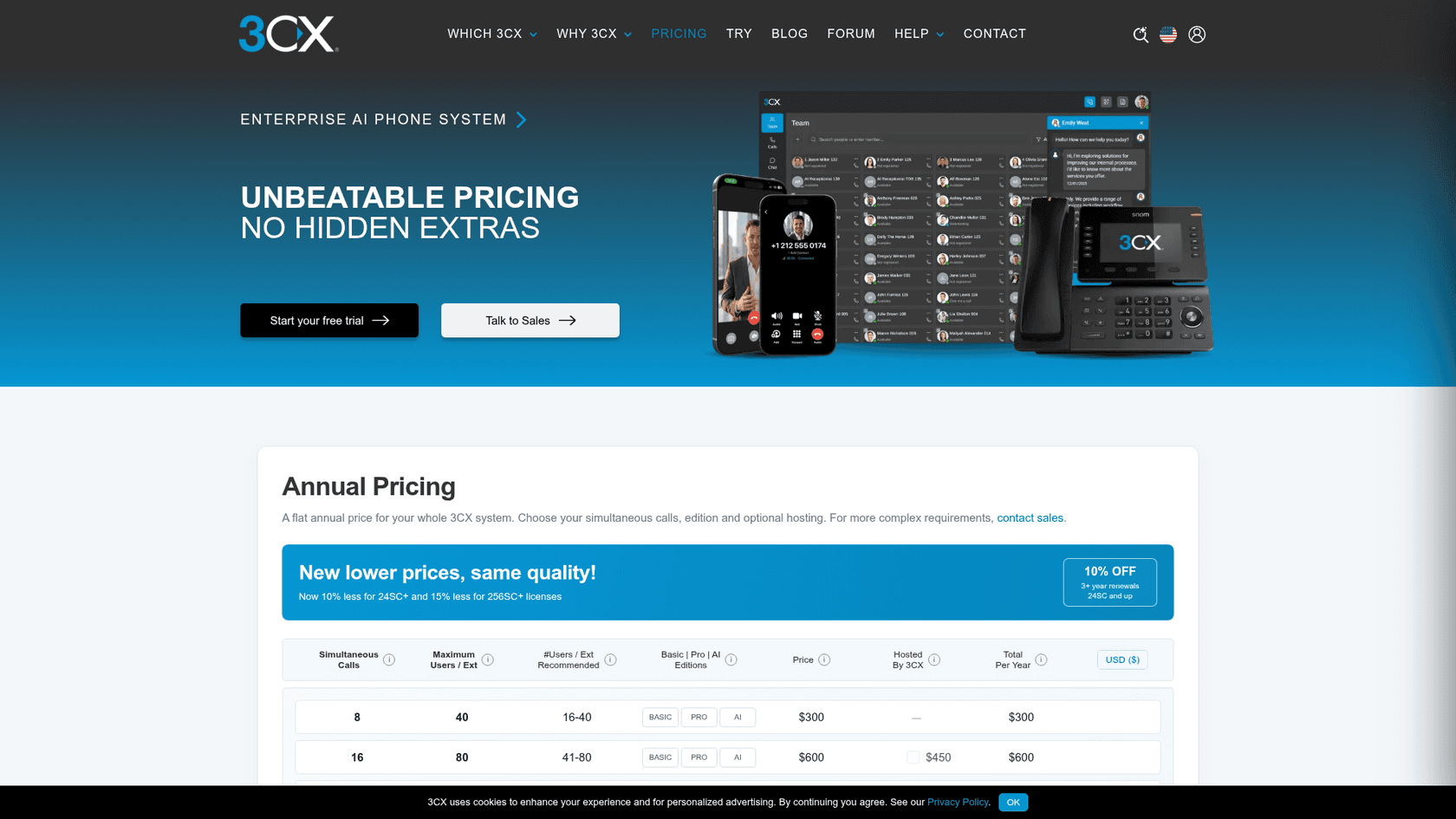
| Edition | Annual price | Hosting by 3CX | Live chat | WhatsApp and Facebook |
|---|---|---|---|---|
| SMB Free (shared, hosted) | $0, up to 10 users | Included free | Yes, under 10 users | Yes |
| 4SC Free Basic (self-hosted only) | $0, up to 10 users | Not offered | Yes | No |
| Basic, 8 simultaneous calls | $300 | Not offered at 8SC | Yes | No |
| PRO, 8 simultaneous calls | $395 | $295 a year | Yes | Yes |
| AI, 8 simultaneous calls | $575 | $295 a year | Yes | Yes |
| PRO, 16 simultaneous calls | $795 | $450 a year | Yes | Yes |
| AI, 24 simultaneous calls | $1,350 | $450 a year | Yes | Yes |
Prices are in USD before tax, from 3CX's pricing page and feature list on October 21, 2026. Paid editions run up to 1,024 simultaneous calls. Three costs sit outside the table:
- Calls and numbers. 3CX does not include phone numbers. You buy a SIP trunk from a provider and pay your call rates there.
- The 10-user ceiling. On SMB Free, chat is limited to 10 users. The plugin's FAQ says a dedicated 3CX system (hosted or self-managed) includes live chat for unlimited users.
- Features that move with the edition. CRM integration is PRO and AI only, and full call transcription and analytics need the AI edition, per 3CX's AI features page.
So for a small business that already pays for 3CX, chat is a free extra. For one that does not, the true price of "free chat" is running a phone system, even a free one.
Is 3CX Live Chat right for you?
Pick the line that sounds most like your business.
Pick the situation closest to yours to see whether 3CX Live Chat fits, and the one thing to watch for.
3CX Live Chat pros and cons
| Pros | Cons |
|---|---|
| Free plugin, free chat for up to 10 users on SMB Free | Needs a 3CX account and admin console, even for chat only |
| One-click switch from chat to a browser voice or video call | No chatbot or AI answers on website chat |
| Website chat, WhatsApp, Facebook and SMS in one panel | No email channel |
| Queues, templates, transfers, chat reports | WhatsApp and Facebook not on Basic or 4SC Free Basic |
| Mobile and desktop apps for the whole team | One live chat URL per WordPress site |
| Actively maintained, 4.6 on WordPress.org | Basic styling; bubble position is hard to change |
3CX Live Chat or eesel: which job do you have?
These two tools answer different questions, and for many small businesses the answer is both. 3CX is a phone system with a chat attached. eesel is an AI teammate for support. It does not replace your phone system, take calls or give you phone numbers, so if calls are the core of your business, keep 3CX (or whichever phone system you use) for them.
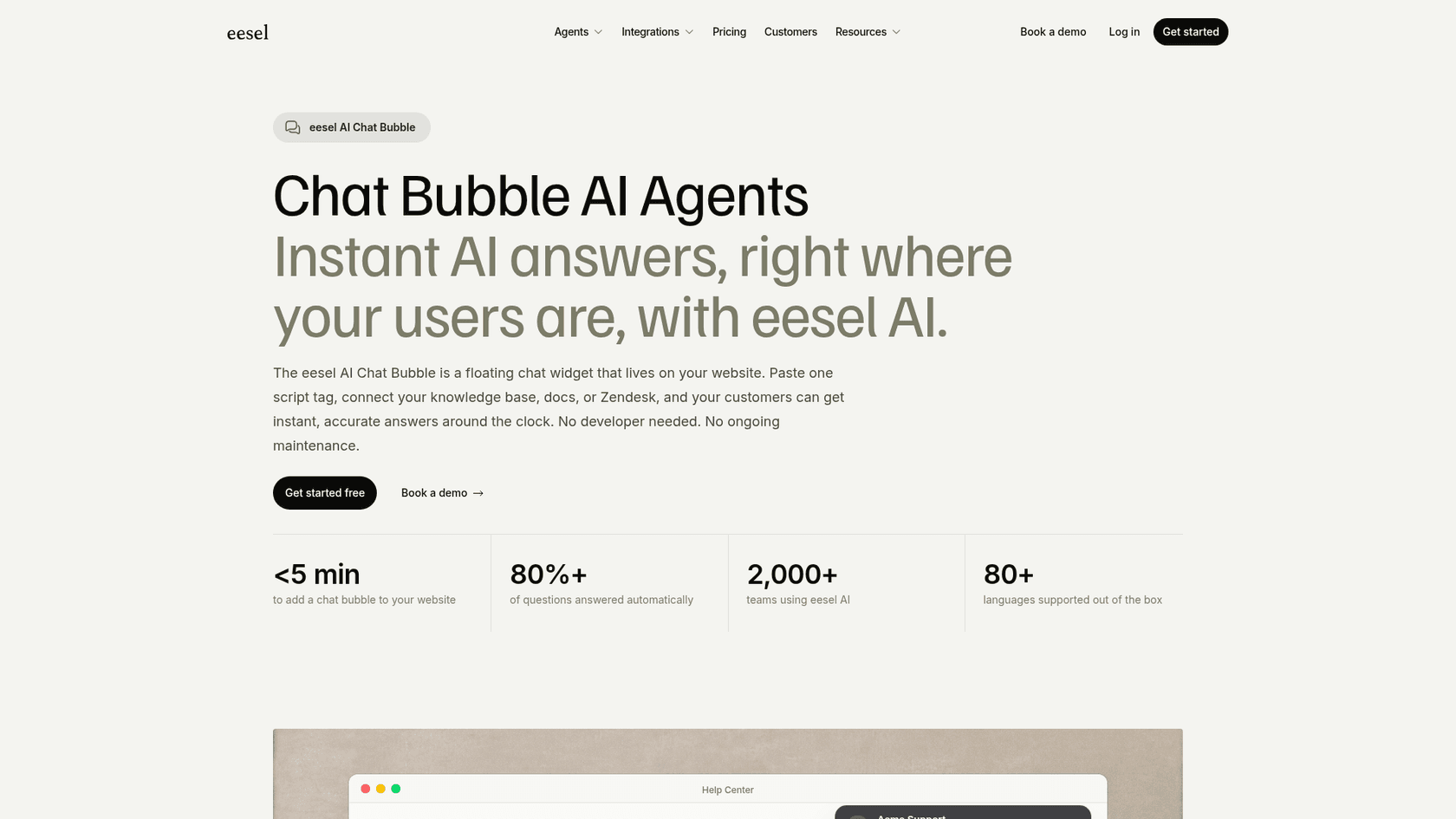
Where eesel fits is the gap above. eesel's chat bubble goes on a WordPress site with one script tag, reads your help center, website, docs and past tickets, and answers visitors in 80+ languages at any hour. When a question needs a person, it hands over with the conversation attached, to your helpdesk or inbox. If you want the full support picture, the AI helpdesk teammate also drafts replies on email tickets in Zendesk, Freshdesk, Gorgias and others.
The closest real setup to a 3CX shop is BEAUTEK, a B2B equipment supplier in Siegen, Germany. Its phone line is staffed 8:30 to 16:30 on weekdays, and the shop is open all the time. eesel runs as the chat on beautek.de: it answers product and order questions in German, gives the team's phone number for anything important, and turns a quote request into a Zendesk ticket for sales. Between August 8 and September 8, 2026 it answered 77 website chats live and created 20 Zendesk tickets from chat, most of them sales leads, according to the BEAUTEK story.
Seasonal businesses are the other good fit. Norden-Frisia, a ferry line to the North Sea islands, runs its bot CaptAIn on the website chat, a public chat link and Zendesk, answering timetable, ticket and bike questions from 346 knowledge items, and turns chats it cannot close into Zendesk tickets. Its plan scales up to 10,000 interactions a month for high season and back down from October to March. And IC Intracom runs one chat per brand on two web stores, answering from about 2,100 Shopify product records.
On price, eesel is one fixed monthly plan: free to try with 100 credits, then from $299 a month for 500 credits, where one chat or ticket is 1 credit. That is more than 3CX's free chat, and it buys a different thing: the answers, not the inbox. If your website gets a handful of chats a week and you are happy to reply in the morning, 3CX alone is enough. If the same questions arrive every evening, the cost of missed chats is where the math changes.
If you work from a terminal, the eesel CLI can set this up without the dashboard. npx @eesel/cli init chat-bubble --site https://your-site.com creates a chat bubble that reads your site and prints the embed snippet, with no account needed for a 7-day trial workspace. eesel chat "what are your opening hours?" then lets you test the answers before a customer sees them, and coding agents like Claude Code can run the same commands.
3CX Live Chat alternatives
If 3CX Live Chat is not the right fit, the shortlist depends on why. For a chat-first tool with no phone system, my Tidio review is a good start. Crisp suits teams that want a shared inbox, which my Crisp live chat breakdown covers.
If budget is the question, my LiveChat pricing guide shows what a paid chat tool costs per seat. For tools that answer on their own, see my roundup of AI live chat software. If you want AI inside WordPress itself, my AI Engine review covers the most popular plugin.
If you are weighing whether you need a chatbot at all, my explainer on AI chatbots vs live chat frames the trade-off. The guide to chat handoff covers the part 3CX does well: getting a person on the line.
If calls are the bigger load, see my notes on AI for phone support. For a cloud phone system priced per user instead, my Dialpad review is the comparison point.
Verdict: 4 out of 5 for 3CX phone users
3CX Live Chat earns 4 out of 5 for businesses that already run 3CX for their phones. The chat is free, it sits in the client your team already uses, WhatsApp, Facebook and SMS come along, and the one-click move from chat to browser call is something most free chat plugins do not offer. The plugin is maintained, and 700+ five-star ratings on WordPress.org suggest it mostly just works.
As a standalone support tool it is closer to 3 out of 5. You take on a phone system to get a chat, there is no email, and when nobody is online the visitor fills in a form and waits. That is a fair trade for a team whose day runs on calls. It is a weak one for a team whose busiest chat hour is after closing.
Try eesel on your 3CX website
If your phones run on 3CX and your website questions keep arriving after hours, add eesel's chat bubble to answer them from your own help content, and keep 3CX for the calls. It goes on WordPress with one script tag and hands real cases to your team with the chat attached, the way BEAUTEK turns evening questions into morning sales calls. Try eesel free with 100 credits and test it on your real questions before a visitor sees it.
Frequently Asked Questions
Is 3CX Live Chat really free?
Yes. The WordPress plugin is free, and the chat runs on a 3CX system: the 3CX SMB Free edition covers up to 10 users at no cost with hosting included, and paid 3CX editions include live chat for all users. You pay only if you outgrow the free edition or want paid phone features. See my guide to website live chat software for how other free plans compare.
Do I need a 3CX phone system to use 3CX Live Chat?
Yes. The plugin is a connector: chats are configured in the 3CX admin console and answered in the 3CX Web Client or mobile apps, so you need a 3CX account, either the free SMB edition or a paid system. If you only want chat and no phone system, a chat-first tool from my live chat alternatives list may be simpler.
How much does 3CX cost if I outgrow the free plan?
3CX prices a whole system per year by simultaneous calls, not per user. At 8 simultaneous calls the Basic edition is $300 a year, PRO $395 and AI $575, with hosting by 3CX from $295 a year on PRO and AI (3CX pricing). Phone numbers and call minutes come from your own SIP trunk provider, billed separately.
Does 3CX Live Chat have a chatbot or AI answers?
Not for website chat. 3CX's AI features (transcription, sentiment, summaries and an AI Receptionist) are built around calls, and its live chat docs describe greetings, offline messages and templates for agents, not automated answers. If you want visitors answered when nobody is online, an AI live chat teammate such as eesel's chat bubble covers that gap.
Can 3CX Live Chat handle WhatsApp, Facebook and SMS?
Yes, WhatsApp, Facebook and SMS messages land in the same 3CX chat panel as website chat. The 3CX feature list includes WhatsApp and Facebook on the SMB, PRO and AI editions but not on Basic or the 4SC Free Basic edition, and WhatsApp is inbound only. For more on the channel itself, see my WhatsApp support roundup.
Is the 3CX Live Chat WordPress plugin safe?
It is actively maintained: version 10.0.19 shipped on October 14, 2026 as a security fix, after another security fix in June 2026. Keep it updated like any plugin, and remember chat traffic runs through your 3CX system rather than staying inside WordPress. My WordPress plugin roundup covers what else to check before installing.
What is the best 3CX Live Chat alternative?
It depends on the job. For chat only, see my tawk.to alternatives and Tidio review. For answers when nobody is online, keep 3CX for calls and add an AI teammate like eesel to the website chat.
Does 3CX Live Chat work on sites that are not WordPress?
Yes. Besides the WordPress plugin, 3CX gives you an HTML snippet and has setup guides for Drupal, Joomla, Wix, Squarespace, Shopify and Weebly, per its live chat setup docs. For a general walkthrough, see adding live chat to a website.