

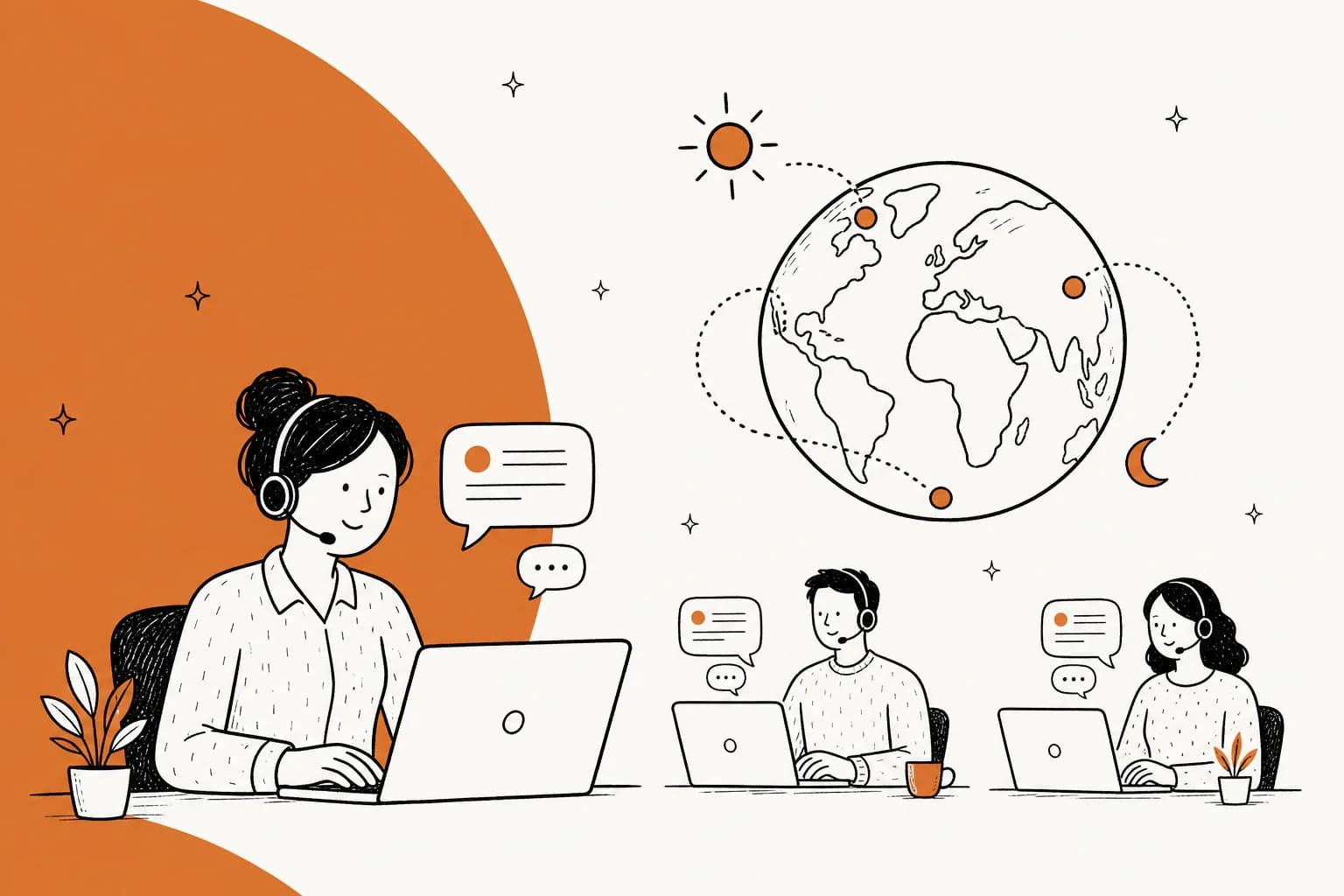
Why teams outsource live chat in the first place
I work on eesel's support side, so I hear the reasons directly, and they are almost always the same three. Chat is the one channel a customer expects answered now, so a slow queue hurts more than a slow email inbox. Staffing it around the clock means night shifts, weekends, and holidays that a small in-house team cannot cover. And hiring, training, and retaining chat agents is slow and expensive when your volume is spiky, which is why cost savings is usually the first thing a buyer asks about.
Outsourcing solves all three at once. You rent a trained team, someone else handles the HR and scheduling, and you get 24/7 coverage without building a night shift yourself. It is a good answer to a real problem, and SupportYourApp cites a stat that 82% of Inc. 500 companies outsource some support.
The catch is what it costs, and what "the quote" hides. When a BPO quotes you a per-agent rate, that number is the tip of the iceberg.
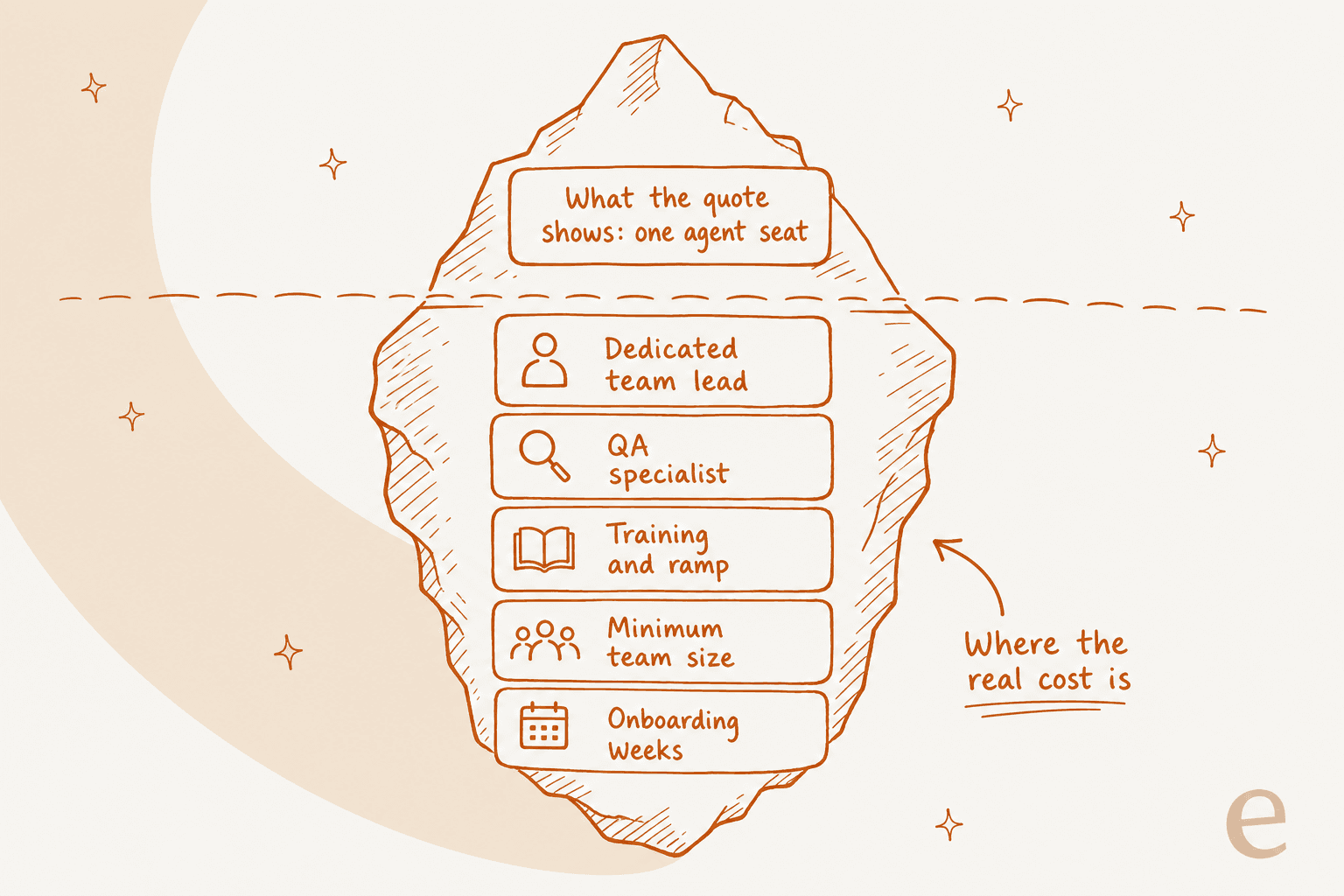
Below the surface sit the dedicated team lead, the QA specialist, the training and ramp time, the minimum team size, and the weeks of onboarding before the team touches a real customer. None of those are optional, and all of them are billed. That does not make outsourcing a bad deal, but it does mean the sticker rate and the real monthly cost are two different numbers.
What outsourced live chat actually costs
There are three pricing shapes in this market, and knowing which one you are being sold matters more than the headline number.
- Per agent-hour. You pay for staffed hours. Helpware's own live-chat FAQ pegs the industry range at $8 to $15 per agent hour, rising with coverage, languages, and chat complexity.
- Per dedicated agent, per month. A flat monthly rate for a full-time agent. Influx publishes rates starting from $1,400 a month for an APAC agent and $1,700 for the Americas.
- Per resolution. You pay per solved conversation. PartnerHero, now running on Crescendo, lists $2.99 per resolution as its all-inclusive rate.
Here is the part that surprises people. On repetitive tier-1 chat, an AI agent handling the same conversation costs cents, not dollars, because AI customer service is priced per ticket (1 credit each, from $299/month for 500 credits) rather than per staffed hour. That gap is the whole reason the "outsource or automate" question is worth asking before you sign a headcount contract. We dug into the raw math in our offshore team cost comparison, and the per-agent economics are an order of magnitude apart on high-volume, low-complexity work.
Plug your own numbers in below to see roughly where you land.
The AI blend comes out cheapest from roughly 1,500 chats a month up (at very low volume, one dedicated agent can cost less) because the expensive part, the human agent-hour, only gets spent on the chats that actually need a person. That is not a knock on the providers below. It is the reason the smartest operators use both.
How I picked these providers
I stuck to primary sources: each provider's own service pages, pricing pages, and published rates, plus third-party ratings on Clutch, G2, and Glassdoor where they exist. I weighed six things a chat buyer actually cares about: the real pricing model, coverage hours, language range, security certifications, onboarding speed, and how much of the operation is dedicated to you versus shared across clients.
One note on the market: the line between "outsourcing" and "AI" is dissolving. Almost every provider on this list of AI customer service companies now bolts an AI layer onto the human team. So the real question is not human-or-AI, it is where the AI lives, in your BPO contract or in your own helpdesk.
The 6 best outsourced live chat providers in 2026
Here is the quick comparison, then the detail on each.
| Provider | Best for | Pricing model | Published rate | Coverage | Languages | Security | Onboarding |
|---|---|---|---|---|---|---|---|
| Helpware | Regulated, omnichannel at scale | Per agent-hour (quote) | ~$8–15/agent-hour | 24/7 | 45+ | SOC 2, ISO 27001, HIPAA, GDPR, PCI DSS | Custom |
| Influx | Transparent flat-rate pricing | Per agent, monthly | From $1,400/mo | 24/7 | Multilingual | Not published | 2–4 weeks |
| SupportYourApp | Security-heavy tech and SaaS | Quote-gated tiers | Not published | 24/7 | 60+ | PCI DSS L1, ISO 27001, GDPR, CCPA | ~1 month |
| PartnerHero (Crescendo) | AI-first, outcome pricing | Per resolution / per solve | $2.99/resolution | 24/7 | 50+ (AI) | ISO, SOC 2 Type II, GDPR | Day one–30 days |
| Peak Support | Boutique, high-touch teams | Quote-gated | Not published | 24/7 capable | Multilingual | Not published | "Within weeks" |
| SupportNinja | Fast-scaling startups | Quote-gated (3 models) | Not published | 24/7 | Multilingual | SOC 2 Type II, PCI-DSS, HIPAA, GDPR, ISO 9001 | Not published |
1. Helpware
Best for: regulated or omnichannel operations that need broad language coverage and hard security certs.
Helpware is a large, AI-enabled BPO that reorganized in 2025 into four divisions, with live chat living under its CX arm. It is trusted by 400+ brands including Zendesk, Headspace, and Google, delivers from 19 locations across 11 countries, and reports a 90% CSAT. Agents handle three to four concurrent chats and cover 45+ languages around the clock.
The AI-plus-human "golden middle" is the pitch: AI greets each visitor in under five seconds and surfaces intent, then a human takes judgment, empathy, and edge cases. Helpware claims 40% fewer support tickets once routine questions get resolved before an agent, which is really just tier-1 deflection wearing a BPO badge.
Pricing: quote-gated, but the live-chat FAQ publishes a rare industry range of $8 to $15 per agent-hour, and an on-page ROI calculator claims about 40% savings versus an internal team.
Pros: deep security stack (SOC 2 Type II, ISO 27001, HIPAA, GDPR, PCI DSS), strong third-party ratings (4.9 on G2, 4.8 on Clutch), and clients stay 5+ years on average.
Cons: no public pricing page, so budgeting means a sales call, and its scale suits mid-market and up more than a 5-person startup.
My take: if you are in fintech, healthcare, or any regulated space and need real omnichannel coverage, Helpware is the safe, credentialed pick. Just know the per-hour range is a starting point, not the all-in cost.
2. Influx
Best for: teams that want published, flat-rate pricing and month-to-month flexibility.
Influx is the rare provider that puts real numbers on the page. Its Talent-as-a-Service model starts from $1,400 a month for a Level 1 agent in APAC and $1,700 in the Americas, with part-time roles from $1,000, no setup fee, and no long-term contract. Its Managed Operations product, where Influx owns the whole operation including QA and a team leader, starts from $2,100 a month per agent.
Coverage is 24/7 "follow-the-sun" across APAC, EMEA, and the Americas, with dedicated agents who work exclusively for one client. Influx says it can launch in one week and have you fully live in two to four weeks, and it serves 750+ brands with 1,000+ support experts.
Pricing: transparent by this market's standards, flat monthly per agent, which makes it easy to model.
Pros: published rates, no setup fee, month-to-month, and case studies with real chat numbers like Manly Bands' two-minute response times.
Cons: security certifications are not published, so regulated buyers will need to ask, and you are still buying human headcount priced in the thousands per agent.
My take: Influx is my pick when you want to know what you will pay before you talk to sales. For an e-commerce or SaaS brand doing steady chat volume, the flat rate is refreshingly honest.
3. SupportYourApp
Best for: security-sensitive tech and SaaS companies that need certifications and lots of languages.

SupportYourApp has run "Support-as-a-Service" for 16 years, pairing human consultants with its own AI stack. It serves 250+ companies across 30+ countries in 60+ languages, with clients including Mastercard, Calm, and MacPaw. Its in-house AI, SupportResponse, claims to automate up to 80% of routine queries before escalating to a person.
The differentiator is security. SupportYourApp holds PCI DSS Level 1, ISO/IEC 27001:2022, GDPR, and CCPA, which is the stack you want if agents touch payment or health data. It works inside your existing helpdesk too, with connectors for Zendesk, Freshdesk, Gorgias, and HubSpot.
Pricing: fully quote-gated across four tiers (Essential, Growth, Enterprise, Custom), with no public dollar figures and a 10% first-month promo. Tiers scale by team size, languages, coverage, and AI conversation volume.
Pros: top-tier security certs, deep language range, and a real AI layer bundled in.
Cons: opaque pricing and a roughly one-month onboarding, so it is not a same-week fix.
My take: if you are a scaling SaaS or fintech where a security review can kill a vendor, SupportYourApp clears that bar. The trade-off is you will not know the price until you are on a call.
4. PartnerHero (now powered by Crescendo)
Best for: teams that want to pay for outcomes, not seats, and are comfortable going AI-first.
Worth knowing before you shortlist it: PartnerHero has merged into Crescendo AI. Its old standalone live-chat page is gone, its pricing page is now Crescendo-branded, and the product pages read "PartnerHero, powered by Crescendo AI." So you are buying Crescendo's AI-plus-human model under the PartnerHero name.
The pitch is outcome-based pricing with "skin in the game." The flagship rate is $2.99 per resolution, all-inclusive, or a Managed AI tier at $1.25 per solve plus a $2,900 monthly service fee. There are no setup fees, day-one launch on standard integrations, and custom integrations built in 30 days. The AI handles 50+ languages; the human hand-off team defaults to English and Spanish unless you pay for more.
The case studies are the strongest part. Rachio's reported accuracy went from 20% to the high 90s within weeks, and Rio reported $10K in monthly cost savings with 90% pre-sales containment.
Pricing: per resolution ($2.99) or per solve ($1.25 + $2,900/mo), with the real all-in figure still quote-gated.
Pros: you pay for solved conversations, not idle seats, and the AI-plus-human model is tightly integrated.
Cons: the brand transition adds uncertainty, the human team is EN/ES by default, and its two published accuracy figures (99.8% and 99.98%) do not match, so treat marketing claims carefully.
My take: if you like the per-resolution model, Crescendo's is the most mature here. But at this point you are buying an AI agent with a human safety net, which is worth comparing directly against running that AI layer in your own helpdesk.
5. Peak Support
Best for: smaller and mid-size brands that want a boutique, high-touch team.

Peak Support leans into being the opposite of a mega-BPO, with the tagline "Big BPOs Don't Want Your Business." It deliberately serves smaller clients who would be low priority at a giant, and it backs the quality claim with numbers: agents average around eight years of experience, team leads manage just 10 people each, and it reports a 95% QA score and five-year average client tenure.
Live chat is folded into its omnichannel Customer Service offering, delivered from five locations (the US, Philippines, Colombia, India, and Eastern Europe). A CX Accelerator program layers on AI extras like a knowledge-base chatbot and an in-browser agent assist tool.
Pricing: quote-gated, with the pricing page routing to sales and no published rate.
Pros: high-touch service, experienced agents, strong culture signals (4.4 on Glassdoor with 96% CEO approval), and a boutique feel that scales down to small teams.
Cons: no published pricing or security certs on-site, and "within weeks" onboarding with no firm number.
My take: Peak Support is the pick if you want to feel like a valued client rather than a line item, especially at smaller volumes where the big BPOs get impersonal.
6. SupportNinja
Best for: fast-scaling startups that want flexible engagement models.
SupportNinja is a tech-enabled BPO ("Ninjas" is their word for agents) built around three engagement models: Talent-as-a-Service (you manage the team), the "most popular" Management-as-a-Service (they manage it end to end with AI tooling included), and an enterprise CX-Transformation tier. Live chat sits inside its omnichannel customer support offering, working across your existing stack (Zendesk, Gorgias, Salesforce).
It has a strong client roster for a startup crowd, including Midjourney, Conga, and the Gates Foundation, and a serious compliance stack: SOC 2 Type II, PCI-DSS 4, HIPAA, GDPR, and ISO 9001, with PII redaction at capture and no cross-client data mixing.
Pricing: fully quote-gated across all three models, with no per-hour, per-seat, or per-ticket rate published anywhere.
Pros: flexible models that fit both team augmentation and full management, and a compliance posture that punches above its size.
Cons: zero pricing transparency, and delivery locations and ratings are not published on-site, so you will do some digging.
My take: SupportNinja is a solid fit for a fast-growing startup that is not sure yet whether it wants to manage its own agents or hand the whole thing over. Just be ready for a sales-led pricing conversation.
The AI alternative: automate tier-1 chat before you staff it
Every provider above has quietly become an AI company with a human team attached. Which raises the obvious question: if the AI is doing the tier-1 work anyway, why buy it wrapped inside a headcount contract instead of running it in your own helpdesk?
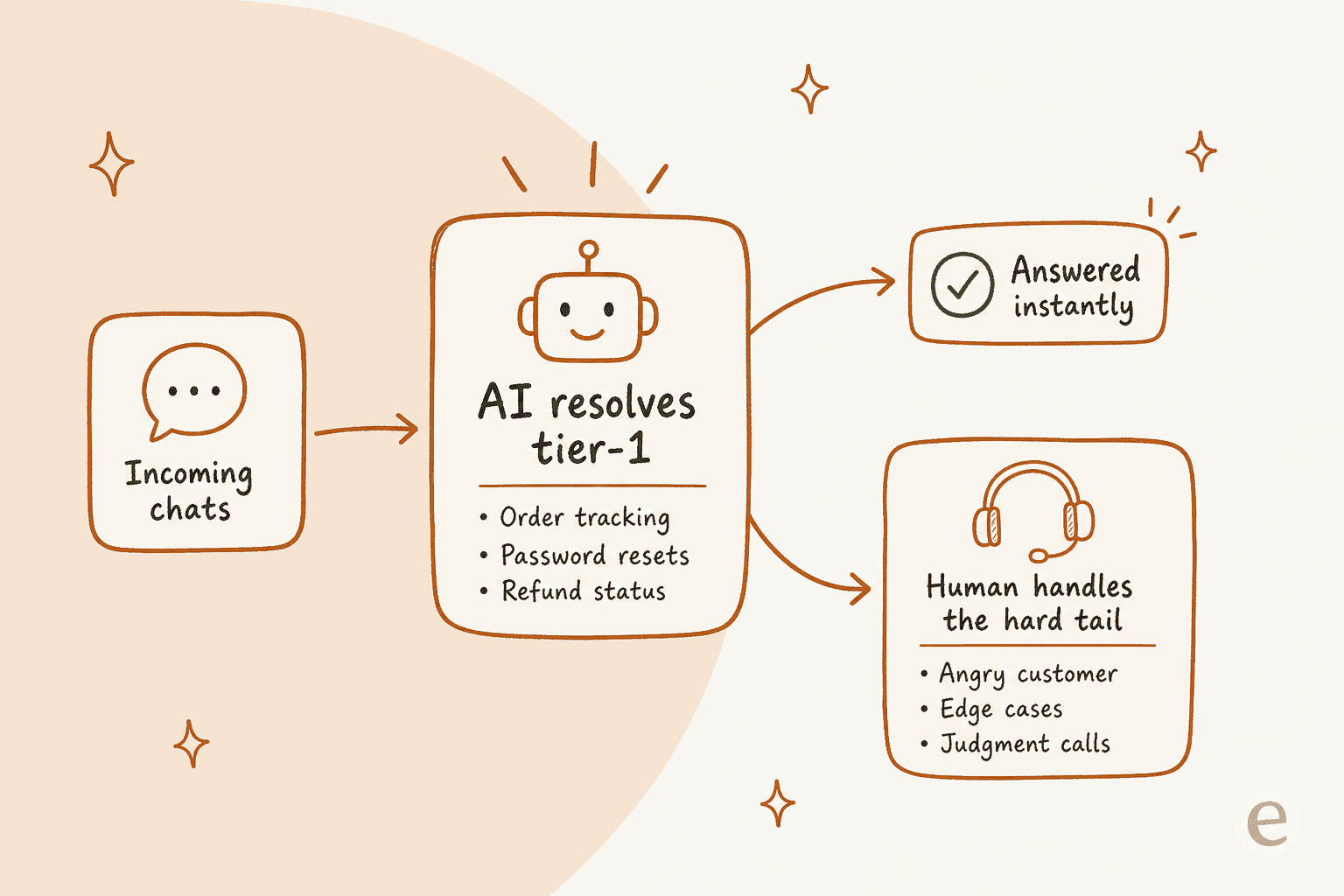
This is the split that actually works. AI takes the repetitive, high-volume chats (order tracking, refund status, resets) and answers them instantly. The hard tail, the angry customer, the genuine edge case, the judgment call, goes to a person. One CX lead we worked with put the principle better than I could:
"The AI will never be able to answer 100% of the questions. I need an AI who is only handling the tickets that it's confident to handle, and all the other ones, leave them alone."
a DTC supplements CX lead
That is exactly the model an AI agent should run, and it is why we build eesel around confidence, not coverage. Rather than a BPO's two-to-four-week hire-and-train cycle, eesel plugs into the helpdesk you already run and trains on your past tickets and knowledge base, so it can be live the same day. And because you can simulate it on historical tickets before it answers a single live customer, you see the resolution rate you will actually get instead of trusting a sales deck. I have watched confident-sounding bots quietly give wrong answers, which is exactly why that simulation step exists.
The results back the model up. Gridwise saw eesel resolve 73% of tier-1 requests in the first month, and Global Pay reported up to 80% time savings. Priced per ticket (1 credit each) rather than per staffed hour, the economics on repetitive chat are simply not close.
When to outsource, automate, or do both
None of this makes outsourcing wrong. It makes the decision situational.
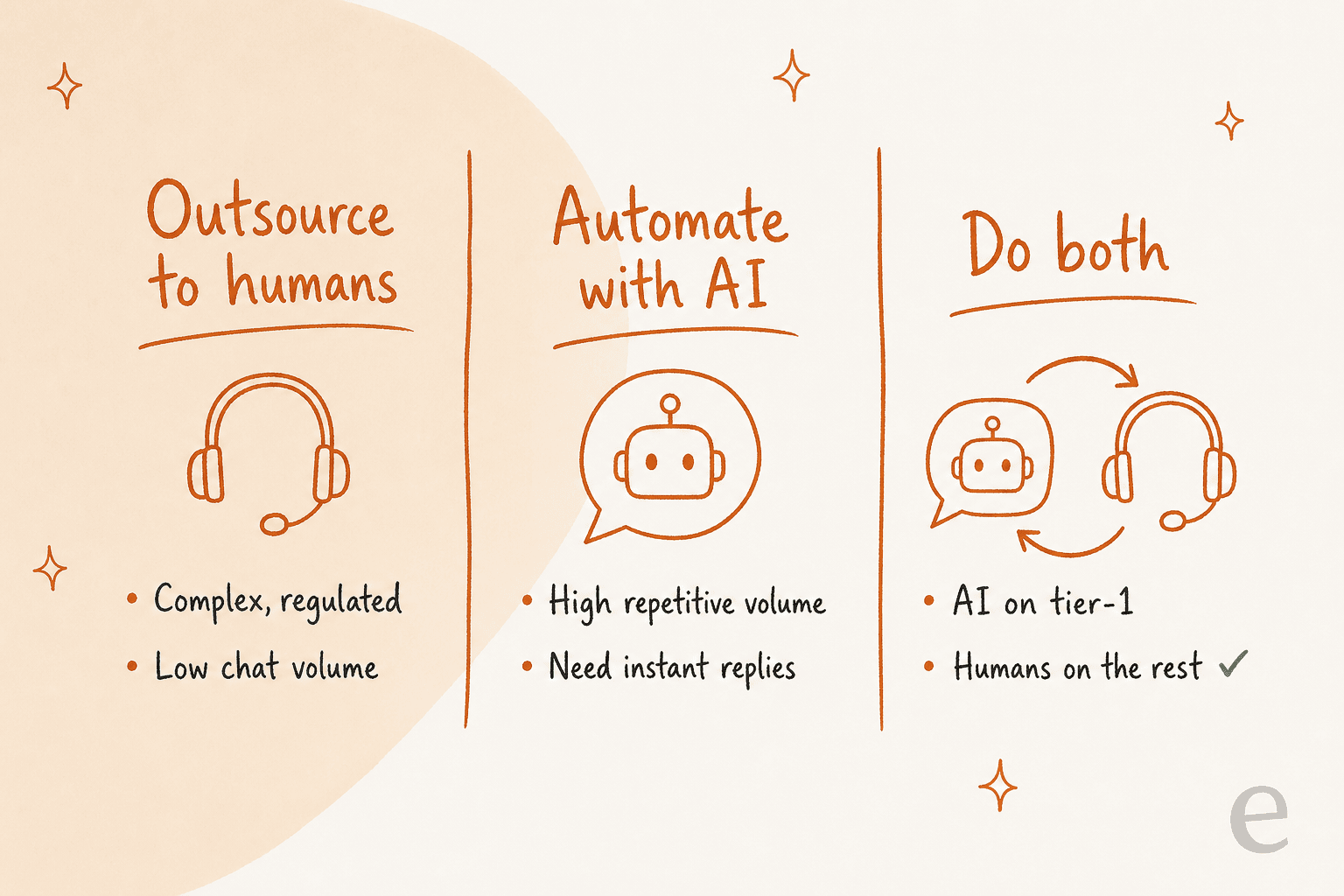
Outsource to humans when your chats are complex or regulated and your volume does not justify building automation. Automate with AI when your volume is high and repetitive and speed matters. And for most growing teams, do both: put AI on tier-1, keep humans on the rest. The build-versus-buy instinct usually lands on buy here anyway, as one customer told us:
"We could try to write our own LLM application but we didn't want to invest our time into that. We wanted something that we would not have to maintain."
Karel, GENERAL BYTES
The mistake I see most is defaulting to a full outsourced team for volume that AI could clear for cents, then paying agent-hours to answer "where is my order" forever.
Try eesel for your live chat
If your chat queue is mostly repetitive tier-1 questions, eesel is the layer that handles them before you hire for them. It plugs into your existing helpdesk (Zendesk, Freshdesk, Gorgias, Help Scout), trains on your past tickets and help center, and answers the high-volume chats instantly while escalating anything it is not confident about to your team.

The part that matters most: you can simulate it on your own historical tickets first, so you see the real resolution rate before it ever touches a live customer, no two-to-four-week ramp and no headcount contract. Pricing is one fixed monthly price from $299/month for 500 credits (1 credit per ticket or chat), with no per-seat fees. Try eesel free with 100 credits and point it at your busiest chat topic to see what it clears.
Rather not run it yourself? eesel Managed Support is the done-for-you version. For a flat $5,000 a month, we handle every customer conversation across email, chat, social DMs, SMS, WhatsApp, reviews and phone, inside the tools you already use, with our team watching over the AI. There's no setup fee and you can cancel anytime. That's less than most outsourced teams charge for 24/7 cover.