

If you're building any kind of modern AI app, especially one with semantic search or a RAG-powered chatbot, you've probably realized you need a vector database. Weaviate is one of the big names in this space, and for good reason, it’s a powerful open-source tool. But figuring out what it’s actually going to cost you is another story entirely.
a developer trying to estimate costs for a project with 10 million records, and the comment section was a mix of guesswork and confusion.

It's a common headache. I was just scrolling through Reddit the other day and saw a developer trying to estimate costs for a project with 10 million records, and the comment section was a mix of guesswork and confusion. The pricing models are tangled up in jargon like "vector dimensions" and "AIUs," which makes trying to create a simple budget feel impossible.
So, let's untangle this mess. This guide will break down Weaviate's pricing models, from Serverless and Enterprise to the often-underestimated costs of hosting it yourself. We'll do it in plain English so you can make a smart decision without getting hit with a surprise bill later.
What is Weaviate?
At its heart, Weaviate is an open-source vector database. You can think of it as a special kind of database built for the AI era. Instead of storing data in neat rows and columns like a traditional spreadsheet, it organizes information based on its meaning. It does this by turning your data, whether it's text, images, or audio clips, into a list of numbers called a vector embedding.
This structure is what lets AI do some pretty cool things. It enables an application to find the most relevant information based on context, not just simple keyword matching. This is the engine that runs smart search systems, chatbots that can actually cite their sources, and recommendation engines that feel like they read their mind.
Weaviate is loaded with features, like being able to handle different types of data (not just text) and a "hybrid search" that mixes old-school keyword filtering with new-school vector search. You can grab the open-source version and run it on your own servers, or you can use one of Weaviate's managed cloud services, which is where things get interesting with the pricing.
Understanding Weaviate's pricing models
When it comes to paying for Weaviate, you’ve got three main options. Each one hits your budget and your team's to-do list in a completely different way.
-
Weaviate Cloud (Free and Flex): This is the pay-as-you-go route, with a free plan to start. You're billed for what you use above a $45 monthly minimum on Flex, which makes it a popular choice for getting a project off the ground or for apps with fluctuating traffic.
-
Weaviate Premium (Enterprise Cloud): This option gives you a shared or dedicated, fully-managed setup for big, important applications that need top-tier performance and can't afford to go down.
-
Self-Hosted (Open Source): This is the DIY path. You download the software for free and run it on your own infrastructure, whether that's a cloud server or a machine in your office.
Let's get into the details of each, starting with the one most developers try first: the Serverless plan, which Weaviate now sells as Free and Flex.
Serverless cloud pricing breakdown
The Serverless model is built for flexibility. The idea is that it grows with you, so you don’t have to guess how many servers you need right at the start. The catch? The pricing is based on a few metrics that can be a little confusing.
The biggest factor in your bill is the number of vector dimensions you store, calculated per million, per month. To give you a baseline, Weaviate's Flex plan lists from $0.00465 per 1 million vector dimensions stored, with the rate varying by index type, compression method, and region.
Okay, so what on earth is a "dimension"? It's just the size of your vector embedding. Different AI models create vectors of different sizes. For instance, OpenAI's popular "text-embedding-ada-002" model creates vectors that are 1536 dimensions long. If you were to store 1 million of these vectors, your monthly bill would be based on 1.536 billion total dimensions. At the lowest listed Flex rate that is roughly $7 a month for dimensions alone, so on a small project the $45 minimum is what sets your bill.
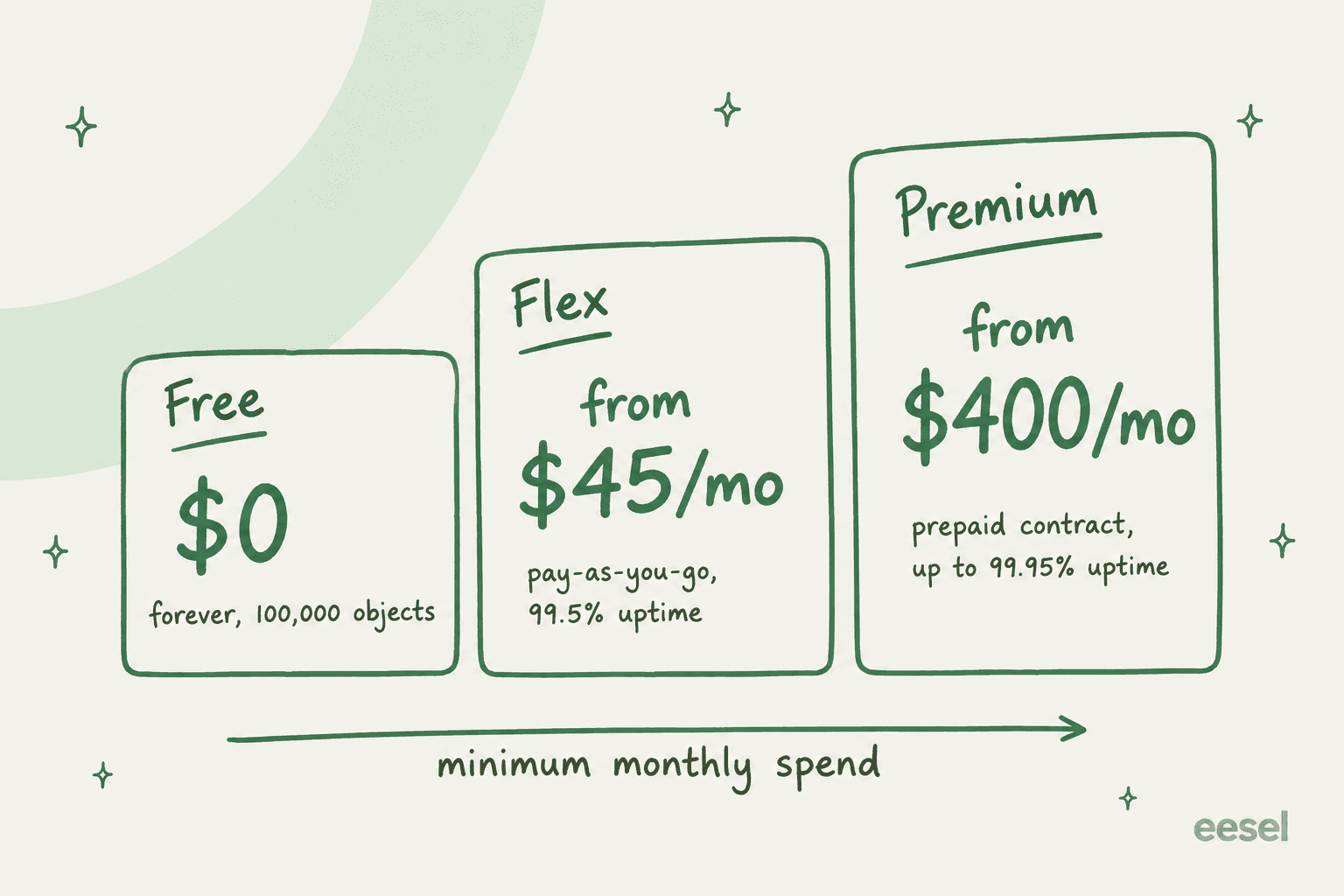
On top of that, your minimum spend, uptime guarantee, and support response times depend on the plan you pick.
| Plan | Starting Price /mo | Price per 1M Vector Dimensions /mo | Uptime SLA | Key Support Features |
|---|---|---|---|---|
| Free | $0, free forever | N/A | Best effort | 100,000 objects, 1 collection, email support |
| Flex | From $45 | From $0.00465 | 99.5% | Email support, Sev 1 response in 1 business day |
| Premium (shared) | From $400 | From $0.003875 | 99.9% | Phone and Slack support, Sev 1 response in 4 hours |
| Premium (dedicated) | Contact sales | From $0.002718 | 99.95% | Sev 1 response in 1 hour, HIPAA and PrivateLink on AWS |
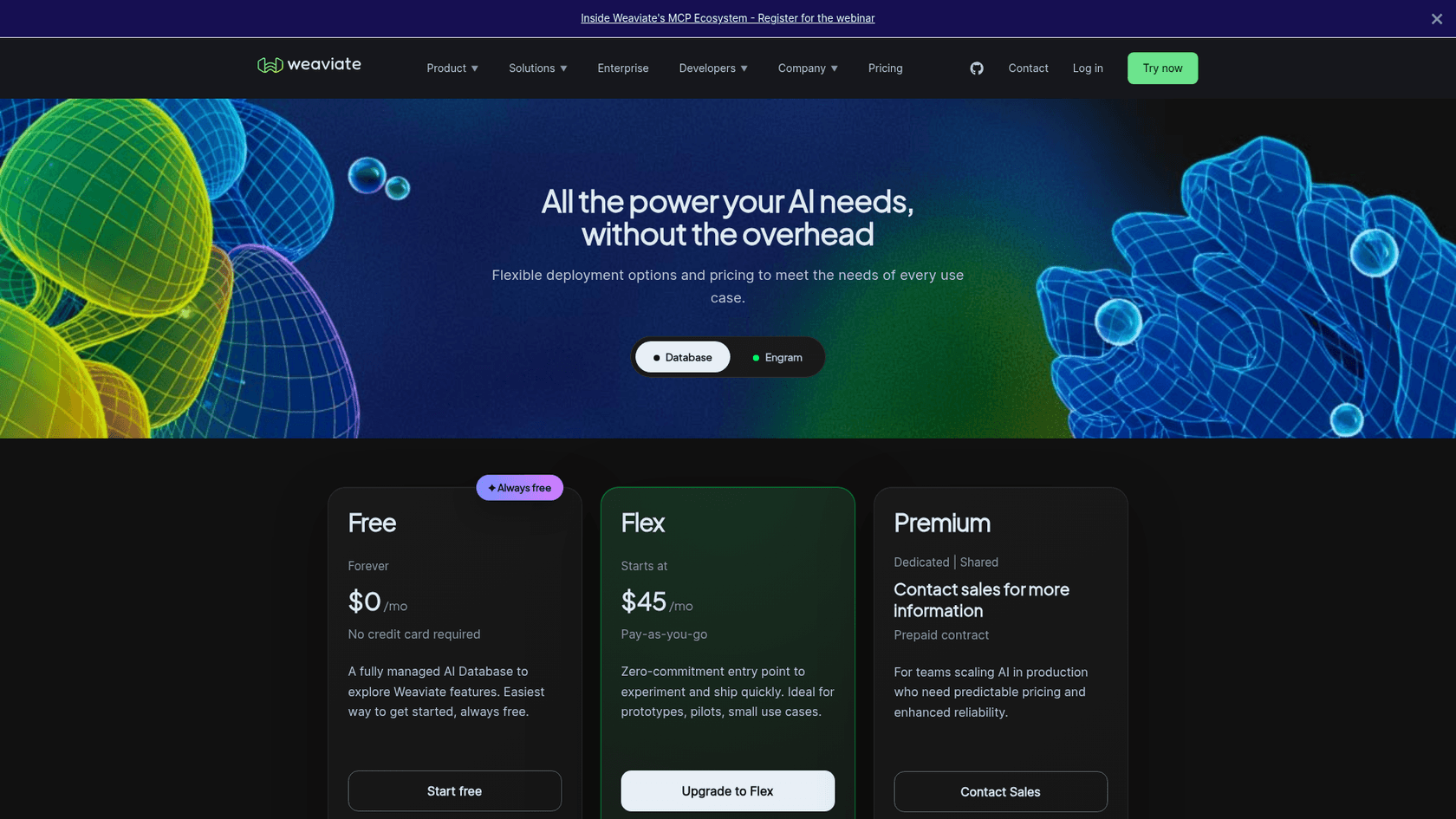
A couple of other things can move the needle on your bill:
-
Data Objects: Simply put, the more stuff you store, the more you pay.
-
Optimization Profile: You can pick "Cost Optimized" (lower memory and storage cost, suited to small or non-latency-sensitive workloads) or "Performance Optimized" (in-memory retrieval for most workloads). More aggressive compression is reflected in discounted dimension rates.
-
High Availability: All paid plans now include highly available clusters by default, so it is no longer a separate add-on you toggle on.
Weaviate also updated its price book in September 2026, adding a price for RQ-4 compression and changing backup rates (up for some clouds and regions, down for others), effective for usage from 1 September. Backups are on by default, so the change shows up on your backup line. Backup retention is 7 days on Flex, 30 days on Premium shared, and 45 days on Premium dedicated, and the Free plan has none.
The Query Agent is billed separately from the database: free for 1,000 requests a month, then a $30 per organization monthly plan that includes 4,000 requests.
The biggest challenge with this model is trying to predict your costs. Unless your data grows at a perfectly steady rate, forecasting your monthly bill is tough. You have to constantly keep an eye on how many objects you have, calculate the total dimensions, and guess at any future spikes in usage. For teams without a dedicated person to manage infrastructure, this can be a real pain.
Enterprise cloud pricing explained
For bigger companies running apps that are central to their business, Weaviate has the Premium plan, with a shared or dedicated deployment (its Enterprise Cloud). Dedicated gets you your own private environment, up to a 99.95% uptime SLA and a 1-hour Sev 1 response time.
Here, the pricing model changes. Forget pay-as-you-go. This is a prepaid contract, with a minimum from $400 per month and per-dimension rates published from $0.003875 per 1 million on shared and $0.002718 on dedicated clusters. The "AI Units" (AIUs) term this guide used to cite no longer appears on Weaviate's pricing page, and the full total for a dedicated deployment still goes through their sales team.
We can also get a hint from their cloud marketplace listings. The AWS Marketplace listing shows a starting contract of $10,000 for a 12-month period, and Weaviate is also listed on Azure Marketplace. On top of that commitment, there are overage fees, which AWS lists at "$0.285 per 1M vector dimensions".
The main issue here is that dedicated deployments and contract totals still go through sales, so you can't quickly work out the total financial commitment without a conversation. That's a huge hurdle and often feels like overkill for teams who just want to build a solid AI support agent without signing a five-figure check.
Hidden costs beyond the price tag
No matter which plan you're looking at, the price on the website is just the beginning. The real cost of using Weaviate goes way beyond the monthly invoice, especially if you're tempted by the "free" open-source version.
Developer and infrastructure overhead That Reddit comment about running Weaviate on a "$50 VPS" might sound great, but it's a massive oversimplification. Sure, the server itself might be cheap, but the real cost is the dozens, if not hundreds, of engineering hours spent on setup, configuration, security updates, performance tuning, scaling, and daily maintenance. This isn't a one-and-done job, it’s a continuous operational burden that pulls your developers away from building features for your customers.
Complexity of integration A vector database is only one component. To build a working AI agent, you still need to set up data pipelines, run embedding models, write all the application logic, and build custom integrations to connect everything to your existing tools, like your Zendesk helpdesk or your Confluence knowledge base. What seems like a small side project can easily balloon into a multi-month engineering epic.
The learning curve Using a tool like Weaviate well requires a pretty specific skillset. Your team needs to get up to speed on vector database theory, indexing strategies, and cloud infrastructure management. If you don't have that expertise in-house, you risk building a system that's slow, inefficient, or insecure, which ultimately slows down your launch and frustrates your users.
These hidden costs are exactly why a lot of teams end up skipping the DIY approach. They opt for fully-managed platforms that bundle the entire AI stack, hiding the complexity of individual components like vector databases.
A simpler alternative: eesel AI
Instead of getting lost in the weeds of managing a vector database, you can use an all-in-one platform like eesel AI to build and launch powerful AI support agents. It takes care of all the messy backend infrastructure, including vector storage, retrieval, and model management, so you never have to think about Weaviate pricing or configuring a server again.
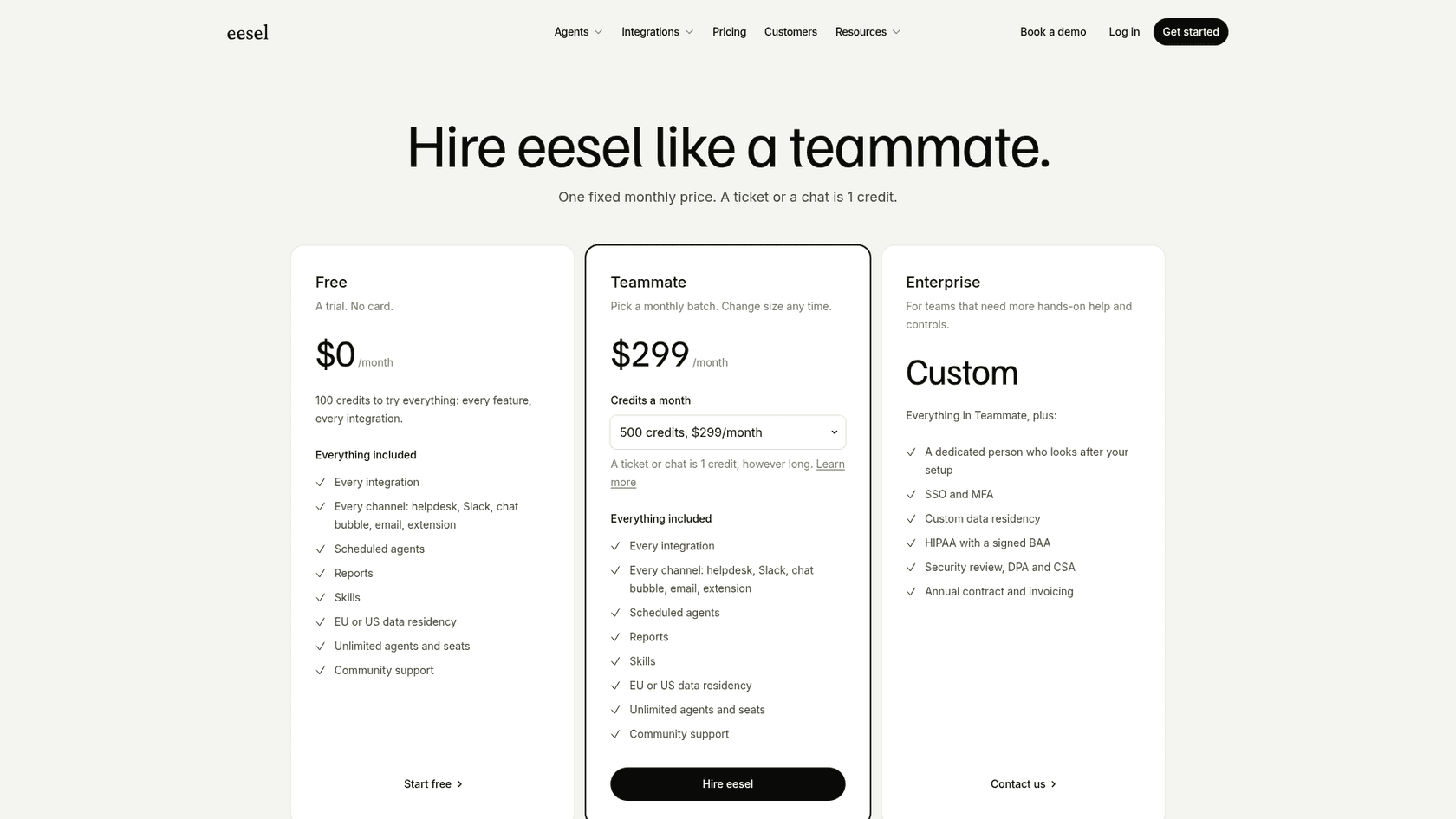
Transparent and predictable pricing With eesel AI, you can forget about confusing metrics like vector dimensions or AIUs. Pricing is one fixed monthly price: a free plan with 100 credits, then plans from $299 a month for 500 credits, where a ticket or a chat is 1 credit. There are no per-seat fees and every integration is included, so your costs won't jump with the number of agents. It makes budgeting refreshingly simple.
Go live in minutes, not months eesel AI is designed to be completely self-serve. You can connect your helpdesk, like Zendesk or Intercom, and pull in knowledge from all your sources, like Google Docs or a public website, with just a few clicks. A project that would take months of development with a tool like Weaviate can literally be done in an afternoon.
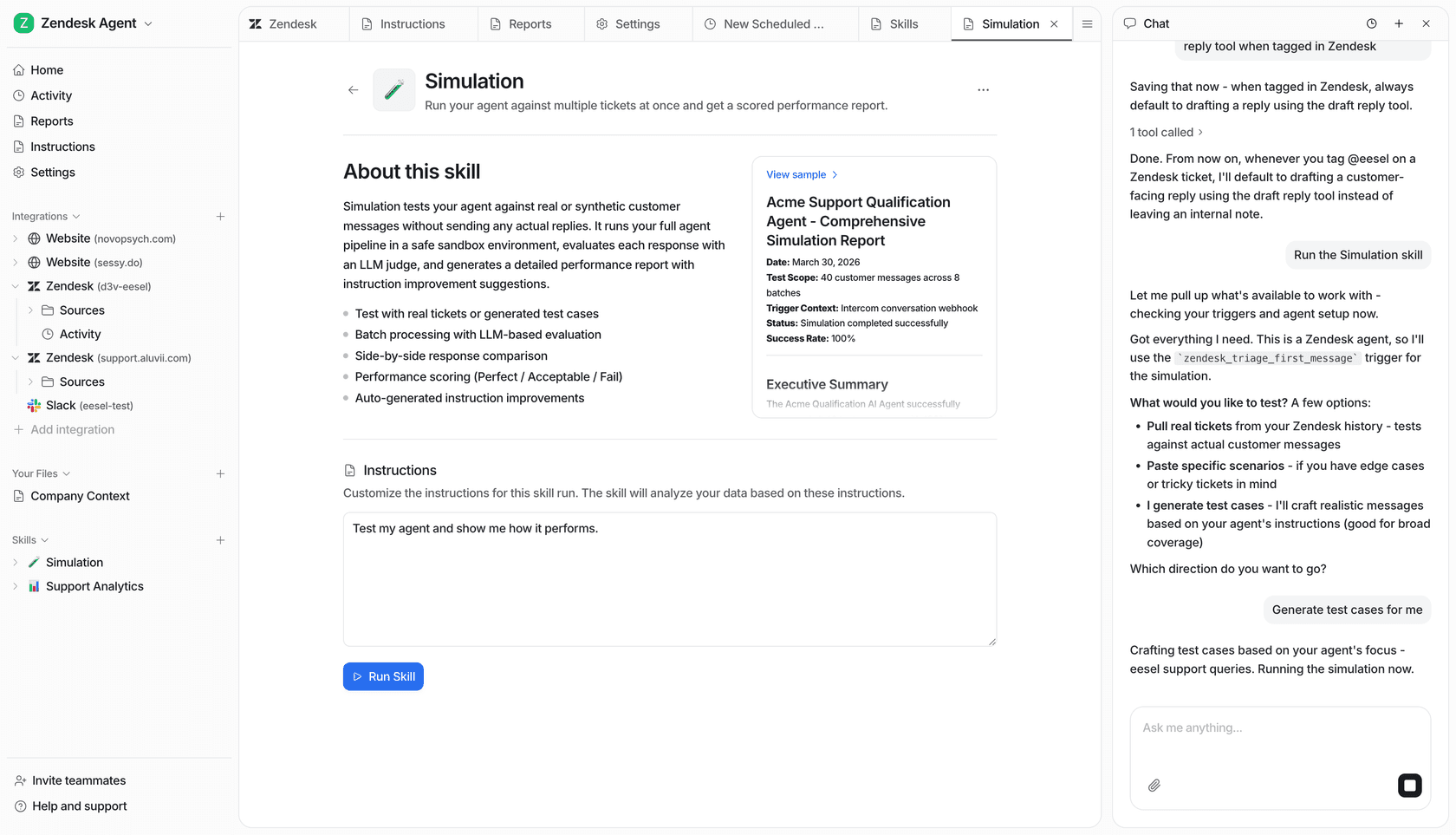
Test with confidence One of the biggest anxieties with a DIY setup is not knowing how well it will actually work. eesel AI has a simulation mode that solves this. You can safely test your AI agent against hundreds of your past support tickets in a sandbox. It scores each answer and suggests instruction changes, so you can see where the agent goes wrong before you turn it on for customers. It tests answers; it does not forecast your resolution rate or savings.
Focus on value, not vectors
Weaviate is a seriously powerful and flexible vector database, there's no doubt about it. But its pricing can be complicated, difficult to forecast, and a potential budget trap. The Serverless model gives you flexibility but requires you to keep a close eye on costs, while Premium means a prepaid contract with a $400 monthly minimum and sales-led quotes for dedicated clusters.
Even more importantly, the real cost of using a tool like Weaviate isn't just the monthly bill. It's the huge investment in developer time and infrastructure headaches. For most businesses, the goal isn't to become vector database experts, it's to solve customer problems as quickly and effectively as possible.
A fully-managed, end-to-end platform like eesel AI takes the infrastructure burden off your plate. It offers a faster, more predictable, and ultimately more cost-effective way to deploy powerful AI that actually helps your customers and your team.
Ready to launch an AI support agent without the infrastructure mess? Start your free eesel AI trial today and see how easy it can be.
Frequently asked questions
What are the main factors influencing Weaviate pricing across its different models?
Weaviate pricing is primarily influenced by your chosen deployment model: Weaviate Cloud (Free or Flex), a Premium contract, or self-hosted. On Flex, vector dimensions, storage, backups, and the optimization profile are key. Premium involves prepaid contracts, while self-hosting incurs infrastructure and operational overhead.
How does Weaviate pricing work specifically for the Serverless Cloud option?
For Serverless, Weaviate pricing is primarily based on the number of vector dimensions you store, calculated per million per month, along with your chosen plan (Flex has a $45 monthly minimum). Additional factors like storage, backups, the optimization profile (Cost Optimized vs. Performance Optimized), and your cloud region can also adjust your final bill.
What can I expect regarding Weaviate pricing if I'm considering the Enterprise Cloud?
Weaviate pricing for Premium (its Enterprise Cloud) involves prepaid contracts with a minimum from $400 per month on Weaviate's own pricing page, while the AWS Marketplace listing shows a $10,000 12-month commitment. Dedicated deployments come with premium support but require direct engagement with their sales team for specific quotes.
How difficult is it to predict monthly Weaviate pricing for the Serverless model?
Predicting Serverless Weaviate pricing can be challenging due to its dynamic nature. You need to constantly monitor your data growth, total vector dimensions, and usage spikes, which requires ongoing effort and can make accurate budgeting difficult without a dedicated team member.
How does Weaviate pricing compare to all-in-one AI platforms like eesel AI?
Weaviate pricing is component-focused, charging for vector storage and infrastructure. In contrast, all-in-one platforms like eesel AI offer predictable pricing in fixed monthly credit plans (a ticket or a chat is 1 credit), bundling all the underlying infrastructure and management into a single cost. This simplifies budgeting and removes the complexity of managing individual components.