8 best Wix Smart Chat alternatives in 2026, compared

Kurnia Kharisma

Katelin Teen
Last edited October 21, 2026
Why do Wix owners look for Wix Smart Chat alternatives?
Smart Chat does some things well, and it's fair to start there. It's built by Wix, free to install, and its manual chat is free forever: you reply from the Wix Inbox you already use. It replaced both Wix AI Site Chat and the older Wix Chat, which, per Wix's migration article, can no longer be installed. Wix also says Manual Chat is HIPAA compliant, which most third-party chat apps don't claim.
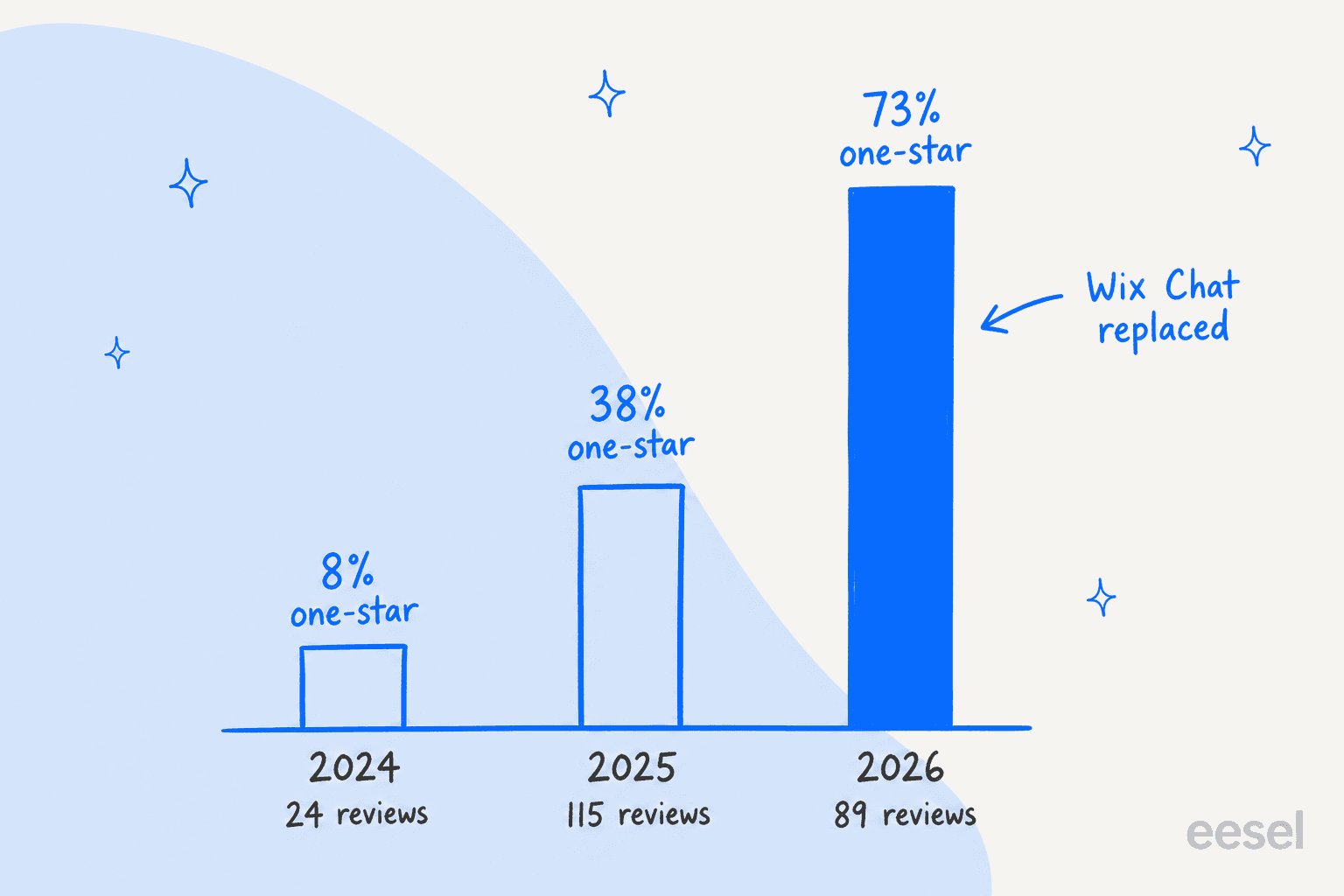
The problems show up in the reviews. I covered them in depth in my Wix Smart Chat review, and the trend is hard to miss. The Wix listing shows 2.8 stars from 158 reviews, and the share of one-star reviews in its review feed went from 8% in 2024 to 38% in 2025 to 73% of the 89 reviews posted in 2026.
Four reasons come up again and again:
- Wrong answers. The AI answers from your published pages, and reviewers describe it quoting old prices or inventing details. That's the most expensive failure, because the customer believes it.
- Shared AI credits. Since June 10, Smart Chat's AI runs on the Wix AI credits in your site plan. Wix estimates up to 150 AI chat actions a month on Light and 1,000 on Business Elite, shared with Wix's other AI tools, and you can't buy top-ups on a Premium plan. When credits run out, the chat goes offline. My Wix Smart Chat pricing breakdown works out what that ceiling means per plan.
- Features lost from Wix Chat. Members Chat, rule-based automations and a translated chat interface aren't there yet. The interface is English only.
- Mobile quirks. Several reviewers report the widget not showing, or showing the wrong mode, on phones.
The quote I keep coming back to is short, and it's from a store owner in March 2026:
"Prices were updated for our products. Customers were given the old prices!"
isystevenson1, Wix App Market, March 2026
A restaurant owner described a slower version of the same thing in June 2026:
"Initially, the results looked promising, but over time the AI began providing incorrect information, including wrong addresses, incorrect business hours, and even phone numbers that were not associated with the business."
trohas, Wix App Market, June 2026
If that's your reason for leaving, swapping one chatbot for another doesn't fix it by itself. What fixes it is an AI you can test on real questions before launch, one that hands off when it isn't sure. My guide to AI hallucinations explains why this happens.
What should you check before you switch?
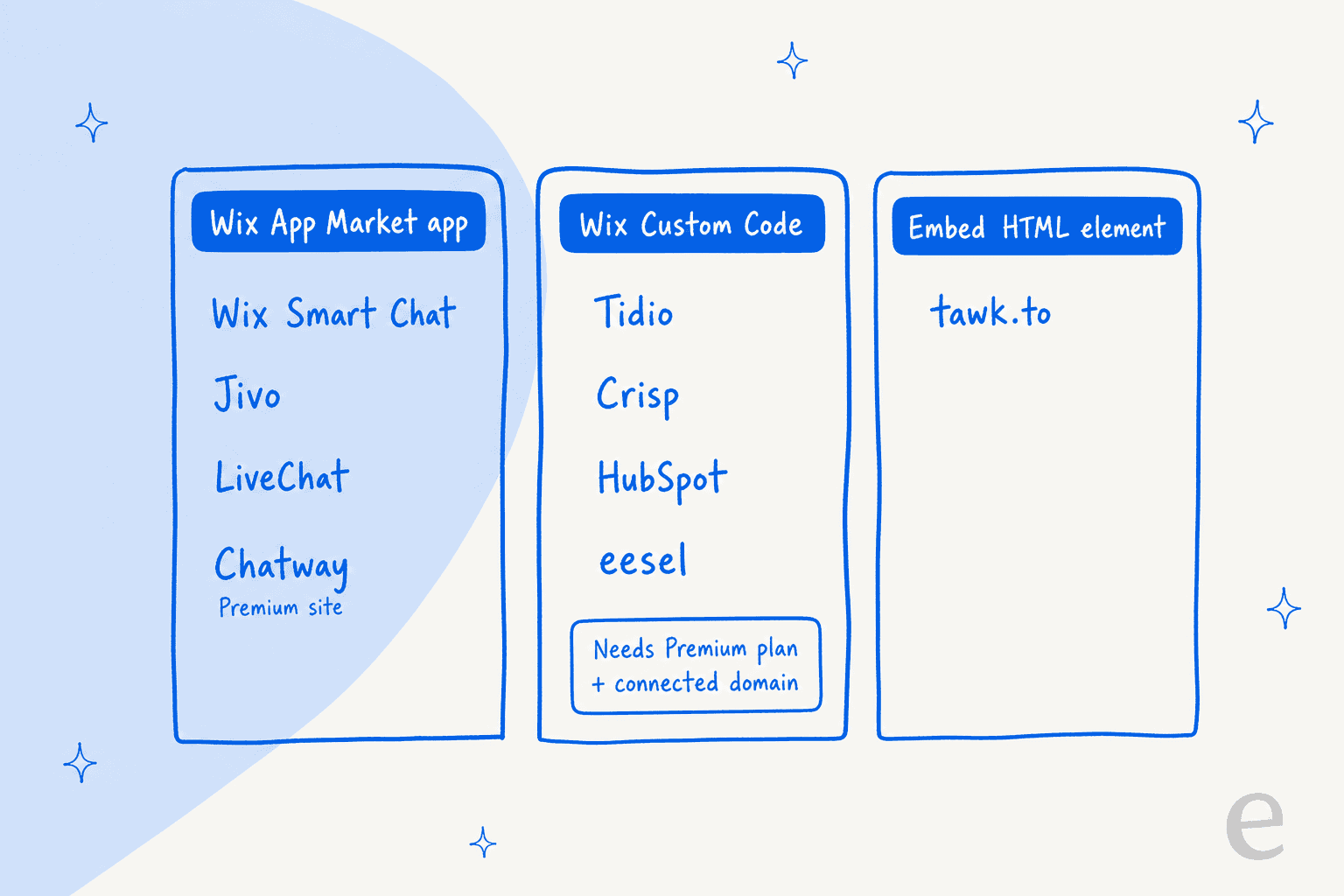
The first check is specific to Wix, and it rules out half the list for some people. Every chat tool gets onto a Wix site in one of three ways:
- A Wix App Market app. You click Add to Site. Wix Smart Chat, Jivo, LiveChat and Chatway work this way. Chatway's listing says a Premium site is required; Jivo's and LiveChat's don't.
- A script in Wix Custom Code. You paste the vendor's snippet under Settings, then Custom Code. Tidio, Crisp, HubSpot and eesel work this way. Wix's Custom Code article says your site must be published and have a connected domain, and on Wix that takes a Premium plan.
- An Embed HTML element. You drop the code into a page element in the editor. tawk.to's Wix guide uses this route.
Two details from Wix's article are worth knowing before you paste anything. If you change your site's domain later, your code snippets are deleted. And since December 2025, Wix has added security measures that may block some third-party snippets until the vendor updates them. Whatever you install, publish and check it on a live page, on a phone as well as a laptop.
After that, three questions sort the rest:
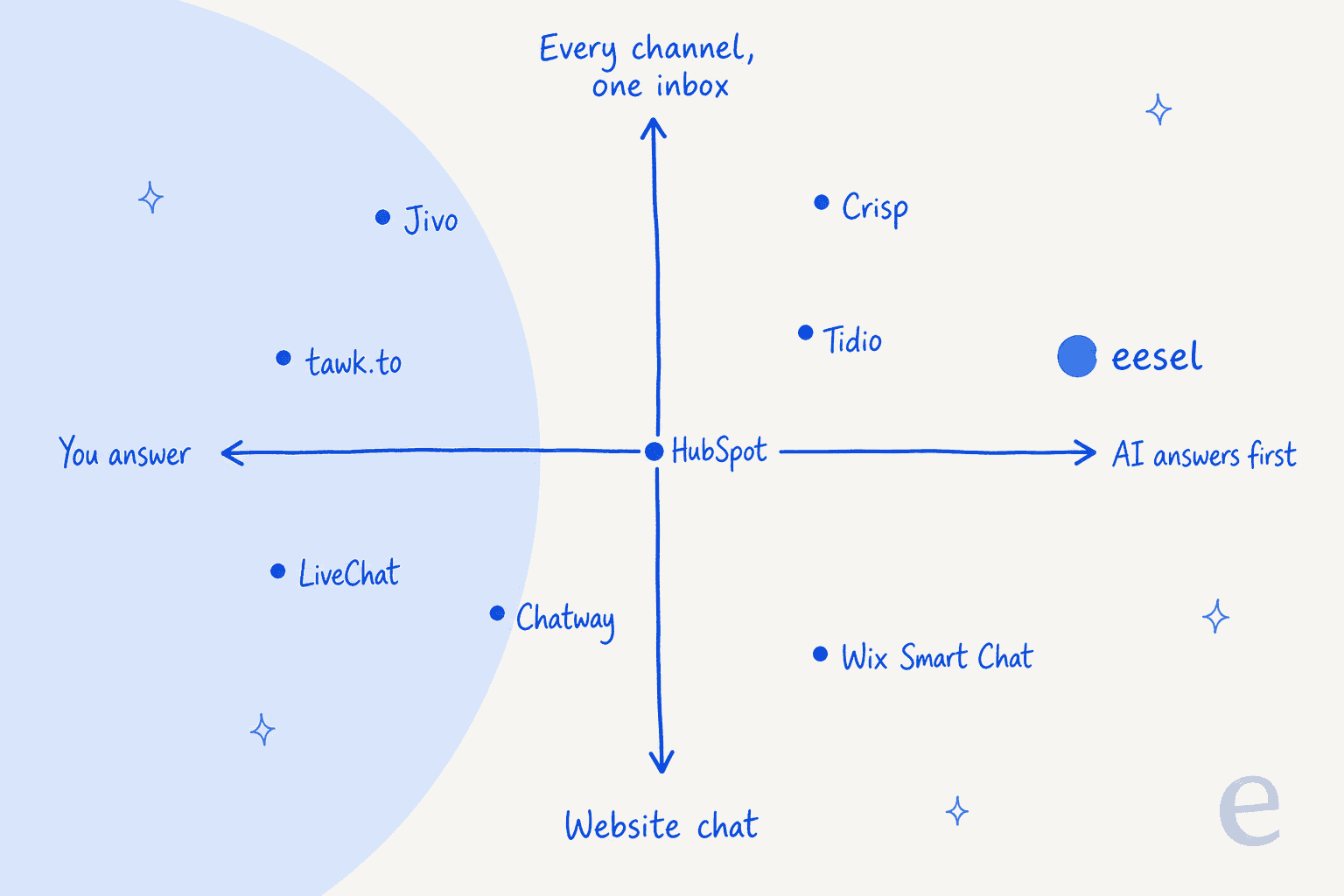
- Who answers? You and your team, or an AI first with a person behind it. My take on AI chatbot vs live chat goes deeper on that choice.
- What does the AI bill by? Conversations, resolutions, credits, replies or seats. It changes your bill more than the sticker price.
- Which channels? Website chat only, or Instagram, Messenger and WhatsApp in the same inbox.
Which Wix Smart Chat alternative fits your site?
Pick your main reason for leaving and your Wix plan. The shortlist uses the same vendor pricing pages as the rest of this post.
Why are you leaving Wix Smart Chat?
Pick one reason and your Wix plan. You get a top pick, a backup, and what it costs to start.
tawk.to with AI Assist
AI Assist answers from your knowledge base and crawled pages, and passes the chat to you with the context attached when it needs a person. tawk.to's Wix guide uses an Embed HTML element, not Custom Code.eesel chat bubble
Answers from your pages, help center and past tickets, links the page it used, and hands anything it isn't confident about to you with a summary. You can test it on real questions before it goes live.tawk.to
Live chat, a shared inbox, ticketing and a knowledge base for $0, with as many agents as you like. You only pay for extras such as removing the badge.Chatway
An App Market install with a 5.0 rating from 373 Wix reviews, mobile apps and canned replies on the free plan. Its listing requires a Premium site, which you have.Jivo
An App Market install whose free plan already covers website chat plus Instagram, Facebook, Telegram and Viber. WhatsApp comes with Professional and a $27 module.Crisp Essentials
WhatsApp Business, Instagram and SMS in one inbox for 10 seats at a flat $95 a month, with $25 of Hugo AI credits included.tawk.to AI Assist Growth
1,000 message credits a month for $29, about 333 replies on the default model, and extra credits at $30 per 1,000 that never expire.Chatway AI
You pay $0.50 only when the AI resolves a chat, and you start with 10 AI conversations free, so a quiet month costs almost nothing.Prices from each vendor's own pricing page on 22 Oct 2026. Custom Code installs need a published Wix site with a connected domain.
Pick why you're leaving Wix Smart Chat and your Wix plan to see a top pick, a backup and a starting price.
Wix Smart Chat alternatives at a glance
Here's every tool side by side, with Wix Smart Chat as the baseline. Ratings are the star averages on each app's own Wix listing, so they measure the Wix app, not the company.
| Tool | Best for | Gets onto Wix via | Wix listing rating | Free plan | Paid from | AI answers, billed by | Channels | Security stated |
|---|---|---|---|---|---|---|---|---|
| Wix Smart Chat | Staying native | App Market, by Wix | 2.8 (158) | Manual chat free; AI trial of 50 conversations | AI on Wix Light, $17/mo yearly | Shared Wix AI credits | Site chat, WhatsApp AI replies | Manual Chat HIPAA; AI Chat not |
| Tidio | AI plus sales flows | Custom Code | No app since Sept 2024 | 50 billable conversations | Starter $24.17/mo yearly | Lyro, per AI conversation | Chat, email, Messenger, Instagram, WhatsApp | SOC 2 exam done, GDPR, CCPA |
| tawk.to | Free chat you answer | Embed HTML element | No official app | Free, unlimited agents | $29/mo to remove badge | AI Assist, message credits | Chat, email, WhatsApp, Messenger, SMS | GDPR |
| Crisp | Flat price, shared inbox | Custom Code | No official app | 2 seats | Mini $45/mo flat | Hugo, dollar credits | Chat, email; WhatsApp, Instagram, SMS on Essentials | Not on pages checked |
| Jivo | Social and messenger channels | App Market | 3.8 (69) | Yes | Basic $28/agent/mo yearly | AI Agent, $69 per agent seat | Chat, Instagram, Facebook, Telegram, Viber; WhatsApp on Professional | GDPR consent form |
| Chatway | Top-rated Wix app | App Market, Premium site | 5.0 (373) | 50 conversations, 1 seat | Business $31/mo yearly | $0.50 per resolved chat | Chat; WhatsApp, Messenger, Instagram, email on Business | Not on pages checked |
| LiveChat | A team in one inbox | App Market | 3.9 (74) | 14-day trial | Essential $19/user/mo yearly | Included AI resolutions, then $49.50 per 50 | Chat, Messenger, SMS, Apple Business Chat | SOC 2 Type 2, GDPR, CCPA |
| HubSpot | Chats into a free CRM | Custom Code | No HubSpot chat app | Chat with branding, 2 users | Starter $7/seat (promo) | Customer Agent, $0.50 per resolution | Chat, Messenger, email; WhatsApp on Professional | Not on pages checked |
| eesel | AI that hands off well | Custom Code | Not on App Market | 100 credits to try | $299/mo for 500 credits | 1 credit per chat | Chat bubble, helpdesk, email, Slack | SOC 2 Type II audit in progress, GDPR, HIPAA on Enterprise |
Only three alternatives skip Custom Code without a Premium requirement: the App Market apps from Jivo and LiveChat, plus tawk.to through its Embed HTML guide. Everything else on the list either needs Custom Code or, in Chatway's case, says a Premium site is required.
How I picked these
I started from what ChatGPT recommends to a Wix owner who asks for Wix Smart Chat alternatives, then kept tools that pass four checks:
- It installs on Wix today, through the App Market, Custom Code or an embed the vendor documents.
- It has public pricing on the vendor's own page. Every price here comes from that page, not from a review site.
- It does one of the three jobs well: live chat you answer, AI answers, or one inbox for every channel.
- The vendor is still shipping. I checked each product's current pricing page and install docs on October 22, 2026.
I didn't run every tool on a live Wix site for weeks. Behavior comes from vendor docs and from the people who did, quoted with links. Here's where each one lands on the two choices that matter most:
Same AI chat, eight different meters
The sticker price tells you very little about AI chat, because every vendor counts something different. Wix counts AI actions out of a shared pool. Tidio counts conversations the AI touched. Chatway and HubSpot count resolutions. tawk.to counts replies. Crisp counts dollars. eesel counts a chat as one credit however long it runs.
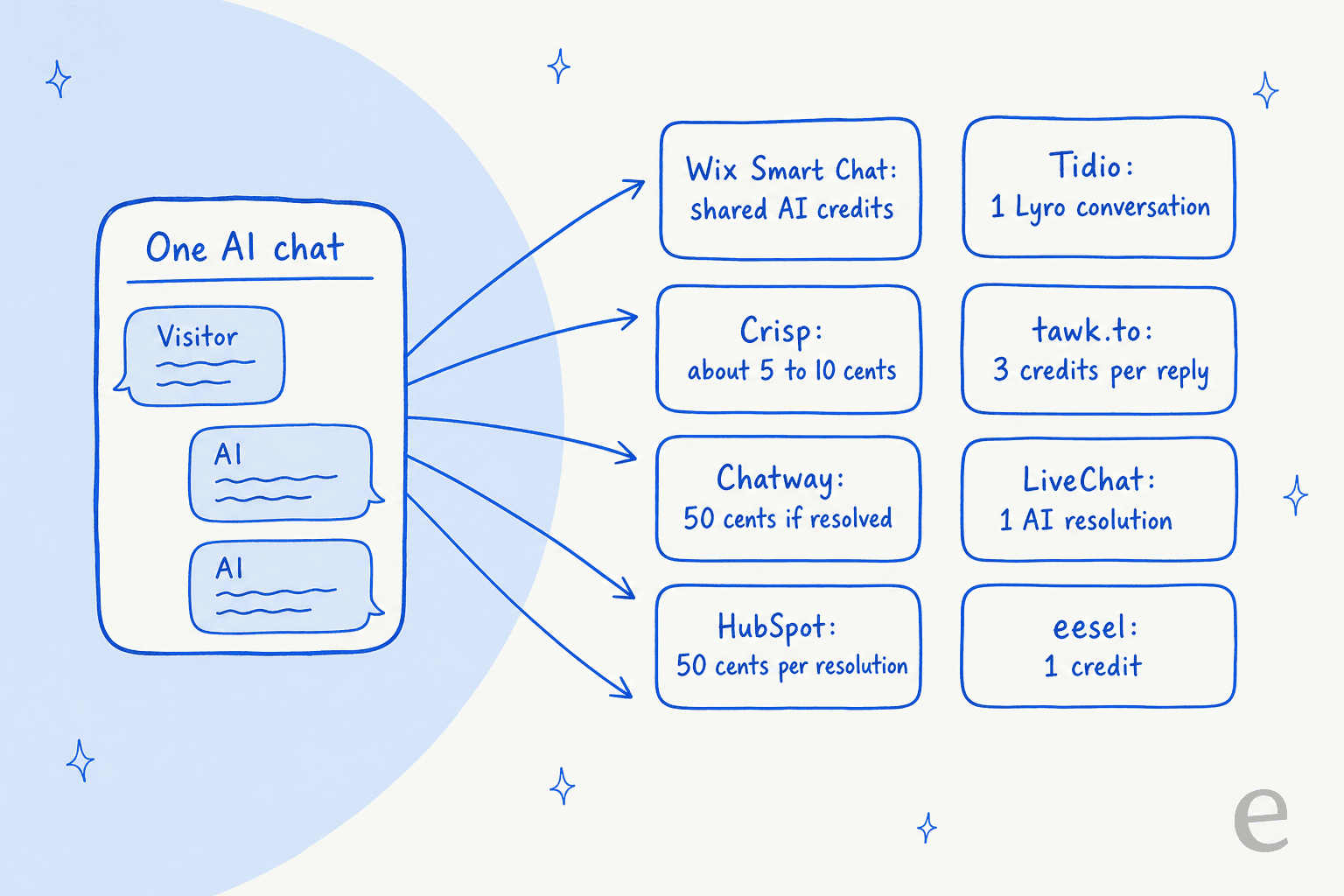
To make that concrete, here's what about 100 AI-answered chats a month cost on each tool, on monthly billing unless noted. I assumed each chat gets about three AI replies and that the AI resolves it.
| Tool | What 100 AI chats a month cost | How I got there |
|---|---|---|
| Wix Smart Chat | $0 extra on Core ($29/mo yearly) | Up to 200 AI actions on Core, if other Wix AI tools leave room |
| tawk.to | $29 | AI Assist Growth: 1,000 credits, 3 per reply on the default model |
| Crisp | About $46 | Mini $45 includes $5 of credits, about 90 conversations, plus about $1 of pay-as-you-go |
| Tidio | $75 | Lyro for 100 AI conversations, on top of the Free chat plan |
| Chatway | Up to $89 | Business $39 for the 200-conversation cap, plus $0.50 for each resolved chat |
| Jivo | $69 per AI agent seat | Flat seat price, billed yearly, whatever the volume |
| LiveChat | $124 | Essential $25 with 10 resolutions, plus two packs of 50 at $49.50 |
| HubSpot | $90 a seat (promo; $100 list), plus $1,500 onboarding once | Customer Agent needs Professional; resolutions draw on included credits |
| eesel | $299 | 500 credits, so 100 chats leave 400 for email tickets or more chats |
Per chat, Wix Smart Chat is the cheapest option here if you're already paying for Core, and I'd say so to anyone who asked. The question the reviews raise is what a wrong answer costs you. If one bad price quote loses one order, the cheap meter stops being cheap. My guide to deflection vs resolution rate explains why "resolved" means different things on different tools.
1. Tidio
Best for: Wix stores on a Premium plan that want AI answers plus discount and lead-capture flows in one widget.
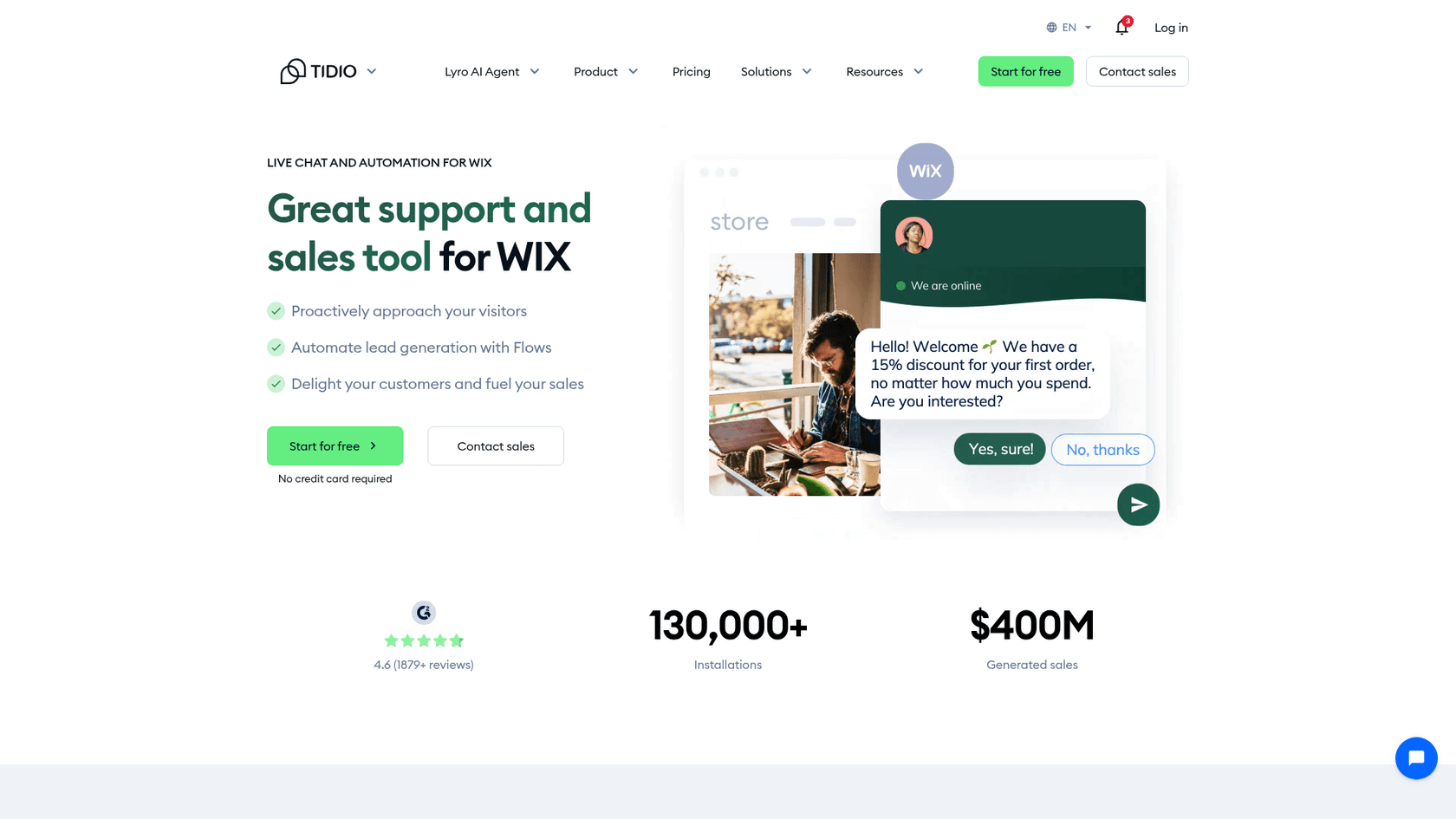
Tidio is live chat, a shared inbox and an AI agent called Lyro in one product. It was one of the first tools ChatGPT checked for a Wix owner, and its Wix page still pitches it as a support and sales tool for Wix. The detail most guides miss is that Tidio no longer has a Wix App Market app. You install it with a script.
What it does better than Wix Smart Chat
- A separate AI budget you control. Lyro has its own monthly quota, so it doesn't compete with Wix's marketing agent or Wixel for credits. Tidio's pricing page says customers average a 75% resolution rate with Lyro, a vendor figure.
- More channels on every plan. Messenger, Instagram, WhatsApp and email integrations are included on all plans, the Free plan too.
- Sales flows. Flows send discount offers and capture leads, which Smart Chat doesn't do since rule-based automations didn't carry over from Wix Chat.
Where it falls short
- Two meters. Chat plans bill by "billable conversations" (any conversation with a reply from a person), and Lyro bills by AI conversations on top. My Tidio pricing post walks through both.
- The 50 Lyro conversations on the Free plan are a one-time allowance, not monthly.
- Self-serve plans cap at 10 seats.
"I love how easy Tidio is to set up. I was up and running in less than 10 minutes AND that included chatting with their amazing tech support."

Getting it onto Wix
Tidio's Wix install guide says the Wix app stopped being supported on September 30, 2024. Now you paste the Tidio code into Custom Code at Body - End, and Tidio says you need a paid Wix plan ("any plan should work, even the Light plan") and a connected domain. If you used the old Wix plugin, Tidio asks you to open a new account for premium plans.
Pricing
| Plan | Monthly | Billed yearly | Included |
|---|---|---|---|
| Free | $0 | $0 | 50 billable conversations a month, 50 Lyro conversations once |
| Starter | $29 | $24.17/mo | 100 billable conversations |
| Growth | From $59 | From $49.17/mo | 250 to 2,000 billable conversations |
| Plus | From $300 | From $300 | Custom volume |
| Lyro AI | $39 for 50, $75 for 100, $140 for 200 | From $32.50/mo for 50 | AI conversations a month |
Prices from Tidio pricing. Tidio says it has completed a SOC 2 examination and is GDPR and CCPA compliant, per its security page.
Verdict: Pick Tidio if you're on a Premium Wix plan, sell online, and want AI and sales flows in one tool. Skip it if you're on a free Wix site, or if AI volume will be high enough that Lyro becomes the biggest line on your bill. My Tidio alternatives list covers the neighbours.
2. tawk.to
Best for: owners who answer every chat themselves and want to spend $0, without touching Custom Code.
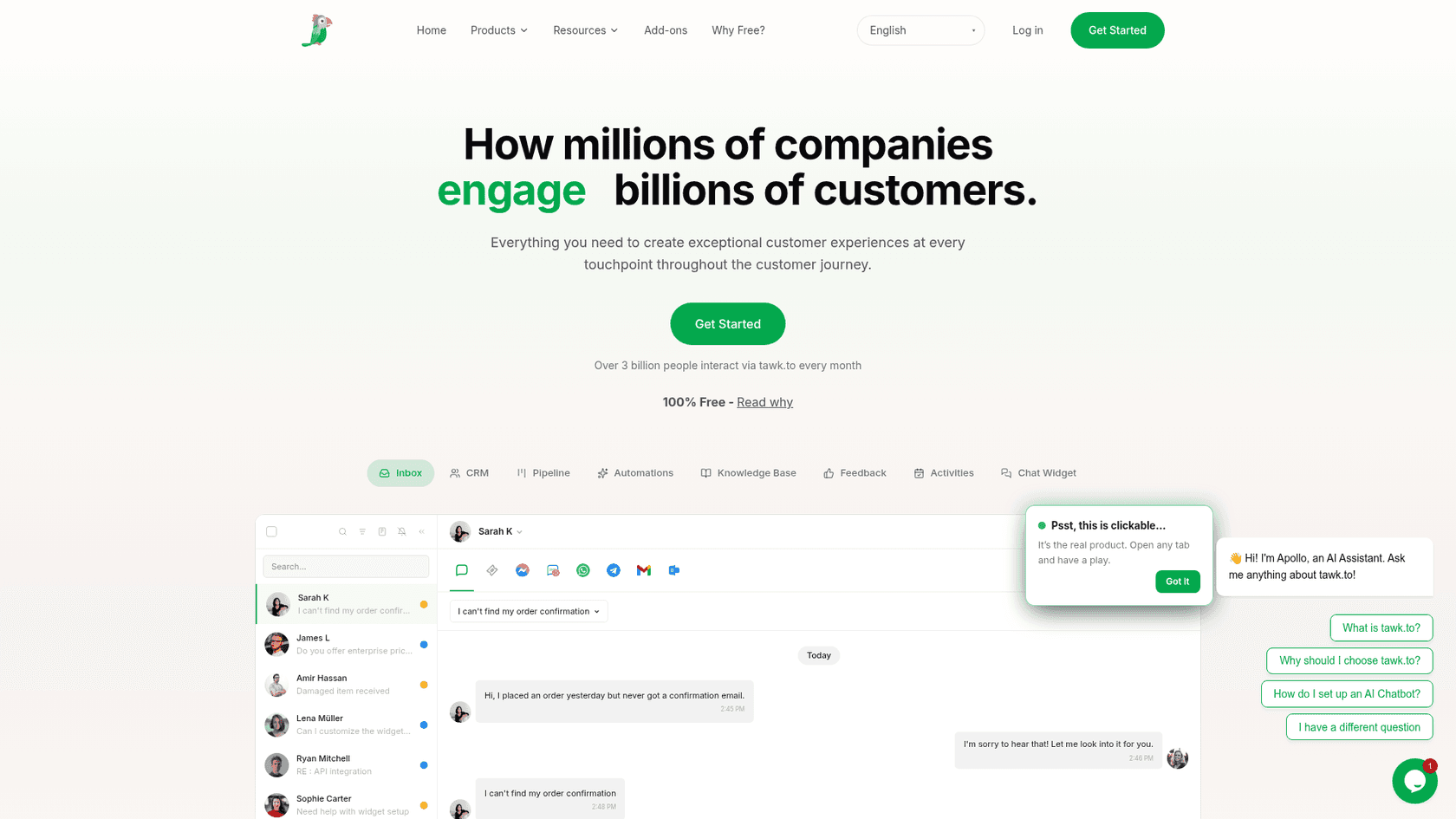
tawk.to gives away live chat, a shared inbox, ticketing and a knowledge base, with no limit on team members. It makes money from add-ons priced "per property, not per seat," per its add-ons page. If Smart Chat's manual mode was all you used, this is the closest like-for-like swap, and it costs the same: nothing.
What it does better than Wix Smart Chat
- A fuller free inbox. The free shared inbox brings in live chat, email, WhatsApp, Facebook Messenger and SMS.
- An AI meter you can top up. AI Assist answers from your knowledge base and crawled pages, and extra credits cost $30 per 1,000 and never expire. Smart Chat on a Premium plan has no top-ups.
- People for hire. tawk.to sells hired chat agents at $1 an hour, if you want a person on chat at night.
"I'm giving Tawk 4 stars because they provide a great service for free. There are definitely more 'polished' options out there, but they all come with a monthly fee now."

Where it falls short
- The "Powered by tawk.to" badge stays unless you pay $29 a month for Whitelabel.
- The AI is a separate add-on with its own credit system, where the default model uses 3 credits per reply.
- There's no official tawk.to app on the Wix App Market, so you set it up by hand.
Getting it onto Wix
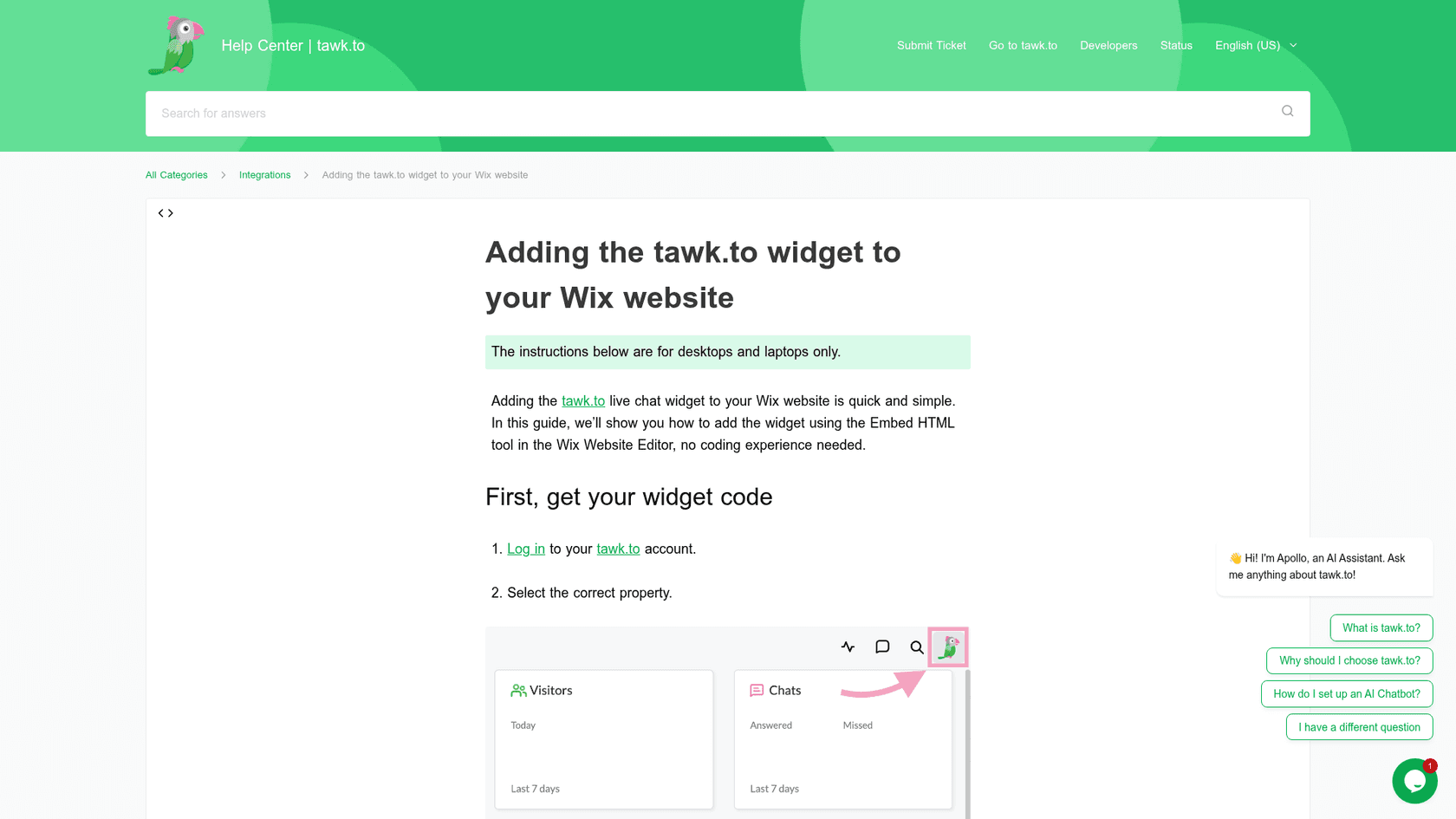
tawk.to's Wix guide has you copy the widget code, add an Embed HTML element in the Wix Editor, paste the code, drag it into the footer so it shows on every page, and pin it to the screen. It doesn't use Custom Code and doesn't list a paid plan as a requirement. The guide notes its instructions are for desktops and laptops, so check the widget on your phone after you publish.
Pricing
| Item | Price | What you get |
|---|---|---|
| Live chat, inbox, tickets, knowledge base | $0 | Unlimited team members |
| Whitelabel | $29/mo | Removes the badge, custom domains, branded emails |
| AI Assist Growth | $29/mo or $290/yr | 1,000 credits, 3 AI agents, 500 crawled pages |
| AI Assist Business | $99/mo or $990/yr | 5,000 credits, 5 AI agents, 2,000 pages |
| AI Assist Enterprise | $399/mo or $3,990/yr | 20,000 credits, 10 AI agents, 10,000 pages |
| Extra AI credits | $30 per 1,000 | Never expire |
| Hired agents | $1/hour | tawk.to staff answer your chats |
Prices from tawk.to add-ons and its AI Assist billing article. AI Assist also has a free tier for limited volume.
Verdict: Pick tawk.to if you'll be at your inbox and want real chat on Wix for $0 with no Custom Code step. Skip it if you want AI answers to be the main event, since you're bolting a credit system onto a free chat. My tawk.to alternatives post covers the step up.
3. Crisp
Best for: a small team that wants one flat price for chat, email and, later, WhatsApp and Instagram.
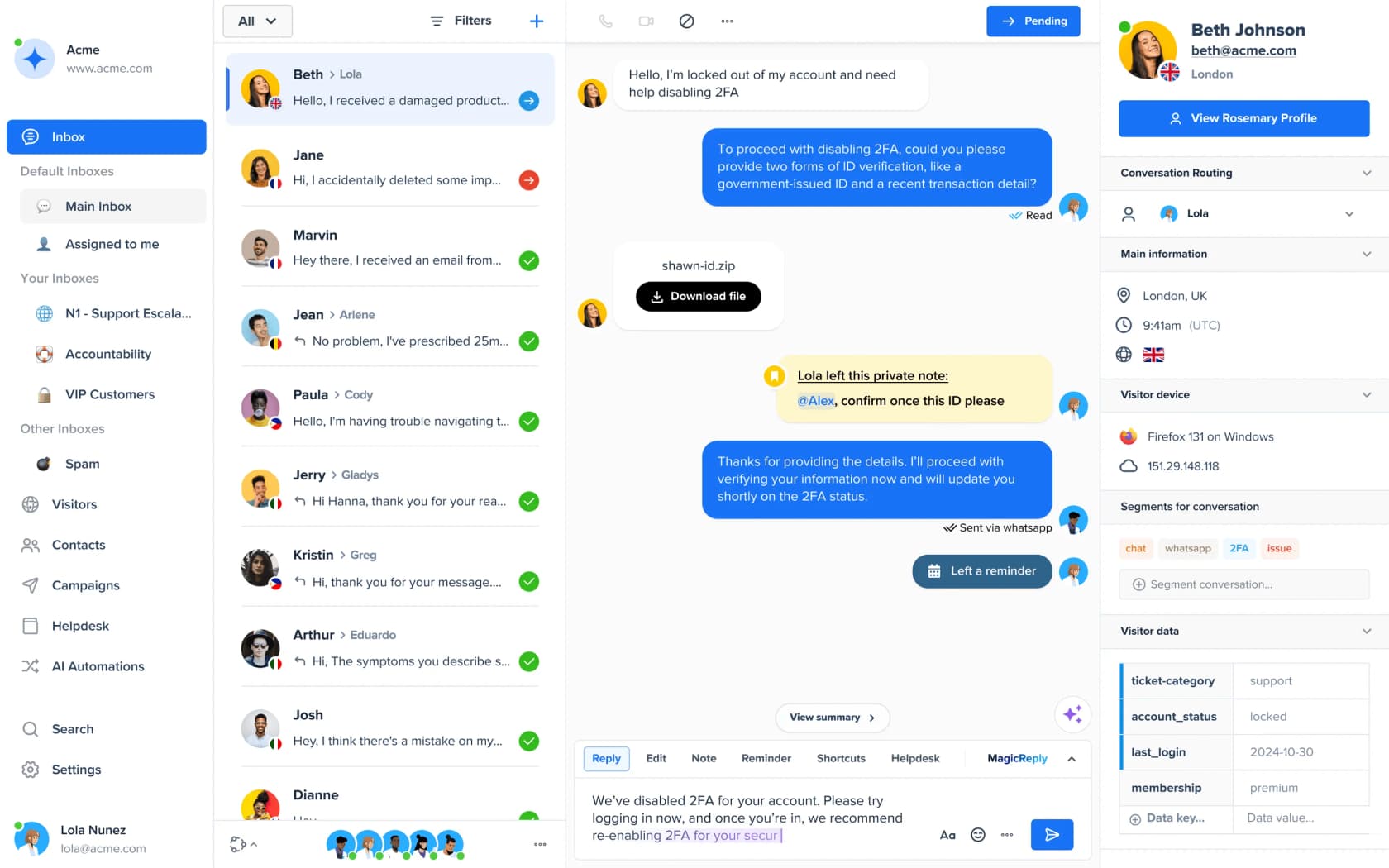
Crisp charges per workspace, not per seat, so adding a person doesn't add a bill. ChatGPT checked its pricing and the billing page for Hugo, its AI agent, when I asked as a Wix owner. For a business that outgrew answering chat alone, $45 a month on Mini covers 4 seats.
What it does better than Wix Smart Chat
- AI on a small, visible meter. Hugo draws from dollar credits that reset on the 4th of each month. Crisp's Hugo billing article puts an average Hugo conversation at about $0.05 to $0.10.
- More to learn from. Hugo reads Q&A snippets, a crawl of your website, uploaded files and your Crisp knowledge base, which retrains when you edit it, per Crisp's Hugo setup guide.
- Clear escalation. By default Hugo hands off when it doesn't have an answer or the visitor seems frustrated.
"We like the fact that it's actually a live-chat platform, and not just a widget with a glorified email-contact-form; our customers can actually chat with us."
That reviewer rated Crisp low overall in April 2026, mostly over its AI pivot, which makes the praise for the core chat more telling.
Where it falls short
- The Free plan has no AI credits, and Hugo stops answering when included credits run out unless you turn on pay-as-you-go.
- WhatsApp, Instagram and SMS start on Essentials at $95, not Mini.
- No yearly price is published; you switch to yearly inside the app after subscribing.
Getting it onto Wix
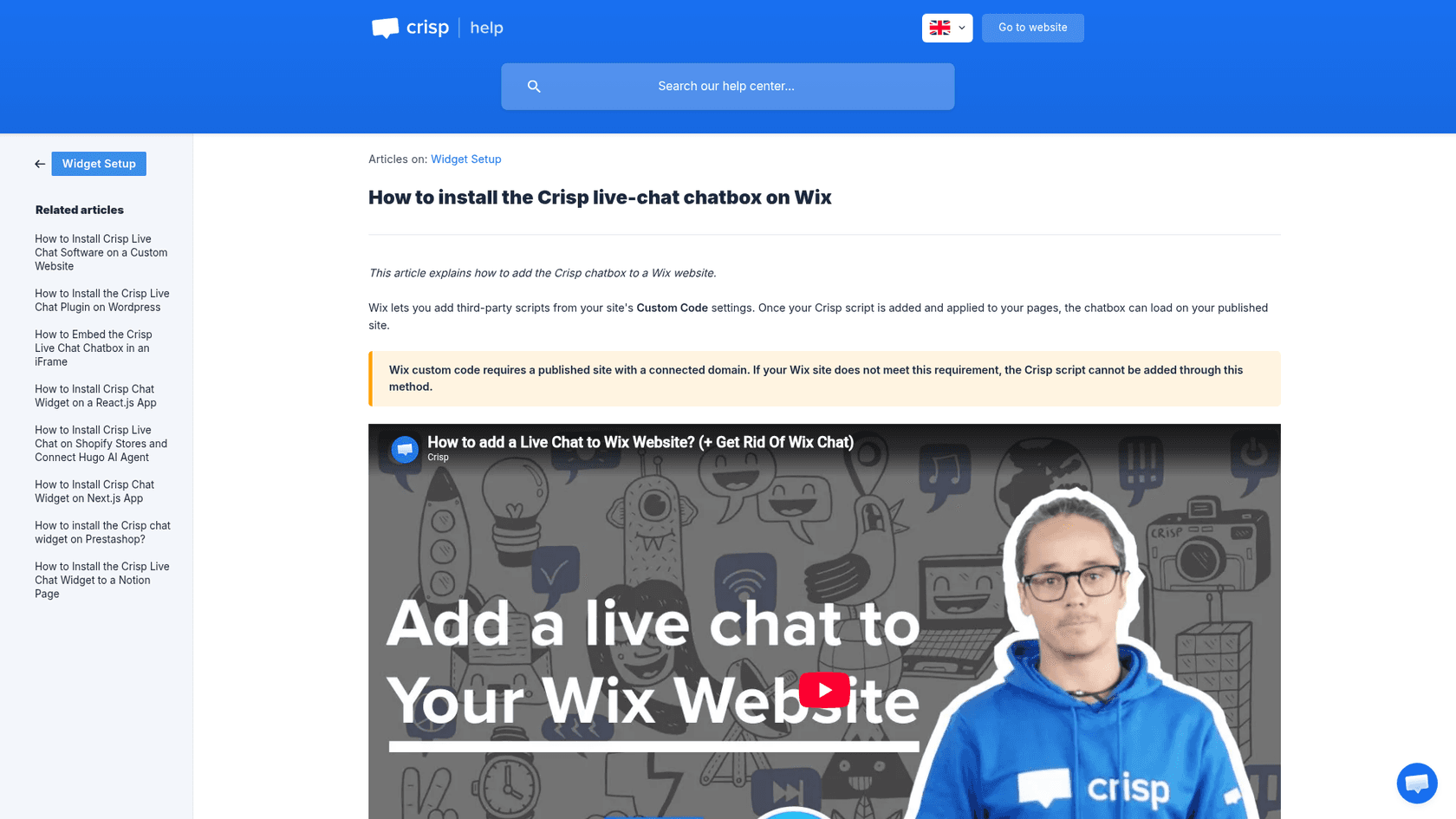
Crisp's Wix guide uses Custom Code, applied to all pages at Body - end, and says plainly that Wix custom code "requires a published site with a connected domain." There's a third-party Crisp Connector on the App Market, built by another developer with no reviews yet, but no official Crisp app.
Pricing
| Plan | Per month, per workspace | Seats | Included AI credits |
|---|---|---|---|
| Free | $0 | 2 | None |
| Mini | $45 | 4 | $5, about 90 automated conversations |
| Essentials | $95 | 10 | $25, about 450 |
| Plus | $295 | 20+, $10 per extra agent | $75, about 1,350 |
Prices from Crisp pricing. My Crisp AI review covers Hugo in more depth.
Verdict: Pick Crisp if two to ten people answer chat and you want a flat bill with cheap AI on top. Skip it if you're on a free Wix site, or if Instagram and WhatsApp are your main channels and $95 a month is too much. Crisp alternatives has the next options.
4. Jivo
Best for: businesses whose customers message from Instagram, Facebook, Telegram or WhatsApp, and who want a one-click App Market install.
Jivo, sold as JivoChat, is a multichannel inbox with website chat at the front. It came up in ChatGPT's answer through its Wix App Market listing, and it's the strongest pick here for social and messenger channels without Custom Code. The Wix listing shows 3.8 stars from 69 reviews and a free plan.
What it does better than Wix Smart Chat
- Channels on the free plan. Jivo's pricing page lists online chat plus Telegram, Facebook, Instagram and Viber on Free, with a callback request and offline forms.
- A flat AI price. The AI Agent is $69 per agent a month on yearly billing, and Jivo says it only uses the content you give it: your website and the files you upload.
- Phone and video options. Telephony and video call modules are available as add-ons, which Smart Chat doesn't offer.
"I use Jivo in my website and especially the WhatsApp integration is quite good."
Where it falls short
- WhatsApp needs Professional plus a $27 a month module, so the channel people want most isn't on the free plan.
- The pricing page disagrees with itself on the free plan: the plan card says 5 agents, the comparison table says up to 2. Check before you plan around it.
- Wix reviews are mixed. One reviewer in May 2026 wrote: "I installed it on my website, it doesn't appear there and it's impossible to be removed."
Getting it onto Wix
Click Add to Site on the JivoChat listing. There's no Custom Code step and no Premium badge on the listing. One thing to know: the listing still shows older prices ($19 Pro, $38 Enterprise), while Jivo's own pricing page shows the current ones below. Go by the vendor page.
Pricing
| Plan | Per agent a month, billed yearly | Highlights |
|---|---|---|
| Free | $0 | Chat, Telegram, Facebook, Instagram, Viber, callback |
| Basic | $28 | Proactive invitations, visitor monitoring, Jivo CRM |
| Professional | $42 | WhatsApp integration, chatbot integration, telephony |
| Enterprise | $56 | Chat routing, video calls, chat API, unlimited history |
| AI Agent | $69 | Answers from your website and uploaded files |
| WhatsApp module | $27 a month | Needed for WhatsApp |
Prices from Jivo pricing. Jivo's calculator says yearly billing saves 30% against month to month.
Verdict: Pick Jivo if your customers live on Instagram, Facebook and Telegram and you want them in one inbox on any Wix plan. Skip it if WhatsApp is the main channel and the budget is tight, or if you want AI billed by usage rather than by seat. My guide to omnichannel customer service software lists bigger options.
5. Chatway
Best for: a one-to-three person business on a Premium Wix plan that wants chat now and pay-when-it-works AI later.
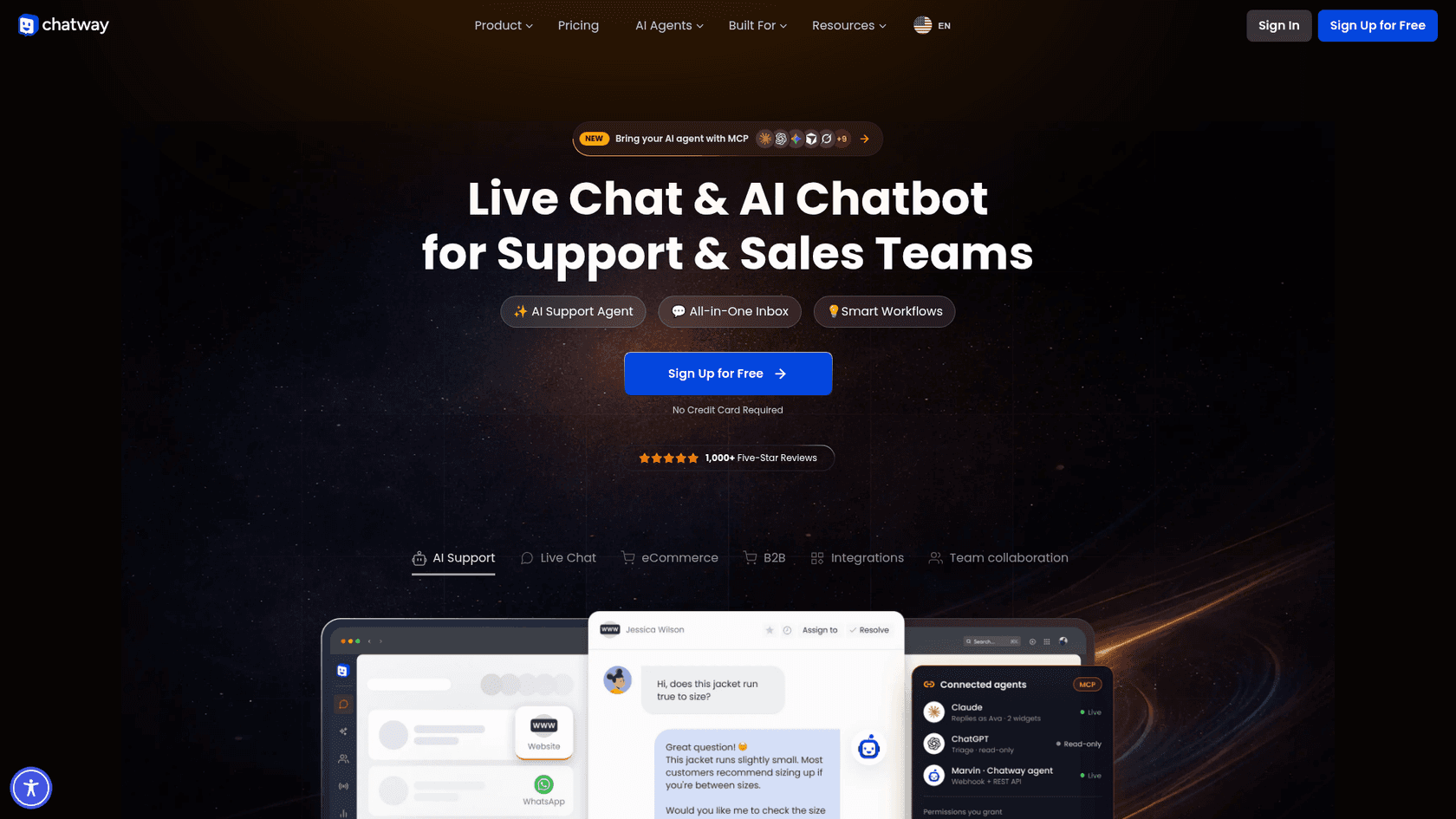
Chatway is made by Poptin and is the best-rated chat app on Wix I found: its Wix listing shows 5.0 stars from 373 reviews. It sells live chat, an AI support agent, a shared inbox and buttons for WhatsApp, Messenger, Instagram and a phone number.
What it does better than Wix Smart Chat
- You pay for AI only when it works. Chatway's AI costs $0.50 per resolved conversation, and you start with 10 AI conversations free, per its pricing page. An unresolved chat costs nothing.
- AI trained only on what you give it. Chatway says its AI uses the text and website links you provide, hands complex chats to your team, and lets you take over any conversation.
- Install reviews that hold up. Its Wix reviews are recent and consistent, unlike Smart Chat's 2026 slide.
"I really like Chatway! Everything is simple, intuitive, and works exactly as it should."
Pscr695, Wix App Market, October 2026
Where it falls short
- The Wix listing says a Premium site is required.
- When you hit the monthly conversation cap, the widget stays up but you can't reply to new chats until you reset, and each reset charges your plan again.
- The free plan's WhatsApp and Instagram options are link-out buttons. Managing those messages in the inbox starts on Business.
Getting it onto Wix
Search for Chatway in the App Market, click Add to Site and sign up with your Wix email, as Chatway's Wix install guide shows. No code, but you need a Premium plan.
Pricing
| Plan | Billed yearly | Monthly | Seats | Conversations a month |
|---|---|---|---|---|
| Free | $0 | $0 | 1 | 50 |
| Business | $31/mo | $39/mo | 2 | 200 |
| Plus | $159/mo | $199/mo | 10 | 1,000 |
| Extra seat | $16/mo | $19/mo | 1 | n/a |
| AI Support Agent | $0.50 per resolved conversation, 10 free to start | Same | n/a | n/a |
Prices from Chatway pricing. My Chatway pricing breakdown has worked examples.
Verdict: Pick Chatway if you're on a Premium Wix plan and want the smoothest App Market install with AI you pay for only when it helps. Skip it if you're on a free Wix plan, or if a busy month could blow through the conversation cap. Chatway alternatives covers the next step.
6. LiveChat
Best for: two or more people who'll work chats from a shared inbox all day.
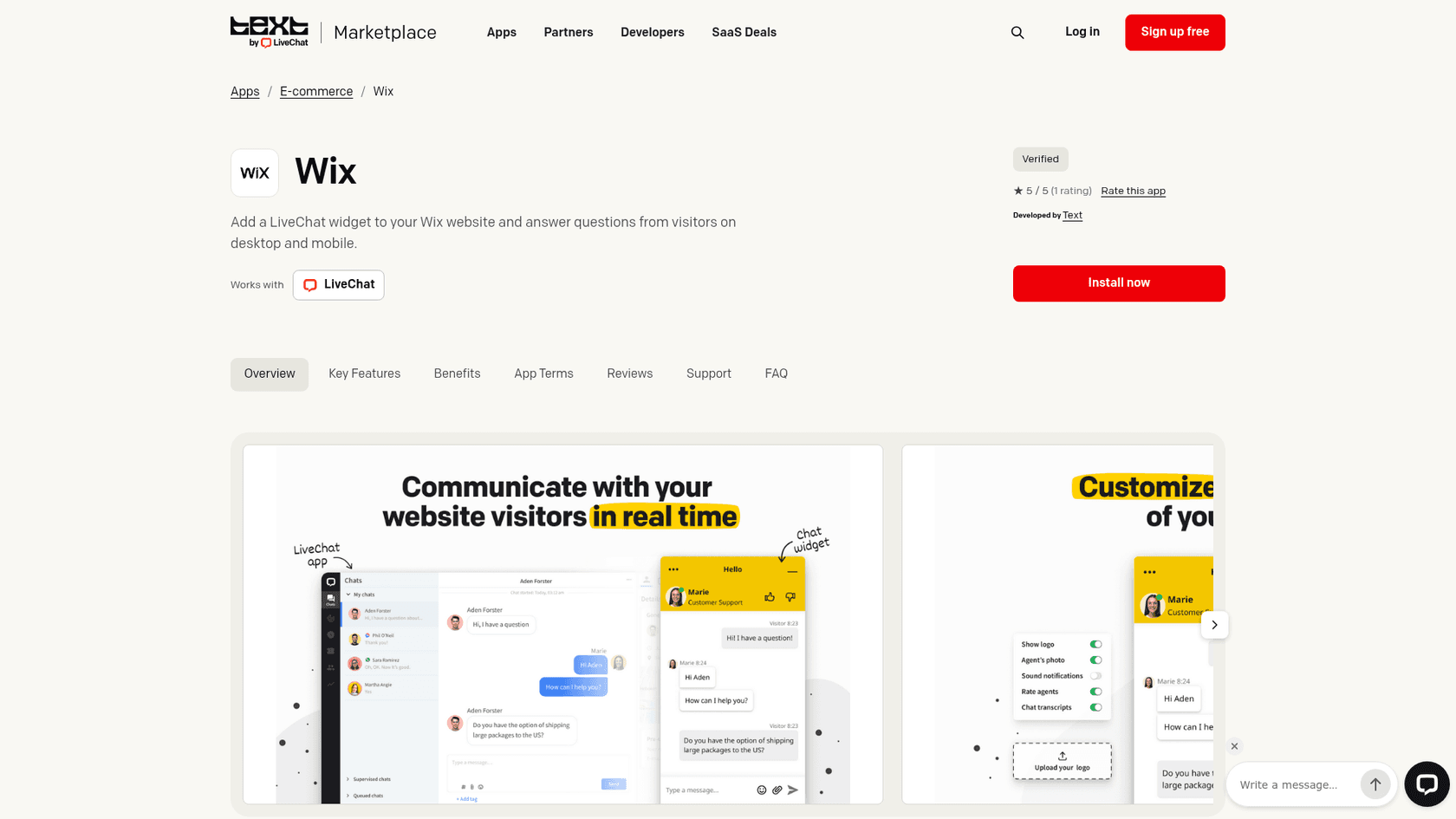
LiveChat now sells new trials as Text by LiveChat, which adds a shared inbox, ticketing and an AI Agent on one subscription. It's the most polished agent app on this list, and it's priced like it. The Wix listing shows 3.9 stars from 74 reviews.
What it does better than Wix Smart Chat
- A real team inbox. Chat supervision, ticketing and proactive campaigns are built for several people working at once.
- AI included on every plan. Essential includes 10 AI resolutions a month and Growth 200, and LiveChat counts one resolution per chat no matter how many questions it answers.
- Security paperwork. Text says it is SOC 2 Type 2 audited and GDPR and CCPA compliant, per its pricing page.
"One thing I dislike about LiveChat is that some advanced features can feel a bit expensive for smaller teams."
Where it falls short
- Pricing is per user, so a solo owner pays for team features they won't use.
- No free plan, only a 14-day trial.
- I couldn't confirm a native WhatsApp channel on the current plan table.
Getting it onto Wix
Add the Live Chat app from the App Market, sign in to LiveChat, pick your site and switch the widget on, per LiveChat's Wix page. The listing still shows legacy prices ($16 Starter, $33 Team) billed by Text, so check which price you're actually buying.
Pricing
| Plan | Billed yearly | Billed monthly | AI resolutions included |
|---|---|---|---|
| Essential | $19 per user/mo | $25 per user/mo | 10 a month |
| Growth | $79 per user/mo | $99 per user/mo | 200 a month |
| Enterprise | Custom | n/a | Custom |
| Extra AI resolutions | $49.50 per 50 | $49.50 per 50 | n/a |
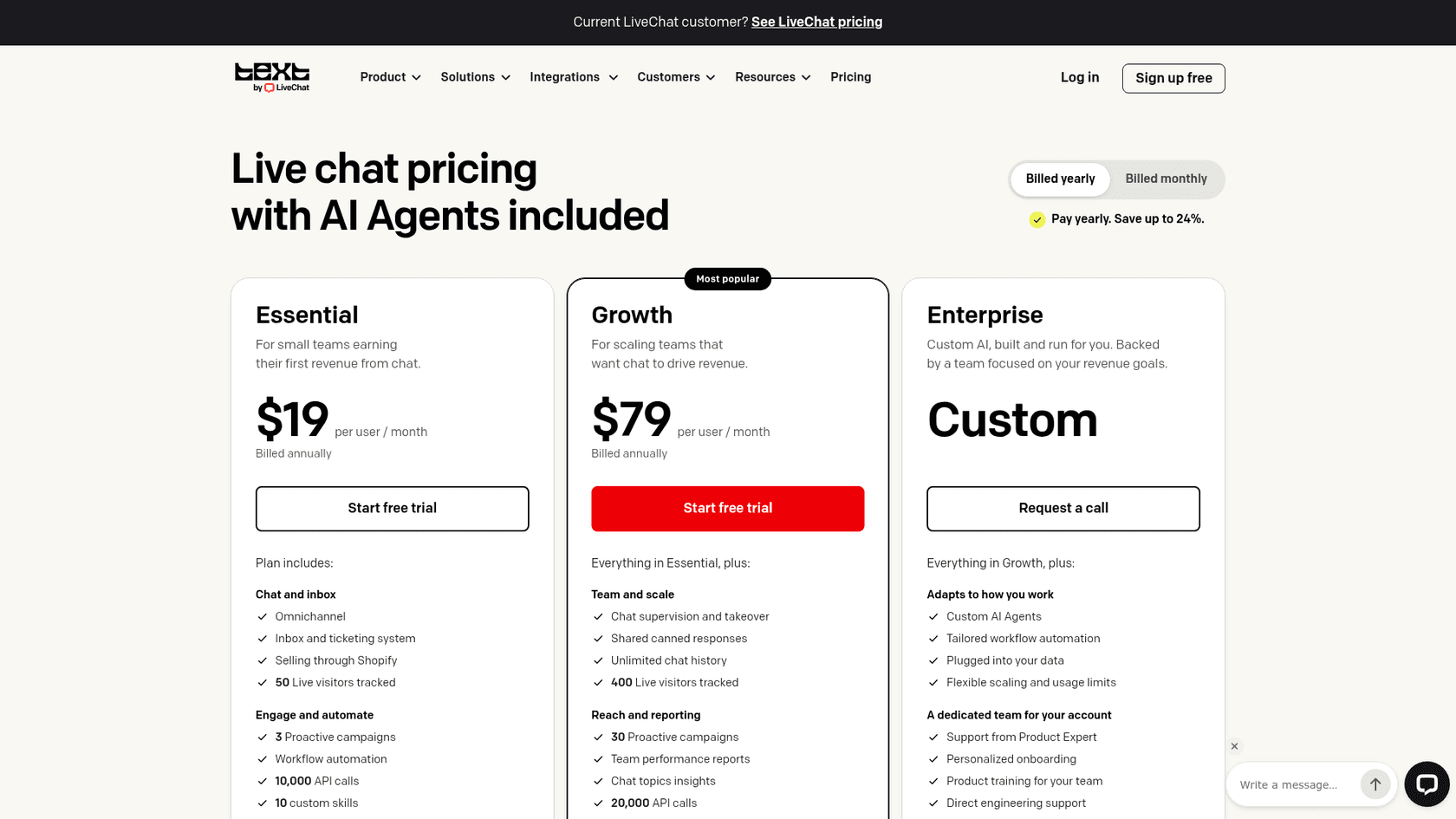
My LiveChat pricing post has worked examples, and Tidio vs LiveChat is the head-to-head.
Verdict: Pick LiveChat if two or more people will live in the inbox and you want an App Market install that works on any Wix plan. Skip it if you're one person on a small site; tawk.to covers the same job for free. My LiveChat AI review covers its agent.
7. HubSpot
Best for: businesses that want every chat to land on a contact record in a free CRM.
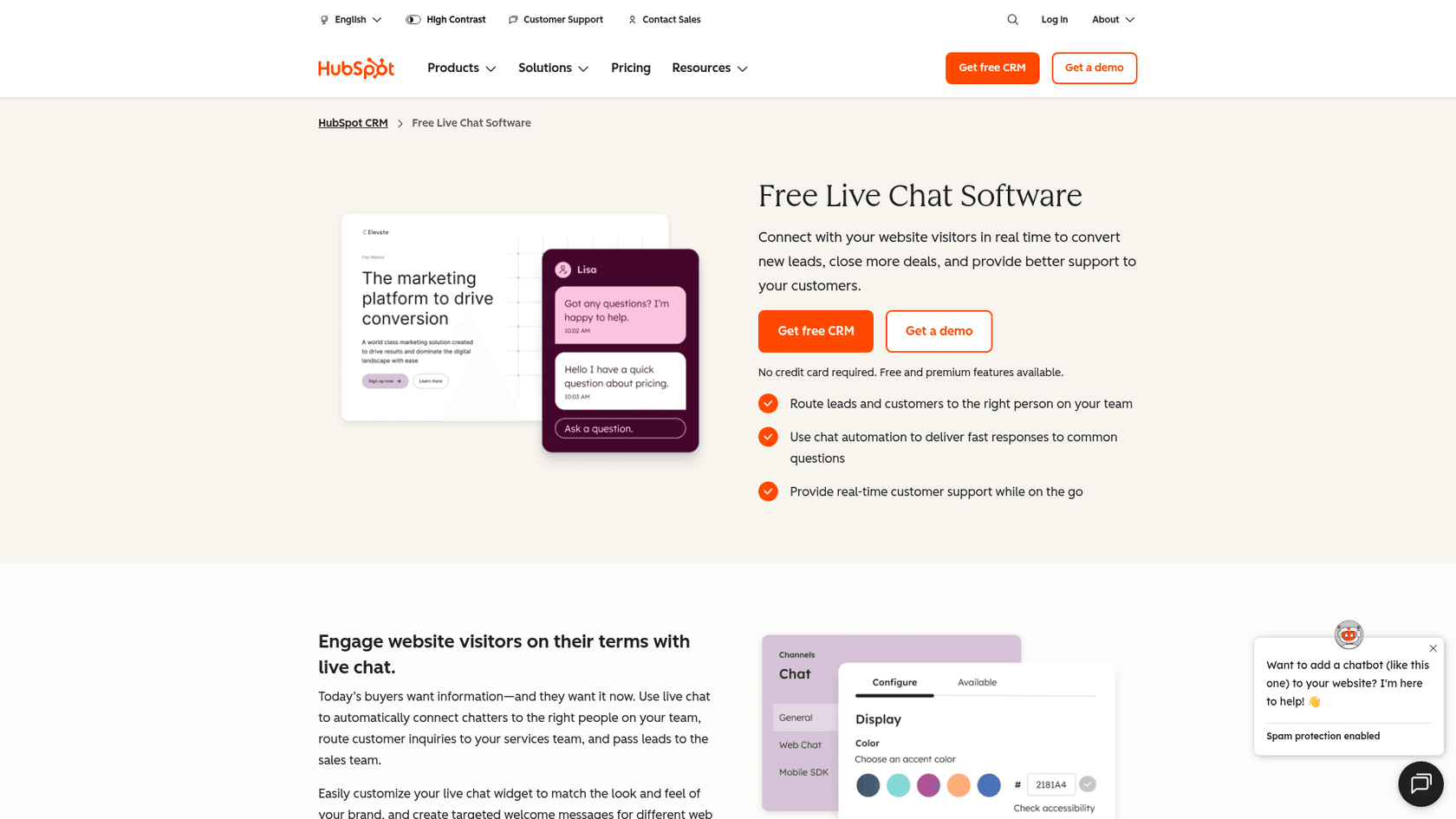
HubSpot gives away live chat and a basic chatbot builder as part of its free CRM. The appeal for a Wix business is that every conversation becomes a contact you can email, follow up and report on later. HubSpot's live chat page says you can start for free with no card.
What it does better than Wix Smart Chat
- A CRM behind the chat. Chats, email and Messenger land in a shared inbox tied to contact records.
- A stronger AI tier, if you pay for it. The Customer Agent is trained on your knowledge base, website, CRM data and past conversations, and HubSpot lets you batch-test it before going live, per its Customer Agent page.
- A strict definition of resolved. HubSpot only counts a resolution if the chat wasn't handed to a person for 72 hours.
Where it falls short
- The free chat carries HubSpot branding; removing it takes Starter.
- The Customer Agent needs Professional, which comes with a required $1,500 onboarding fee.
- Free and Starter chatbots are rule-based, not AI.
"HubSpot chat is fine if you just need basic live chat and want everything in one place. The main reason companies skip it is because the chatbot/automation side is pretty weak compared to dedicated tools."

Getting it onto Wix
HubSpot doesn't have its own chat app on the Wix App Market; the HubSpot apps there are third-party contact sync tools. The chat widget loads through the HubSpot tracking code, which HubSpot's install guide says to paste into Wix Custom Code at Body - end on all pages. That means a Premium plan and a connected domain.
Pricing
| Plan | Per seat a month | HubSpot Credits | Chat and AI |
|---|---|---|---|
| Free | $0, up to 2 users | None | Live chat with HubSpot branding, basic bots |
| Starter | $7 (promo for new customers; $20 list) | 500 | Removes branding |
| Professional | $90 (promo; $100 list) | 3,000 | Customer Agent at $0.50 per resolution; $1,500 onboarding |
| Enterprise | $150 | 5,000 | Routing; $3,500 onboarding |
Prices from HubSpot's Service Hub pricing. The Starter price is a limited-time offer for new customers, per its CRM pricing page. My HubSpot chatbot pricing post has more.
Verdict: Pick HubSpot if you already think in contacts and pipelines and want free chat feeding them. Skip it if you need AI answers on a small budget, since the AI tier starts at Professional. My HubSpot review covers the wider suite.
8. eesel
Best for: Wix businesses on a Premium plan where a wrong answer costs a sale, and the AI has to hand off cleanly.
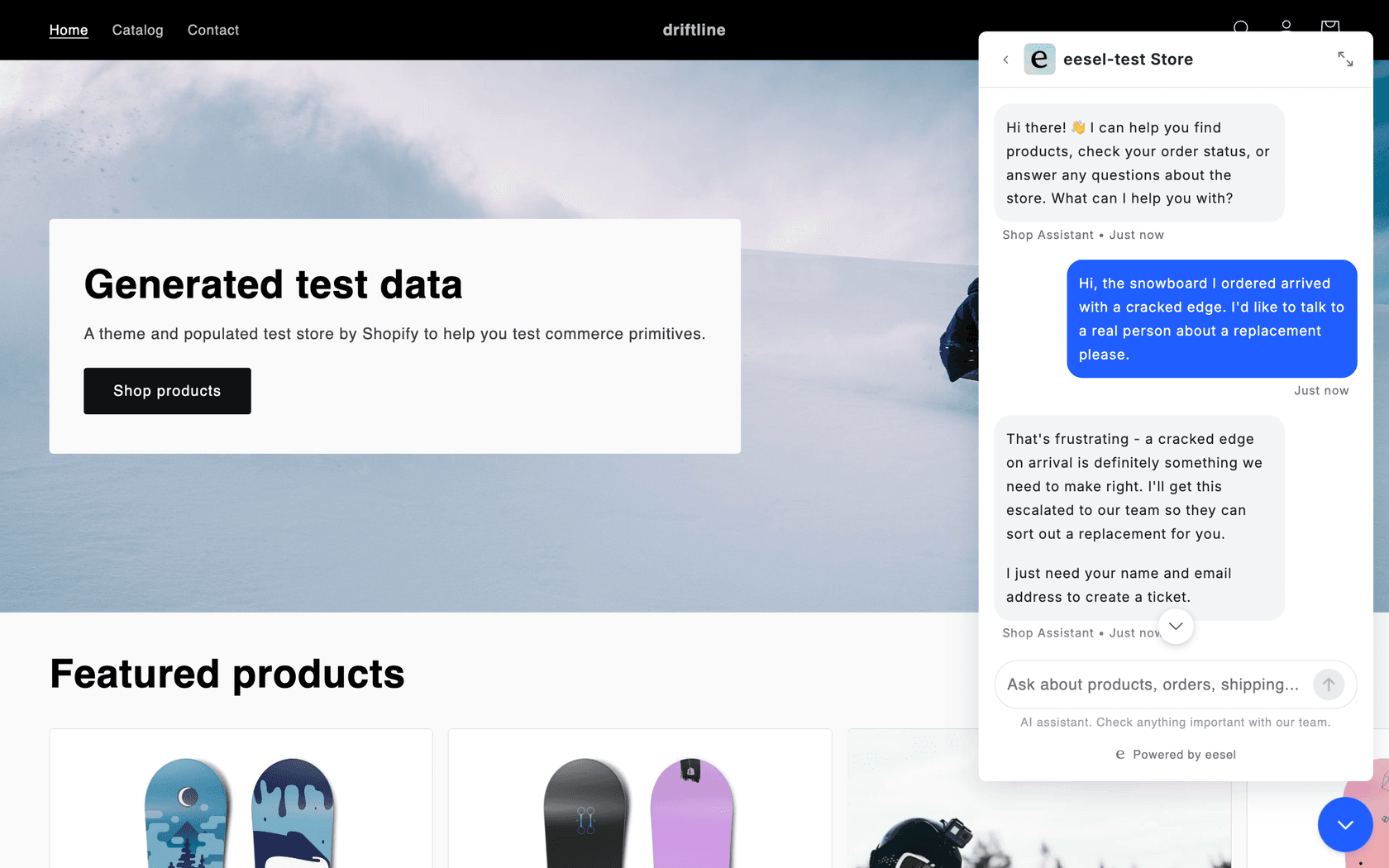
eesel is an AI teammate you hire for support. Its AI helpdesk teammate works your helpdesk queue, and its chat bubble is the same teammate on your website: a floating chat that answers visitors from your own pages, help center and anything else you connect, and links the page it used. eesel's own FAQ names Wix among the sites it works on: if you can add a script tag, you can add the chat bubble.
What it does better than Wix Smart Chat
- It knows more than your public pages. Per Wix's data coverage article, Smart Chat can't read member-only, password-protected or dynamic pages. eesel reads your website plus your help center, past tickets, Google Drive, Notion, Confluence or Shopify.
- It hands off with the context attached. Tell it when to escalate, and it asks for a name and email, creates a ticket, tags it and posts a conversation summary as the first message, per the chat bubble docs. It can also open Zendesk Messenger or Freshchat if you already run one.
- You test before you launch. You can try it on real questions and see exactly what it will say before it goes on your site, which is the fix for the old-price problem in Smart Chat's reviews. My guide to testing an AI agent explains why real questions beat invented ones.
Here's how that looks in practice. Beautek, a German beauty equipment supplier on Zendesk, runs eesel as the chat on its website. Its phone line is staffed on weekday office hours, and the chat answered 77 visitor chats live in a month, in German, while 20 conversations, mostly sales leads, became Zendesk tickets for its team. SamCart runs its website chat as a separate agent that collects a name and email first, then answers from about 280 help center articles.
Language is the other gap it closes. Nordbutiker runs a chat bubble on each of its stores in four countries, so a Danish customer gets Danish answers. The bubble detects the visitor's language and replies in it, from 80+ languages, which matters if Smart Chat's English-only interface was a problem for you. My multilingual live chat guide covers that case.
Where it falls short
- It isn't on the Wix App Market. You paste one script into Custom Code, so you need a Premium plan and a connected domain, and you should check it after publishing, given Wix's December 2025 custom code changes.
- It isn't the cheap option. Per chat, Wix Smart Chat on a plan you already pay for costs less.
- It's an AI-first tool. If you want to answer every chat yourself, tawk.to or Chatway fit better.
Getting it onto Wix
In eesel, you ask the agent for a chat bubble; it picks up your brand color, sets a welcome message and three starter questions, and gives you a snippet. In Wix, go to Settings, then Custom Code, add the snippet to all pages at Body - end, and publish. The loader is async, so it doesn't slow your page.
Pricing
| Plan | Price | Credits |
|---|---|---|
| Free | $0, no card | 100 credits to try everything |
| Teammate 500 | $299/mo | 500 credits |
| Teammate 1,000 | $499/mo | 1,000 credits |
| Teammate 2,000 | $849/mo | 2,000 credits |
| Teammate 5,000 | $1,749/mo | 5,000 credits |
| Overage | $0.80 per credit | Only if you turn it on, with a monthly cap |
Prices from eesel pricing. A chat or a ticket is 1 credit however long it runs, there's no per-seat fee, and paying a year upfront gets two months free. On security, eesel's SOC 2 Type II audit is in progress, with the observation period running from October 1, 2026, a GDPR DPA is available, and Enterprise plans can sign a HIPAA BAA, per its security page.
Verdict: Pick eesel if wrong answers are why you're leaving Smart Chat, your site is on a Premium plan, and you want the AI to pass the hard ones to you with context. Skip it if you're on a free Wix site, or if you mostly want to chat with visitors yourself. My AI chat bubble guide explains the category.
How do you move off Wix Smart Chat cleanly?
Switching is less risky than it looks, because Wix keeps your history. Wix's deleting article says past chats stay in the Wix Inbox after you uninstall, and your training rules and availability settings stay saved if you ever reinstall. Here's the order I'd follow:
- Install and test the new tool first. Use its preview or test mode. For an AI tool, ask it the ten questions your customers ask most, including prices and opening hours, since those are where Smart Chat's reviews report errors.
- Copy your training rules across. Smart Chat's knowledge rules are facts that aren't on your pages. Paste them into the new tool's knowledge base or FAQ.
- Publish, then check on a phone. Wix's own article says you can't hide Smart Chat on mobile only, and two widgets on a phone screen is a mess. Check the new one shows where you expect.
- Delete the Smart Chat widget. In the editor, select the chat widget, press Delete and publish.
- Decide on your handoff. Write down what happens when the new tool can't answer: an email, a ticket, or a person on chat. My guide to human handoff in chat covers what good looks like.
If you're in healthcare, keep one more thing in mind before you remove Smart Chat. Wix says its Manual Chat is HIPAA compliant, and most chat apps on this list don't state HIPAA on their pricing pages. Read my notes on HIPAA compliant AI first.
Which Wix Smart Chat alternative should you pick?
Here's the short version I'd give a friend running a Wix site:
- You answer every chat and want to pay nothing: tawk.to. Its Wix guide uses an Embed HTML element instead of Custom Code.
- You want the best-reviewed Wix app and you're on Premium: Chatway, with AI you pay for only when it resolves a chat.
- Your customers message on Instagram, Facebook or Telegram: Jivo, from the App Market, free to start.
- Several people share the inbox: LiveChat, or Crisp if you'd rather pay one flat price.
- You want chats in a CRM: HubSpot's free plan.
- You want AI answers and sales flows, on Premium: Tidio.
- Wrong answers are the reason you're leaving: eesel, because you can test it on real questions and it hands off what it isn't sure about.
For more options beyond Wix, my AI live chat roundup and guide to AI chatbots for websites compare a wider field. If you came here from a call-button app, my Live Chat Alternative alternatives list covers that side of Wix.
Try eesel on your Wix site
If you left Smart Chat because a customer got an answer that wasn't true, eesel is built for exactly that worry. Point it at your Wix site and help center, ask it the questions your customers ask, and see what it would say before anyone else does. When it isn't sure, it collects a name and email and hands the chat to you with a summary, the way it does for Beautek when a sales lead comes in through its website chat.

It goes onto a Premium Wix site through Custom Code in a few minutes, and the free plan gives you 100 credits with no card. Try eesel on your own questions first.
Frequently Asked Questions
What is the best alternative to Wix Smart Chat?
It depends on the job. For free chat you answer yourself, tawk.to. For an App Market install with a top rating, Chatway. For AI answers you can test before launch, eesel or Tidio. For one inbox across Instagram, Telegram and WhatsApp, Jivo or Crisp. My Wix Smart Chat review explains what each one replaces.
Is there a free Wix Smart Chat alternative?
Yes. tawk.to is free with unlimited agents and installs through an Embed HTML element, Chatway's free plan covers 50 conversations a month, and Jivo and HubSpot both have free plans. tawk.to and HubSpot keep their branding on the free widget. My tawk.to alternatives guide covers what free chat trades away.
Can I use Tidio or Crisp on a free Wix site?
Not through their official installs. Both go in through Wix Custom Code, and Wix requires a published site with a connected domain for that, which means a Premium plan. Tidio removed its Wix App Market app in September 2024. See my Tidio review for the rest of the product.
Which Wix Smart Chat alternatives install from the Wix App Market?
Jivo, LiveChat and Chatway all have their own Wix App Market apps. Chatway's listing says a Premium site is required; Jivo's and LiveChat's don't. Tidio, Crisp, HubSpot and eesel install with a script in Custom Code. My Chatway review covers the top-rated one.
What do Wix Smart Chat alternatives cost for AI answers?
For about 100 AI-answered chats a month, roughly $29 on tawk.to AI Assist, $46 on Crisp Mini, $75 for Tidio's Lyro, up to $89 on Chatway and $124 on LiveChat Essential, against $0 extra on a Wix Core plan if credits allow. My chatbot cost guide covers the wider picture.
Will I lose my chat history if I remove Wix Smart Chat?
No. Wix says your past chats stay in the Wix Inbox after you delete the chat widget, and your training rules stay saved if you reinstall. New chats will live in your new tool's inbox. My guide to live chat features lists what to set up again.
Does eesel work on Wix?
Yes, on Premium Wix sites. eesel's chat bubble is one script tag that goes into Wix Custom Code, so your site needs to be published with a connected domain. It is not on the Wix App Market. Plans start at $299 a month for 500 credits, with 100 free credits to try.
Which Wix Smart Chat alternative is best for healthcare sites?
Be careful with AI here. Wix says Smart Chat's Manual Chat is HIPAA compliant and its AI Chat is not, and most alternatives don't state HIPAA on their pricing pages. eesel signs a BAA on Enterprise plans. Read my notes on HIPAA compliant AI before you switch.