8 best Formilla alternatives for live chat and AI chatbots in 2026

Kira

Katelin Teen
Last edited October 21, 2026

Why do people look for Formilla alternatives?
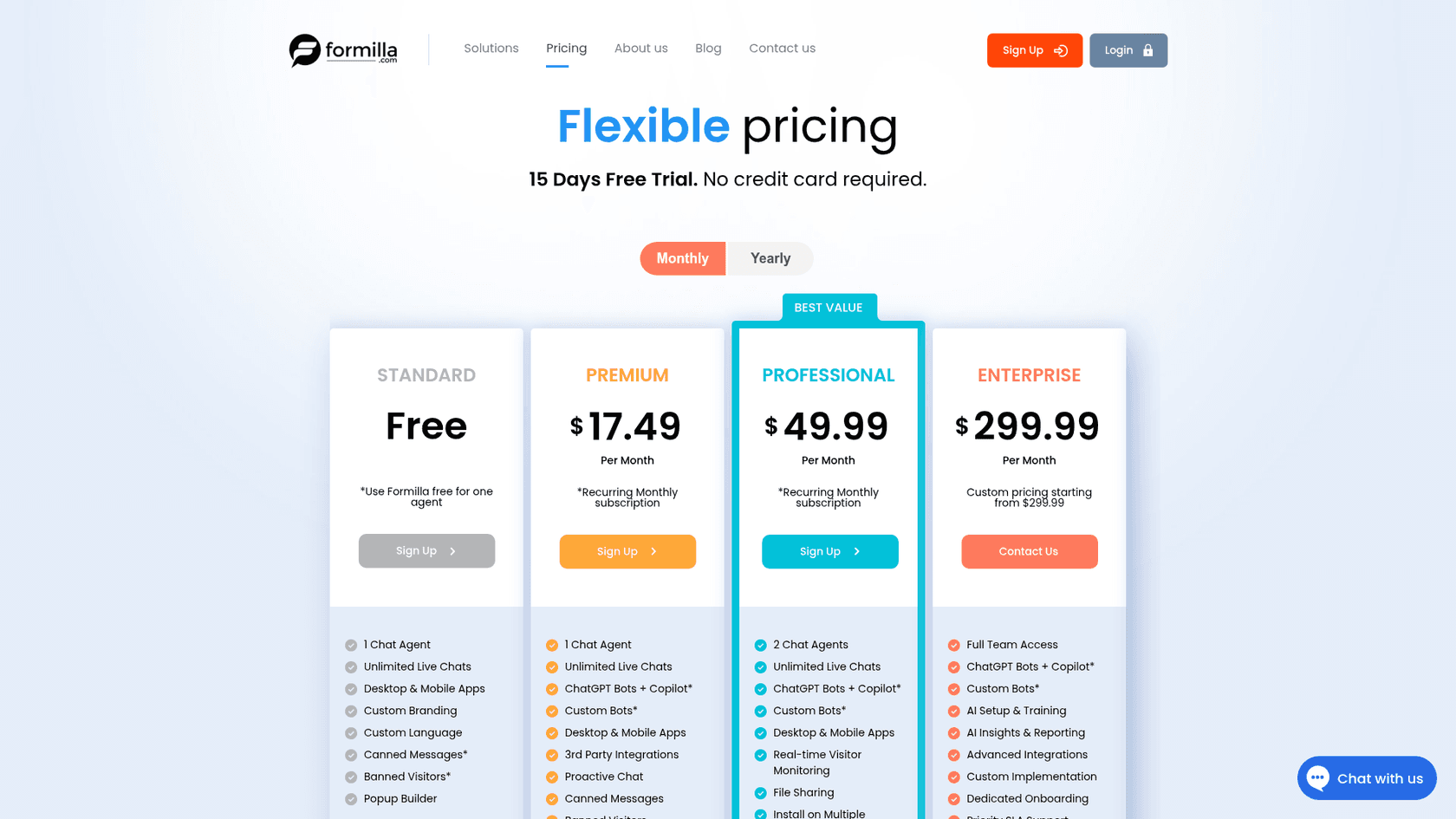
Formilla deserves credit first. It has run since 2013, it is easy to install on WordPress, Shopify, Wix or any site, and every plan, free included, gets desktop and mobile apps. It holds 5.0 on the Shopify App Store from 21 reviews and 4.8 on Capterra from 29. My Formilla review scores it 3.5 out of 5 for small teams that answer chats themselves.
The reasons people leave come from how the AI and the seats are sold:
1. AI is a small add-on with a ceiling. ChatGPT Bots plus Copilot cost $29.99 a month with 100 bot chats included, per Formilla's pricing page. Past 100, you need a higher tier that Formilla does not publish. So Premium with AI is really $47.48 a month, not $17.49. My Formilla pricing breakdown has the full math.
2. The bot learns only what you write. You train it with Topics you type and up to 250 crawled URLs, per Formilla's setup guide. Missed questions show up as "untrained messages" for you to fix by hand. Past chats and helpdesk tickets are not an input, and the bot does not look up orders.
3. Seats get expensive fast. Premium has 1 agent and Professional has 2. Every extra agent "will incur an additional fee depending on the package", and the pricing page does not say how much.
4. It is a chat tool, not a support system. Integrations mostly run through Zapier, there is no ticket queue beyond conversation history, and the free plan keeps 60 days of history. On Wix, the app is a scaled-back version rated 2.7 from 177 reviews on the Wix App Market.
Users mostly praise Formilla's support team and ease of use. The complaints are smaller and about alerts and control:
"It seems like it lags a little in notifying you of a message - may 15-20 seconds - would like to see that be immediate."

So the question is not whether Formilla works. It does. The question is which of these four reasons is yours, because each points to a different kind of tool.
Which kind of tool are you actually looking for?
ChatGPT's answer to "what should I use instead of Formilla?" splits the field the same way I would: a better chatbot, more affordable live chat, or a more powerful support system. Those are three different products, and picking from the wrong lane is the most common switching mistake I see.
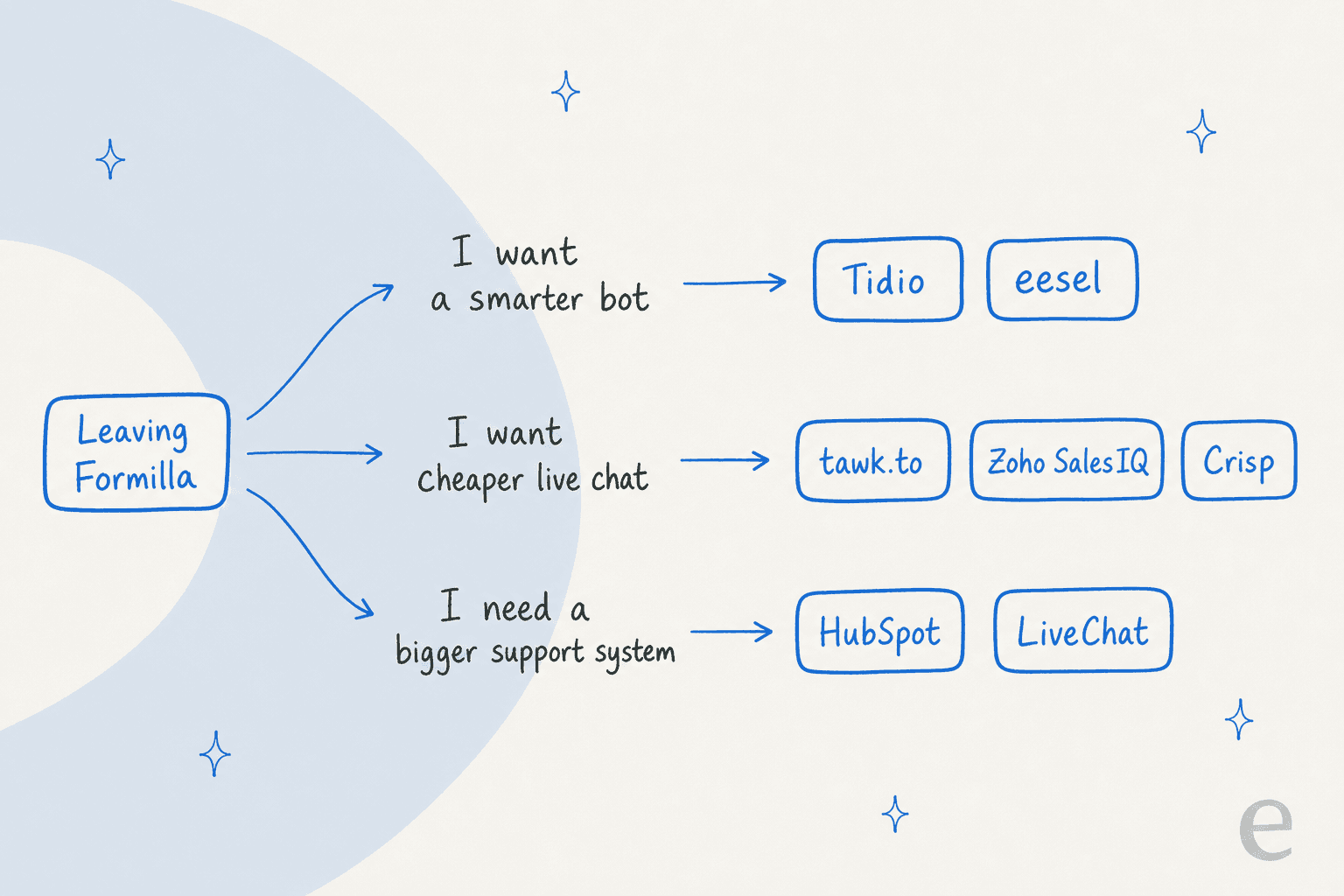
- A smarter bot. You like the chat, but the bot keeps passing questions to a person. You want answers from more sources and fewer "untrained messages." Look at Tidio and eesel.
- Cheaper live chat. People answer the chats, and the bill grows with every seat. Look at tawk.to, Zoho SalesIQ and Crisp.
- A bigger support system. Chat is one channel of several, and you want tickets, a CRM or email in the same place. Look at HubSpot and LiveChat.
Shopify stores have one more free option, Shopify Inbox, which I cover at number 7. Pick your reason and your platform below for a shortlist.
Why are you leaving Formilla?
Pick your main reason and where your site runs. You get a top pick, a backup, and what two people answering chat would pay a month.
eesel chat bubble
An AI teammate that answers from your store pages, help center and past tickets, and checks the Shopify order, fulfilment status and stock before it replies. Chats that need a person go to your team by email or helpdesk.Tidio with Lyro
Chat, an inbox and an AI agent in one plugin, with up to 10 agents on self-serve plans. Lyro is billed per conversation it replies to.Shopify Inbox
Free, made by Shopify, and it already knows your catalog, inventory and policies. Switch on the Inbox agent to answer product questions when nobody is around.tawk.to
Live chat, tickets and a knowledge base for $0, with as many agents as you like. You pay only for extras such as AI Assist after its free tier, or removing the badge.LiveChat (Text)
A polished agent app with tickets, a live Shopify catalog for sharing products, and an AI Agent on every plan. You pay per user, with no chat cap.HubSpot
Free live chat, a chatbot builder and ticketing inside a free CRM for up to 2 users. The AI Customer Agent arrives on Service Hub Professional.Prices from each vendor's own pricing page on 21 Oct 2026. Formilla Professional includes 2 agents at $49.99 a month on monthly billing.
Pick why you are leaving Formilla and where your site runs to see a top pick, a backup and the monthly cost for two people.
The 8 Formilla alternatives at a glance
Prices are each vendor's lowest paid plan on October 21, 2026. "Not listed" means I did not find it on the vendor pages I read.
| Tool | Best for | Free plan | Paid from | Billed by | AI and its billing unit | Channels | Mobile app | Security | Rating |
|---|---|---|---|---|---|---|---|---|---|
| Formilla (today) | Cheap human chat for 1 to 2 people | 1 agent, 60 days of history | Premium $13.99/mo yearly | Plan plus agents | ChatGPT Bots +$29.99/mo for 100 chats | Website chat, offline email, popups | Yes | Not listed | 5.0 Shopify (21) |
| Tidio | A smarter bot in one app | 50 conversations | Starter $24.17/mo | Billable conversations | Lyro, per AI conversation | Chat, email, Messenger, Instagram, WhatsApp | Yes | SOC 2 Type 2, GDPR | 4.8 Shopify (1,355) |
| Crisp | Flat price for a small team | 2 seats | Mini $45/mo | Per workspace | Hugo AI on dollar credits | Chat, email, social, WhatsApp from Essentials | Yes | GDPR; no SOC 2 audit | 4.0 Shopify (34) |
| tawk.to | Free chat for any team size | Unlimited agents | Add-ons from $29/mo | Free plus add-ons | AI Assist, free tier then from $29/mo | Chat, tickets, knowledge base | Not listed | Not listed | 3.6 Shopify (89) |
| HubSpot | Chats that should become CRM leads | 2 users | Starter $7/seat/mo | Per seat | Customer Agent on HubSpot Credits, Professional up | Chat, email, forms, calling, WhatsApp on Pro | Not listed | Not listed | 4.3 WordPress (207) |
| LiveChat (Text) | Polished chat with tickets | 14-day trial | Essential $19/user/mo | Per user | 10 AI resolutions, then $49.50 per 50 | Chat, Messenger, SMS, tickets | Not listed | SOC 2 Type 2, GDPR, CCPA | 4.4 Shopify (49) |
| Zoho SalesIQ | Cheap seats plus visitor tracking | 3 operators, 100 chats | Basic $7/operator/mo | Per operator | Answer Bot on Enterprise, Zia or your own AI key | Chat, WhatsApp, Instagram, Messenger, Telegram, calls | Yes | Not listed | Not listed |
| Shopify Inbox | Free chat on Shopify | Free app | Free | Free | Inbox agent included | Storefront chat | Yes | Shopify | 4.6 Shopify (5,806) |
| eesel | A bot that learns and acts | 100 credits to try | $299/mo for 500 credits | Credits, 1 chat = 1 | Built in; $0.80 per extra credit | Chat bubble, helpdesk, email, Slack | Uses your helpdesk app | SOC 2 Type II underway, EU or US data | Not listed |
Formilla is the only tool in the table where the AI tier above 100 bot chats has no public price. Every other row either publishes its AI meter or includes the agent in the plan.
How I picked these
I started from what ChatGPT recommends when a Formilla user asks for alternatives (Tidio, Crisp, tawk.to, HubSpot and LiveChat), added Zoho SalesIQ and Shopify Inbox for cheap seats and Shopify stores, and checked every tool against three things buyers should compare before switching:
- Chatbot quality. What the bot learns from, whether it can look anything up, and how it hands off to a person.
- Total monthly cost. Seats, AI conversations, automation limits and branding removal, not just the headline plan.
- Migration. What you can export, what you rebuild, and how much setup the new tool needs.
Ratings come from each app's own listing on the same day, so the platform is named in the table. I did not run every tool on a live site for months, so day-to-day behavior comes from vendor docs and user reviews.
What does Formilla with AI cost next to the alternatives?
Formilla's headline price is for human chat. The fair comparison is two people answering chat plus an AI bot handling about 100 chats a month, on the cheapest plan that fits.

| Tool and plan | 2 people plus AI, per month | What you get |
|---|---|---|
| Formilla Professional + ChatGPT Bots | $79.98 | 2 agents, 100 bot chats; higher bot tiers unpublished |
| tawk.to + AI Assist | $0 to $29 | Free tier for limited AI volume, paid from $29 |
| Zoho SalesIQ Enterprise | $40, billed yearly | Answer Bot with 200K bot chat sessions |
| Crisp Mini | $45 | 4 seats, $5 of AI credits, about 90 automated conversations |
| Tidio Starter + Lyro | $104 | 100 billable conversations, 100 Lyro conversations |
| LiveChat Essential + 2 AI packs | $149 | 110 AI resolutions; $38 a month for seats alone billed yearly |
| HubSpot Service Hub Professional | From $180, plus $1,500 one time | Customer Agent, 3,000 HubSpot Credits |
| eesel Teammate | $299 | 500 credits, unlimited seats; AI answers, your team takes handoffs |
Formilla with AI lands in the middle, not at the bottom. Crisp and Zoho SalesIQ beat it on price once a second person joins, and the unpublished tier above 100 bot chats is the real unknown. If your bot would handle 300 chats, every other row has a number you can plan against. My chatbot cost guide has the wider picture.
1. Tidio: chat, inbox and AI in one app
Best for: small sites that want Formilla's simplicity plus a bot that answers more on its own.
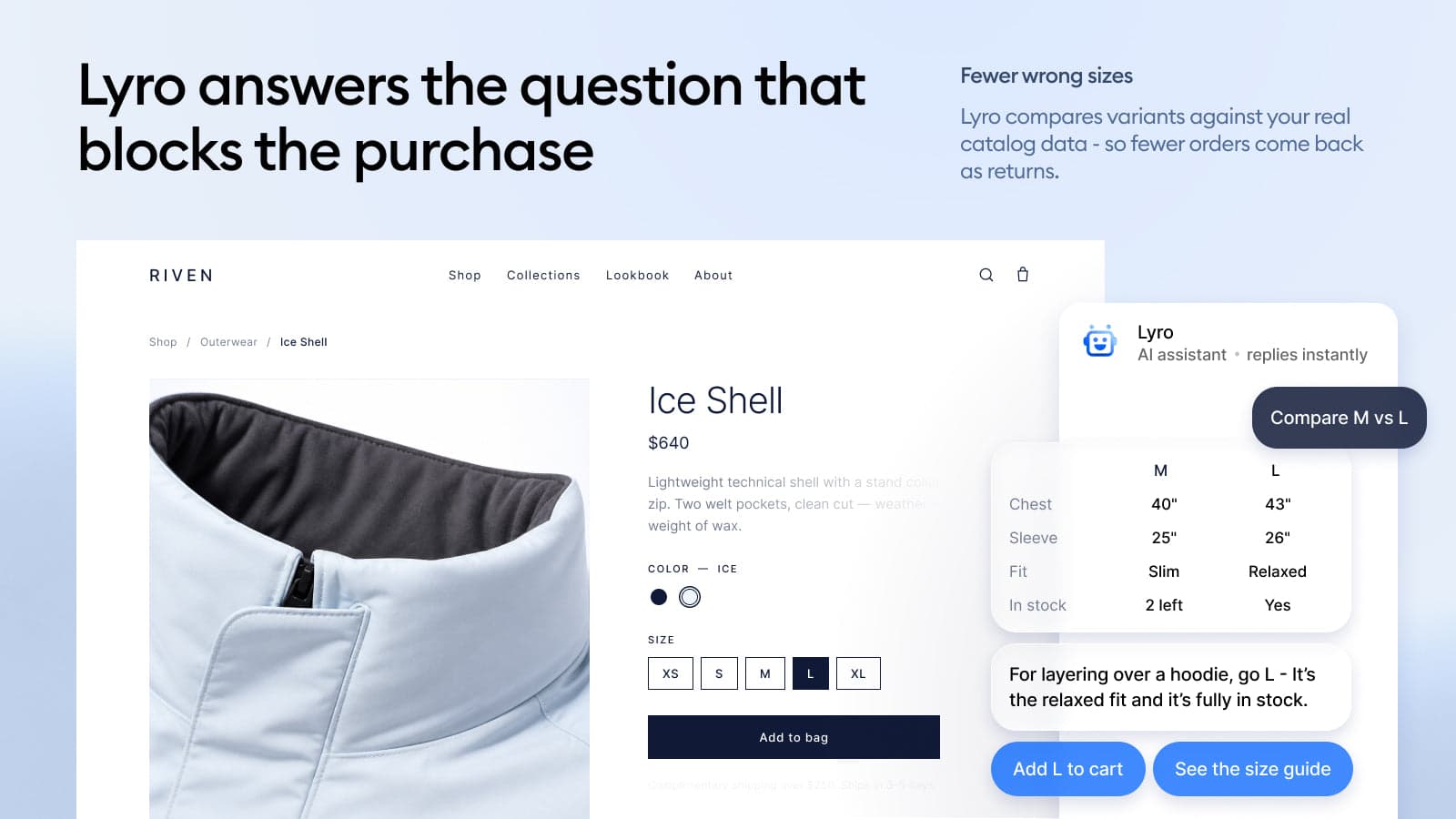
Tidio is the closest thing to "Formilla with a stronger bot." It installs on WordPress, Shopify and other sites, puts chat, email, Messenger, Instagram and WhatsApp in one inbox, and adds Lyro, an AI agent that answers typed questions from your help content. It is also the most reviewed app here, with 4.8 stars from 1,355 Shopify reviews.
What it fixes from Formilla
- More seats for less. Self-serve plans include up to 10 agents, against 1 on Formilla Premium. You pay by billable conversations, which are chats where a person replied.
- A bot with a published meter. Lyro tiers run from 50 to 1,000 conversations a month with a price on each, per Tidio pricing. The same page says customers average a 75% resolution rate with Lyro.
- Store lookups. On Shopify, Lyro checks order status and product availability, per Tidio's Shopify page.
Where it falls short
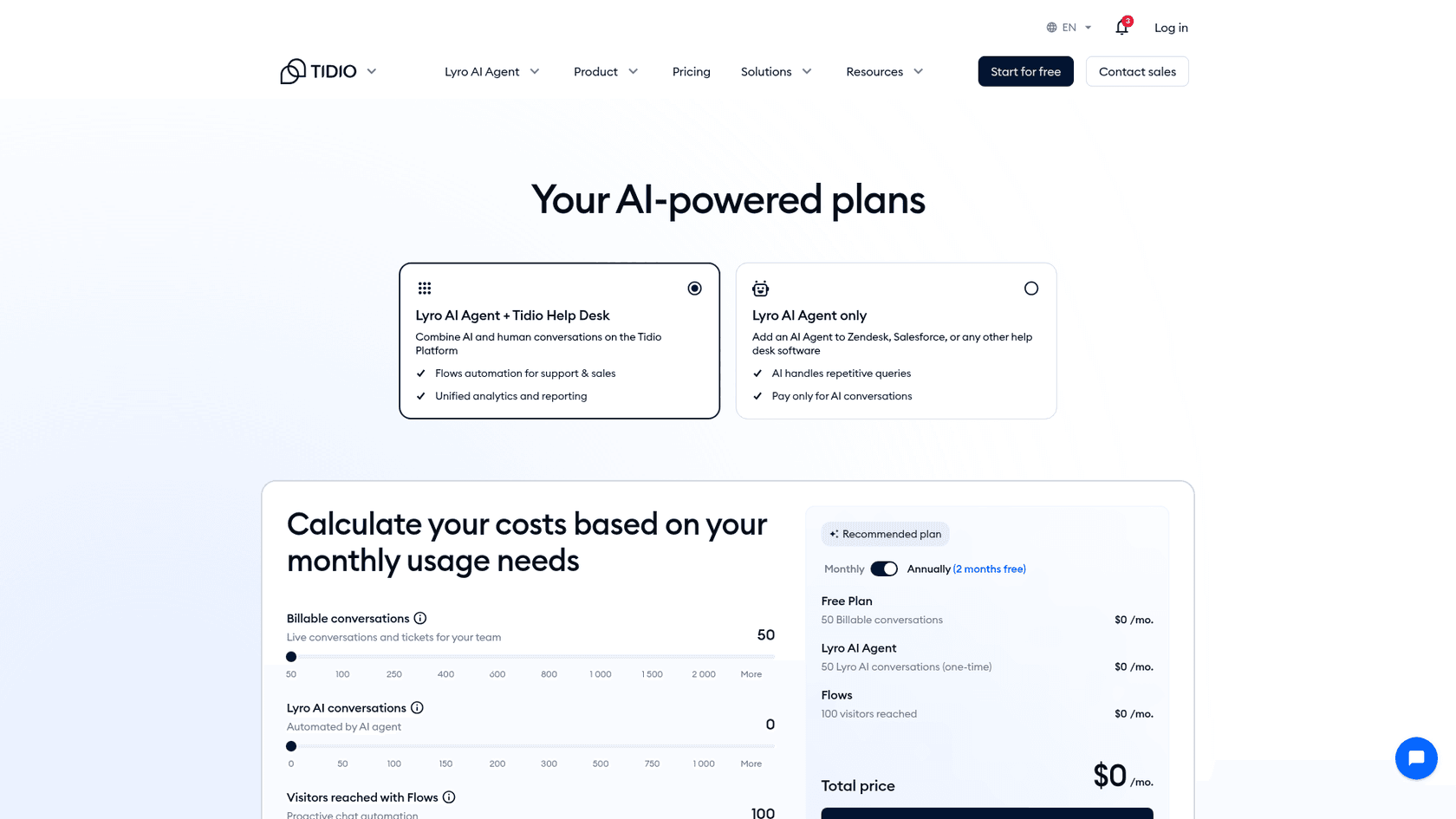
- Three meters (billable conversations, Lyro conversations and Flows visitors) are priced separately, so the real bill takes a minute to work out. My Tidio pricing post walks through it.
- The free Lyro allowance is 50 conversations once, not every month.
- Lyro at 100 conversations is $75 a month, more than Formilla's $29.99 for the same 100.
"There is still room for improvement, particularly in making AI responses more flexible and improving customization options for automation."

Pricing
| Plan | Monthly | Billed yearly | Billable conversations | Lyro AI |
|---|---|---|---|---|
| Free | $0 | $0 | 50 | 50 conversations, one time |
| Starter | $29 | $24.17/mo | 100 | Add-on |
| Growth | From $59 | From $49.17/mo | 250 to 2,000 | Add-on |
| Plus | From $300 | Custom | Custom | Custom |
| Lyro add-on | $39 for 50, $75 for 100 | From $32.50/mo | n/a | Up to 1,000 a month self-serve |
Prices from Tidio pricing. My Tidio Lyro deep dive covers the AI.
Verdict: Pick Tidio if you want the smallest jump from Formilla with a better bot and room for more agents. Skip it if you want one simple price; Tidio's three meters take some planning. Tidio alternatives covers its neighbours.
2. Crisp: a flat price for a growing team
Best for: teams of 2 to 10 who want one inbox for chat, email and social without paying per seat.
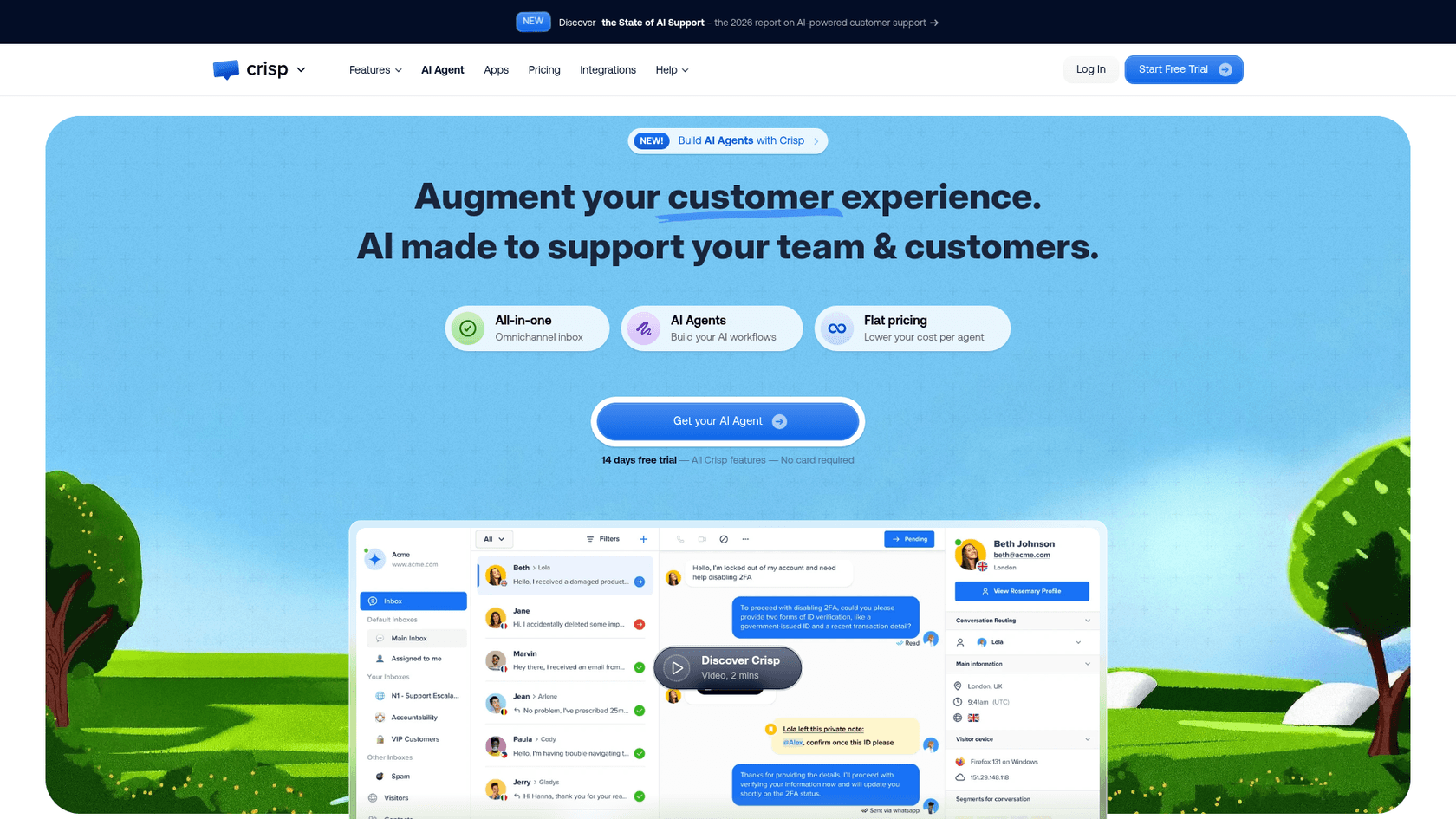
Crisp charges per workspace, not per agent, which is the direct fix for Formilla's seat math. $45 a month on Mini covers 4 seats and includes $5 of AI credits, about 90 automated conversations. Essentials at $95 adds WhatsApp, Instagram, SMS, a no-code AI chatbot builder and a knowledge base.
What it fixes from Formilla
- Flat pricing. A third or fourth person costs nothing extra on Mini. On Formilla, a third agent means an unpublished extra fee on top of Professional.
- AI on a small meter. Hugo, Crisp's AI agent, draws from dollar credits at about $0.05 per conversation, per hugo.ai, so 100 bot chats cost cents, not a $29.99 add-on.
- A real shared inbox. Chat and email in one place, with unlimited data retention, so you are not stuck at Formilla's 60 days on a free plan.
"Crisp was a go-to for our support team because it lets you handle tickets super easily, very user friendly and AI is just the cherry on the cake."
Where it falls short
- Crisp's own help center says it "hasn't been over any SOC2 audit," per its SOC 2 article.
- WhatsApp, Instagram and the chatbot builder start on Essentials, not Mini.
- Credits are dollars, so a long, messy conversation costs more than a short one.
Pricing
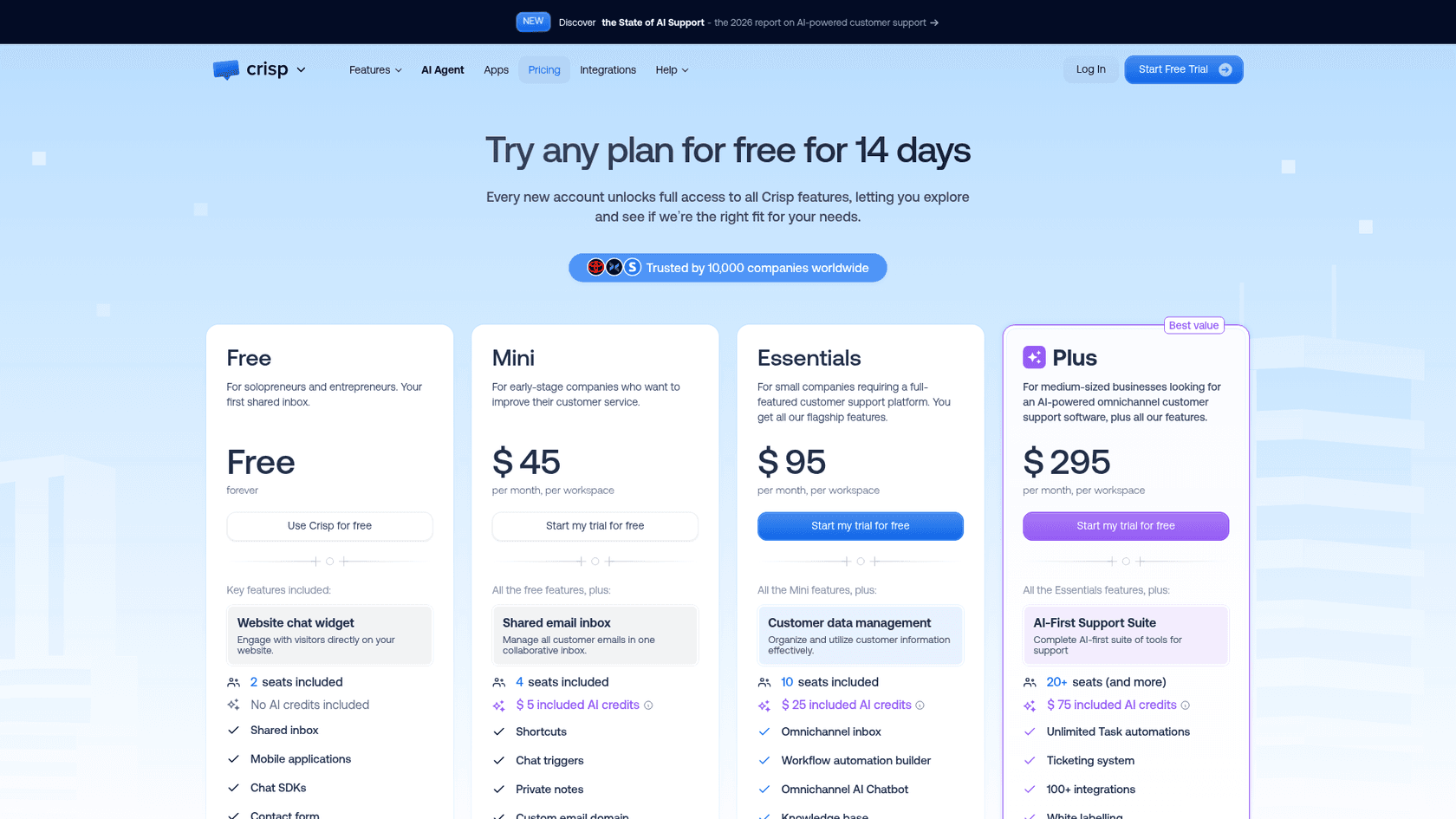
| Plan | Per month, per workspace | Seats | Included AI credits |
|---|---|---|---|
| Free | $0 | 2 | None |
| Mini | $45 | 4 | $5, about 90 automated conversations |
| Essentials | $95 | 10 | $25, about 450 |
| Plus | $295 | 20+, $10 per extra agent | $75, about 1,350 |
Prices from Crisp pricing. See my Crisp pricing breakdown and Crisp AI review.
Verdict: Pick Crisp if two or more people answer chat and Formilla's per-agent pricing is the pain. Skip it if you need a SOC 2 report from your chat vendor. Crisp alternatives has the next options.
3. tawk.to: the free human chat
Best for: teams where people answer every chat and the budget is zero.
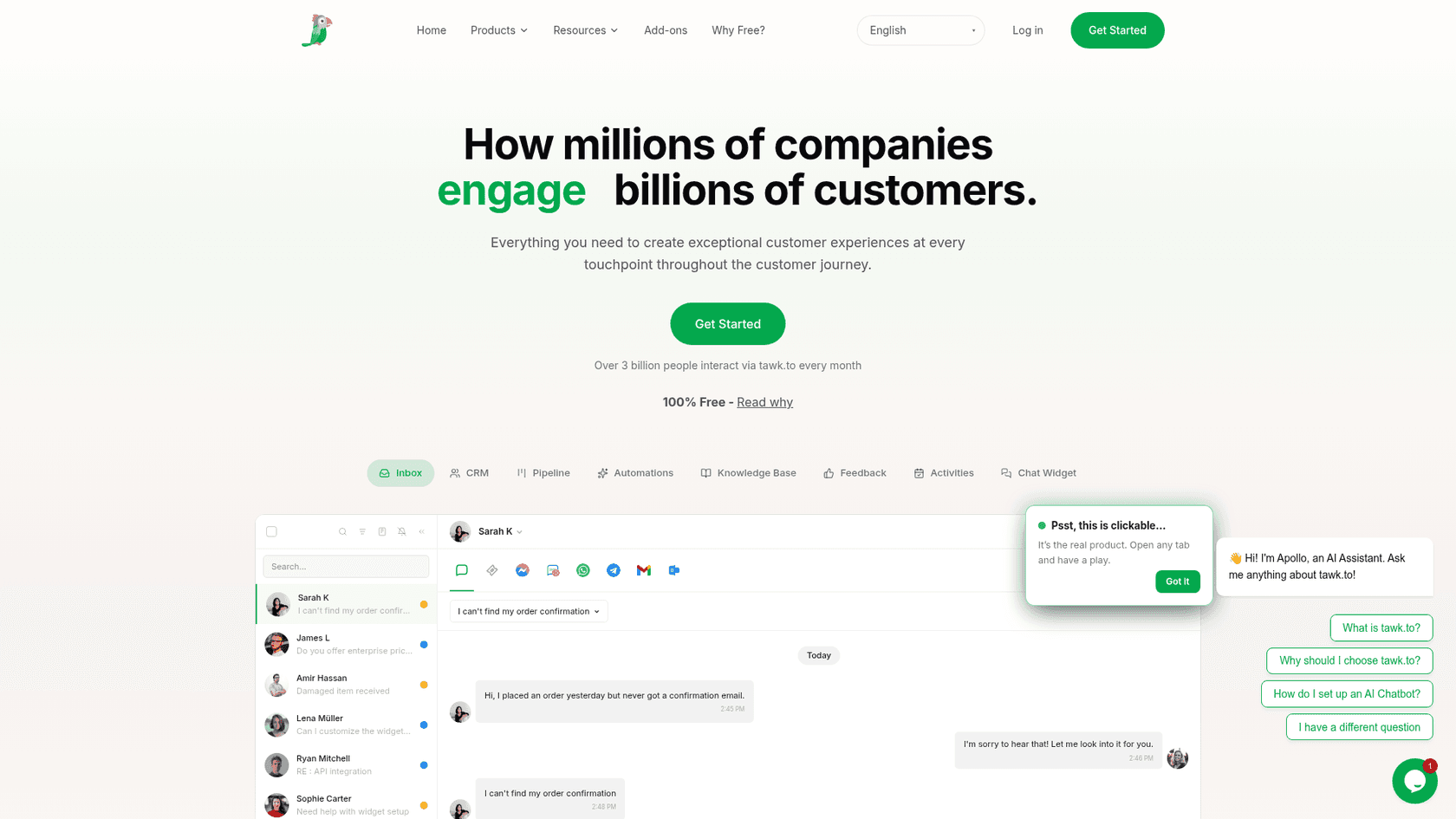
tawk.to gives away live chat, ticketing and a knowledge base, with no seat limit and no chat cap. It has been free since October 2013 and makes money from add-ons and from hired agents who answer chats for you at $1 an hour, per its why free page. If Formilla's single-agent plans are the problem, tawk.to removes the seat question entirely.
What it fixes from Formilla
- Free for the whole team. Pricing is "per property, not per seat," per the add-ons page.
- Tickets and a knowledge base included, which Formilla does not have.
- AI if you want it. AI Assist answers from your knowledge base and hands off to your team, with a forever-free tier for limited volume and paid plans from $29 a month.
"I'm giving Tawk 4 stars because they provide a great service for free. There are definitely more 'polished' options out there, but they all come with a monthly fee now."

Where it falls short
- The "Powered by tawk.to" badge stays unless you pay $29 a month, the same idea as Formilla's branding removal on Professional.
- No popup builder like Formilla's lightboxes and website bars on the pages I read.
- Its Shopify app sits at 3.6 stars from 89 reviews.
Pricing
| Item | Price | What it does |
|---|---|---|
| Live chat, tickets, knowledge base | $0 | Unlimited agents, free for life |
| AI Assist | Free tier, then from $29/mo | AI agents and workflows from your knowledge base |
| Whitelabel | $29/mo per property | Removes the badge, custom domains, branded emails |
| Voice Agents | From $49/mo plus usage | AI phone agent, waitlist |
| Hired agents | $1/hour | tawk.to staff answer your chats |
Prices from tawk.to add-ons.
Verdict: Pick tawk.to if you want Formilla's job done for $0 and your team answers chats itself. Skip it if Formilla's popups and lead capture are why you chose it. My tawk.to alternatives list covers what free chat trades away.
4. HubSpot: free chat that feeds a CRM
Best for: businesses where a website chat is mostly a lead, and the lead should land in a CRM.
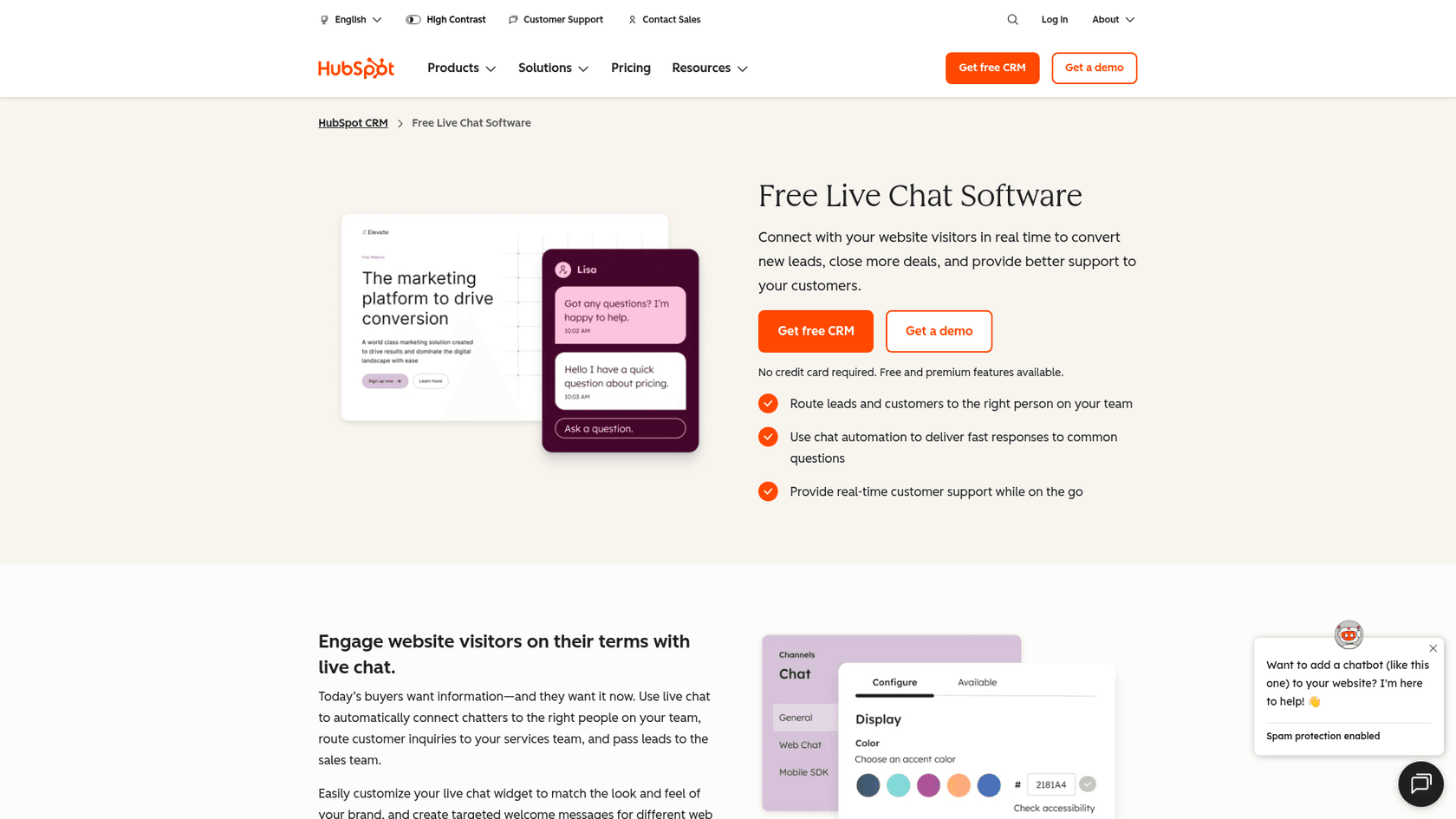
Formilla sells itself to "sales, marketing, and support teams", and HubSpot is where that idea goes when it grows up. Its live chat is free inside the free CRM for up to 2 users, with a no-code chatbot builder, ticketing, and every chat saved on the contact record. Its WordPress plugin bundles forms, popups and live chat, with 200,000+ installs and a 4.3 rating from 207 reviews.
What it fixes from Formilla
- Leads that go somewhere. A chat becomes a contact in the CRM with its history, instead of a Zapier hop to another tool.
- Popups and forms included. The plugin covers the lead capture Formilla's popup builder does.
- A real AI agent at the top. The Customer Agent answers across chat, email, forms and calling, and HubSpot says it resolves 65%+ of conversations automatically, per its Service Hub pricing page.
Where it falls short
- The Customer Agent starts on Service Hub Professional at $90 per seat a month, with a required $1,500 one-time onboarding.
- AI work is billed in HubSpot Credits, so cost depends on how much the agent does.
- The plugin brings forms, analytics and a CRM, which is more than a chat swap if chat is all you need.
Pricing
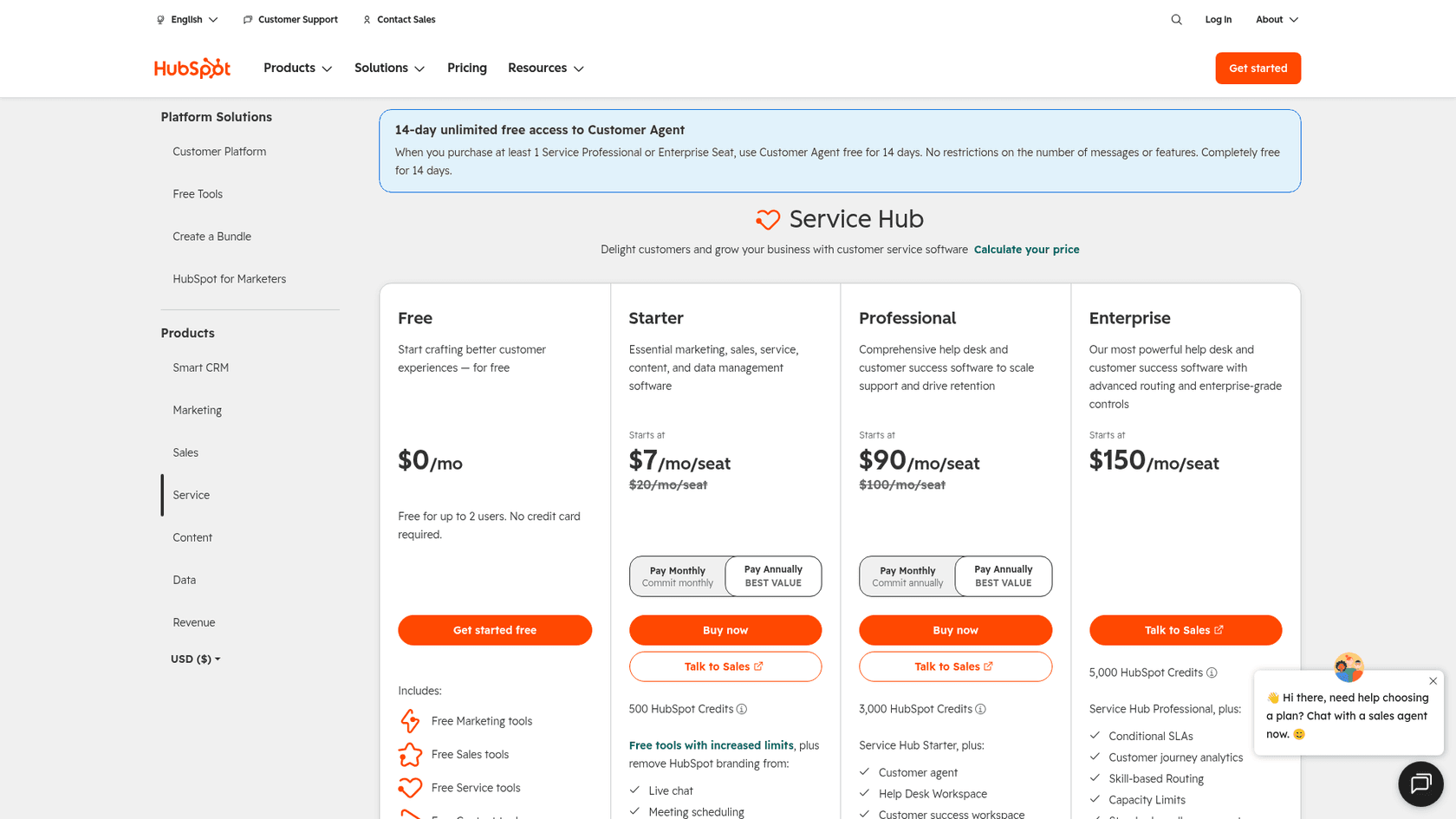
| Plan | Per seat/mo | HubSpot Credits | Notes |
|---|---|---|---|
| Free | $0 (up to 2 users) | None | Live chat, chatbot builder, ticketing |
| Starter | From $7 (shown against $20) | 500 | Removes HubSpot branding |
| Professional | $90 (shown against $100) | 3,000 | Customer Agent, $1,500 one-time onboarding |
| Enterprise | $150 | 5,000 | $3,500 one-time onboarding |
Prices from HubSpot Service Hub pricing, which also offers 14 days of unlimited Customer Agent use when you buy a Professional or Enterprise seat. My HubSpot pricing breakdown and HubSpot AI agent review go deeper.
Verdict: Pick HubSpot if chats are leads and you want them in a CRM for free. Skip it if a smarter bot is why you are leaving Formilla and the Professional jump is out of budget; eesel also works inside HubSpot tickets if you want AI without the Professional upgrade.
5. LiveChat (Text): the polished upgrade
Best for: teams where one or two people sell or support through chat all day and want the best agent app.
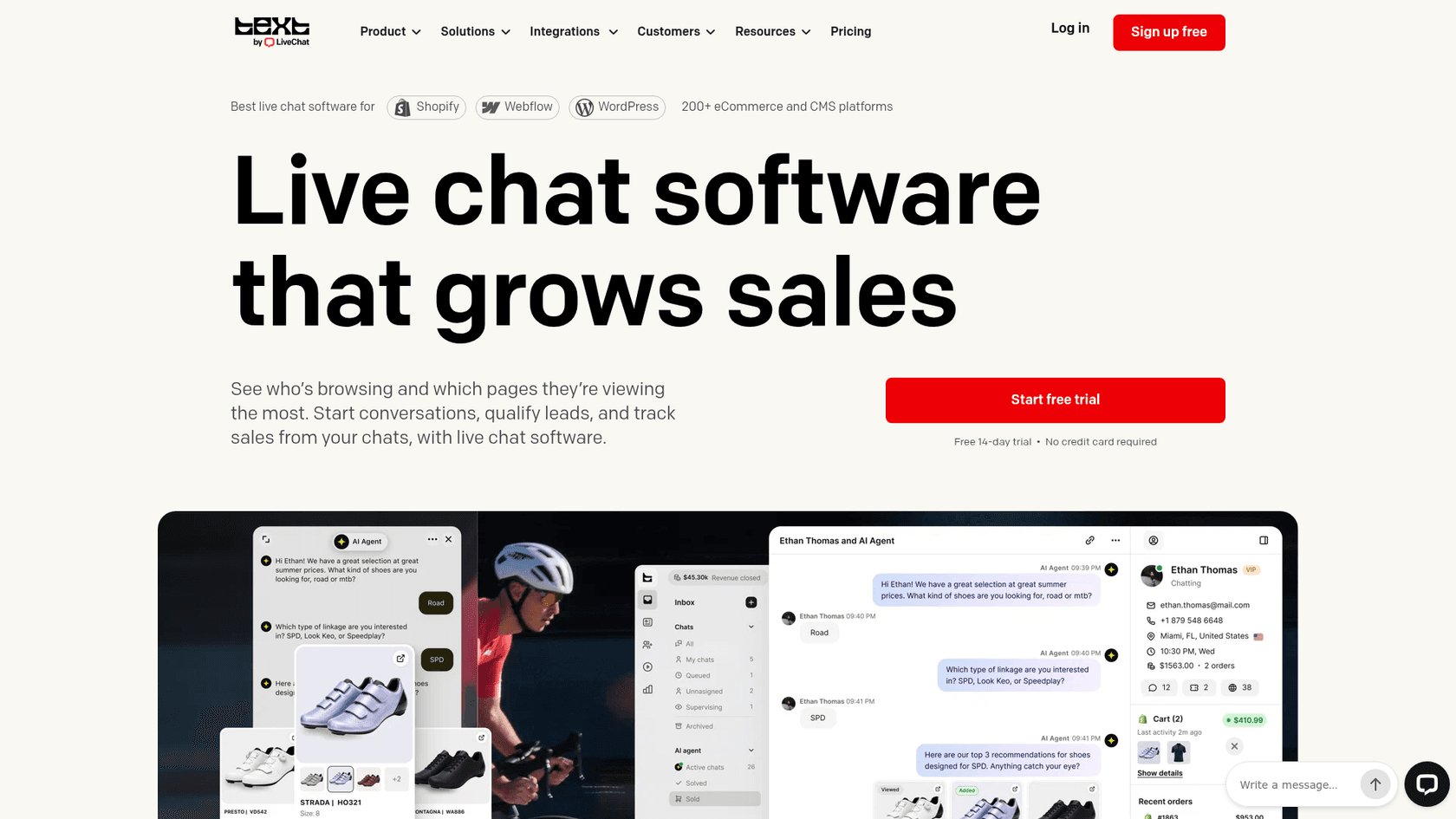
LiveChat now sells new trials as Text by LiveChat, which puts a shared inbox, ticketing and an AI Agent next to the chat on one subscription. Existing LiveChat customers keep their plans, per the pricing page. For a Formilla user who wants more polish and a proper ticket for follow-ups, this is the step up.
What it fixes from Formilla
- Tickets for follow-ups, instead of offline emails and conversation history.
- AI on every plan. Essential has 10 AI resolutions a month, Growth has 200, and extra packs of 50 cost $49.50.
- Security paperwork. Text is SOC 2 Type 2 audited and GDPR and CCPA compliant, which matters if a bigger customer asks.
"One thing I dislike about LiveChat is that some advanced features can feel a bit expensive for smaller teams."

Where it falls short
- Per-user pricing, so seat costs still climb with the team.
- Essential keeps 60 days of conversation and file history, the same window as Formilla's free plan.
- No free plan, only a 14-day trial.
Pricing
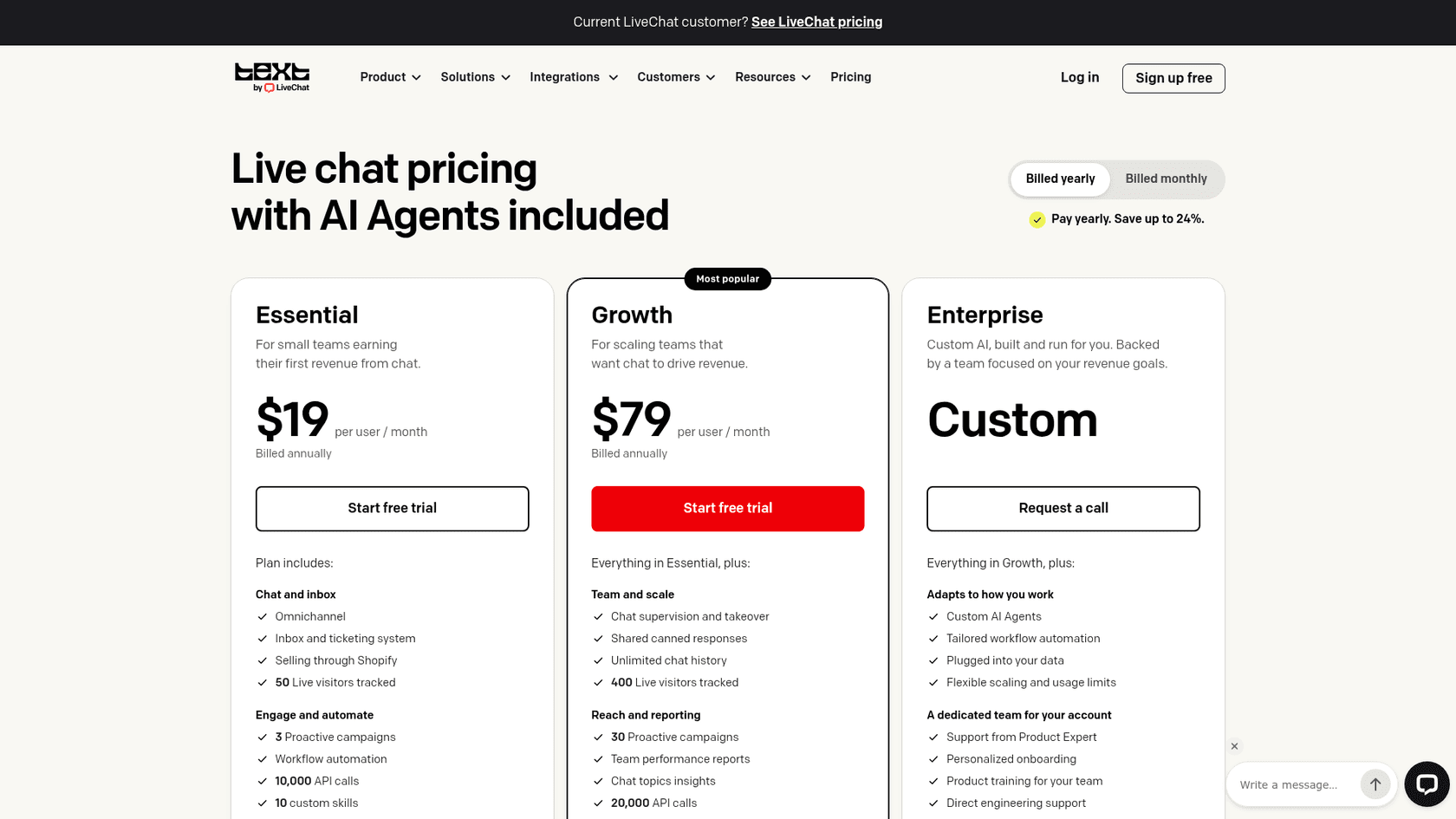
| Plan | Billed yearly | Billed monthly | AI resolutions included |
|---|---|---|---|
| Essential | $19 per user/mo | $25 per user/mo | 10 a month |
| Growth | $79 per user/mo | $99 per user/mo | 200 a month |
| Enterprise | Custom | Custom | Custom |
| Extra AI resolutions | $49.50 per 50 | $49.50 per 50 | n/a |
My LiveChat pricing post has worked examples, and Tidio vs LiveChat is the head-to-head.
Verdict: Pick LiveChat if chat is a main channel and a small team lives in it. Skip it if price is why you are leaving Formilla; Crisp or Zoho SalesIQ solve that better. The LiveChat AI review covers its agent.
6. Zoho SalesIQ: cheap seats with visitor tracking
Best for: sales-minded teams that liked Formilla's visitor monitoring and want it for less per person.
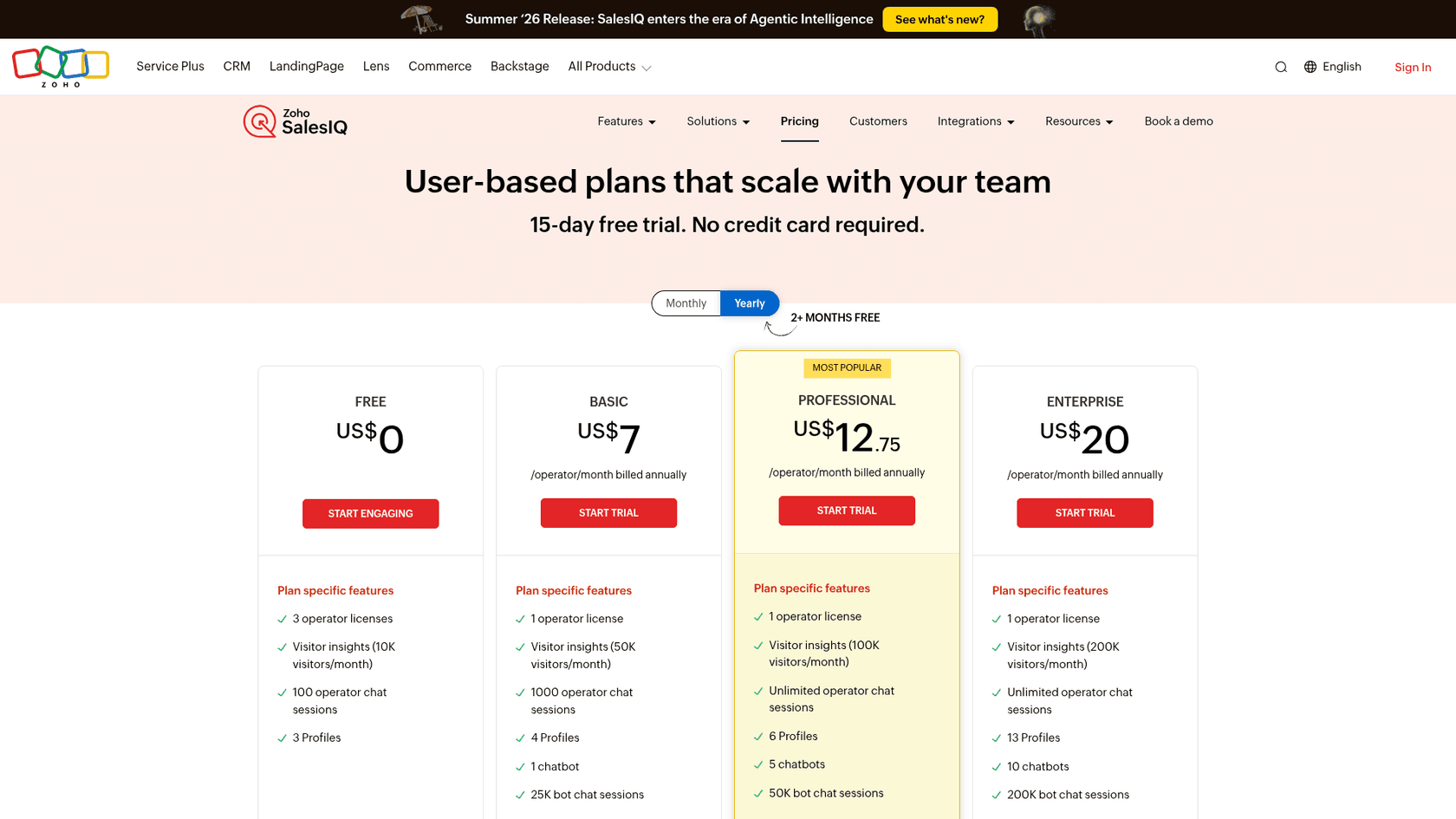
Zoho SalesIQ is live chat plus visitor intelligence: a real-time list of who is on your site, where they came from and what they looked at, with lead scoring on paid plans. That is the feature Formilla keeps for Professional, and SalesIQ has it from $7 per operator a month, billed yearly. The free plan covers 3 operators and 100 operator chat sessions a month.
What it fixes from Formilla
- Per-seat price. Two operators on Professional cost $25.50 a month yearly, with unlimited operator chats.
- More channels. WhatsApp, Instagram, Messenger and Telegram from Basic up, plus audio and video calls from the chat window.
- Your choice of AI. The Answer Bot runs on Zia, Zoho's own AI, or on a key you bring from OpenAI, Anthropic, Google or DeepSeek, per the pricing page.
Where it falls short
- The generative Answer Bot and training on your web pages sit on Enterprise, not Basic.
- The free plan stops at 100 operator chats a month.
- The plan page is long and built for sales and marketing teams first, so it takes a while to map to "I just want chat."
Pricing
| Plan | Per operator/mo (billed yearly) | Operator chats a month | Chatbots |
|---|---|---|---|
| Free | $0 (3 operators) | 100 | None |
| Basic | $7 | 1,000 | 1 (25K bot sessions) |
| Professional | $12.75 | Unlimited | 5 (50K bot sessions) |
| Enterprise | $20 | Unlimited | 10 (200K bot sessions), Answer Bot |
Prices from the Zoho SalesIQ pricing page, which also offers a 15-day trial with no card.
Verdict: Pick Zoho SalesIQ if you want proactive chat and visitor data on a tight budget, or you already use Zoho. Skip it if you want a generative bot without moving to the top plan. My 3CX Live Chat alternatives roundup covers more low-cost chat tools.
7. Shopify Inbox: free chat from Shopify itself
Best for: Shopify stores that want free chat and a basic AI agent without another vendor.
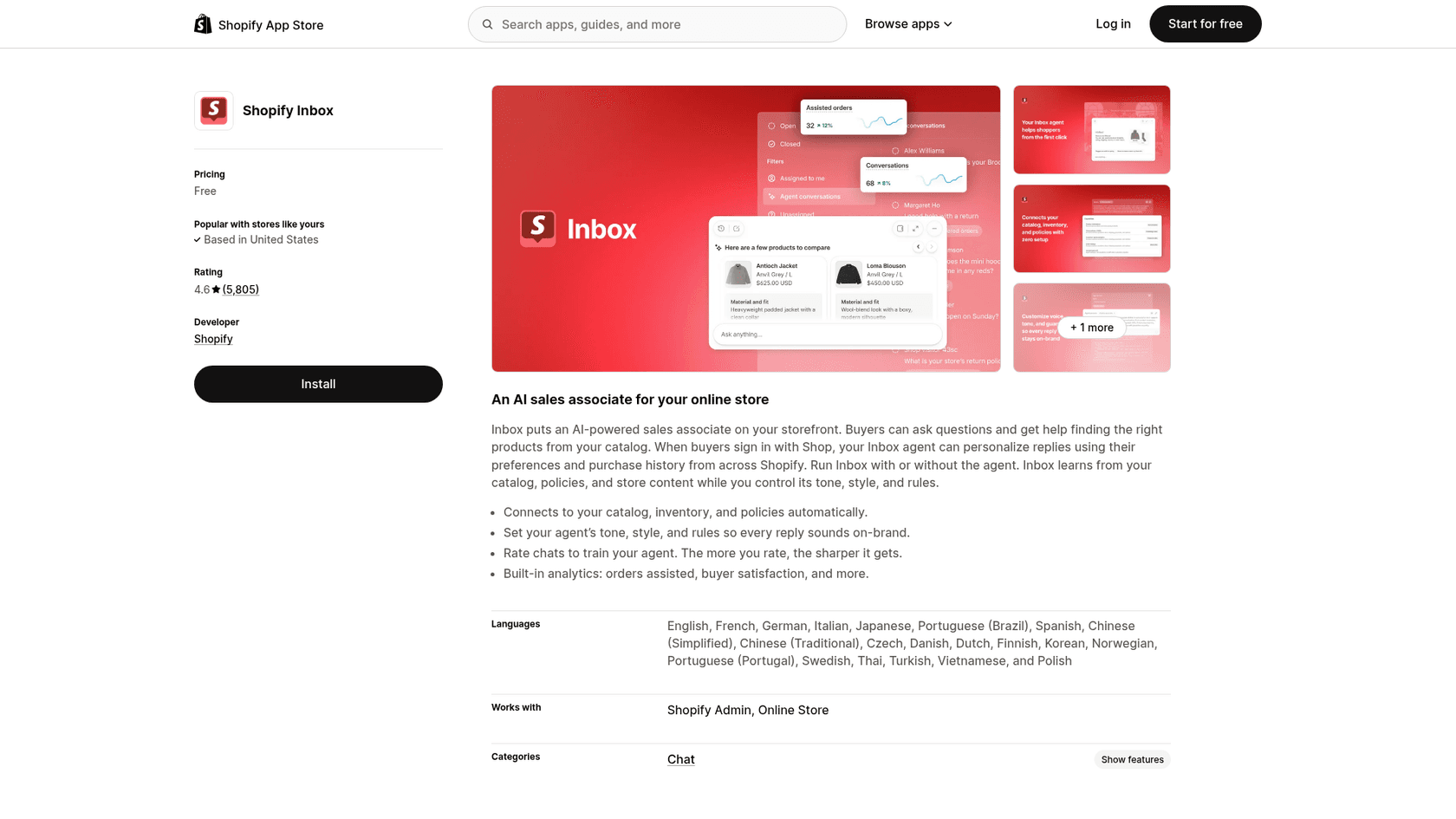
If you run Formilla's Shopify app, Shopify's own chat is worth a look before you pay anyone. Shopify Inbox is free, with 4.6 stars from 5,806 reviews. It connects to your catalog, inventory and policies on install, and the optional Inbox agent answers product questions in the tone and rules you set, per the listing.
What it fixes from Formilla
- Price. $0 for the whole team, with an AI agent included.
- Nothing to train by hand. Catalog, inventory and policies come in automatically, where Formilla's bot needs Topics and URLs.
- Store context. With Shop sign-in, the agent can use a shopper's purchase history from across Shopify.
Where it falls short
- Shopify only.
- The agent answers; it does not act on orders.
- Some merchants turn it off after mistakes:
"This app has the potential to be a useful tool but as forewarned, it can make mistakes, and it does. I have had to disable it due to repeated mistakes that have negatively impacted my bottom line."
Pricing
| Item | Price | Notes |
|---|---|---|
| Shopify Inbox app | Free | Staff chat on desktop and mobile |
| Inbox agent | Included | Optional; answers from catalog, policies and store content |
| Extra seats | Free | No per-seat charge listed |
Free on the Shopify App Store. My Shopify Inbox guide covers setup.
Verdict: Pick Shopify Inbox if you are on Shopify and want Formilla's job done for free with a light AI on top. Skip it if you also run a WordPress or Wix site. More picks in Shopify live chat apps.
8. eesel: an AI teammate for your website chat
Best for: teams that want the bot to carry real volume, learn from past conversations, and hand off cleanly.
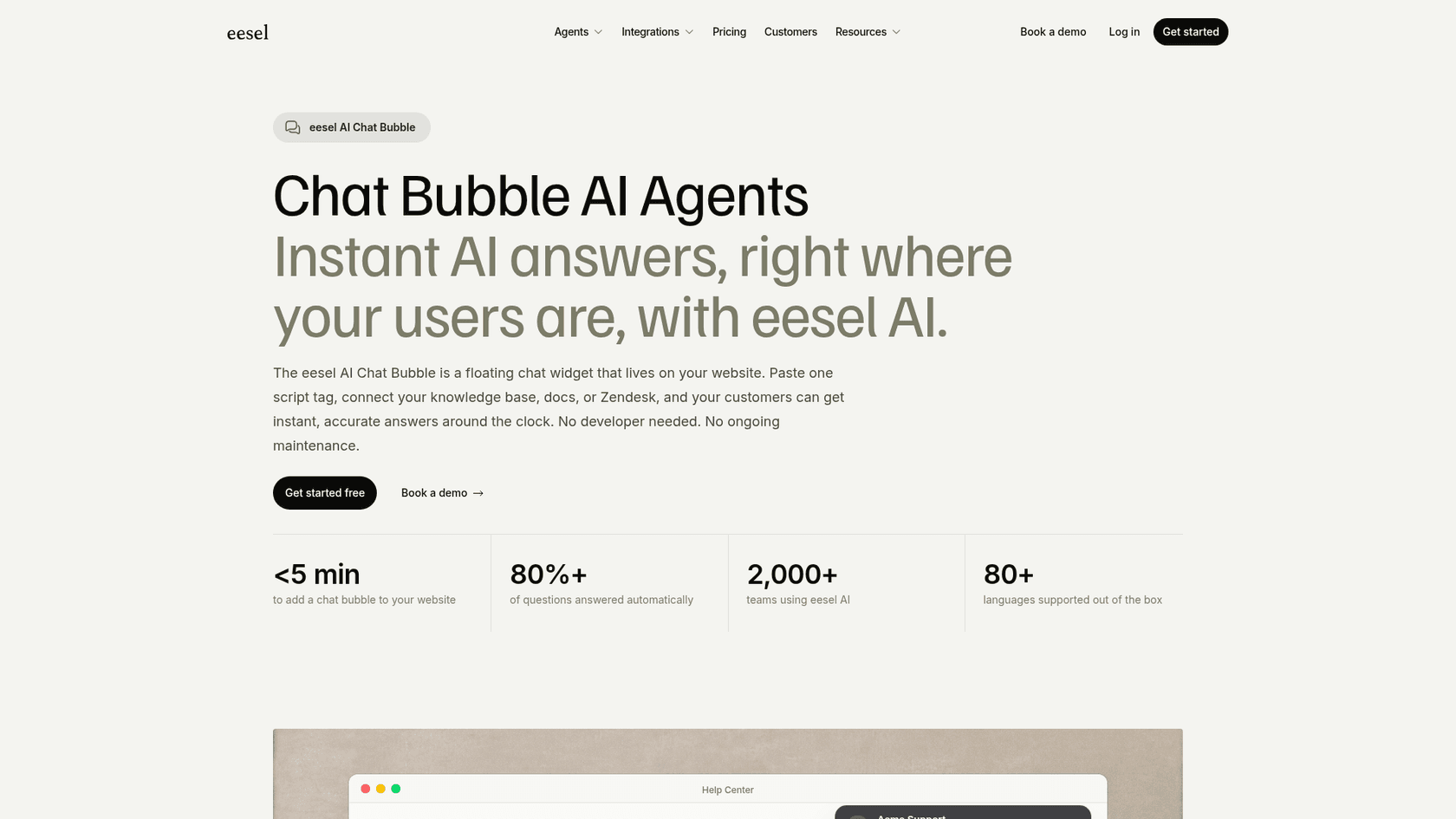
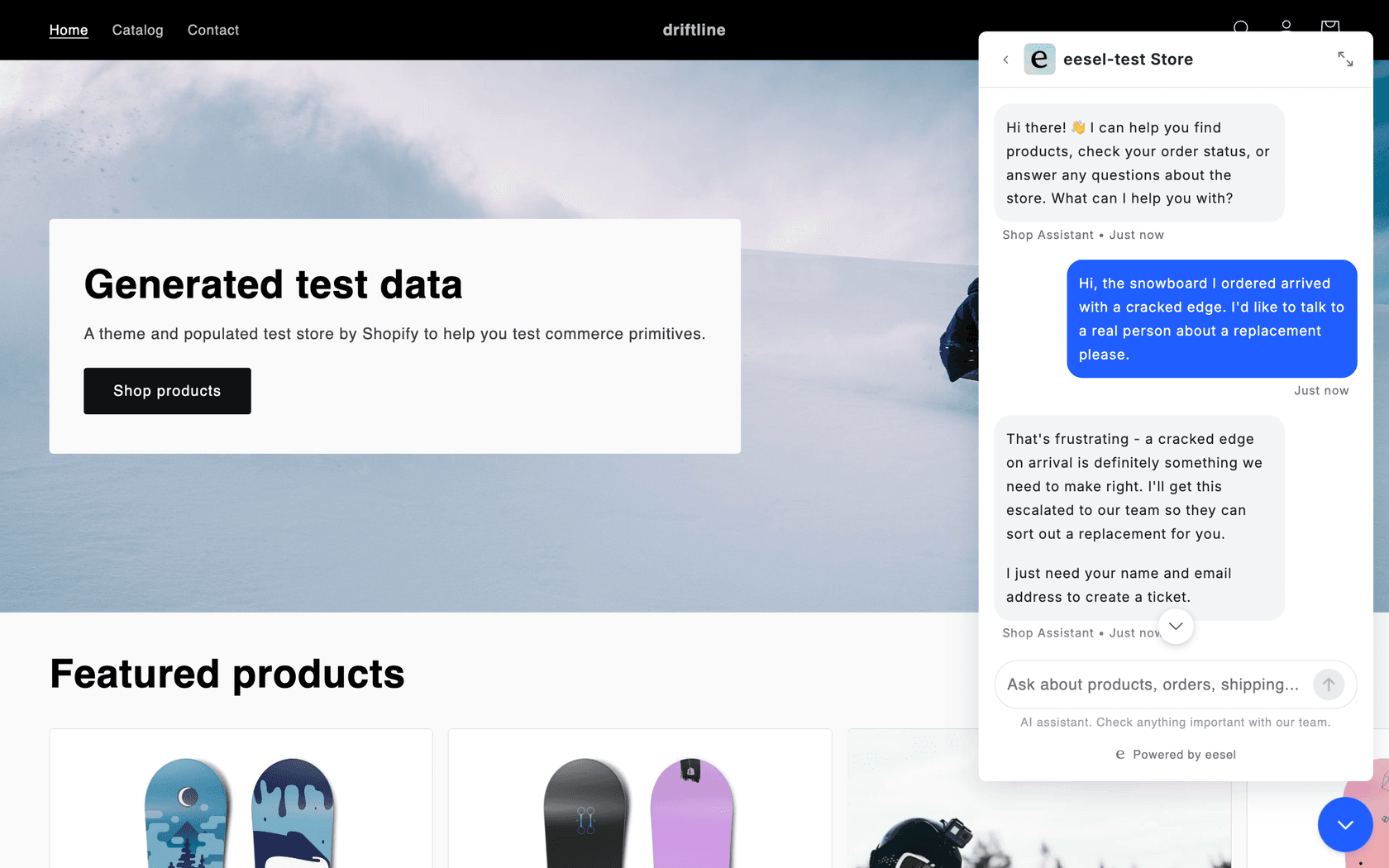
eesel is not another chat console. It is an AI teammate you hire for support: it reads your website, help center, docs and past tickets before it answers, and runs on your site as a chat bubble you add with one script tag, on WordPress, Shopify, Wix or a custom site. Connect Shopify and it checks the order, fulfilment status and stock before it replies. When a visitor needs a person, it hands off by email or into a helpdesk such as Zendesk, Freshdesk or HubSpot. One honest note: eesel has no Formilla integration, so it replaces the Formilla widget rather than sitting inside it.
This is the part I work on, and the design choice that matters most is the opposite of Formilla's: instead of you typing Topics for every question, the agent starts from what your team has already written and answered. Three published customers show how that runs:
- SE Ranking runs one agent per product on Zendesk live chat. In a month it answered about 2,100 live chats first, handed about 1,260 chats to the team, and never invents a menu or button it did not find in the docs.
- SamCart runs one agent on Freshdesk tickets and a separate one in its website chat bubble, with its own greeting. The chat asks for a name and email before it answers, the same lead capture Formilla users rely on, and both answer from about 280 help center articles.
- Beautek, a supplier to beauty and tattoo studios, answered 77 website chats live in German in a month and turned 20 into Zendesk tickets for sales leads.
What it fixes from Formilla
- A bot that learns from history, not only from Topics: your pages, docs, help center and past tickets, in 80+ languages.
- Lookups and actions. Shopify orders, stock and fulfilment status before it answers, which Formilla's bot does not do.
- No 100-chat ceiling. One chat is one credit however long it runs, overage is $0.80 a credit up to a cap you set, and seats are unlimited.
Where it falls short
- It is the AI layer, not a live chat console. If your team wants to type into every chat in real time, keep a human chat tool or a helpdesk next to it.
- $299 a month is more than Formilla with AI. It pays off when the bot handles enough chats to free real hours, not at 60 chats a month.
- No popup builder or email campaigns, which Formilla includes.
Pricing
| Plan | Per month | Credits | Notes |
|---|---|---|---|
| Free | $0 | 100 | Every feature and integration, no card |
| Teammate | $299 | 500 | Unlimited agents and seats |
| Teammate | $499 | 1,000 | Resizable up to 5,000 credits for $1,749 |
| Overage | $0.80 per credit | n/a | Up to a monthly cap you set |
| Enterprise | Custom | Custom | SSO and MFA, a dedicated contact |
Prices from eesel pricing. Paying a year upfront gets two months free, and SOC 2 Type II is underway.
Verdict: Pick eesel if your Formilla bot keeps passing the same questions to a person and volume is past the 100-chat add-on. Skip it if you mainly want a cheap chat box your team answers by hand; tawk.to does that for free. My guide to AI live chat explains how the handoff works.
How do you switch from Formilla without losing anything?
A chat widget takes minutes to install and a week to replace well. Most of the work is in what does not move on its own.
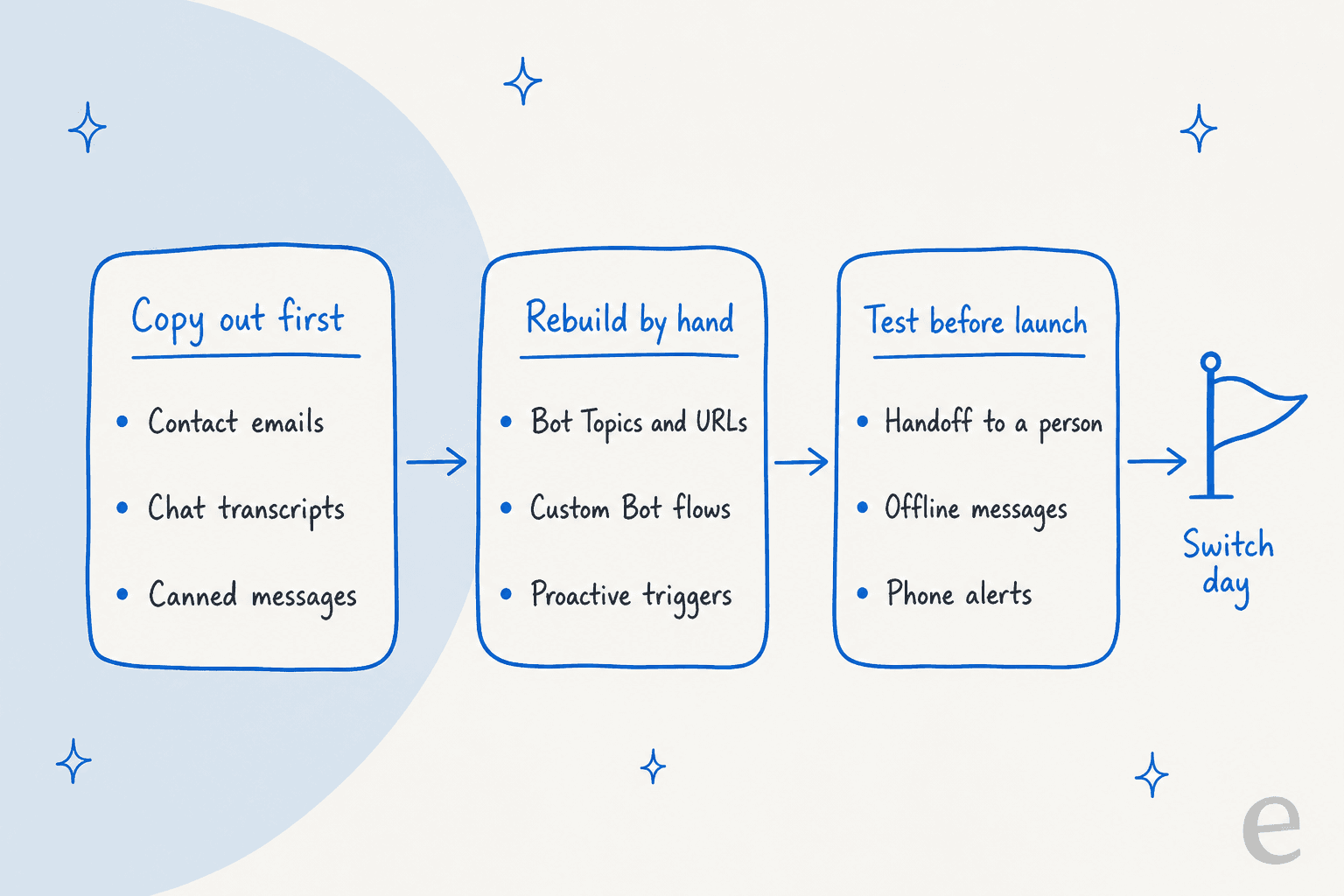
- Export contacts first. Formilla lets you export customer email addresses from Conversation History, per its WordPress plugin page. If you drop to the free plan before you cancel, history and contacts older than 60 days go, so export while you are still paying.
- Copy your bot's brain. Your Topics are plain text, so paste them into a doc. They become knowledge articles in tawk.to, Crisp or HubSpot, or a source for eesel. Keep the list of crawled URLs too.
- Rebuild flows and triggers. Custom Bot button flows, proactive chat timings and Smart Messages do not import anywhere. My guide to live chat triggers has the ones worth keeping, and proactive chat covers the rest.
- Test the handoff, not just the answers. Ask the new bot for a person, at night and by day, and see where the chat lands. My guide to human handoff in chat lists what a good one carries over.
- Test the widget itself. One buyer in an eesel trial ran 67 test questions through eesel's own chat bubble, found the answers solid, and still walked away because the widget felt slow and got stuck. I took that one personally. Load it on a real page, on a phone, before you switch.
- Check alerts on your phone. Formilla's apps are on every plan. Answer a test chat from your phone on the new tool before switch day.
Then run both for a week on different pages, compare missed chats and reply times, and cut over. My checklist of live chat features covers the smaller details.
Which Formilla alternative should you pick?
Start from your reason for leaving, not the feature list:
- A smarter bot: Tidio for the easiest swap at low volume, eesel when the bot should learn from past tickets, check orders and carry hundreds of chats.
- Cheaper live chat: tawk.to for free, Zoho SalesIQ for cheap seats with visitor tracking, Crisp for a flat price for up to 4 people.
- A bigger support system: HubSpot if chats are leads, LiveChat if chat is the main channel and you want tickets.
- On Shopify: try Shopify Inbox before paying for anything.
If you are comparing more widely, my Chatra alternatives and Chatway alternatives roundups cover the same buyers from other starting points, and AI live chat software ranks the wider field.
Try eesel on your website chat
If your Formilla bot keeps logging "untrained messages" and passing the same questions to you, eesel takes those chats on. Add the eesel chat bubble to your WordPress, Shopify or Wix site, connect your help pages and past tickets, and test it against last month's real questions before a visitor sees it. SamCart's chat asks for a name and email first, so no lead is lost, then answers from the same help center its email agent uses. Try eesel free with 100 credits.
Frequently Asked Questions
What is the best alternative to Formilla?
It depends on why you are leaving. For a smarter bot, Tidio or eesel; for cheaper live chat, tawk.to, Zoho SalesIQ or Crisp; for a bigger support system, HubSpot or LiveChat. My Formilla review covers where Formilla itself still fits.
Is there a free Formilla alternative?
Yes. tawk.to is free for unlimited agents, Zoho SalesIQ is free for 3 operators and 100 chats a month, Crisp is free for 2 seats, and HubSpot's free tools cover 2 users. My tawk.to alternatives guide covers what free chat gives up.
Which Formilla alternative has the best AI chatbot?
Tidio's Lyro is the easiest swap for a small site, and eesel is the pick when the bot should learn from past tickets and check Shopify orders. Formilla's ChatGPT Bots learn from Topics and up to 250 URLs. My guide to AI chatbots vs live chat explains the trade.
How much do Formilla alternatives cost?
For two people plus an AI bot for about 100 chats a month, Formilla is $79.98 on Professional with ChatGPT Bots. Crisp Mini is $45, Tidio Starter with Lyro is $104 and LiveChat with extra AI is $149. See Formilla pricing and my chatbot cost guide.
Can I move my Formilla chat history to another tool?
Not automatically. Formilla lets you export customer email addresses from Conversation History, but bot Topics, Custom Bot flows and triggers have to be rebuilt by hand. My checklist of live chat features lists what to recreate.
What is a good Formilla alternative for WordPress?
Tidio, tawk.to, Crisp and HubSpot all have WordPress plugins, and eesel's chat bubble goes on WordPress with one script. For more WordPress picks, see my AI Engine alternatives roundup and the eesel WordPress integration.
Does eesel integrate with Formilla?
No. eesel has no Formilla integration, so its chat bubble replaces the Formilla widget and hands chats to your team by email or through a helpdesk such as Zendesk or HubSpot.