The world of customer support is flooded with AI chatbots, and it’s easy to see why. They offer the promise of 24/7 engagement, instant answers, and a much lighter workload for support teams. One name you’ll hear a lot is Chatbase, a popular no-code platform that lets you build a custom AI agent trained on your own data.
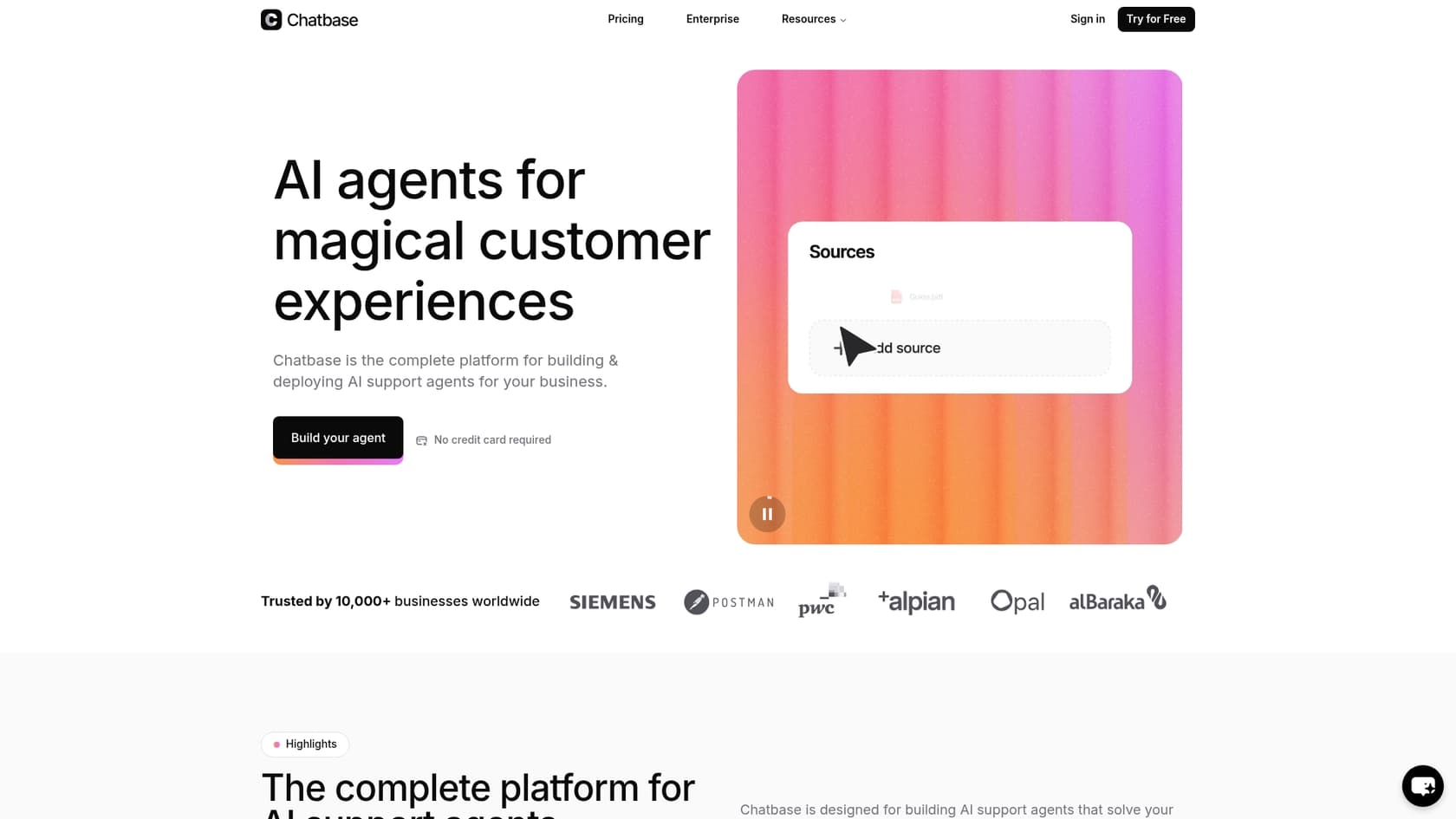
But is it the right tool for your team? This guide will give you a straight-up, balanced overview of what Chatbase actually delivers. We’ll walk through its core features, break down the pricing (including the fine print), and take an honest look at its limitations, especially for teams that need more than a simple Q&A bot for their website.
What is Chatbase?
At its heart, Chatbase is an AI chatbot builder. It lets you feed it your own knowledge sources, like PDFs, website content, or text docs, and uses them to train a large language model (LLM). The end result is a chatbot that can answer questions based on the info you’ve given it.
So, how does it pull this off? If you’re picturing a complicated, months-long process of "fine-tuning" a model, you can relax. Chatbase uses a much simpler and faster method called Retrieval-Augmented Generation (RAG). Basically, it chops your documents into smaller pieces, turns them into numerical codes (vector embeddings), and stores them in a database. When someone asks a question, the system quickly finds the most relevant snippets of information from your documents and hands them to the AI to construct an answer. It’s less about teaching the AI new concepts and more about making it an expert at searching your specific content library.
This makes it a pretty handy tool for individuals, small businesses, or marketing teams who just want to get a bot up and running quickly for basic customer questions or lead capture on their website.
A deep dive into Chatbase features
Alright, let's get into the nitty-gritty of what you can actually do with the platform.
Training your Chatbase AI chatbot on your data
Getting started with Chatbase is fairly simple. You can train your chatbot using a few different sources:
-
Files: Upload PDFs, Word documents, or plain text files.
-
Text: Just copy and paste text directly into the platform.
-
Website: Give it a URL, and a URL, and Chatbase will crawl the site for content.
-
Q&A: You can also create a list of specific questions and their answers.
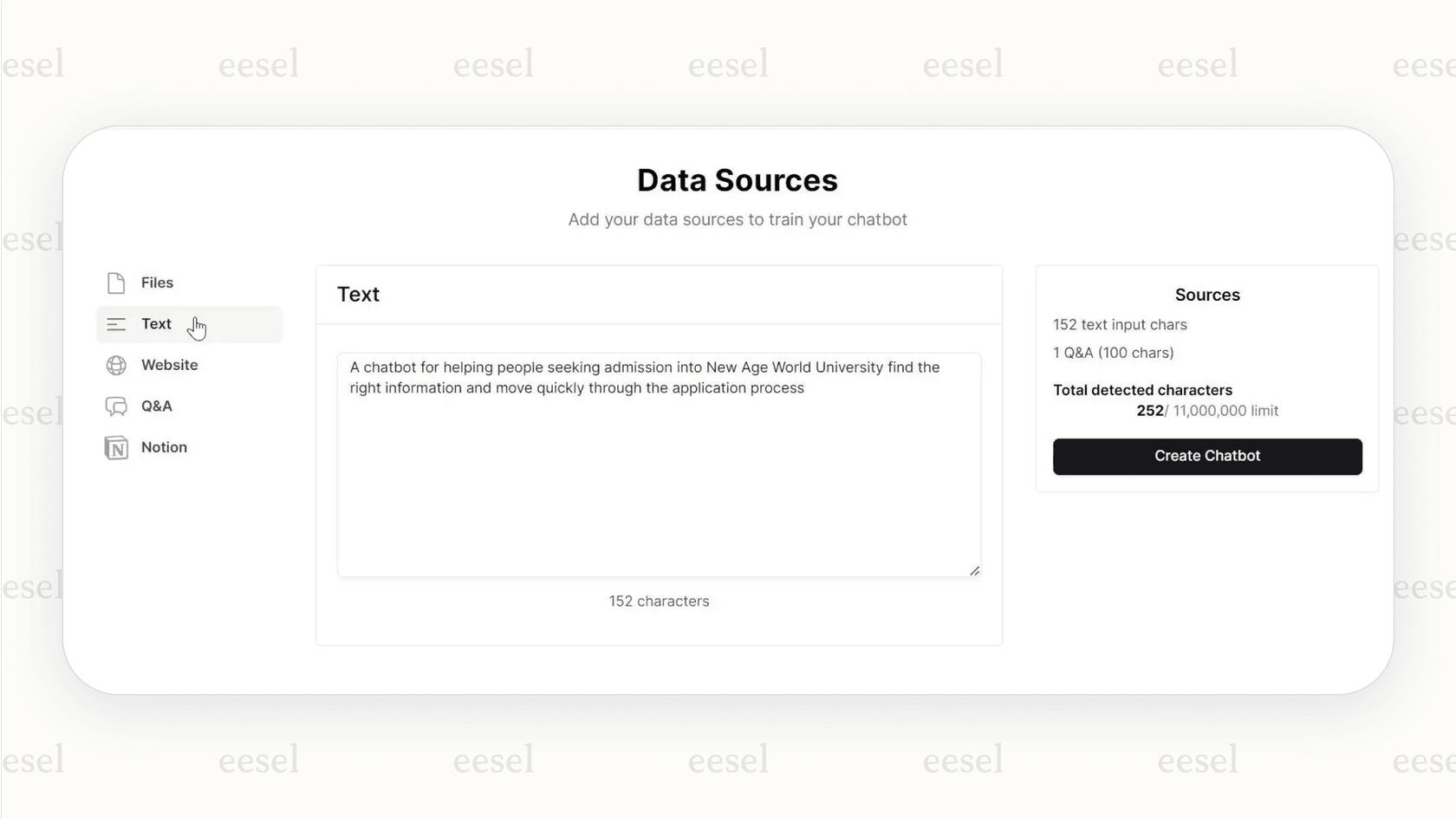
The platform handles all the technical stuff in the background, turning your content into a searchable knowledge base for the AI. It’s a fast way to get a bot online with answers pulled straight from your approved materials.
But there's a catch here. While this approach is great for pulling explicit information from help docs or FAQs, training on the most valuable source of knowledge your company has, the thousands of nuanced, contextual conversations in your past support tickets, only unlocks on Chatbase's top Pro plan and needs a Salesforce or Zendesk connection to feed those tickets in. The best answers, the ones that solve those really tricky problems and perfectly capture your brand's voice, are buried in old customer interactions, not in static documents.
Customizing your Chatbase chatbot's persona and behavior
Chatbase gives you a good amount of control over how your chatbot sounds and acts. You can pick from different LLMs to be the "brain" of your bot, including various versions of OpenAI's GPT and Google's Gemini models.
You can also adjust its behavior with a couple of important settings:
-
Temperature: Think of this as a creativity dial. A low temperature keeps the bot’s answers conservative and sticking strictly to the data you gave it. A higher temperature lets it get more creative, which can sometimes lead to less accurate or even made-up responses (what the pros call "hallucinations").
-
System Prompt: This is where you give your chatbot its personality and marching orders. You can tell it something like, "You are a friendly and helpful support agent for an online sneaker store. Keep your answers short and upbeat."
Chatbase integrations and AI actions
A chatbot that only answers questions is useful, but one that can actually do things is way better. Chatbase has a feature called "AI Actions" that allows your bot to handle simple tasks. With direct integrations for tools like Slack, Zendesk, Calendly, and Stripe, your chatbot can do things like book a meeting or check on basic order information.
For anything more complicated, though, you’ll find yourself leaning on third-party automation platforms like Zapier or Make. This means your workflows get split across different tools, which just adds another layer of complexity, another subscription fee, and another thing that can break. It feels more like a workaround than a truly seamless solution.
A complete breakdown of Chatbase pricing
Chatbase's pricing is split into tiers that scale up as your needs grow. It’s important to look past the monthly fee and understand how "message credits" and add-ons can change your final bill.
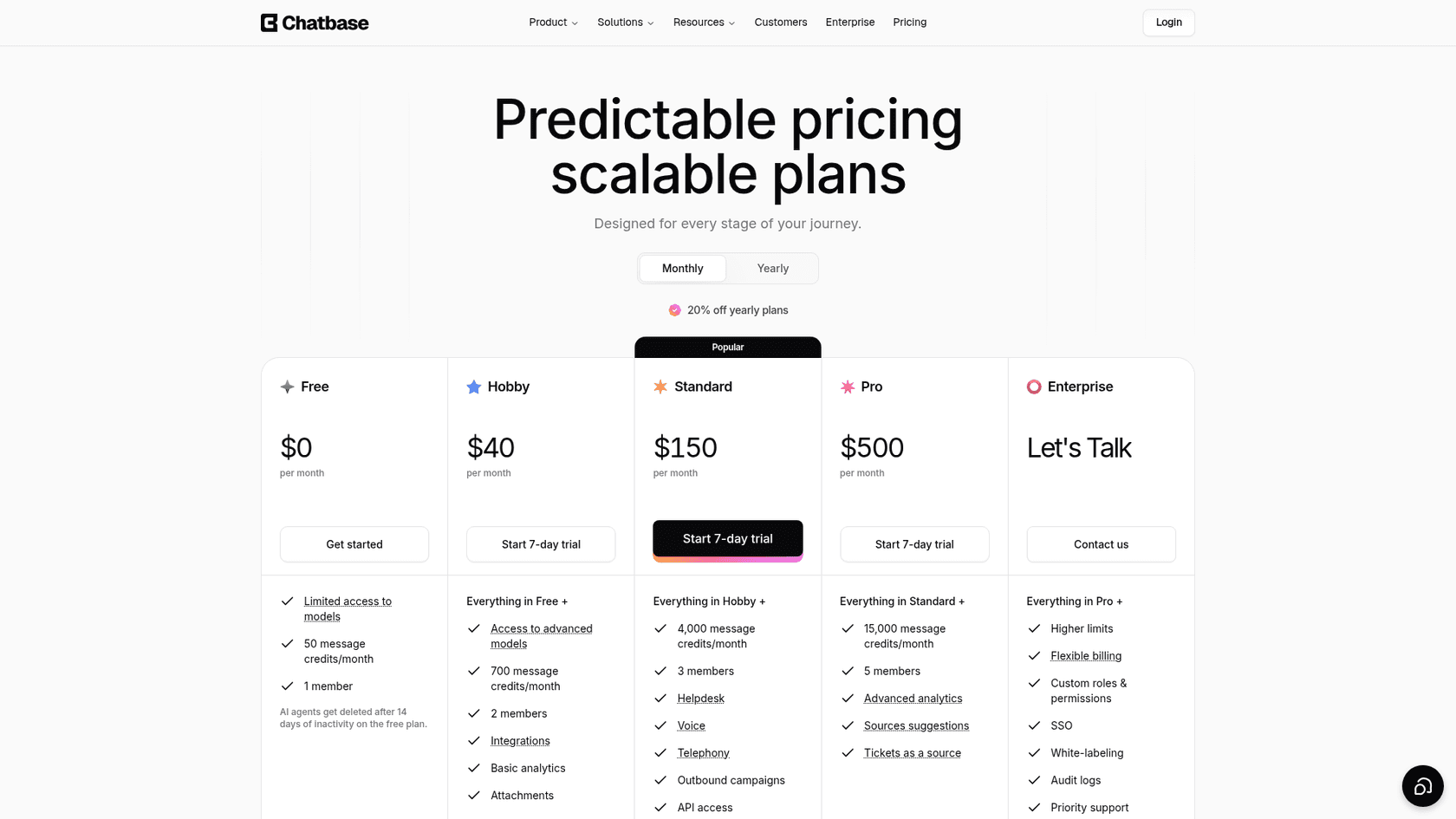
| Plan | Monthly Price | Message Credits/Month | AI Agents | Training Data Limit | Key Features |
|---|---|---|---|---|---|
| Free | $0 | 50 | 1 | 1 MB | Basic model access, embed on websites. |
| Hobby | $40 | 700 | 1 | 10 MB | Access to advanced models, 5 AI Actions, integrations. |
| Standard | $150 | 4,000 | 1 | 20 MB | 3 seats, 8 AI Actions, API access, helpdesk, voice. |
| Pro | $500 | 15,000 | 1 | 40 MB | 5 seats, 12 AI Actions, advanced analytics, tickets as a source. |
Understanding Chatbase message credits
That "message credits" system is a really important detail. A single message sent by a user doesn't always equal one credit used. Firing up a more powerful model like Claude Opus can use 5 to 6 credits for a single response, while a lighter model uses one or two credits, and turning on AI Actions doubles the credits for that response.
This kind of model can make your costs unpredictable. A busy month with a spike in customer questions could burn through your credits way faster than you planned, pushing you into paying for expensive overages or making an unexpected upgrade. Your bill can easily become a moving target, which makes budgeting a headache.
Available Chatbase add-ons
On top of the monthly plan, several add-ons can bump up your total cost. They give you some flexibility, but they also show how the sticker price isn't always the final price.
-
Auto-recharge credits: $40 per 1,000 credits.
-
Extra agents: $25 per AI agent/month.
-
Remove 'Powered By Chatbase': $99/month.
Key limitations: Where Chatbase might not be enough
While Chatbase is a solid tool for its intended purpose, its limits start to show when you need to build a serious, scalable support automation system.
Chatbase is a chatbot, not a complete support automation platform
Chatbase is great at what it does: building chatbots. But that's pretty much where its job ends. Its built-in helpdesk (Standard plan and up) adds an inbox, routing, and AI-assisted replies, but it's a separate inbox. If your team already runs Zendesk or Freshdesk, the agent connects through an integration rather than working inside that queue on the hundreds of internal tasks your team juggles every day, like tagging tickets, routing them to the right person, or drafting replies for your human agents. It’s an external tool that talks to customers, not an internal one that helps streamline your whole support operation.
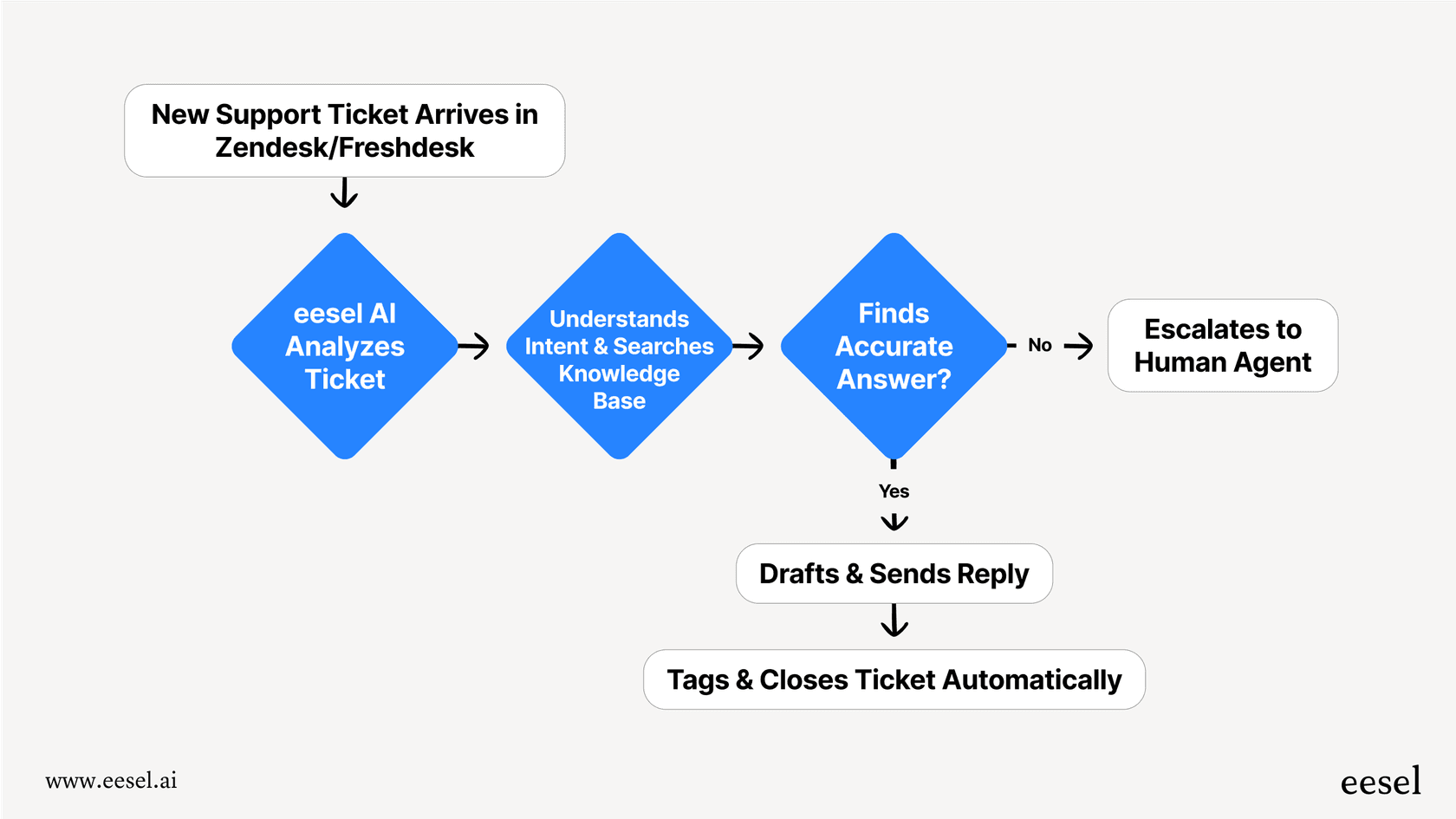
This is where a true support automation platform like eesel AI is different. eesel AI gives you a full set of tools designed to work together. You get more than just a customer-facing bot. You get an AI Agent that works right inside helpdesks like Zendesk and Freshdesk, an AI Copilot that helps your team write perfect replies in seconds, and AI Triage to automatically sort and manage your ticket queue.
Chatbase's lack of sophisticated workflow control and testing
Modern support is rarely one-size-fits-all, but with Chatbase, the automation rules can feel a bit stiff. You don't have the fine-grained control to, for instance, automate all questions about returns but immediately escalate anything related to a billing error. Building those kinds of complex, multi-step workflows means you have to patch things together with other tools, as we mentioned earlier.
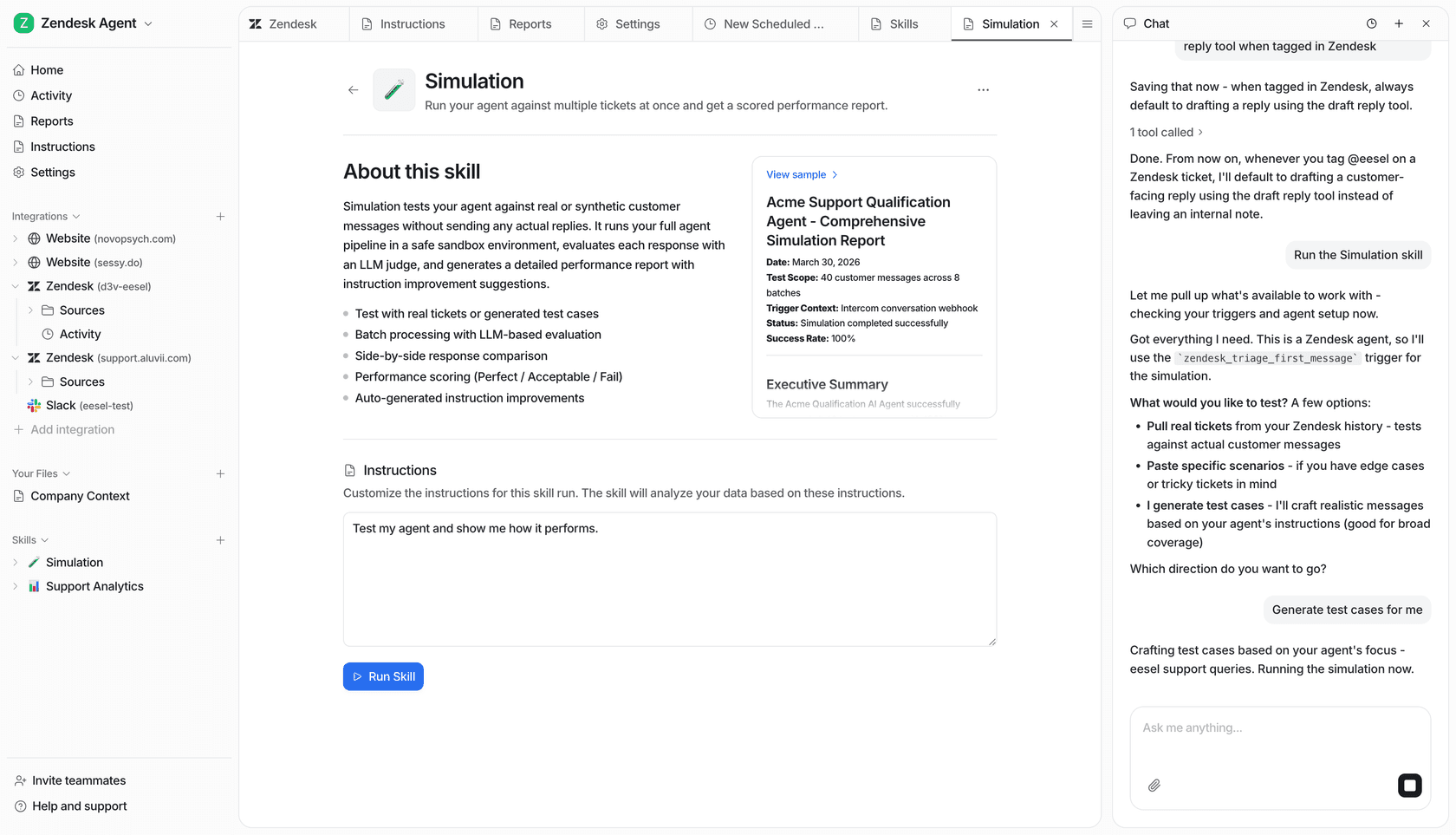
Even more importantly, testing before launch means manually typing at the agent in Chatbase's Playground, not replaying your real ticket history to see how it would have handled thousands of past questions at once. Launching an AI on your customers without that kind of dry run is a bigger gamble than it needs to be. This is a gap that eesel AI fills with its simulation mode. With eesel AI, you can run your AI setup against thousands of your historical tickets in a completely safe environment. You can see exactly how the AI would have responded, compare it against what your team actually sent, and get a gap report, letting you fine-tune its performance before a single customer ever talks to it.
Chatbase training is limited to explicit knowledge sources
We touched on this earlier, but it’s a point worth repeating: on its lower tiers, Chatbase learns from the static documents you give it, and tapping the living, breathing knowledge base of your past customer conversations only opens up on the Pro plan, and only if those tickets live in Salesforce or Zendesk. Your best agents have spent years figuring out the perfect ways to explain complicated topics and solve unique problems, and all of that hard-won expertise is locked away in your old tickets.
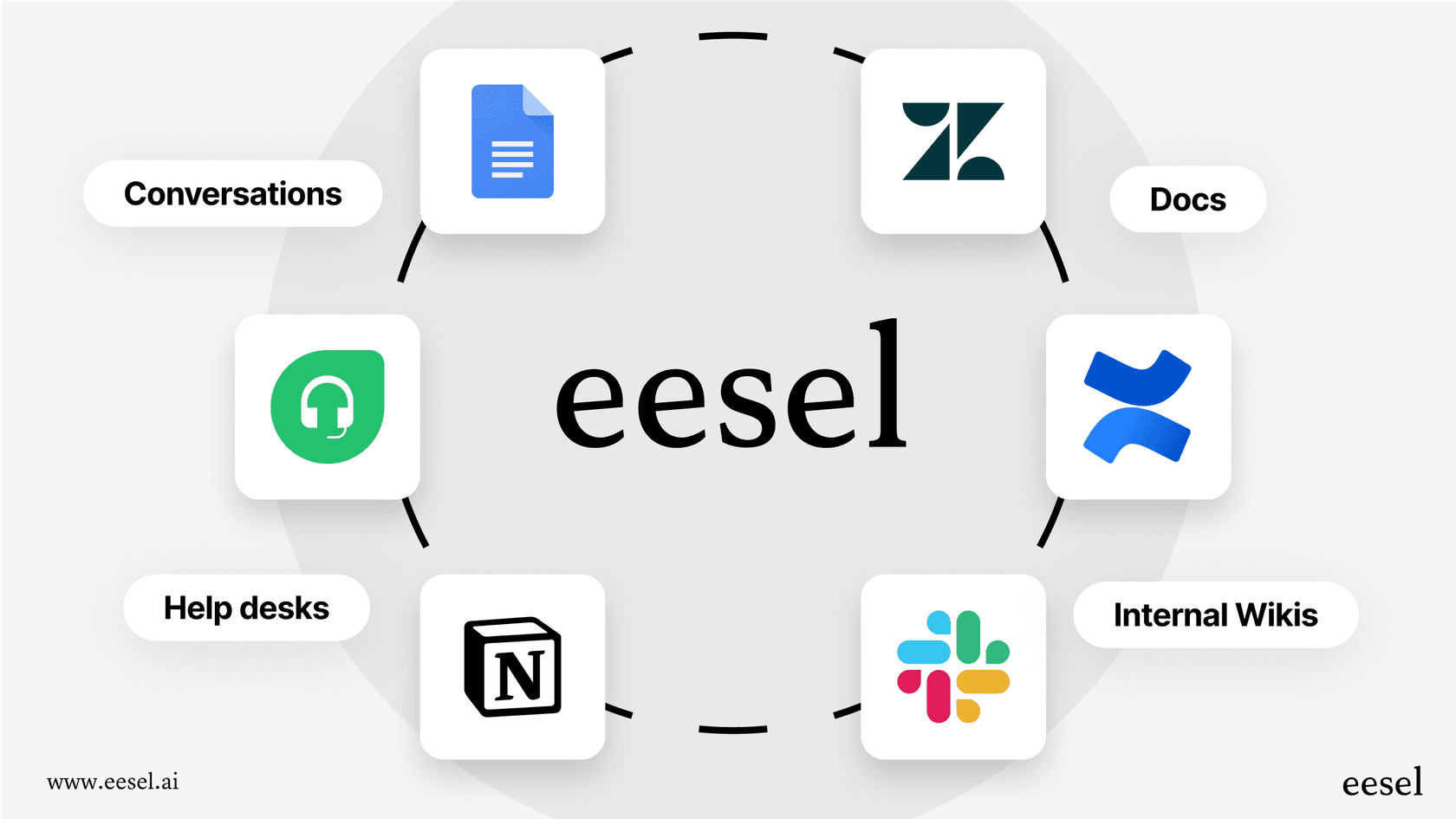
eesel AI is built to unlock that knowledge. It trains directly on your historical support tickets, letting it automatically learn your brand's unique voice, pick up on the nuances of common issues, and copy how your best agents solve problems, right from day one. It learns from your actual experience, not just your user manual.
Why eesel AI is the smarter alternative for support automation
For teams that are serious about automating and scaling their customer support, eesel AI is built to address the gaps left by simpler chatbot builders. It’s not just another bot; it’s a complete, integrated platform that plugs right into your existing tools, so you don't have to go through a painful migration process.
Here’s a quick look at the difference that makes:
-
Go live in minutes: You can get set up on your own with a platform that connects to your helpdesk in a single click.
-
Total workflow control: Use a powerful and flexible engine to choose exactly which tickets get automated and which ones get escalated to a human.
-
Unified knowledge: The AI learns from all your knowledge sources, including your most valuable one, your past tickets, to give deeply relevant and accurate answers.
-
Risk-free deployment: Use the simulation mode to test and validate how your AI will perform so you can go live with total confidence.
-
Predictable pricing: eesel is one fixed monthly price sized to your volume, with 1 credit per ticket or chat however long it runs and no per-seat fee, so your bill isn't a model-by-model credit-math guessing game.
Choose the right tool for the job
Look, Chatbase is a solid, user-friendly tool for creating simple, standalone AI chatbots. If you're an individual or a small business with pretty basic Q&A needs, it’s a great place to start.
However, for support teams aiming to build a scalable, powerful, and deeply integrated automation strategy, its limitations become a real roadblock. For that, you need a solution designed from the ground up for the messy reality of modern customer service.
If you're ready to move beyond a basic chatbot and start automating your entire support operation with confidence, try eesel AI for free.


Article by
Riellvriany Indriawan
Riell is a designer and writer at eesel AI with about two years of experience researching CX platforms, AI chatbots, and helpdesk software. She combines her design background with a sharp eye for how these tools actually look and feel in practice — making her comparisons unusually visual and user-focused.