

The best AI chatbot for Framer in 2026 is Chatbase for most sites: it has its own Framer install guide, trains on your pages, files and past tickets, and can hand a chat to a person. Pick Tidio if you want AI and live chat in one inbox, Chatway for a cheap per-resolution bill, and Elfsight for tiny budgets. The catch nobody mentions: Framer has no visitor chatbot of its own, so every option is a third-party script you can only test after publishing. eesel fits when your best answers live in docs or a helpdesk, at 1 credit per chat however long.
I build features and AI agents at eesel, so when I look at a chat widget I check two things before the feature list: what the script does to the page, and how the agent decides whether it actually knows the answer. Most chat widgets are one script tag that downloads a loader, which then draws the bubble once your page has rendered. That part is easy on Framer. The hard part is the second one, and it's where these nine tools differ most.
If you'd rather let a coding agent do the setup, the eesel CLI can run npx @eesel/cli init chat-bubble --site https://your-site.com, which creates the bubble and prints the embed snippet, then connect your site, upload a policy PDF and ask test questions so you can check the answers before going live. Pasting that snippet into Framer's Custom Code is still your step, in Framer's editor.
Does Framer have a built-in AI chatbot?
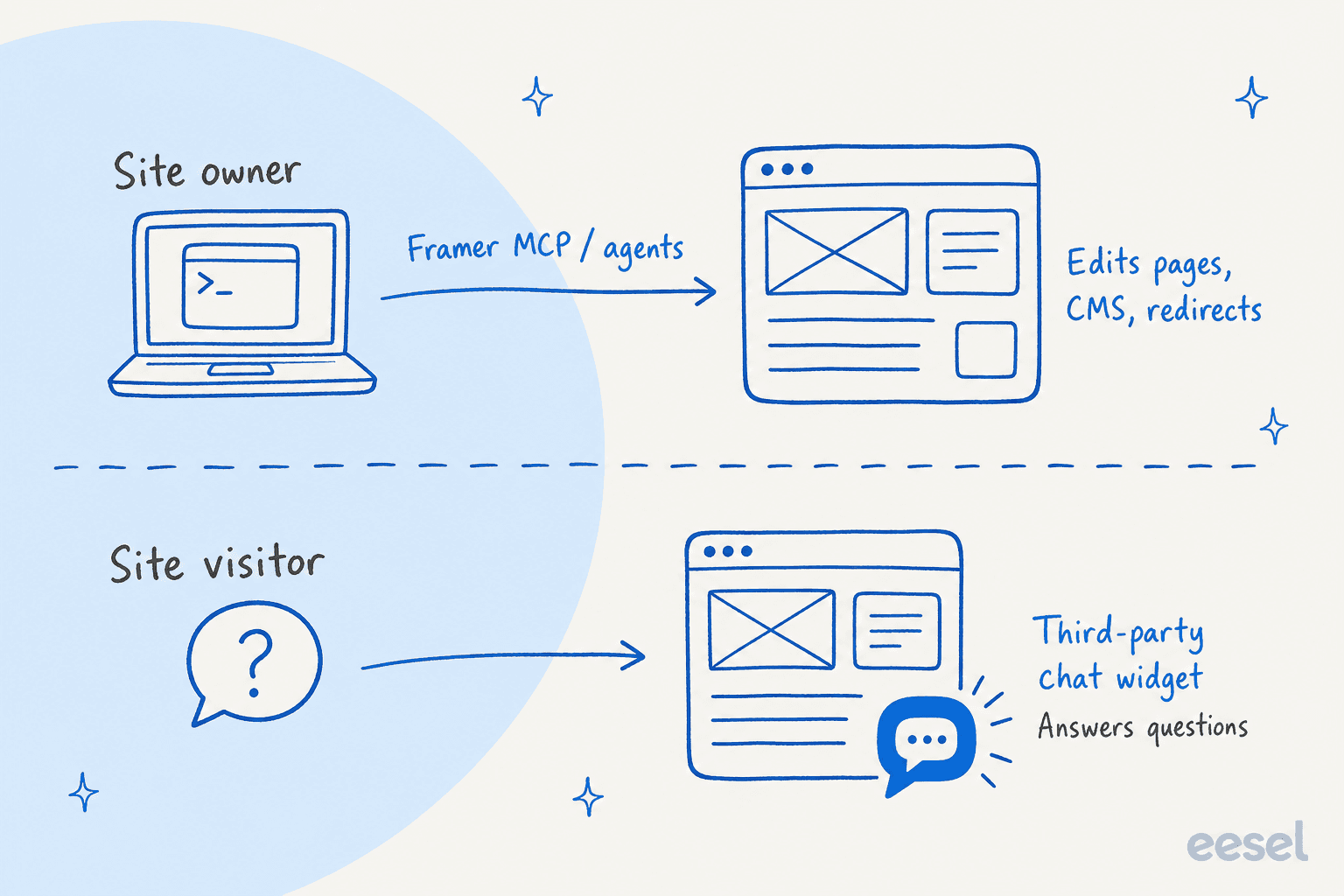
No, not one that talks to your visitors. This trips people up, because Framer talks about AI a lot. Its pricing page sells "Agents" with monthly AI credits (500 on Free), and its Framer MCP server connects tools like Claude, Codex, Cursor and Grok to your project so they can "create pages, edit layouts, update content, manage CMS collections, and more." Framer's External Agents bridge does similar work from Claude Code or Cursor, best for localizations, CMS items and redirects.
All of that is for you, the site owner, editing the site. None of it answers a visitor's question. I searched Framer's help center and pricing page and found no native visitor chatbot or live chat. Framer's own custom code article lists chat and support widgets as one of the things you add yourself.
So the job splits into two lanes, and only the bottom one is what this post is about:
There's a third way in, too. The Framer Marketplace lists chat plugins from independent creators, such as Weav, AskDolphin, DeskCrew, SiteBot and Snakk AI. They install the widget for you, but the AI, the knowledge base and any inbox still live with the third-party vendor, not with Framer. Listings are self-reported by their makers, so I didn't rank them here. If one fits, judge it on the same questions below.
What makes an AI chatbot good on a Framer site?
Framer sites tend to be marketing sites, portfolios and SaaS homepages. The visitor questions are things like "does this integrate with X," "what's on the Pro plan," or "can I book a call." The answers often aren't on the page they're reading. They're in docs, a help center, a pricing PDF or a past support reply.
So I judged every tool on three things, in this order:
- Where it learns from. A bot trained only on your public pages will guess at everything else. The agent decides what to say by searching the sources you gave it and writing from what it finds, so the sources are the ceiling on quality.
- What it does when it doesn't know. "Talk to a human" can mean a live inbox where you take over, a ticket in your helpdesk, or a card with your email on it. Those feel very different to a visitor who's about to buy.
- How it bills for AI. Every tool here uses a different meter, and the one that's cheap at 50 chats a month is often the expensive one at 1,000.
Then come the Framer checks: does the vendor document Framer at all, and does the bubble survive Framer's page-to-page navigation?
The sources point is the one I've seen matter most in real rollouts. SE Ranking gave its eesel agent about 2,700 pages from its websites plus 14,100 help center pages as knowledge, and eesel answered 2,100 live chats first in a month on Zendesk Messenger. A bot that only read the marketing site couldn't have done that. The same logic applies whether you pick eesel or not: point the bot at where your answers actually live, and read about training a chatbot before you trust it.
How I picked these
I started with what ChatGPT recommends when a Framer owner asks this question. It shortlisted Chatbase, Tidio and Botpress, framed the choice as "paste the script, done," and leaned on Framer's custom code and Embed docs. I kept those three and added six more that either document Framer themselves or are common picks for a small business website: Chatway, Elfsight, ElevenLabs, Crisp, tawk.to and eesel.
For each one I read the vendor's pricing page, its install docs (Framer-specific where they exist), its AI and handoff docs, and Framer's own help center, all checked on 2026-11-16. Every price here comes from the vendor's own page. I read the docs and guides closely; I didn't run each tool in production on a Framer site for months. Where a vendor doesn't publish something, like a security cert or a per-model credit cost, I say so.
One finding shaped the ranking more than I expected. Only four vendors write their own Framer guide: Chatbase, Chatway, Elfsight and ElevenLabs. Tidio, Crisp, tawk.to and Botpress have generic "paste this before the closing tag" guides that work on Framer but don't mention it. eesel's docs say the bubble works on any site that accepts a script tag, without naming Framer. That isn't a knock on anyone, but it does mean you'll be translating steps yourself for half this list.
Ordering is on the merits for a typical small Framer business, not eesel-first.
The 9 best AI chatbots for Framer at a glance
| Tool | Best for | Own Framer guide? | Framer install path | Free plan | Starting paid price | AI billing unit | Trains on | Human handoff | Security certs | Rating (source) |
|---|---|---|---|---|---|---|---|---|---|---|
| Chatbase | Custom agent, model choice | Yes | Custom Code (head) | No, 7-day trial | Basic $150/mo ($120 yearly) | Credits per model request | Website, files, Notion, Q&A, closed tickets | Live chat in Chatbase Helpdesk or ticket | SOC 2 Type II, GDPR | Not checked |
| Tidio | AI plus live chat inbox | No, generic guide | Custom Code (end of body) | Yes, 50 Lyro chats once | Starter $29/mo; Lyro from $39/mo | Per Lyro conversation | Website, FAQs, Zendesk articles | Live inbox, handoff rules | SOC 2 report, GDPR, CCPA | Not checked |
| eesel | Answers from docs and helpdesk | No, "any site with a script tag" | Custom Code (end of body) | 7-day trial, 100 credits | $299/mo for 500 credits | 1 credit per chat | Website, help center, Drive, Notion, Confluence, Zendesk, files | Helpdesk ticket or email | SOC 2 Type II audit in progress, GDPR | Not checked |
| Chatway | Pay only when AI resolves | Yes | Custom Code (Add Script) | Yes, 50 chats + 10 AI chats | Business $39/mo ($31 yearly) | $0.50 per resolved chat | Text, links, help docs | One-click takeover | None published | 5.0 (378, Wix App Market) |
| Botpress | Building flows and actions | No, generic guide | Custom Code (head) | Yes, 100 conversations | Plus $150/mo billed yearly | Per conversation + AI spend | Websites, documents, tables, web search | Botpress Desk or HITL (Plus) | SOC 2 Type 2, GDPR, HIPAA | 4.5 (516, G2) |
| Crisp | Cheap AI per conversation | No, generic guide | Custom Code (head) | Yes, no AI | Mini $45/mo | Token credits per Hugo conversation | Snippets, knowledge base, crawl, past chats, files | Escalates to operators | None on pricing page | Not checked |
| Elfsight | Lowest cost, light traffic | Yes | Custom Code or Embed | Yes, 50 AI messages/mo | Basic $6/mo ($5 yearly) | AI messages per month | Website scan, files, Q&A | Contact card (email, call, WhatsApp) | None published | 4.8 (919, G2, all Elfsight) |
| tawk.to | Free live chat, light AI | No, generic guide | Custom Code (end of body) | Yes, chat free + 100 AI credits | AI Assist Growth $29/mo | Credits per AI reply | Knowledge base, FAQs, docs, crawled pages | Escalation to agents, even free | Not checked | Not checked |
| ElevenLabs Agents | Voice-first agent | Yes | Custom Code + Embed | Yes, 15 call minutes | Starter $6/mo | Per call minute or text message, plus LLM | Files, URLs, text | Phone calls only, not the widget | SOC 2 Type 2, ISO 27001, HIPAA, GDPR | Not checked |
A note on ratings: I only listed figures I could trace to a review platform. Chatway's 5.0 is from its Wix App Market listing and Elfsight's 4.8 covers all its widgets, not just the chatbot, so read both as rough signals.
Why does the AI meter matter more than the sticker price?
Most of these tools show a monthly price up top and bill AI somewhere else. Line them up and there are six different meters:
- Per model request: Chatbase spends message credits on every call to the model, and an agent using actions can make several calls for one reply.
- Per AI conversation: Tidio sells Lyro conversation quotas, Crisp bills token credits per Hugo conversation, and Botpress counts conversations with $0.10 of AI usage included in each.
- Per resolved chat: Chatway charges $0.50 only when its AI resolves the conversation.
- Per reply credit: tawk.to's default Auto model costs 3 credits per reply, and Elfsight counts visitor messages.
- Per minute or message: ElevenLabs bills call minutes or $0.003 per text message, plus LLM usage on top.
- Per chat, any length: eesel charges 1 credit per chat, however long, on fixed monthly plans.
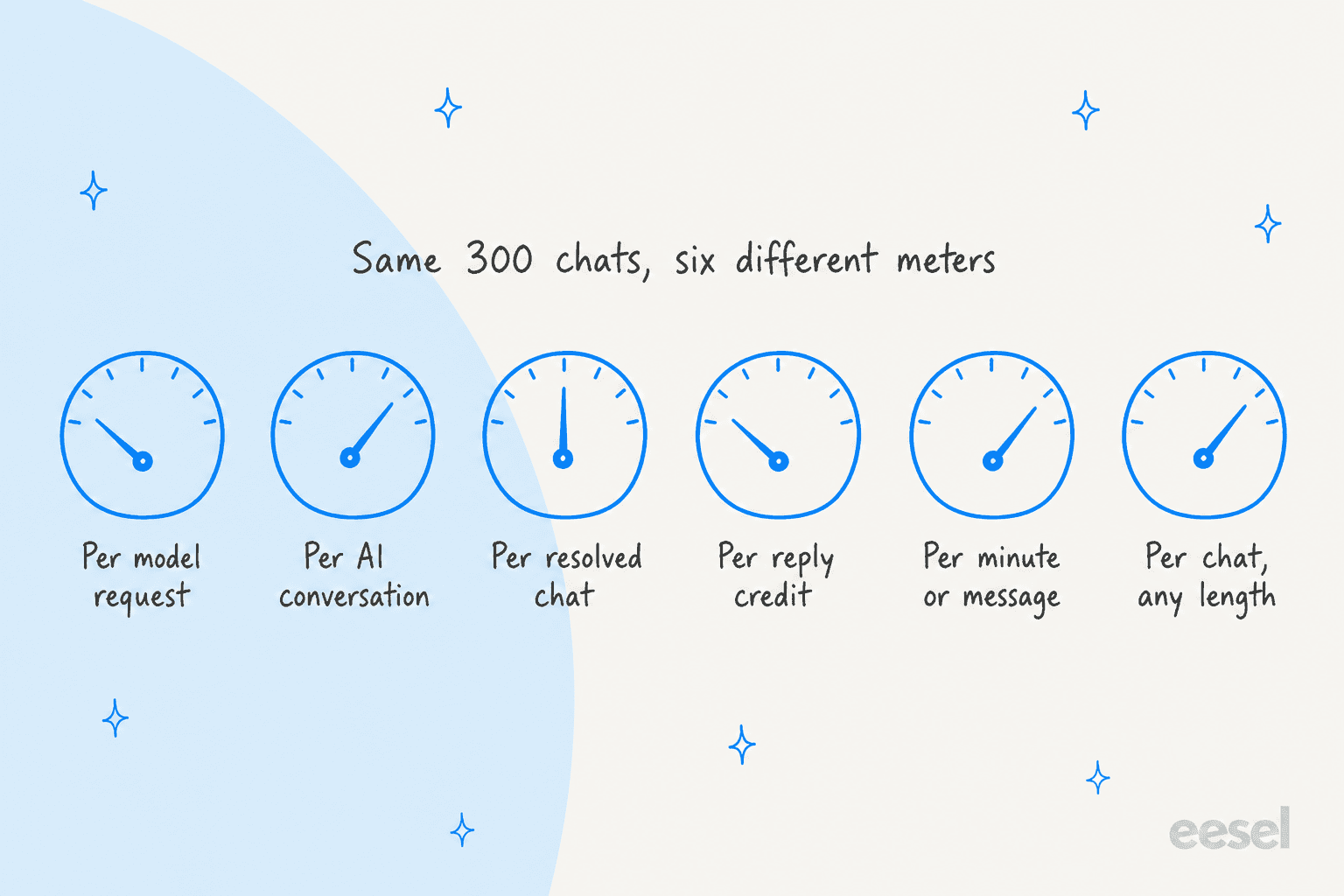
A per-reply meter rewards short answers. A per-resolution meter only charges when the bot closed the chat. A flat per-chat meter makes long, back-and-forth chats cheaper and short ones pricier. I priced all nine for one buyer further down, with a calculator so you can plug in your own volume.
1. Chatbase
Best for: a Framer site that wants a customizable AI agent with model choice, actions and a helpdesk inbox included.
Chatbase builds AI agents trained on your own data and deploys them to a website chat bubble, messaging apps, email and phone, with a built-in helpdesk inbox. It's ChatGPT's default pick for this question, and after reading the docs I agree it's the strongest all-rounder for Framer, mostly because it's the vendor that has thought hardest about Framer specifically.
How it installs on Framer
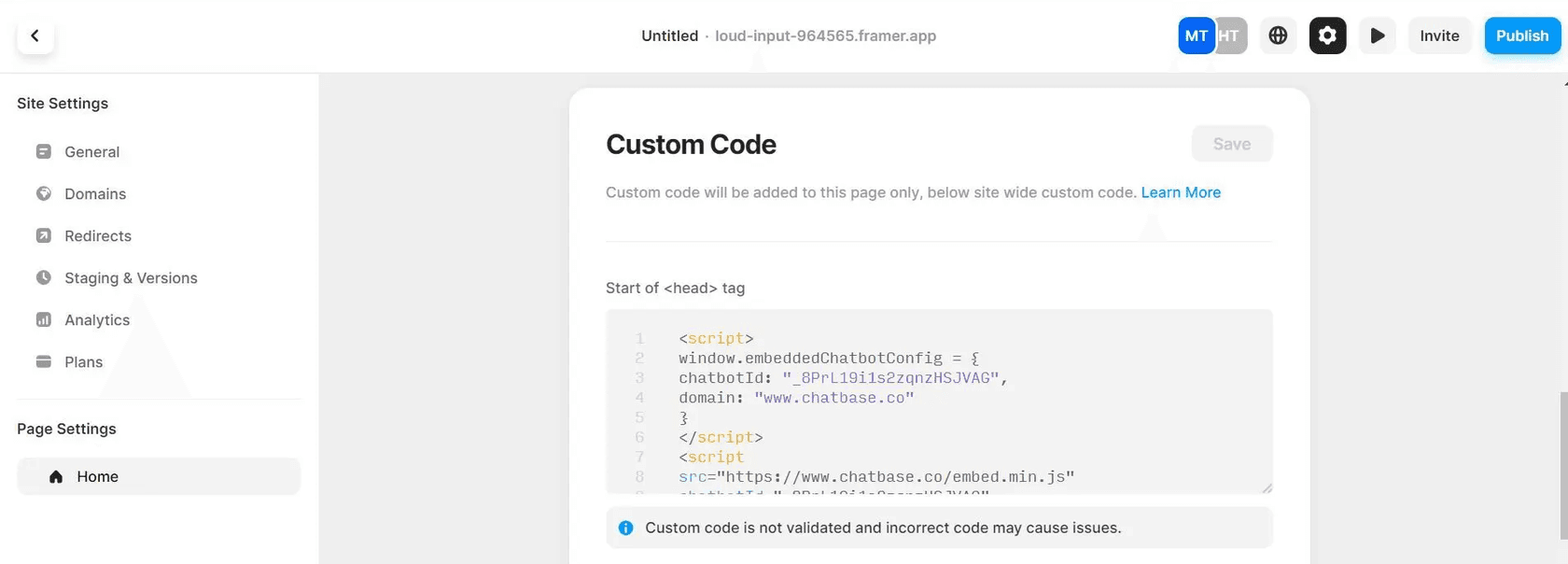
Chatbase has a Framer guide. You copy the website widget code from your agent's Channels > Chat Bubble > Deploy, then in Framer open a page's three-dot menu > Settings > Custom Code, paste it into "Start of <head> tag" and save. The useful part is the fine print:
- Page-level code "may not run when visitors reach other pages by clicking links within your site," so Chatbase tells you to use Framer's site-wide custom code instead.
- If you turn on the domain allow-list, add both your custom domain and your framer.app staging address.
- Pasting the code into an Embed component can clip the bubble to that component's box. Use Custom Code.
- The bubble ignores Framer breakpoints. Under 640px wide it opens full screen; above that it's a 406px panel, bottom-left or bottom-right only.
What I liked
- Broad training sources: website crawl or sitemap, PDFs and Word files, text, Q&A pairs, Notion and closed Zendesk or Salesforce tickets. Changes go live in about a minute, and paid plans re-read sources weekly.
- Two handoff routes: a live chat action that passes the visitor to a person in the Chatbase Helpdesk inbox, or an escalation ticket into Zendesk, Freshdesk, HubSpot, Help Scout, Gorgias and others.
- You choose the model, from OpenAI, Anthropic, Gemini, DeepSeek, Mistral and more, on both paid plans.
- SOC 2 Type II, GDPR support, and a plain statement that customer data isn't used to train any model (security page).
Watch out for
- No free plan, only a 7-day trial, and the entry plan is $150 a month.
- Credits are per model request, not per conversation, and per-model credit costs aren't on the pricing page. With actions on, one reply can cost several requests.
- Training storage is 40 MB per agent; more is $25 per 10 MB a month.
The point a G2 reviewer made after a municipal rollout applies to every tool on this list:
"The agent is only as good as its source information, and thus the rollout took more work on the content cleanup side than some stakeholders anticipated."

Pricing
From Chatbase's pricing page:
| Plan | Monthly | Billed yearly (per month) | Message credits/mo | Seats | Notes |
|---|---|---|---|---|---|
| Basic | $150 | $120 | 4,000 (+500 test) | 3 | 1 agent, 8 actions, 40 MB |
| Business | $500 | $400 | 15,000 (+1,000 test) | 5 | Advanced analytics, tickets and Zendesk macros as sources |
| Enterprise | Custom | Custom | Custom | Unlimited | SSO, HIPAA-eligible, white-labeling |
Add-ons: $40 per 1,000 extra credits (they don't expire), $99 a month to remove the Chatbase branding, $25 a month per extra agent. My Chatbase pricing post works through the credit maths.
Verdict: pick Chatbase if you want a well-documented Framer install and fine control over the agent's model and actions. Skip it if you only need FAQ answers on a small site, because $150 a month is a lot for that. The deciding factor is how much control you need; if it's too much, see my Chatbase alternatives.
2. Tidio
Best for: a small team that wants an AI agent and its own live replies in the same inbox, with clear handoff rules.
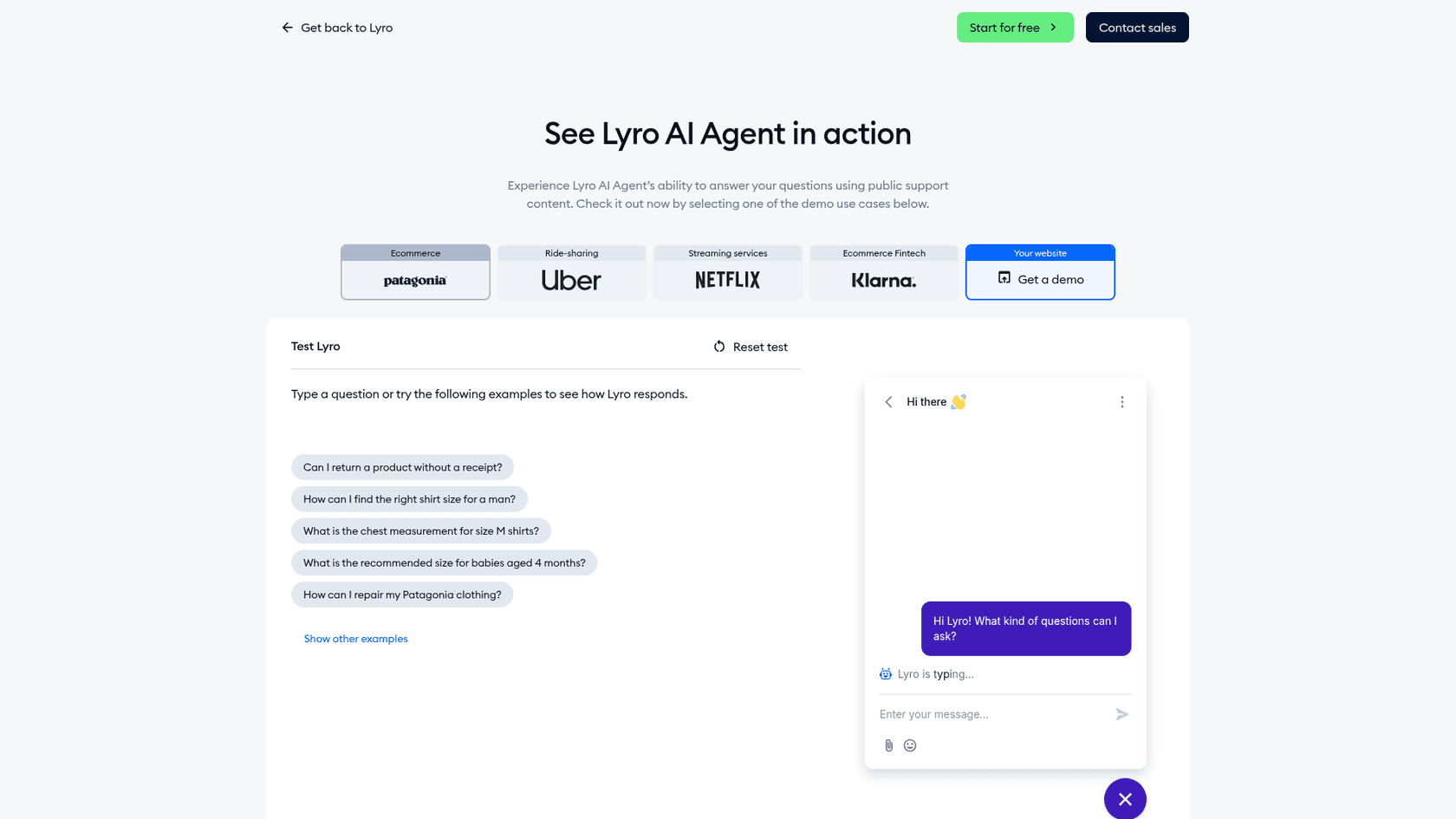
Tidio is a live chat, helpdesk and Flows platform with an AI agent called Lyro. If your plan is "the bot handles the easy ones and I jump in on the rest," Tidio is built around exactly that.
How it installs on Framer
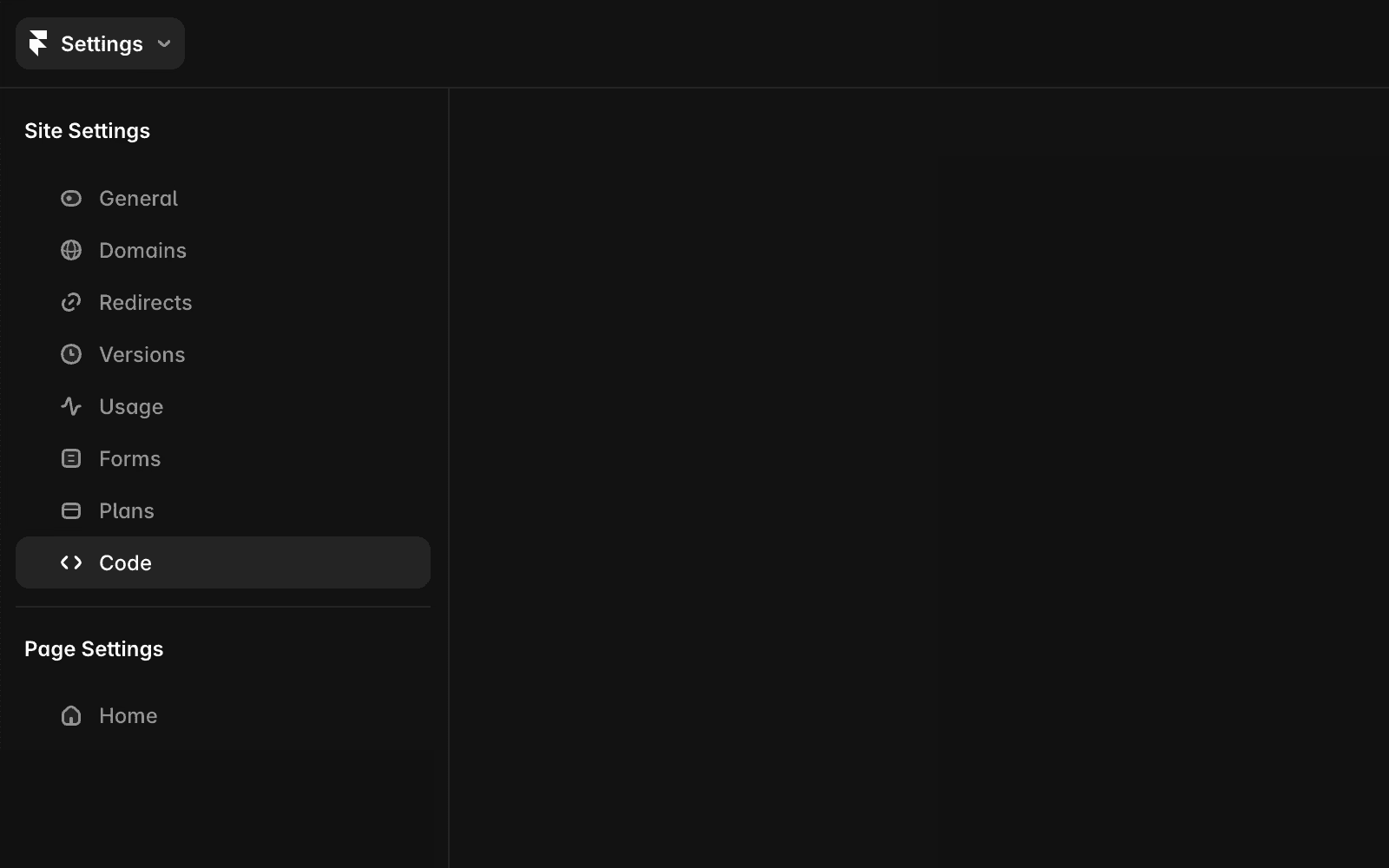
Tidio has no Framer guide; both its Framer help URL and its Framer integrations URL return 404. Its install guide names plugins for Shopify, WordPress, WooCommerce and BigCommerce, and says everything else uses the JavaScript code: copy it from Settings > Live Chat > Installation > Manual install and paste it "just before the </body> tag." On Framer that means Site Settings > Code > Add Script with placement End of <body>, then publish. Tidio also notes that visiting your site is what activates the widget.
What I liked
- Lyro learns from your support content by scraping your site and FAQs, and can import Zendesk articles. When it can't answer, it forwards to a human "and learns from their response."
- Handoff is first-class: set escalation rules, watch chats live and jump in any time. Lyro runs on Claude plus Tidio's own models.
- One Lyro conversation counts once, however many questions the visitor asks in it.
- Tidio publishes a completed SOC 2 report and GDPR and CCPA compliance on its security page. It also says customers average a 75% Lyro resolution rate, which is Tidio's own figure.
Watch out for
- The free plan's 50 Lyro conversations are a one-time allowance, not monthly. A monthly quota starts at $39.
- Human conversations are billed separately from Lyro conversations, so one handed-off chat can touch both meters.
- Running Lyro inside Zendesk or Salesforce is a Premium feature.
A software engineer on G2 who liked Tidio overall flagged both trade-offs (this review came via a seller invite):
"One of the main drawbacks of Tidio is its pricing, as the cost can increase when additional AI conversations are required."
Pricing
From Tidio's pricing page:
| Plan | Monthly | Billed yearly (per month) | Included |
|---|---|---|---|
| Free | $0 | $0 | 50 billable conversations/mo, 50 Lyro conversations once, up to 10 seats |
| Starter | $29 | $24.17 | 100 billable conversations |
| Growth | from $59 (250) to $349 (2,000) | from $49.17 | 250 to 2,000 billable conversations |
| Plus | from $300 + usage | same | Custom, Lyro from 300 conversations |
| Premium | Contact sales | Custom |
| Lyro AI Agent quota | Monthly price |
|---|---|
| 50 conversations | $39 |
| 100 | $75 |
| 150 | $110 |
| 200 | $140 |
| 300 | $210 |
| 500 | $350 |
| 750 | $525 |
| 1,000 | $700 |
That ladder works out to about $0.70 to $0.78 per Lyro conversation. More detail in my Lyro pricing breakdown.
Verdict: pick Tidio if you want the bot and your own live replies in one place. Skip it if your volume is high and mostly simple, because the per-conversation Lyro price climbs fast past a few hundred chats. The deciding factor is the Lyro ladder at your volume; my Lyro alternatives list has other options.
3. eesel
Best for: a Framer business whose answers live in docs, a help center or a helpdesk, not just on the site, and that wants a fixed price per chat.
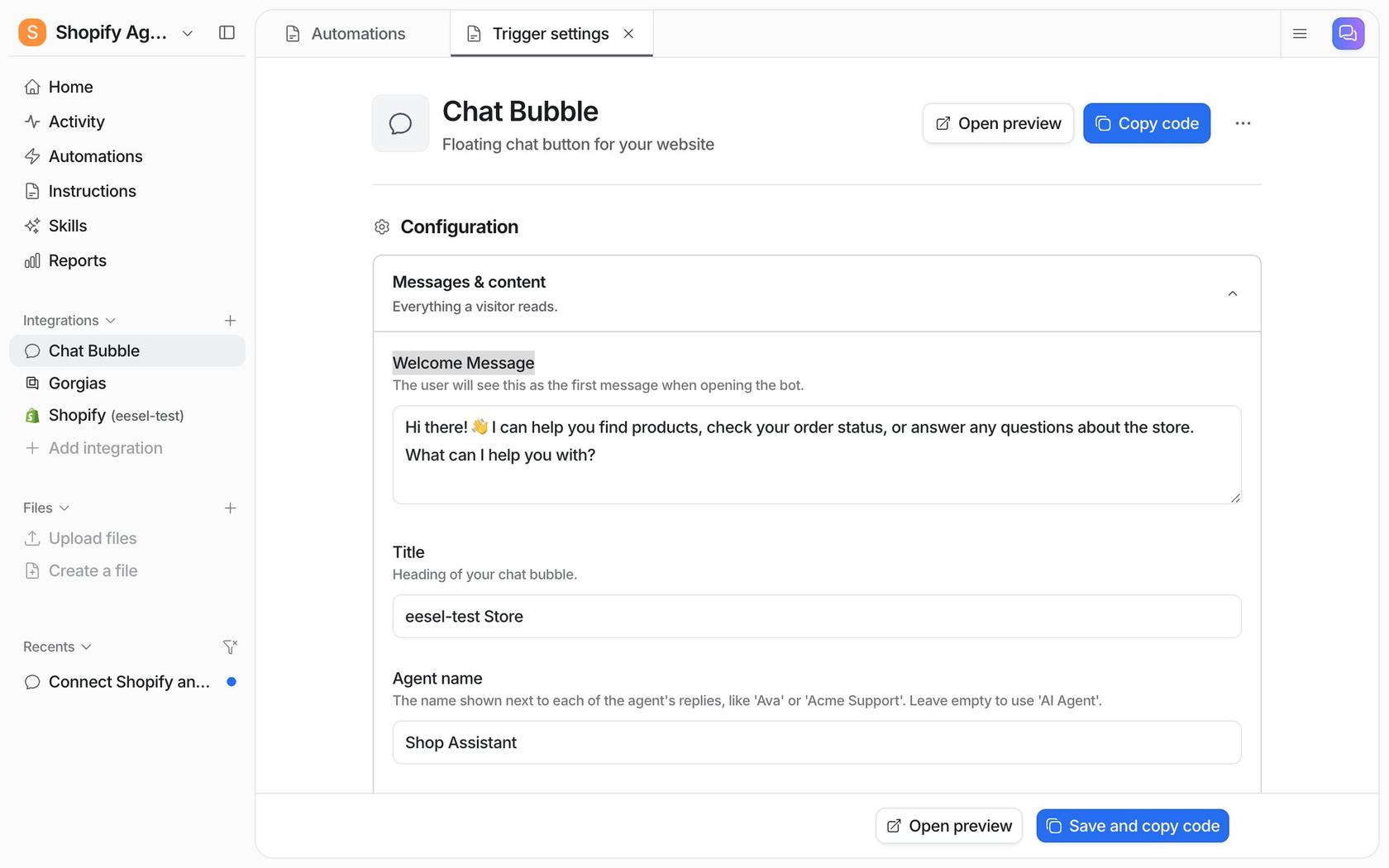
This is the product I work on. eesel is an AI teammate you hire for a job, and on a website that job is the chat bubble: a floating widget that answers visitors from the sources you connect. The same teammate can also work your helpdesk queue, so the bubble and your inbox share one set of knowledge and instructions.
How it installs on Framer
It's one async <script> tag that loads eesel's loader, pasted before the closing body tag. Per the chat bubble docs, it doesn't hold up your page, reads nothing else from your site, and ships updates through the loader so you never re-paste it. I'll be straight: eesel's docs show Shopify and Next.js walkthroughs, not a Framer one. The FAQ says it works on any site that allows custom scripts, so on Framer you follow Framer's own Add Script steps with placement End of <body>, and test on the published URL.
What I liked
- It learns from far more than your Framer pages: a website crawl, help center, Google Drive, Notion, Confluence, Zendesk and Freshdesk articles (plus past Zendesk tickets), and uploaded files. It only answers from what you connect; nothing a visitor types becomes knowledge.
- Handoff is rule-based. It can create a helpdesk ticket with the visitor's name and email, or send you an email, which suits a Framer site with no helpdesk.
- You set tone, topics and escalation by talking to the agent, and you can limit the bubble with a plain rule like "Only show the chat bubble on product pages."
- You test answers before going live, and the bubble follows the visitor's browser language (80+ languages, per eesel's page).
Norden-Frisia runs one agent, CaptAIn, across Zendesk, its website chat bubble and a public chat link. When the chat can't be closed, the bot creates a Zendesk ticket, so nobody falls through the gap between bot and team.
Watch out for
- The entry price is $299 a month for 500 credits. For a portfolio site with a few dozen chats a month, a cheaper widget makes more sense.
- The free tier is a 7-day trial with 100 credits, not an ongoing free plan.
- Live human chat inside the bubble needs Zendesk Messenger or Freshchat connected. Without one, handoff is a ticket or an email.
- eesel's SOC 2 Type II audit is in progress, with the report expected in 2027 (Trust Center). GDPR is covered on every plan, and HIPAA BAAs are on Enterprise.
Pricing
From eesel's pricing page: "A ticket or a chat is 1 credit, however long." No seat fees, no platform fee.
| Plan | Price | Credits per month |
|---|---|---|
| Free trial | $0 | 100 credits for 7 days |
| Teammate | $299/mo | 500 |
| Teammate | $499/mo | 1,000 |
| Teammate | $699/mo | 1,500 |
| Teammate | $849/mo | 2,000 |
| Teammate | $999/mo | 2,500 |
| Teammate | $1,149 to $1,749/mo | 3,000 to 5,000 |
Optional overage is $0.80 per extra credit up to a cap you set, and yearly billing gets two months free.
Verdict: pick eesel if your best answers live outside your Framer pages, or you also want the same AI on your helpdesk. Skip it if you have under a hundred simple chats a month. The deciding factor is the knowledge sources.
4. Chatway
Best for: a Framer owner who wants a free live chat with a Framer-written guide and an AI bill that only charges for resolved chats.
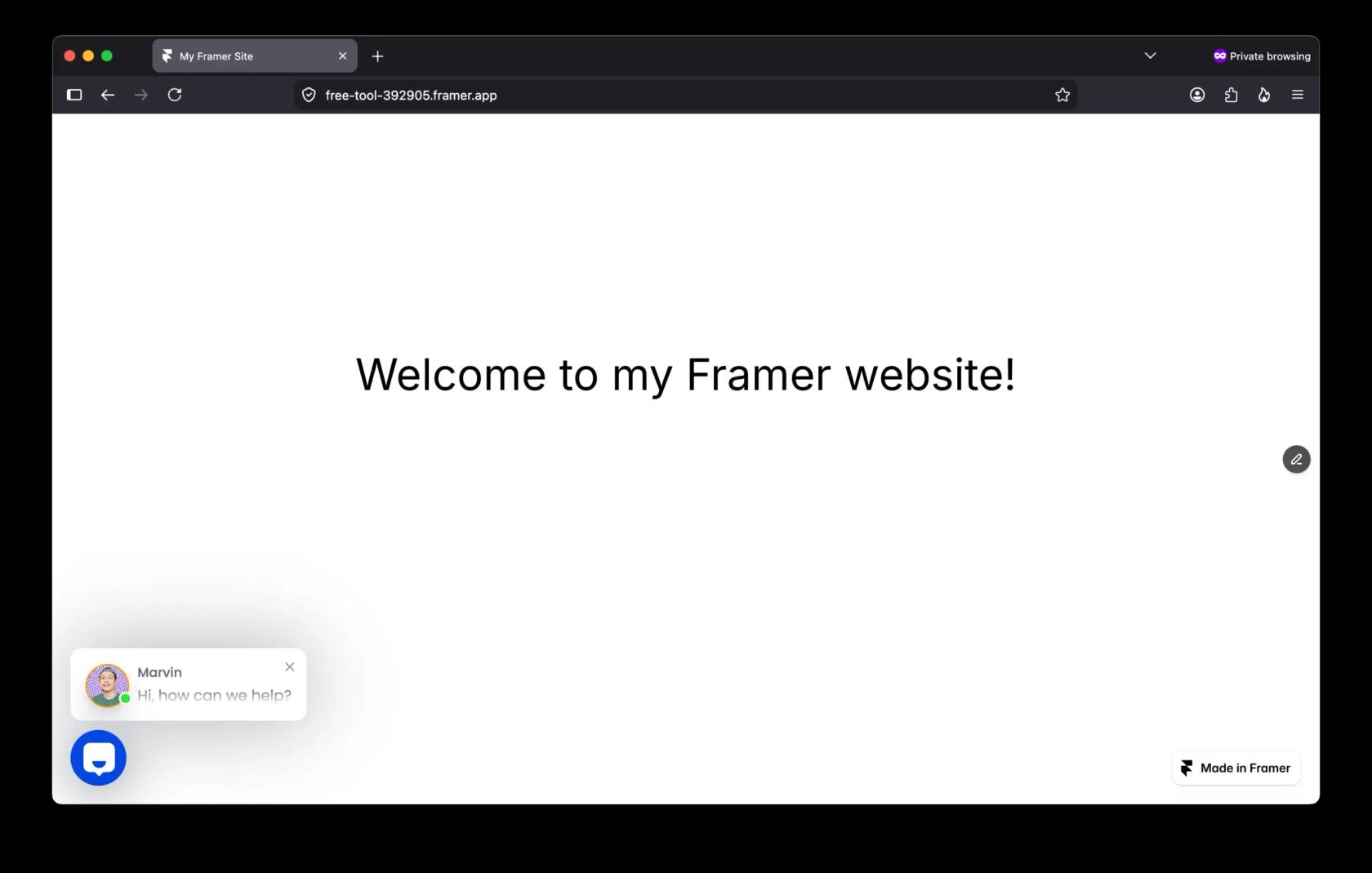
Chatway is a live chat and shared inbox from Poptin, with an optional AI Support Agent. It's one of the few vendors with a dedicated Framer integration page.
How it installs on Framer
Chatway's Framer guide is seven steps: copy the code from your Chatway installation page, open your Framer project's Settings, go to Code, click Add Script, paste the code, click Add, and publish. There's no Marketplace plugin; it's a script paste, and like every script here it won't show in Framer's preview.
What I liked
- The AI bills only when it resolves a chat: $0.50 each, on every plan including Free, with 10 free AI conversations to start.
- Human takeover is one click, and you can hand the chat back to the AI.
- Bring-your-own AI through MCP, webhooks and an API is on every plan, so you can connect Claude or ChatGPT tooling yourself.
- iOS and Android apps for replying away from your desk.
Watch out for
- Plan caps (50, 200 or 1,000 live chat conversations a month) sit on top of AI charges. At the cap the widget stays up, but you can't reply to new chats.
- The AI trains on text and links you give it, plus help docs and policies; past chats aren't mentioned as a source.
- Chatway publishes no security certifications on the pages I checked.
Pricing
From Chatway's pricing page:
| Plan | Monthly | Billed yearly (per month) | Seats | Live chat conversations/mo |
|---|---|---|---|---|
| Free | $0 | $0 | 1 | 50 |
| Business | $39 | $31 | 2 (extra seat $19, or $16 yearly) | 200 |
| Plus | $199 | $159 | 10 | 1,000 |
| Enterprise | Custom | Custom | Custom | Custom |
| AI Support Agent add-on | $0.50 per resolved conversation |
There's a 14-day trial of premium features. My Chatway pricing post walks through the caps.
Verdict: pick Chatway if you want a Framer-documented install, a free plan to start, and an AI bill that tracks results. Skip it if the bot needs to read a big help center or past conversations. The deciding factor is the resolved-only meter. My Chatway review has the longer take.
5. Botpress
Best for: a technical team that wants to design the agent's flows, actions and integrations in detail.
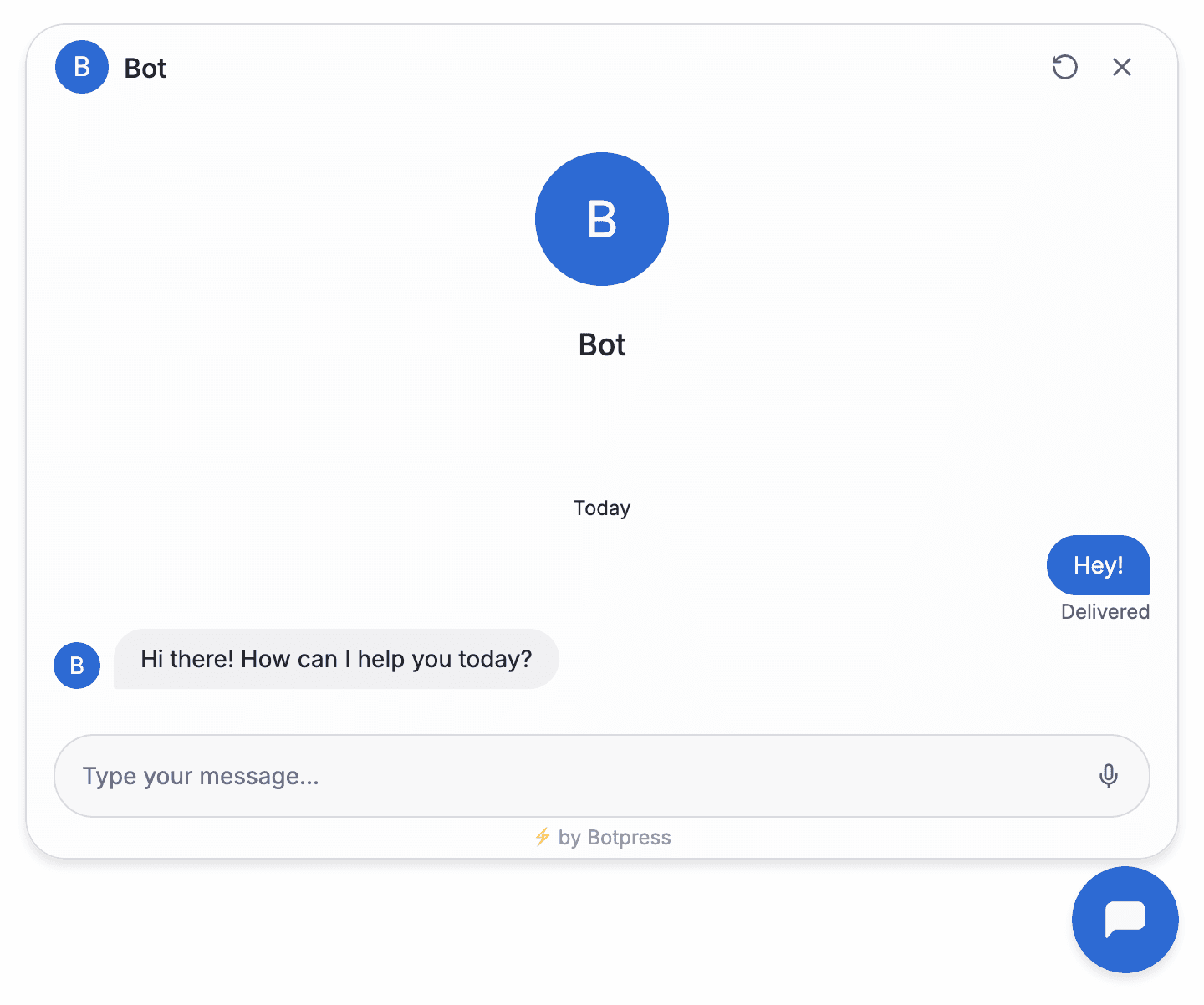
Botpress is an AI agent builder that now calls itself an "AI-native customer support platform," with its own helpdesk, Botpress Desk. You build in Studio (visual), Viber (by conversation) or the ADK (TypeScript), and Webchat puts the agent on your site.
How it installs on Framer
There's no Framer guide; Botpress's docs list WordPress, Wix and Webflow guides, and a Framer docs URL just shows the docs home. The Webchat quickstart applies: publish the bot, open Webchat > Deploy Settings, copy the embed code, and add it to the head of your site. On Framer, that's Add Script with placement Start of <head>.

What I liked
- Rich knowledge sources: websites with optional scheduled recrawls, documents up to 50 MB each, tables, web search and rich text. A new agent's Autonomous Node searches all knowledge bases by default.
- Agents can take real actions such as refunds and account updates, which goes further than an FAQ bot.
- A long security list on its Trust Center: SOC 2 Type 2, GDPR, HIPAA, CCPA and DORA.
- Botpress explains why it bills per conversation rather than per resolution: it avoids arguments over what "resolved" means.
Watch out for
- The Free plan has 100 conversations with no top-ups and no white-label webchat; removing Botpress branding starts on Plus.
- Past the included conversations, packs of 100 are added automatically at 95% of quota, and that auto-recharge can't be switched off.
- Human handoff for new workspaces runs through Botpress Desk; the legacy HITL integration needs Plus or higher.
G2 reviewers rate it 4.5 from 516 reviews. One reviewer who gave it 4.5 still asked for clearer cost control:
"I would also like more transparency and easier control over AI usage and costs, as it can sometimes be difficult to predict how different parts of a workflow affect overall consumption."
Pricing
From Botpress's pricing page, billed annually (the monthly-billing price wasn't shown in my check):
| Plan | Price | Conversations/mo | Extra conversations | AI usage included | Seats |
|---|---|---|---|---|---|
| Free | $0 | 100 | None | Capped | 3 seats, 3 agents |
| Plus | $150/mo | 250 | $65 per 100 | $25 | 3 seats, unlimited agents |
| Team | $750/mo | 1,500 | $50 per 100 | $150 | Unlimited |
| Enterprise | Custom | Custom | Custom | Custom | Unlimited |
Each conversation includes $0.10 of AI usage. Past your AI limit, Botpress buys a $10 credit grant at cost. Storage add-on: $40 a month. More in my Botpress pricing and Botpress review.
Verdict: pick Botpress if you want to build an agent with custom logic and you have someone to own it. Skip it if you want a bot answering questions by this afternoon. The deciding factor is build time. My Botpress alternatives list has lighter options.
6. Crisp
Best for: a small team that wants one inbox for chat, email and messaging apps, with AI priced per conversation at a low rate.
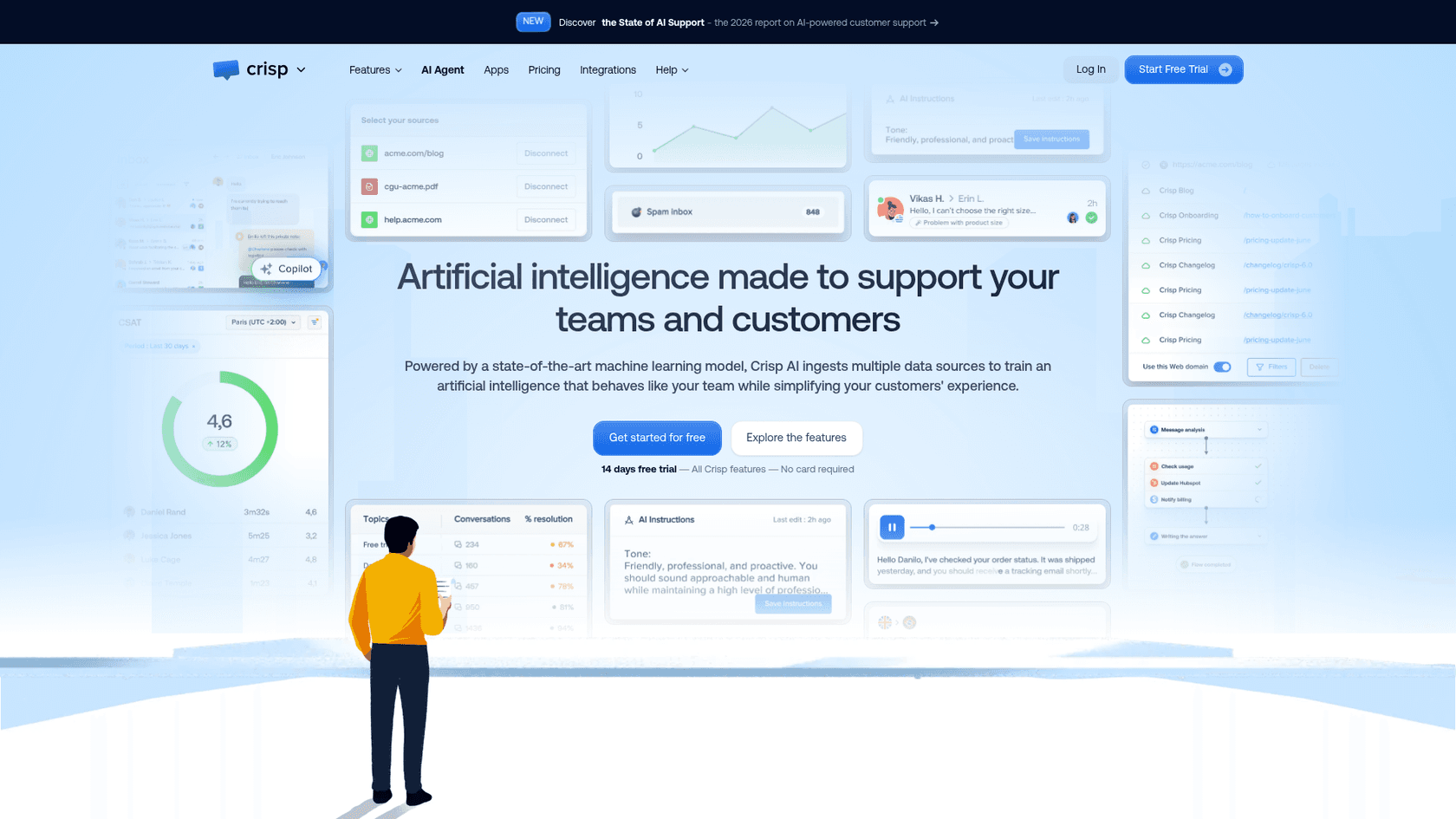
Crisp is a shared inbox and live chat platform priced per workspace, not per seat, with an AI agent called Hugo from the Mini plan up.
How it installs on Framer
Crisp's help center has guides for Wix, Squarespace, Bubble, Next.js and more, but none for Framer. The custom website guide says to copy the full chatbox script and paste it inside <head>, before the closing tag, on every page where it should appear. On Framer that's one site-wide Add Script with placement End of <head>, then publish and send yourself a test message.
What I liked
- Hugo learns from Q&A snippets, the Crisp knowledge base, a website crawl, conversation history and uploaded files.
- Crisp's own estimate is $0.05 to $0.10 per Hugo-handled conversation, the lowest per-chat AI rate on this list if it holds for your chats.
- A confidence threshold means "If the AI can't find the answer, it'll say it." Mobile and desktop apps are on every plan, Free included.
One G2 reviewer who rated Crisp 2.5 overall still credited the AI:
"The Hugo AI agent I built has saved us hundreds of hours over the past couple of months."
Watch out for
- The Free plan has no AI credits. Hugo starts on Mini at $45 a month with $5 of credits.
- When credits run out, Hugo stops answering unless pay-as-you-go is on, and testing and the Playground use credits too.
- Seat caps apply (2, 4, 10, 20+), and the pricing page lists no security certifications beyond two-factor login.
Pricing
From Crisp's pricing page, per workspace per month:
| Plan | Monthly | Seats | Included Hugo credits |
|---|---|---|---|
| Free | $0 | 2 | None |
| Mini | $45 | 4 | $5 (about 90 conversations) |
| Essentials | $95 | 10 | $25 (about 450 conversations) |
| Plus | $295 | 20+ | $75 (about 1,350 conversations) |
| Enterprise | Custom | Custom | Custom |
No yearly price is published; you switch inside the app. There's a 14-day trial, and nonprofits and students get 50% off. More in my Crisp pricing post.
Verdict: pick Crisp if you want cheap per-conversation AI and an inbox that also covers email and WhatsApp. Skip it if you need AI on a free plan. The deciding factor is the per-conversation rate; if it's not right, here are some Crisp alternatives.
7. Elfsight
Best for: a low-traffic Framer site that wants an AI FAQ bot and lead capture for a few dollars a month.
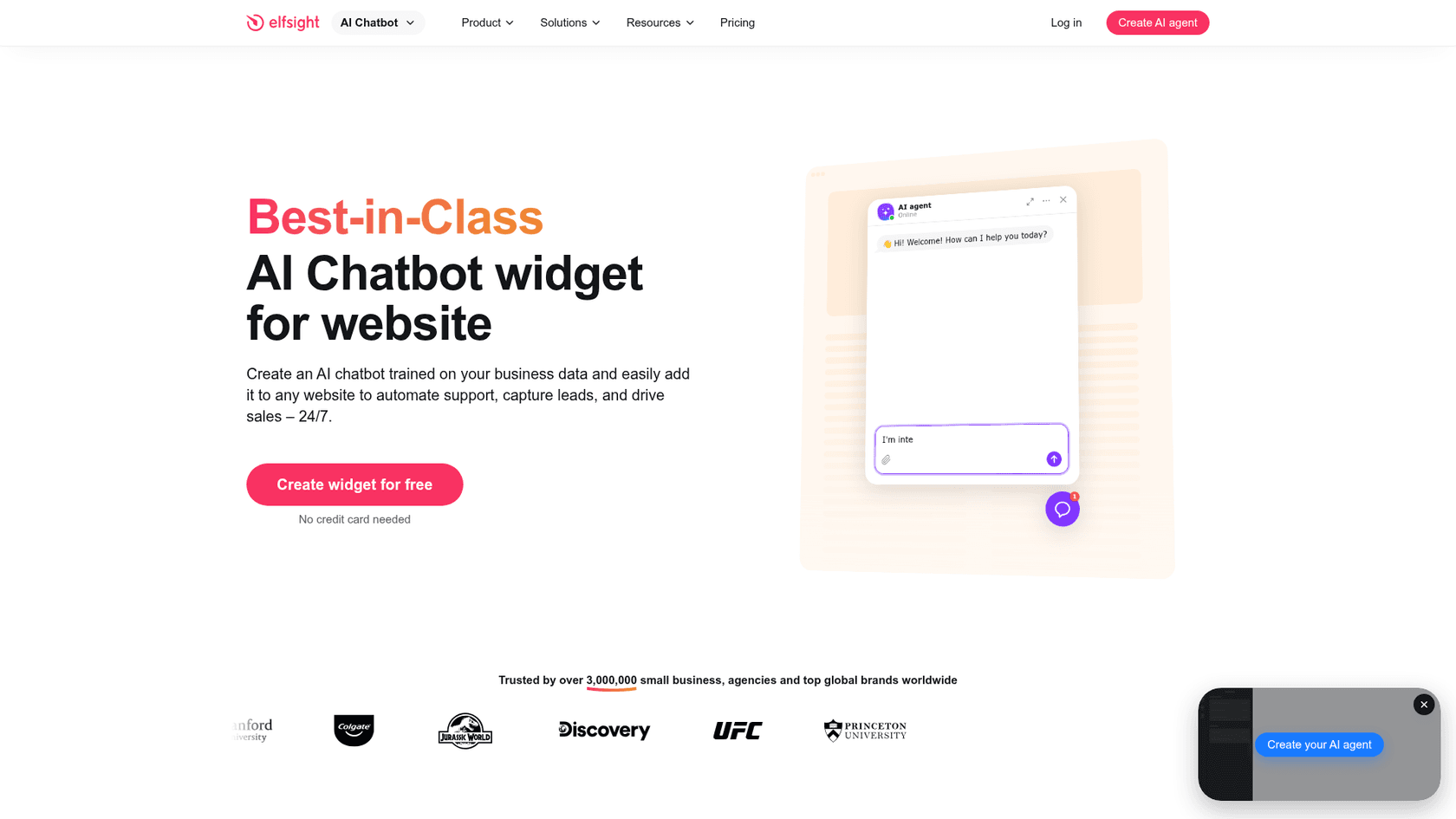
Elfsight makes 90+ website widgets, and its AI Chatbot builds an agent from your site URL, answers FAQs and captures leads.
How it installs on Framer
Elfsight has a dedicated Framer page with two routes. Inline: insert an Embed component on a page, set it to HTML and paste the widget code. Floating bubble: set the layout to Floating in Elfsight's editor, then paste the script into Framer's site custom code at "End of <body> tag." Both work on Framer CMS pages. Paid Elfsight plans include free installation help.
What I liked
- Fast setup: give it your URL, it scans the site and builds a knowledge base, then add PDFs, Word, slides, Markdown or Q&A.
- The cheapest paid AI here: Basic is $6 a month for 300 AI messages.
- The widget UI comes in 78 languages and follows the visitor's language. You can get full chat transcripts by email.
Watch out for
- Handoff is a contact card (email, call or WhatsApp), not a live inbox.
- If the answer isn't in your content, Elfsight says the bot replies from general AI knowledge or says it can't help, so test that behaviour before launch.
- The view cap matters: going over your monthly widget views temporarily deactivates the app (Free is 200 views), and branding removal is Enterprise-only.
Pricing
From Elfsight's AI Chatbot pricing:
| Plan | Billed yearly (per month) | Monthly | AI messages/mo | Views/mo |
|---|---|---|---|---|
| Free | $0 | $0 | 50 | 200 |
| Basic | $5 | $6 | 300 | 5,000 |
| Pro | $10 | $12 | 1,000 | 50,000 |
| Premium | $20 | $24 | 3,000 | 150,000 |
| Enterprise T1 | $30 | $42 | 6,000 | 300,000 |
| Enterprise T2 | $40 | $56 | 10,000 | 600,000 |
| Enterprise T3 | $60 | $84 | 15,000 | 1,200,000 |
| Enterprise T4 | $80 | $112 | 20,000 | Unlimited |
See my Elfsight pricing post for the tiers in detail.
Verdict: pick Elfsight if your traffic is light and you mostly need FAQ answers plus lead capture. Skip it if you want to take over chats live. The deciding factor is the handoff. For other options, see my Elfsight alternatives.
8. tawk.to
Best for: a budget-first Framer owner who answers most chats personally and wants a little AI help on top.
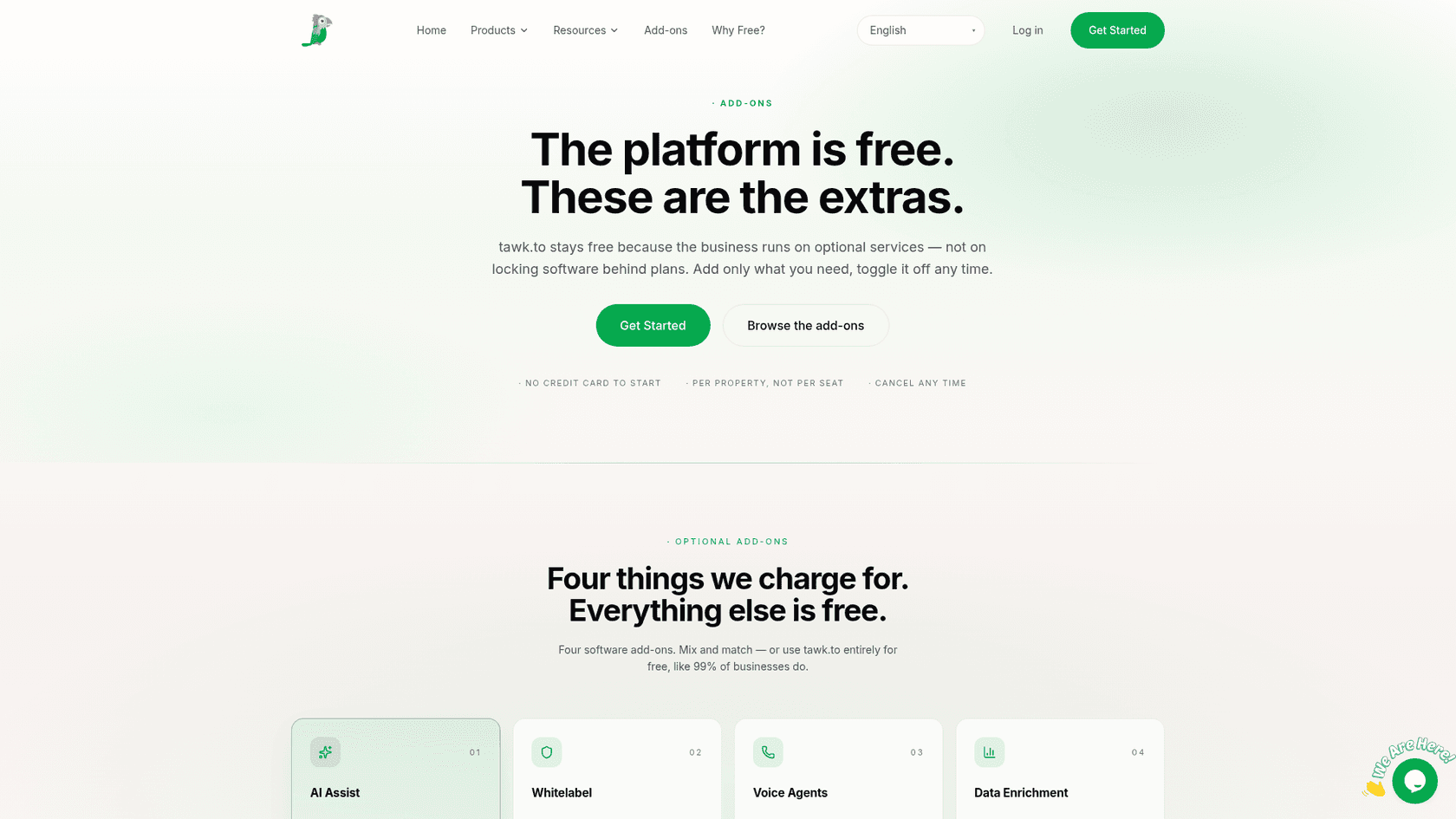
tawk.to gives away live chat, a shared inbox, ticketing and a knowledge base with unlimited team members, and charges for add-ons like AI Assist. Its dashboard sits behind a login, so the screenshot above is its add-ons page.
How it installs on Framer
No Framer guide. tawk.to's generic guide says to copy the Widget Code from Administration > Chat Widget, paste it "just before the closing </body> tag," then save and publish. On Framer that's Add Script with End of <body>. The guide is marked desktop-only, and there's also a Google Tag Manager route.
One G2 reviewer summed up how simple the script route is on a custom site:
"We just added the chat widget code to the website, and it started working."
What I liked
- The chat itself costs nothing, and even the free Hobby AI tier includes escalation to your team with the full context attached.
- AI Assist learns from your knowledge base, shortcut FAQs, documents and crawled pages, and answers update when you edit an article.
- Testing in the AI settings doesn't use credits.
"What I like most about tawk.to is the incredible value it offers, especially considering that we use the free version."

Watch out for
- Credits are per reply: the default Auto model costs 3 credits, so the free 100 credits cover about 33 replies a month.
- Removing the "Powered by tawk.to" branding is a separate $29 a month add-on.
- I didn't re-check tawk.to's security pages for this post, so verify certifications yourself if you need them.
Pricing
From tawk.to's AI Assist billing article and its add-ons page:
| Item | Monthly | Yearly | Included |
|---|---|---|---|
| Live chat, inbox, ticketing, knowledge base | $0 | $0 | Unlimited team members |
| AI Assist Hobby | $0 | $0 | 100 credits, 1 AI agent, 100 crawled pages |
| AI Assist Growth | $29 | $290 | 1,000 credits, 3 AI agents, 500 pages |
| AI Assist Business | $99 | $990 | 5,000 credits, 5 AI agents, 2,000 pages |
| AI Assist Enterprise | $399 | $3,990 | 20,000 credits, 10 AI agents, 10,000 pages |
| Extra credits | $30 per 1,000 | Never expire | |
| Whitelabel | $29 | Per property |
Verdict: pick tawk.to if you answer most chats yourself and want a free inbox with light AI help. Skip it if the AI should carry most of the volume, because per-reply credits add up with long chats. The deciding factor is how chatty your visitors are. My tawk.to alternatives post covers what free chat trades away.
9. ElevenLabs Agents
Best for: a Framer site where talking to the agent out loud is the point, such as a product demo or a voice concierge.
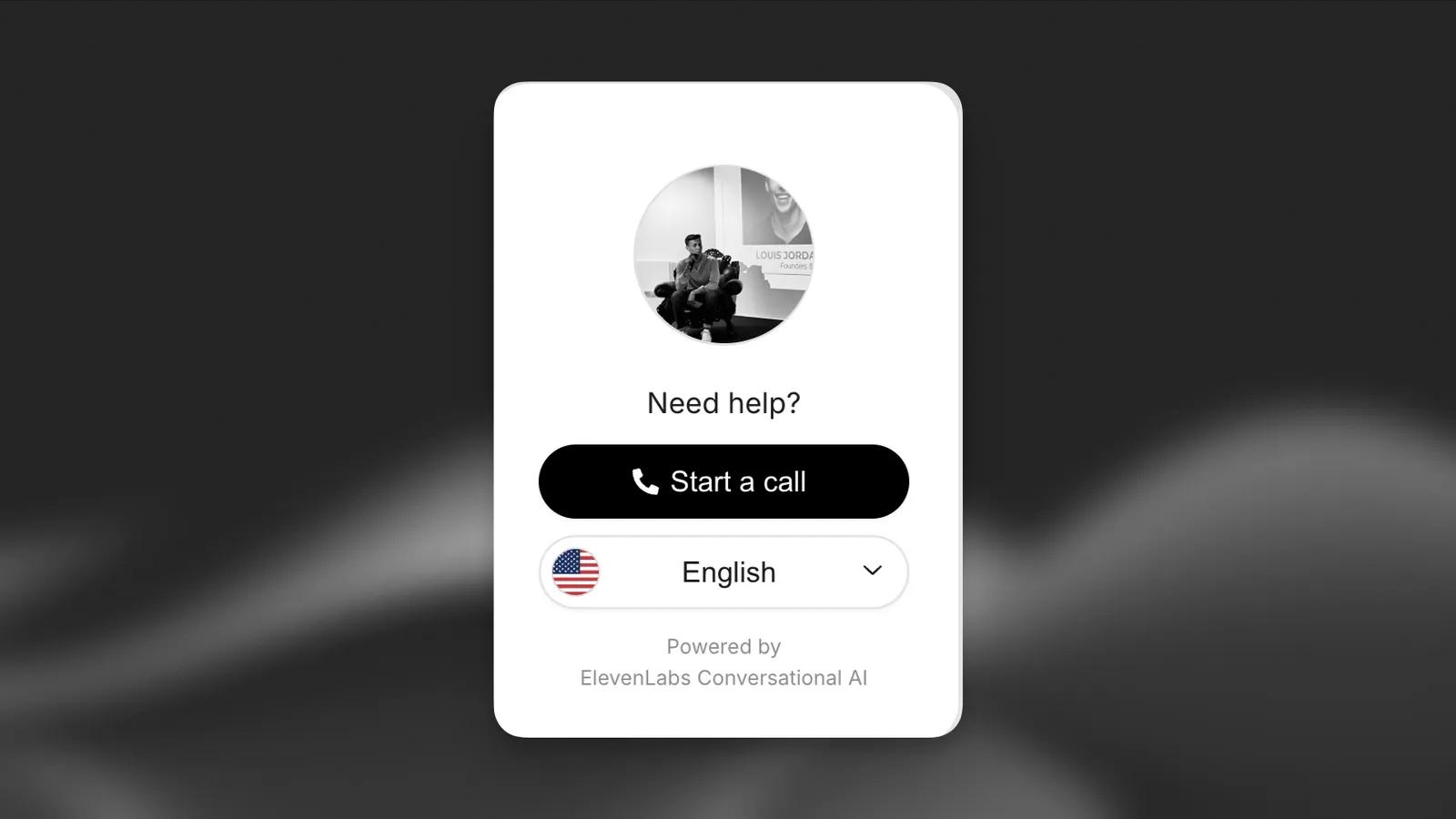
ElevenLabs Agents is a voice-first AI agent platform. Its embeddable widget is "multimodal and able to process both text and audio," but it's a voice-agent product with a chat option, not a helpdesk.
How it installs on Framer
ElevenLabs wrote its own Framer guide, and it's the only one on this list that uses both Framer paths at once. You paste the widget script into Framer's site custom code at "End of body tag," then add an Embed element (Insert > Utilities) set to HTML on the target page and paste the widget's div snippet there, then publish. The agent must be public with authentication off, so use the domain allowlist in its Security tab. A free community plugin, "ElevenLabs - AI Agent," also sits on the Framer Marketplace; it isn't made by ElevenLabs.
What I liked
- Three widget modes: voice only (the default), voice plus text, and a chat mode where conversations start text-only.
- The knowledge base takes files up to 20 MB, URLs and text, with retrieval for larger sets.
- The longest compliance list here per its trust center: SOC 2 Type 2, ISO 27001, PCI DSS, HIPAA, GDPR and more.
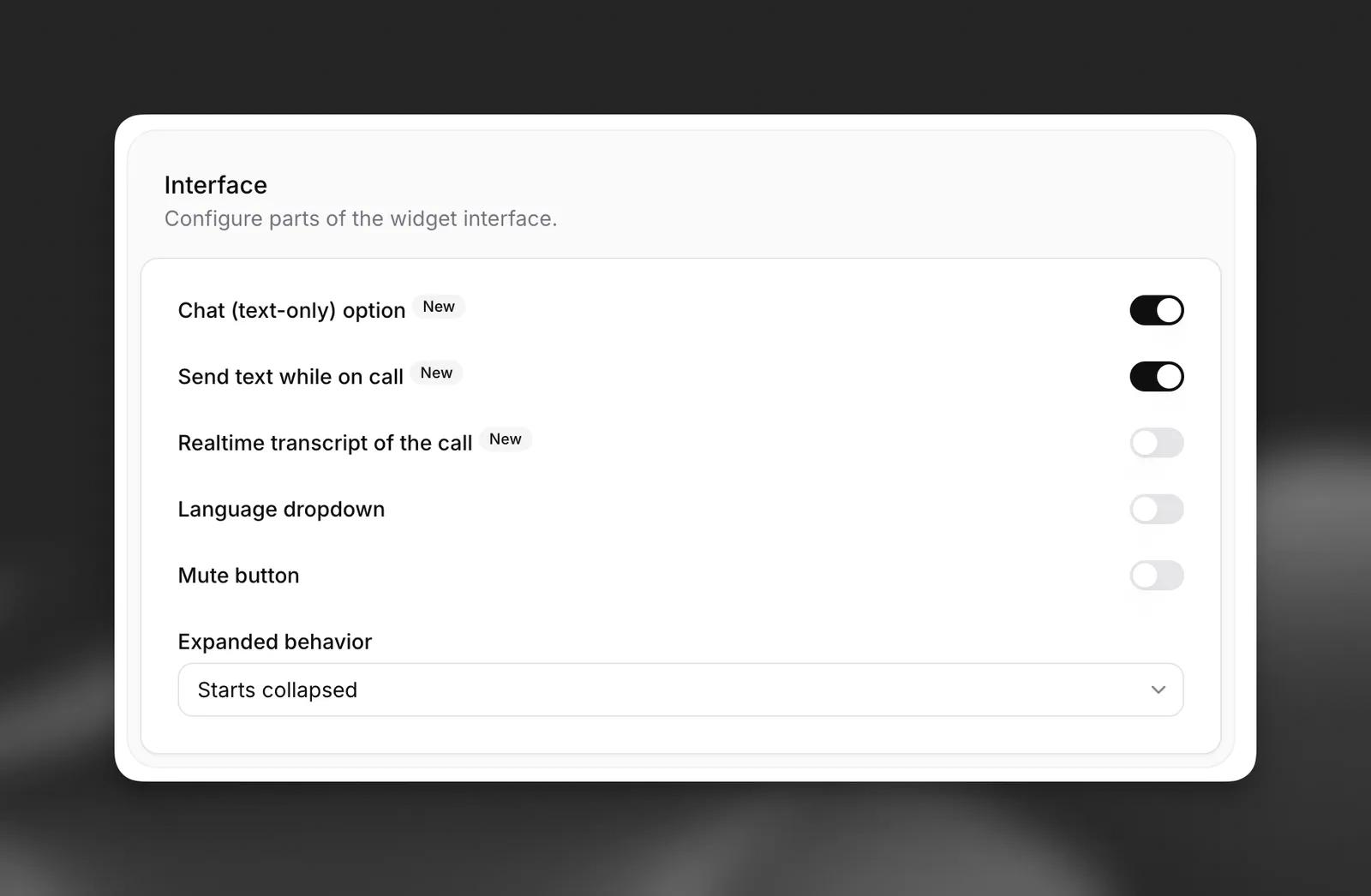
Watch out for
- Live transfer to a person is phone-only. ElevenLabs' docs say the transfer tool "is only available for phone calls and is not available in the chat widget," and no inbox is described.
- Text messages are a Starter-and-up feature, and LLM usage is billed on top of minutes and messages.
- Links in widget replies show as plain text by default, to prevent phishing.
Pricing
From ElevenLabs' Agents pricing:
| Plan | Price | Included call minutes | Concurrent calls |
|---|---|---|---|
| Free | $0/mo | 15 | 4 |
| Starter | $6/mo | 75 | 6 |
| Creator | $22/mo | 275 | 10 |
| Pro | $99/mo | 1,238 | 20 |
| Scale | $299/mo | 3,738 | 30 |
| Business | $990/mo | 12,375 | 40 |
| Enterprise | Custom | Custom | Custom |
Extra minutes are $0.08 each, text messages $0.003 each, and LLM usage depends on the model you pick. My ElevenLabs pricing post goes deeper.
Verdict: pick ElevenLabs if voice is the experience you're selling. Skip it if visitors need to reach a person from the widget. The deciding factor is handoff. My ElevenLabs alternatives post has text-first options.
What does an AI chatbot for Framer cost?
Here's one buyer, priced the same way across all nine: a Framer site with about 300 chats a month, one or two people answering, and roughly 4 bot replies per chat. I counted AI cost only, on top of your Framer plan. Where a tool bills per reply or request, I used the cheapest credit cost the vendor publishes.
| Tool | The maths | Monthly cost |
|---|---|---|
| ElevenLabs | Starter $6 + 1,200 text messages x $0.003 = $3.60 | About $10, plus LLM usage |
| Elfsight | 300 x 4 visitor messages = 1,200, over Pro's 1,000, so Premium | $24 ($20 yearly) |
| Crisp | Mini $45 + 300 x $0.05 to $0.10, minus $5 included | $55 to $70 |
| Chatway | 300 x $0.50, only for resolved chats; Free plan | $90 at 60% resolved, $150 at 100% |
| tawk.to | 300 x 4 replies x 3 credits = 3,600 credits, so Business (5,000) | $99 |
| Chatbase | 1,200 credits at 1 per reply, inside Basic's 4,000 | $150 ($120 yearly) |
| Tidio | Lyro 300-conversation tier | $210, plus Starter $29 if handoffs pass 50 |
| Botpress | Plus (250 included) + one pack of 100 at $65 | $215, billed yearly |
| eesel | 300 chats = 300 credits, Teammate 500 | $299 |
Two caveats. Chatway's Free plan caps you at 50 live chat conversations a month, so if you take over more than that, add Business at $39. And eesel is the most expensive at this volume; the 200 spare credits only pay off if your chats grow or you also point it at a helpdesk queue. The order changes at other volumes, so drag the sliders:
At 1,000 chats with 4 replies each, per-reply tools climb fast while eesel's flat per-chat price moves up one tier. At 100 chats, Elfsight and ElevenLabs in text mode win easily.
How do you add an AI chatbot to a Framer site?
Whichever tool you pick, the Framer side is the same. Here are the steps with Framer's custom code article as the source:
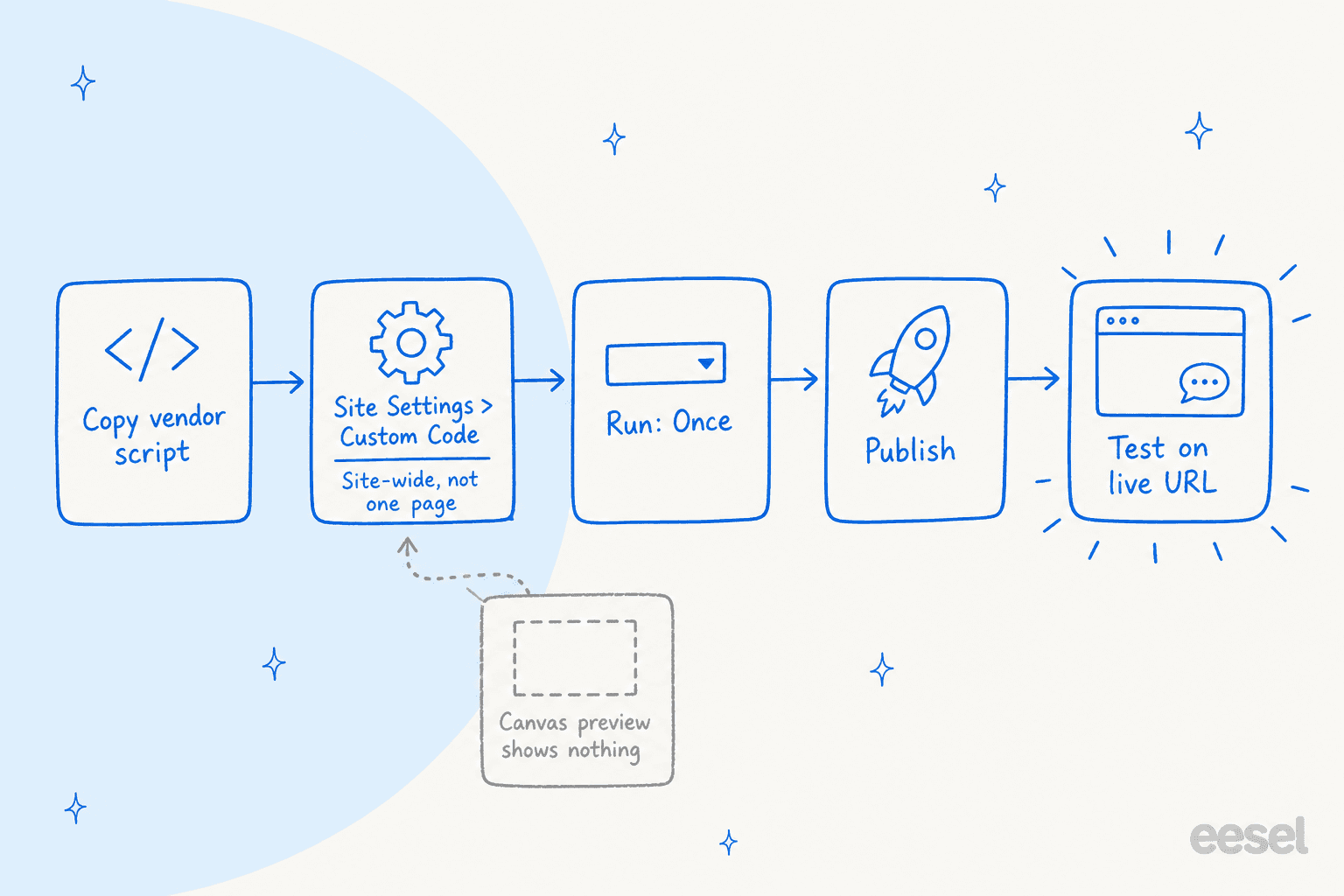
- Copy the widget script from your chatbot's dashboard.
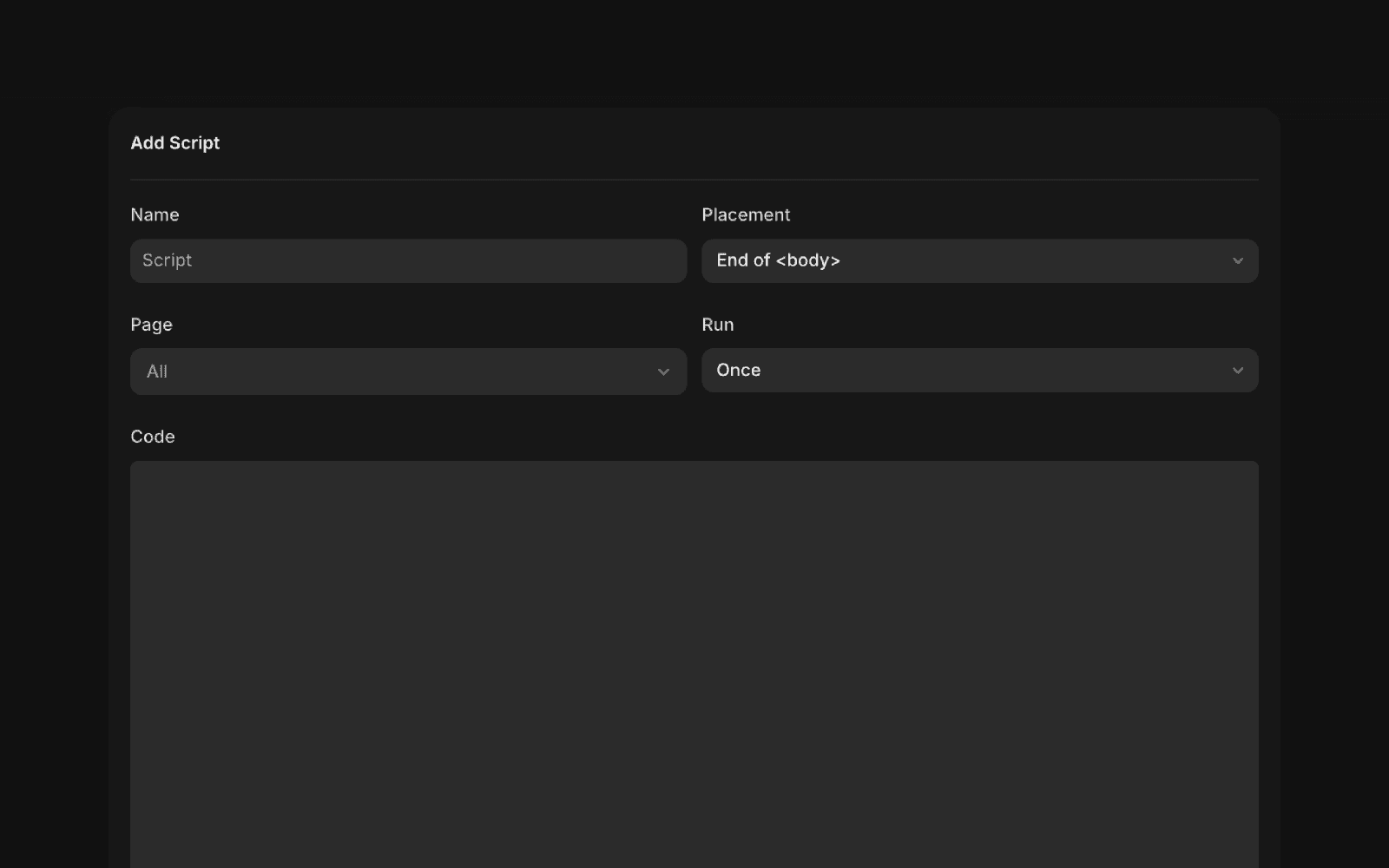
- In Framer, open Site Settings and go to Code (the Custom Code tab).
- Click Add Script and give it a name you'll recognise, like "Chatbot."
- Pick the Placement the vendor asks for: the
<head>for Chatbase (start), Crisp (end) and Botpress; end of<body>for Tidio, tawk.to, Elfsight, ElevenLabs and eesel. - Leave Page on All, unless you only want the bot on some pages.
- Leave Run on Once.
- Paste the code, click Add, then Publish.
- Open the live URL in a private window and send a test message.
The gotchas that catch people:
- The canvas preview shows nothing. Framer's Academy is explicit: "Framer does not load Custom Code in the canvas preview. Publish the site and open the live page in a browser to test the script." If your bot is "missing," this is almost always why.
- Site-wide beats per-page for a bubble. Per-page code keeps scripts off pages that don't need them, but Chatbase warns that page-level code may not run when visitors arrive via internal links. For a chat bubble that should follow the visitor, use the site-wide slot.
- Once vs every page visit. Framer's default, Once, suits third-party scripts; "Run on every page visit" is meant for tracking events. Re-running a chat loader on every visit risks it starting twice, which is my inference rather than something Framer's docs state.
- Allow-lists need the staging domain. If your chatbot restricts which domains it runs on, add your framer.app address as well as your custom domain.
- The Embed component is for inline widgets. It's under Insert > Utility, and Chatbase notes it can clip a floating bubble to the element's box. Use it only for an in-page chat, like Elfsight's inline mode or ElevenLabs' div.
- Plans. Framer's own custom code pages don't list a plan restriction; ElevenLabs' guide says custom code needs a paid plan. A custom domain does need a paid plan, from Basic at $10 a month.
- Consent. Framer's Academy reminds you to check consent requirements, since "Extra scripts can affect privacy and performance."
Once it's live, the setup work moves to the bot itself: greetings, hours, and when to hand off to a human. My guide on AI live chat covers that side.
Try eesel on your Framer site
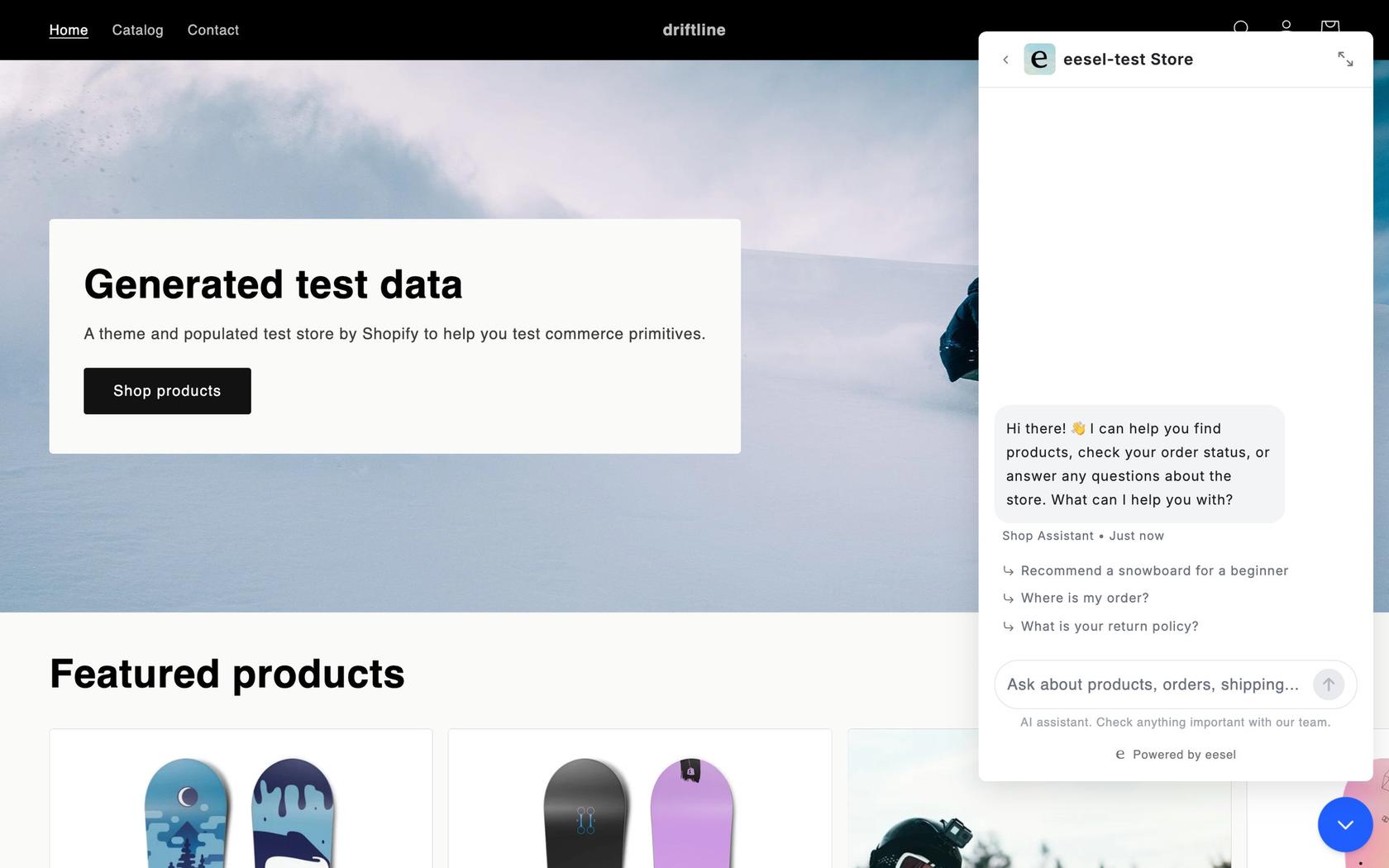
If your Framer visitors ask questions whose answers sit in a help center, a Notion page or your helpdesk, eesel's chat bubble answers from all of it, links the page it used, and turns anything it can't close into a helpdesk ticket or an email to you. It's one script in Framer's Custom Code and 1 credit per chat however long, with a free 7-day trial of 100 credits and Teammate plans from $299 for 500 credits on the pricing page. Beautek's KI-Chat bubble answered 77 website chats in German between 8 August and 8 September 2026, from about 6,700 pages and documents, and created 20 Zendesk tickets from chat, mostly sales leads.
Frequently Asked Questions
What is the best AI chatbot for Framer?
For most Framer sites, Chatbase is the best AI chatbot for Framer to start with: it has its own Framer install guide, broad training sources and two ways to hand chats to a person. Tidio is the pick if you want AI and live chat in one inbox, and eesel fits when answers live in docs and a helpdesk. My customer service chatbot roundup covers tools beyond Framer.
Does Framer have a built-in chatbot?
No visitor-facing one. Framer's AI agents, MCP server and External Agents let tools like Claude or Cursor edit your pages, CMS and redirects, but none of them answer questions from people visiting your site. Every AI chatbot for Framer is a third-party widget added through Custom Code, an Embed element or a Marketplace plugin. My post on AI agents vs chatbots explains the difference.
How do I add a chatbot to Framer?
Copy the chatbot's script, then in Framer open Site Settings, go to Code, click Add Script, paste it, choose the placement the vendor asks for, keep Run set to Once, add it and publish. Test on the live URL, because Framer does not load Custom Code in the canvas preview. My guide to adding live chat covers the general steps.
Can I add ChatGPT to my Framer site?
Not as a one-click ChatGPT button. Chatbase lets you pick OpenAI, Anthropic, Gemini and other model families for an agent you embed in Framer, and Chatway lets you connect ChatGPT or Claude through MCP, webhooks and its API. A raw model that has never seen your business tends to guess, which is the biggest AI chatbot problem to avoid.
Is there a free AI chatbot for Framer?
A few tools have free tiers with small AI allowances: tawk.to AI Assist Hobby (100 message credits a month), Elfsight Free (50 AI messages a month), Botpress Free (100 conversations), Chatway Free (10 AI conversations to start) and ElevenLabs Free (15 call minutes). Tidio gives 50 Lyro conversations once. My chatbot cost guide explains what happens past those limits.
Do I need a paid Framer plan for a chat widget?
Framer's own custom code pages don't list a plan restriction, though ElevenLabs' Framer guide says custom code needs a paid plan. What Framer does state is that connecting a custom domain needs a paid plan, starting with Basic at $10 a month, and most businesses want their chatbot on their own domain. See my guide to setting up AI live chat for the rest of the setup.
Why doesn't my chatbot show in Framer preview?
Framer does not load Custom Code in the canvas preview, so a chatbot script only runs on the published site. Publish, then open the live URL in a browser. If you use Chatbase with its domain allow-list on, add your framer.app staging address as well as your custom domain, or the bubble won't load there. My website chatbot guide has more troubleshooting.