


What is Flyweight?
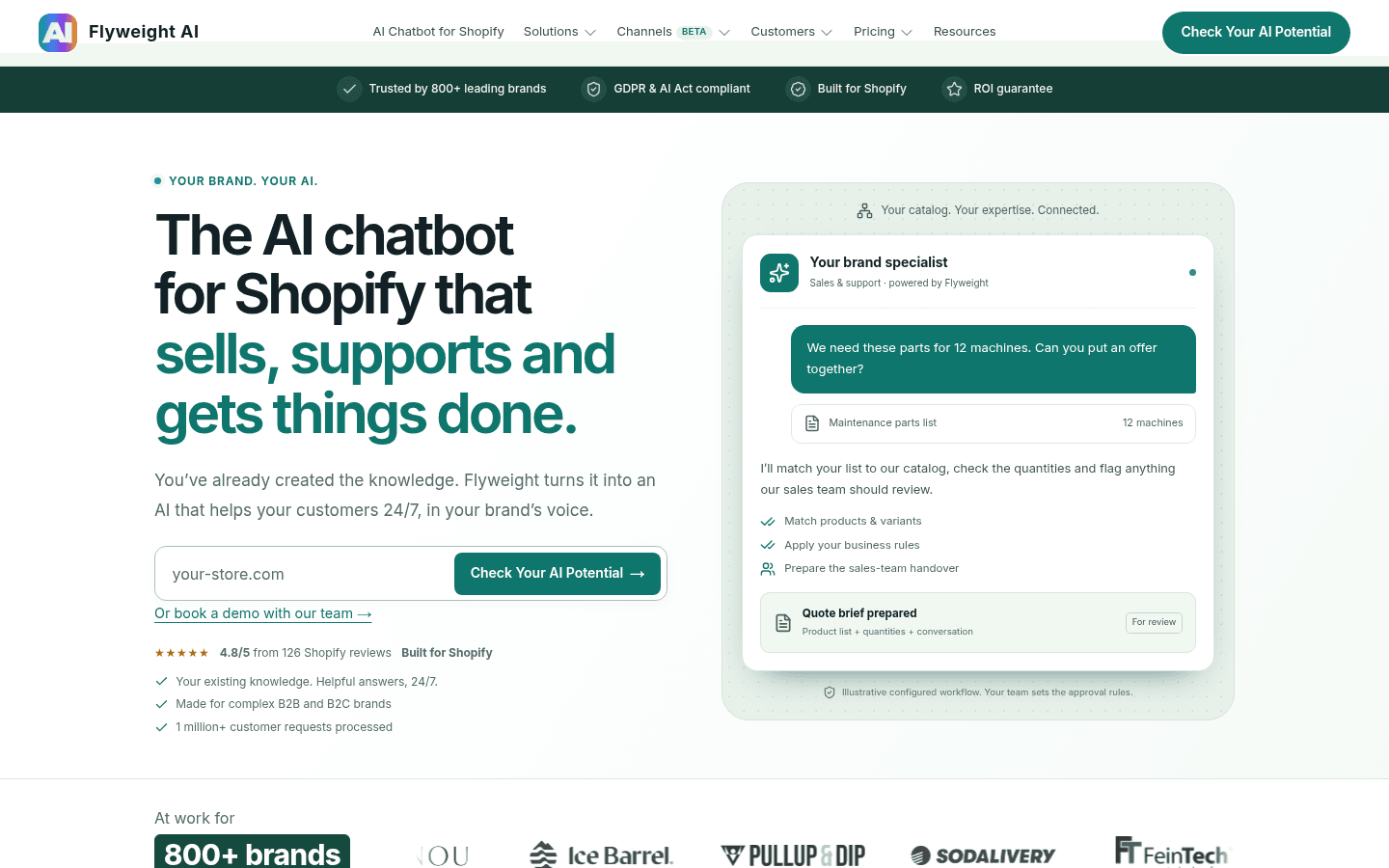
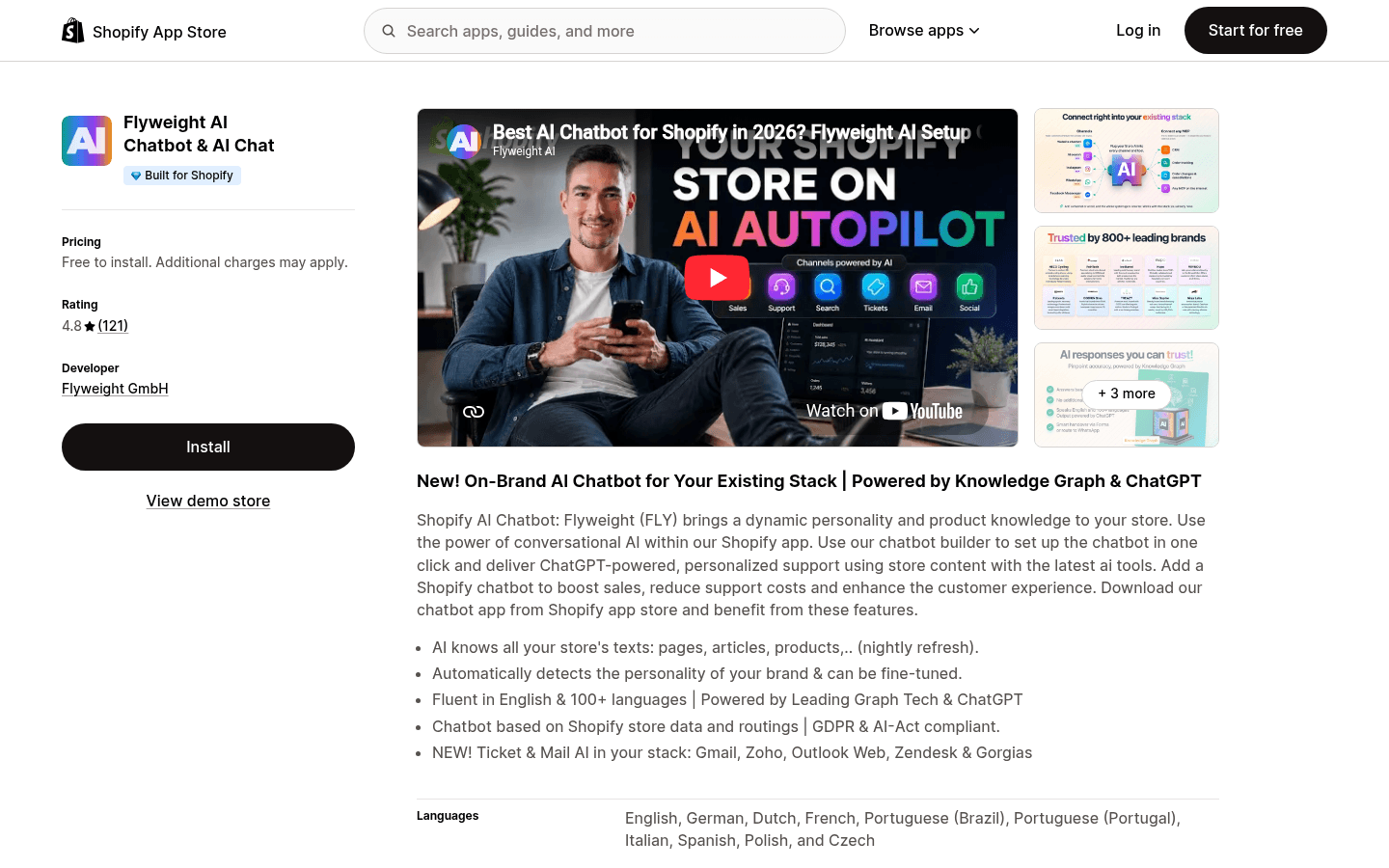
Flyweight ("Flyweight AI Chatbot & AI Chat" on the App Store) is an AI sales and support agent built only for Shopify. You install the app, connect your store, and it reads your public content to build an AI that answers in your brand's voice. The homepage pitch is an AI chatbot for Shopify "that sells, supports and gets things done", aimed at brands whose products need explaining.
The founders ran their own Shopify brand, Monte Stivo, which sold more than 100,000 children's binoculars before they sold it in 2021, per Flyweight's about page. They describe Flyweight as engineers first, with no separate sales team: each customer gets one dedicated contact with software development experience. That shows up in the reviews, where support staff are thanked by name again and again.
It sits in the same aisle as the other Shopify AI chatbots I've reviewed, like Chizy and Zipchat. The difference is the target customer: Flyweight leans hard toward catalogs with specifications, compatibility rules and B2B buyers.
| Flyweight at a glance | |
|---|---|
| What it is | AI chat, AI search and live chat app for Shopify, plus beta ticket and social channels |
| Company | Flyweight GmbH, Mannheim, Germany, founded 2018 |
| On the App Store since | July 23, 2024, with the Built for Shopify badge |
| Rating | 4.8 from 121 reviews (101 five-star, 18 four-star, 2 three-star) |
| Answers from | Products, pages, blog articles, policies, Zendesk Help Center, AI-only metafields, order notes |
| Languages | 100+ for the AI; widget interface in up to 29 |
| Order actions | Tracking, cancellation, shipping address change (Shopify API or Shopify Flow) |
| Human handoff | Free live chat and takeovers, forms, routing to WhatsApp, email or phone |
| Helpdesk | Ticket AI drafts in Gorgias, Zendesk, Freshdesk, Gmail, Outlook and more (beta, draft only) |
| Price | Free to install and test; paid plans by quote or in-app |
How Flyweight answers questions
The core idea is the Knowledge Graph. Instead of a plain list of help articles, Flyweight indexes every public product, page, blog article and shop policy and connects them: products to variants, variants to specifications, specs to documentation. Flyweight says the graph is built for "millions of products and tens of millions of variants", and that it refreshes daily, so a price or stock change on your site shows up in the AI the next day.
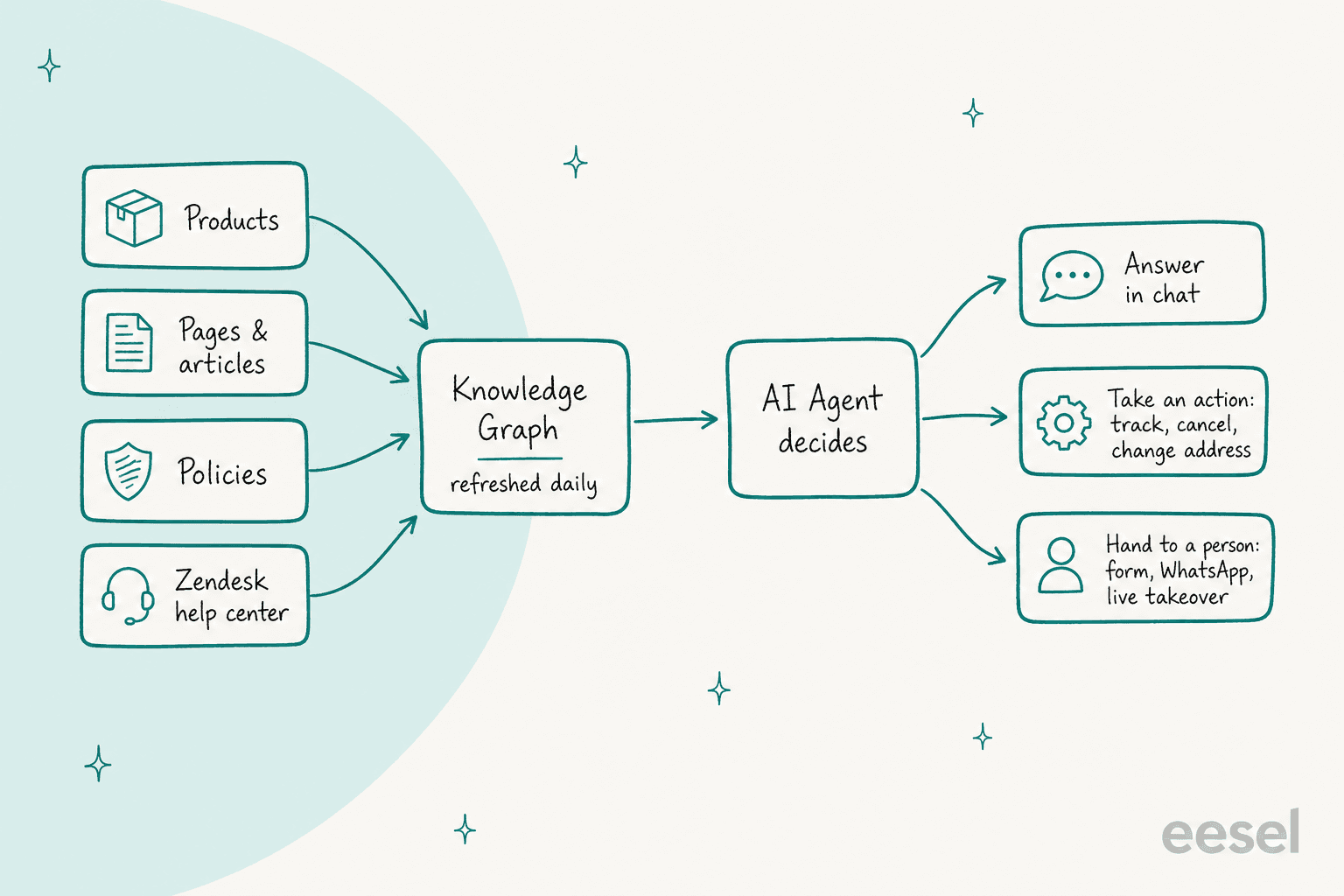
On top of the store content, you get three ways to add knowledge without touching your storefront:
- Zendesk knowledge hub. Connect your Zendesk Help Center and it syncs daily alongside the store. Reboots, a recovery-tech brand, uses this so chat answers draw on years of support articles, per its Flyweight case study.
- Flyweight metafield. Add AI-only content (specs, instructions) to any product, page or blog post through a
Flyweight_Contentmetafield. Shoppers don't see it; the AI picks it up on the next refresh. - Order notes. Start an order note with
#flyweight(an expected ship date, say) and the AI uses it for that one order.
This grounding is the same idea as retrieval-augmented generation: find the right fact first, then let the model write. Flyweight's listing says output is "powered by ChatGPT", and the pricing page mentions a Premium AI option for every interaction, recommended for skincare, supplements, health and tech brands. A daily refresh is a reasonable cadence for product content. Your one job is keeping the source right, which is what AI grounding depends on. The AI will repeat whatever your store says, a theme I cover in my guide to AI hallucinations in support.
Routing, actions and handoff
The "AI Agent" decides, for each message, whether to answer, take an action or hand off. You shape that with unlimited custom routings (rules that send a topic to a specific answer or action) and a Fallback Routing for anything you haven't covered. A German fitness store, Pullup & Dip, wrote that it routes return requests straight to its returns portal and everything else to its WhatsApp support.
Order actions are where Flyweight goes past many chat apps. The pricing page lists unlimited order tracking, order cancellation after the customer confirms (refund, restock, notify), and shipping address updates on unfulfilled orders. Each can run directly through the Shopify API, or trigger a Shopify Flow so a person approves it first. That second option is a sensible default for cancellations. My guide to AI order tracking covers why these questions dominate ecommerce queues.
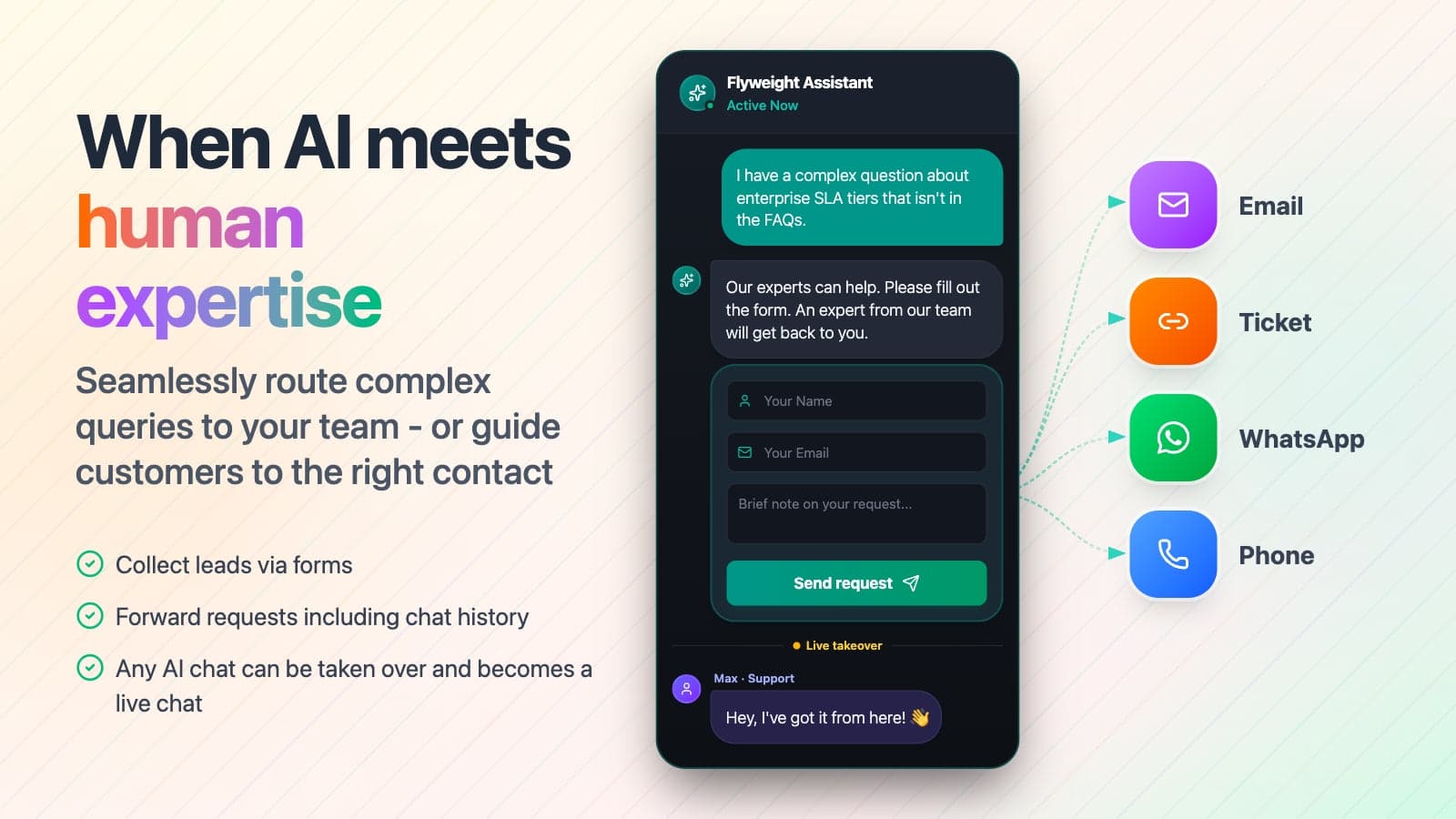
Handoff is flexible. A shopper can be routed to a form (name, email, a note) that lands in your inbox with the chat history, sent to WhatsApp, email or phone, or taken over live by an agent, after which "the AI steps aside". Live chats and human takeovers are free and unlimited. You define the triggers for a handover: a high-value purchase, a custom quote, a sensitive question or an explicit request for a person. That's close to what I'd want from human handoff in chat: the person gets the conversation and the reason, not a blank ticket.
AI search and B2B workflows
AI Search can replace Shopify's default search bar with natural-language search, so "warm waterproof jacket under €150" returns matching products with a short explanation. It shares the same Knowledge Graph as the chat.
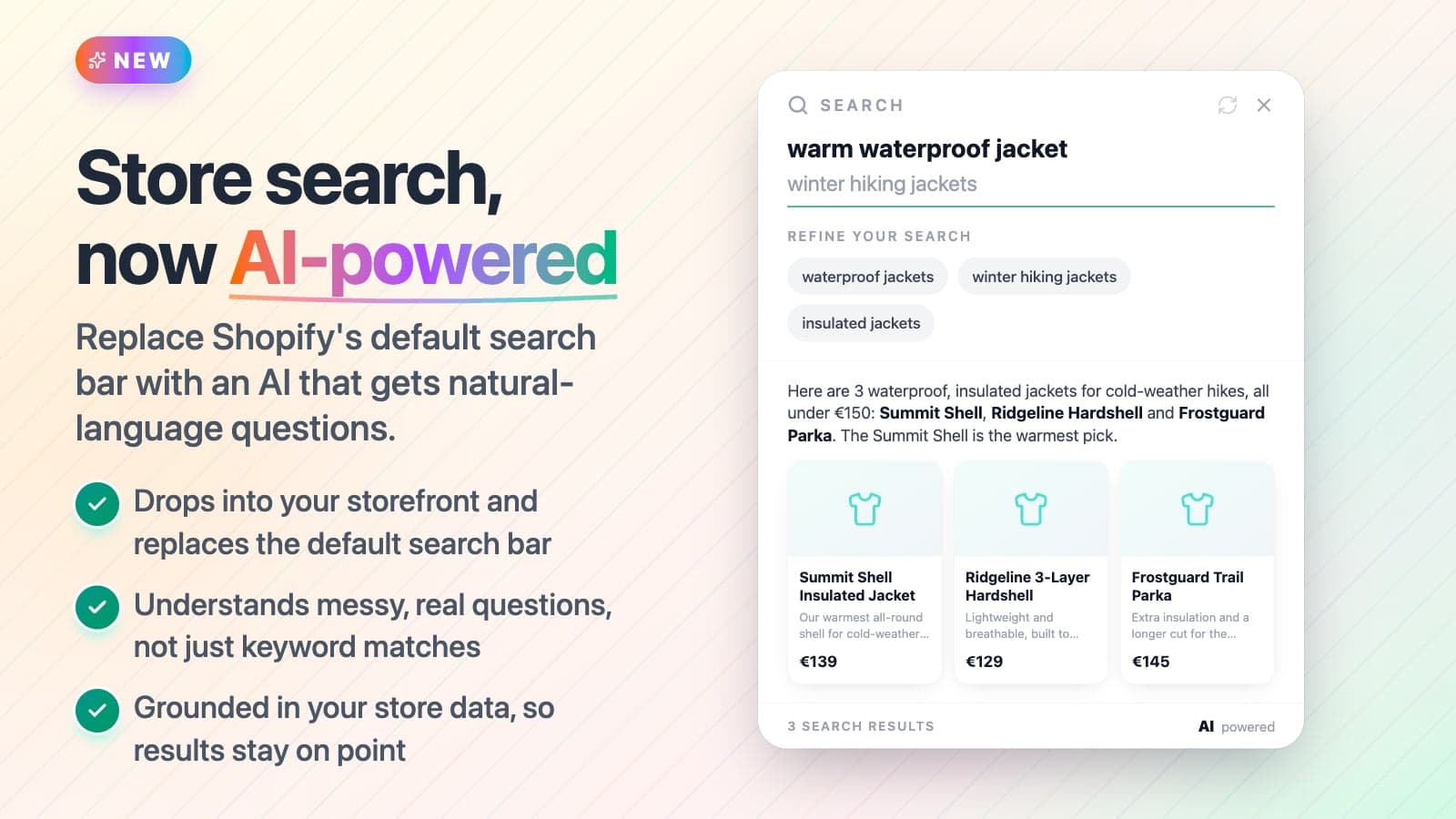
For B2B, Flyweight describes configured workflows: read a customer's parts list, match items and quantities, and prepare a quote for your team to approve; or verify a customer and pull an invoice from a connected ERP. Flyweight is careful to call these "examples of configured workflows" that depend on your integrations, so treat them as a scoping conversation, not a toggle.
Channels: what's live and what's in beta
This is where reading Flyweight's pages takes care, because status varies by channel and the pages don't all say the same thing. The website chat, AI Search and live chat are live. Instagram is listed as included on the pricing page. WhatsApp and Messenger are marked "rolling out". Ticket AI is in beta, and the channel pages say social channels and Ticket AI are available on AI Pro and AI Leader, connected by one of Flyweight's experts.
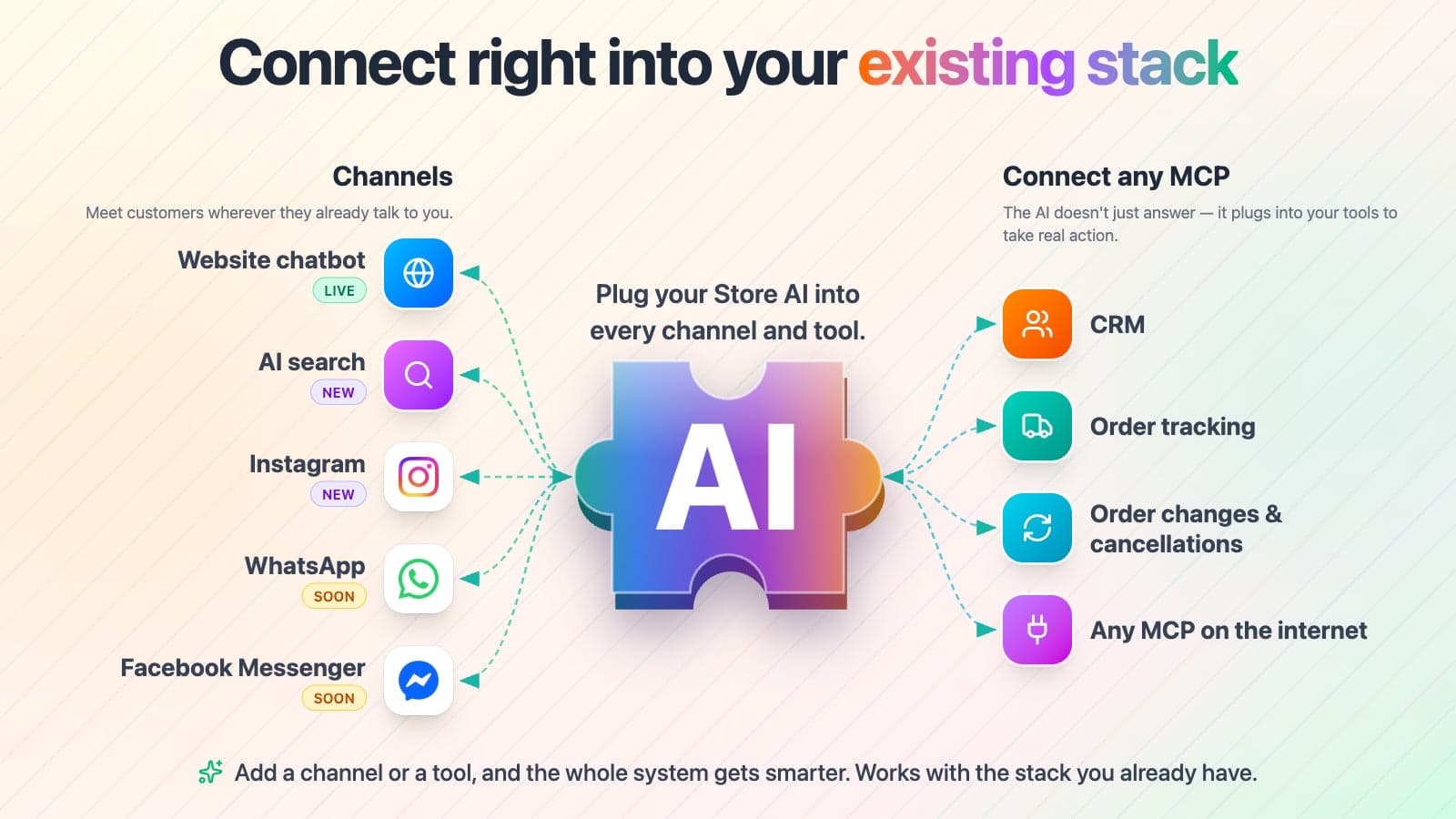
Pick the job you most need Flyweight to do, and the panel shows its status and what I'd check before relying on it.
Status from Flyweight's pricing, channel and Ticket AI pages, checked October 22, 2026.
What it does: answers from your products, pages, articles, policies and optional Zendesk Help Center, refreshed daily, in 100+ languages. AI Search can replace your store's search bar.
Check first: run your 20 hardest compatibility or sizing questions in the free preview, and add missing specs with the Flyweight metafield.
What it does: tracks orders in chat, cancels after the customer confirms, and changes shipping addresses on unfulfilled orders, through the Shopify API or a Shopify Flow you approve.
Check first: decide which actions run directly and which go through Flow for approval, especially cancellations.
What it does: the Flyweight Copilot browser extension drafts replies inside Gorgias, Zendesk, Freshdesk, Brevo, Greyhound CRM, Gmail, Outlook and Zoho Mail. It never sends; an agent reviews and sends every reply.
Check first: apply in the app under Setup, then Channels. Access rolls out on AI Pro and AI Leader first. If you need tickets answered without a person, this isn't that.
What it does: the same on-brand AI answers Instagram DMs, connected by a Flyweight expert. WhatsApp and Messenger are marked rolling out on the pricing page.
Check first: confirm the channel is available for your store before you sign; Flyweight says it confirms availability before you start.
What it does: unlimited live chats and human takeovers at no charge, lead forms that land in your inbox with the chat history, and routing to WhatsApp, email or phone.
Check first: set your handover triggers (high-value purchase, custom quote, sensitive question) and filter chat sessions on Fallback to find what the AI couldn't answer.
Live chat runs from the Flyweight inbox in Shopify admin or its web app, not from your helpdesk.
Ticket AI, up close
Ticket AI is the part that matters most to a support team, so here's how it works per Flyweight's Ticket AI page. An agent opens a ticket in their helpdesk. The Copilot side panel reads the conversation, pulls the customer's Shopify orders, and drafts an on-brand reply from your store content and the live order context. The agent edits and inserts it. "Nothing gets sent until a human sends it. There is no auto-send." The panel also shows its work: which orders it checked and what store guidance it used, and it says so when the store content isn't enough to answer.
I like the transparency, and it keeps a human in the loop by design. The pitch is fair: keep your helpdesk for routing and SLAs, and add an AI that already knows your catalog. The limit is the one from my opener. A draft-only copilot, like any agent assist tool, speeds up a person; it doesn't remove a ticket from the queue. In a trial eesel ran for a German jewelry brand on Zendesk and Shopify (about 1,000 tickets a month), agents sent only 12% of AI drafts as written and rewrote most long drafts into one to three sentences. Drafts help, but how much depends on how close they land to your agents' own style.
My guides to AI for Gorgias and the Zendesk AI copilot cover the autonomous options too.
Flyweight pricing
Flyweight's pricing is the least transparent thing about it, and it has changed at least twice. Here's what the vendor publishes today.
On the Shopify App Store listing, the only plan shown is Free to install: "Unlimited AI testing in Preview with up to 5,000 products", and a note that additional charges may apply, with a link to "your tailored plan". All charges are billed in USD.
On flyweight.io/pricing, there is one plan: AI Unlimited, "All features. A quote for your store." It covers AI Chat, AI Search, Ticket AI and all channels, with unlimited AI interactions within an agreed scope, a dedicated success manager, onboarding and recurring performance calls. The quote "reflects your catalog, workflows, integrations and level of support", and Flyweight says you know the price, scope, trial and any third-party costs before you start.
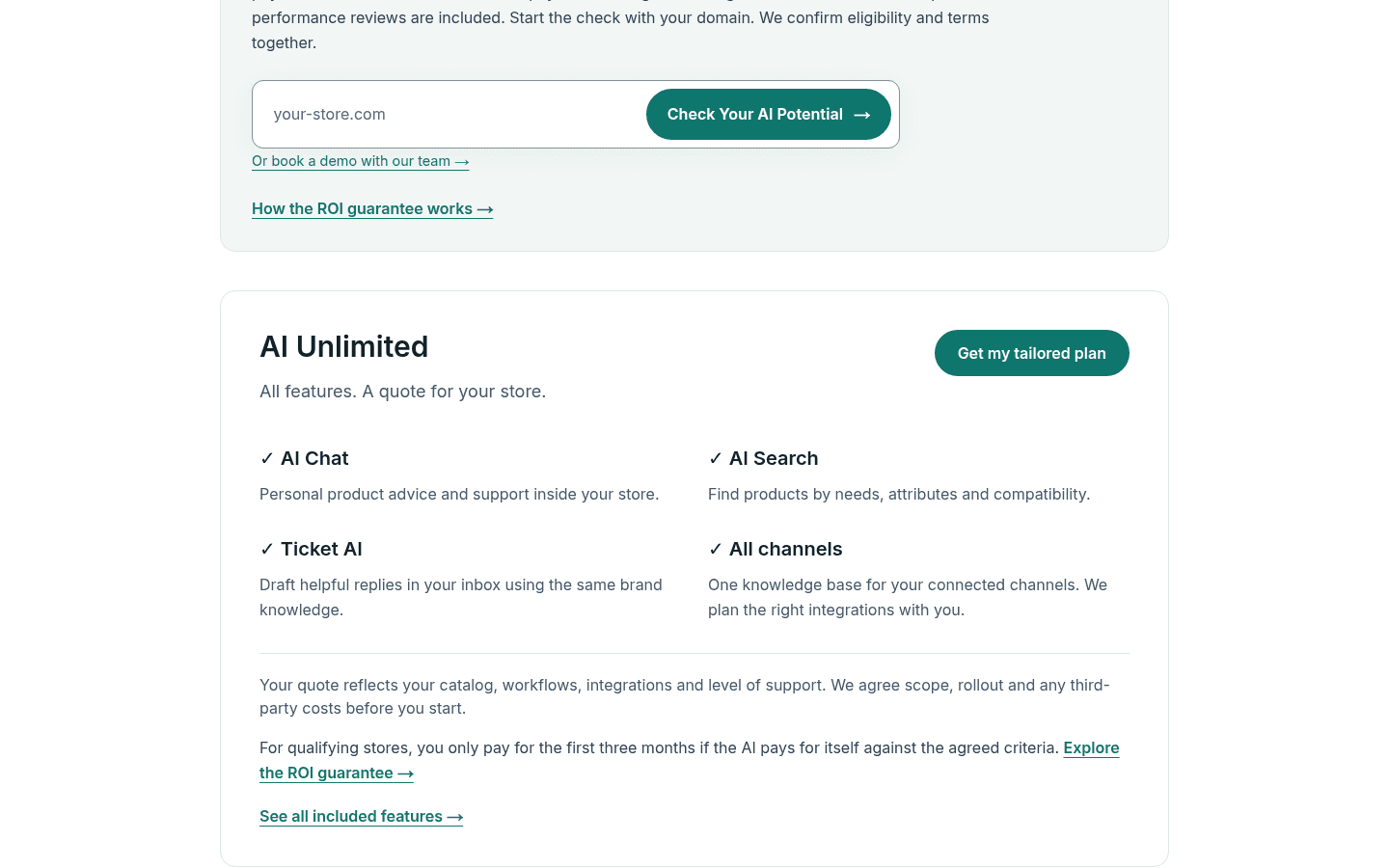
Below AI Unlimited, Flyweight's site refers to smaller plans by name, AI Core, AI Pro and AI Leader, for example "Social channels and Ticket AI are in beta on AI Pro and AI Leader". Their prices aren't listed on the website or the App Store page, so you'll see them inside the app after you install. I won't quote a number for them here, because the only figures I found came from merchant reviews describing older plans.
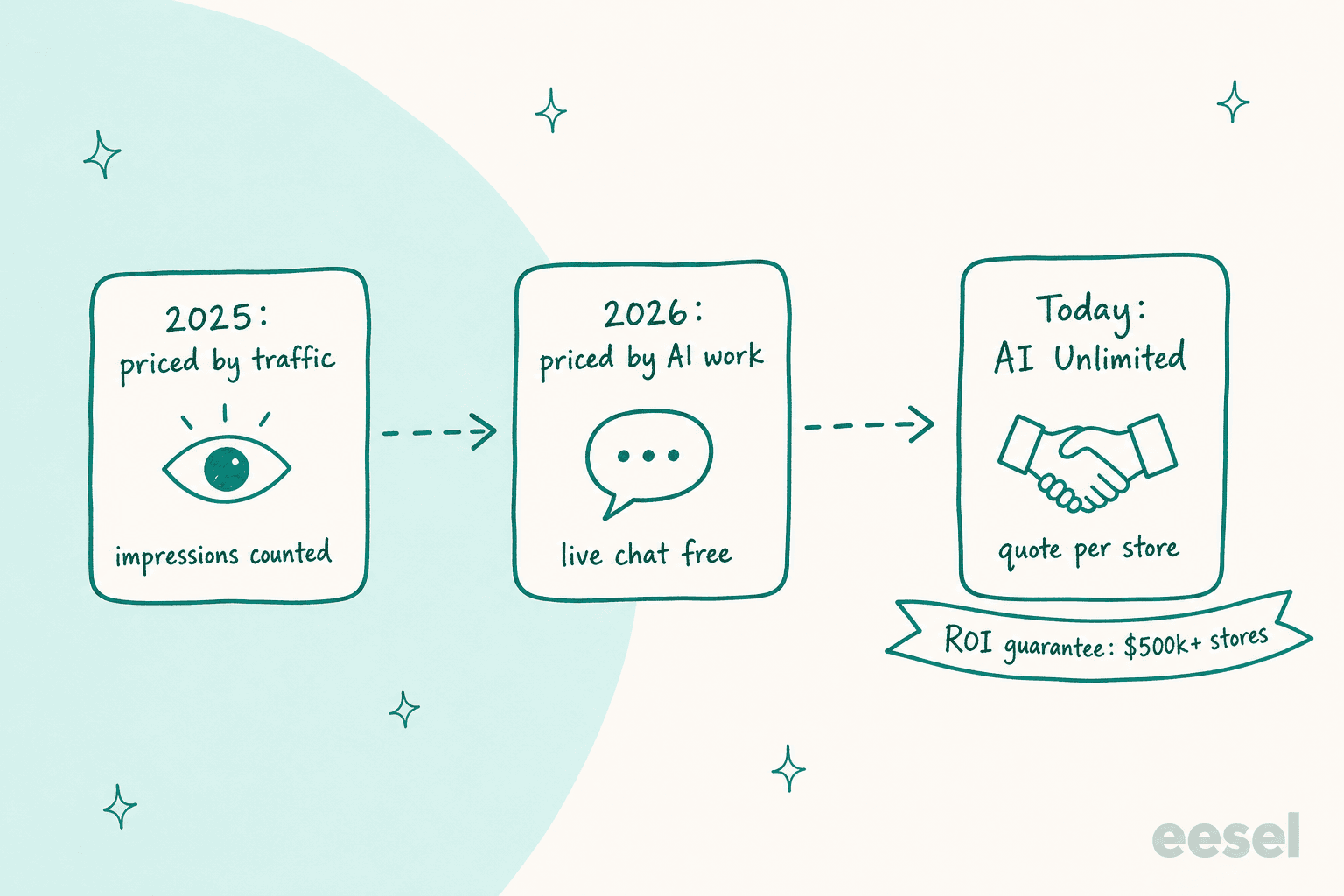
That history matters if you're reading reviews. Several 2025 reviews complain about plans billed on store impressions, so traffic you drove with ads counted against the plan even when few visitors chatted. Flyweight has answered those reviews directly. In July 2026 it replied that it had "introduced pricing options based on AI interactions only, with unlimited visitors included", and in September 2026 it told another merchant that "our paid plans now only charge for AI interactions, while live chats and human takeovers are completely free" (developer reply). So if a review mentions impressions, it's describing the old model.
Two more pricing rules:
- ROI guarantee, for bigger stores. Established Shopify stores with at least $500,000 in annual revenue can get an ROI guarantee: you only pay for the first three months if the AI pays for itself against criteria agreed in writing, per Flyweight's ROI guarantee page. It isn't automatic; Flyweight confirms eligibility after a fit check.
- Third-party costs are scoped up front. Custom integrations, ERP access and development work are agreed in your offer.
Compared with free options like Shopify Inbox, or Shopify chat apps that publish every tier, like Tidio or Chatty, you can't budget Flyweight from the outside. The free preview softens that, since you can test answers on your real catalog before you talk price.
For how pricing by interaction, resolution or seat compares, my chatbot cost guide lays it out.
What merchants say in their Flyweight reviews
Flyweight's reviews live on the Shopify App Store. I couldn't find a G2, Capterra or Trustpilot profile for it, and the Reddit threads that surfaced in search didn't mention it by name, so the merchant voice below comes from the 121 listing reviews.
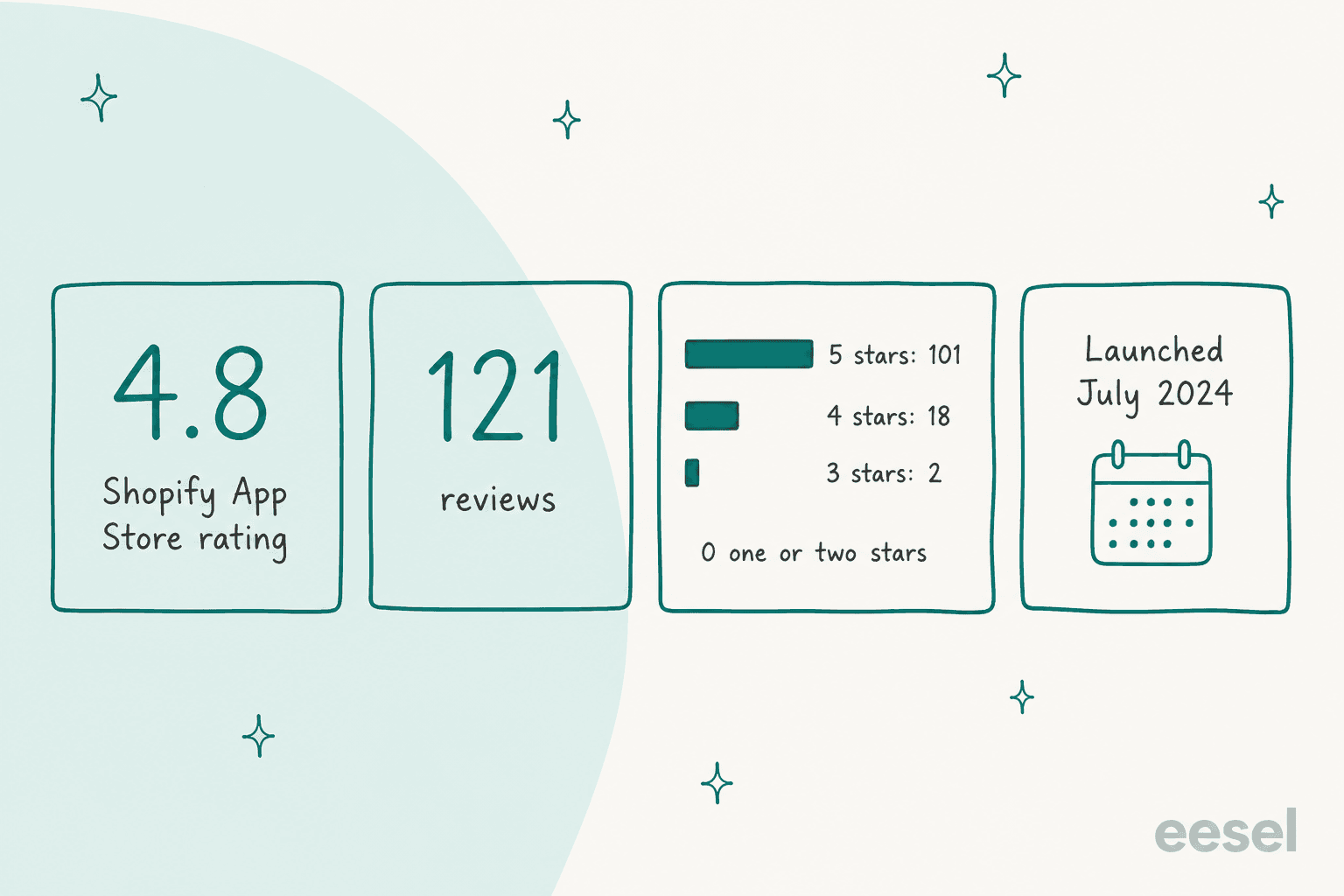
Of the 121 reviews, 101 are five-star, 18 are four-star, 2 are three-star, and none are lower. Many are in German, Dutch, French or Spanish, which fits a European vendor with a 100+ language AI and matters if you run multilingual ecommerce support. Flyweight's own homepage says 126 reviews; the listing showed 121 when I checked.
Where the praise lands
The detailed reviews cluster on two things: technical product questions and the setup help. The longest review comes from Barista och Espresso, a Swedish coffee equipment store, written five months in:
"The mount of knowledge it has is going beyond mine: we sell close to everything relating to coffee and the amount of different espresso machines and grinders can be overwhelming for customer."

The same reviewer was candid that the AI is sometimes "not 100% right" or offers unneeded information, which they treat as a fine-tuning job affecting a small share of chats. An auto parts store reported the biggest operational change: "Our call volume has dropped by about 90%" (Conquest Auto Parts). FMW Fasteners, a US bolts and fasteners seller seven months in, called it a "game changer for Shopify merchants" and credited the team's help getting value from it (review).
Flyweight's own case studies point the same way. Reboots, which sells compression recovery systems, reports more than 90% of chat requests resolved without human interaction and 12.5% of chats converting into a sale, per the Reboots story. Those are vendor-published numbers, and Flyweight notes outcomes vary by store.
The critical notes
None of the reviews are negative, but the four-star ones are useful, and most are about pricing. A US store that canceled after four months wrote that "the app and AI is very good" but objected to paying for traffic it drove with viral content:
"Honestly, even with thousands of visitors a day I'd get 2-5 AI questions so it's not like everyone was engaging with the chat."
That's the impressions model Flyweight has since replaced, and its reply invited the merchant back. A separate five-star review from an auto parts store mentioned a 1.5% commission on sales on their plan, which they'd rather see as a flat fee (Conquest Auto Parts). I couldn't find a commission on Flyweight's current pricing page, so confirm the billing basis in your own offer.
The other four-star notes are about training and handoff. A Latvian store, Vanagon Maniac, wanted to "upload conversations for training since my products are kinda tricky" (review). Past conversations aren't listed as a training source on the pricing page; the inputs are store content, the Zendesk Help Center, metafields and order notes. And an early 2025 review asked for a way to transfer to a live person (Bayside Soapworks), which Flyweight has since added as free live takeovers.
Pros and cons
| Pros | Cons |
|---|---|
| Strong product answers for technical, spec-heavy catalogs | No public price list; paid plans by quote or inside the app |
| Live chat and human takeovers free and unlimited | Ticket AI is in beta and drafts only, with no auto-send |
| Order tracking, cancel and address change, with Shopify Flow approval | WhatsApp and Messenger still rolling out |
| 4.8 from 121 reviews, none below three stars | Shopify only |
| Free, unlimited testing in preview up to 5,000 products | Past tickets and conversations aren't a training source |
| EU-based, GDPR and AI Act focus, European hosting | Pricing model changed twice, so older reviews describe old plans |
Who Flyweight fits, and who should skip it
Pick Flyweight if you run a Shopify store where shoppers ask "will this fit?" or "which one do I need?", like spare parts, electronics, fasteners, recovery tech or supplements, and your chat is where buying decisions happen. The Knowledge Graph, the metafield for AI-only specs, and the support team's hands-on setup are built for exactly that. European brands that need GDPR and AI Act paperwork will also find Flyweight easier than most; my EU AI Act guide covers what that paperwork involves.
Look harder if you need a budget number before a sales call. You can test the AI for free, but you'll only see plan prices in the app or in a quote. If you're a smaller store, compare it with apps that publish every tier, like Chizy or Willdesk, and my roundup of Shopify chatbot apps.
Pair it or skip it if most of your volume is email and helpdesk tickets. Flyweight's ticket side drafts for a person, it's in beta, and live chat runs in Flyweight's own inbox rather than your helpdesk. For a team measured on resolution rate, the email queue is where the hours are; my Shopify helpdesk roundup covers tools built for it.
My Flyweight verdict: 4 out of 5
Flyweight is one of the strongest storefront AI experts I've looked at for Shopify. The Knowledge Graph approach suits complex catalogs, the order actions with an optional Shopify Flow approval are thoughtful, live chat is free, and the reviews are as consistent as any app in the category. On the storefront alone, I'd score it 4.5.
Two things bring it to 4. You can't price it from the outside, and the plan model has moved from traffic to AI interactions to a quote-based Unlimited plan in about a year. And the helpdesk piece is a beta copilot that drafts, which helps agents but doesn't take tickets off their plate. Before you commit, run your hardest product questions in the free preview, ask for the price of the plan you'd actually use in writing, and if Ticket AI matters to you, ask when your helpdesk comes out of beta. My guide to testing an AI agent has a checklist.
How eesel compares for Shopify support
eesel is an AI teammate you hire for a specific job, and for a Shopify store the job is the AI helpdesk teammate. It works inside the helpdesk where your tickets already live, such as Gorgias, Zendesk or Freshdesk.
It reads orders through its Shopify integration. It can send replies itself, leave drafts as internal notes, or do both by ticket type, and it can also answer on your store through a chat bubble.
Three eesel customers show the range:
- Question Beauty, a vegan cosmetics brand on Gorgias and Shopify, had eesel handle about 990 Gorgias tickets in a month across Messenger, email and chat. It sent about 960 replies and looked up about 290 Shopify orders before answering, and closed about 280 tickets without a person.
- STIL Classics, a planner and stationery brand, runs the other mode: about 320 Gorgias tickets prepared in a month, with 430 draft replies left as internal notes and about 230 Shopify orders checked before a line was written.
- BEAUTEK, a German B2B supplier to beauty and tattoo studios, uses eesel for product advice in German on its website chat and on Zendesk. In one month it answered 77 website chats, created 20 Zendesk tickets from chat, and drafted replies on about 110 tickets.
| Flyweight | eesel | |
|---|---|---|
| Main job | AI sales and support agent for the Shopify storefront | AI teammate for the helpdesk queue, plus website chat |
| Where it answers | Website chat, AI Search, Instagram; WhatsApp and Messenger rolling out | Helpdesk tickets, email, chat bubble, WhatsApp |
| Helpdesk tickets | Beta Copilot drafts; an agent sends every reply | Sends replies or leaves drafts, set by you |
| Learns from | Store content, Zendesk Help Center, metafields, order notes | Help center, website, past tickets, macros, docs |
| Order actions | Track, cancel, change address (Shopify API or Flow) | Shopify order lookups inside the ticket |
| Testing | Free unlimited preview on your catalog | Simulation on your past tickets before going live |
| Platforms | Shopify only | Shopify, WooCommerce and others |
| Pricing | Free to install; paid plans by quote or in-app | Free with 100 credits, then from $299 a month for 500 credits |
On fit, I'll be straight: if your main problem is shoppers asking detailed product questions on the storefront, Flyweight is built for that and it shows. eesel earns its place when the work sits in the helpdesk. A ticket or a chat is 1 credit on eesel's pricing, and the price list is public: $299 a month for 500 credits, $499 for 1,000. The two can also run together, Flyweight on the storefront and eesel working the Gorgias or Zendesk queue behind it, the way teams use AI for Zendesk alongside a chat app.
Try eesel on your Shopify helpdesk
If Flyweight's storefront answers appeal but your team still spends its day in Gorgias or Zendesk, eesel is the teammate for that queue. It reads the Shopify order, checks your policies and past tickets, and either answers the customer or leaves a draft for your team, ticket by ticket. You can simulate it on your own past tickets before it talks to a customer, and you start with 100 free credits, no card.
Try eesel free, or see how the Shopify integration works.
Frequently Asked Questions
Is Flyweight worth it? What does an honest Flyweight review conclude?
For a Shopify store with products that need explaining, mostly yes. My Flyweight review scores it 4 out of 5: product answers are strong, live chat and human takeovers are free, and 101 of 121 Shopify reviews are five-star. The deductions are pricing you only see after a quote or inside the app, and a ticket AI that is still in beta and drafts only. Compare it with other Shopify chatbot apps first.
How much does Flyweight cost?
Flyweight is free to install from the Shopify App Store, with unlimited AI testing in preview for catalogs up to 5,000 products. Its public pricing page lists one plan, AI Unlimited, priced by quote based on your catalog, workflows, integrations and support level. Smaller paid plans (AI Core, AI Pro, AI Leader) are referenced on Flyweight's site but their prices aren't published there. My chatbot cost guide shows how other pricing models compare.
Is Flyweight free?
Installing is free, and you can test the AI without limit in preview before it talks to customers. Going live needs a paid plan. Flyweight says live chats and human takeovers are always free, and its paid plans now charge only for AI interactions. For free options, see my Shopify Inbox guide.
Does Flyweight work with Gorgias or Zendesk?
Yes, through Ticket AI, which is in beta. A browser extension called the Flyweight Copilot drafts replies inside Gorgias, Zendesk, Freshdesk, Brevo, Greyhound CRM, Gmail, Outlook on the web and Zoho Mail. It never sends on its own; an agent reviews and sends every draft. Access rolls out on AI Pro and AI Leader first. See my AI for Gorgias guide for other options.
Can Flyweight track or cancel Shopify orders?
Yes. Flyweight lists unlimited order tracking in the chat, order cancellation after the customer confirms, and shipping address changes on unfulfilled orders. Each can run through the Shopify API directly or trigger a Shopify Flow you approve. My WISMO automation guide covers why those questions pile up.
Is Flyweight GDPR and EU AI Act compliant?
Flyweight is a German company based in Mannheim and markets itself as GDPR and AI Act compliant, with European hosting and documented human oversight. Its listing says the storefront AI processes public store content and order tracking by zip code and order number, not private customer data. You still own your setup, so read my EU AI Act guide before launch.
What languages does Flyweight support?
Flyweight says its AI speaks 100+ languages with automatic language detection, and the chat widget interface is translated into up to 29 languages. You can also translate any chat session into your own language in the inbox. My guide to multilingual ecommerce support covers what to test.