

Asyntai is a solid, low-cost AI chatbot for websites that answers visitors from your own pages, PDFs, videos and spreadsheets, and it installs on almost any platform: its docs carry 68 install guides. I'd score it 3.5 out of 5.
The pricing is $0 for 50 AI replies, $39 for 800, $139 for 15,000 and $449 for 50,000 a month, and the bot simply stops replying when you hit the cap. The catch for support teams is that human takeover, escalation and support tickets all start on Standard at $139, so that is the real entry price.
The other catch is proof. Asyntai has zero public reviews on Shopify, WordPress.org and the Chrome Web Store so far. If your support lives in a helpdesk like Zendesk or Gorgias, eesel's AI works the ticket queue as well as the chat, which is how Beautek turns website chats into Zendesk tickets for its sales team.
What is Asyntai?
Asyntai is an AI assistant you add to a website as a chat bubble. It crawls your site, builds a knowledge base from it, and also answers visitor questions day and night. It is made by Advanced AI s.r.o., a company registered in Prague, and it sells mainly to small and mid-sized sites, through a free plan and also self-serve upgrades.
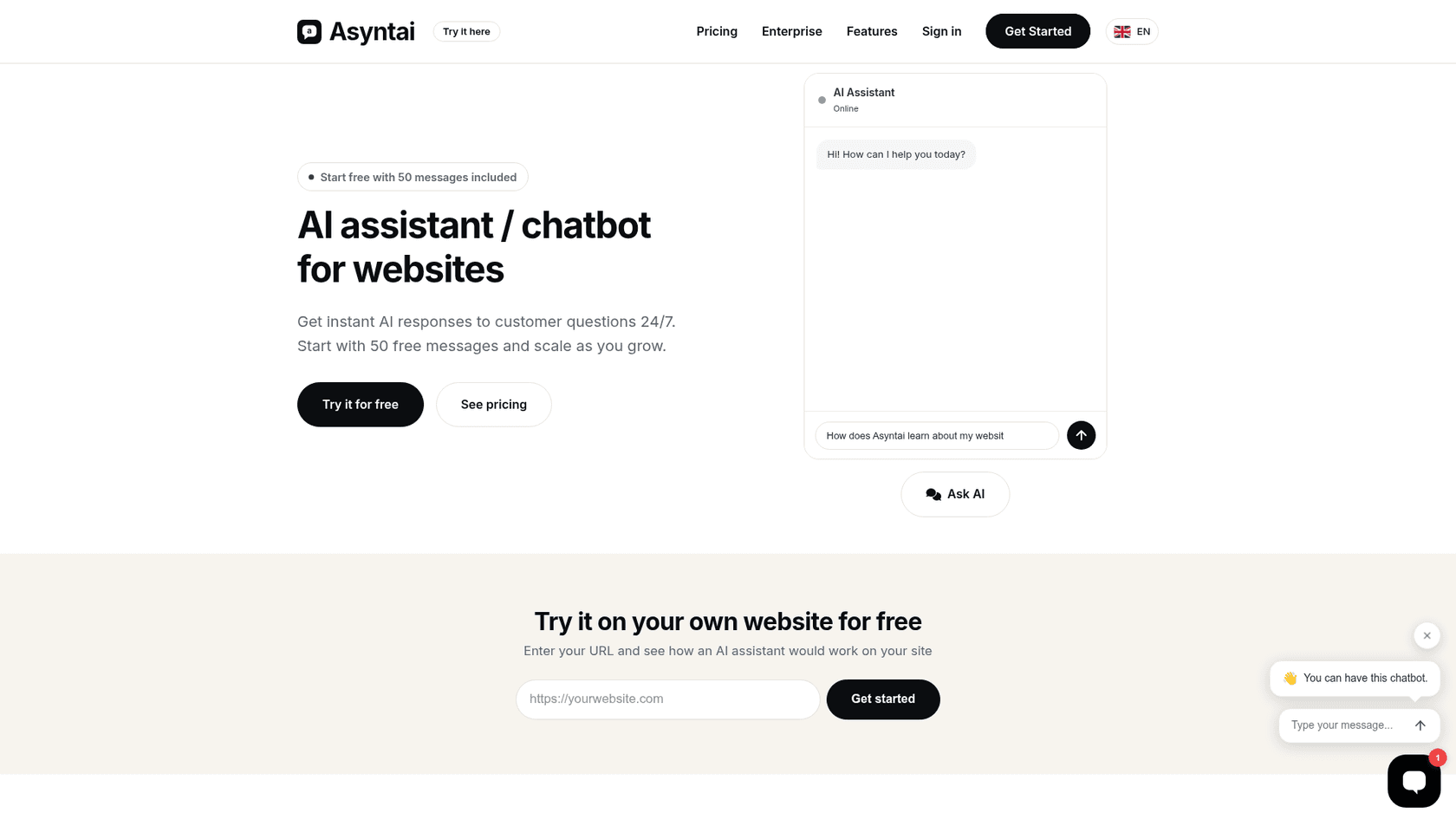
I work eesel's support queue every day, so I read chatbot docs the way an agent does: where does the answer come from, and what happens when the bot can't give one? That's the lens I use for this review. I went through Asyntai's pricing page and its documentation, also its app listings and every public mention I could find. I didn't run it on a live store for months, so where I describe behaviour, it comes from Asyntai's own docs and screens.
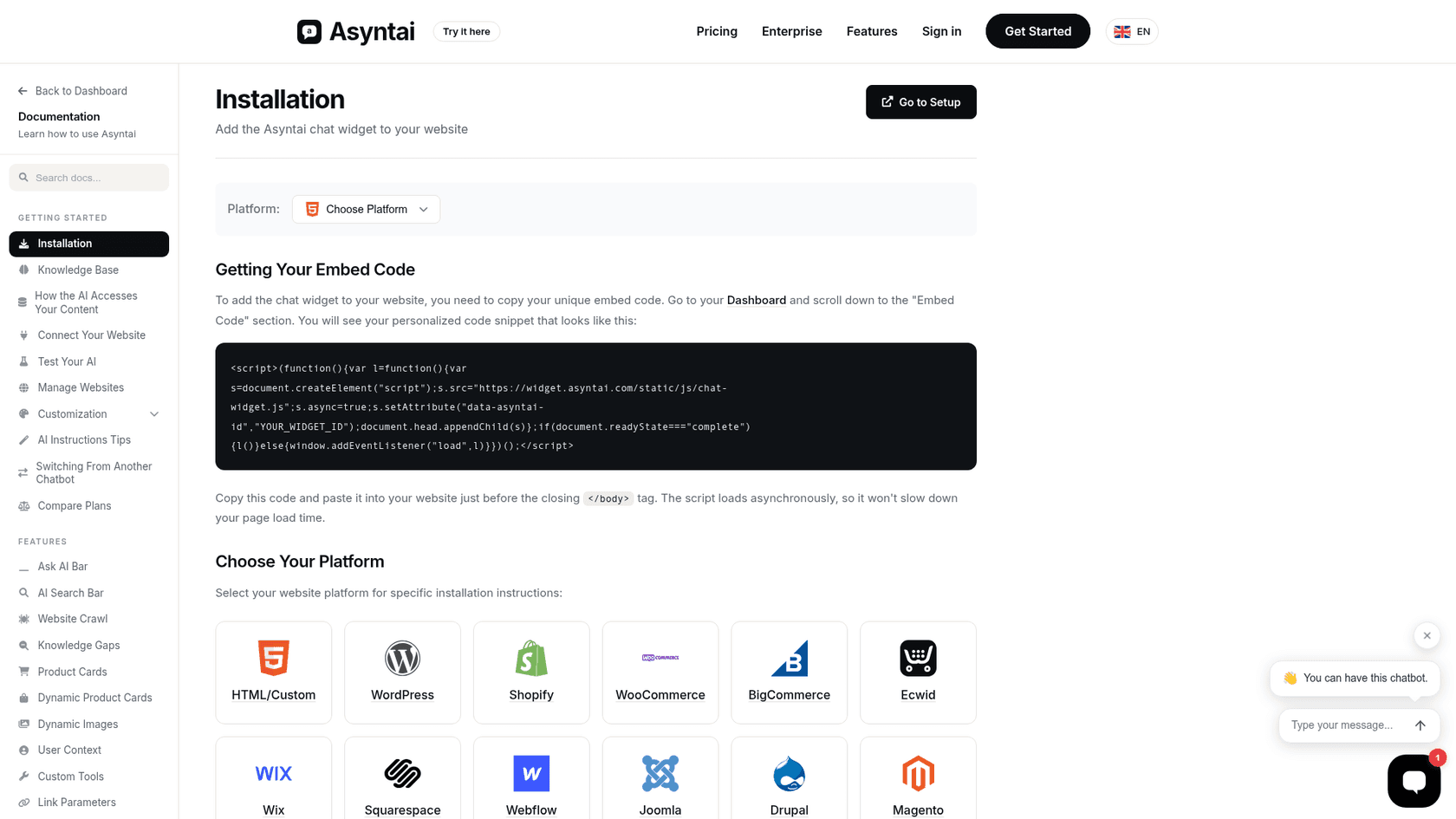
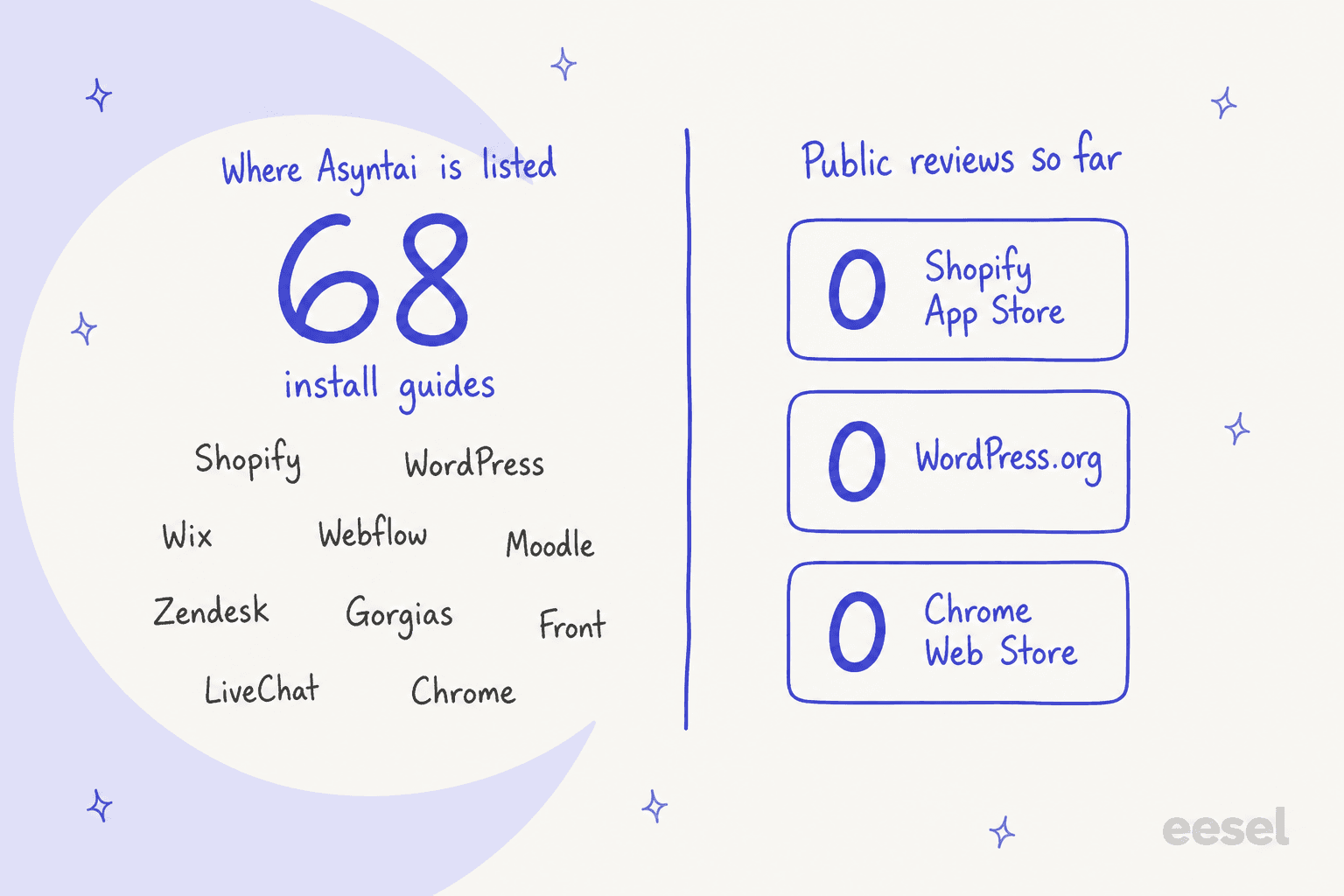
The thing worth to flag here is the distribution, which is what sets Asyntai apart. Most AI chatbots for websites ship a script tag and maybe a Shopify app. Asyntai has a Shopify app, a WordPress plugin, a Chrome extension, a Moodle plugin, and listings on Nextcloud, Craft, Matomo, Adobe Commerce, Zoom and Front. Its installation docs cover 68 platforms, from Wix and Webflow to TYPO3, Ghost and Bubble.
How does Asyntai work?
You paste your website address, Asyntai crawls up to 50 pages on the Free plan, and it writes a starter set of AI instructions for you. You test it in a preview chat, adjust, then paste one script before your closing </body> tag or install the plugin for your platform. The homepage says the whole thing takes under five minutes, which from the docs sounds right in terms of a simple site.
What the AI learns from
The knowledge base is broader than most tools at this price. You can add plain text, single URLs, a full site crawl, PDFs, HTML files, videos (it pulls the transcript) and CSV or Excel files where each row becomes its own entry. That spreadsheet option matters more than it sounds, a product spec sheet or a pricing table becomes answerable without anyone rewriting it as prose. If you want a primer on why this setup beats scripted flows, my guide to the AI knowledge base chatbot covers it.
The crawler also pulls structured content from WordPress, Shopify, WooCommerce, Drupal, Squarespace and Strapi sites, such as the full product catalog. On WordPress with WooCommerce, the plugin creates a read-only REST key, so the bot answers with the current price and also stock. A few honest limits from the docs:
- The crawl docs say Cloudflare and similar services can block the crawler, and login crawling doesn't work with JavaScript logins, CAPTCHA, 2FA or Google sign-in.
- Your help center on a subdomain isn't reached by a homepage crawl. You have to point the crawler at it, which the switching guide explains well.
- Past conversations aren't a knowledge source. A Standard-plan feature called knowledge gaps reads conversations to show you what the AI didn't know, but you still write the fix yourself.
- Storage caps run from 1,000,000 characters on Free to 100,000,000 on Pro, and Asyntai says a 50-page crawl uses roughly 100,000 to 500,000.
For live or personal data there are three more routes, all on Standard or higher: a real-time data feed for stock and availability (about 500 items, or about 25,000 on Pro with the Max feed), user context your site passes in for a logged-in visitor, and custom tools that let the AI call your own API for things like order status. That last one is how you'd build an order tracking chatbot on Asyntai, but it needs a developer, as there is no built-in Shopify order lookup in the docs that I read.
Where it answers
The website widget is the main surface, with 15 button designs and a voice button on Standard and up, and also an "Ask AI bar" style on Pro. From Starter you can connect Instagram DMs, Messenger, WhatsApp, Discord and Zapier, so the same knowledge answers on WhatsApp and Instagram too. Standard adds a voice agent that can answer your phone numbers through your own Twilio account.
Asyntai also plugs in to chat tools that you may already run. The Zendesk integration adds it as a Marketplace bot on Zendesk Messaging channels, the Gorgias integration answers Gorgias chat, and the LiveChat app makes it the first agent on every new chat. Front, Freshchat, HubSpot, Slack, Google Chat and Zoom are in the docs too.
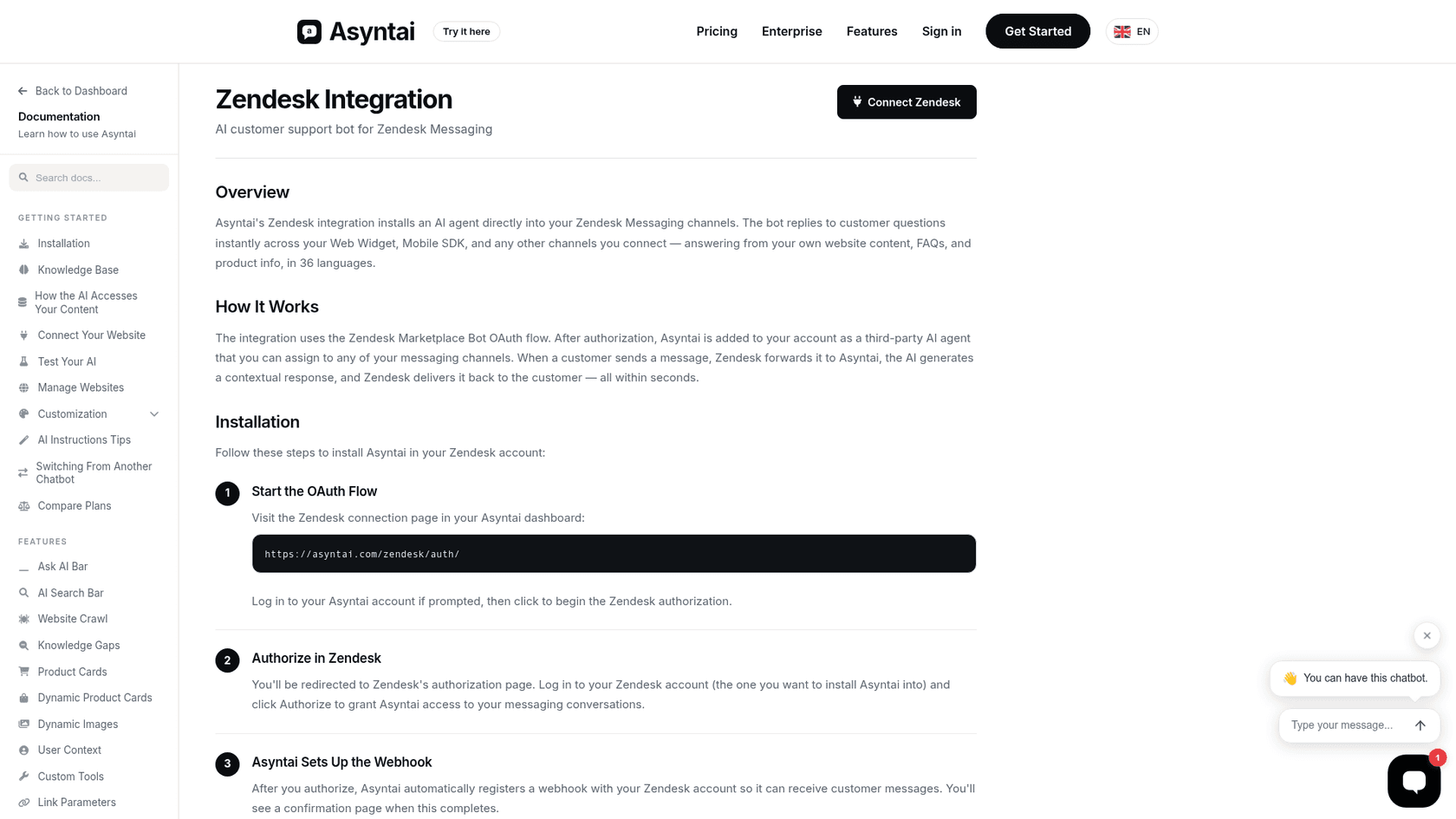
Read the limits on those pages before you buy it for a helpdesk, though. Both the Zendesk and Gorgias integrations are text-only and chat-only: no product cards, images, user context, image vision or live data feed, and nothing about answering email tickets in the queue. In Gorgias the AI pauses when an agent replies and comes back after about 15 minutes of agent inactivity. That's a sensible rule, but it is only a chat rule. Email is handled separately through Zapier or the API from Starter up, as the email docs describe. For teams whose volume is mostly email, the Zendesk AI and Gorgias AI options built for tickets are a closer match.
What happens when the AI can't help
This is the section I'd read first if I ran a support team, because it's the place where a website bot either saves you work or creates more of it. Asyntai has three handoff tools, and all three start on the Standard plan.
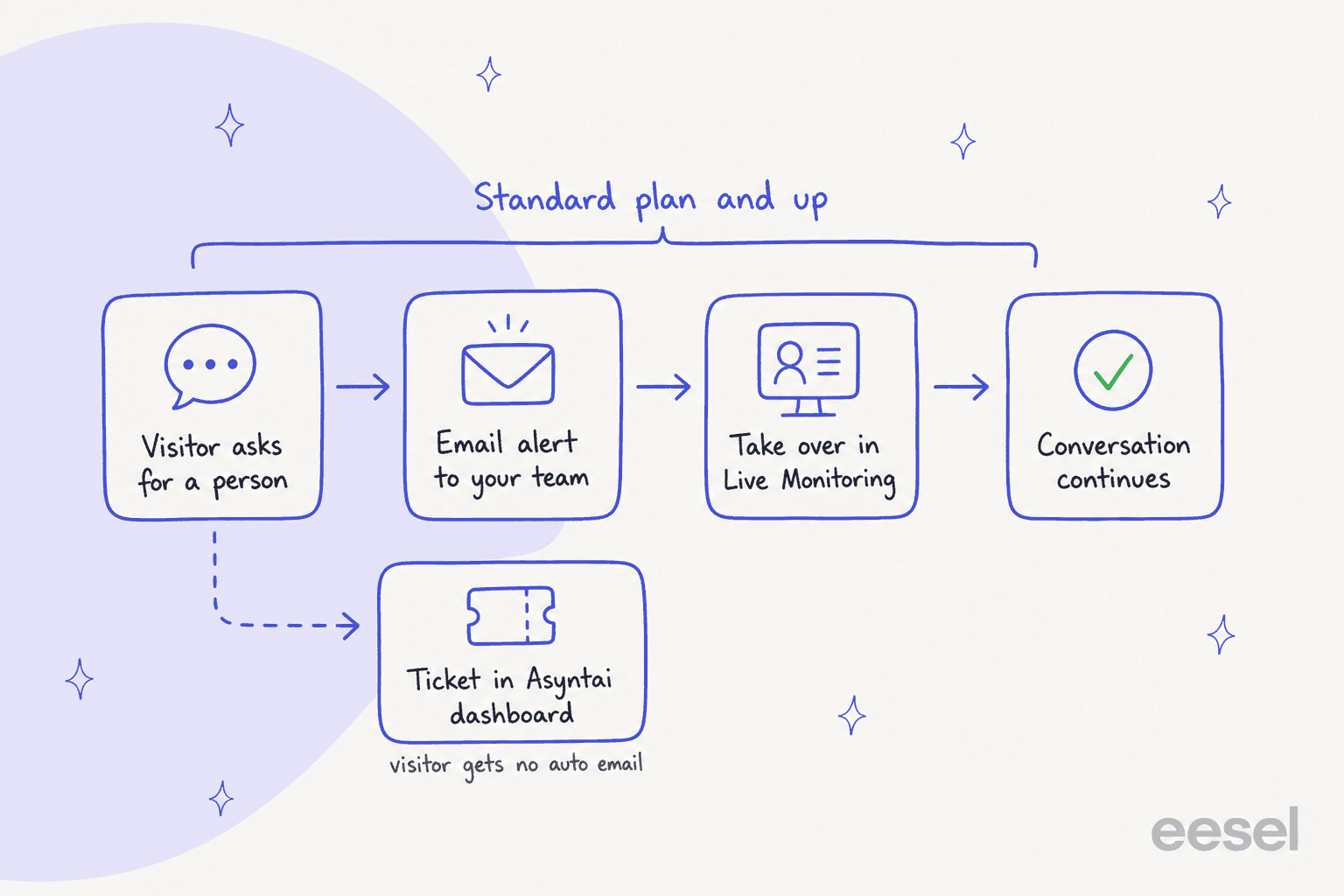
- Escalation. Per the escalation docs, the AI spots phrases like "talk to a person" or signs of frustration, offers a human, and emails up to five addresses with a join link. The AI keeps answering until someone takes over. Business hours stop it promising a person at 2 AM; outside your hours it takes an email address instead.
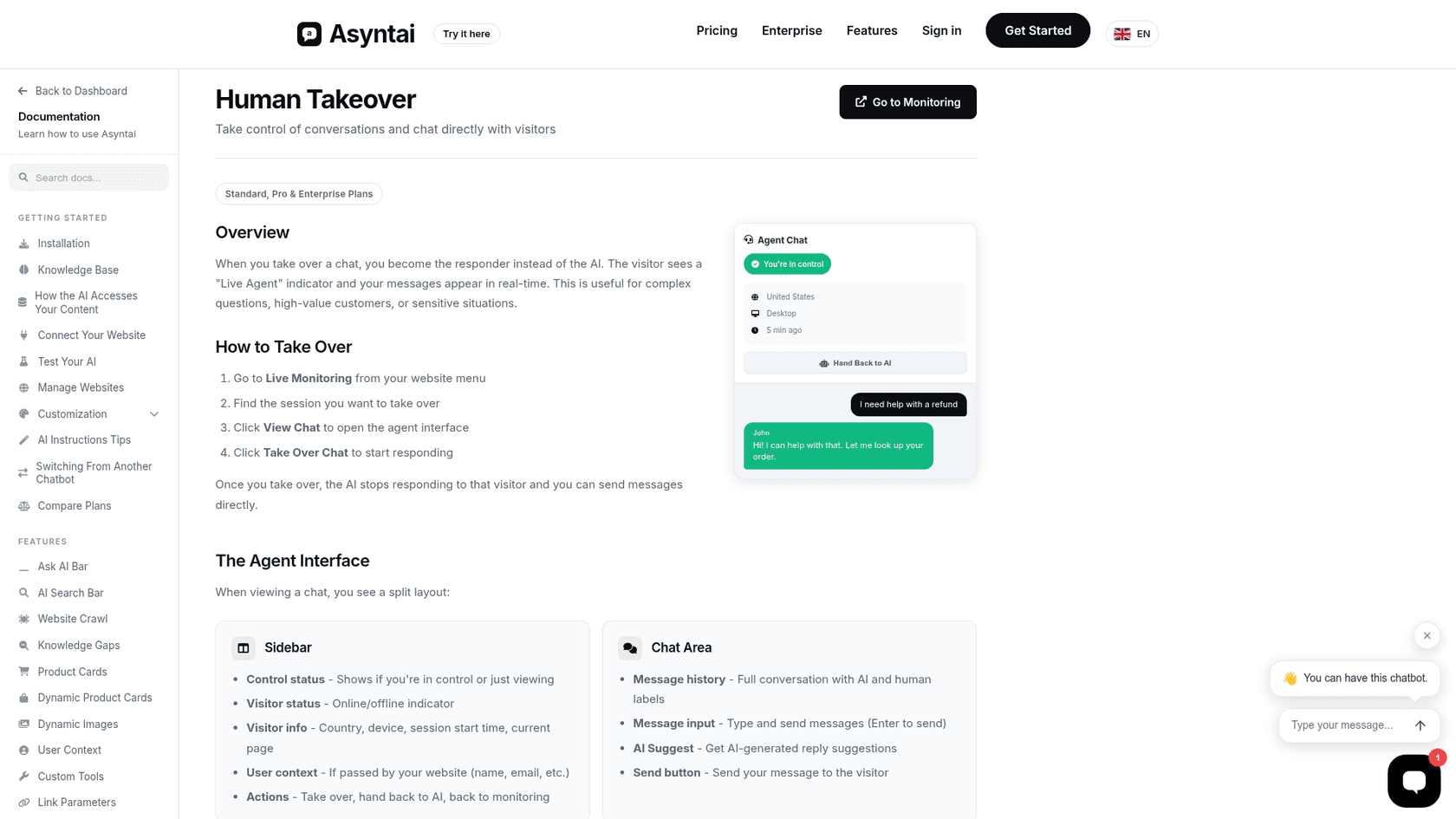
- Human takeover. Your team watches chats in Live Monitoring and clicks "Take Over Chat". An "AI Suggest" button drafts a reply from the knowledge base that you edit before sending.
- Support tickets. When the AI can't help, it asks for the visitor's email and creates a ticket like TKT-48291 in Asyntai's own Tickets dashboard, with statuses and assignees.
Two details stood out for me from the queue side. First, the tickets docs say the visitor gets no automatic email when a ticket is created, so the person who asked for help hears nothing until your team replies. Second, those tickets live in Asyntai, not in your helpdesk. If you already run Zendesk or Freshdesk, that is a second inbox which someone has to check. My guide to chatbot escalation goes into why that seam is where customers fall through.
The docs also warn that if your AI instructions tell visitors to "email support@", the AI won't create tickets, because it thinks it already solved the problem. Easy to miss, and worth to check on day one.
How much does Asyntai cost?
Asyntai has four self-serve plans plus Enterprise, which are billed by AI replies. Every message the bot sends is one reply, and in a voice call every spoken answer counts as one reply too. Here's the full table from the pricing page, checked on October 27, 2026.
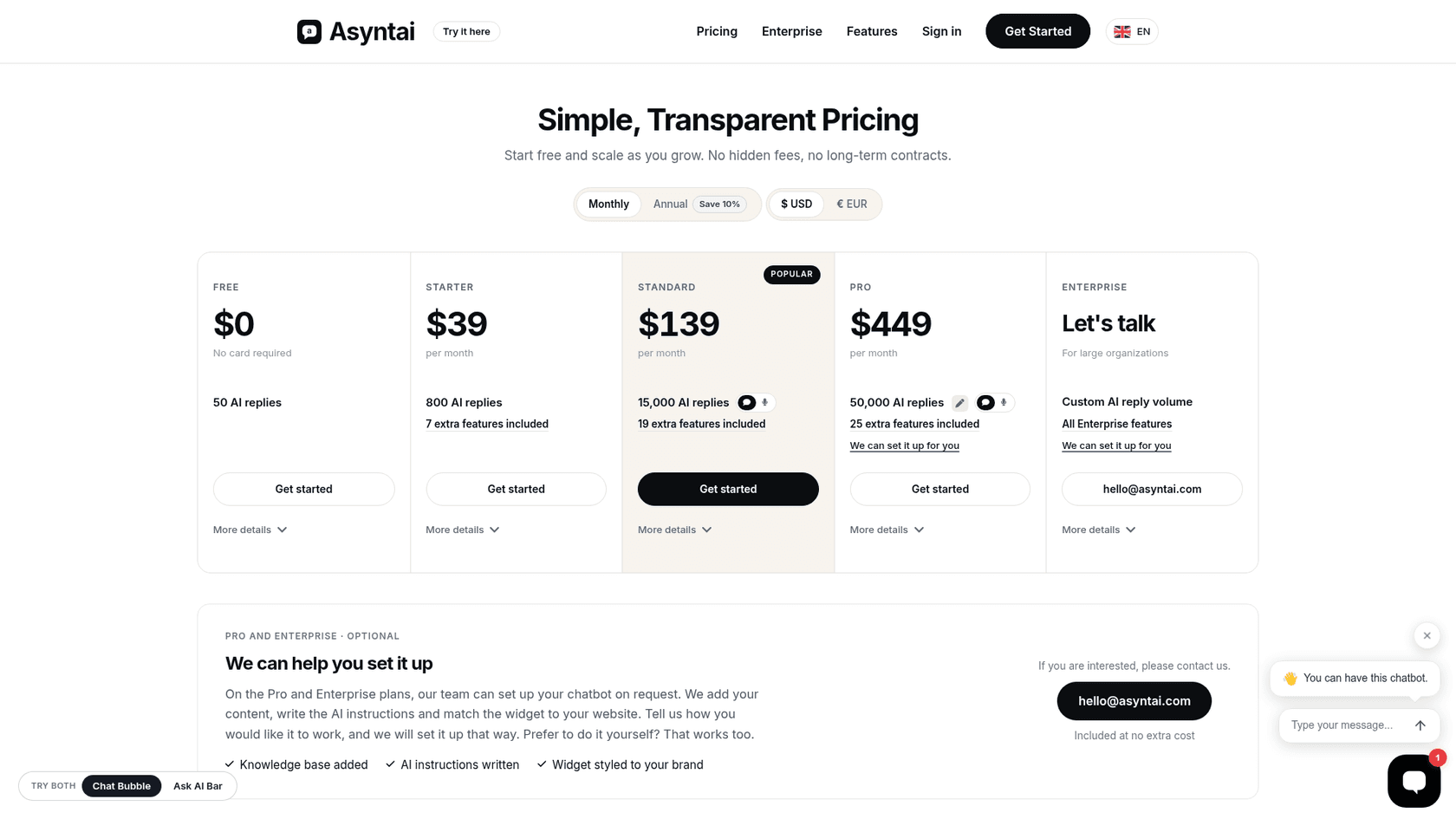
| Plan | Monthly | Annual (per month) | AI replies a month | Websites | Crawled pages | Seats | Voice minutes |
|---|---|---|---|---|---|---|---|
| Free | $0, no card | n/a | 50 | 1 | 50 | 1 | None |
| Starter | $39 | $35 ($420 a year) | 800 | 2 | 250 | 2 | None |
| Standard | $139 | $125 ($1,500 a year) | 15,000 | 3 | 1,000 | 3 | 200, 2 calls at once |
| Pro | $449 | $404 ($4,848 a year) | 50,000 | 20 | 5,000 | 10 | 1,500, 5 calls at once |
| Enterprise | Let's talk | Custom | Custom | Custom | Custom | Custom | Custom |
Pro can be stretched on the custom Pro plan page: 100,000 replies adds $449 a month, 25 websites adds $99, and 3,000 voice minutes adds $449. Phone calls through Twilio are billed on your own Twilio account. On Pro and Enterprise, the Asyntai team will also set up the bot for you, at no extra cost.
What does one Asyntai reply really cost?
The per-reply maths is the most useful thing I found, and it is quite lopsided. Starter works out to about 4.9 cents per included reply, while Standard is about 0.93 cents and Pro about 0.90 cents. So Standard gives you nearly 19 times the replies, for about 3.6 times of the price.
| Plan | Price | Replies | Cost per included reply |
|---|---|---|---|
| Starter | $39 | 800 | 4.9 cents |
| Standard | $139 | 15,000 | 0.93 cents |
| Pro | $449 | 50,000 | 0.90 cents |
A reply isn't a conversation. If a typical chat runs to four AI replies, Starter's 800 covers about 200 chats a month, while Standard covers about 3,750. For a small business that's the honest framing, where Starter is a pilot and Standard is the place a real support load fits. My chatbot ROI guide walks through the same maths for other tools.
The feature floor is Standard
The plan gates matter as much as the reply counts. Free includes chat logs and not much else. Starter adds leads and analytics, the WhatsApp and Instagram channels, and also the REST API. Everything a support team needs to hand a chat to a person starts one step up.
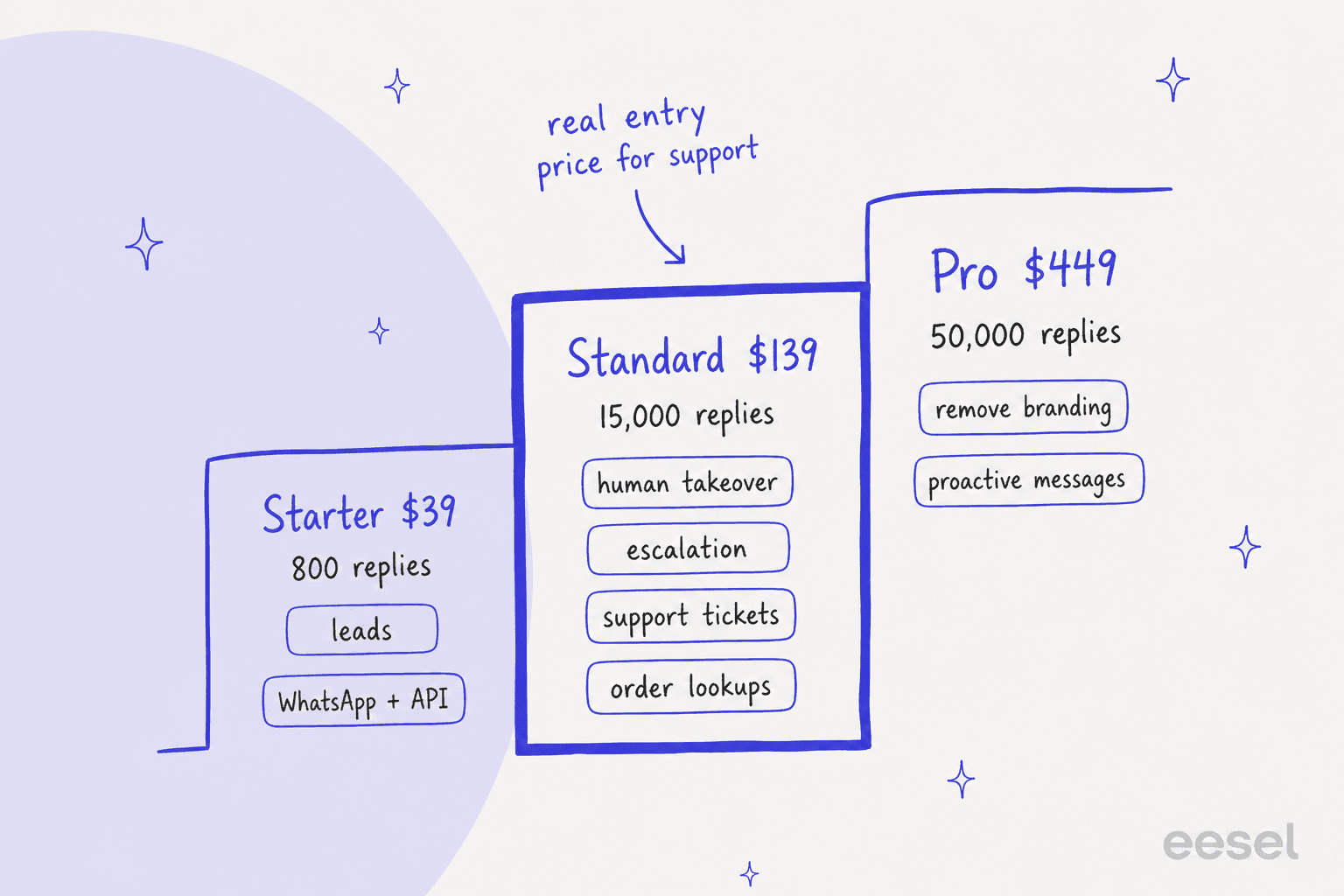
Pro is mostly about scale and polish: 20 websites and removing the "Powered by Asyntai" badge, also proactive messages when a visitor adds to cart, SSO and a white-label dashboard for agencies. If you resell chatbots to clients, that last one is unusual at this price; my guide to chatbot reselling covers what agencies usually look for.
Three pricing details to check before you pay
- The cap is hard. Asyntai's Zendesk docs say that once you use the month's allowance, the bot stops replying until the next cycle or you upgrade. There's no per-reply overage to fall back on, and the allowance is shared across every channel. That protects your budget but can leave visitors unanswered late in a busy month.
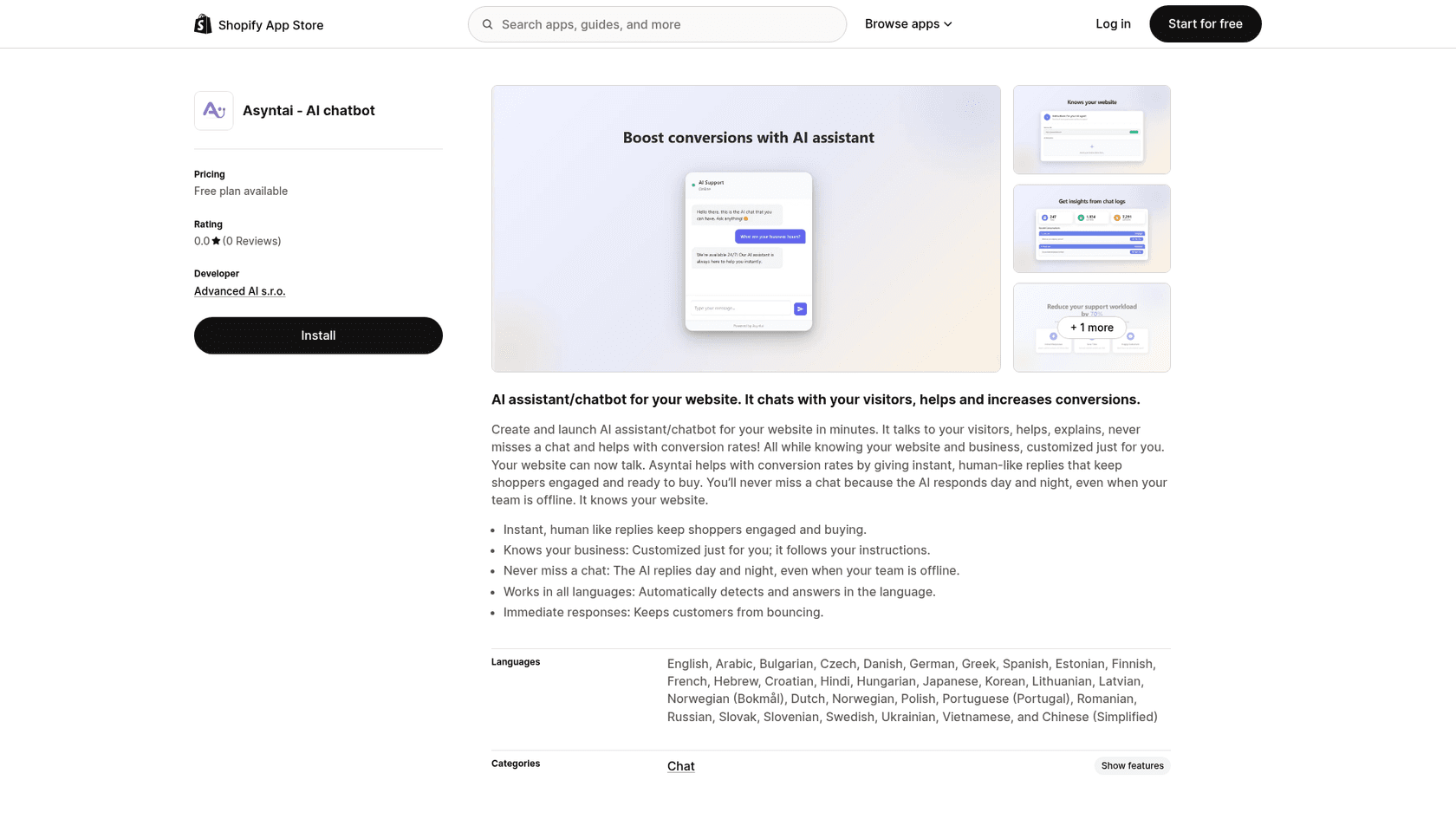
- Asyntai's own pages disagree on some numbers. The pricing page and the Free vs Starter page say Starter includes 800 replies, while the Starter vs Standard page and the Shopify listing say 2,500. The Shopify listing also shows 100 messages on Free against 50 on the site. I've used the pricing page throughout; check your dashboard after signing up.
- Annual plans can't be downgraded until the billing period ends, per the note under the pricing table.
For context on how this compares with chatbots that bill per conversation or per resolution, see my chatbot cost breakdown.
Which Asyntai plan do you actually need?
Pick the job you need done and the card shows the cheapest plan that covers it, from Asyntai's plan details checked October 27, 2026.
Minimum plan per job, from asyntai.com/pricing and the docs, October 27, 2026.
What you get: 50 AI replies a month, one website, 50 crawled pages and chat logs. Enough to see how it answers from your own pages.
Check first: ask it your 20 most common questions in the test chat before you install the widget.
What you get: optional email and phone fields in the chat, analytics, 800 AI replies, two websites and 250 crawled pages.
Check first: 800 replies is roughly 200 chats at four replies each. Busy sites will hit the cap.
What you get: Instagram DMs, Messenger, WhatsApp, Discord and Zapier, plus the REST API, all drawing on the same knowledge base.
Check first: every channel shares one reply allowance, so a busy WhatsApp line eats into your website chat.
What you get: escalation emails, human takeover from Live Monitoring with AI Suggest, and support tickets in Asyntai's Tickets dashboard. 15,000 replies.
Check first: tickets stay in Asyntai, not your helpdesk, and the visitor gets no automatic email when one is created.
What you get: a real-time data feed (about 500 items), user context for logged-in visitors and custom tools that call your own API.
Check first: order lookups mean building an endpoint on your side. Large catalogs (about 25,000 items) need Pro.
What you get: no "Powered by Asyntai" badge, 20 websites, proactive messages, SSO and a white-label dashboard for agencies.
Check first: full white-label under your own brand is listed on Enterprise; Pro removes the widget branding.
Replies are capped per month on every plan. When you run out, the bot stops replying until the next cycle.
What do users say about Asyntai?
Right now, almost nothing in public, which is the most important finding in this review. Asyntai is listed on more marketplaces than any chatbot I've reviewed this year, but none of those listings carries a single review.
Here's what I found on October 27, 2026:
- The Shopify App Store listing, launched October 23, 2025, shows 0 reviews after a full year.
- The WordPress.org plugin has 100+ active installs and no ratings.
- The Chrome Web Store extension has no ratings.
- The Moodle plugin shows 66 installations and 156 downloads in the last 90 days.
- I found no G2, Capterra or Trustpilot listing, no Hacker News discussion and no posts about it on X.
The only Reddit thread is a launch post in r/AI_In_ECommerce from December 2025 that reads like it came from the team itself, and it describes a bigger free plan than the one on the site today:
"There is a free plan (100 messages per month, no card needed) so you can test it out."

The homepage does carry testimonial lines like "I reduced my support workload by 70%", but they have no names or companies attached, so I can't treat them as user evidence. None of this means Asyntai is bad. A wide listing strategy with few reviews is normal for a young product from a small team. It does mean that you are the reviewer, so lean hard on the Free plan and the test chat, before you commit a support channel to it.
What I'd test is the thing that buyers keep raising with us in sales calls. One CX lead at a supplements brand on Gorgias, handling about 7,000 tickets a month, put it plainly:
"I need an AI who is only handling the tickets that it's confident to handle and all the other ones, leave them alone."
Asyntai's test chat is a manual sandbox where you type questions one by one, and the switching guide suggests running it alongside your old tool. That works, but plan to write a real test set with your hardest questions, because there's no replay over your past conversations. My guide to common AI chatbot problems lists the failure cases worth including.
Pros and cons
| Pros | Cons |
|---|---|
| Very broad knowledge sources: crawl, PDFs with OCR, video transcripts, spreadsheets, live data feeds | Human takeover, escalation and tickets all need Standard at $139 a month |
| 68 install guides and plugins for Shopify, WordPress, Moodle, Wix, Webflow and many more | Zero public reviews on Shopify, WordPress.org and Chrome so far |
| About 0.9 cents per reply on Standard and Pro | Starter's 800 replies cost 4.9 cents each and run out fast |
| Hard monthly cap, so no surprise overage bill | The bot stops replying when the cap is hit |
| Voice agent and phone answering on Standard | Zendesk and Gorgias integrations are text-only and chat-only |
| EU-based company with zero retention and PII redaction on Enterprise | Tickets live in Asyntai's dashboard, not your helpdesk |
| Free done-for-you setup on Pro and Enterprise | Own pages disagree on Starter replies (800 vs 2,500) and Free (50 vs 100) |
Who should use Asyntai, and who should skip it?
Asyntai fits best for a small business, school or club, and also a publisher, that wants an AI chatbot on a site built with something other than Shopify, and that answers most questions from public pages. If your site runs on Moodle, Joomla, TYPO3, Ghost or Webflow, the list of options shrinks fast, which is where Asyntai has a guide for each. It's also a good fit for agencies who want one account across up to 20 client sites on Pro, and for anyone who wants a lead generation chatbot with leads collected from Starter up.
I'd skip it, or at least keep looking, in three cases:
- Your support runs in a helpdesk. If most of your volume is email tickets in Zendesk, Freshdesk or Gorgias, Asyntai answers the chat but leaves the queue to you, and its tickets live in a separate dashboard.
- You need a track record. With no public reviews, a regulated or high-stakes team has nothing independent to go on. Ask Asyntai for references.
- You need order actions on day one. Order status and returns go through custom tools you build against your own API. Shopify-first tools like the ones in my VanChat review and Chizy review do more of that out of the box.
If you're still comparing website bots, my Chatbase review and Tidio review cover the two closest options.
For lighter widgets on a small budget, my Smartsupp review and Elfsight AI chatbot review are worth a look too.
My Asyntai verdict: 3.5 out of 5
Asyntai is better built than its zero-review listings suggest. The knowledge base is deep and the docs are unusually clear and honest about limits, also the per-reply price on Standard is among the lowest I've seen, and the platform coverage is real. For a website that mainly needs answers from its own content, it's a fair, cheap bet, and the Free plan costs you nothing to find out.
I take a point and a half off for two reasons. Support teams pay $139 before they can hand a chat to a person, and when they do, the ticket lands outside their helpdesk. And there's no independent evidence yet of how it holds up on live traffic, so the burden of testing sits with you. If that changes and reviews start landing, I would revisit the score again.
How eesel compares for support teams
I'll be straight about the price first, for pure website chat Asyntai is cheaper per conversation than eesel. eesel's pricing is a fixed monthly credit plan where a ticket or a chat is one credit however long it runs, starting at $299 a month for 500 credits, with a free plan of 100 credits. If all you need is a bot that answers FAQs on a marketing site, Asyntai's Standard plan buys a lot more chat for the money.
Where eesel earns its price is the work that is behind the chat. eesel is an AI teammate for the helpdesk: it answers in a chat bubble on your site and also works the ticket queue inside Zendesk, Freshdesk and Gorgias, email included. It learns from your past tickets and also your help center, and before it goes live I can run it over historical tickets, to see where its answers would have differed from what the team sent.
The handoff is the clearest difference. Beautek, a B2B equipment supplier in Siegen, runs eesel as the German-language chat on its website and on its Zendesk tickets. In one month it answered 77 website chats live, drafted replies on about 110 Zendesk tickets, and created 20 Zendesk tickets straight from chat, most of them sales leads tagged for the sales team. Nobody has to check a second inbox. SamCart runs the same pattern with Freshdesk: one agent writes first replies on tickets, another answers the website chat, from the 280 help center articles it already had.
If you're on Shopify, eesel also connects to Shopify for order lookups inside the ticket, which is the job Asyntai leaves to custom tools. My guide to the best AI helpdesk for Shopify covers that setup in more depth.
Try eesel on the queue behind your chat
If your website chat is the front door but the real work piles up in Zendesk, Freshdesk or Gorgias, eesel joins that queue like a new teammate who has already read your help center and your past tickets. It answers on your site and drafts or sends replies on tickets, and also hands anything it shouldn't touch to your team inside the helpdesk they already use. The free plan includes 100 credits, no card needed, so you can test it on real tickets before you pay. Try eesel.

Frequently Asked Questions
Is Asyntai worth it? What does an honest Asyntai review conclude?
For a small site that wants an AI chatbot answering from its own pages, yes. My Asyntai review scores it 3.5 out of 5: deep knowledge sources, a long list of platform plugins and a low cost per reply on Standard. I take points off because human takeover, escalation and tickets need the $139 Standard plan, and because there are no public user reviews yet. Compare it with other AI chatbots before you commit.
How much does Asyntai cost?
Per Asyntai's pricing page: Free is $0 for 50 AI replies a month, Starter is $39 for 800, Standard is $139 for 15,000 plus 200 voice minutes, and Pro is $449 for 50,000 plus 1,500 voice minutes. Enterprise is priced on request, and annual billing saves 10%. My chatbot cost guide shows how that compares with other billing models.
Is Asyntai free?
Yes, there's a Free plan with no card required: 50 AI replies a month, one website, 50 crawled pages and one seat. It's enough to test answers on your own site, not to run live support. The Shopify App Store listing still says 100 messages on Free, so check the dashboard after you sign up. For other free options, see my list of Shopify chatbot apps.
What happens when an Asyntai plan runs out of replies?
The bot stops replying until the next billing cycle or until you upgrade. Asyntai's own Zendesk integration docs say so, and the allowance is shared across every channel and integration. There's no pay-per-reply overage, so watch usage in your first month. My guide to chatbot analytics covers what to track.
Can Asyntai hand a chat to a human?
Yes, on Standard ($139 a month) and above. Escalation emails your team a link to join the chat, human takeover lets you reply from Live Monitoring, and support tickets land in Asyntai's own Tickets dashboard. Free and Starter don't include any of the three. My guide to AI handoff best practices covers what to test first.
Does Asyntai work with Zendesk, Gorgias or Shopify?
Yes. On Shopify and WordPress it installs as an app or plugin. In Zendesk it joins Messaging channels as a Marketplace bot, and in Gorgias it answers chat; both integrations are text-only. It doesn't answer email tickets inside those helpdesks. If the ticket queue is the bigger job, an AI that works inside Zendesk or Gorgias fits better.
Who makes Asyntai, and is it safe for EU data?
Asyntai is made by Advanced AI s.r.o., a company registered in Prague, Czech Republic. Its Enterprise page says it is built in the EU with EU data residency, and offers zero retention mode, PII redaction and an audit log on that plan. Asyntai says your content and conversations are not used to train AI models. My enterprise chatbot guide lists what else to ask.
What are the best Asyntai alternatives?
For website chat, look at the tools in my Chatbase review and Tidio review. If your support runs on a helpdesk, eesel answers in a chat bubble and also works the ticket queue in Zendesk, Freshdesk or Gorgias, with a free plan of 100 credits.