What a chatbot development platform actually is
Strip away the marketing and a chatbot development platform is a toolkit for three jobs: build the conversation logic, train it on knowledge, and deploy it somewhere your users are. Everything else is a variation on those three.
The confusing part is that "platform" gets stretched to cover wildly different products. A framework like Rasa hands you a Python library and an open-ended blank canvas. A drag-and-drop builder hands you a flowchart. A support-first agent hands you a box that reads your help center and starts drafting replies. All three are sold as "chatbot development platforms," and picking the wrong family for your job is the most expensive mistake you can make here.
I've watched teams spend a quarter building a flow-based bot on a developer framework, only to realise they wanted something that just reads the help docs and answers. The reverse happens too: a team buys a closed support bot and then hits a wall when they need custom logic the vendor won't expose. So before comparing features, get the family right. For a wider tour of what's on the market, our roundup of the best AI chatbot platforms is a good companion to this piece.
The two families you're really choosing between
Almost every AI chatbot platform falls into one of two camps. Naming them clearly makes the rest of the decision easy.
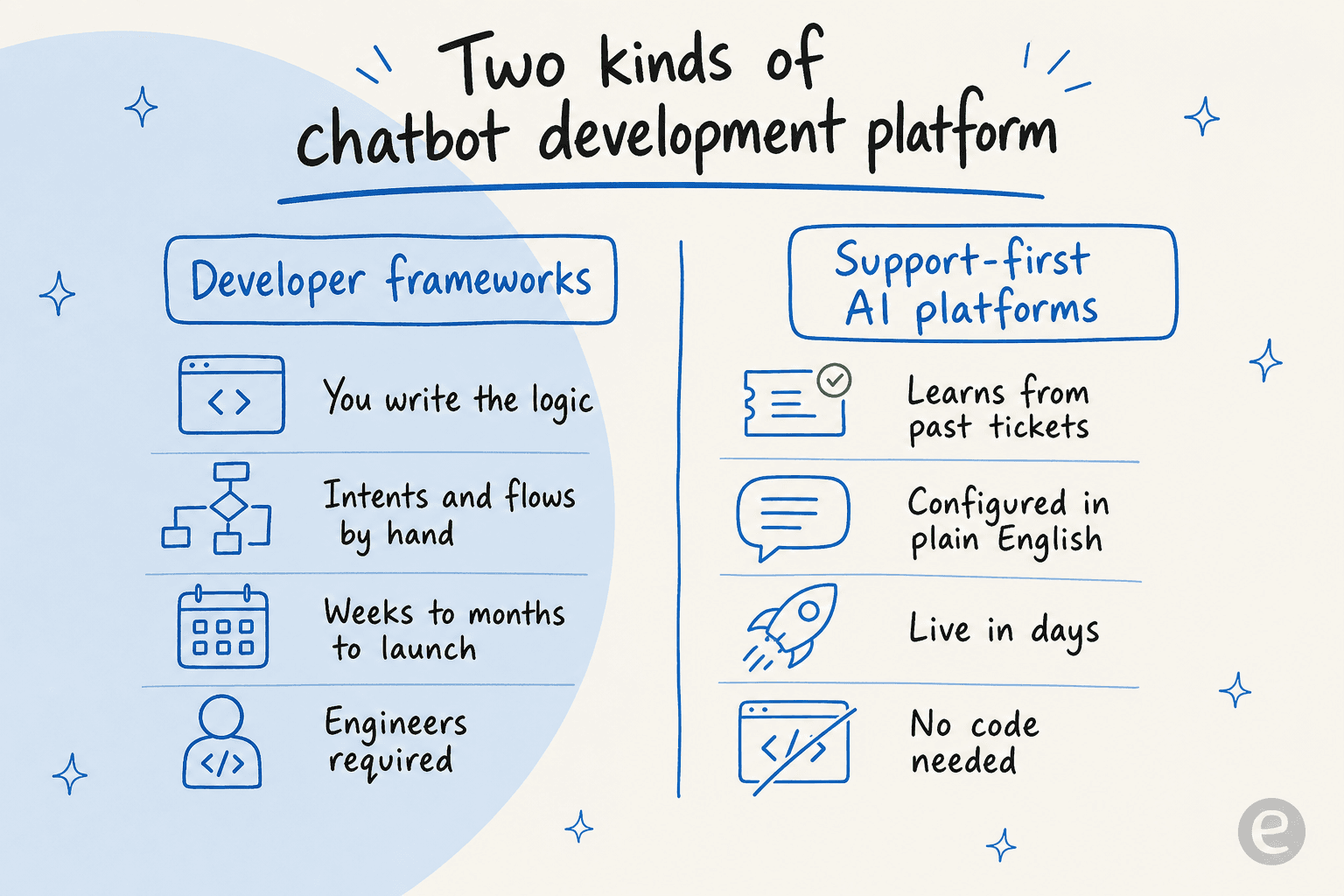
Developer frameworks (Rasa, Google Dialogflow, Microsoft Bot Framework, Botpress) give you the raw building blocks. You define intents, write flows, host the thing, and connect it to your channels. Maximum control, maximum flexibility, and maximum engineering. This is the right family when the chatbot is the product, or when you need behaviour no packaged tool will ever ship.
Support-first AI platforms (eesel AI and similar) come pre-built for one job: answering questions accurately from your own knowledge. You don't write intents; the agent learns from past tickets and help docs. You don't host anything; it lives inside your helpdesk. The trade is less low-level control in exchange for being live in days instead of quarters.
| Dimension | Developer framework | Support-first platform |
|---|---|---|
| Who configures it | Engineers | Support or ops team |
| How it "learns" | You build intents and flows by hand | Trains on past tickets and help docs |
| Time to first live answer | Weeks to months | Hours to days |
| Hosting and infra | You own it | Vendor-managed |
| Helpdesk integration | You build it | Native, out of the box |
| Ongoing maintenance | Yours forever | Vendor's |
| Best for | Custom in-product bots | Customer and internal support |
Neither family is "better." A framework that would be overkill for a support queue is exactly right for a fintech building a bespoke in-app assistant. The mistake is only ever picking on brand recognition instead of on which column your actual job lives in. If your job is deflecting tier-1 tickets, you're shopping the right-hand column, and our list of AI chatbot examples shows what that looks like in practice.
What to actually look for
Once you know your family, the feature checklist gets short and sharp. These are the things that decide whether a support chatbot works in production or quietly gives wrong answers.
It learns from solved tickets, not just help articles. This is the single biggest quality lever. A help center tells the bot the official answer; your resolved tickets tell it how your team actually answers, including the edge cases and the tone. Platforms that only ingest a knowledge base plateau fast. One of our customers at EntryLevel put it plainly: eesel outperformed the native helpdesk AI specifically because it learned from solved tickets, not just the help-center content.
You can test it before it touches a customer. This is where most bots fail silently. If you can't run the agent against your last few thousand real tickets and see exactly what it would have said, you're deploying blind. Simulation on historical data is the difference between a confident launch and a public incident. If you've ever wondered why an AI chatbot is not answering correctly, the answer is almost always that nobody tested it against real questions first.
It knows when to shut up. A good agent answers what it's confident about and escalates the rest, rather than inventing a plausible-sounding wrong answer. A DTC supplements CX lead we spoke with framed the whole thing as a control problem: "The AI will never be able to answer 100% of the questions. I need an AI who is only handling the tickets that it's confident to handle and all the other ones, leave them alone." That instinct is correct, and confidence-based routing is how you enforce it.
It plugs into your stack without a project. A chatbot that can't read your order data, your CRM, or your internal wiki is a glorified FAQ. Native integrations with Zendesk, Freshdesk, Gorgias, Slack, and Shopify mean the bot can actually do things, not just talk about them.
The pricing survives success. Watch out for per-resolution or per-seat models that quietly punish you the moment the bot works. The whole point is to handle more volume; a price that scales linearly with that volume can erase the savings.
How a support-first platform works under the hood
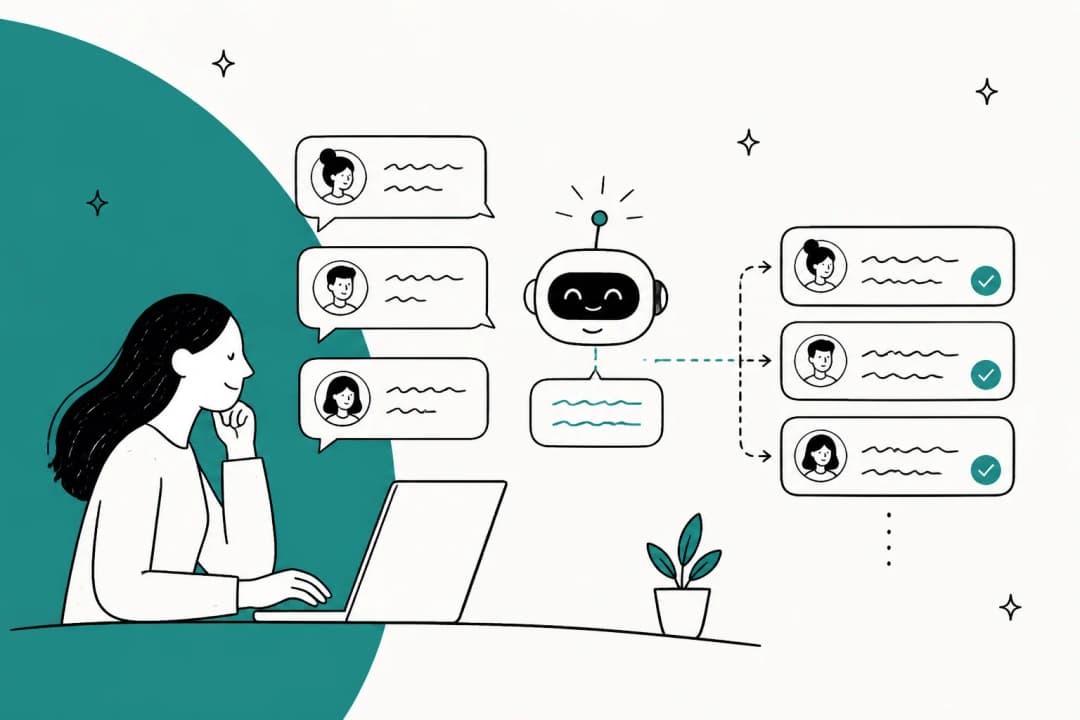
If you've only ever seen the flow-chart style of chatbot building, the support-first approach looks almost too simple. There's no tree of intents to draw. Here's the actual pipeline.
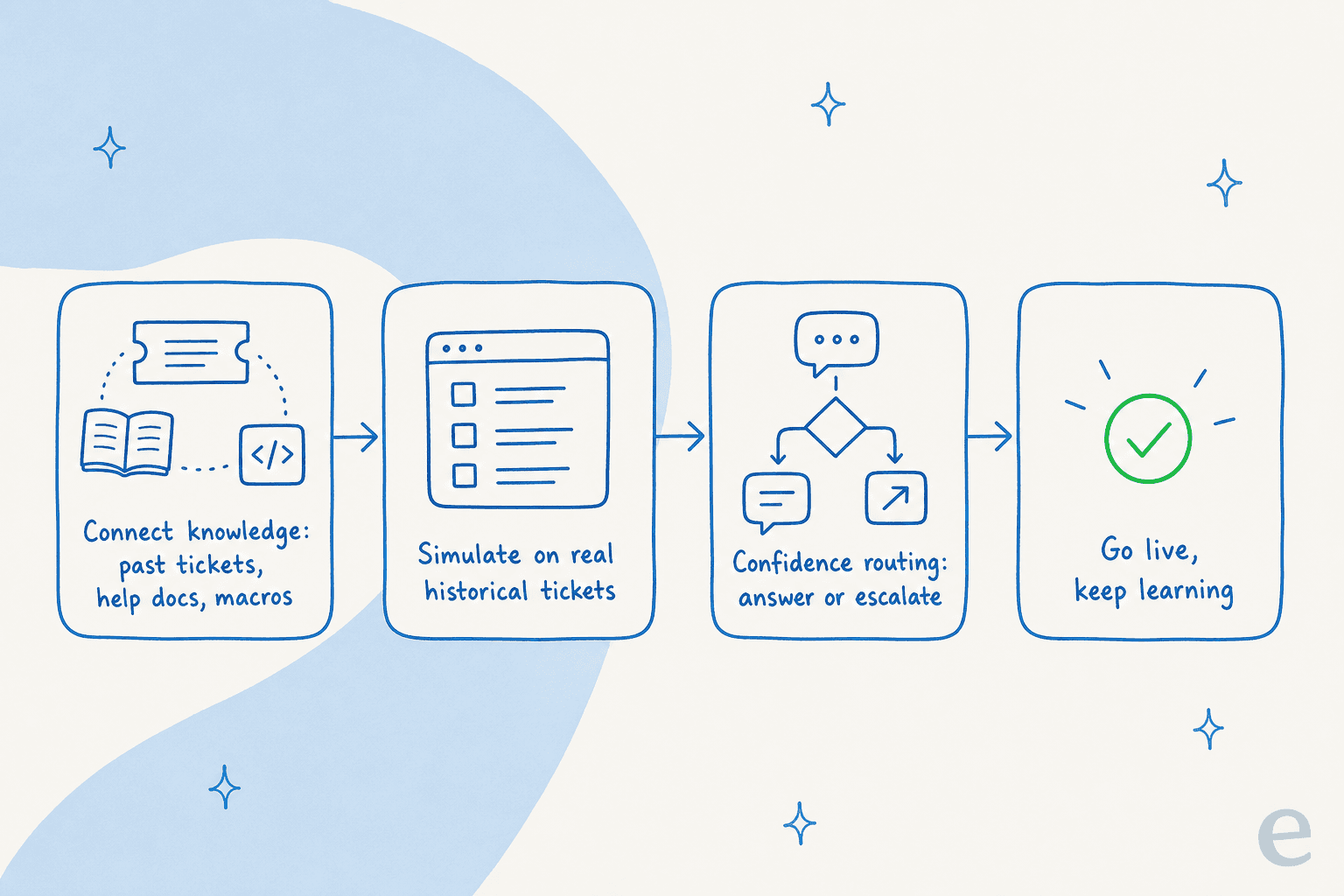
- Connect knowledge. You point the platform at your help center, past tickets, macros, and internal docs. Years of history becomes usable knowledge on day one, no manual intent-tagging.
- Simulate. Before anything goes live, you run the agent over your real historical tickets to see coverage by topic, spot the gaps, and fill them. You get a number for how much it would have handled.
- Route by confidence. In production, high-confidence answers go out; low-confidence ones become a draft for a human or an escalation. This is the guardrail against hallucinations.
- Go live and keep learning. Every correction from your team feeds back in, so the agent gets better on the exact questions your customers actually ask.
The reason this matters for platform choice: with a developer framework, you build every one of those four steps yourself. With a support-first platform, they're the product. Configuration happens in plain English rather than code, which is why a support lead can own it instead of filing an engineering ticket.

The real question: build or buy?
Here's the part most "chatbot development platform" articles skip. The biggest decision isn't which platform, it's whether you should be developing a chatbot at all.
Building your own gives you total control. It also means you own retrieval quality, prompt engineering, hallucination guardrails, every integration, uptime, and a roadmap that never ends. All of that is undifferentiated plumbing unless the chatbot is literally your product. Karel at GENERAL BYTES summed up the calculus better than I can:
"We could try to write our own LLM application but we didn't want to invest our time into that. We wanted something that we would not have to maintain."
Karel, GENERAL BYTES (case study)
That's the whole thing. For a support chatbot, the hard, valuable work isn't the LLM call, it's the retrieval, the testing harness, the escalation logic, and keeping ten integrations alive as their APIs change. A support-first platform is that work, already done and maintained by someone else.
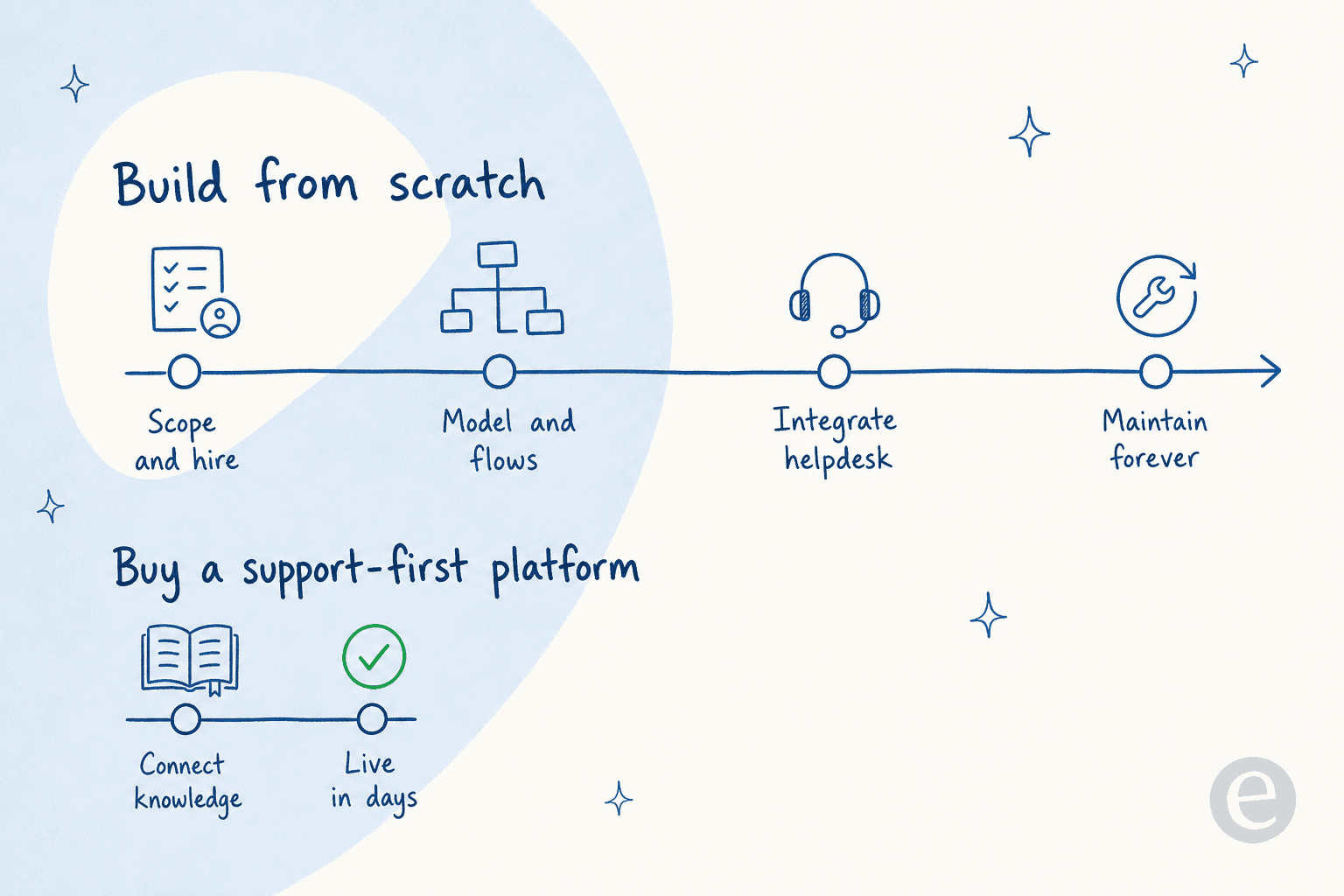
My honest rule of thumb: build when a custom bot is a competitive moat you're willing to staff a team around. Buy when you want tickets answered next week. For most support and IT teams, buying wins so decisively that "which development platform" quietly becomes "which support-first agent," and that's a much cheaper question to get wrong.
To make it concrete, work through where you actually sit:
What these platforms actually cost
Pricing is where the two families diverge hardest, and where the sticker rarely tells the real story.
Developer frameworks look free (many are open source), but the real cost is the engineering team that builds, hosts, and maintains the bot. Packaged support platforms are the reverse: no build cost, but a subscription. Within that, watch the billable unit closely, because "per seat," "per resolution," and "per ticket" produce very different bills at scale.
Here's how eesel's usage-based model works, as one concrete example of the support-first side:
| Item | Price | Notes |
|---|---|---|
| Free trial | $0 | $50 of usage, no credit card |
| Regular task (a ticket or chat) | $0.40 each | One ticket = one task, any number of replies |
| Pay-as-you-go | from $0.40 / ticket | No seat fees, no platform fee, no minimum |
| Annual commit | 25% off | Commit to $300+/month for the year |
| Enterprise | $1,000/month + usage | SSO, HIPAA, BAA, dedicated engineer |
At 1,000 tickets a month that's $400, and you're never charged for tickets your humans handle. The point isn't that eesel is cheapest; it's that a per-ticket model doesn't spike the moment the bot starts working, which per-seat and per-resolution models can. For the full picture of what goes into a build, our breakdown of chatbot development cost walks through the hidden line items.
Try eesel AI
If your goal is answering customer or employee questions rather than shipping a chatbot as a product, eesel AI is the support-first end of this decision. It learns from your past tickets and help docs, plugs into Zendesk, Freshdesk, Gorgias, Slack, and Shopify natively, and lets you simulate against your real ticket history before it ever replies to a customer, so you launch knowing the number.

It's the difference between spending a quarter developing a chatbot and having one answering tickets this week. You can try eesel free with $50 of usage and no credit card, or see how other teams run it in our companies using AI for customer service roundup.
Frequently Asked Questions
What is a chatbot development platform?
How much does a chatbot development platform cost?
Should I build my own chatbot or buy a platform?
What is the best chatbot development platform for customer service?


Article by
Rama Adi
Rama is a software engineer at eesel AI with two years of experience writing about B2B SaaS, AI tools, and customer support technology. Based in Bali, Indonesia, he brings a developer's perspective to product comparisons — cutting through marketing copy to what the integrations and APIs actually do.