Call center quality assurance: how QA scorecards really work

Riellvriany Indriawan

Katelin Teen
Last edited July 7, 2026
What call center quality assurance actually means
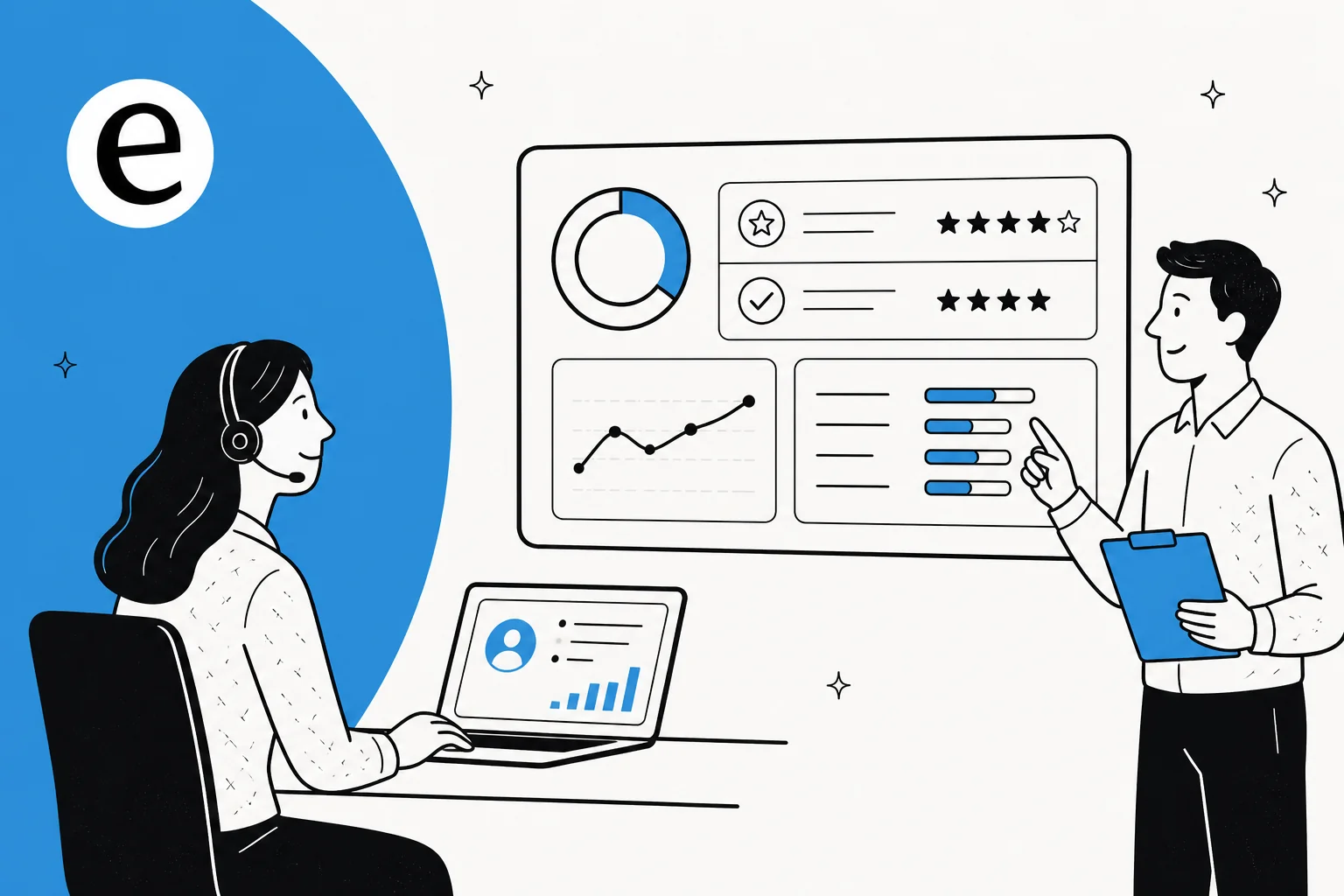
Every support team eventually asks some version of "are we actually doing a good job, or does it just feel that way?" Quality assurance is the answer to that question turned into a process. It's the systematic review of support interactions - calls, chats, emails, tickets - against a defined standard, so that "good service" stops being a vibe and starts being a score a manager can point to.
The mechanism underneath almost every QA program is the scorecard: a structured evaluation form with weighted rating categories that a reviewer - human or, increasingly, AI - fills out after reading or listening to a conversation. As Zendesk puts it, scorecards exist for "evaluating agent performance, identifying areas for improvement, and ensuring that your team meets organizational goals." QA sits alongside workforce scheduling and forecasting under the umbrella term Workforce Engagement Management (WEM) - most vendors, including Zendesk, sell it as one of two or three modules in that suite.
It matters for reasons that compound as a team grows. A team of three agents can be QA'd by a manager who just... reads everything. A team of thirty can't. Scorecards plus sampling are what let a QA function produce comparable scores across hundreds of agents without a manager personally reading every ticket. They're also the raw material for coaching - pinpointing that one agent consistently skips the closing line, rather than a vague "be more thorough" note in a 1:1. And in regulated industries (financial services, healthcare, debt collection), QA scorecards often carry legal weight: a missed disclosure isn't a style note, it's a compliance failure.
The business case isn't abstract, either. On Zendesk's own QA product page, the radio station network Audacy reports a 19% increase in agent productivity and a 15% increase in one-touch resolutions after adopting structured QA; Kahoot! saw CSAT climb 5 percentage points alongside a 150% jump in how many tickets actually got reviewed; Liberty reported +2.3% CSAT and +4% on its Internal Quality Score. None of those are QA-for-QA's-sake numbers - they're what happens when a team can finally see its own blind spots.
How a QA scorecard actually works
Strip away the vendor dashboards and a scorecard is just a weighted average. Each category - accuracy, tone, empathy, grammar, resolution, compliance - gets a rating scale and a weight from 0 to 100. Zendesk's documentation is blunt about the math: "To calculate the review score for an interaction, you multiply each category's score by its weight, then divide the total by the sum of the weights." A team that cares more about root-cause understanding than documentation style just weights root cause higher - the formula does the rest.
The scale you pick trades speed for nuance. Zendesk QA offers four:
| Scale | What it looks like | Best for |
|---|---|---|
| Binary | Good / bad | High volume, fast reviews |
| 3-point | Good / satisfactory / bad | A little more nuance, still quick |
| 4-point | Good / slightly good / slightly bad / bad | Forces a decisive call, no neutral middle |
| 5-point | A–E style grading | Most detailed feedback, slowest to grade |
Two mechanics do most of the heavy lifting in a mature QA program. The first is the critical category - mark "disclosed the cancellation fee" as critical, and a failing score there zeroes the whole review to 0%, no matter how warm and well-spelled the rest of the reply was. That's the lever regulated teams pull to make sure a compliance miss can't get averaged away by good tone. The second is root-cause tagging: instead of just scoring "empathy: bad," a reviewer picks a predefined reason from a list, which is what actually makes QA data useful for coaching instead of just being a number an agent resents.
Zendesk QA's own AutoQA system ships with eight default categories that get scored automatically the moment a ticket closes:
| Category | What it checks |
|---|---|
| Greeting | Did the agent greet the customer? |
| Empathy | Was the agent empathetic to the concern? |
| Spelling and grammar | Mistakes, misspellings, style errors |
| Closing | Did the agent close properly, offer further help? |
| Solution offered | Did the agent propose a fix during the chat? |
| Tone | Classified into 7 root tones (cheerful, supportive, calm, etc.) |
| Readability | Word complexity and sentence length |
| Comprehension | Did the agent actually understand the issue? |
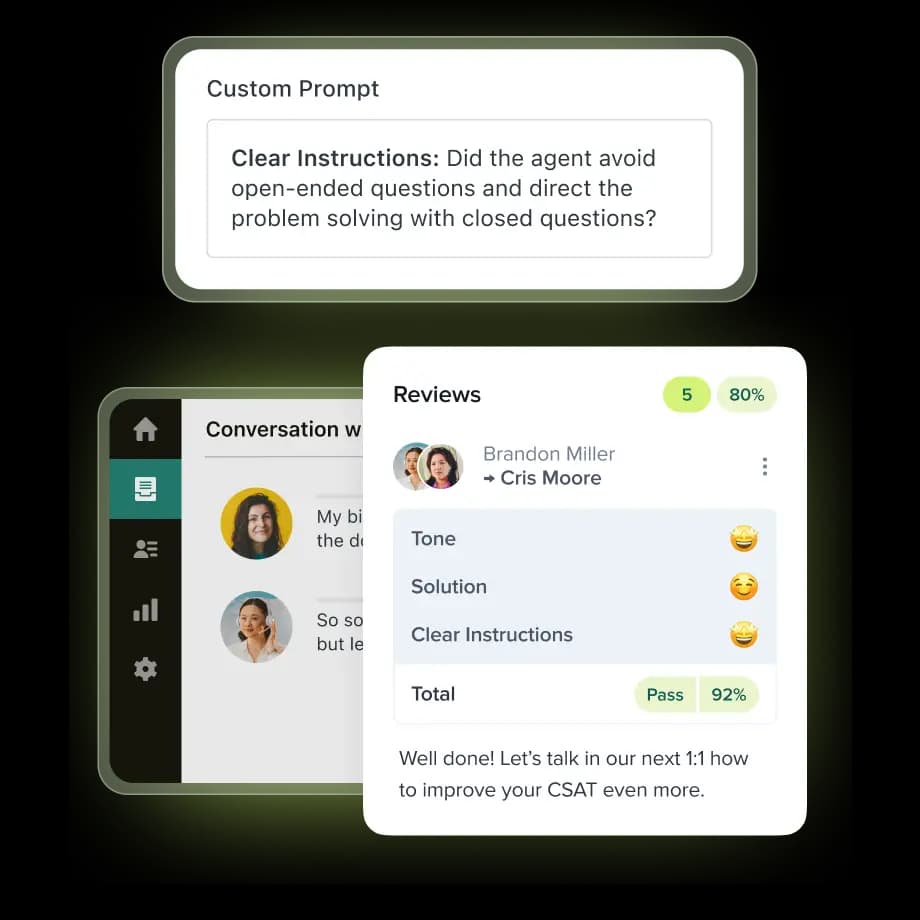
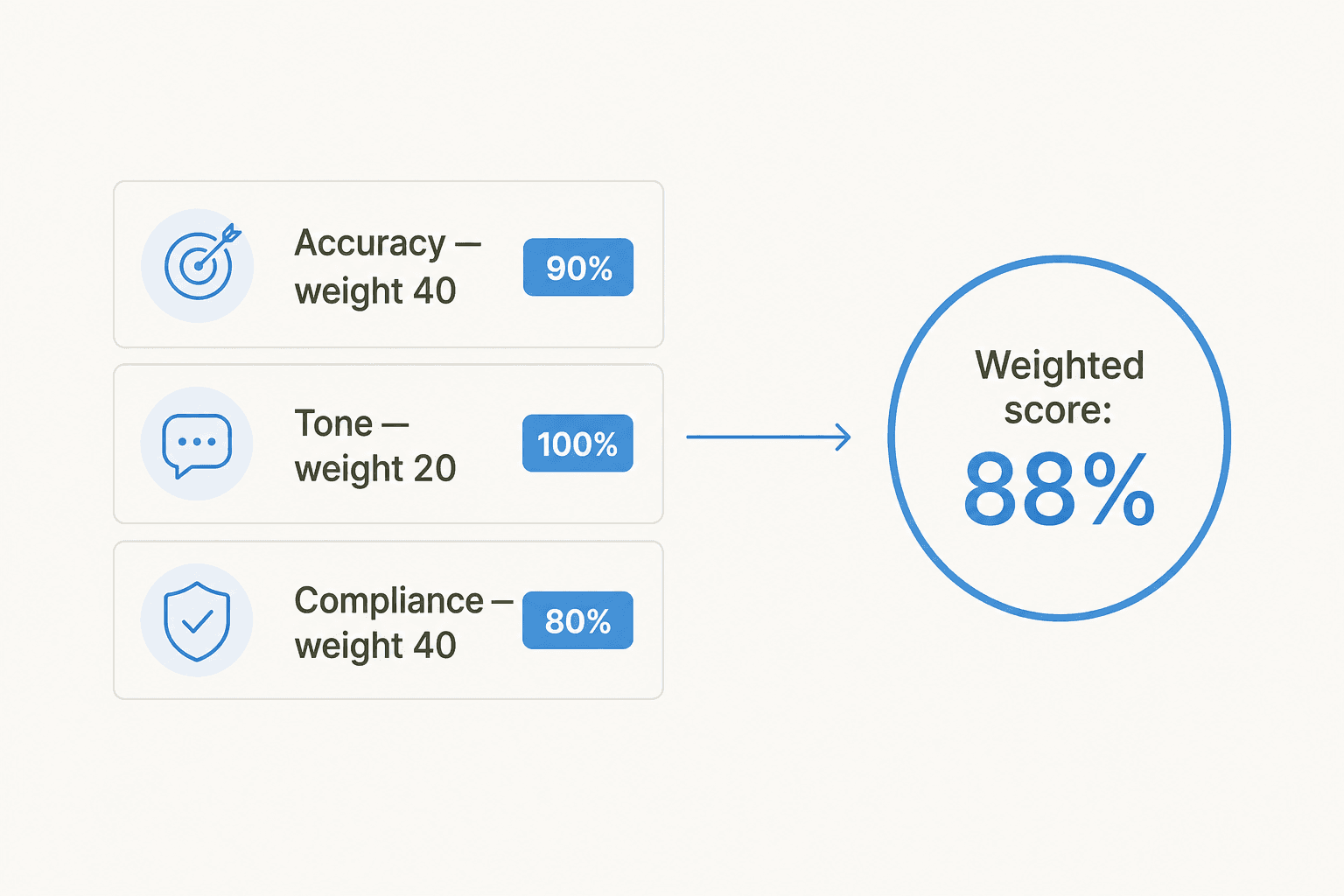
Here's the math in miniature: say Accuracy is weighted 40, Tone weighted 20, and Compliance weighted 40. An agent scores 90% on accuracy, 100% on tone, and 80% on compliance. Weighted out, that's (90×40 + 100×20 + 80×40) ÷ 100 = 88%. Change the weights and the same underlying performance produces a different headline number - which is exactly why calibration (below) matters so much.
Sampling: the math that quietly stopped working
For most of QA's history, a human reviewer couldn't listen to or read every interaction, so teams built the whole discipline around random sampling - pull a handful of tickets per agent per week, score those, extrapolate.
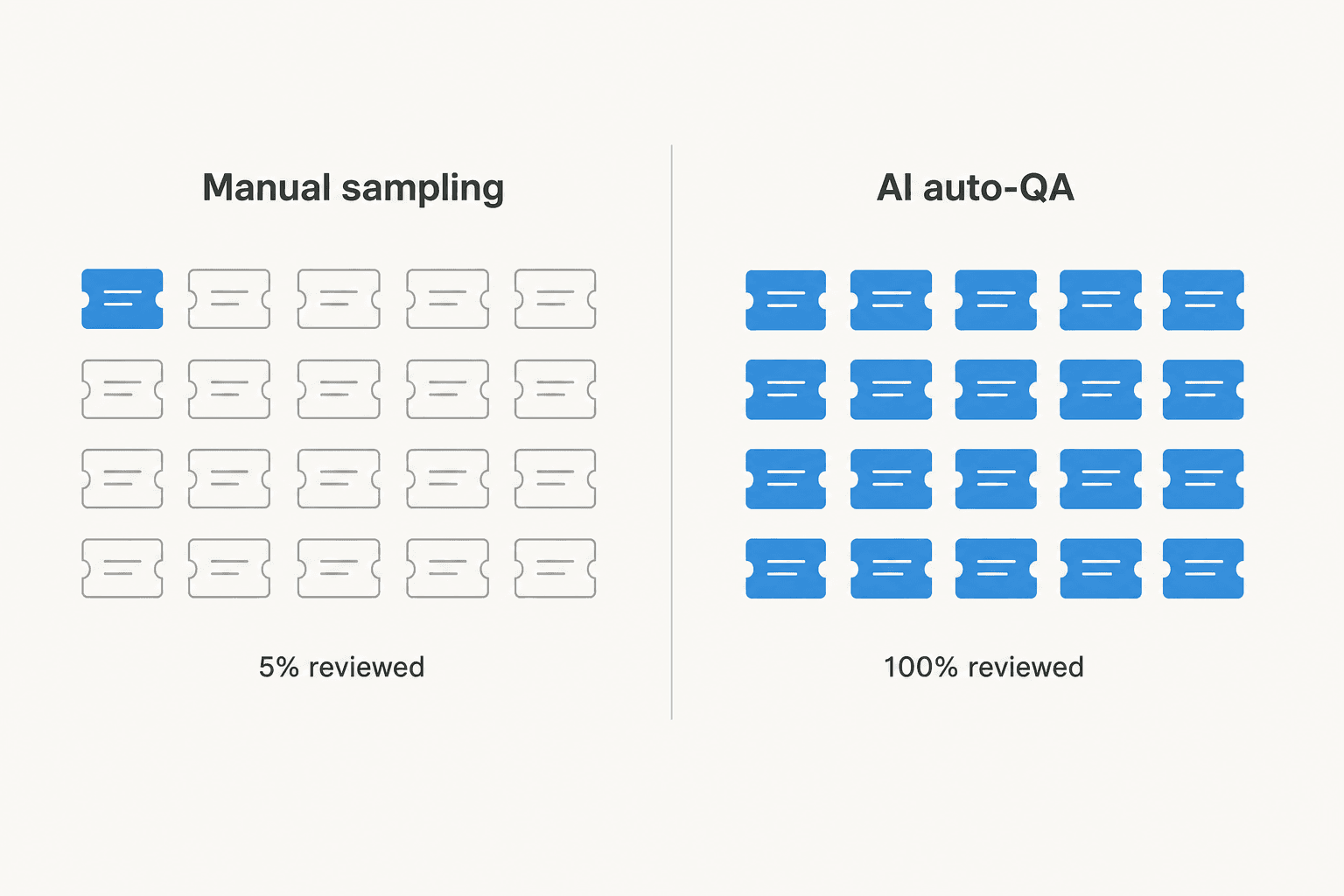
The problem is that the math looks fine at the team level and falls apart at the agent level. Leo Gasperin laid this out plainly in a LinkedIn post describing his own former team: they spent 200 hours a month reviewing tickets against strict criteria and still only covered about 5% of total volume. Reviewing 5-10 tickets a week out of one agent's roughly 500 monthly tickets doesn't produce a statistically reliable read on that agent, even though the overall sampling rate looks acceptable on a QA dashboard. His fix, verbatim: "Audit 100% with AI agents configured as evaluators, then only review the problems." A commenter on the same post, Shubhashree S., put the failure mode in one line: "sampling creates confidence, but not clarity."
That's not a fringe complaint. On G2, a MaestroQA reviewer working as an Executive Director described the before-state directly: "we were doing QA on a random sampling of tickets" before switching to a tool that let her team "perform targeted QAs" instead. It's the same story from a different angle at evaluagent, where a Senior Advisor in aviation support named the exact problem AI auto-QA is meant to fix: it "solves the issue of limited visibility from QA sampling, and reduces the time and effort spent on manual reviews."
Calibration: getting reviewers to actually agree
Scorecards only work if two reviewers scoring the same ticket land in the same place. That alignment exercise is called calibration, and Zendesk's own definition is exactly what it sounds like: "the practice of having all your reviewers rate the same batch of conversations and compare their scores and comments... ensures that your reviewers are aligned in their evaluations, providing consistent feedback to agents regardless of who conducts the review."
Mechanically, it usually runs "review first, then discuss": reviewers score independently, a manager marks one review as the baseline, and the group meets to reconcile gaps - often with a QA lead making the final call on any dispute. What actually needs aligning is rarely the big stuff; it's the edge cases. How do you score a category that never came up in this particular conversation? How long should written feedback be? Calibration scores are deliberately kept out of an agent's live Internal Quality Score and live in their own dashboard, precisely so the exercise stays about training reviewers rather than becoming a second, hidden scoring channel. Most teams run this monthly.
The shift to AI reviewing 100% of conversations
Every major QA vendor I looked at is converging on the same pitch, and it's worth naming plainly: AI reviewing every interaction, replacing manual sampling entirely, while keeping the scorecard-and-calibration structure as the backbone underneath.
Zendesk QA (formerly Klaus) leads with AutoQA - scoring 100% of conversations across voice, chat, email, and AI-agent transcripts, with admins able to write custom prompt-based categories in plain language instead of code. Its Spotlight feature automatically flags churn risk and knowledge gaps without a human reading every flagged thread, and Real-time QA surfaces issues while a conversation is still live rather than after the fact.
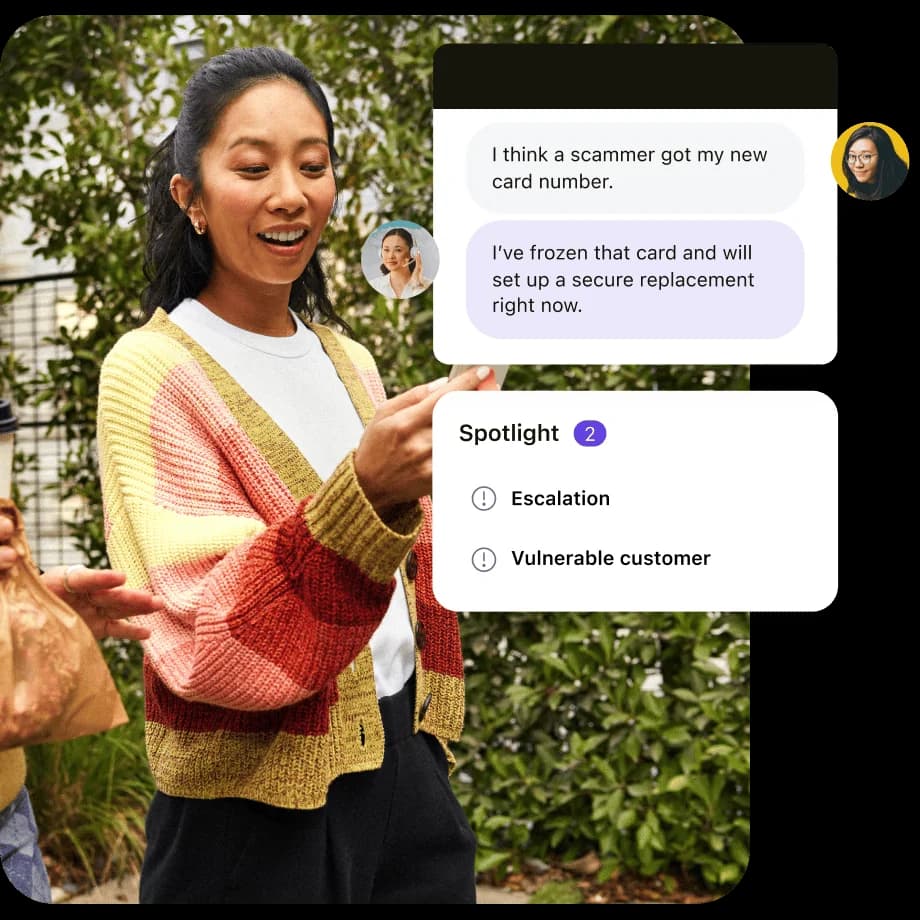
The part I find most telling is AI Agent QA - the same scoring standards used on human agents, applied to bots. Zendesk explicitly compares human and AI agent scores side by side to see where the bot needs work, which quietly confirms something worth sitting with: once an AI agent is handling real tickets, it needs a QA process too, not a pass on account of being software.

MaestroQA has drifted further from "QA tool" branding and now calls itself a conversation-data platform - its own homepage frames the pivot directly: "We started as a Contact Center QA company... Since the arrival of ChatGPT in 2023, analyzing conversation data has become a C-level priority." Its DraftKings case study is framed as replacing manual QA reviews outright, and Brex reports 20x more at-risk customers flagged after rebuilding its QA process around the platform - a jump large enough that, per the case study, Brex's COO reportedly told the team "no more manual QA" after a single preview.
Playvox, now part of NICE, plays a similar role inside a broader workforce engagement suite - flexible scorecards, calibration, and native Zendesk/Salesforce integrations - though its marketing pages actively block scraping, so treat specifics about it as directional rather than verified.
| Zendesk QA | MaestroQA | Playvox | |
|---|---|---|---|
| Positioning | QA add-on to Support/Suite | Conversation-data platform | QA inside WEM suite (now part of NICE) |
| Coverage model | AutoQA scores 100% of conversations | AI review replacing manual sampling | Custom scorecards, unconfirmed AI coverage % |
| Scores AI agents too | Yes - AI Agent QA | Yes - bot/chatbot monitoring | Unconfirmed |
| Calibration | Built-in, baseline comparison | Not the primary focus | Built-in |
| Compliance | SOC 2 Type 2, GDPR, HIPAA-enabled | Not published | Not published |
| Pricing | Add-on, not public | Quote-gated | Quote-gated |
Practitioners on the ground back up the coaching framing more than the grading framing. A MaestroQA reviewer working as an independent contractor put it well: "it stops treating quality reviews like a simple 'pass/fail' test and turns them into a way to actually coach people." And a genuine QA analyst - not a manager, the person actually doing the grading day to day - described two and a half years using MaestroQA "first as an agent, monitoring my quality scores, and now as a Quality Analyst, doing all of the grading," calling the process "extremely straightforward."
It's not friction-free. A Founder in telecommunications flagged a real cost gotcha on G2: "AI features require additional purchase which drives the cost up significantly" - budget for AI scoring as a line item on top of the base QA product, not a free upgrade. And an Operations exec at evaluagent surfaced a smaller but real UX complaint from the agent's side: score notification emails that only say a review happened, without the actual result, which he described as "unsettling" and something that "makes me feel anxious, prompting me to open Evaluagent right away." A QA program that's technically rigorous can still land badly if the agent-facing side of it feels like getting summoned to the principal's office.
When the agent being reviewed is AI, not human
This is where I have some real numbers of my own to put on the table, because it's the exact question a QA program has to answer once an AI agent joins the queue: not "does the AI sound right," but "does it hold up against the same scorecard you'd run on a person."
In a cross-validated trial we ran against real Zendesk traffic for an e-commerce team, eesel's AI hit 93% triage accuracy and 100% spam detection with zero false positives, on an inbox where spam made up 22% of total volume. Draft directional accuracy came in at 88% - meaning the substance of the reply was on track almost nine times out of ten. But only 12% of drafts got sent as-is by agents, and the factual error rate sat at 7%. Category performance varied a lot: returns and refunds drafts were rated useful 93.8% of the time, warranty claims 96.4%, and product inquiries and refund-status lookups both hit 100%.
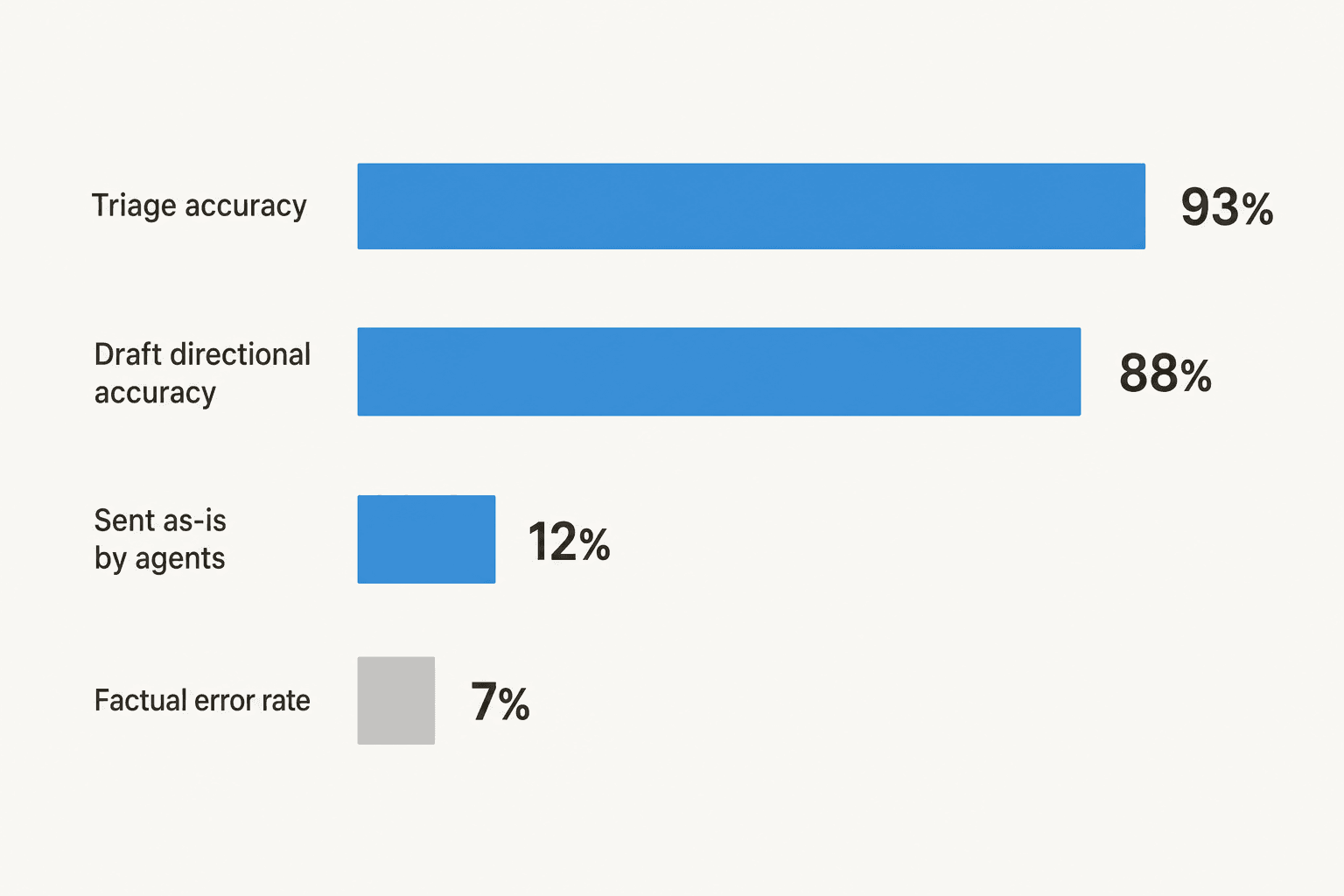
The gap between 88% directional accuracy and 12% as-is adoption is the part worth sitting with. It wasn't that agents didn't trust the AI's judgment - the dominant pattern was "glance and rewrite": agents took an 8-15 sentence draft and cut it down to 1-3 sentences before sending. When we broke that rewriting pattern down, roughly 65% of it was pure length-and-tone editing, fixable by training the agent on the team's own past sent replies. Another 20% needed data the AI simply didn't have connected yet, like live ERP or logistics status. Only about 5% of rewrites happened because the draft was flat-out factually wrong. Training on a sample of 200 recent agent replies moved as-is adoption from 12% toward the 30-40% range in follow-up testing.
I bring this up because it's exactly the kind of pattern a real QA scorecard is built to surface - and exactly the kind of pattern that's invisible if you're only sampling 5% of tickets. If your QA program can't tell you whether your AI agent's drafts are wrong or just stylistically different from how your team writes, you're not actually measuring quality; you're measuring a vibe with extra steps.
That distinction shows up before a customer even sees a live reply, too. One prospect evaluating eesel - a support lead at a Belgian company - built his own 67-test evaluation before trusting the tool with real tickets, rating the knowledge answers "solid" across the board (he ultimately walked for an unrelated reason: chat widget speed, not answer quality). That's a QA process in miniature, run by a buyer rather than a vendor, and it's the instinct I'd want every team evaluating an AI agent to have: don't take "it demos well" as your scorecard.
A practical QA scorecard you can build this week
You don't need a WEM platform to start. A working first scorecard needs four things:
- Pick 4-6 categories that map to what actually matters to your business - accuracy, tone, resolution, and one compliance-critical category if you're in a regulated space. Fewer, well-chosen categories beat a bloated 15-item form nobody fills out consistently.
- Pick binary or 3-point scales to start. Nuanced 5-point scales sound rigorous but slow reviews down and introduce more disagreement between reviewers - exactly the thing calibration exists to fix. Start simple, add nuance once the program is running.
- Weight what actually drives outcomes, not what's easiest to score. If root-cause diagnosis matters more to your renewal rate than a perfectly-punctuated reply, weight it that way - the math doesn't care what's convenient to grade.
- Calibrate before you coach. Run one calibration session with your reviewers on the same 10 tickets before anyone's real score goes out the door. Disagreement here is normal and expected - it's the whole point of doing it first.
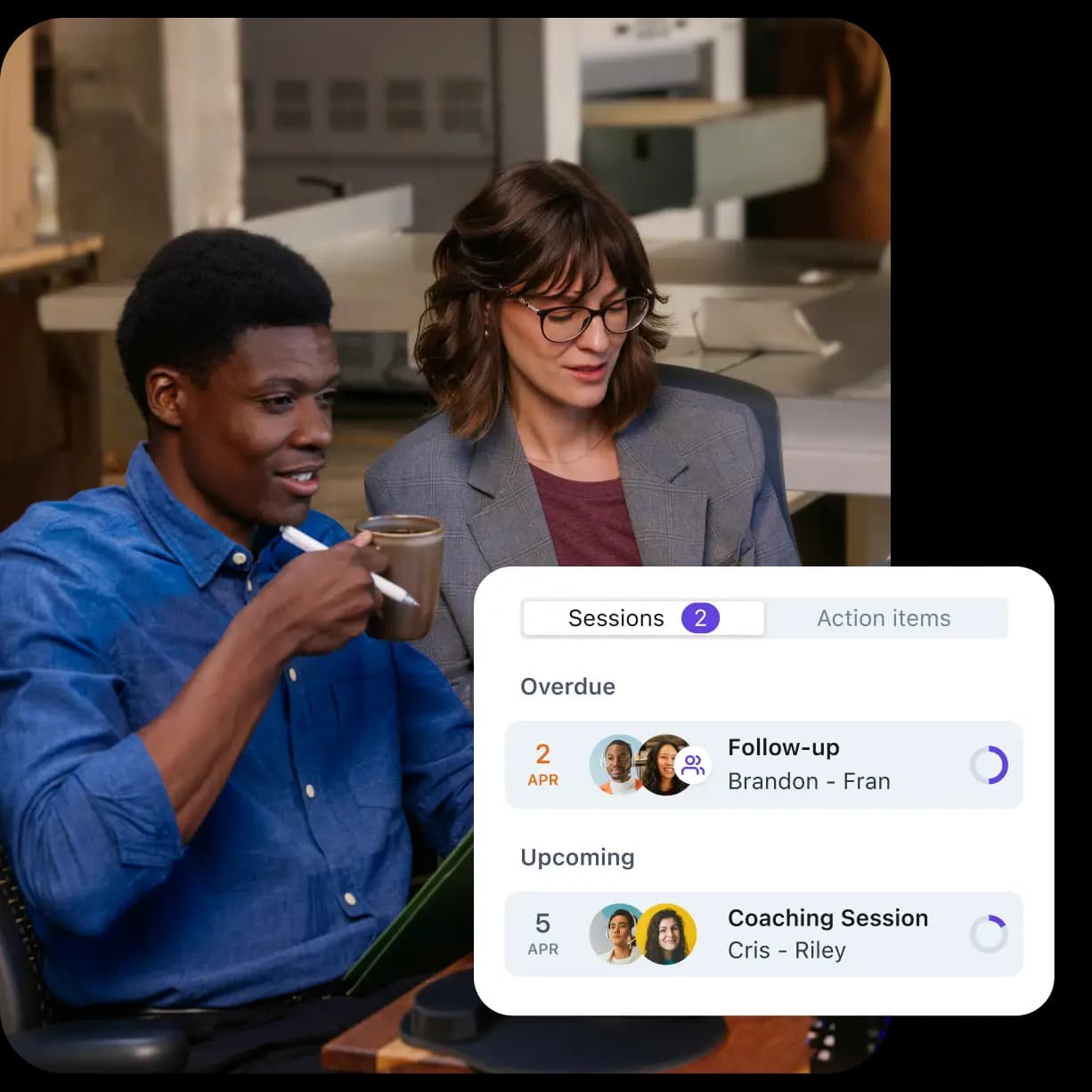
Once that scorecard exists for your human agents, run it against your AI agent too - including any part of your stack handling escalations or call center automation. The same weighted categories, the same critical-compliance rule, the same calibration discipline. An AI agent that's never been held to your actual scorecard is running on vibes, same as an untrained new hire would be.
eesel and quality assurance
I work eesel's support queue, and the honest answer to "should I trust an AI agent's replies without checking" is no - you shouldn't trust anyone's replies without checking, human or AI. That's why eesel builds QA into the rollout itself rather than treating it as a separate program bolted on afterward. Before an agent ever answers a live ticket, simulation mode runs it against your own historical tickets so you can see coverage by theme and catch gaps before a customer ever sees them - the closest thing to a QA scorecard run pre-launch instead of after the fact. Once it's live, confidence-based routing acts as an ongoing QA gate on every single reply: low-confidence answers get held back as a draft for a human to check rather than sent blind, which is the same logic Zendesk's AI Agent QA applies after the fact, just moved earlier in the pipeline.

If you're already running a QA program on your human team and weighing whether an AI agent could hold up to the same bar, that's exactly the conversation worth having - eesel is free to try, and pricing is usage-based per ticket rather than a flat seat fee, so testing it against your own scorecard doesn't require a procurement cycle first.
Frequently Asked Questions
What is call center quality assurance?
What does a QA scorecard actually measure?
How often should QA reviewers calibrate?
Can AI actually do call center quality assurance?
Why does manual QA sampling break down as a team grows?
How much does call center QA software cost?
What's the difference between QA and CSAT?


Article by
Riellvriany Indriawan
Riell is a designer and writer at eesel AI with about two years of experience researching CX platforms, AI chatbots, and helpdesk software. She combines her design background with a sharp eye for how these tools actually look and feel in practice — making her comparisons unusually visual and user-focused.