Live chat etiquette: 9 rules that make support feel human

Riellvriany Indriawan

Katelin Teen
Last edited July 6, 2026
Why chat is harder to get right than it looks
Chat feels casual, which is exactly the trap. On a phone call you have tone of voice; in person you have body language. In live chat you have a blinking cursor and whatever words you type, and the customer fills every silence with the worst-case story. A three-minute gap while you look something up reads as "they've forgotten me." A copy-pasted greeting reads as "I'm a script." A curt "That's not something we support" reads as "go away."
That's the whole reason etiquette matters more here than on any other channel. Good customer service on chat isn't about being formal, it's about closing the gap between what you meant and what the words actually convey. I've read enough bad customer service stories to know almost none of them are about a rep who didn't care. They're about a rep whose words landed wrong under time pressure.
So the rules below are less "be polite" and more "here's how to stop text from making you sound like you don't care."
1. Acknowledge fast, even when you can't solve fast
The single biggest habit: separate the acknowledgement clock from the resolution clock. A customer who gets "Hi Sam, I see your order's stuck in processing, let me pull it up" within 30 seconds is a calm customer, even if the fix takes ten minutes. A customer who waits three silent minutes for a perfect answer is already annoyed before they read it.
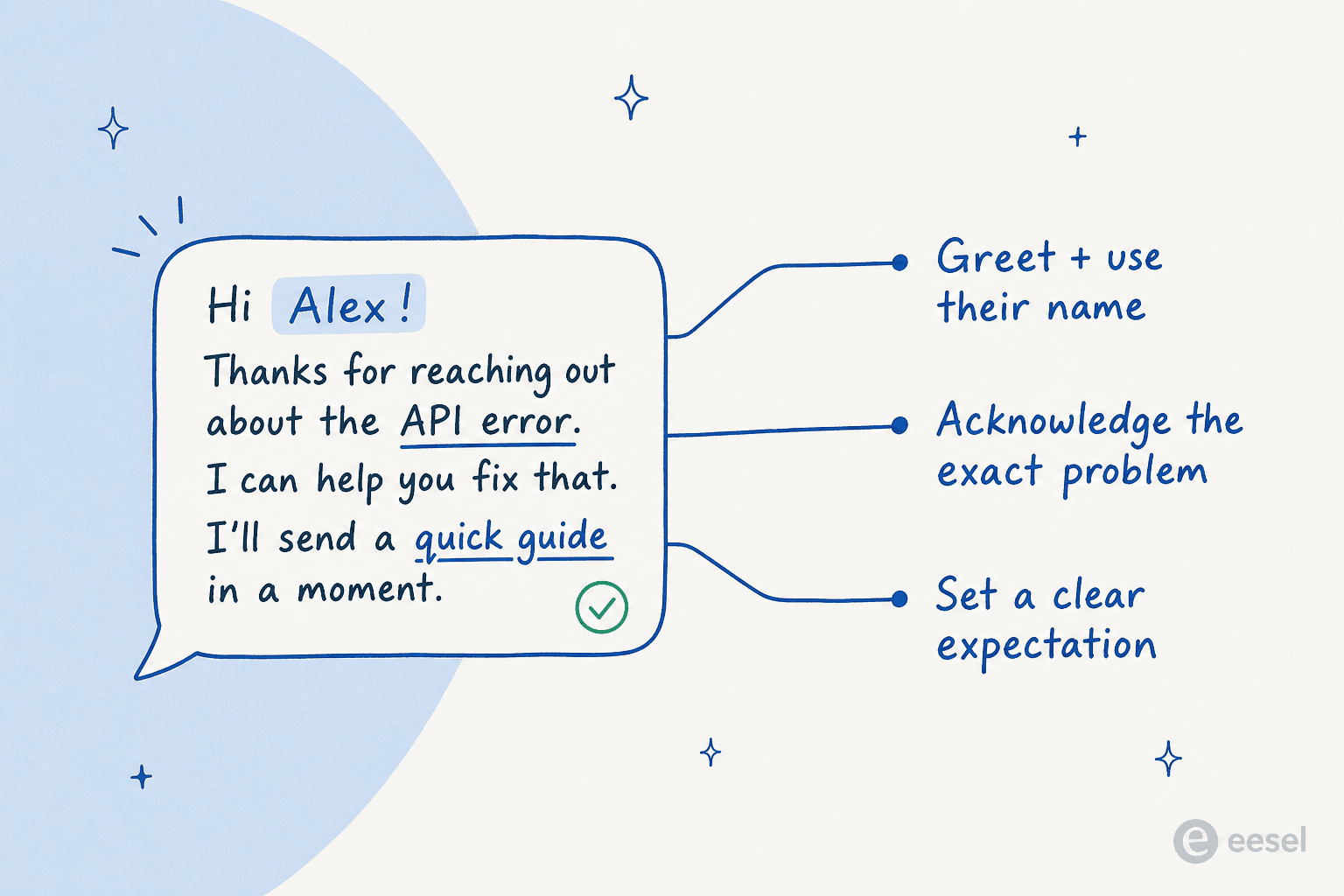
This is also where AI earns its keep. A person can only greet one chat at a time; an AI can send an accurate, specific first reply to every chat the instant it lands. That's why reducing first response time is usually the first win teams see when they add automation to chat: the acknowledgement stops depending on who's free.
2. Write like a person, not a policy
The fastest way to sound like a robot is to reach for the canned response that half-fits. "Your request has been received and is being processed" is technically fine and completely lifeless. "Got it, I'm looking into your order right now" says the same thing and sounds like someone's actually there.
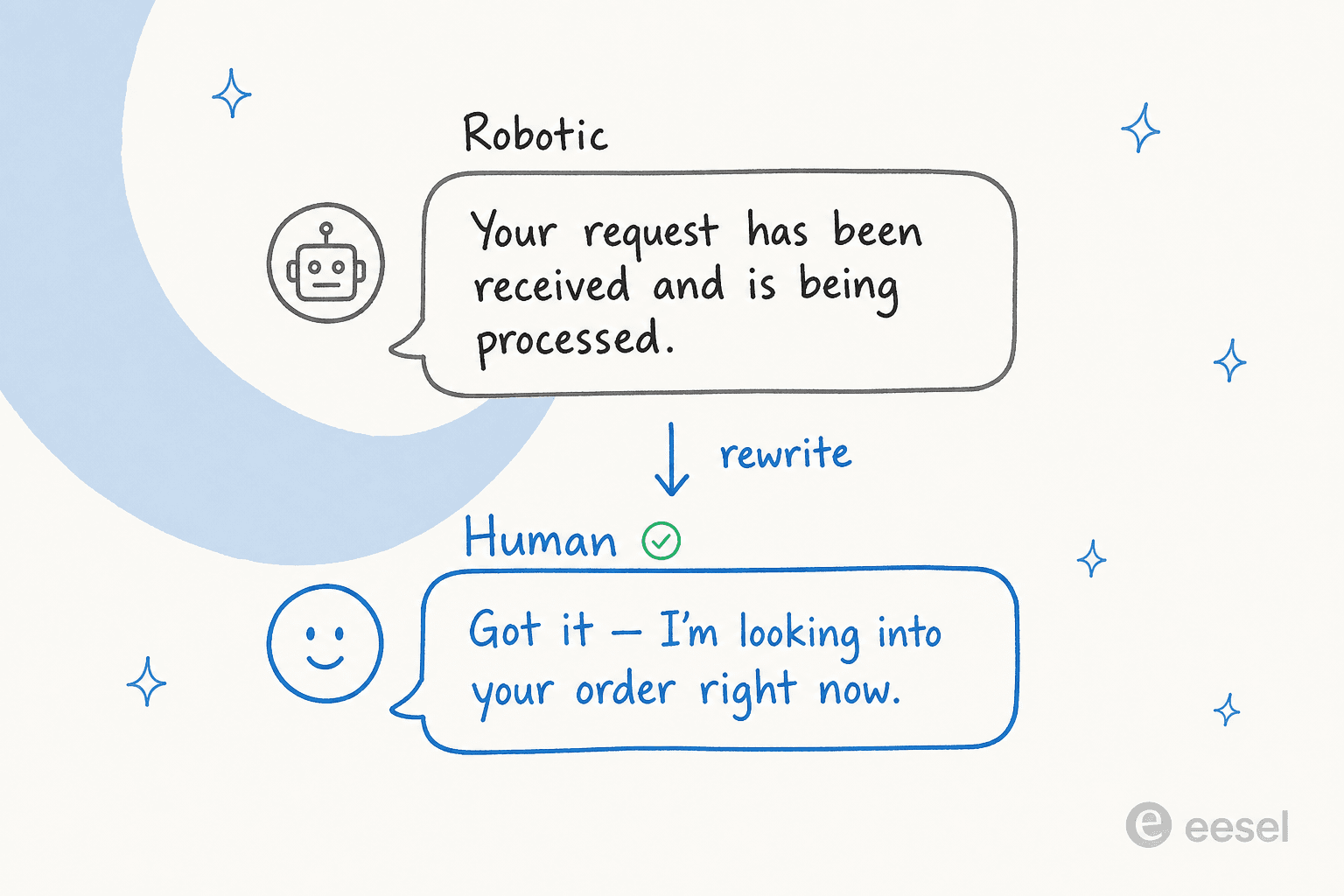
You don't have to be chirpy. Match the customer's register: short and efficient for someone who's clearly in a hurry, a touch warmer for someone who's frustrated. The rule I use is simple: would I say this sentence out loud to someone standing in front of me? If it sounds like a terms-of-service page read aloud, rewrite it. This is the heart of a good customer service mindset: the words are the whole relationship on chat.
Try the rewriter below on a few of your own stock lines.
3. Never go silent, narrate the wait
Silence is the killer. The moment you need to look something up, dig through an internal knowledge base, or check with another team, say so: "Give me two minutes to check this with billing, I won't disappear." Then actually come back inside two minutes, even if it's just "still on it, thanks for waiting."
Customers don't mind waiting nearly as much as they mind wondering whether you're still there. A visible "typing" indicator helps, but words are better. A typing bubble that hangs for 90 seconds is its own kind of anxiety.
4. Read the whole message before you reply
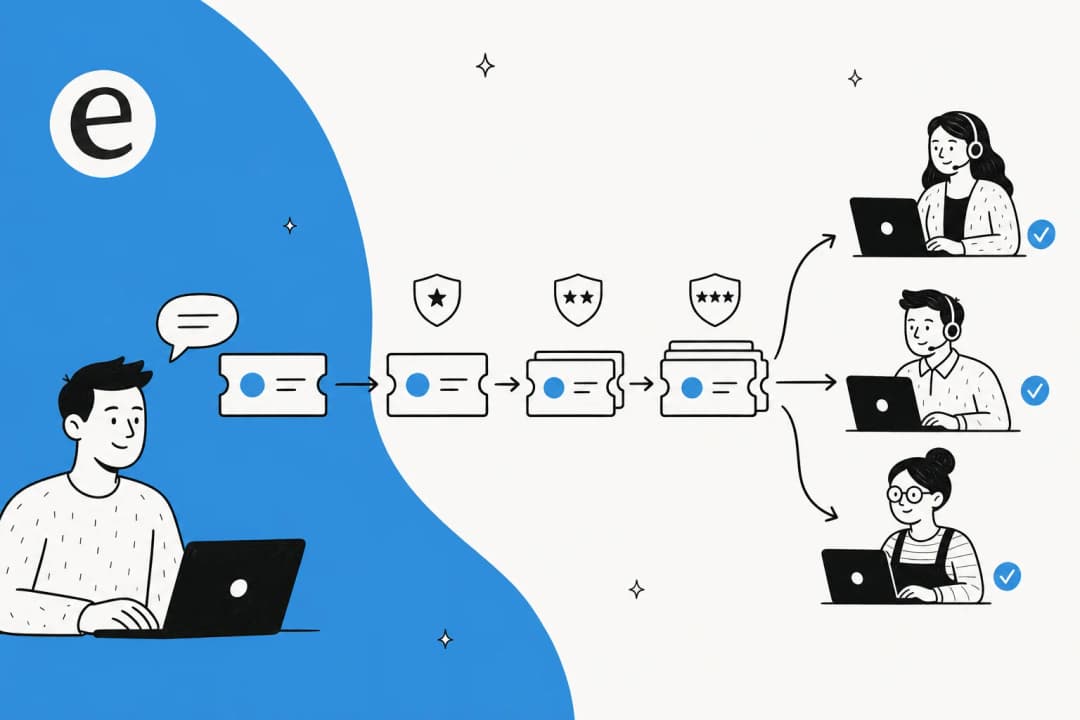
Chat rewards patience in a weird way. Because messages arrive in bursts, it's tempting to fire back at the first line before the customer's finished their thought. Then you've answered the wrong question and you both have to back up. Let them finish, read the full thing, then reply once, completely. This is basic customer service problem solving: solve the actual problem, not the first sentence of it. It's the same instinct behind good ticket triage, just happening live in front of the customer.
5. Be honest when you don't know
"Let me find out" beats a confident guess every single time. Customers have a very good radar for a rep who's improvising, and one wrong "yes" costs you more trust than ten honest "let me checks." This is exactly where a lot of chatbots go wrong, too: they're tuned to always have an answer, so they hallucinate one.
"The AI will never be able to answer 100% of the questions... I need an AI who is only handling the tickets that it's confident to handle and all the other ones, leave them alone."
That's a DTC supplements CX lead describing the exact instinct good human agents already have. The etiquette rule and the AI-config rule are the same rule: only answer what you're sure of, and be upfront about the rest.
6. Decide what AI handles and what a human handles
Here's the 2026 version of chat etiquette, and it's where I've spent the last few years: the split between bot and human. Get it right and customers barely notice the seam. Get it wrong and they either get a robot stonewalling a nuanced question, or they wait in a queue for a human to answer something a bot could've solved instantly.
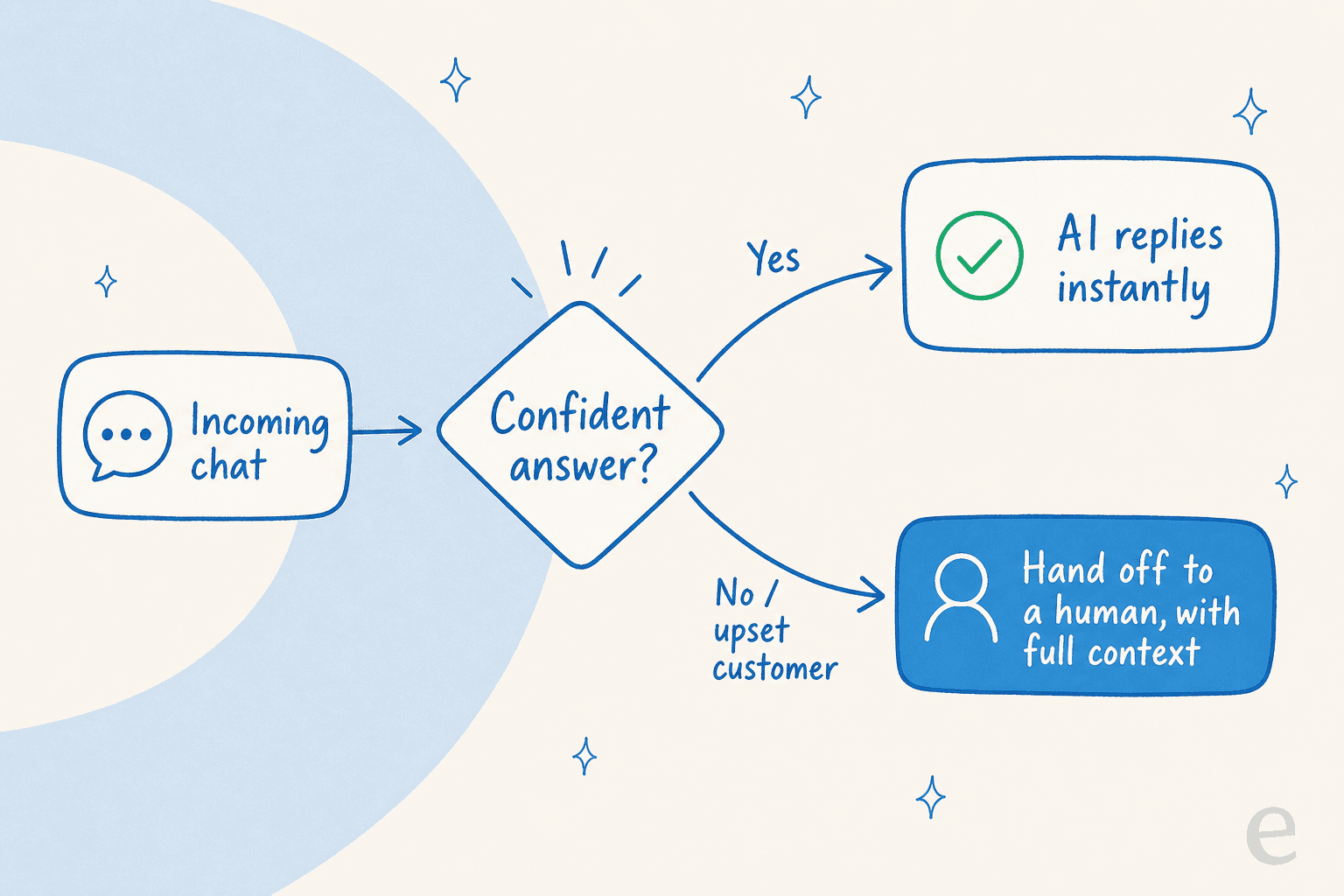
The rule that works: confidence, not category. Don't hard-code "the bot handles returns." Let the AI answer anything it's genuinely confident about, drawn from your real docs and past tickets, and route everything else to a person, quietly. We learned this the hard way; the reason eesel simulates every rollout against thousands of a team's historical tickets before going live is that we've watched confident-sounding bots give wrong answers, and simulating first is how you find those gaps before a customer does.
For teams weighing how much to automate, the honest framing is in our take on AI vs human support: it's not one or the other, it's confidence-based routing between them. That same logic underpins live chat deflection done well: deflect the easy stuff, escalate the rest.
7. Hand off with the full story attached
If rule 6 is deciding when to hand off, rule 7 is how. The cardinal sin of chat is making a customer repeat themselves. When you transfer, whether human-to-human or bot-to-human, the next person should arrive already knowing the name, the order number, and everything tried so far.
I've watched this land as a real complaint: a Zendesk admin told us the AI's draft reply was great but "I don't have a way to approve it," and the friction wasn't the answer, it was the handoff mechanics. Good conversational support treats the transcript as a baton, not a fresh start. If your helpdesk AI drops the full context into the ticket on escalation, the human never has to say "so, can you remind me what's going on?"
8. Close the loop, don't just close the chat
A chat that ends with "Is there anything else? Closing now" feels like a door shut in your face. A chat that ends with "You're all set, that refund lands in 3-5 days. Anything else while I'm here?" confirms the outcome, sets the next expectation, and leaves the door open. Same two seconds of typing, completely different feeling.
If you send a post-chat CSAT survey, this closing line is what the customer is scoring. It's a big driver of the customer service KPIs you actually report on, and it costs nothing to get right.
9. Keep the tone consistent across every channel
Customers hop from chat to email to WhatsApp mid-issue, and it's jarring when the voice changes at each step. The greeting, the sign-off, and the level of warmth should feel like the same company throughout, which is the point of an omnichannel approach, and it applies just as much to a bot's voice as a human's. If you run AI live chat across Shopify stores, a Zendesk widget, and Freshdesk, the etiquette should read identically in each.
For ecommerce teams especially, this consistency is half the battle. The best practices for live chat in online stores mostly come down to sounding like one calm, competent voice no matter where the customer opened the conversation. It's also what makes proactive chat land instead of feeling like a pop-up ambush.
A quick reference
| Situation | Skip this | Do this |
|---|---|---|
| New chat arrives | Wait until you have the full answer | Acknowledge by name in under 30 seconds |
| Need to research | Go silent | "Give me two minutes, I won't disappear" |
| Don't know the answer | Confident guess | "Let me find out" |
| Repetitive tier-1 question | Make them queue for a human | Let confident AI answer instantly |
| Nuanced / upset customer | Force the bot to keep trying | Hand off to a person, with context |
| Transferring the chat | "Please hold for a colleague" | Pass the name, order, and history along |
| Ending the chat | "Closing now" | Confirm the outcome + next step |
None of these are hard. They're just easy to forget at 4pm on a Friday with nine chats open, which is exactly when a bit of AI help on the repetitive stuff keeps the humans human. If you're staffing overnight or across time zones, the same habits are what make 24/7 support feel staffed rather than automated, and they pair naturally with an AI copilot drafting replies for the human to send.
Try eesel for your live chat
If the hardest rule on this list is rule 6, knowing what to automate and what to leave to your team, that's the exact problem eesel exists to solve. It plugs into your existing helpdesk (Zendesk, Freshdesk, Gorgias, Front, HubSpot), learns from your past tickets and help docs, and only auto-replies to chats it's genuinely confident about, handing everything else to a human with the full context attached. So your customers get an instant, on-brand acknowledgement every time, and your team stops burning energy on the same tier-1 questions.
The part I'd flag as the actual differentiator: you can simulate the whole thing against thousands of your real historical chats before it ever talks to a customer, so you see exactly which conversations it would've handled and how, and tune the tone, before going live. Gridwise saw 73% of tier-1 requests resolved in the first month doing exactly this.

Good etiquette scales when the boring chats answer themselves and your people get to be people on the ones that matter. It's free to try, no credit card, and you can watch it work against your own tickets first.
Frequently Asked Questions
What is live chat etiquette?
How fast should you respond in live chat?
What are common live chat etiquette mistakes?
How much should AI handle in live chat?
Does live chat etiquette actually affect CSAT?


Article by
Riellvriany Indriawan
Riell is a designer and writer at eesel AI with about two years of experience researching CX platforms, AI chatbots, and helpdesk software. She combines her design background with a sharp eye for how these tools actually look and feel in practice — making her comparisons unusually visual and user-focused.