What a generative AI chatbot actually is
I build AI agents for a living, so let me strip the marketing off this term.
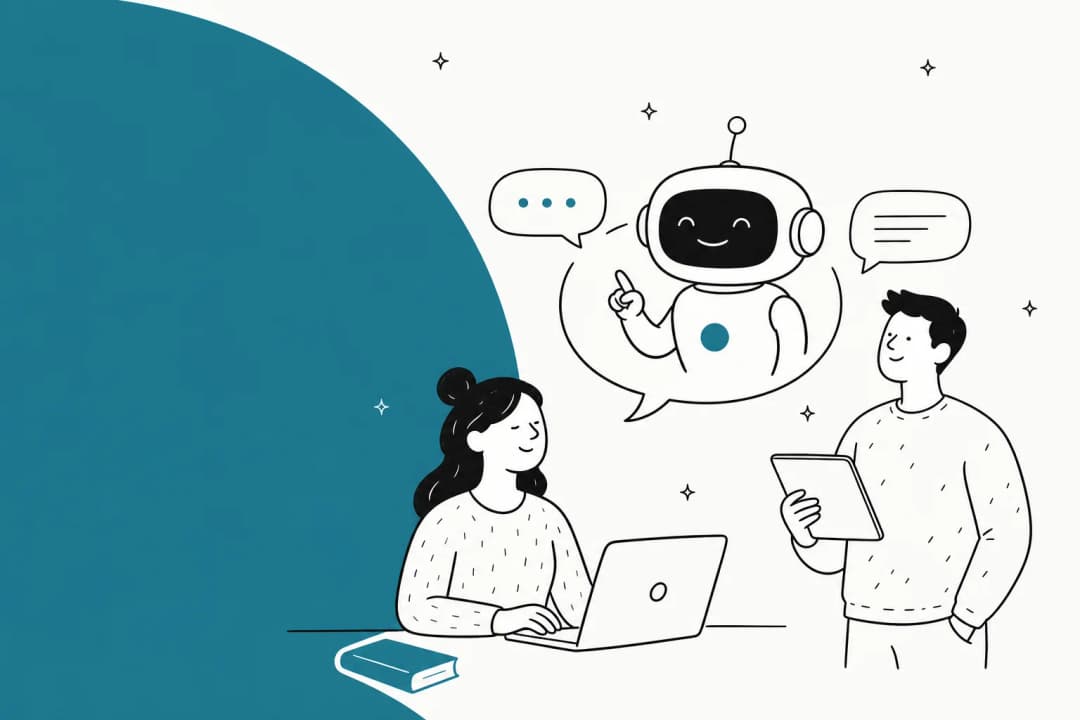
"Generative" points at the engine: a large language model (LLM), the same class of model behind ChatGPT and Claude. Given some text, an LLM predicts and writes new text. A generative AI chatbot for support puts that engine to work on one job: take a customer's message and produce a reply.
The important word is produce. It isn't retrieving a canned answer from a list. Each reply is composed fresh, in response to the exact wording the customer used, which is why the same bot can answer "where's my order" and "hey it's been 8 days and my package still hasn't shown up??" with the same underlying knowledge but different, natural phrasing.
That's the leap from the conversational AI of a few years ago. And it's a real leap, not a rename, which is the first thing worth being clear on.
Generative vs the old rule-based chatbots
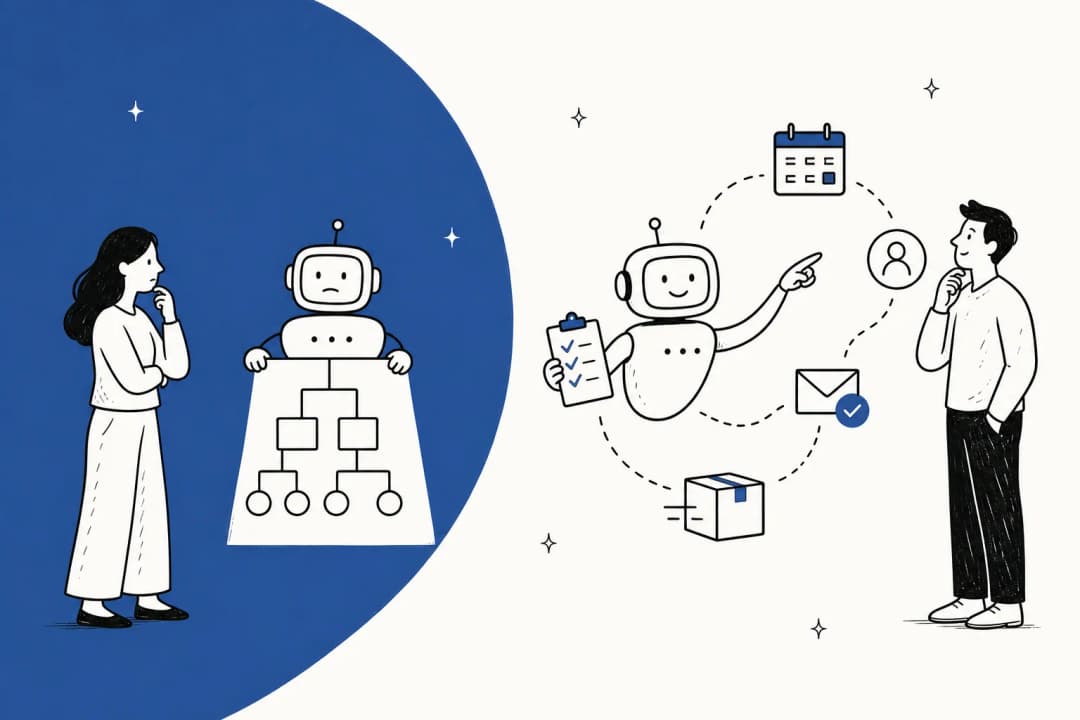
If you deployed a "chatbot" before 2023 and hated it, it was almost certainly rule-based. Someone drew a decision tree: if the customer clicks "Returns", show this menu; if they type "refund", fire this canned reply. It works right up until a customer says something the tree didn't anticipate, and then you get the infamous "Sorry, I didn't understand that."
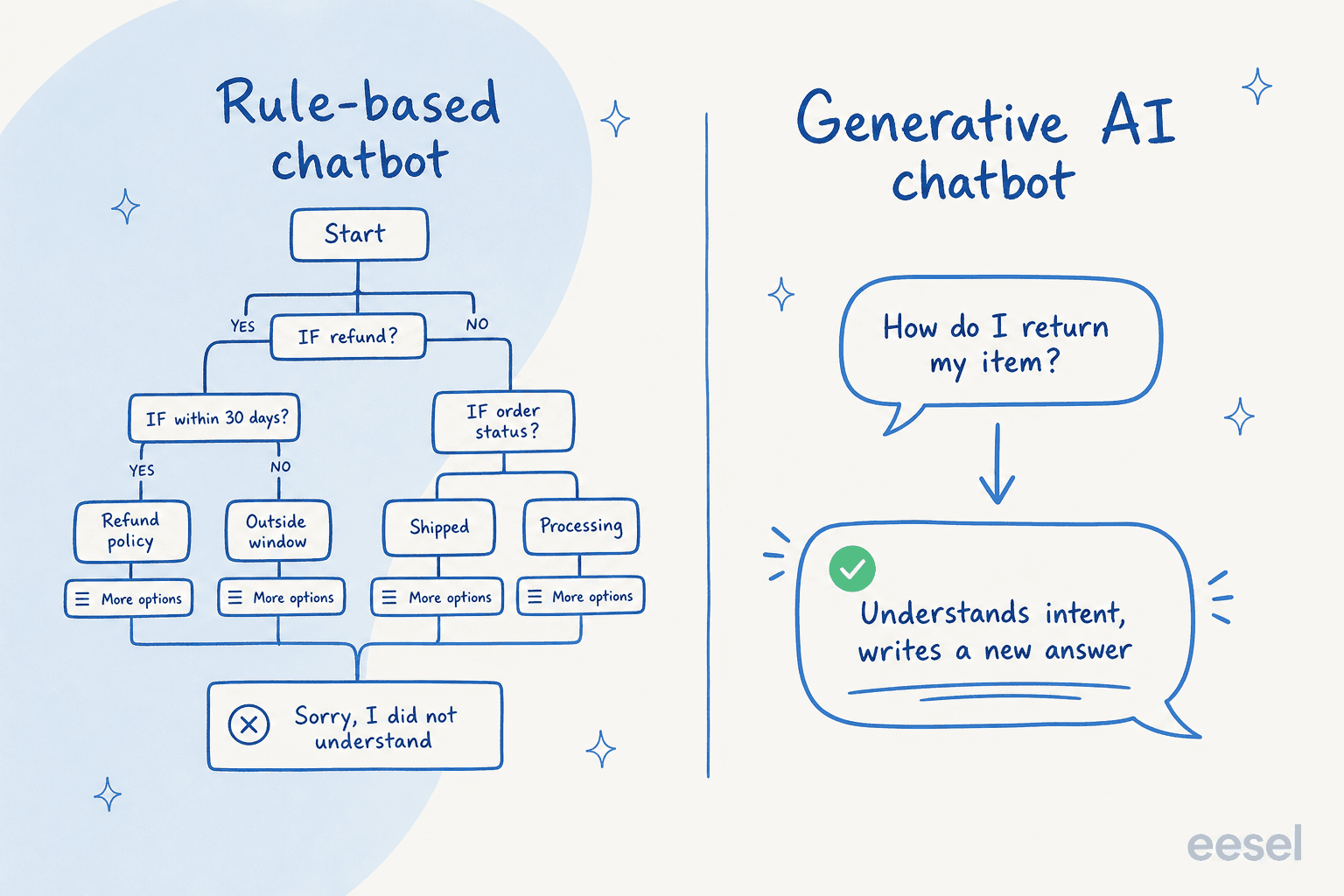
A generative bot throws the tree out. There's no menu to fall off, because it reads intent from the raw message and writes an answer to that. The practical upshots:
- It handles wording you never scripted. Typos, run-on sentences, two questions in one message, a different language entirely: it copes because it's reading meaning, not matching keywords.
- It sounds like a person, in your voice. You can tune tone, and every reply reads as prose rather than a stiff template.
- It gets better from your history. Point it at solved tickets and it learns how your team actually answers, not just what your help center says.
The honest trade-off: a rule-based bot can only ever say what you told it to, which is limiting but also perfectly predictable. A generative bot is far more capable and, left unchecked, less predictable. That tension is the whole story of doing this well, and it's why I've written a longer piece on AI agents vs rule-based chatbots if you want the deep version.
How a generative AI chatbot answers a ticket
Here's the part most explainers skip. A support-grade generative bot is not "just ChatGPT with your logo." A raw LLM knows a lot about the world and nothing about your refund policy, so on its own it would either refuse or invent. The architecture that fixes this is retrieval-augmented generation, or RAG.
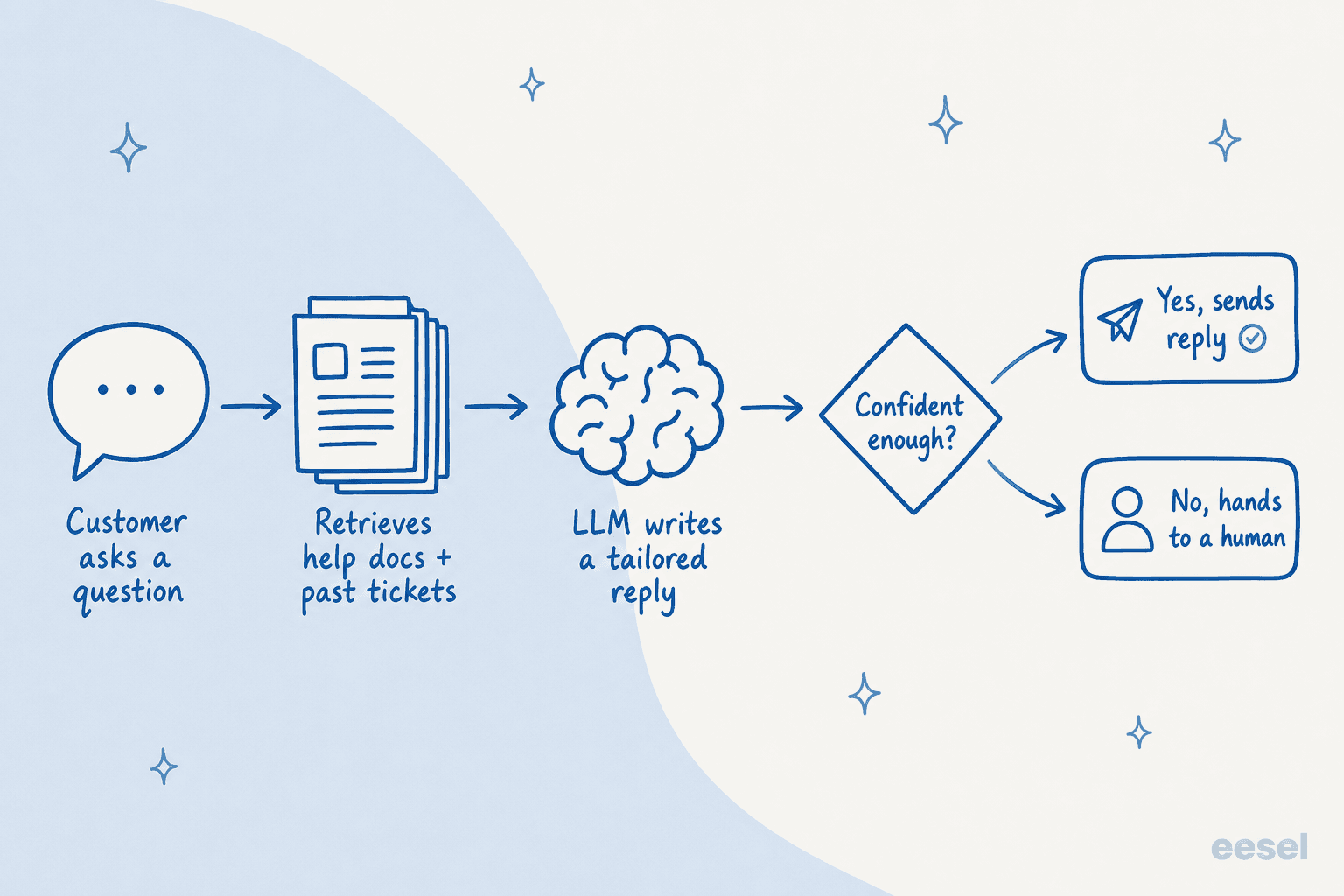
Walk it left to right:
- The customer asks. In their words, on whatever channel, in whatever language.
- The bot retrieves. It searches your grounded knowledge, help center, past tickets, macros, internal docs, and pulls the passages relevant to this question.
- The LLM writes. It composes a reply using only what it retrieved, so the answer reflects your actual policy, not the internet's average guess.
- A confidence check runs. The system scores how sure it is.
- It sends or escalates. Confident answers go out; shaky ones become a draft for a human or a clean handoff.
That retrieval step is why grounding matters so much, and why the difference between RAG and a bare LLM is the difference between a bot that cites your docs and one that hallucinates. If you're evaluating tools, one of the sharpest questions to ask is what exactly does it learn from: help center only, or help center plus your solved tickets? The tools that learn from your knowledge base and your ticket history answer far more like your best agent.

What they get right
When the grounding and routing are set up properly, the numbers are the reason teams bother.
A gig-economy driver-analytics app running on Zendesk (around 1,300 interactions) resolved 73% of tier-1 requests in its first month, with results showing up inside a 7-day trial. That's the shape of the win: the repetitive, high-volume tier-1 questions ("where's my order", "how do I reset this", "what's your return window") are exactly what a generative bot is good at, and they're also the bulk of most queues.
"In the first month, eesel is resolving 73% of our tier 1 requests... our team implemented and achieved results quickly during our 7-day trial."
Kim Simpson, Gridwise (G2 review)

It's not only about deflection, either. Even when a human sends the final reply, a generative bot can triage the incoming ticket, tag it, draft a suggested response, and hand the agent a running start. In one real-traffic trial I looked at (a German jewelry retailer doing ~1,000 tickets a month on Zendesk and Shopify), the bot hit 93% triage accuracy and caught 100% of spam with zero false positives, even while agents kept a hand on the final send. That "copilot" mode is often where nervous teams start, and it's a perfectly good place to begin.

For a sense of scale, the same engine runs on both ends of the size spectrum: one lender processes 100,000+ German-language tickets a month through a fully automated Zendesk agent, while a small team can deflect its most repetitive questions from day one. If you want a wider view of who's doing this, I keep a running list of companies using AI for customer service.
The hard part: making it trustworthy
Now the honest bit, and the reason a lot of these projects go sideways.
A generative model will always try to answer. That's its nature. Left to answer everything, it will occasionally be confidently wrong, and one bad automated reply to a billing question erodes more trust than ten good ones build. The single biggest objection I hear from buyers isn't "will it work", it's "I can't let it loose on everything." One CX lead at a DTC supplements brand on Gorgias (around 7,000 tickets a month) put it perfectly:
"The AI will never be able to answer 100% of the questions... I need an AI who is only handling the tickets that it's confident to handle and all the other ones, leave them alone."
a CX lead at a DTC supplements brand, from an eesel sales call
That's the correct instinct, and it's exactly what good tooling gives you. The mechanism is confidence-based routing: the bot scores each ticket and only acts within a band you set.
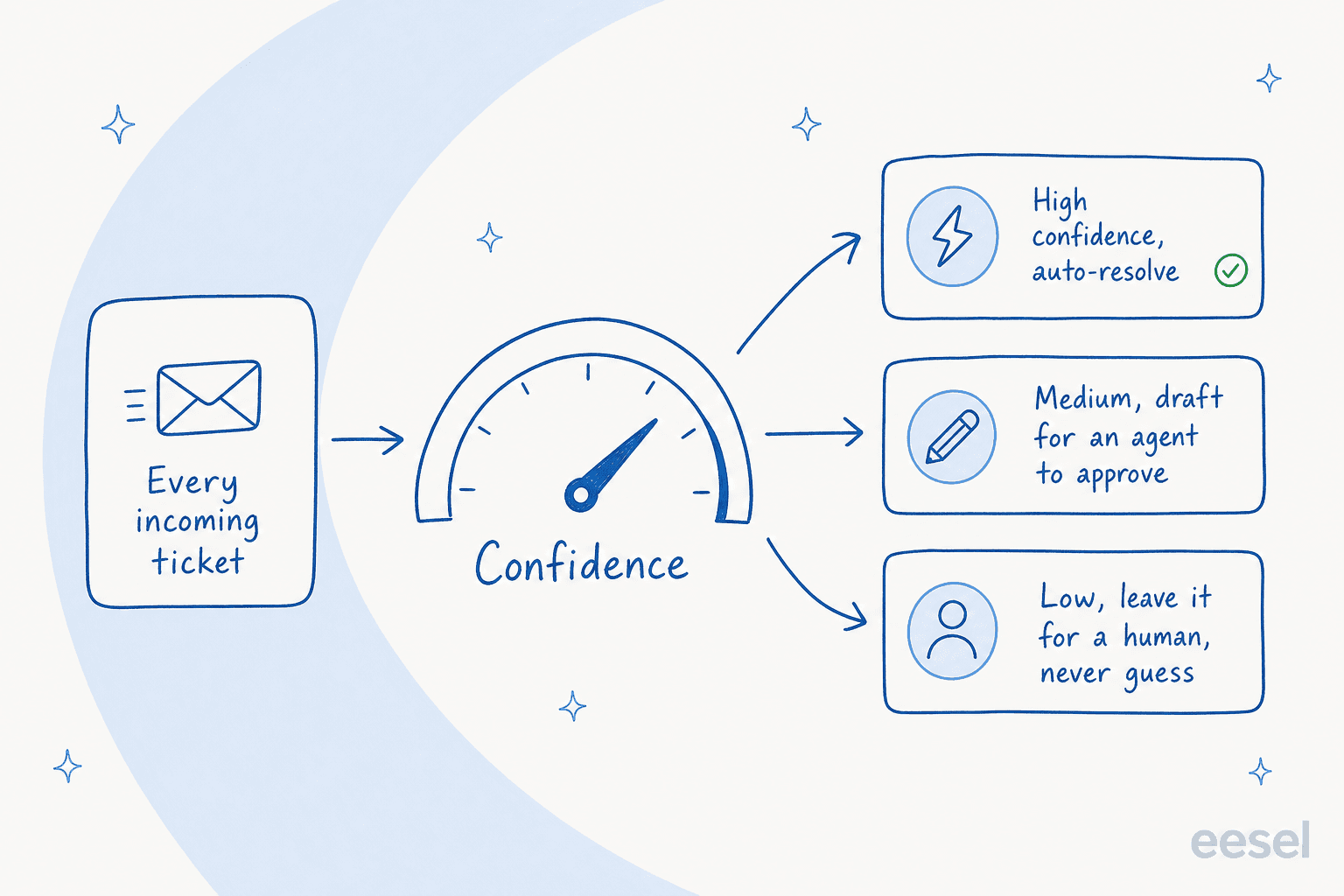
The things I'd insist on before trusting any generative bot with live customers:
- Confidence thresholds you control. High confidence can auto-resolve, medium becomes a draft, low is left alone. Never "answer everything or nothing."
- Topic exclusions. You should be able to say "never touch refunds over $X" or "leave anything mentioning cancellation to a human." Plenty of buyers ask for exactly this.
- Clean handoff to a human. When it steps back, the customer shouldn't feel it, and the agent should get the full context.
- A visible learning loop. When an agent edits or rejects a draft, that correction should improve future answers, and you should be able to see that it did.
Get these right and hallucination stops being a scary abstraction and becomes a dial you set. If you want the failure modes spelled out, I went deep on why AI chatbots answer incorrectly.
How to roll one out without it going wrong
The mistake I see most often is flipping a bot to "auto-reply to everyone" on day one. Here's the sequence I'd actually follow.
- Connect it to where support already lives. A good generative chatbot plugs into your existing helpdesk and website chat rather than asking you to migrate. If a tool wants you to rebuild your stack, that's a red flag.
- Feed it real knowledge. Help center, solved tickets, internal docs. The knowledge base is the ceiling on answer quality, so this step is not optional.
- Simulate on your own history before going live. This is the step almost everyone skips and shouldn't. Run the bot against thousands of past tickets to see, concretely, what it would have replied and what its resolution rate looks like by topic. It turns "we hope it's good" into a number you can look at.

- Start narrow, then widen. Turn on autonomy for a few safe, high-volume topics first. Watch the metrics, then expand the confidence band as you build trust.
- Review and coach. Keep an eye on the drafts and rejections in the first weeks; the bot gets noticeably better when it learns from your corrections.
I've watched confident-sounding bots quietly give wrong answers, which is precisely why simulating against historical tickets first is non-negotiable for me. It's the cheapest insurance there is.
What a generative AI chatbot costs
Pricing is where the fine print bites. Vendors bill per resolution, per conversation, per seat, or per ticket, and those units are not the same thing, so a "cheap" per-conversation plan can cost more than a per-ticket one once volume is real. Read the billable unit before the sticker number. My rundowns on chatbot cost and AI vs human agent cost go through the math.
The other trap is per-resolution pricing that punishes you for success: the more the bot resolves, the bigger the bill, which makes budgeting a guessing game. I prefer models that are predictable. eesel prices at one fixed monthly rate, from $299/month for 500 credits (1 credit per ticket or chat), with no per-seat fees, so the cost scales with volume in a way you can forecast. Full detail lives on the pricing page.
Try eesel AI
If you've read this far, you already know what to look for: a generative bot that grounds its answers in your own knowledge, routes by confidence, and lets you prove it works before it goes live. That's the whole design of eesel AI.
It plugs into the helpdesk you already run, Zendesk, Freshdesk, Gorgias, HubSpot, Jira, and 100+ more, learns from your solved tickets and docs on day one, and lets you simulate on past tickets so you see the resolution rate before a single customer is affected. The confidence routing means it only answers what it's sure of and hands everything else to your team.

You can start free, connect your helpdesk, and run a simulation in an afternoon. If you want to see it working inside your own workflow, the fastest path is to try eesel on your real tickets.
Frequently Asked Questions
What is a generative AI chatbot?
How is a generative AI chatbot different from a normal chatbot?
Can a generative AI chatbot make things up?
How much does a generative AI chatbot cost for customer support?


Article by
Kira
Kira is a writer at eesel AI with a Computer Science background and over a year of hands-on experience evaluating AI-powered customer service tools. She focuses on breaking down how helpdesk platforms and AI agents actually work so that support teams can make better buying decisions.