How to deploy conversational AI (without breaking support)

Kira

Katelin Teen
Last edited July 6, 2026
What "deploying conversational AI" actually involves
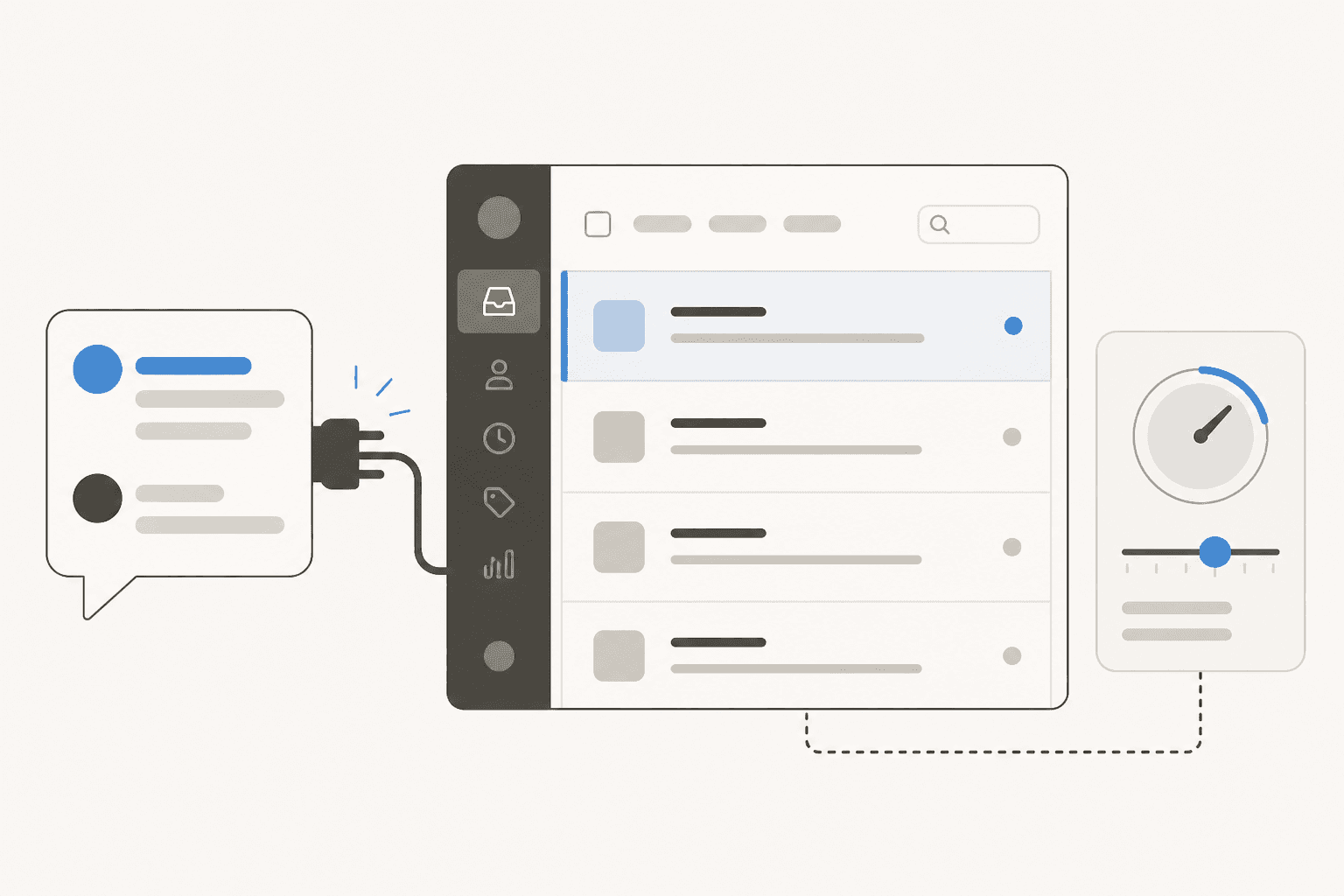
Let me clear up one thing first, because it changes everything about how you plan the project. Deploying conversational AI is not the same as building a chatbot flow. A rule-based chatbot is a decision tree you draw by hand, so the "deployment" is mostly you clicking through branches. A conversational AI agent reasons over your knowledge and answers free-text questions, so the deployment work moves somewhere else entirely: into the knowledge you feed it and the guardrails you put around it.
I've spent the last few years watching AI go live on real support queues, and the pattern is consistent. The teams who struggle are the ones who treat go-live as the finish line. The teams who succeed treat it as the start of a gradual handover, where the AI earns more volume as it proves itself. The technology is rarely the blocker in 2026; the process around it is.
So this guide is built around five steps that map to how a deployment actually goes, not how the sales deck says it goes.
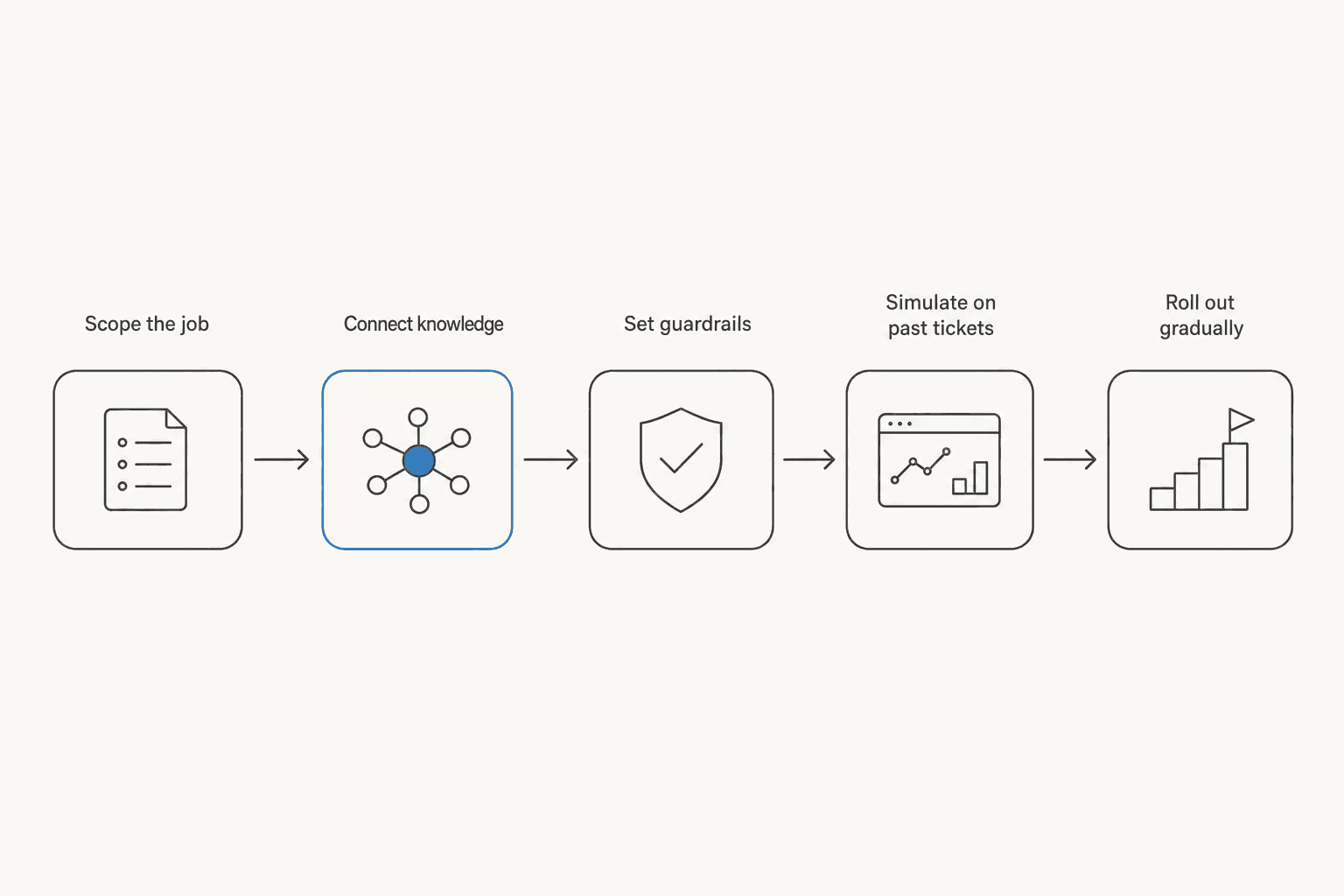
Step 1: Scope the job before you touch a tool
The most expensive mistake is aiming for 100%. One support manager I came across framed the goal perfectly: he wanted to "create an application that will be able to handle 60% of the incoming tickets and know when to pull a real person in." That sentence is a better project brief than most six-page requirement docs, because it names a number and an escape hatch.
Start by looking at where your volume actually sits. For most teams, a small handful of topics dominate: order tracking, refunds, password resets, subscription changes. An ops lead at a DTC supplements brand doing about 7,000 tickets a month described the same reality, that the queue is mostly "WISMO, subscription management, basic product questions." Those repetitive tickets are your deployment target. The gnarly edge cases are not, at least not yet.
Write down two things before you go further:
- The ticket types you want automated (be specific: "where is my order," not "shipping stuff").
- A target resolution rate you'd call a win. Somewhere in the 40-60% range is realistic for a first deployment on tier-1 volume.
This scope becomes the yardstick for everything after. Without it, "is the AI good enough?" is unanswerable, and the project drifts.

Step 2: Connect real knowledge, not a hand-written FAQ
Here's the step that separates a conversational AI that sounds like your team from one that sounds like a generic bot. The knowledge you connect is the deployment. Everything else is plumbing.
There are three sources worth connecting, in rough order of value:
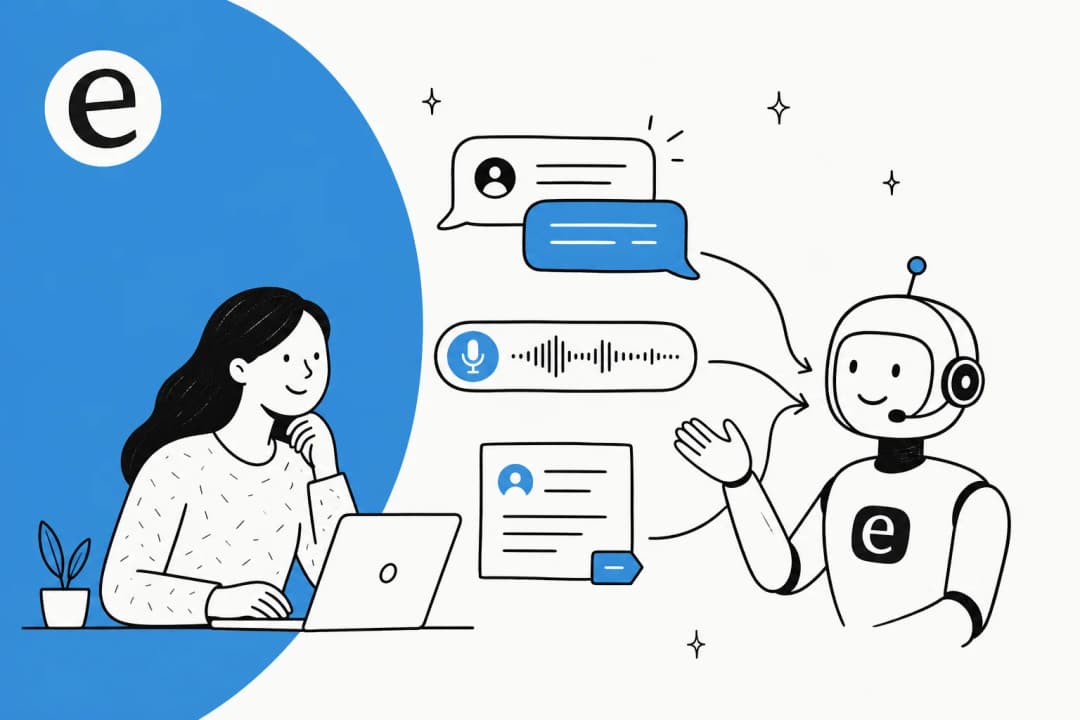
- Past resolved tickets. This is the one people underrate. Your historical tickets contain the real answers your agents actually gave, in your real voice, including the fixes that never made it into a help article. Training on solved tickets, not just help-center content, is what makes the difference between a bot that parrots the docs and one that resolves the ticket.
- Help center and docs. Your public knowledge base and internal wikis. Watch for a subtle trap here: one team discovered their entire knowledge base was "written for administrators, but support tickets come from end-users," so the AI kept giving technically-correct answers to the wrong audience. Deployment is a good moment to notice gaps like that.
- Back-end tools. Order systems, Shopify, CRM, internal APIs, so the AI can look up this customer's order rather than explain the returns policy in the abstract.
A good deployment tool connects all of this through existing integrations rather than a data-export project. When you're evaluating, the question to ask is how the AI learns from tickets and docs, and whether it keeps learning from corrections after go-live.

Step 3: Set guardrails, especially confidence-based routing
If you take one thing from this guide, take this. The number one reason conversational AI deployments blow up is an agent that answers confidently when it should have stayed silent.
The clearest statement of the problem I've seen came from a CX lead at a supplements brand weighing up automation:
"The AI will never be able to answer 100% of the questions, but if it tries and just answers 'sorry I don't know this,' I cannot go and check all my 7,000 tickets to see if the AI actually made a good answer. I need an AI who is only handling the tickets that it's confident to handle and all the other ones, leave them alone."
That is the whole ballgame. The fix is confidence-based routing: the AI only auto-replies when its confidence clears a threshold you set, and everything below that gets drafted for a human or escalated cleanly. It's the difference between a deployment you can trust and one you have to police.
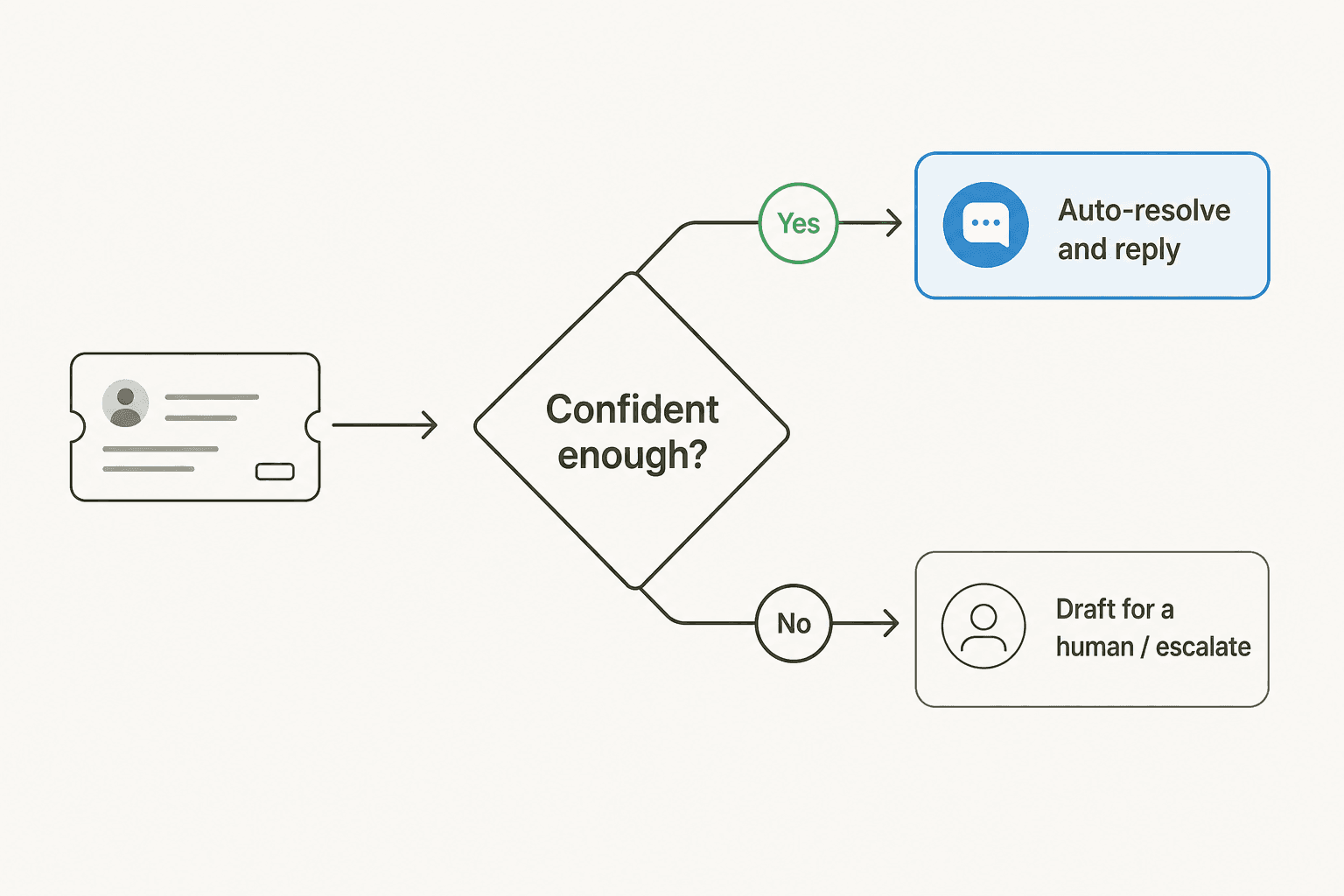
While you're here, set the rest of your guardrails:
- Ticket-type exclusions. Some topics should never touch AI (billing disputes, anything legal or medical). Being able to fence those off is non-negotiable for regulated teams.
- Tone and brand voice. How the AI sounds when it does reply.
- A clean human handoff. When the AI steps back, the customer shouldn't feel the seam.
Guardrails are not the boring compliance part of the project. They are the part that decides whether your team trusts the thing enough to actually let it run.
Step 4: Simulate on past tickets before a customer sees it
This is the step most deployment guides skip, and it's the one that lets you deploy on evidence instead of vibes.
Before you route a single live ticket, run the configured AI against a large batch of your historical tickets and see what it would have done. You get a coverage number by topic, you find the gaps, and you fix them, all without a customer ever being on the receiving end of a bad answer. This is how you turn "I think it's ready" into "it would have resolved 54% of last month's tickets, here are the 46% it wouldn't."
Simulation also gives you a real forecast. Instead of promising leadership a vague "the AI will help," you can say what share of volume it will handle and roughly what that saves, before spending a dollar on live traffic. It's the closest thing deployment has to a dress rehearsal.

If a tool can't show you what it would do against your own history, you're being asked to test in production on real customers. That's the deployment pattern that produces the horror stories.
Step 5: Roll out gradually, then expand
You've scoped, connected, guarded, and simulated. Now resist the urge to flip everything to "fully autonomous" on day one.
A gradual roll-out looks like a staircase, not a switch:
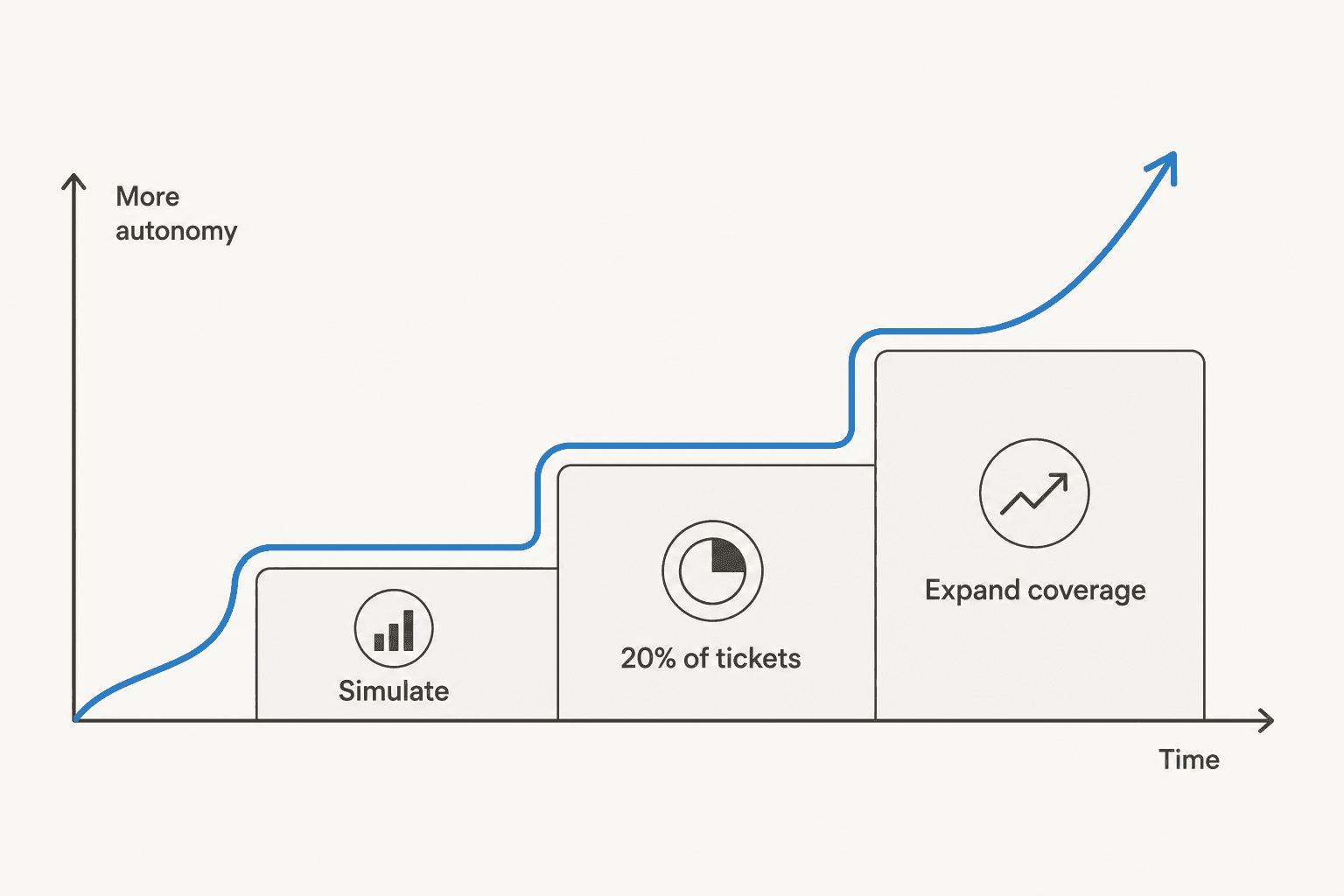
- Start in copilot mode. The AI drafts replies and a human approves or edits before sending. Every edit is training data.
- Turn on autonomy for your safest topics. Let it fully handle the narrow set of tickets it nailed in simulation, like order-status lookups, while a human still owns the rest.
- Expand as the numbers hold. Widen the topics and raise the volume as your resolution rate and customer-satisfaction scores stay healthy.
The nice thing about a credit-based tool is that this ramp is also cheap. If you route 200 of your 1,000 monthly tickets to start, you use 200 credits on a small plan, not a full-volume contract you're not using yet. Gradual roll-out and gradual cost go hand in hand.

Common conversational AI deployment mistakes
I've watched enough go-lives to catalogue the ways they go sideways. Almost all of them trace back to skipping one of the five steps above.
| Mistake | What happens | The fix |
|---|---|---|
| Aiming for 100% resolution | The AI answers questions it shouldn't, trust collapses, the team turns it off | Scope to 40-60% and route the rest to humans |
| Feeding it only a hand-written FAQ | Answers sound generic and miss real edge cases | Train on past resolved tickets, not just docs |
| No confidence threshold | Confident wrong answers reach customers | Confidence-based routing before go-live |
| Skipping simulation | You discover problems on live customers | Simulate on historical tickets first |
| Big-bang launch | One bad week and the whole project loses political support | Ramp from copilot to narrow autonomy to full |
| Set-and-forget | Accuracy drifts as products and policies change | Keep the AI learning from corrections and edits |
There's one more that isn't in the table because it happens before deployment even starts: choosing a tool whose pricing punishes the gradual roll-out you're supposed to do. If you're billed per seat or locked into a high minimum, "start small" becomes "start expensive," and teams skip the safe ramp to justify the cost.
What deploying conversational AI costs
Cost is a deployment decision, not just a procurement one, because the pricing model shapes how you're able to roll out. The three common models:
- Per-seat: you pay for every agent login. Punishes growing teams and doesn't track the value the AI delivers.
- Per-resolution: you pay each time the AI closes a ticket. Predictable, but it can quietly balloon in a busy month, and you can end up penalised for higher volume.
- Credit-based (1 credit per ticket or chat): you pick a fixed monthly batch sized to the tickets you route to the AI, and move up or down any time.
That last model is what makes a gradual deployment painless. Here's what a credit-based approach looks like at eesel's pricing, where 1 credit covers one ticket or chat, however long:
| Tickets routed to AI per month | Plan | Monthly cost |
|---|---|---|
| Up to 100 | Free plan (100 credits, no card) | $0 |
| Up to 500 | 500 credits | $299 |
| Up to 1,000 | 1,000 credits | $499 |
| Up to 2,500 | 2,500 credits | $999 |
| Up to 5,000 | 5,000 credits | $1,899 |
No platform fee, no per-seat charge, and only tickets the agent actually works on count, so the tickets your humans handle don't use credits. For a deep dive on the trade-offs, our take on AI support cost savings and the AI vs human agent cost comparison both go further than I can here.
Try eesel for your conversational AI deployment
If the five steps above sound like the deployment you want, that's more or less exactly what eesel is built to do. It plugs into the helpdesk you already run, whether that's Zendesk, Freshdesk, Gorgias, or Front, and learns from your past tickets and help docs so it sounds like your team from day one.
The two pieces that make deployment safe are built in: confidence-based routing so the AI only handles what it's sure about, and a simulation mode that runs against thousands of your historical tickets so you see coverage before going live. One team, Gridwise, saw eesel resolve 73% of tier-1 requests in the first month, with results showing up during a 7-day trial. Because plans are sized by credits, you can start with a slice of your volume and expand on the evidence.
You can connect your helpdesk and simulate a deployment for free with 100 free credits and no credit card, which is the cheapest way I know to find out what conversational AI would actually do on your queue.
Frequently Asked Questions
How long does it take to deploy conversational AI?
Do I need to build my own conversational AI, or can I buy one?
How do I stop conversational AI from giving wrong answers?
What's the difference between a conversational AI and a rule-based chatbot?
How much does it cost to deploy conversational AI?


Article by
Kira
Kira is a writer at eesel AI with a Computer Science background and over a year of hands-on experience evaluating AI-powered customer service tools. She focuses on breaking down how helpdesk platforms and AI agents actually work so that support teams can make better buying decisions.