What Helpshift AI deflection actually is
I'll start with the honest version, because I've spent the last three-plus years watching AI agents go live on real support queues, and "deflection" is one of the most misused words in this whole category.
Helpshift defines ticket deflection as what happens when a customer self-serves to an answer instead of opening a ticket. The mechanism is the same idea across every Helpshift feature: catch the issue before a human touches it, either by surfacing an existing knowledge-base article or by resolving it end-to-end with a bot, and only escalate when the automated path runs out.
Worth knowing before you go further: Helpshift was acquired by Keywords Studios and now markets itself as an AI-native player engagement platform for gaming, with 500+ studios and a claimed 70%+ automation rate. So the deflection features are real and battle-tested, but they're battle-tested on game support, where in-app SDKs and a young, self-service-happy player base do a lot of the heavy lifting.
Here's what the player actually sees. The bot intercepts the opening message, offers a few articles, and asks whether they helped.
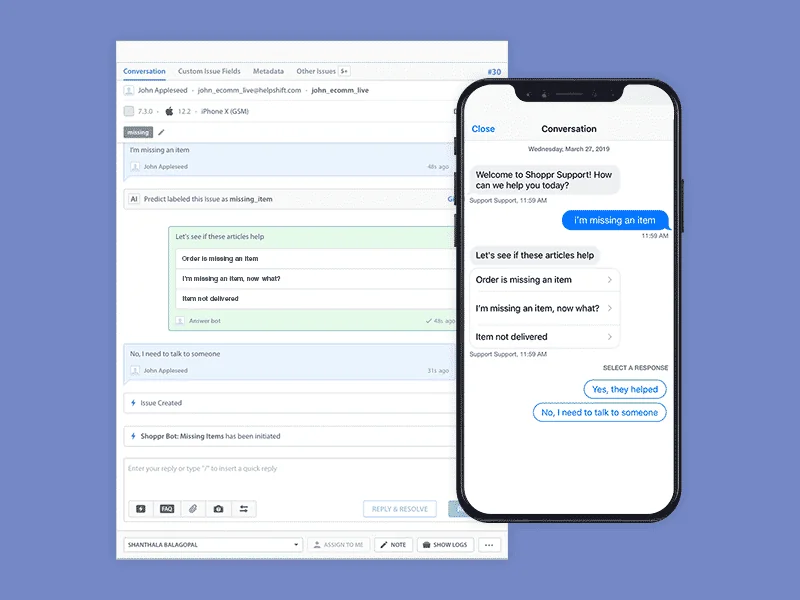
That "Yes, they helped / No, I need to talk to someone" choice is the whole deflection moment. Tap the first one and no ticket is created. Tap the second and the conversation escalates. Simple, and when the FAQ is good, it works.
The Helpshift deflection stack, piece by piece
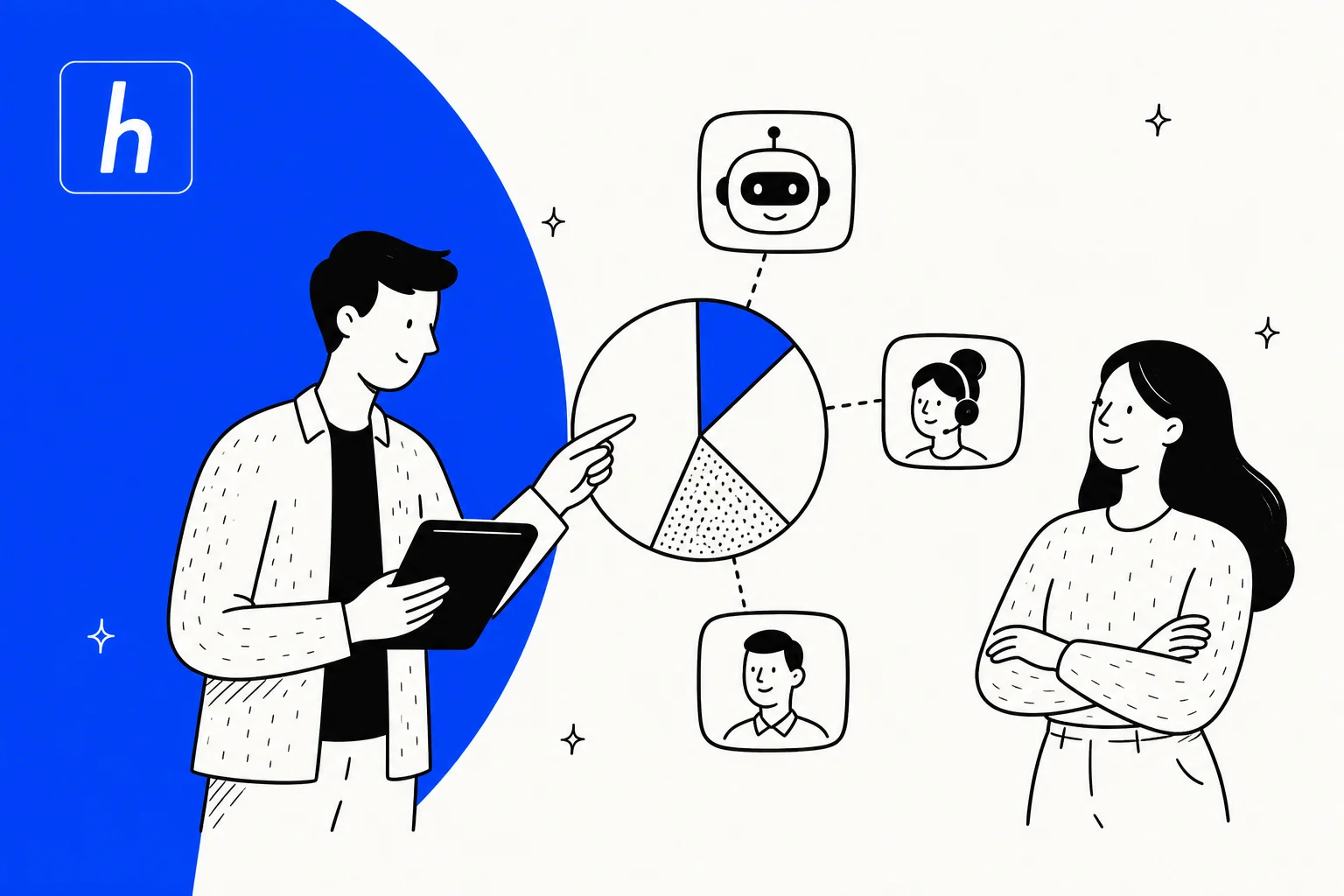
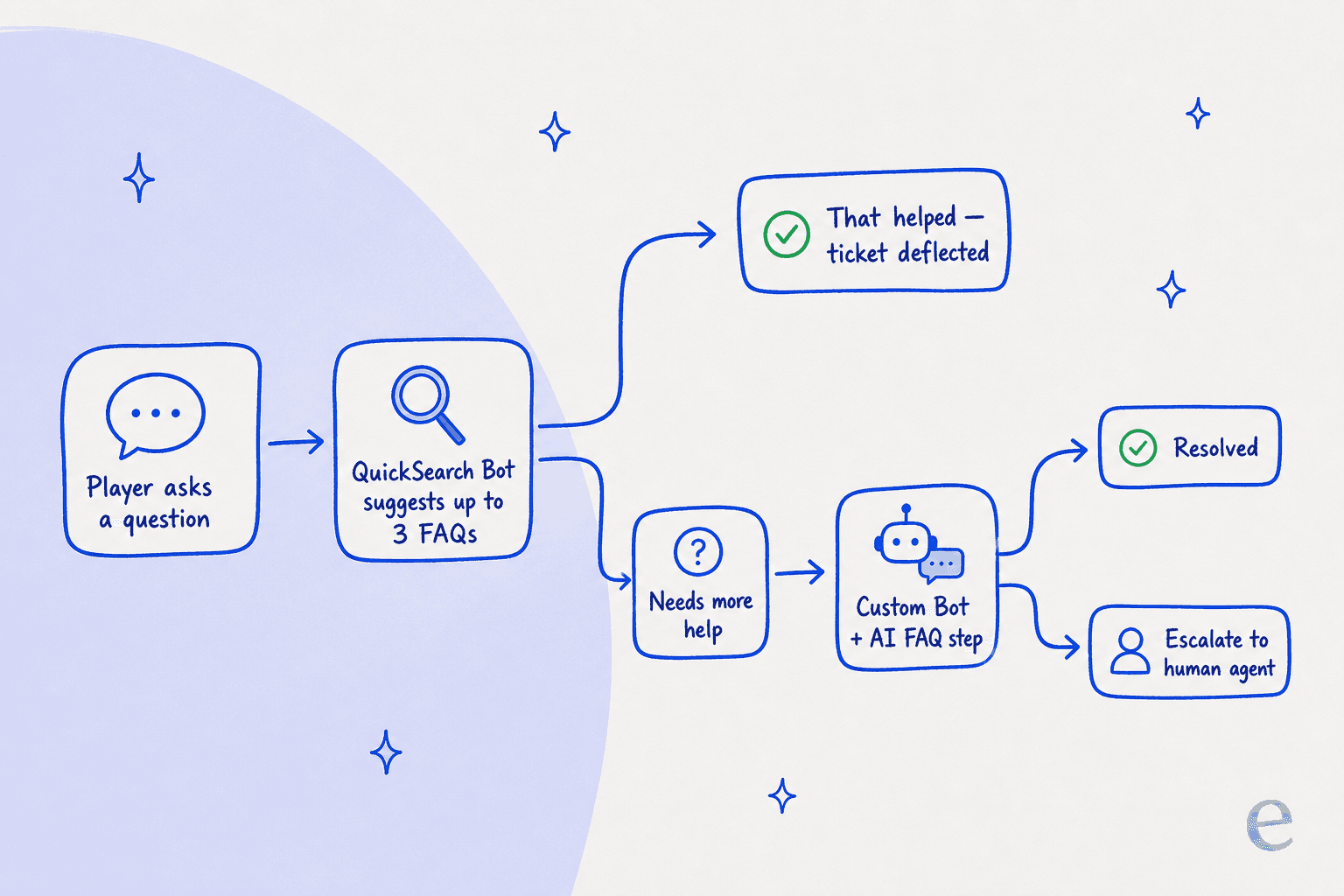
Helpshift deflects in two complementary ways: content deflection (surface an article and hope it answers) and resolution deflection (a bot actually walks the issue to a close). Here's the flow once you put the pieces together.
QuickSearch Bot
The QuickSearch Bot is the out-of-the-box deflector. It's an AI bot for web and in-app chat that responds to the user's first message by suggesting as many as three relevant FAQs. A machine-learning language detector (Helpshift claims 97% accuracy) picks the issue language and serves FAQs to match, across roughly 20 languages. One thing to flag early: it's an add-on unlocked with an account upgrade, not on by default.
Custom Bots and the AI-Powered FAQ step
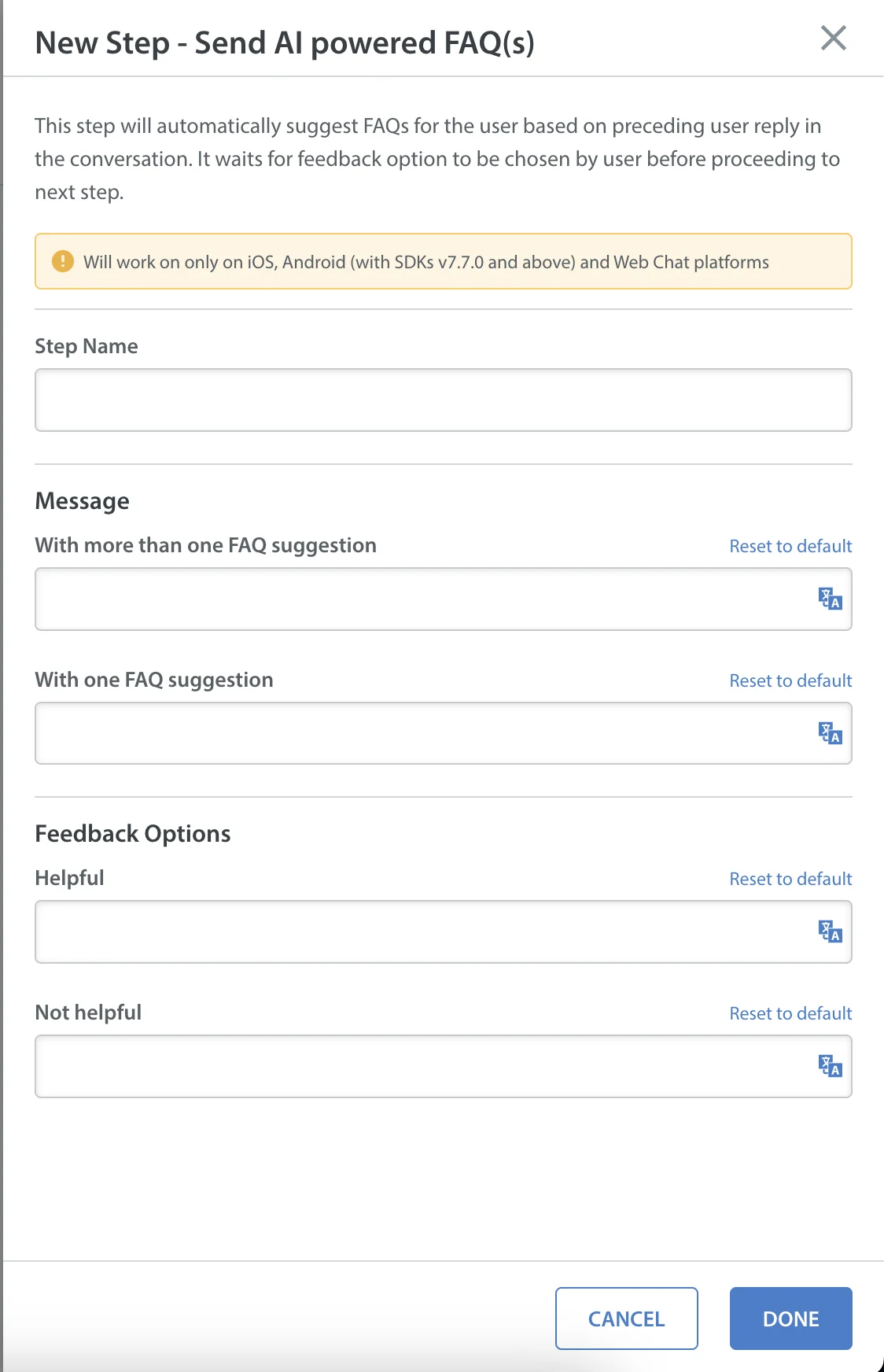
QuickSearch Bot only fires on the very first message of every issue, and it's global. To deflect on a specific segment or anywhere else in a conversation, Helpshift points you to a Custom Bot with a Send AI-Powered FAQ(s) step. Custom Bots are built in a code-free visual builder and chain up to five action types: collect info, send a message, branch on intent or language, call an external API, and the deflection step itself.
AI classification and routing
Deflection isn't only lookup. Helpshift's intelligent issue classification uses NLP to read short incoming messages and decide, per message, whether to keep the issue inside the automated flow or route it to a human. That routing layer is what makes the difference between a clean deflection and a frustrated player.
Care AI and Guard AI
The newest layer is Helpshift's four role-based AI agents. The one that matters for deflection is Care AI, the player-facing agent that resolves issues in-game, grounded in approved knowledge and governed by confidence scoring. Riding alongside it is Guard AI, a governance layer that monitors conversations to prevent AI hallucinations. That second one tells you something: Helpshift built a whole product to watch its own bots, because confident-but-wrong answers are a known failure mode. It's a wall I've hit too, which is exactly why eesel simulates every rollout against historical tickets before it goes live.
How to set up AI deflection in Helpshift
The good news is that turning it on is genuinely no-code. The honest news is that the toggle is about 5% of the work.
1. Switch on the QuickSearch Bot. Go to Settings → App Settings, pick your app, hit Configure on the platform card, open the Support Experience tab, scroll to QuickSearch Bot, and toggle it on. Save and publish.

Read that note under the toggle carefully: it only suggests FAQs that are published and visible for the platform. No published FAQ, no deflection. This is the part teams skip and then wonder why the bot stays quiet.
2. Tidy your FAQs. Add keyword variants as "Search Terms" on each FAQ (a player might type "change my trip" when your article says "change my ticket"), keep titles direct, and write a greeting that nudges full sentences instead of one-word queries. The bot is much better when the first message is a full sentence.
3. Build a Custom Bot for targeted deflection. Go to Settings → Workflows → Bots → Custom Bots → New Bot, then add a Send AI-Powered FAQ(s) step on a "Get information from user" step.
4. Wire it into live traffic. Bots don't run on their own. You use Automations to auto-assign a bot to issues that match your criteria. One quirk to plan around: you can't edit a published bot's flow directly. You duplicate it, change the copy, republish, and repoint your Automations at the new version.
5. Measure it in Power BI. Helpshift's deflection reporting lives in Power BI, not the main dashboard, including an FAQ Deflections report and a Search Terms report that shows popular searches returning no results. That last one is your to-do list for new FAQs.
The catch: deflection is not resolution
This is the section I'd attach a sticky note to. Deflection rate is the easiest support metric to game and the easiest one to misread.
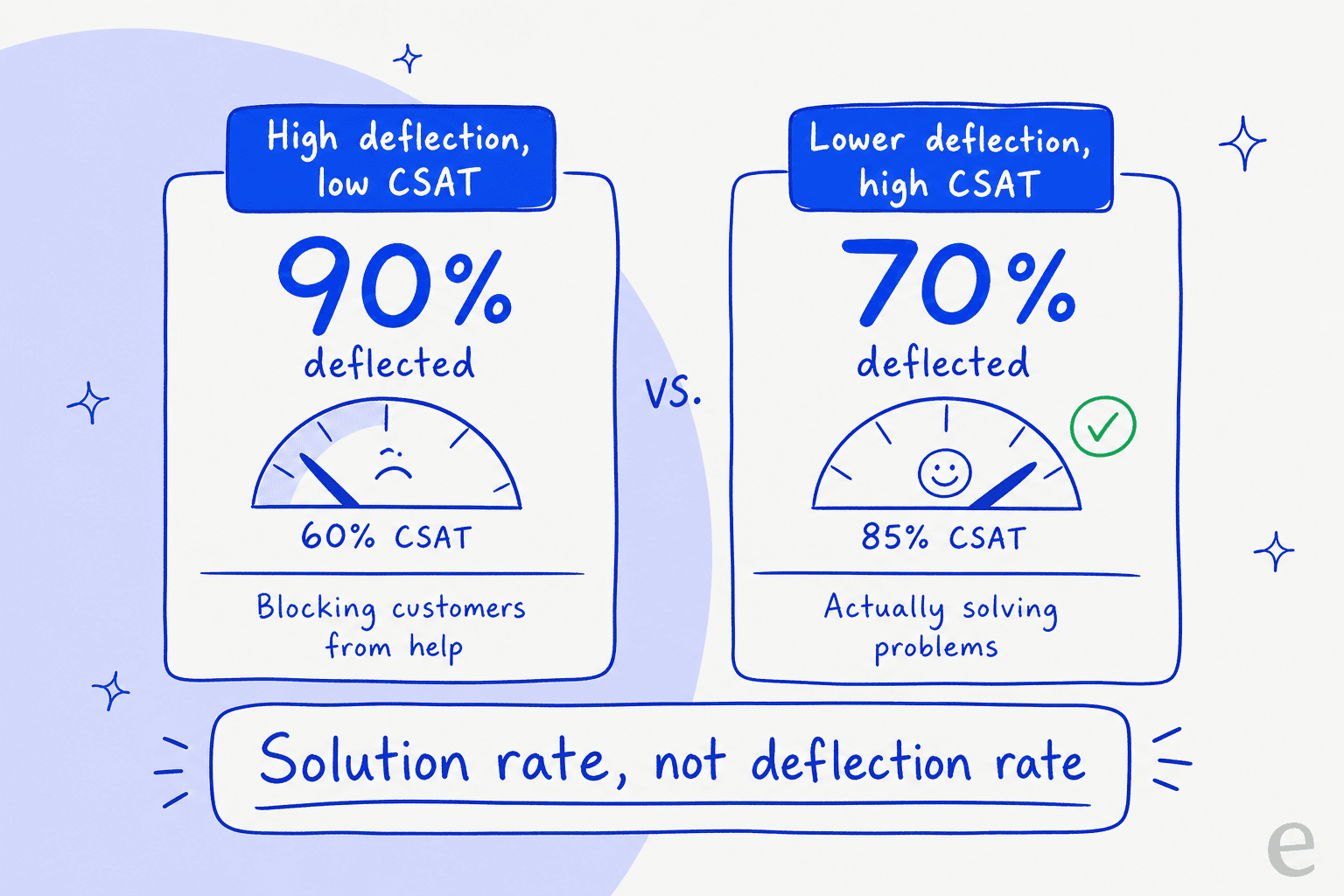
A bot can "deflect" a ticket simply by making it too annoying to reach a human. The user gives up, your dashboard logs a win, and your CSAT quietly bleeds out. The frustration is loud and specific. Here's a player venting in an r/automation thread that I think every support lead should read:
"I've rephrased it four times. 'Here are some articles that might help.' I DONT WANT ARTICLES. its like companies are using these bots specifically to make it harder to reach support, not easier. The bot isn't there to help you, its there to deflect you."
An operator from IrisAgent replied in the same thread with an actual number on the broken-handoff failure mode: most companies take 8 to 10 back-and-forths before the bot gives up and fetches a human. Some never do.
This isn't an anti-bot rant, to be clear. A balanced take from an AI chatbot founder in that same thread is right: when a bot knows its boundaries and hands off cleanly, deflection is fine. The problem is optimizing for the deflection number itself.
I hear the buyer-side version of this constantly. One CX lead at a DTC supplements brand (around 7,000 tickets a month) put the whole philosophy in a sentence on a sales call: "The AI will never be able to answer 100% of the questions, but I need an AI who is only handling the tickets that it's confident to handle, and all the other ones, leave them alone." That's the line. The goal isn't to deflect everything; it's to resolve what you can confidently resolve and route the rest cleanly. When I look at eesel deployments, the headline metric is resolution and chat quality, not deflection: in one sample of 434 chats, 86% were answered correctly with only a small slice deflected. Gridwise, a gig-economy analytics app on Zendesk, resolved 73% of tier-1 tickets in its first month, with that result showing up inside a 7-day trial. Those are resolution numbers, and they're the ones that survive contact with a real customer.
What caps your Helpshift deflection rate
If you do go all-in on Helpshift deflection, here's the honest ceiling. Every bit of it traces back to FAQ upkeep.
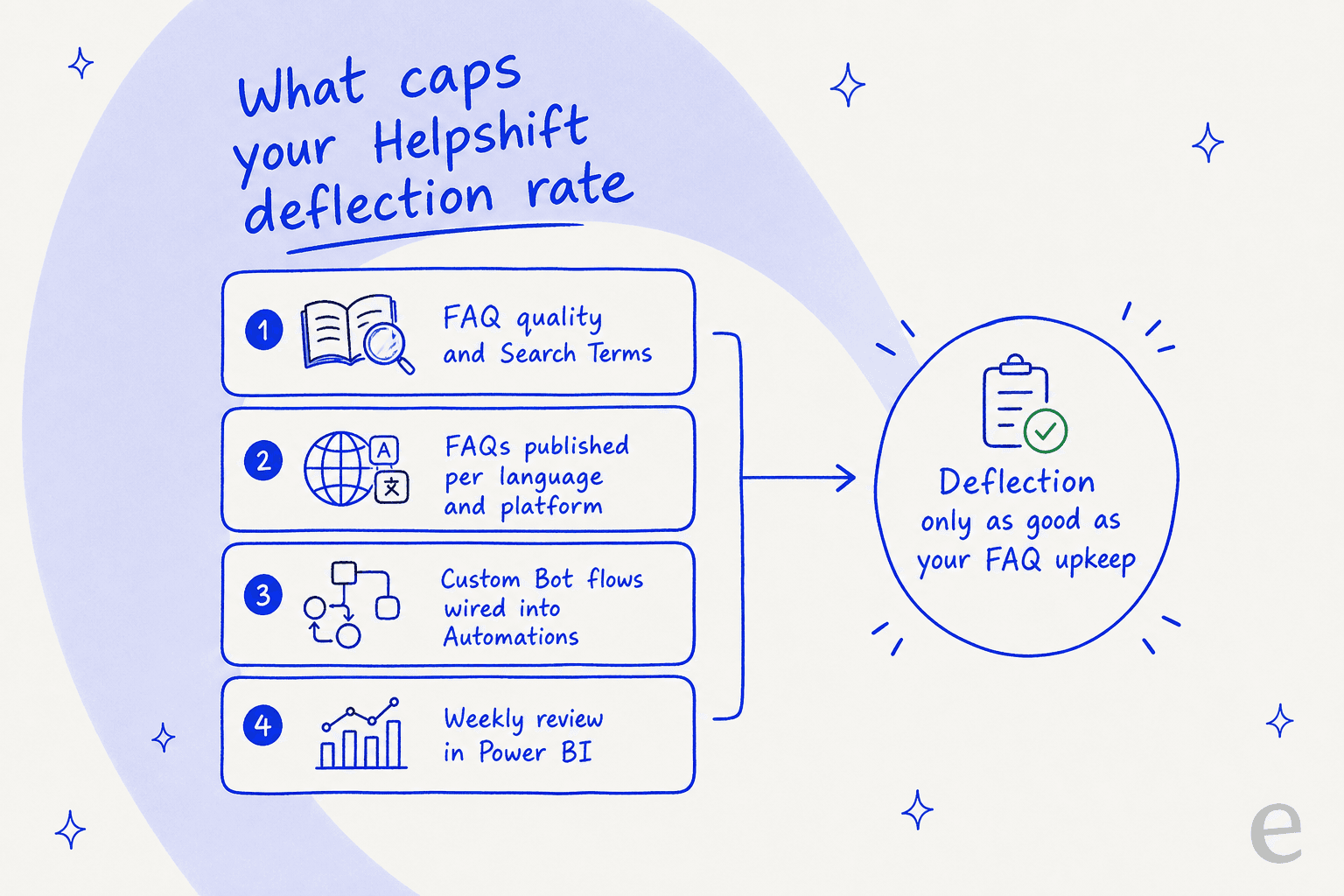
Because QuickSearch and the AI-Powered FAQ step are FAQ-retrieval-first, the bot can only ever be as good as the article it finds. If the answer isn't written, published, in the right language, and tagged with the right search terms, the deflection just doesn't happen. That's a content operation, run weekly, forever. It's also the most common reason I see deflection projects stall: teams expect a generative answer engine and get a very capable FAQ matcher instead.
Reviewers feel this trade-off too. The product gets real credit for self-service, like this games team lead on Capterra: "the easily searchable FAQs have been extremely helpful for self service support." But the setup curve is just as consistent a theme. A mid-market reviewer on G2 summed it up neatly: the bots are great, "and" they can be "time-consuming and complex to set up." It's a real tool with a real learning curve, not a switch you flip.
Where Helpshift fits, and where it doesn't
I want to be fair here, because Helpshift is genuinely good at the thing it's built for. If you're a game studio with a mobile SDK and a young player base, Helpshift's in-app deflection is among the best in the category. The case studies are real: Rovio reports 91% deflection across 23 games, and SYBO hit a 77% automation rate on Subway Surfers. That's a serious track record.
The friction shows up when you're not a game studio. A few things to weigh:
- Pricing is a black box. Helpshift's pricing page publishes no numbers and routes you to a sales form. Here's the best picture I can assemble from third-party and historical sources.
| Source | Reported model | Indicative figure |
|---|---|---|
| Helpshift pricing page (live) | Quote only, by interaction volume + solutions + capabilities + geography | No public numbers |
| eesel's Helpshift review | Per support interaction | ~$0.40 per ticket, $0 for light lookups, ~$250/mo default cap |
| checkthat.ai profile | Per issue | Starter ~$150/mo incl. 250 issues; $0.45 per extra issue; Growth/Enterprise custom |
| Featurebase comparison | Per seat + per resolution | From ~$29/seat/mo + $0.29 per AI resolution; free plan referenced |
| Helpshift free trial | Trial | 30 days, no credit card |
Those figures conflict and predate the current quote-only page, so treat them as ranges, not quotes. The consistent signal: it's usage-based, and you won't know your number until you talk to sales. There's a full breakdown in the Helpshift pricing guide.
- Reporting is thin. The single most consistent complaint across G2 and Capterra is weak native analytics, with deflection reporting pushed into Power BI.
- It's built around the SDK. The deepest deflection features assume an in-app mobile or web SDK. If your support lives in email and a web helpdesk, you're using the less-developed slice of the product.
If any of that describes you, it's worth comparing the best Helpshift alternatives before you commit.
Try eesel
If you want AI deflection but you're running support on Zendesk, Freshdesk, Gorgias, or a help center rather than a game SDK, eesel is built for exactly that. It sits on top of the helpdesk you already use, learns from your past tickets and help docs on day one, and starts as a supervised drafter before you hand it any autonomy.
The piece that addresses everything in this post: before eesel replies to a single customer, you can simulate it against thousands of your historical tickets to see the real deflection and resolution rate, by ticket type, and then set confidence-based rules so it only auto-handles what it's sure of and leaves the rest for a human. That's how you get deflection without the "did this help?" loop that makes players quit.

You can try eesel free with $50 of usage and no credit card, or see the pricing (it's public, and it's per resolution, not per quote).
Frequently Asked Questions
What is Helpshift AI deflection?
How do I set up AI ticket deflection in Helpshift?
How much does Helpshift cost for AI deflection?
Is a high deflection rate actually good?
What's the difference between QuickSearch Bot and a Custom Bot?
Does Helpshift AI deflection work outside gaming?
Can I deflect tickets without rebuilding my whole helpdesk?


Article by
Riellvriany Indriawan
Riell is a designer and writer at eesel AI with about two years of experience researching CX platforms, AI chatbots, and helpdesk software. She combines her design background with a sharp eye for how these tools actually look and feel in practice — making her comparisons unusually visual and user-focused.