What is an AI agent loop? A plain-English guide

Kira
Written by

Kira

Katelin Teen
Reviewed by

Katelin Teen

Last edited June 16, 2026

Expert Verified
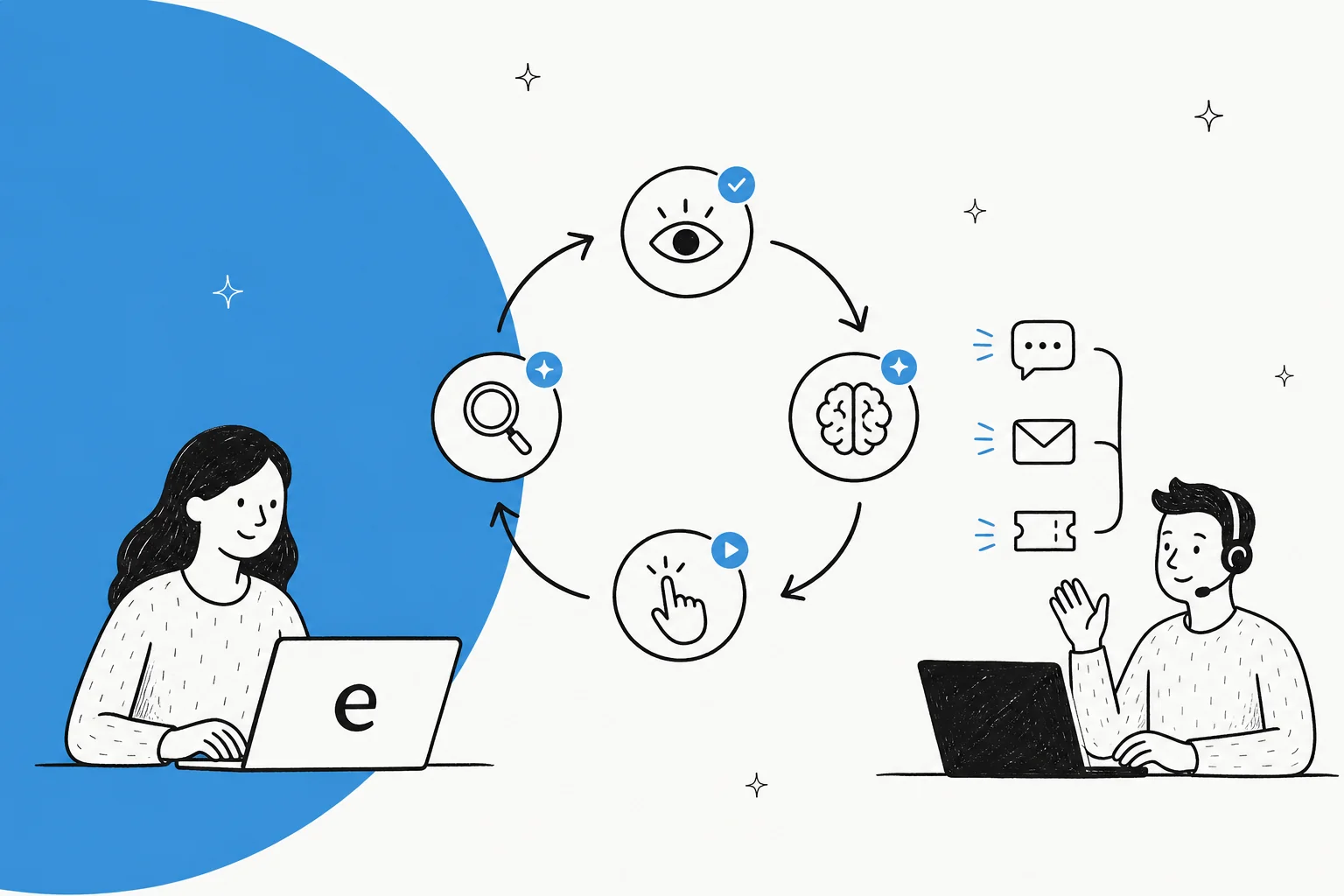
Abstract illustration of an AI agent loop: a perceive, reason, act, observe cycle with arrows looping around

The one-sentence definition

An AI agent loop (you will also see it called the agentic loop) is the iterative execution cycle at the core of every agentic system. A model repeatedly perceives input, reasons about what to do next, acts by calling a tool, then observes the result and feeds it into the next round, repeating until the task is complete or a stopping condition is reached.

Oracle's developer team puts the distinction bluntly: "The architectural difference between a chatbot and an AI agent is one pattern: the agent loop". Practitioner Simon Willison's version is even shorter. An agent, he writes, is something that "runs tools in a loop to achieve a goal."

That is genuinely most of the concept. The interesting part is what each stage of the loop actually does, why the loop unlocks things a single model call cannot, and where it earns its keep.

The four stages: perceive, reason, act, observe

Most descriptions collapse the loop into four stages that repeat. Oracle uses a five-stage version (it splits planning out from reasoning), but the mechanics are the same either way.

The AI agent loop: a perceive, reason, act, observe cycle that repeats until a stop condition
  1. Perceive. The agent takes in input: a user message, an API response, an error, or the result of its own last action.
  2. Reason. The model looks at everything in its context and decides what to do next. For harder jobs this is where it also plans, breaking the goal into smaller steps before acting.
  3. Act. The agent does something in the world: a tool call, an API request, a database query, code execution.
  4. Observe. The agent examines the result. Did it work? Is the task done? Does the plan need to change?

Then it loops back. The whole thing reduces to a handful of lines of pseudocode, which is why the "it's just a while loop" framing stuck:

while not done: response = call_llm(messages) if response has tool_calls: results = execute_tools(response.tool_calls) messages.append(results) else: done = True return response

The major labs all landed here independently. Anthropic describes agents as "typically just LLMs using tools based on environmental feedback in a loop". OpenAI's Agents SDK documents its runner as a literal loop: call the model, and if it returns a final answer with no tool calls, stop; otherwise run the tools, append the results, and run it again. A handy one-line summary, originally from Lilian Weng, is Agent = LLM + Memory + Planning + Tool Use. The loop is the runtime that ties those four together.

A worked example

To make it concrete, here is a real three-iteration run for the task "identify the most cited paper on agent memory published in 2026 and summarise its key findings," from Oracle's writeup:

  • Iteration 1. Reason: it needs to search. Act: call a search API. Observe: 15 papers with citation counts come back.
  • Iteration 2. Reason: pick the top result with 340 citations. Act: call a document-retrieval tool. Observe: abstract and key sections returned.
  • Iteration 3. Reason: enough gathered. Act: write the summary. Observe: task complete, exit the loop.

As Oracle puts it: "Three iterations. Three tool calls. One complete answer that no single-pass chatbot could have produced." That last clause is the whole point.

Where the idea came from: ReAct

The loop is not a 2026 invention. Its academic backbone is the ReAct paper (Yao et al., 2022), short for "reasoning and acting." Its insight was to interleave reasoning traces with actions: a Thought about what to do, then an Action, then an Observation, then another thought, and so on. The reasoning, the paper argues, "helps the model induce, track, and update action plans as well as handle exceptions, while actions allow it to interface with external sources".

The measured payoff was real, not hand-wavy: an absolute success-rate improvement of 34% on the ALFWorld benchmark and 10% on WebShop over the strongest baselines (arXiv:2210.03629). A reasoning-only model "suffers from misinformation as it is not grounded to external environments," and an acting-only model "suffers from the lack of reasoning." Combining them in the loop fixes both. If retrieval is part of your picture, it is worth understanding how this relates to plain retrieval-augmented generation, which we will get to in a second.

Agent loop versus chatbot: the one while loop

Here is the comparison that matters, because it is the question most people actually arrive with.

DimensionTraditional chatbot / single-turn RAGAgent loop
Model passes per requestOneMany (one per iteration)
State across stepsStateless and isolatedPersistent context carried forward
Tool useNone, or a single callRepeated, chained tool calls
Failure recoveryNoneObserves errors and re-plans
Multi-step tasksCannot decomposeDecomposes and chains
Takes real actionsReads and answers onlyActs (refunds, bookings, writes)
Control flow decided byHardcoded pathsThe model, at runtime
Ends whenOne response is producedTask complete or stopping condition

The crucial detail, and the one people miss, is that this is not a model-capability gap. The same underlying models (Claude, GPT, Gemini) power both. Oracle is clear that ChatGPT, Claude, and Gemini "are all capable of reasoning through multi-step problems. The limitation is architectural." A plain chatbot interaction is stateless: each prompt is handled in isolation, with no memory of intermediate results and no way to chain decisions. The loop is what removes that ceiling.

It is worth naming single-turn RAG specifically, because it sits in the middle and confuses people. A RAG chatbot does retrieve external knowledge before answering, which feels agent-like. But it still runs once: retrieve, then answer. It cannot decide it needs a second search based on what the first turned up, cannot take an action with side effects, and cannot recover if the first retrieval missed. An agent loop turns that one retrieval into a single action it can repeat and chain with others. If you have ever wondered why an AI chatbot keeps answering incorrectly, the absence of this loop is often the reason: it gets one shot and no chance to check itself.

One more framing worth keeping: "agentic" is a spectrum, not a yes-or-no. LangChain's Harrison Chase argues a system is "more agentic the more an LLM decides how the system can behave", running from a simple router, to a state machine that loops until done, to a fully autonomous agent that builds and reuses its own tools. Most useful support automation lives in the middle of that range, not at the wild end.

The loop has variations

The basic ReAct loop handles most cases, but a few extensions show up often enough to know by name. Andrew Ng grouped the core ideas into four agentic design patterns: reflection, tool use, planning, and multi-agent collaboration. In loop terms:

  • Plan-and-execute. Separate planning from doing. A planner writes the full task breakdown upfront, an executor works through it, and a re-planner adjusts when reality diverges. This cuts model calls compared to reasoning at every single step; LangChain's LLMCompiler reported a 3.6x speedup over sequential ReAct-style execution.
  • Reflection. One model call generates a result while another critiques it and feeds back, looping until the output meets the bar. Ng describes this as the LLM that "critiques and revises its own work."
  • Multi-agent. A lead agent spawns sub-agents that work threads in parallel. Anthropic reported its multi-agent research system "outperformed a single-agent setup by 90.2% on internal research evaluations."

The consistent advice from every source, and the bit that gets ignored most: start with the simplest loop that works, and add complexity only when you can measure that it actually helped.

Guardrails: why the loop needs a brake

A loop that can run itself is also a loop that can run away. Stopping conditions are not optional. Without them, an agent can spin indefinitely, "burning tokens and producing increasingly incoherent results".

The standard brakes:

  • Max iterations. A hard cap on loop turns. OpenAI raises a MaxTurnsExceeded exception once you pass the configured limit, and Anthropic recommends a maximum number of iterations "to maintain control."
  • Token and cost budgets. Loops are not cheap. Agents consume roughly 4x more tokens than a standard chat call, and multi-agent setups up to 15x, per Oracle. That cost is the main reason production teams instrument every step.
  • No-progress detection. Exit when repeated iterations stop producing anything new.
  • Human-in-the-loop checkpoints. Agents can pause for a human at a blocker, which matters a lot in support.

Oracle tells a great cautionary tale here: a scraping agent whose target site quietly changed structure started returning empty results, and with a "retry until you get data" prompt and no hard stop, it "called the broken tool 400 times in five minutes" before a rate limit saved it. The fix was almost insultingly simple: "A maximum iteration limit of three cycles would have prevented the failure entirely." If you take one operational lesson from this whole piece, make it that one.

How the loop maps onto a support ticket

This is where the abstract pattern becomes a product. Anthropic singles out customer support as "a natural fit for more open-ended agents", because the work needs both conversation and action. A support ticket is a textbook loop:

How an agent loop handles one support ticket: triage, retrieve, act, verify, then resolve or escalate
  1. Triage. The loop perceives the incoming ticket and the model reasons about intent: billing, refund, password reset, a technical bug. This is the classic ticket triage step.
  2. Retrieve. Call data tools: knowledge-base search, order history, account lookups.
  3. Act. Call action tools with real side effects: issue a refund, change a subscription, update a shipping address, reset a password, update the ticket.
  4. Observe and verify. Check whether the action actually worked. If a lookup came back empty or an API errored, the loop re-plans, which is the recovery a single-pass bot simply cannot do.
  5. Resolve or escalate. If it is done, close it. If the agent hits a confidence limit, hand it cleanly to a human.

This is also why agent loops resolve so much more than older bots. According to Notch's 2026 benchmark report, legacy chatbots resolve only 10 to 25% of issues (they were built to route, not resolve), while agentic platforms that "connect directly to CRM, billing, and claims systems and execute" land at 70 to 85% end-to-end resolution.

Support resolution rate by tier, from legacy chatbots at 10-25% up to agentic AI platforms at 70-85%

One warning from the same report that is worth carrying into any vendor conversation: resolution is not the same as deflection or containment. Deflection just means the AI produced a response and the customer went away; the underlying problem may still be unsolved. Containment (no escalation) is, in Notch's words, "arguably the most misleading." The honest question to ask a vendor is "not what their resolution rate is, but what they count as resolved." That is the kind of nuance a real loop with real actions can actually back up, and a deflection-only bot cannot. If you are choosing tooling, our roundups of the best AI for ticket automation and the best customer service AI go deeper on which platforms genuinely resolve versus deflect.

Here is what an agent loop looks like running live inside a real helpdesk, taking actions on tickets rather than just suggesting them:

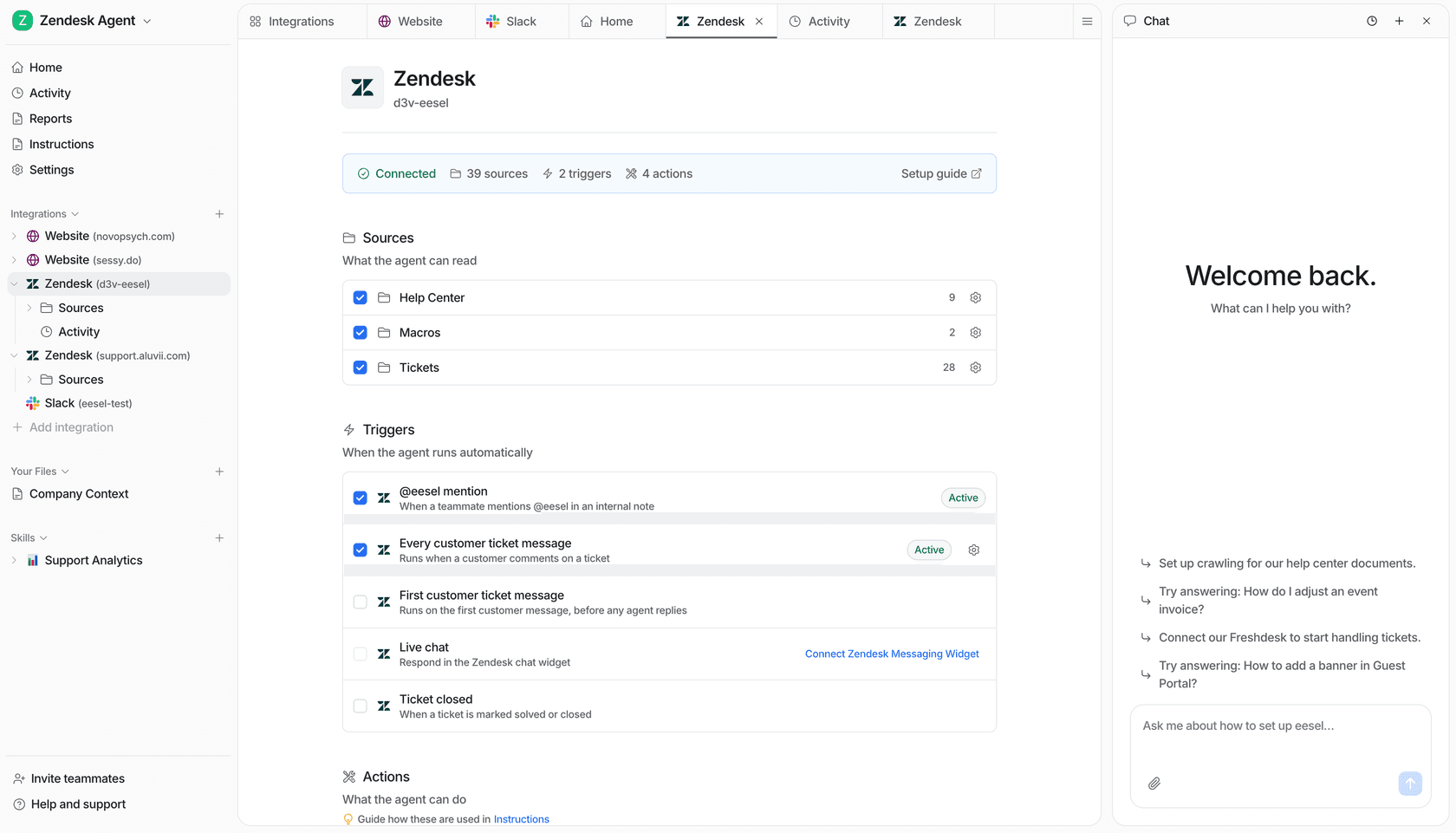
eesel AI working inside Zendesk in action

Confidence-based handoff is the loop's clean exit

The most requested control we hear from support teams is not "make the AI answer everything." It is the opposite: let the AI handle only what it is confident about, and leave the rest alone. One CX lead at a DTC supplements brand running about 7,000 tickets a month put it perfectly:

"The AI will never be able to answer 100% of the questions... I need an AI who is only handling the tickets that it's confident to handle and all the other ones, leave them alone."

That is the stopping condition applied to support. A confidence threshold decides whether the loop resolves or hands off, and a clean transfer to a human handles the rest. It is also why the escalation rate and the 48-to-72-hour re-contact rate are the metrics worth watching, more than a headline resolution number: they tell you whether the loop is actually solving problems or just closing tickets.

What practitioners actually say about the loop

The developer community has strong, funny, and slightly contradictory opinions about agent loops, which is the best sign that the idea is real.

On the simplicity, this widely shared take is representative:

"It is indeed astonishing how well a loop with an LLM that can call tools works for all kinds of tasks now."

libraryofbabel, on Hacker News

On the danger of letting the loop run unconstrained, Docker founder Solomon Hykes has the line everyone quotes:

"An AI agent is an LLM wrecking its environment in a loop."

quoted by Simon Willison

Both are true at once, and that tension is the actual engineering problem. The loop is shockingly capable and genuinely risky, which is exactly why the guardrails section above is not optional boilerplate. Simon Willison even argues that "designing agentic loops" is becoming its own discipline: the art, he says, "is to carefully design the tools and loop for them to use."

Build your own, or buy one?

Because the loop is so simple to describe, a lot of technical teams reach the obvious conclusion: we will just build our own on the Claude or OpenAI API. And honestly, you can stand up a working prototype in an afternoon. The while loop is the easy 20%.

The hard 80% is everything around it: persistent memory, observability across every tool call, the guardrails that stop a runaway loop, the helpdesk and knowledge-base integrations, and the ongoing maintenance as models and APIs change underneath you. That is the part teams underestimate. We have watched plenty of technically strong customers build a demo, then choose to buy so they do not have to own that long term. As one engineering lead at a Bitcoin-ATM hardware company, who chose buy over build, told us:

"We could try to write our own LLM application but we didn't want to invest our time into that. We wanted something that we would not have to maintain."

If your team's edge is your product, not maintaining an agent runtime, that math usually favours buying. We dug into the trade-off in more detail in our look at building a custom GPT for customer service, and you can see what mature loops look like in the wild across companies already using AI for customer service.

Try eesel

eesel is the agent loop, productised for support, IT, and ops teams, without the build. Its AI helpdesk agent runs the full perceive, reason, act, observe cycle directly inside the helpdesk you already use (Zendesk, Freshdesk, HubSpot, Gorgias, Front, Slack and 100+ integrations), so it does not just draft answers, it takes actions on tickets and resolves them.

eesel AI helpdesk dashboard overview

The differentiator that maps straight onto everything above is its simulation mode: you can run the agent against thousands of your past tickets to see exactly what it would have resolved, theme by theme, before a single live reply goes out. That is the guardrail-first, confidence-based version of the loop, the one support teams actually ask for. It learns from your solved tickets and help docs on day one, runs in 80+ languages, and bills per resolution rather than per seat. You can try eesel with $50 of free usage, no credit card, and see your own resolution number before you commit.

Frequently Asked Questions

What is an AI agent loop in simple terms?
An AI agent loop is the repeating cycle at the heart of every AI agent: the system perceives an input, the model reasons about what to do, it acts by calling a tool, it observes the result, and then it loops back. It keeps going until the task is done or a stopping condition is hit. That loop is the one thing that separates an AI agent from a rule-based chatbot, which answers in a single pass and stops.
What is the difference between an AI agent and a chatbot?
A chatbot runs once: message in, response out. An agent runs in a loop, so it can chain tool calls, recover from a failed step, and take real actions like issuing a refund or updating a ticket. We cover the full breakdown in our guide to AI agents versus rule-based chatbots, and you can see the gap in practice across these real AI agent examples.
How does the AI agent loop apply to customer support?
A support agent runs the same loop: it triages the ticket, retrieves the right docs and order data, takes an action, verifies it worked, and then resolves or escalates. That is exactly what tools for support ticket triage and ticket automation are built around. eesel's AI helpdesk agent runs this loop inside your existing helpdesk.
Can an AI agent loop run forever, and how is that prevented?
It can, if you let it, which is why stopping conditions are not optional. Production loops use a max-iteration cap, token and cost budgets, no-progress detection, and human-in-the-loop checkpoints. In support, that usually shows up as a confidence threshold and a clean handoff to a human when the agent is out of its depth.
Should I build my own AI agent loop or buy one?
An agent loop is conceptually simple, so building a prototype on the Claude or OpenAI API is easy. Production is the hard part: memory, observability, guardrails, helpdesk integrations, and ongoing maintenance. Plenty of technical teams build a demo and then buy to avoid owning that long term. If you want the loop without the maintenance, eesel connects to your knowledge base and helpdesk and trains on your own content out of the box.

Share this article

Kira

Article by

Kira

Kira is a writer at eesel AI with a Computer Science background and over a year of hands-on experience evaluating AI-powered customer service tools. She focuses on breaking down how helpdesk platforms and AI agents actually work so that support teams can make better buying decisions.
Related Posts

All posts →
Banner image for AI agent vs rule based chatbot: Which is right for your business?
Blog Writer AI

AI agent vs rule based chatbot: Which is right for your business?

Understand the fundamental differences between AI agents and rule-based chatbots to make the right choice for your customer support and automation needs.

Stevia PutriStevia PutriMar 23, 2026
Banner image for Zendesk AI agent advanced vs essential: a 2026 comparison
Zendesk AI

Zendesk AI agent advanced vs essential: a 2026 comparison

A detailed comparison of Zendesk's AI agent tiers Essential and Advanced covering features, pricing, and which option suits different support volumes.

Stevia PutriStevia PutriFeb 26, 2026
Banner image for Zendesk AI agent event triggers: A complete guide for 2026
Zendesk AI

Zendesk AI agent event triggers: A complete guide for 2026

A comprehensive guide to Zendesk AI agent event triggers, covering available events for messaging and email AI agents, configuration steps, and practical use cases.

Stevia PutriStevia PutriFeb 26, 2026
Illustration of AI agents, chat, and automation being added to a Zendesk support workflow
Customer Service

How to add AI to Zendesk: a practical guide for 2026

A step-by-step guide to adding AI to Zendesk in 2026, covering AI agents, Copilot, automation, the marketplace route, and what it actually costs.

KiraKiraJun 13, 2026
Illustration of a Zendesk AI bot answering a customer while a support agent works alongside it
Customer Service AI

How to integrate AI with Zendesk: a practical 2026 guide

A hands-on guide to integrating AI with Zendesk in 2026: native AI agents, Copilot, intelligent triage, the marketplace route, what it costs, and the mistakes to avoid.

KiraKiraJun 14, 2026
Illustration of a Zendesk AI chatbot resolving a customer conversation with chat bubbles and a support agent
Customer Service

The Zendesk AI chatbot: a complete 2026 guide to setup, pricing, and limits

What the Zendesk AI chatbot actually is in 2026, how to set one up step by step, what it really costs per resolution, and where it falls short.

KiraKiraJun 13, 2026
Illustration of a support agent working alongside AI chat bubbles, with helpdesk logos
Customer Support

The 10 best AI customer support chatbots in 2026

We tested the best AI customer support chatbots for 2026, from Zendesk and Gorgias to Ada and Sierra, and broke down pricing, strengths, and who each one is really for.

Riellvriany IndriawanRiellvriany IndriawanJun 10, 2026
Best AI for Gladly: a comparison of AI customer service agents in 2026
Customer Service

Best AI for Gladly: 7 top tools to level up customer service in 2026

The best AI for Gladly in 2026, from its native Sidekick agent to the AI-first platforms worth a look, with real pricing, pros, cons, and a clear pick for each team.

KiraKiraJun 11, 2026
Best AI for Kustomer: a comparison of AI customer service agents in 2026
Customer Service

Best AI for Kustomer: 7 top tools to scale customer service in 2026

The best AI for Kustomer in 2026, from its native Concierge and Envoy agents to the AI-first platforms worth a look, with real pricing, pros, cons, and a clear pick for every team.

Riellvriany IndriawanRiellvriany IndriawanJun 11, 2026

Ready to hire your AI teammate?

Set up in minutes. No credit card required.

Get started free