What makes a customer service chat reply good
After enough shifts on the queue, you stop thinking in "scripts" and start thinking in structure. Nearly every reply that lands well does the same four things in order, and nearly every one that goes sideways skipped one of them.
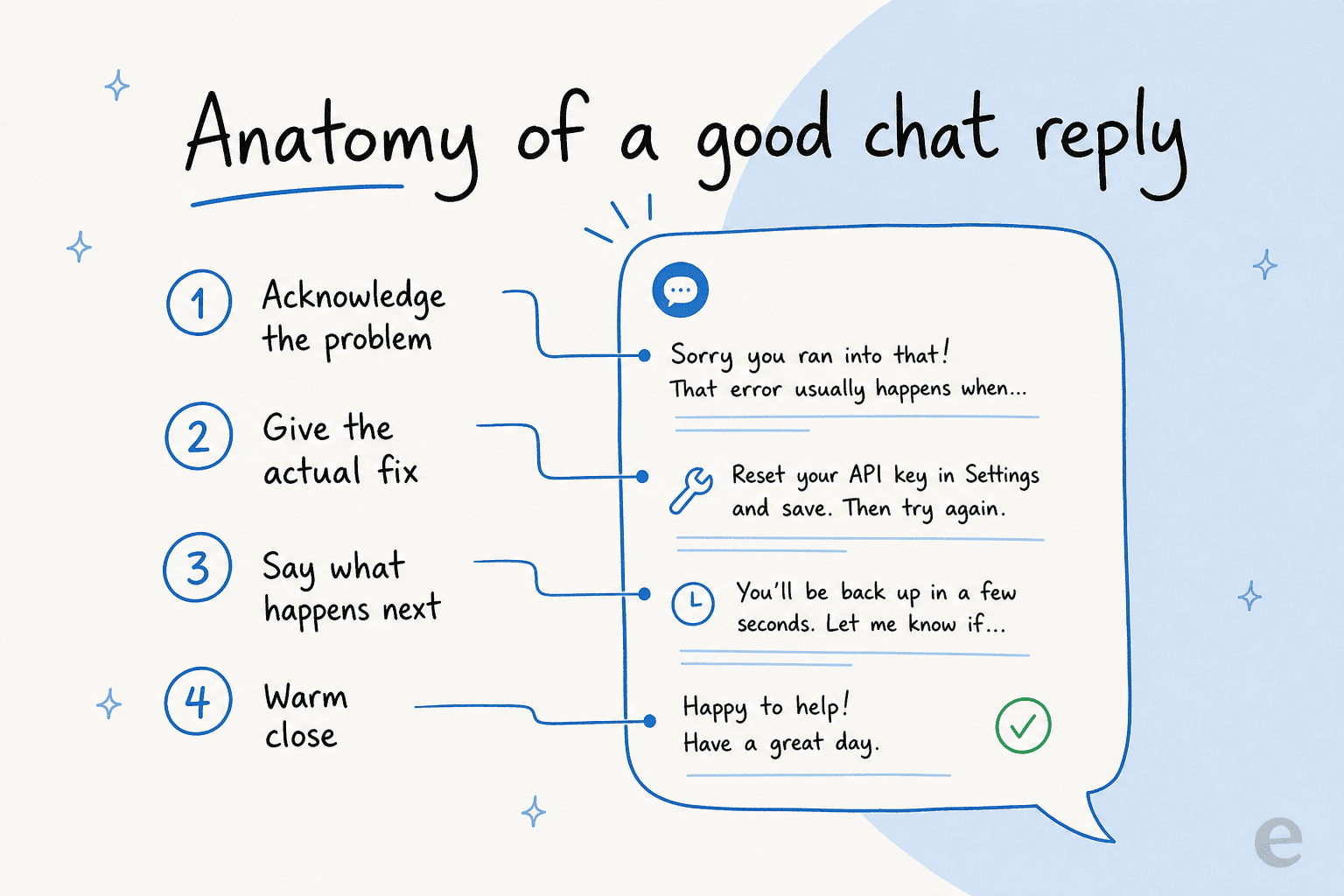
- Acknowledge the specific problem back to them, so they know they were heard.
- Give the fix in plain language, ideally in one step, not a wall of options.
- Say what happens next, so there's no silent wait where they wonder if you vanished.
- Close warmly, with a real sign-off instead of a robotic "Is there anything else?"
The thing that quietly ruins otherwise-fine replies is tone. A reply can be factually perfect and still read as cold if it's all fix and no acknowledgement. The examples below all follow this shape, and I've marked where the acknowledgement, fix, and next step sit so you can see the seams. If you want the deeper version, our live chat best practices piece goes further on tone and timing.
The six chats every support team writes
Most of your queue is a handful of scenarios on repeat. If you nail these six, you've covered the bulk of a normal day, and everything else is a variation on them.
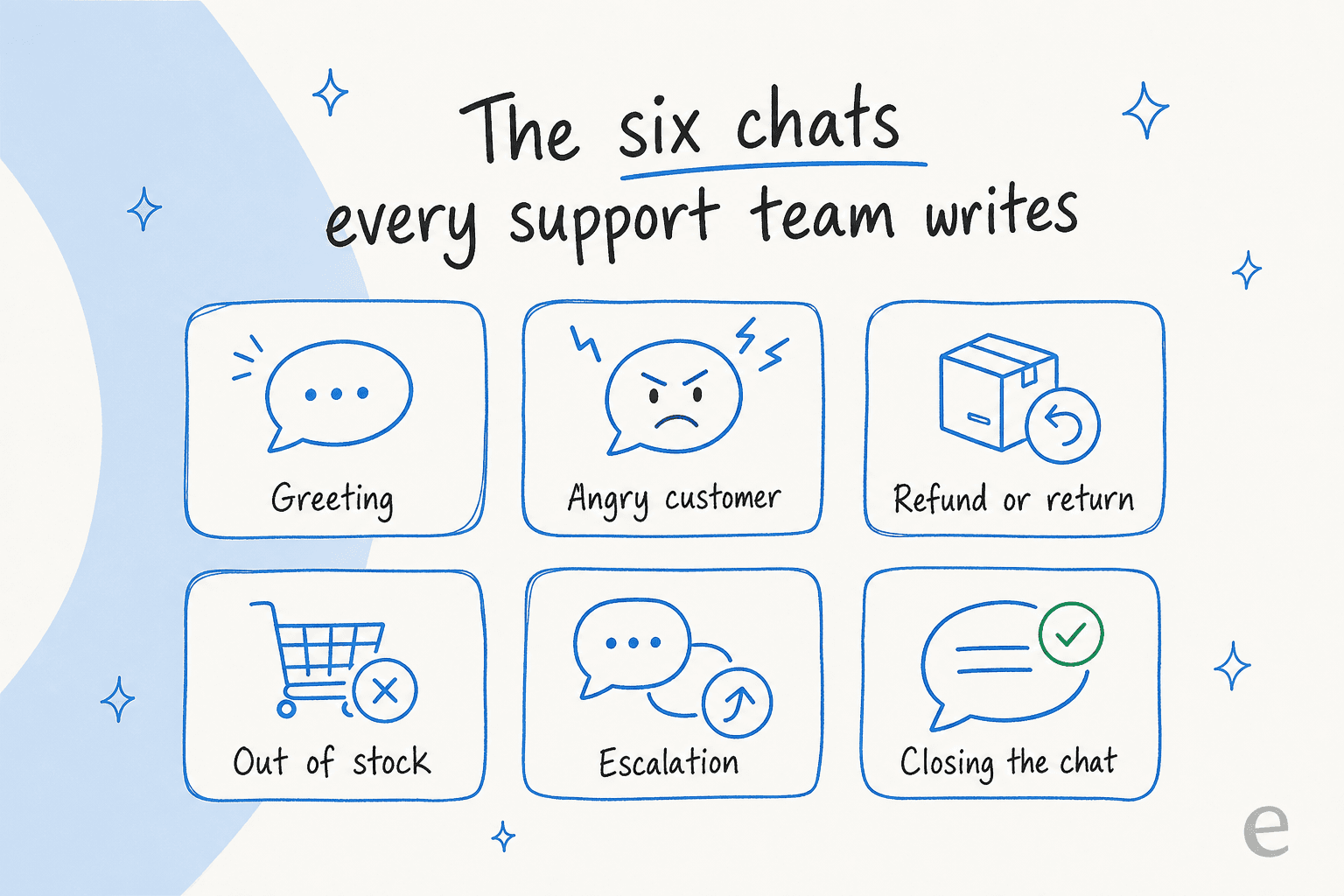
Pick a scenario below to grab the script. These are starting points, not gospel, so swap in your own product names and shipping windows.
1. Greeting and opening lines
The opener sets the temperature for the whole chat. Skip the "How may I assist you today?" register, which reads like a phone tree. Name the person, sound like a human, and move to their problem in the same breath.
- Standard: "Hi Sam, thanks for reaching out! I'd be glad to help. What's going on?"
- When they've already explained: "Hi Sam, I've read through your message, that shouldn't be happening. Give me one minute to pull up your account."
- Returning customer: "Welcome back, Sam! Good to see you again. What can I sort out for you today?"
The acknowledgement is doing quiet work here: "I've read through your message" tells them they don't have to type it all again. For online stores specifically, our live chat best practices guide has more openers tuned to shoppers.
2. Angry or frustrated customers
This is the one people get wrong most, usually by over-apologizing or hiding behind policy. The move is to acknowledge the specific frustration, own it once, and pivot straight to action in the same message so they see momentum.
- "I'm really sorry, Sam. That's a frustrating experience and I'd be annoyed too. Here's what I'm doing about it right now..."
- "You're right to be upset, that's not the standard we hold ourselves to. Let me make it right."
- "I hear you, and I'm not going to send you in circles. I'm taking ownership of this from here."
What you don't do is repeat "I apologize for the inconvenience" three times, which reads as a shield, not empathy. We go deep on this in our guide to rude customers and on handling customer complaints without escalating the temperature.
3. Refunds and returns
Refund chats go smoothest when you lead with the decision, then the mechanics. Burying "yes, you're refunded" under three sentences of policy makes an anxious customer more anxious.
- Approved: "Done, Sam. I've refunded $48.00 to your original card. It'll land in 3-5 business days and you'll get an email confirmation."
- Return required: "Happy to refund this. I'm emailing you a prepaid return label now, and the moment the item's scanned by the carrier, your refund goes through automatically."
- Outside policy, but goodwill: "This is just past our 30-day window, but you've been with us a while, so I'm making an exception. Refund's on its way."
Refunds and shipping issues are the single most template-able category, which is why they're the first thing worth turning into reusable AI macros. We've got ready-made macro templates for refunds and shipping you can adapt, and a fuller breakdown of handling refund requests end to end.
4. Out of stock and shipping delays
The trap here is delivering bad news with no path forward. Always pair the "no" with an option, so the customer gets to make a choice instead of hitting a wall.
- Out of stock: "The Midnight colorway is back on the 12th. I can hold one for you the moment it lands, or refund you now, your call."
- Shipping delay: "Your order's running two days behind because of a carrier backlog. I'm sorry about that. Here's live tracking, and I've added a discount to your next order for the trouble."
- Wrong item shipped: "That's on us, Sam. Keep the wrong item, the right one ships today with express delivery at no charge."
5. Escalations and handoffs
Some chats shouldn't be resolved by the first person, or by an AI. The skill is handing off without making the customer repeat their whole story. Name why you're escalating, promise a timeline, and pass the transcript along.
- "This is a billing dispute, so I'm bringing in a specialist rather than guessing. I've shared our full conversation, so you won't repeat anything. They'll reply by tomorrow, 5pm."
- "I want to get you the exact right answer here, so I'm looping in our technical team. Give me a moment to bring them up to speed."
- AI-to-human: "Let me connect you with a teammate who can dig into your account directly. One sec, I'm passing along everything we've covered."
A clean handoff is half wording and half plumbing. Our guide to human handoff in chat support covers the transcript-passing part, and chatbot escalation plus AI chat escalation cover the routing rules that decide when a bot should tap out.
6. Closings and follow-ups
The close is your last impression, and "Is there anything else I can help you with?" wastes it. Confirm what you did, add a small human sign-off, and leave the door open.
- "All set, your replacement's on its way. Have a great rest of your day, and shout if anything else comes up!"
- Follow-up: "Circling back, Sam, just confirming your refund landed. Anything else on your mind?"
- Unresolved, holding: "I haven't forgotten you. Still chasing our warehouse and I'll update you by 3pm, even if it's just to say I'm still on it."
How AI writes these chats now
Here's the honest bit. On a busy day, most of these replies aren't hand-typed anymore, and that's fine. A good AI support agent reads your past solved tickets and your knowledge base, then drafts the reply in the same four-part shape, in your brand voice. The scripts above don't become obsolete, they become the training examples that teach the AI what your version of "good" sounds like.
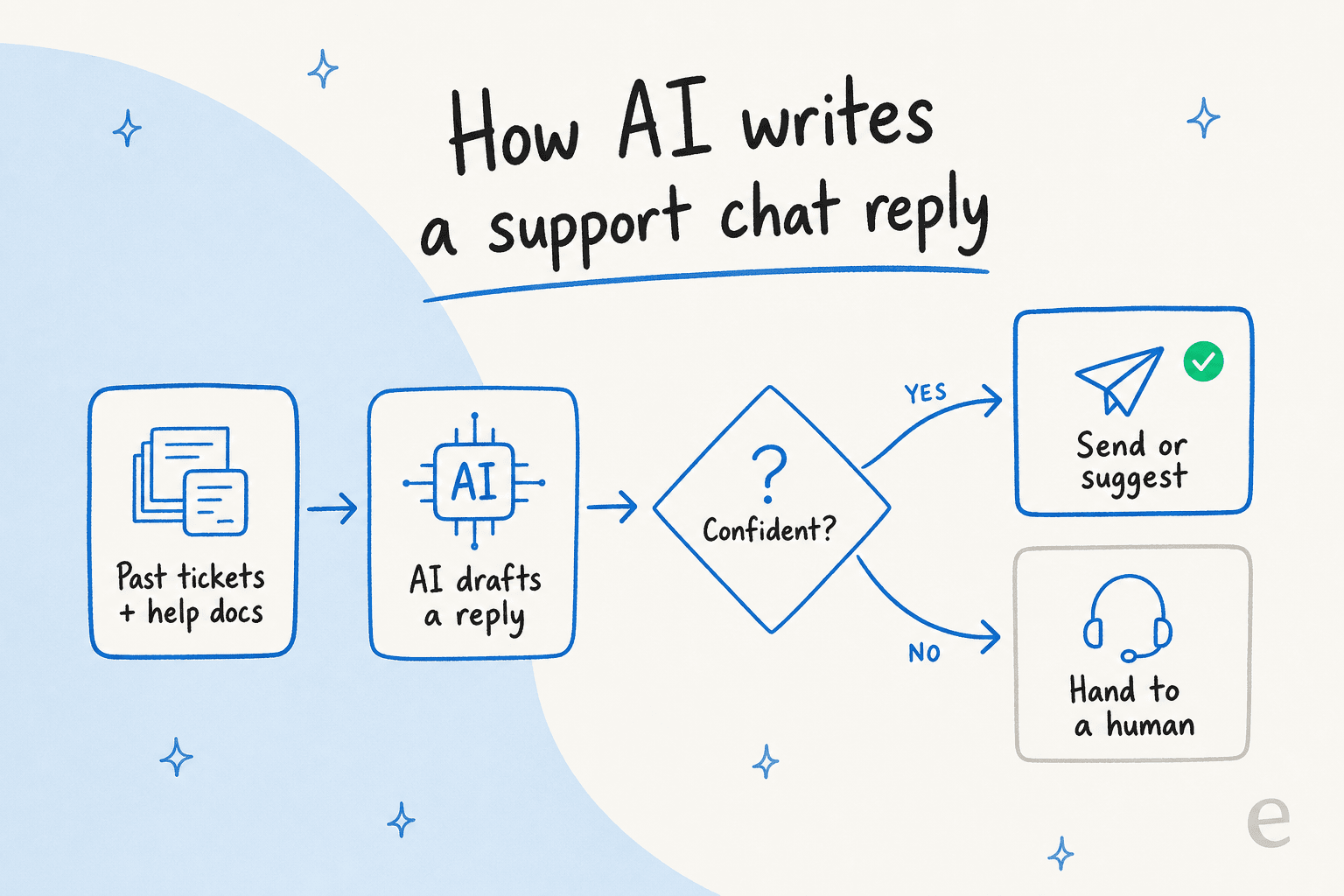
The part that matters most is what happens when the AI isn't sure. The whole game is confidence: a reply it's certain about gets sent or suggested, and anything shaky gets handed to a person. One eesel customer, a CX lead at a DTC supplements brand, put the philosophy better than our marketing ever has:
"The AI will never be able to answer 100% of the questions... I need an AI who is only handling the tickets that it's confident to handle and all the other ones, leave them alone."
That's exactly the right instinct, and it's why confidence-based routing beats a bot that bluffs. When it's set up this way, the numbers show up fast. Gridwise saw eesel resolve 73% of tier-1 requests in the first month, with results landing inside a 7-day trial.
You keep control of the tone, too. Instead of digging through settings, you tell the AI in plain language when to jump in, how formal to sound, and when to draft versus send on its own. If a reply comes back too stiff, you coach it in a sentence and it sticks. That "coachable in plain English" bit is what turns a generic bot into something that sounds like your team, and it's why AI in customer service has stopped feeling like a downgrade from a human reply.
Common mistakes that break a good chat
Even with the right structure, a few habits quietly tank chat quality. These are the ones I flag most often in reviews:
- Robotic empathy. "I understand your frustration" pasted onto every ticket reads as the opposite of understanding. Name the specific problem instead.
- Wall-of-text replies. Three paragraphs where one clear step would do. Skimmable beats complete.
- Silent gaps. Going quiet for four minutes while you research, with no "give me a moment." The customer assumes you left.
- Over-apologizing. One genuine sorry, then action. Five sorries reads as a shield.
- Dead-end no's. "We can't do that" with no alternative. Always pair a no with an option.
- Making them repeat themselves. The fastest way to turn a calm chat into an angry one. Read the thread before you reply, and pass the transcript on every handoff.
If you want to know whether your chats are actually landing, our piece on AI customer service metrics and deflection rate covers what to measure, and AI sentiment analysis can flag the chats that went cold before a customer complains.
Try eesel for your chat support
If you've read this far, you already have the scripts. The tedious part is making sure every reply, from every agent, actually follows them, and that's where an AI helpdesk agent earns its keep. eesel learns from your solved tickets, so it writes chats in your team's real voice, not a generic template. You can run it in simulation mode against your past chats first, to see exactly how it would have handled them before it ever talks to a customer.

It plugs into Zendesk, Freshdesk, Gorgias, Front, and 100+ other tools, and it has one fixed monthly price from $299 for 500 credits (1 credit per chat or ticket) with no per-seat fee. You can try it free with 100 credits and point it at your own tickets to see the chats it drafts, in your voice, in a few minutes.
Want the wider picture before you commit? Browse more AI chatbot examples and AI agent examples, or see how the best AI chatbot for customer service tools stack up.
Frequently Asked Questions
What are good customer service chat examples for a greeting?
How do I respond to an angry customer in live chat?
Can AI write customer service chat replies for me?
What is a live chat script and do I still need one with AI?
How do I hand off a chat from AI to a human agent?


Article by
Riellvriany Indriawan
Riell is a designer and writer at eesel AI with about two years of experience researching CX platforms, AI chatbots, and helpdesk software. She combines her design background with a sharp eye for how these tools actually look and feel in practice — making her comparisons unusually visual and user-focused.