
What makes a product feedback question worth asking
Before the question bank, the filter I run every question through. A weak product feedback question has one of three tells:
- It's leading. "How much do you love the new dashboard?" tells you nothing except that the person is polite.
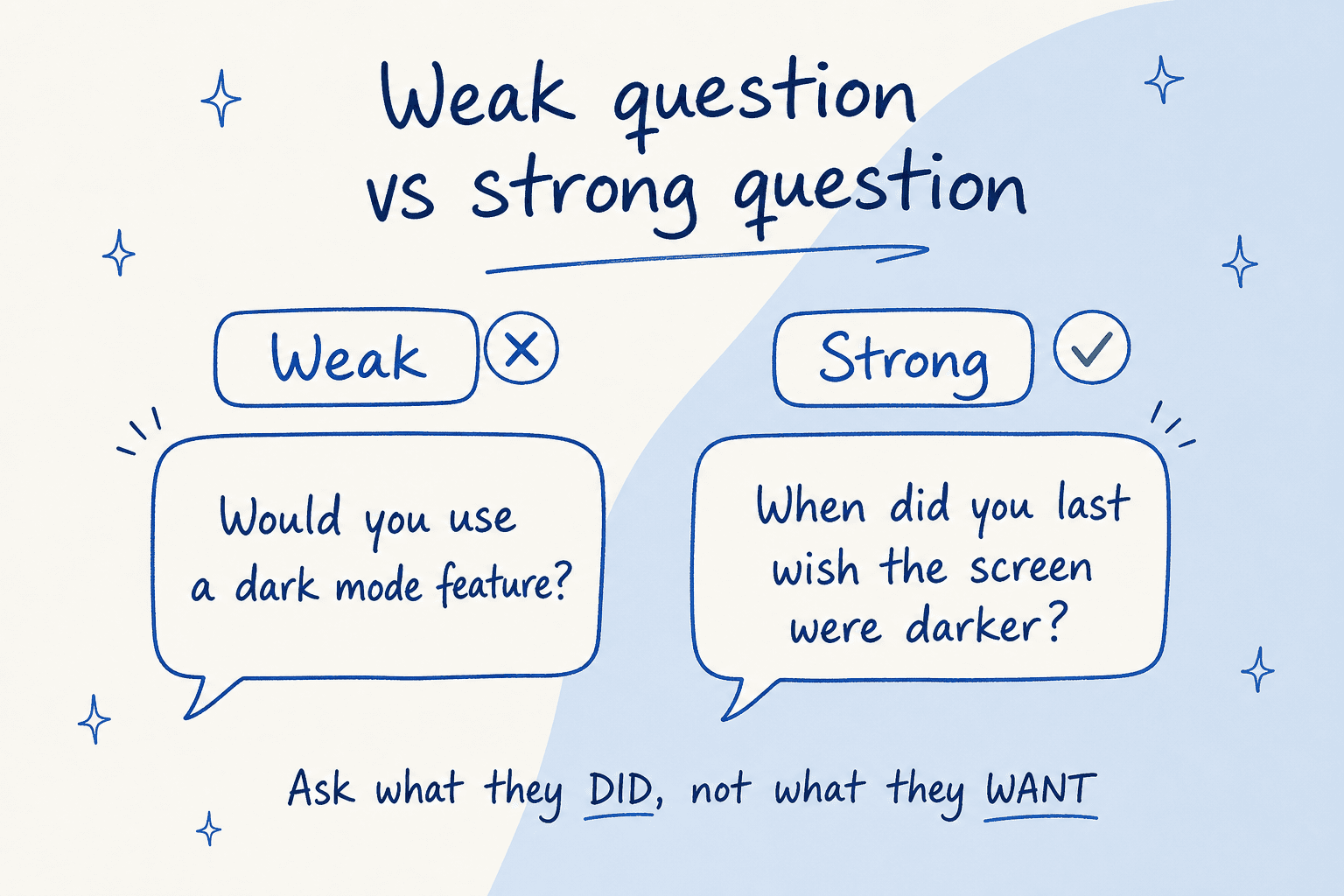
- It's hypothetical. "Would you use a dark mode?" People say yes to almost every feature you name, then never touch it. Stated preference and real behavior barely correlate.
- It's yes/no. "Was that helpful?" ends the conversation exactly where it gets interesting.
The strong version of each is the same move: ask about a real, recent, specific thing the person actually did. "When did you last wish the screen were darker?" gets you a situation you can build for, not a vote.
The other rule is one goal per question. A survey that mixes "how's our pricing" with "what feature is missing" and "how was support last week" gets you shallow answers to all three. Decide what decision the answer is going to inform before you write the question. Which brings us to the bank.
Product feedback questions by goal
Here's the part you came for. I've grouped these by what you're actually trying to learn, because the right question depends entirely on the decision behind it.
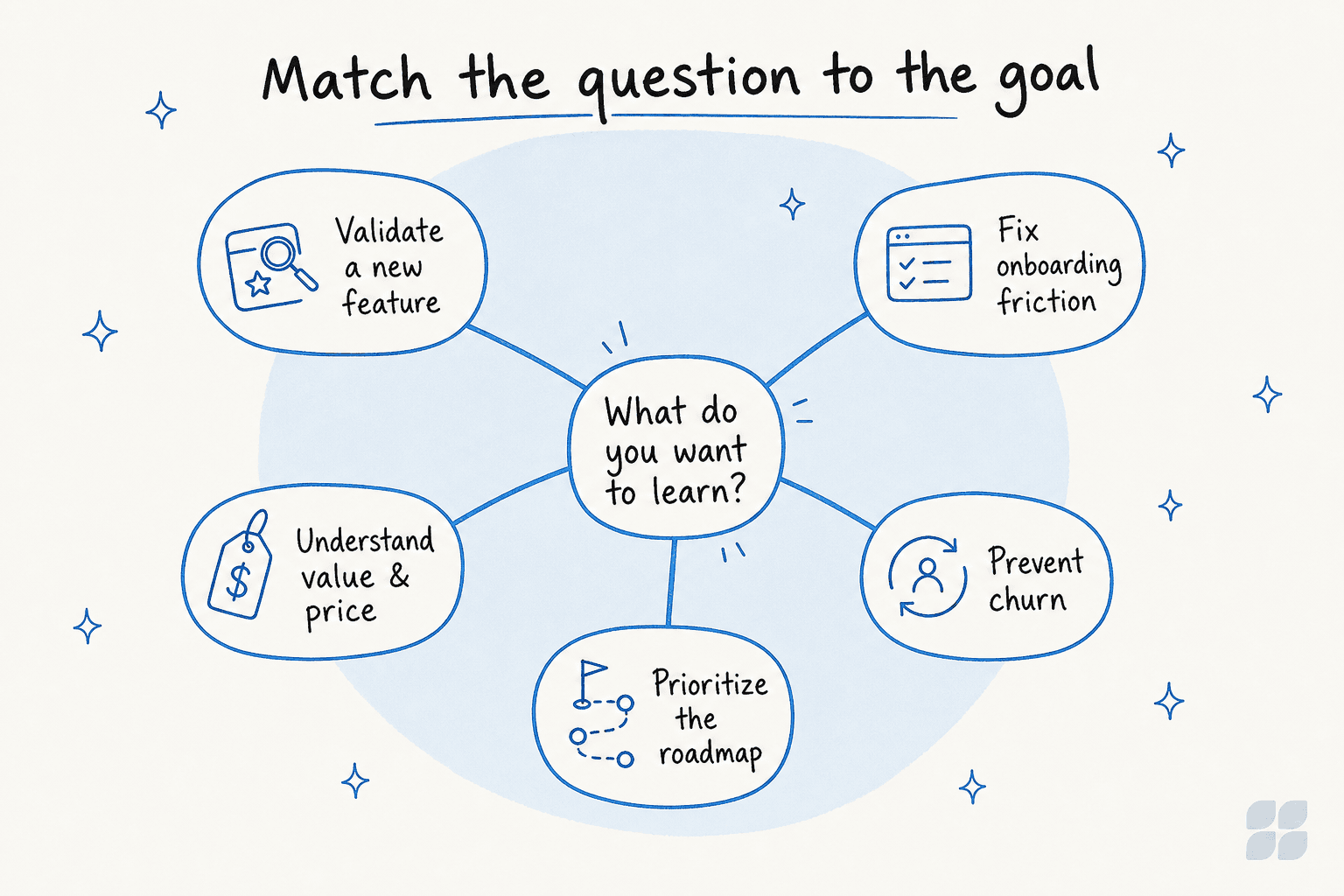
Use the picker below to jump to the set that matches what you're working on right now.
Validating a new feature or idea
Before you build, you want to know if the problem is real. The trap is asking about your solution. Nobody can tell you whether they'll use a feature that doesn't exist yet, but they can tell you what they did last time they hit the problem it solves. So anchor everything in the past:
- Walk me through the last time you ran into [problem]. What did you do?
- What did that cost you, in time or money or sanity?
- What have you cobbled together to work around it?
If they can't remember the last time it happened, that's your answer: the problem isn't painful enough to build for yet.
Onboarding and usability
Product feedback about usability rots fast, so you want to catch it while the friction is fresh, ideally in-app, right after the moment. The most useful onboarding question I know is boring: "What did you expect to happen there?" The gap between what a customer expected and what your UI did is a bug report in disguise, every time.
One pattern I see constantly on the support side: a company's help docs are written for admins, but the tickets come from end users. One transit-tech team we work with had documentation aimed at system administrators while every actual question came from bus riders using the app. Their onboarding questions were being answered by the wrong audience entirely. If your usability feedback all sounds strangely advanced, check who's actually filling out the survey.
Understanding value and willingness to pay
This is where the Sean Ellis test question earns its keep: "How would you feel if you could no longer use this product?" The share who answer "very disappointed" is a genuinely predictive signal of product-market fit. Pair it with a value question ("what's the main benefit you've gotten") and you learn both whether people would miss you and why.
Willingness-to-pay questions are their own art. Direct ones ("what would you pay?") get you fiction. Better to ask what they currently spend solving the problem another way, or what would make an upgrade a no-brainer.
Preventing churn
Cancellation is the most honest a customer will ever be, so don't waste the moment on a five-star grid. Ask the one question that matters, "what's the main reason you're leaving today?", and leave the box open. Then follow the thread: what were they hoping for, what broke, what are they switching to. A structured cancellation flow that captures this turns your worst day into your best research.
The catch is that most churn is silent. People don't cancel; they just stop showing up. Those customers never answer a question because you never knew to ask. Which is the whole argument for the next section.
Prioritizing the roadmap
Roadmap questions are where teams most often reach for the feature-vote, and it's the weakest tool in the box. What you want isn't a popularity contest; it's the friction. "What do you spend the most time on that feels like it shouldn't take so long?" surfaces real jobs. And my favorite roadmap question isn't a question you ask at all: what have customers asked your support team for more than once? That list is already sitting in your helpdesk.
The feedback goldmine you already own: your support queue
Here's the reframe. Every question above assumes you have to go ask. But a support queue is thousands of customers telling you what's wrong with your product, unprompted, in their own words, dated and searchable. It's the largest, most honest product feedback dataset most companies own and almost nobody mines it, because reading ten thousand tickets by hand is nobody's job.

This is the voice-of-customer source that doesn't require you to send anything. Every "how do I export this?" is a discoverability problem. Every "is there a way to..." is a feature request wearing a question mark. Every angry ticket about the same bug is a priority ranking. The signal is all there; the work is aggregation.
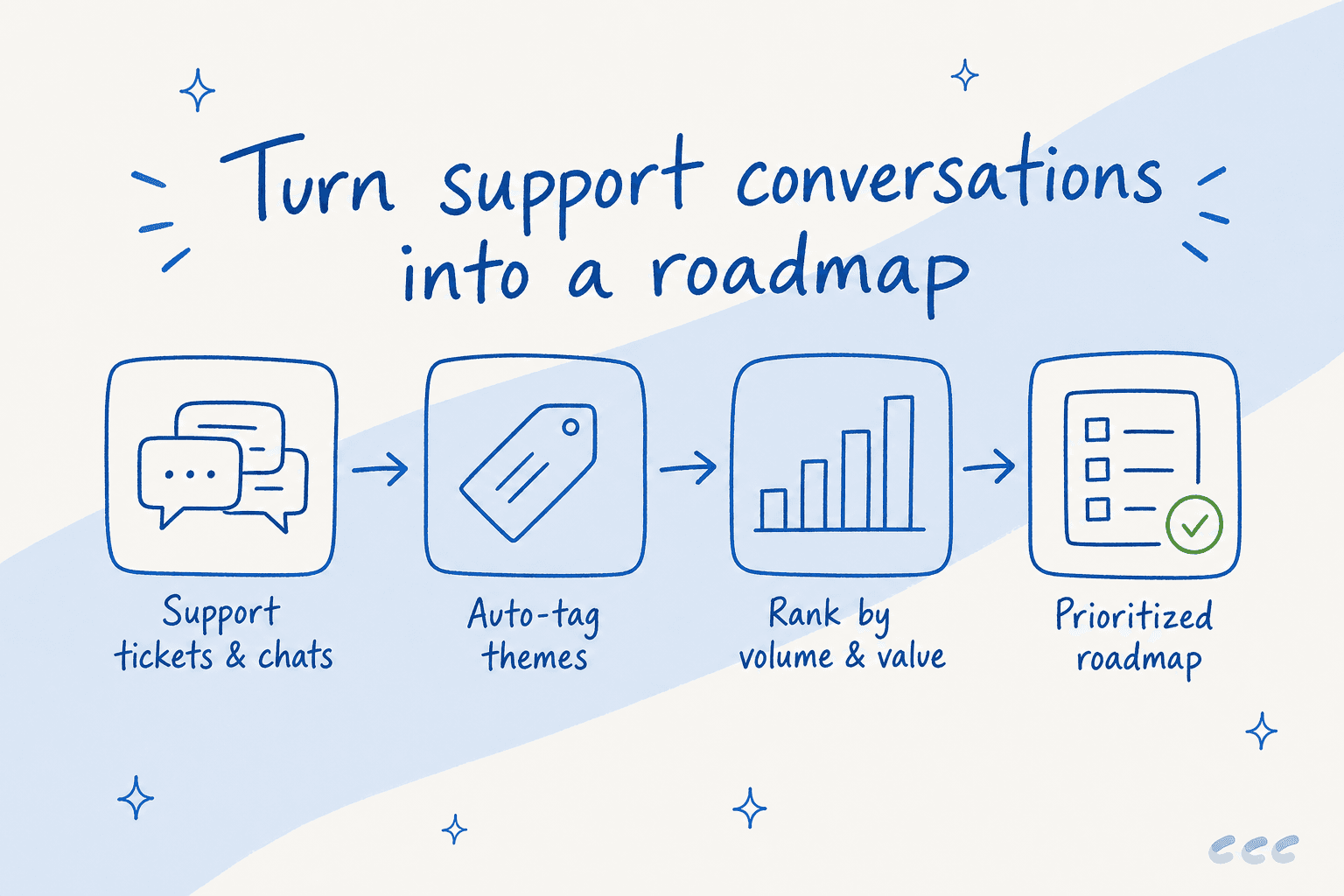
That aggregation is exactly what AI is now good at. At eesel, past-ticket training is the single most-requested thing customers ask us for, according to our own team's read across hundreds of sales calls. Teams don't just want the AI to answer tickets, they want it to have read every ticket they've ever gotten. And once it has, tagging those tickets into recurring themes, "billing confusion," "onboarding drop-off," "missing integration," is close to free.
"Each of our brands has unique products and customers. With eesel, we trained a dedicated AI agent for every brand, each one learning from its own tickets so it truly understands the product it supports."
- a multi-brand health and wellness company running five brand-specific AI agents, each trained on its own ticket history
Where to ask each type of question
Not every question belongs in a survey. Matching the question to the channel is half the battle.
| Channel | Best for | Watch out for |
|---|---|---|
| In-app micro-survey | Usability, feature validation, right after the moment | Interrupting a task; keep it to one question |
| Email / NPS survey | Relationship health, value, periodic pulse | Low response rates, happy-customer bias |
| Cancellation flow | Churn reasons, unmet expectations | Only reaches people who bother to cancel |
| 1:1 customer interview | Deep "why", roadmap discovery | Slow, small sample, hard to scale |
| Support queue mining | Unprompted product complaints, prioritization | Volume; needs AI to aggregate |
| Live chat logs | Real-time confusion, discoverability gaps | Signal buried in noise |
The pattern worth noticing: the top of the table is you asking, and it's biased toward the customers engaged enough to answer. The bottom is customers telling, and it captures the silent majority who'd never fill out a form. A good customer feedback program uses both, but most teams over-invest in the asking and ignore the telling.
Turning answers into decisions
Collecting is the easy part. The graveyard of good product feedback is the spreadsheet nobody opens. Three steps keep it alive:
- Tag everything by theme, not by feature. "Users can't find the export button" and "where do I download my data" are the same theme. Group by the underlying job.
- Rank by reach and revenue, not by volume alone. Ten enterprise accounts raising one issue can outweigh a hundred free users. Weight it, the same way you'd weight your support KPIs.
- Close the loop. Tell the customers who raised it when you ship it. Nothing drives future feedback like proof that the last round mattered.
If you're doing this manually, it's a real job, someone reading, tagging, and tallying. If your support runs through a helpdesk, an AI agent can do the reading and tagging across your entire history, then hand you the ranked list. That's the difference between "we should really analyze our tickets someday" and having the analysis waiting for you on Monday.
Common mistakes to avoid
A few traps I see over and over:
- Asking too many questions. A 12-question survey gets abandoned at question 4. Three sharp questions beat twelve fuzzy ones.
- Asking too late. Feedback about onboarding, collected a month after onboarding, is a memory of a memory. Ask in the moment.
- Only hearing from happy or angry customers. Both ends over-respond. The quiet middle is where churn hides, which is why passive channels matter.
- Treating feature votes as a roadmap. Votes measure enthusiasm, not need. Friction beats popularity.
- Never closing the loop. Feedback with no visible outcome trains customers to stop giving it.
Try eesel for product feedback from your support queue
If your customers already reach you through a helpdesk, you're sitting on the biggest pile of product feedback you'll ever collect, no survey required. eesel plugs into helpdesks like Zendesk, Freshdesk, and Gorgias, reads your entire ticket history, and surfaces the recurring themes, the questions people ask twice, the workarounds they mention, the features they keep requesting. You can simulate it against your past tickets before it ever touches a live conversation, so you see the patterns first. It's the fastest way I know to answer "what should we build next" using data you already have. It's free to try.

Frequently Asked Questions
What are the best product feedback questions to ask customers?
How many product feedback questions should a survey have?
What is the difference between product feedback and customer feedback?
How do I collect product feedback without annoying customers?
How do I turn product feedback answers into a roadmap?


Article by
Riellvriany Indriawan
Riell is a designer and writer at eesel AI with about two years of experience researching CX platforms, AI chatbots, and helpdesk software. She combines her design background with a sharp eye for how these tools actually look and feel in practice — making her comparisons unusually visual and user-focused.