
Start with the goal, not the question
The most common survey mistake I see on the support team isn't bad wording. It's writing questions before deciding what decision the answers will drive. A survey that measures everything measures nothing, and it burns the goodwill you need for the next one.
So before you copy a single question below, answer one thing: what will you do differently based on the responses? If you can't name the action, cut the question. A "how did we do?" survey with no owner for the results is just noise you're asking customers to generate.
That framing also tells you which kind of survey you need. Measuring one interaction is a CSAT job. Measuring loyalty to the whole brand is NPS. Measuring how hard you made someone work is CES. They aren't interchangeable, and picking the wrong one is how teams end up with numbers nobody trusts. Here's how the three core support metrics compare:
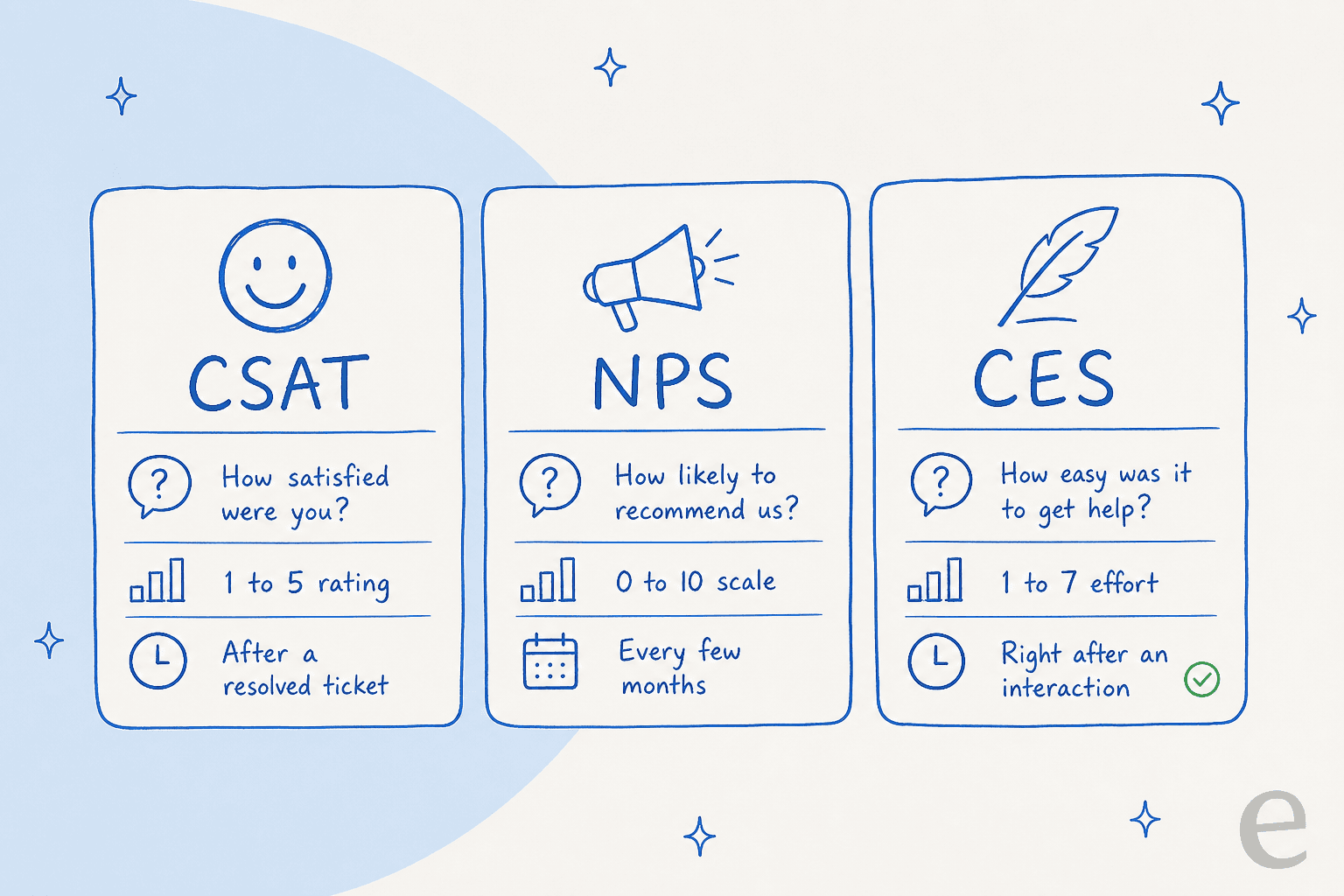
| Metric | The question it asks | Scale | When to send it |
|---|---|---|---|
| CSAT | How satisfied were you with this interaction? | 1 to 5 | Right after a resolved ticket |
| NPS | How likely are you to recommend us? | 0 to 10 | Every quarter, relationship-level |
| CES | How easy was it to get your issue handled? | 1 to 7 | Immediately after an interaction |
| Open feedback | What could we have done better? | Free text | Alongside any of the above |
The rules for writing survey questions people answer
The wording matters more than the platform. A clean question on a plain email beats a clever one in a polished tool. Five rules cover almost everything:
- One question per question. "How satisfied were you with the speed and friendliness of our support?" is two questions. If someone was helped fast by a rude agent, they can't answer it honestly. Split it.
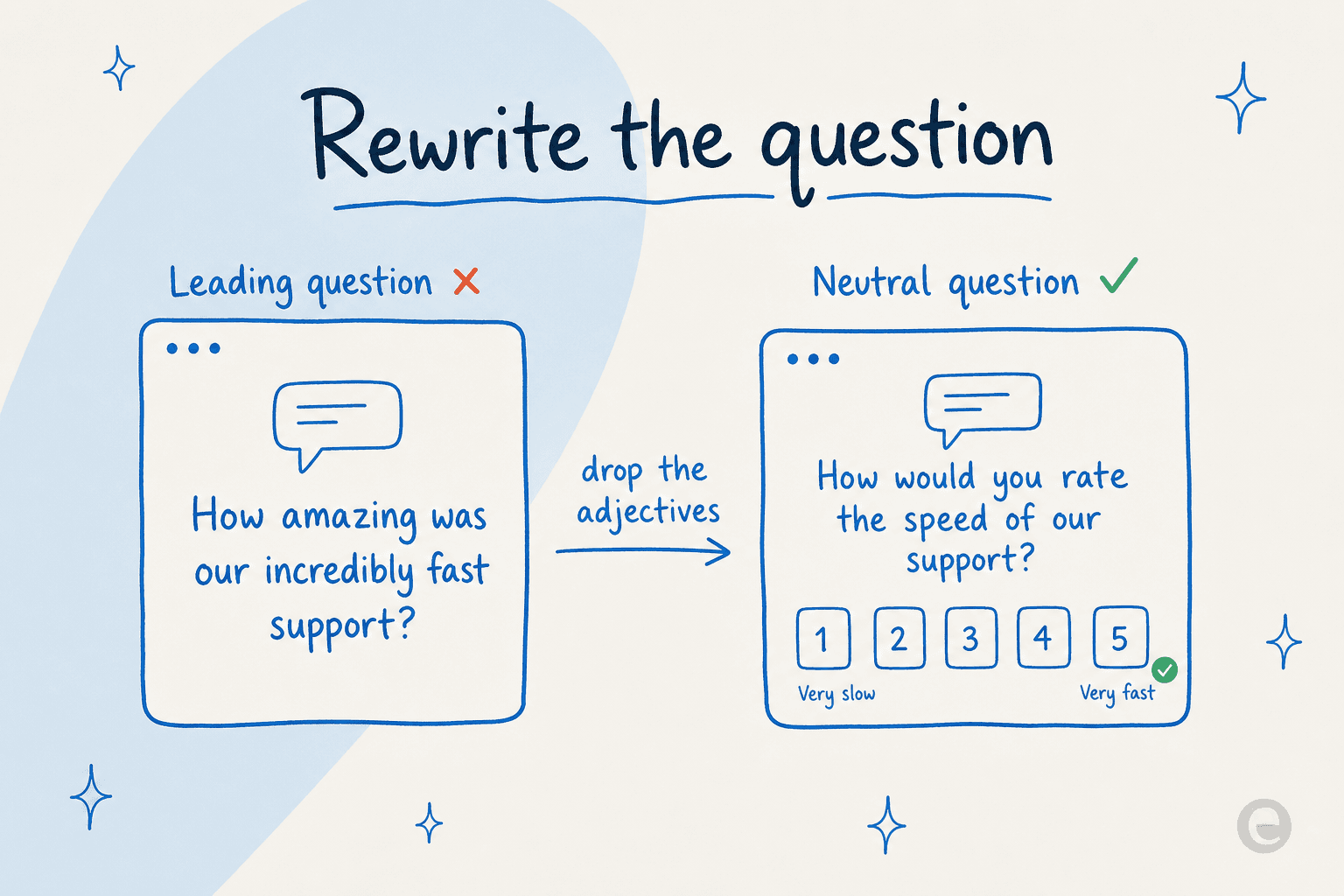
- Drop the loaded adjectives. "How amazing was our incredibly fast support?" tells the reader what to say. Strip the adjectives and you get "How would you rate the speed of our support?"
- Balance the scale. Offer as many negative options as positive, with a real neutral middle. A scale that runs "good, great, excellent" has no room for the truth.
- Keep it short. Every extra question drops completion. For a post-ticket survey, one rating and one optional comment is the sweet spot.
- Ask at the right moment. A satisfaction question hits differently the minute after resolution than it does three days later.
That first fix is the one people miss most, so it's worth seeing side by side:
Survey question samples by goal
Here's the bank. Grab what fits, change the product name, and delete the rest. Every set below is meant to be trimmed, not sent whole.
Use this to jump to the set you need:
- How satisfied were you with the help you received today? (1 to 5)
- What's the main reason for your score? (open)
- Was your issue fully resolved? (yes / no / partly)
- How likely are you to recommend us to a colleague? (0 to 10)
- What's the one thing that would make you more likely to recommend us? (open)
- What almost stopped you from recommending us? (open)
- How well does this feature solve your problem? (1 to 5)
- What were you trying to do when you used it? (open)
- What's missing that would make it a 5? (open)
- What's the main reason you're leaving today? (single choice)
- What could we have done to keep you? (open)
- Would you consider coming back in the future? (yes / no / maybe)
Customer satisfaction (CSAT) questions
These attach to a single interaction. The unbeatable pattern is one score plus one open box:
- How satisfied were you with the support you received today? (1 to 5)
- What's the main reason for your rating? (open text)
- Was your issue resolved on the first contact? (yes / no)
- How would you rate the knowledge of the person who helped you? (1 to 5)
- How would you rate the speed of our response? (1 to 5)
- Is there anything the agent could have done better? (open text)
If you run Zendesk, Freshdesk, or Gorgias, each has a native CSAT survey you can wire to fire on ticket close, so you rarely need a separate tool for these.
Net Promoter Score (NPS) questions
NPS is relationship-level, so send it on a schedule rather than after every ticket. The classic is a single 0 to 10 question, but the open follow-up is where the value hides:
- How likely are you to recommend [product] to a friend or colleague? (0 to 10)
- What's the primary reason for your score? (open text)
- What's the one thing we could do to improve your experience? (open text)
- Which feature would you miss most if we removed it? (open text)
- What almost stopped you from becoming a customer? (open text)
If you'd rather not build these from scratch, Freshdesk and other helpdesks ship a native NPS survey you can schedule.
Customer Effort Score (CES) questions
CES predicts loyalty better than satisfaction in a lot of support contexts, because people forgive a problem far more readily than they forgive a hard time getting it fixed:
- How easy was it to get your issue resolved today? (1 = very hard, 7 = very easy)
- [Product] made it easy for me to handle my issue. (strongly disagree to strongly agree)
- How much effort did you personally have to put in to get help? (1 to 5)
- What made your experience harder than it needed to be? (open text)
Product and feature feedback questions
Ask these after someone has actually used the thing, not at random:
- How well does [feature] meet your needs? (1 to 5)
- What were you trying to accomplish when you used [feature]? (open text)
- How would you feel if you could no longer use [feature]? (very disappointed / somewhat / not disappointed)
- What's the one feature you wish we had? (open text)
- How easy was [feature] to understand the first time you used it? (1 to 5)
That "how would you feel if you could no longer use this" question is the Sean Ellis product-market-fit test, and it's one of the sharpest single questions on this list.
Onboarding and activation questions
New customers are the best source of "where does this get confusing" feedback, because everything is still fresh:
- How easy was it to get started with [product]? (1 to 5)
- Was there anything you expected to find but couldn't? (open text)
- What almost made you give up during setup? (open text)
- On a scale of 1 to 5, how confident do you feel using [product] now?
Website and on-page micro-surveys
One-question polls that pop on a page get high response rates because they cost the visitor almost nothing:
- Did this page answer your question? (yes / no)
- What were you looking for that you didn't find? (open text)
- What's stopping you from signing up today? (open text)
If your knowledge base or help center is where a lot of these live, it's worth pairing them with self-service that actually deflects rather than just measuring the gap.
Churn and cancellation questions
Painful to read, most valuable to have. Keep it to a couple of questions since you've already lost their patience:
- What's the main reason you're canceling today? (single choice with an "other" open box)
- What could we have done to keep you? (open text)
- Where are you going instead? (open text)
- Would you consider coming back? (yes / no / maybe)
Cancellation reasons are also a signal you can catch earlier. If you can spot churn risk in support conversations before someone reaches the cancel button, the exit survey becomes a backstop instead of your first warning.
Open-ended questions worth keeping
Rating questions give you the number; open questions give you the reason. A few that consistently pull good answers:
- If you had a magic wand, what's the one thing you'd change about [product]?
- What nearly stopped you from buying / renewing?
- What do you tell colleagues when you describe us?
- What's the most frustrating part of your current workflow?
The mistakes that quietly ruin your data
I've watched good survey programs produce useless data because of a handful of repeat offenders. Skim this list before you hit send:
- Double-barreled questions. "Was our team friendly and knowledgeable?" One answer can't cover both.
- Leading questions. Anything that smuggles in the answer ("How great was...") inflates your scores and hides the problems.
- Absolutes. "Do you always get fast responses?" Nobody can answer "always" or "never" honestly, so they guess.
- Jargon and internal names. If you call it the "Unified Resolution Hub" internally, your customer calls it "the chat thing." Use their words.
- Too many required fields. Every mandatory question is a reason to abandon. Make everything except the core score optional.
- Asking without a plan to respond. The fastest way to kill future response rates is to collect feedback and visibly do nothing with it.
Collecting answers is easy. Reading them is the hard part
Here's the part most survey guides skip. Writing the questions takes an afternoon. Making sense of a few hundred open-text responses a week is the job that never ends, and it's where feedback programs quietly die. The scores get logged on a dashboard, the comments get skimmed once, and the actual signal, the recurring theme showing up in 40 different customers' words, never gets counted.
This is the loop I care about on the support side: survey, collect, find the theme, fix the thing, and repeat.
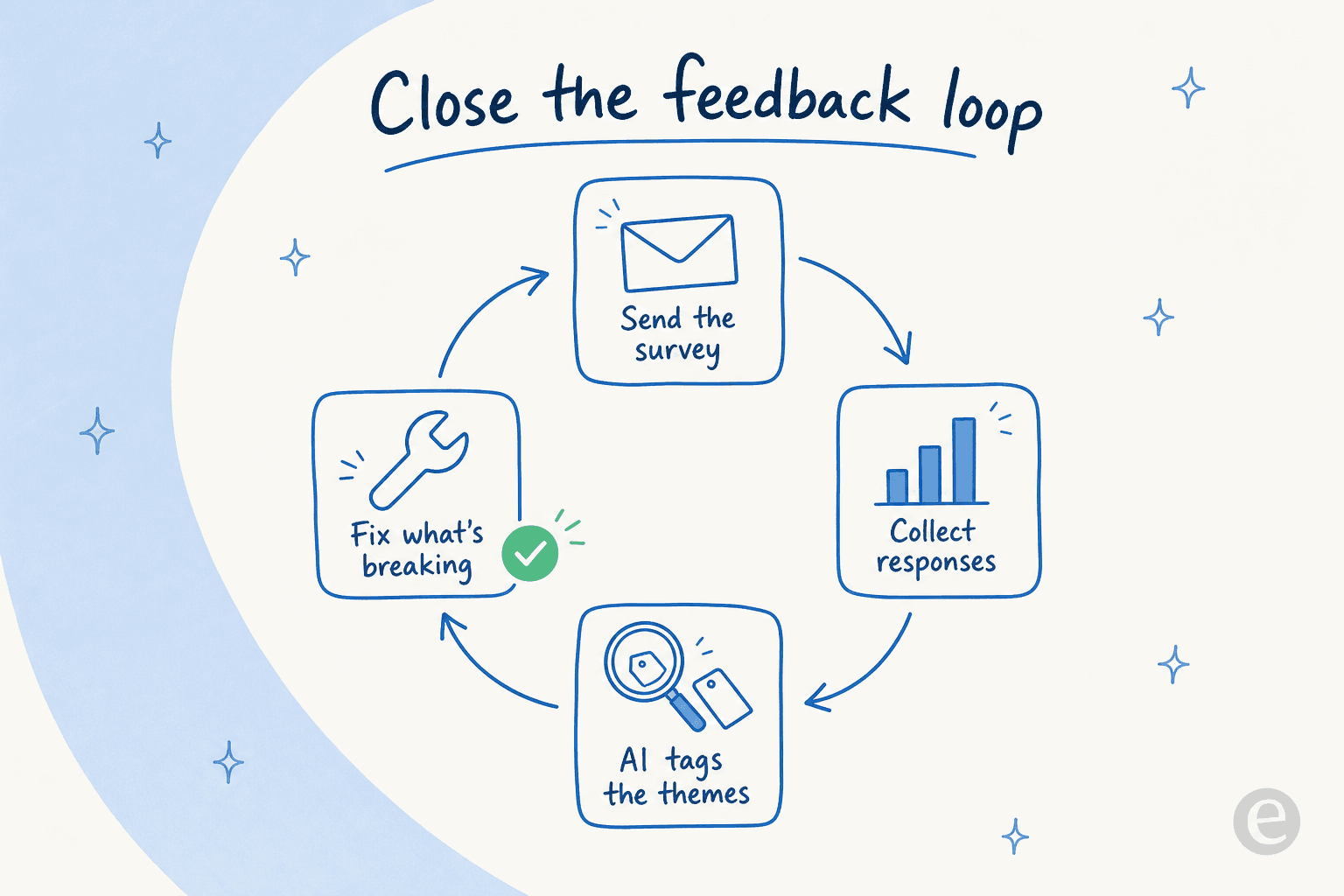
Stages one and two are solved. Stage three is where AI earns its keep: it can read every open-text response, cluster them into themes, and tell you that "can't find the invoice" showed up 60 times this month while "checkout bug" showed up twice. That's the difference between a hunch and a ranked backlog. Reading feedback at scale is the same muscle as analyzing support tickets at scale, and the best customer feedback tools are increasingly built around exactly this.
There's a second move worth making: your surveys aren't your only feedback source. Every support ticket, chat, and email already contains the same signal, usually more of it than your survey responses do. A tool that can read your whole ticket history alongside your survey results gives you a far bigger sample than the small slice of customers who bother to fill in a form.
Try eesel
Once you're collecting feedback, the bottleneck moves from asking to acting. That's where eesel AI fits: it plugs into your existing helpdesk, reads every past ticket and open-text survey response, and tags the recurring themes automatically, so instead of hand-sorting comments you get a ranked view of what's actually breaking. On the reporting side it surfaces the patterns across thousands of conversations, not just the handful of survey responses you'd otherwise read by hand.

It's also the layer that closes the loop on the tickets themselves. It drafts replies for your agents and can auto-handle the repetitive questions your CSAT comments keep flagging, which is how one team, Gridwise, got eesel resolving 73% of their tier-1 requests in the first month. As one Zendesk admin put it, "eesel AI streamlines our workflow, boosts productivity, and ensures a higher level of service consistency" (Melissa Ryan, Discuss.io). You can try it free and point it at your own historical tickets before committing to anything.
Frequently Asked Questions
What are some good survey question samples for customer satisfaction?
How many questions should a customer feedback survey have?
What is the difference between CSAT, NPS, and CES survey questions?
How do you write survey questions that avoid bias?
How can AI help with customer feedback surveys?


Article by
Riellvriany Indriawan
Riell is a designer and writer at eesel AI with about two years of experience researching CX platforms, AI chatbots, and helpdesk software. She combines her design background with a sharp eye for how these tools actually look and feel in practice — making her comparisons unusually visual and user-focused.