The one rule that makes a survey question worth asking
I work on eesel's support team, so I read customer feedback for a living, the kind that comes in through tickets, chat, and yes, surveys. The pattern is depressingly consistent: the surveys that get sent are full of questions nobody can act on. "How was your experience?" gets you "fine." "What features would you like?" gets you a wishlist of things you'll never build.
Here's the filter I'd apply to every question before it ships: if the answer wouldn't change a decision, cut the question. "Would you recommend us?" is worth asking because a low score triggers a follow-up call. "Do you like our brand colors?" is not, because you're not going to repaint the app over survey data. This one rule kills about half of most draft surveys, and the half that survives is the half worth reading.
The second filter is length. Every extra question costs you completions. A one-question in-app poll can clear 40% response rates; a ten-question form after a support chat is lucky to hit single digits. So the real skill isn't writing more questions, it's knowing which three matter for the moment you're asking.
The five families of product survey questions
Almost every useful question falls into one of five families. Get the family right and the wording mostly writes itself.
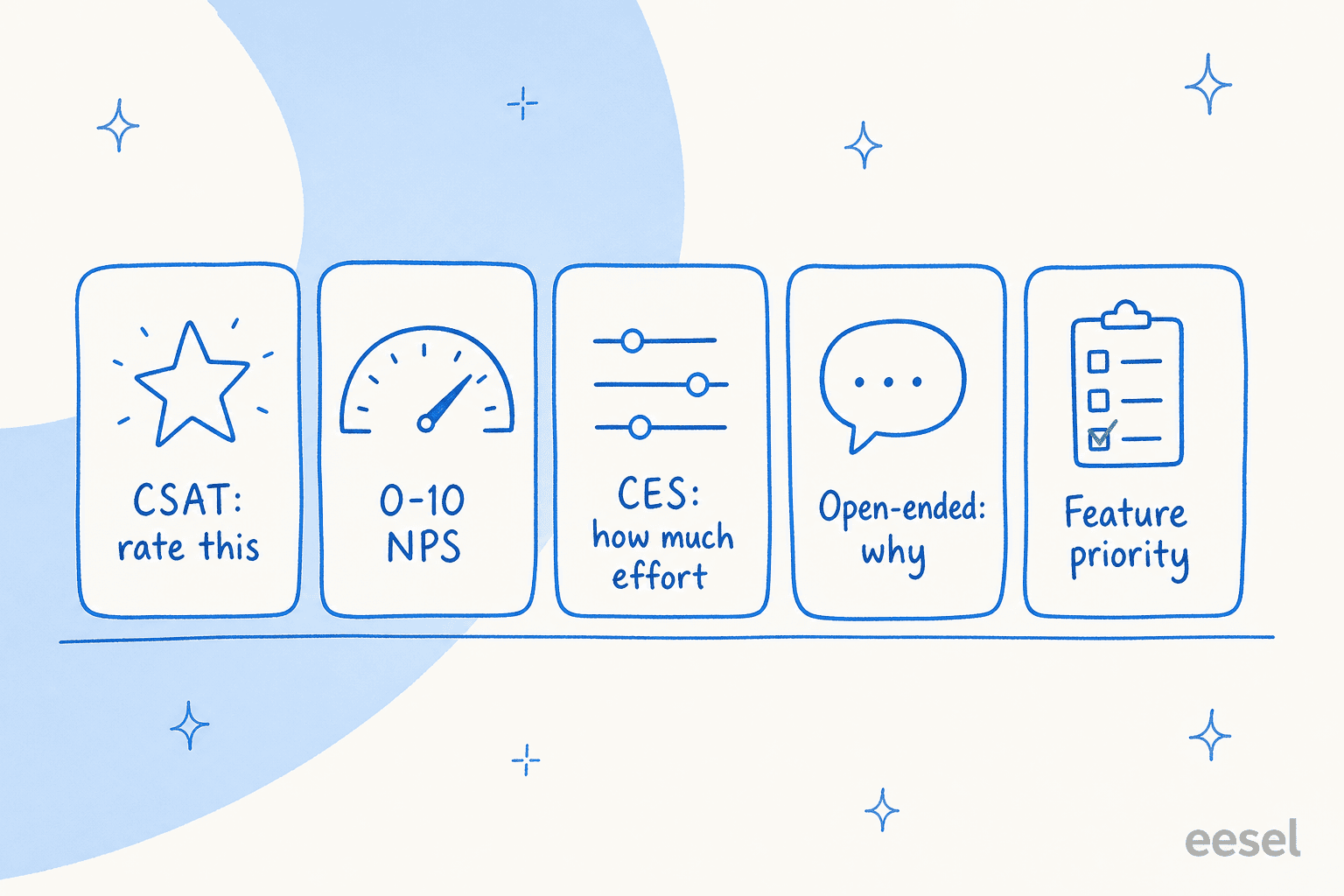
- Rating (CSAT): a number on a defined scale about one specific thing. "Rate this reply 1 to 5." Fast, trackable, narrow.
- Relationship (NPS): the 0 to 10 "would you recommend" question about the whole product, not a single touchpoint. Best as a slow-moving loyalty signal.
- Effort (CES): how hard was it to get something done. A high-effort answer predicts churn better than a mediocre satisfaction score does, which is why customer effort score has quietly become the metric a lot of product teams trust most.
- Open-ended: the "why" that gives the number a reason. This is where the real insight lives, and also the part that never gets read (more on that below).
- Feature priority: forced-choice or ranking questions that make customers trade off, which is far more honest than a checkbox wishlist.
The mistake I see most is asking only the first three, the ones that produce a tidy dashboard, and skipping the open-ended question that explains them. A dropping CSAT with no "why" attached tells you something's wrong and nothing about what.
The question bank, sorted by goal
Copy what fits, cut the rest. Each table pairs a rating question with the open-ended follow-up that makes it useful.
Product value and product-market fit
The single most useful survey question ever written is Sean Ellis's "how would you feel if you could no longer use this product?" A product with 40%+ "very disappointed" is one people actually need.
| Question | Type |
|---|---|
| How would you feel if you could no longer use [product]? (Very disappointed / Somewhat / Not disappointed) | Rating |
| What type of person do you think would benefit most from [product]? | Open-ended |
| What's the main benefit you get from [product]? | Open-ended |
| What would you likely use instead if [product] disappeared tomorrow? | Open-ended |
| How can we improve [product] for you? | Open-ended |
New feature and usability
Ask these while the feature is fresh, ideally right after someone uses it for the first time.
| Question | Type |
|---|---|
| How easy was it to complete [task] today? (1 = very hard, 5 = very easy) | Effort (CES) |
| Did [feature] do what you expected? (Yes / Partly / No) | Rating |
| What were you trying to accomplish when you opened [feature]? | Open-ended |
| Was anything confusing or missing? | Open-ended |
| If you could change one thing about [feature], what would it be? | Open-ended |
Onboarding
Onboarding surveys catch the friction that quietly kills activation. Send a few days in, not on day one.
| Question | Type |
|---|---|
| How easy was it to get started with [product]? (1 to 5) | Effort (CES) |
| Did you reach your first "aha" moment? What was it? | Open-ended |
| What almost stopped you from setting up? | Open-ended |
| Was there anything you expected [product] to do that it didn't? | Open-ended |
| How could we make setup faster? | Open-ended |
A good onboarding survey overlaps with what the best customer onboarding tools track automatically, but a direct question still catches the "I gave up because I couldn't find X" answers that behavioral data alone misses.
Support interaction (CSAT)
The classic post-ticket survey. Keep it to the rating plus one open follow-up so it doesn't feel like homework after someone already spent time in your queue.
| Question | Type |
|---|---|
| How would you rate the support you received? (1 to 5) | Rating (CSAT) |
| Did we resolve your issue? (Yes / No) | Rating |
| How much effort did it take to get your issue resolved? | Effort (CES) |
| What could we have done better? | Open-ended |
This is the survey most teams already run, usually fired the moment a conversation closes. If you want the mechanics, we wrote a whole guide on sending a CSAT survey at close, and a broader look at AI CSAT for teams automating the scoring.
Loyalty (NPS)
NPS is a relationship signal, not a per-interaction one, so send it a couple of times a year, not after every chat.
| Question | Type |
|---|---|
| How likely are you to recommend [product] to a colleague? (0 to 10) | Relationship (NPS) |
| What's the main reason for your score? | Open-ended |
| What would it take to move you closer to a 10? | Open-ended |
The "main reason" follow-up is the whole point. An NPS number with no reason attached is a vanity metric; the open-text is where the roadmap hides. If you run on Freshdesk, our NPS survey walkthrough covers the setup, and Zendesk's satisfaction metrics do the same on that side.
Churn and cancellation
The most valuable feedback you'll ever collect is at the exit. Keep it to two or three questions, a churning customer has one foot out the door.
| Question | Type |
|---|---|
| What's the main reason you're cancelling? (Price / Missing feature / Switched tools / Not using it / Other) | Rating |
| What could we have done to keep you? | Open-ended |
| What are you switching to, if anything? | Open-ended |
Cancellation answers are gold because they name the real dealbreakers. The catch is that most cancel flows collect them and nobody reads them. If you're on a helpdesk, you can go further and spot the risk before the cancel button, which is the idea behind detecting churn risk in support conversations and cancellation retention.
Pricing
Pricing questions are easy to get wrong because people underreport what they'll pay. Van Westendorp's four questions dodge that by asking about price ranges instead of a single number.
| Question | Type |
|---|---|
| At what price would [product] be so expensive you wouldn't buy it? | Open-ended |
| At what price would it be expensive but you'd still consider it? | Open-ended |
| At what price would it be a great deal? | Open-ended |
| At what price would it be so cheap you'd question the quality? | Open-ended |
When to ask which question
Timing matters as much as wording. The same question lands differently depending on where the customer is in their journey, so trigger surveys off events, not a calendar blast.
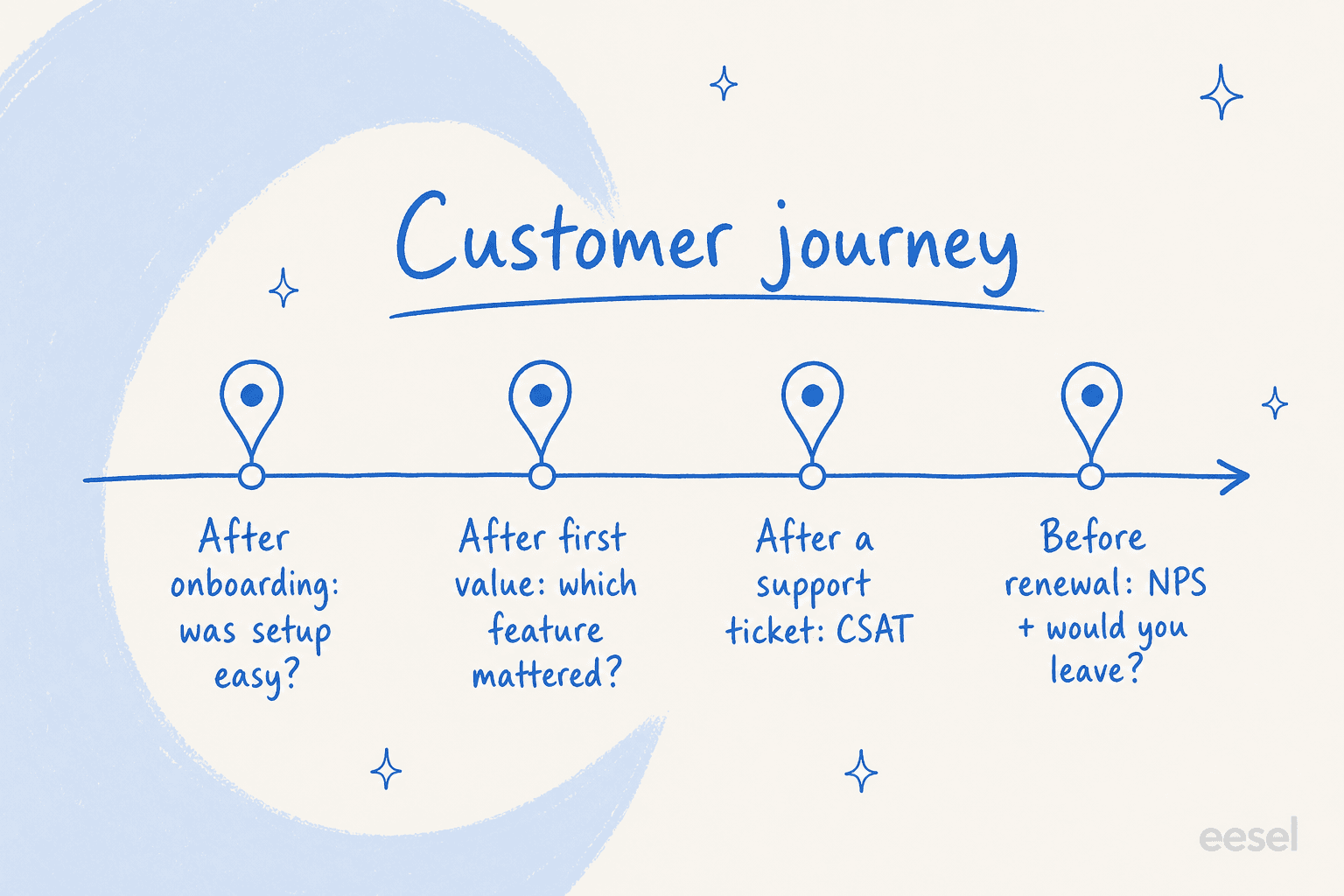
- Right after onboarding: CES and "what almost stopped you," while the setup pain is fresh.
- After first real value: the PMF question and "what's the main benefit," once they've felt the product work.
- After a support ticket: CSAT, fired the moment the conversation closes.
- Quarterly and before renewal: NPS plus "what would it take to move you to a 10."
- At cancellation: the two-question exit survey.
Event-triggered surveys consistently beat scheduled ones on response rate, because you're asking while the experience is still in the customer's head. A survey about onboarding sent three months later is just a memory test.
Closed vs open questions: use both, on purpose
Closed questions (ratings, multiple choice) give you numbers you can trend over time. Open questions give you the reasons behind the numbers. You need both, and the trap is leaning too far either way.
All-closed surveys produce tidy dashboards that can't tell you why a score moved. All-open surveys produce rich answers that nobody has time to read, so they rot in a spreadsheet. The working ratio for most product surveys is one rating question anchoring the moment, plus exactly one open-ended "why." That gives you a trackable number and a readable reason without tanking completion.
The part everyone skips: reading the answers
Here's the honest bit. Writing good questions is the easy 20%. The hard 80% is reading what comes back, especially the open-text, and that's where almost every feedback program quietly dies. A quarter of survey responses might be free text, and a human reading a few hundred comments per week just doesn't happen.
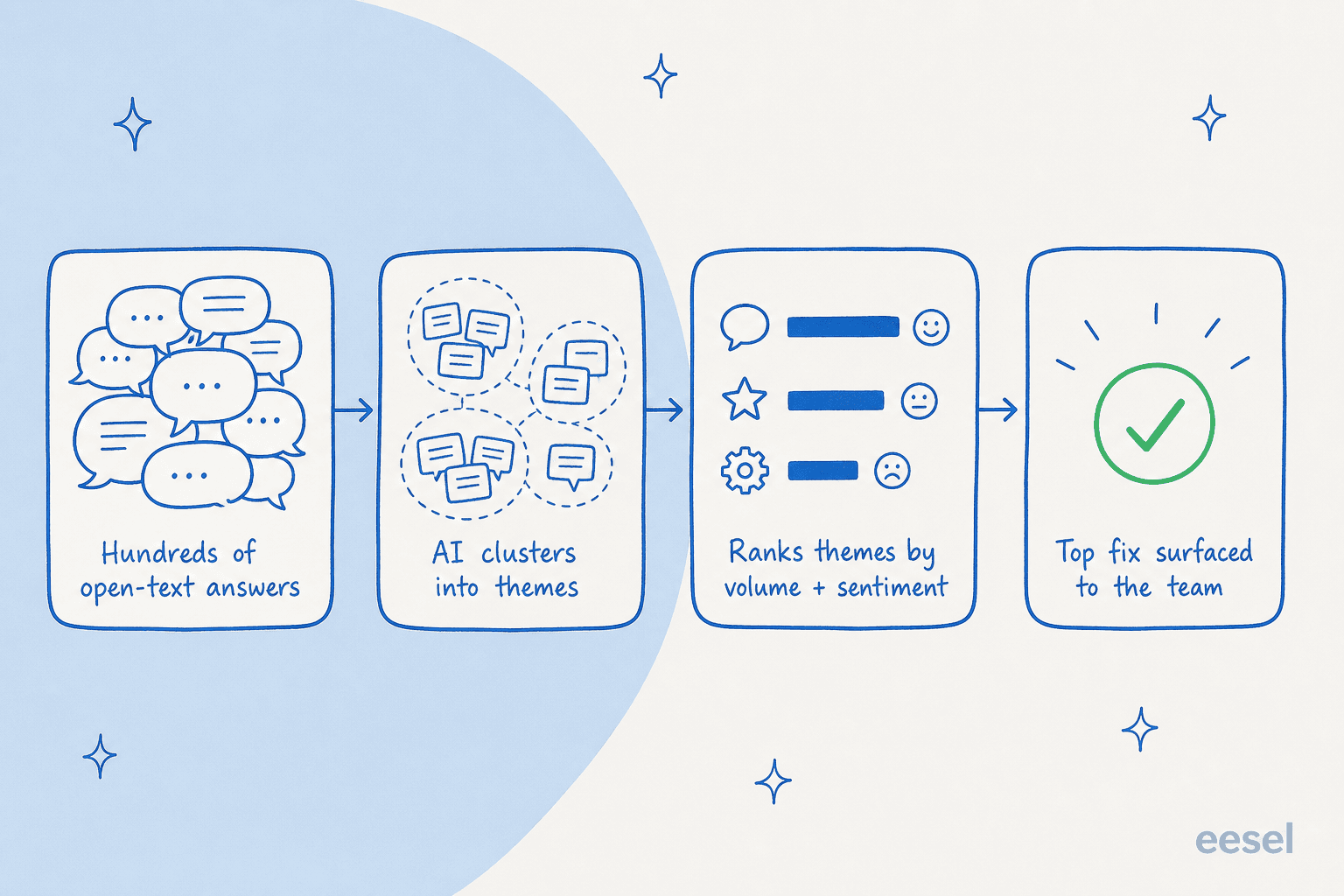
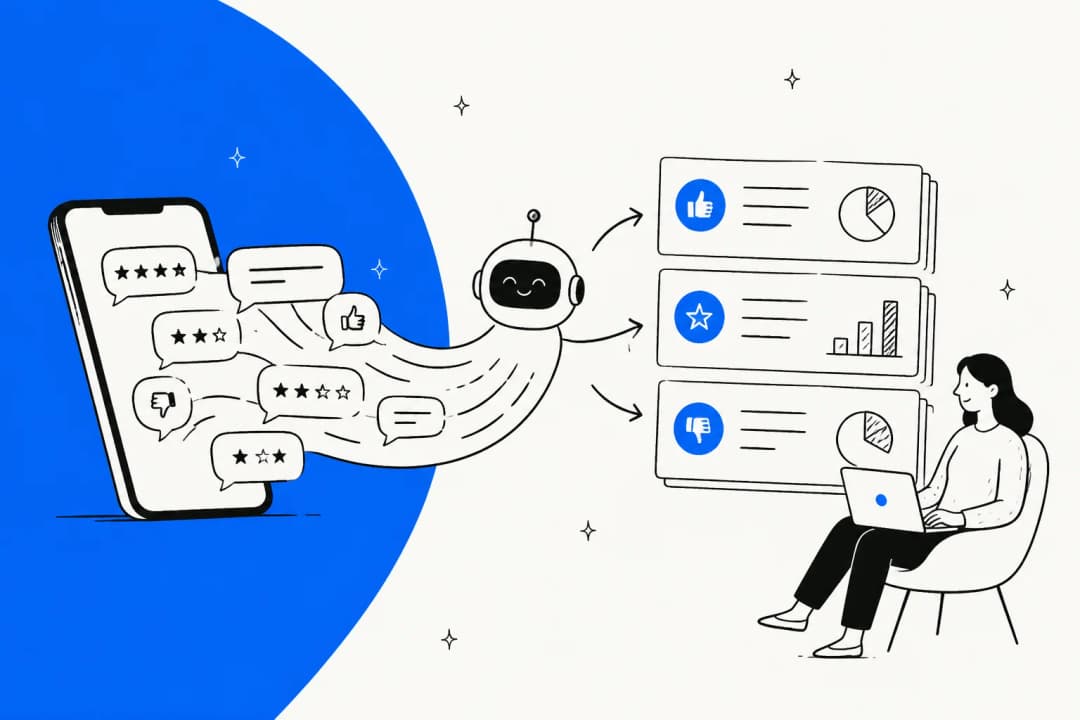
This is the exact problem AI is good at. Instead of reading every comment, you let a model group them into themes, count how often each one shows up, and score the sentiment so the loudest and angriest patterns rise to the top. The output isn't a wall of text, it's a ranked shortlist: "37 mentions of slow export, mostly negative" beats scrolling 300 rows hoping to spot a trend.
The same approach works whether the raw text is survey answers, support tickets, or chat logs, they're all just unstructured customer voice. Pulling intents and sentiment out of that pile, and dropping it into an analytics dashboard, is what turns "we ran a survey" into "we fixed the top three things." Plenty of dedicated customer feedback tools do a version of this too.
Try eesel for reading feedback at scale
If your product feedback and your support tickets both live near a helpdesk, you don't need a separate research tool to make sense of them. eesel connects to your existing setup (Zendesk, Freshdesk, HubSpot, Gorgias, Front, and 100+ integrations) and runs theme analysis across your real customer conversations, clustering them into recurring topics and ranking them by volume, so the "top three things to fix" surface without anyone reading 300 comments by hand.

It's the same engine that lets customers run real volume through it, one eesel deployment processes 100,000+ tickets a month in German alone. And because it learns from your history, the themes it surfaces are grounded in what your customers actually said, not a generic taxonomy. Gridwise put it plainly after a week: eesel was resolving 73% of tier-1 requests in the first month. You can point the same reporting at your feedback and start for free. Ask sharper questions, then let the answers actually get read.
Frequently Asked Questions
What are the best product survey questions to ask?
How many questions should a product survey have?
What is the difference between CSAT, NPS, and CES questions?
When should you send a product feedback survey?
How do you analyze open-ended product survey answers?


Article by
Riellvriany Indriawan
Riell is a designer and writer at eesel AI with about two years of experience researching CX platforms, AI chatbots, and helpdesk software. She combines her design background with a sharp eye for how these tools actually look and feel in practice — making her comparisons unusually visual and user-focused.