What a chat function actually is
A "chat function" is the little message bubble that sits in the corner of a website and lets a visitor start a conversation without picking up the phone or opening their email. That's the whole idea. Under the hood, though, "chat" covers a few very different things, and the word gets used loosely enough that people end up buying the wrong one.
The bubble itself is trivial. Every tool on the market hands you a short snippet of JavaScript, you paste it into your site, and the widget appears. What separates a chat function that quietly earns its keep from one that annoys everyone is what happens after the visitor types a question, and that comes down to which of the three types below you picked.
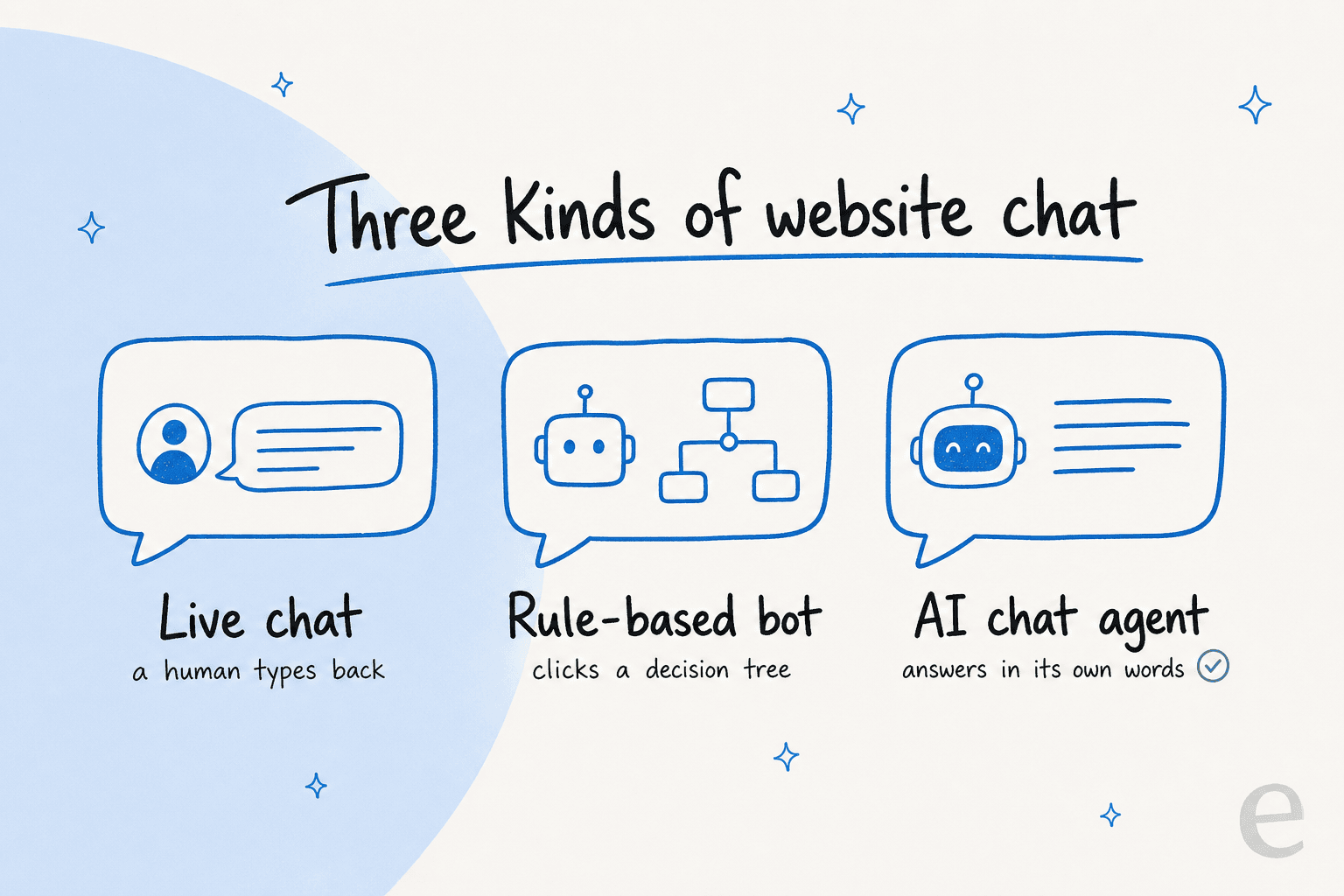
The three types of website chat
Live chat
Live chat is the original version: a visitor types, and a real person on your team types back in real time. It's warm, it's flexible, and for complex or high-stakes conversations there's still nothing better than a human who can read the room.
The catch is that it only works when someone's watching the widget. Outside business hours it falls back to a contact form, and during a busy stretch your agents are juggling five conversations at once while new ones stack up. Tools like Crisp or the ones in most ecommerce live chat roundups do this well, but live chat alone doesn't scale past a certain volume without you hiring.
Rule-based chatbot
A rule-based bot is the "press 1 for billing" of the web. You build a decision tree, and the visitor clicks through your pre-written buttons until they hit an answer or give up. It never sleeps and it's cheap, which is why so many no-code chatbot tools sell this.
It's also rigid. The moment a visitor asks something your tree didn't anticipate (which is most of the time), it dead-ends. These are fine for a narrow, predictable job like order tracking or basic lead capture, and frustrating for anything else.
AI chat agent
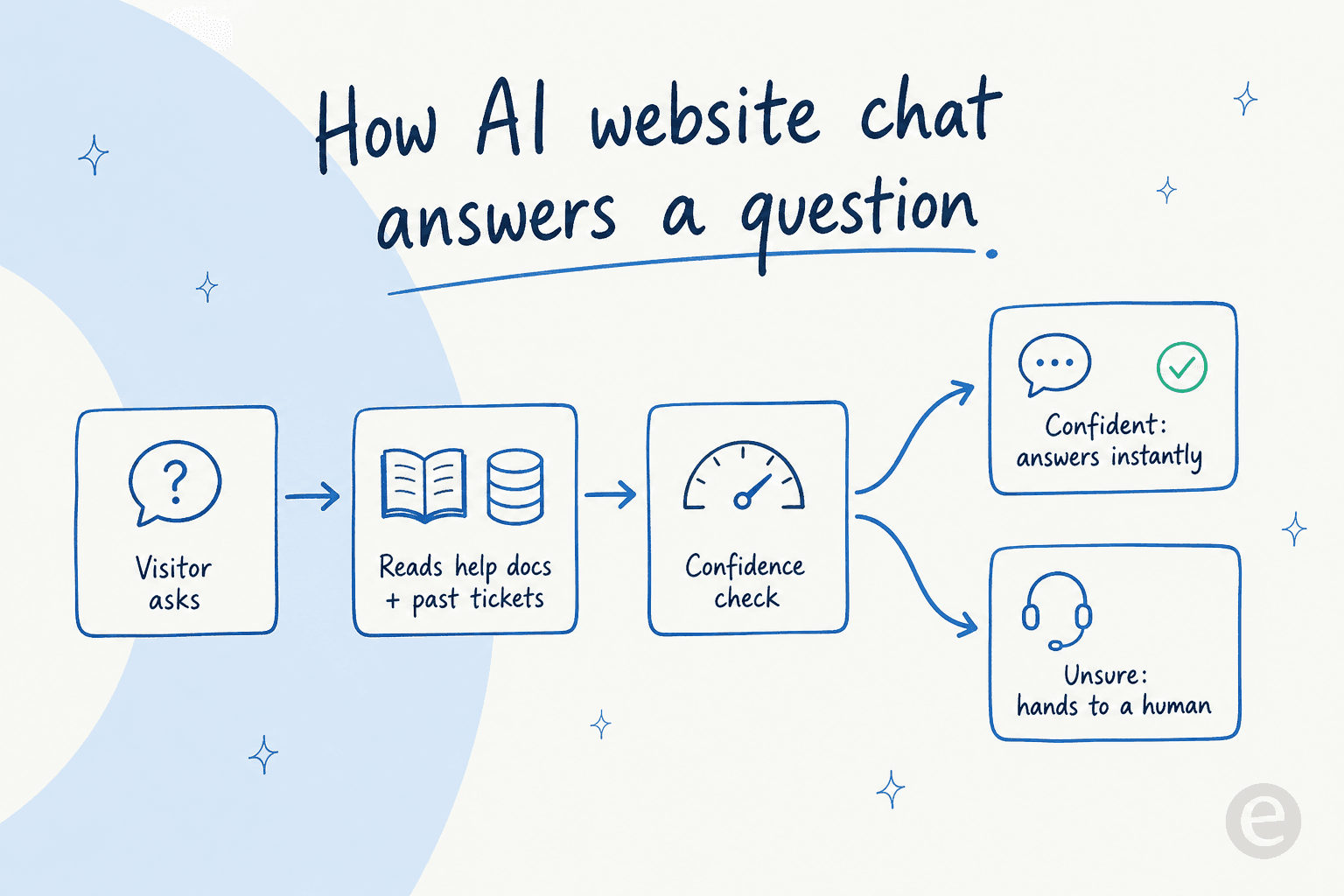
An AI chat agent reads a question in plain language, pulls the answer from your help centre and past conversations, and writes a reply in its own words. No decision tree, no queue. This is the category that's changed the most, and it's where most of the AI chatbot buying decisions land in 2026.
Done well, it handles the bulk of your repetitive questions instantly and hands the tricky ones to a human. Done badly, it confidently makes things up, which is the failure mode everyone's rightly scared of. The rest of this guide is mostly about landing on the "done well" side of that line.
How to add a chat function to your website
Here's the actual setup, start to finish. The mechanical part takes minutes; I've flagged where the real work hides.
-
Pick the type that matches your volume. Low volume and a personal touch matters more than speed? Start with live chat. Predictable, narrow questions? A rule-based bot is enough. Drowning in repetitive tickets and want answers 24/7? You want AI chat. Most growing teams end up wanting AI on the front line and humans behind it.
-
Install the widget. Every tool gives you a snippet of JavaScript. On a custom site, paste it right before the closing
</body>tag on every page. On Shopify, WordPress, Webflow, Squarespace, or Magento, install the app or plugin instead and skip the code entirely. This is the "minutes" part. -
Connect your knowledge. This is the step people skip, and it's the one that decides everything. A chat function is only as good as what it can read. Point it at your help centre, your FAQ pages, your product docs, and (for AI chat) your history of solved tickets. An AI agent that learns from past tickets answers in your actual house style; one pointed at a thin help centre parrots marketing copy.
-
Set the rules and the handoff. Decide what the chat answers on its own, what it drafts for review, and what goes straight to a human. Good AI chat uses confidence-based routing here: if it isn't sure, it hands off instead of guessing. Wire up where escalations land, whether that's your inbox, Slack, or your helpdesk.
-
Test before you switch it on. Do not point a fresh AI chat at live customers and hope. Run it against real questions first and read what it says. This is the single biggest quality lever, and almost nobody does it.
AI chat vs live chat: which do you actually need?
This is the question I get most, and the honest answer is usually "both, but in the right order." Here's the trade-off laid out:
| Dimension | Live chat | AI chat agent |
|---|---|---|
| Who answers | A human on your team | The AI, from your docs + past tickets |
| Availability | Business hours (form after) | 24/7 |
| Speed at volume | Slows down as tickets stack | Instant, no queue |
| Handles complex/emotional cases | Excellent | Hands off to a human |
| Cost model | Per agent seat | Per conversation |
| Setup effort | Low | Low to install, real work to train |
| Best for | High-touch, low volume | Repetitive tier-1 at scale |
The pattern that works: let AI chat take the first swing at everything, resolve the repetitive tier-1 questions on its own, and quietly pass anything it's unsure about to a human with the full context attached. Your team stops answering "where's my order?" for the thousandth time and spends its hours on the conversations that actually need a person. That's not a hypothetical, Gridwise saw eesel resolve 73% of tier-1 requests in the first month.
Whichever way you lean, the AI agent shouldn't replace the human option; it should be the fast default in front of it.
What actually makes a website chat work
I've watched enough rollouts to know the widget is never the problem. Here's where they go wrong, and what separates the chat functions that stick from the ones that get quietly removed a month later.
A chat that can't answer is a liability. The worst thing you can do is install a bubble that greets people and then can't help them. I've seen trials where the bot "couldn't give a single useful answer," and the customer's first question was whether the thing was broken. One team, a German ecommerce support lead running multiple stores on Zendesk, paid for four months and churned precisely because their chat couldn't answer anything on its own. An empty widget erodes trust faster than no widget.
Thin knowledge is the root cause. If your chat is wrong, nine times out of ten it's because it's reading thin or outdated docs, not because the AI is dumb. Fix the knowledge before you blame the tool. This is also why an AI chatbot answers incorrectly more often than it should, the source material was never good enough.
The "last-mile" gap kills more launches than bad AI. The pattern I see over and over: a team connects the docs, configures the tone, gets to 80% set up, and then never actually wires the trigger that makes the chat go live. The widget sits there configured but dormant, zero conversations handled. Setup isn't done until it's actually answering a real visitor.
"make sure you put link in and always refer to our bestselling products... i would reference this page it is more accurate"
That's a Shopify and Gorgias ecommerce operator typing corrections straight into their chat widget on day one, teaching the AI where the good answers live. That coaching loop is exactly the work that separates a chat that helps from one that guesses, and it's why the good tools let you correct the AI in plain language instead of rebuilding a decision tree.
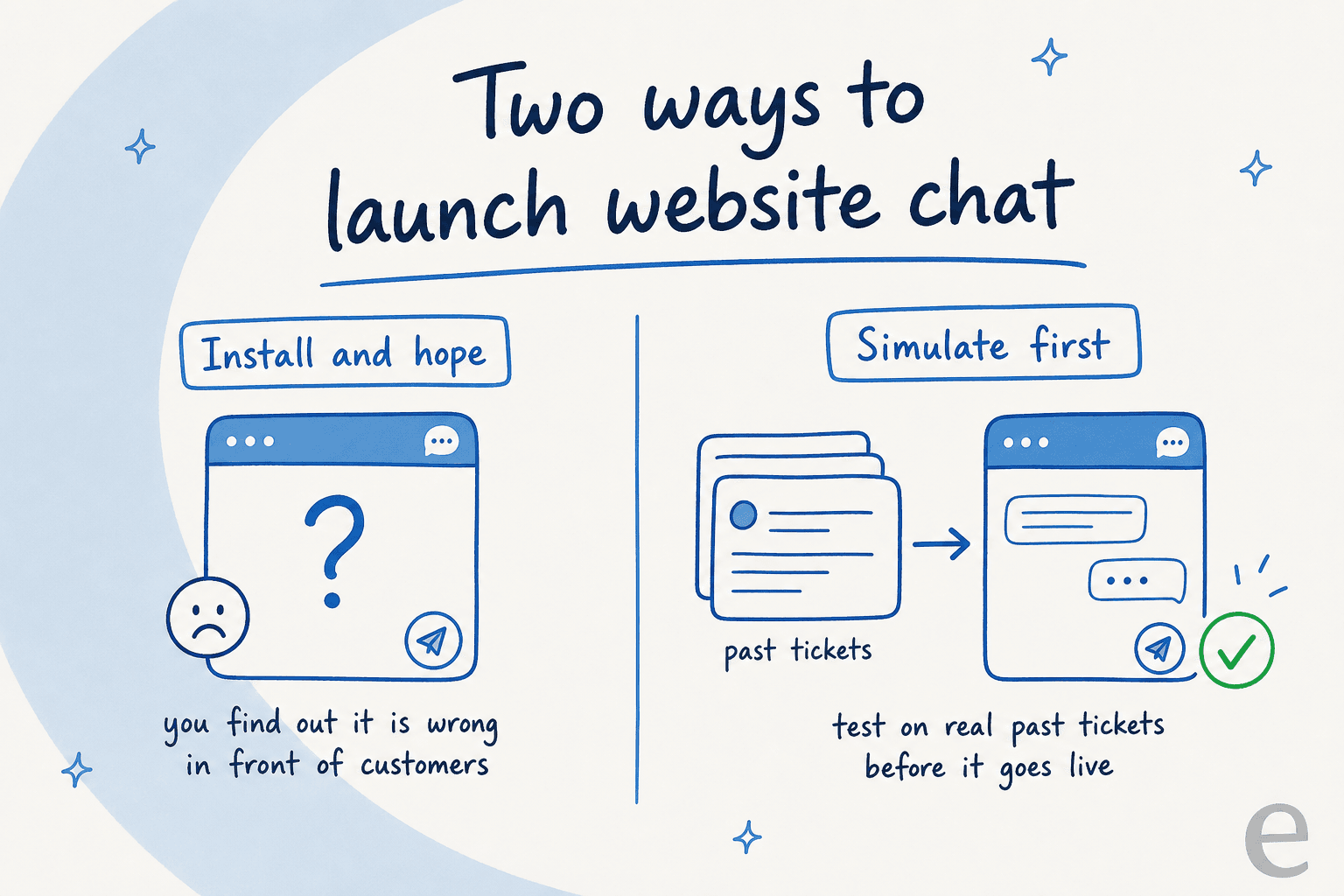
The takeaway: treat the widget as 10% of the job and the knowledge, testing, and handoff as the other 90%. That's the whole difference.
Try eesel for your website chat
If you've decided you want AI chat on your site, this is the part we've spent years on. eesel drops a chat function onto your website that learns from your help docs and your history of solved tickets, so it answers in your voice from day one instead of parroting a help-centre article.
The bit that matters most, given everything above: eesel lets you simulate the agent against thousands of your real past tickets before it ever talks to a customer, so you see the coverage and the exact answers up front. It uses confidence-based routing to hand off anything it's unsure about, and it plugs into your existing helpdesk plus 100+ tools. Pricing is usage-based at $0.40 a ticket, with no platform fee and no per-seat cost. There's a free trial with $50 of usage and no credit card, so you can point it at your own docs and see what it does.

Frequently Asked Questions
How do I add a chat function to my website?
Is there a free chat function for a website?
What's the difference between live chat and an AI chat function?
How much does a website chat function cost?
Will an AI chat function give wrong answers to my customers?


Article by
Riellvriany Indriawan
Riell is a designer and writer at eesel AI with about two years of experience researching CX platforms, AI chatbots, and helpdesk software. She combines her design background with a sharp eye for how these tools actually look and feel in practice — making her comparisons unusually visual and user-focused.