What a ticketing service actually is
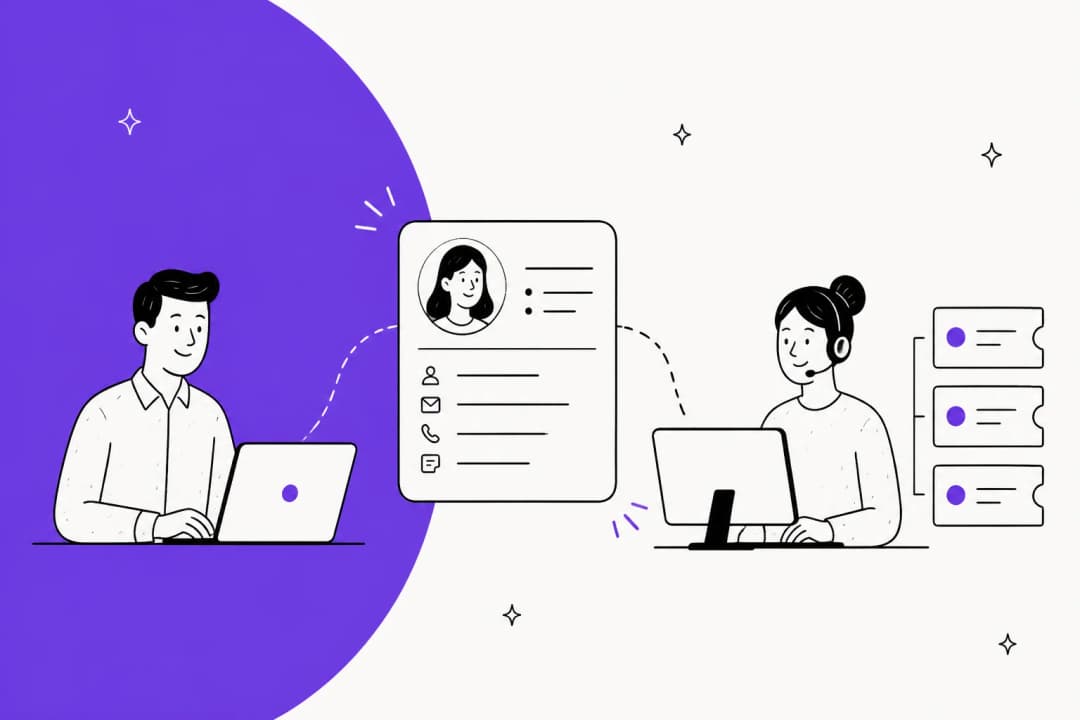
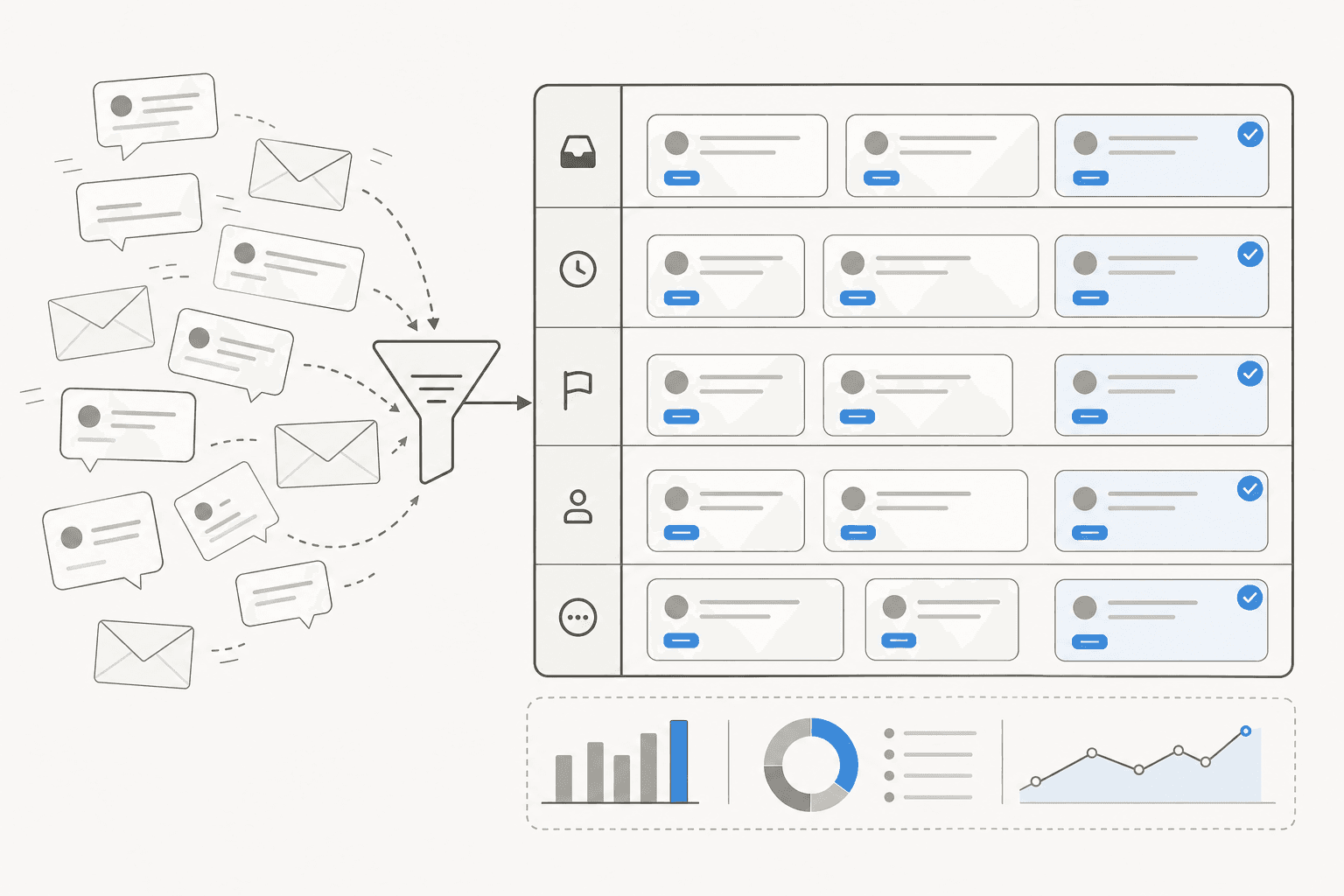
Strip away the marketing and a ticketing service does one thing: it captures a customer request and wraps it in structure. A message comes in, the system creates a ticket, and that ticket carries everything the team needs to resolve it, who owns it, what state it's in (open, pending, solved), how urgent it is, which category it belongs to, and every reply exchanged so far.
That structure is the whole point. Without it, support is a group of people reading the same mailbox, hoping nobody replies twice and nobody forgets the message that scrolled off the first screen. With it, every request has a name attached and a status you can report on. Most teams meet a ticketing service as one feature inside their broader customer service software, sitting alongside a knowledge base, live chat, and reporting.
The reason people search for this in the first place is almost always growth. A two-person team can survive on Gmail. The moment customers start outnumbering the people answering them, the cracks show, and I hear the same story constantly from teams looking at eesel: a director of support at a fast-growing EdTech startup put it bluntly that their customers far outnumber their employees, so self-service and efficiency tooling stopped being nice-to-haves. That's the tipping point a ticketing service is built for.
Shared inbox vs ticketing system
This is the comparison most teams are really making, so it's worth being precise. A shared inbox is one mailbox that several people can open. It's a real upgrade over forwarding emails around, and for a small, low-volume team it can be enough.
A ticketing service adds the layer a shared inbox can't: ownership so two agents don't answer the same customer, status so you can see what's still open, priority so urgent issues surface, and reporting so you can actually measure customer service KPIs like first response time and resolution rate.
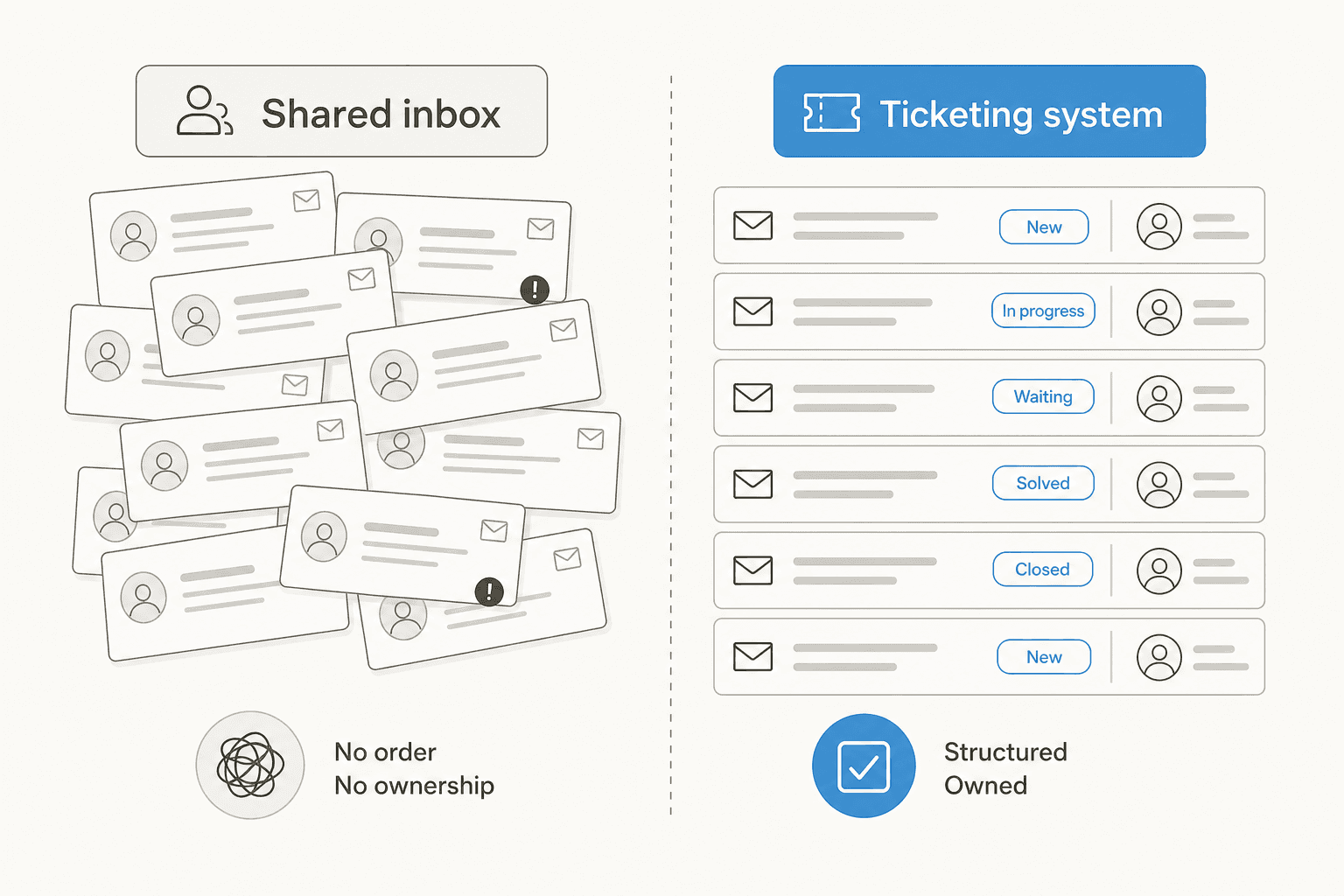
The tell that you've outgrown a shared inbox is repetition, both in tickets and in mistakes. Duplicate replies, dropped threads, "who's handling this?" pings in Slack. If that sounds like your week, a ticketing system for small teams is the next step, and there are genuinely capable free ticketing options for small businesses to start with before you pay for anything.
How a ticket moves through the system
Every ticketing service, from the simplest to the most enterprise, runs the same basic lifecycle. Understanding it makes the feature lists later make sense.
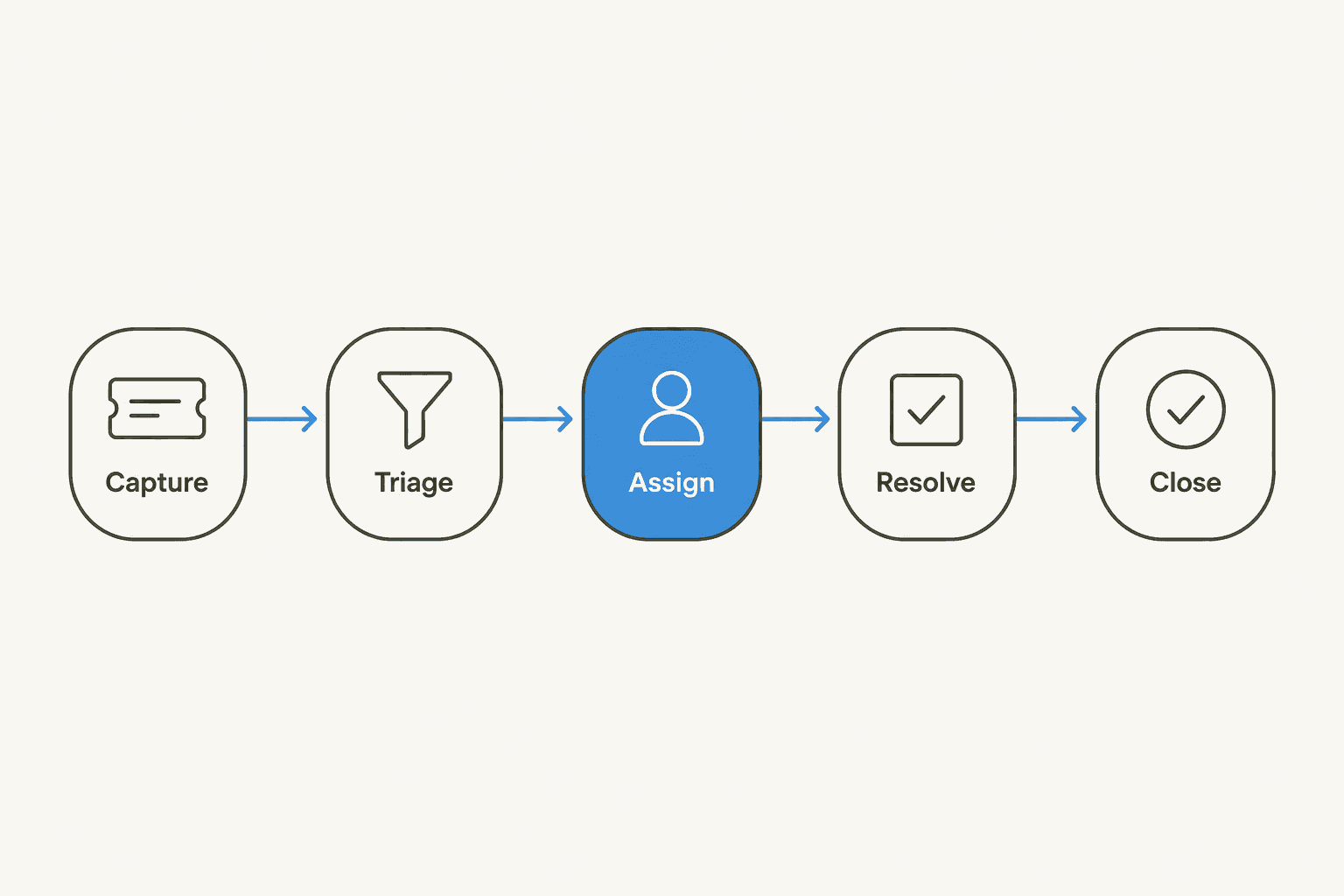
- Capture. A request arrives, from email, a chat widget, a web form, WhatsApp, or a social channel, and becomes a ticket. Good systems pull every channel into one queue so agents work in one place.
- Triage. The ticket gets categorized and prioritized. Is it a refund, a bug, a billing question? How urgent? This is where ticket tagging and triage happen, and it's the step most teams do by hand and hate.
- Assign. The ticket lands with the right person or team, based on skill, language, or workload. Get routing wrong here and tickets bounce between agents.
- Resolve. Someone (or something) answers, using the knowledge base, past tickets, and account context. Complex issues may escalate to a specialist.
- Close. The ticket is marked solved, the customer can reopen if it isn't, and the whole thing feeds your reporting.
The reason this matters for buying is that AI can now touch every one of these stages, and the biggest wins are concentrated in triage and resolve, the two steps that eat the most agent time.
The features that make a ticketing service worth it
Feature lists blur together, so here's what I'd actually check, in the order I'd care about it.
Omnichannel capture. Email is the baseline. The real question is whether chat, social, and messaging apps land in the same queue, or whether your team ends up juggling four tabs. A single queue is what makes an AI customer service workflow possible at all.
A connected knowledge base. Agents resolve faster when answers live next to the ticket, and it's the fuel any AI knowledge base chatbot runs on. If your docs are thin, that's the first gap to close; the benefits of an AI-powered knowledge base compound once tickets and articles talk to each other.
Automation and routing. Rules that auto-tag, auto-assign, and auto-prioritize. Traditional help desks do this with rigid if-this-then-that rules; the newer approach hands it to AI. Either way, support automation is where the hours come back.
SLA and escalation handling. If you promise a four-hour first response, the system should track it and warn you before you breach. Pair that with clean escalation so hard tickets reach a human fast. Our SLA management guide goes deeper here.
Reporting. You can't improve customer service metrics you can't see. Volume by channel, resolution time, deflection rate, CSAT, backlog trend, at minimum.

Where AI changes the ticketing service
For most of the last decade, the ticketing service was a filing system with rules bolted on. That's the part that's changed. AI can now read an incoming ticket, understand it, pull the right answer from your knowledge and past tickets, and either resolve it or draft a reply for an agent, and it does this at a scale that reframes what a support team even needs.
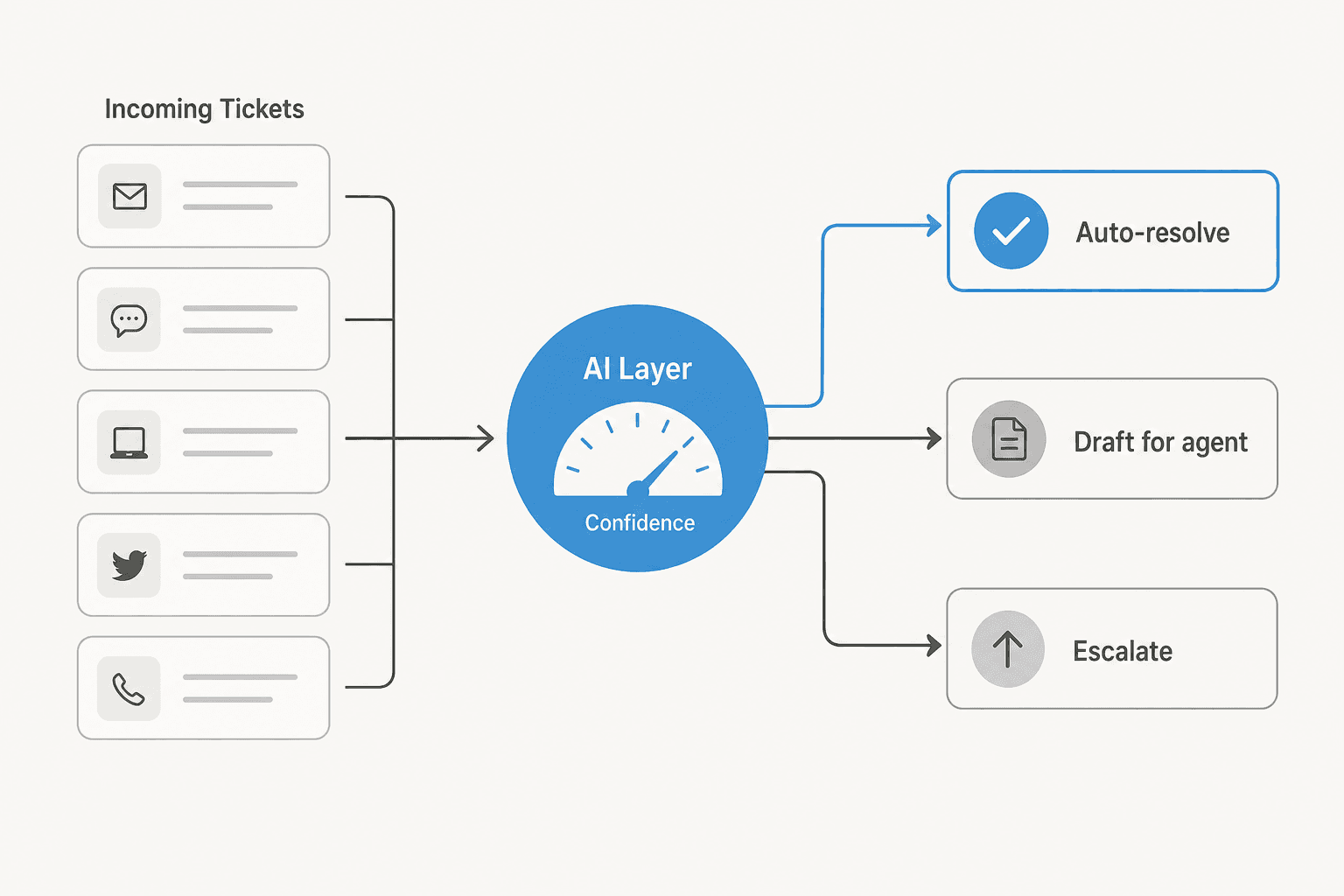
The pattern that works, and the one we've learned to trust after watching confident-sounding bots quietly give wrong answers, is confidence-based routing. The AI handles what it's sure about, drafts what it's less sure about, and escalates the rest to a person. Nobody's asking you to let a model auto-reply to everything on day one, and honestly the teams that try that are the ones who get burned.
The numbers from real deployments are what make this concrete rather than hype. On the largest eesel setups, one lender runs a fully automated Zendesk agent handling over 100,000 German-language tickets a month, and Gridwise saw eesel resolve 73% of tier-1 requests in the first month. Those aren't demo figures; they're the ceiling on how much repetitive volume a modern ticketing setup can take off human hands.
"As a fast-growing startup with a small team, our customers far outnumber our employees. It's crucial that we have robust self-service solutions as well as tools to supercharge the efficiency of our client-facing teams."
Jon Miron, Director of Support & Operations, Yellowdig, via eesel's case study
Crucially, the good AI layers don't replace your ticketing service, they sit on top of it. eesel plugs into Zendesk, Freshdesk, Gorgias, Front, and others, learns from your existing tickets and help docs, and starts working inside the tool your team already uses, no migration required.
How to choose a ticketing service in 2026
The buying question isn't "which tool has the most features." It's "which setup resolves the most tickets for the least cost and effort, given what I already have." Here's how I'd narrow it.
Start from your channels and volume. A DTC brand doing thousands of WISMO tickets a month has different needs than a B2B SaaS team fielding fifty technical questions a day. High volume pushes you toward strong automation and the tools built for it, like help desk software for high-volume tickets. If most of your work happens in Slack, weigh help desks with Slack integration.
Weigh total cost, not the sticker. Per-seat pricing looks cheap at three agents and expensive at thirty, because you pay for the seat whether or not it's the seat resolving the ticket. Usage-based AI pricing flips that: eesel bills per ticket resolved, from $0.40, with no per-seat fee, so cost tracks the work done rather than headcount. Run the math at your real volume, not today's.
Check setup time honestly. The best system is the one your team is actually using next week. If a tool needs a three-month implementation, that's a cost too. This is where sitting on top of your existing help desk beats ripping it out.
Match it to your use case. Ecommerce and IT help desks pull in different directions; a small team wants simplicity, an enterprise wants control. Our roundups of the best help desk software for small businesses and the best AI agents for customer service break the options down by fit.
| If you're... | Prioritize | Watch out for |
|---|---|---|
| A small team leaving a shared inbox | Simple setup, a small-team ticketing system | Paying enterprise prices for features you won't use |
| Drowning in repetitive tickets | Tier-1 deflection and automation | All-or-nothing bots with no human handoff |
| Scaling fast / high volume | Routing, SLAs, reporting, workflow depth | Per-seat pricing that balloons with headcount |
| Running IT or internal support | IT help desk fit, Slack/Teams | Customer-only tools that ignore internal use |
Common mistakes teams make
A few patterns I see over and over, mostly from talking to teams mid-switch.
- Buying features over fit. The longest feature list rarely wins. The tool your agents will actually adopt does.
- Ignoring the knowledge base. AI and self-service both run on your docs. Thin docs, weak results. Fix the knowledge base first.
- Turning on automation blind. Flipping AI to auto-reply across every ticket type without testing is how you get confidently wrong answers in front of customers. Start supervised, expand on what's proven.
- Measuring nothing. If you're not watching resolution time, backlog, and deflection rate, you can't tell whether the new tool is helping.
- Migrating when you don't have to. Ripping out a working help desk to get AI is often unnecessary. A copilot layer on your current stack gets you most of the way with none of the disruption.
Try eesel
If your ticketing service works fine but your queue keeps outrunning your team, that's the exact gap eesel is built for. eesel is an AI layer that sits on top of the help desk you already use, Zendesk, Freshdesk, Gorgias, Front, and others, learns from your past tickets and help docs on day one, and starts resolving tier-1 volume before an agent opens the ticket. Because it bills per ticket resolved rather than per seat, the cost scales with the work, not your headcount.
The part I'd push you toward is the simulation mode: before anything goes live, eesel runs against your historical tickets so you can see exactly what it would have resolved and where it would have escalated, no guessing, no risk to real customers. You can try eesel free and point it at your own queue in a few minutes.

Frequently Asked Questions
What is a ticketing service in customer support?
How much does a ticketing service cost?
Can AI run a ticketing service on its own?
How do I choose the best ticketing service for a small team?
Do I need to replace my help desk to add AI to my ticketing service?
What is ticket deflection in a ticketing service?


Article by
Riellvriany Indriawan
Riell is a designer and writer at eesel AI with about two years of experience researching CX platforms, AI chatbots, and helpdesk software. She combines her design background with a sharp eye for how these tools actually look and feel in practice — making her comparisons unusually visual and user-focused.