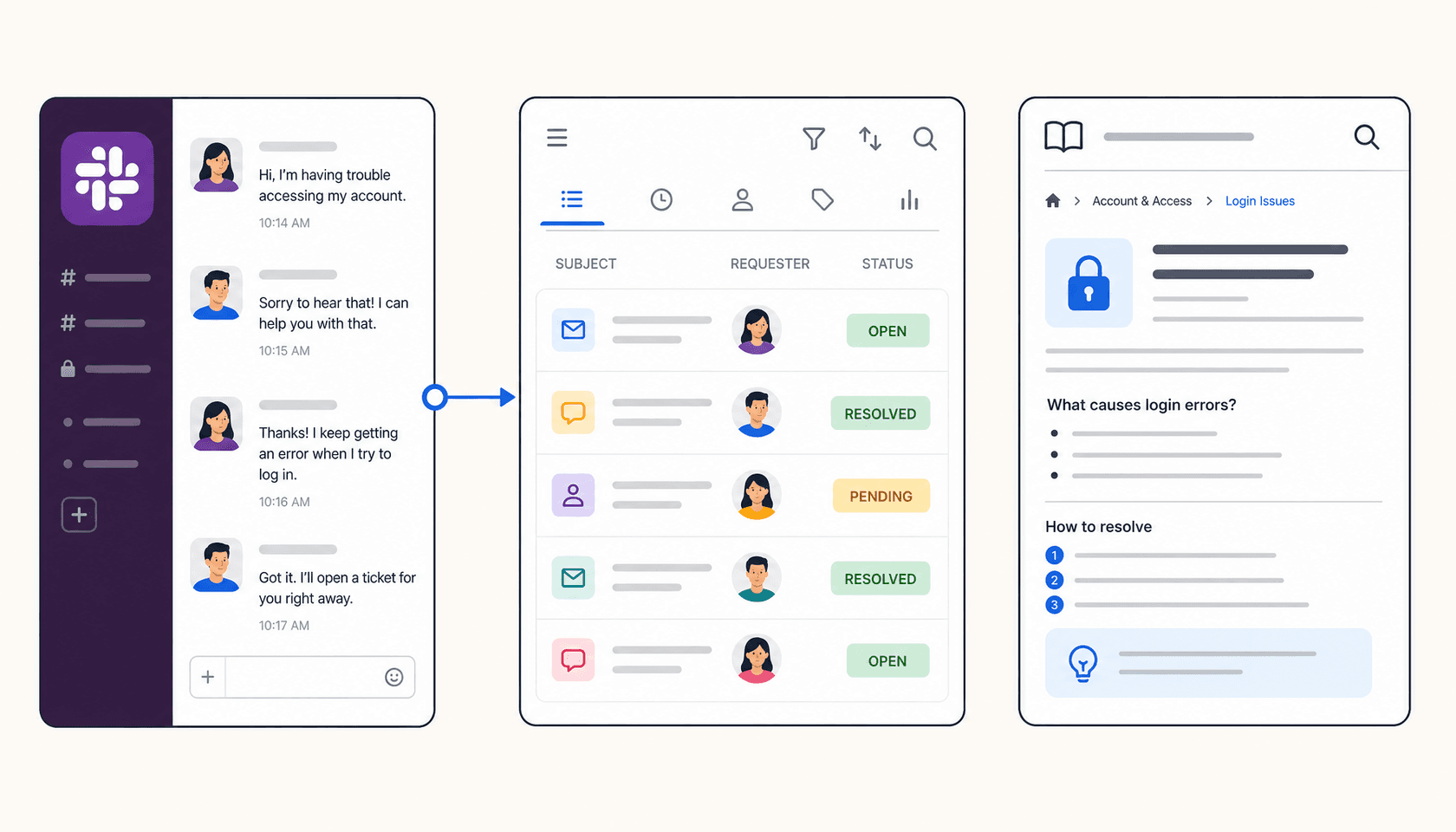
Every helpdesk you evaluate these days will tell you it integrates with Slack. What that actually means ranges from "we push a notification when a ticket opens" all the way to "your team can resolve tickets, reply to customers, and search the knowledge base without ever leaving Slack." The gap between those two things is enormous.
Most teams find this out after the fact. They set up the integration, watch a few notifications appear in #support-alerts, and realize that anything beyond reading those alerts still requires opening a browser tab.
This post covers eight tools across the full spectrum - from pure notification relays to tools where Slack becomes your primary support interface. For each one, I've gone through the official docs, setup guides, and user reports to map exactly what you can and can't do from Slack, and which pricing tier unlocks it.
What makes a Slack integration worth using
Before the list, it's worth naming what actually separates a useful Slack integration from one that just adds noise to a channel.
Action depth. Can agents create tickets, reply to customers, update status, and close tickets from Slack? Or is Slack read-only?
Knowledge access. Can the integration surface relevant help center articles in Slack so agents don't have to tab-switch to look things up?
Plan gating. Is the integration available on the plan you're actually on, or is the good stuff locked behind an enterprise tier?
Sync reliability. If a reply is sent from Slack, does it show up correctly in the helpdesk? Do Slack thread replies stay attached to the originating ticket?
Here's how the seven tools compare across those dimensions:
| Tool | Create tickets | Reply from Slack | Update fields | KB search in Slack | Slack plan requirement |
|---|---|---|---|---|---|
| eesel AI | Yes (AI-first) | Yes (autonomous or draft) | Yes | Yes | Task-based ($0.40/task) |
| ClearFeed | Yes (Slack-native) | Yes (bidirectional) | Yes | Yes | Starter ($24/agent/mo or $40/mo usage-based) |
| HappyFox | Yes (3 methods) | Yes (3,000 char) | Status, priority, assignee | Yes (slash command) | Team plan ($49/agent, annual) |
| Front | Yes (message action) | Yes (bidirectional) | Yes (interactive buttons) | No | All plans ($25+/seat) |
| Zendesk | Yes | Internal notes only | No | Yes (Answer Bot) | All paid plans; Side Conversations: Professional+ |
| Freshdesk | Yes (NA region only for slash cmd) | Yes | Status, priority, assignee | No (needs Freddy add-on) | Growth ($19/agent) |
| Help Scout | No | No | No | No | Standard ($25/user) |
| Zoho Desk | Yes | Yes | No | No | Free extension (plan unclear) |
Now the full breakdown.
1. eesel AI - best for AI-powered support from Slack
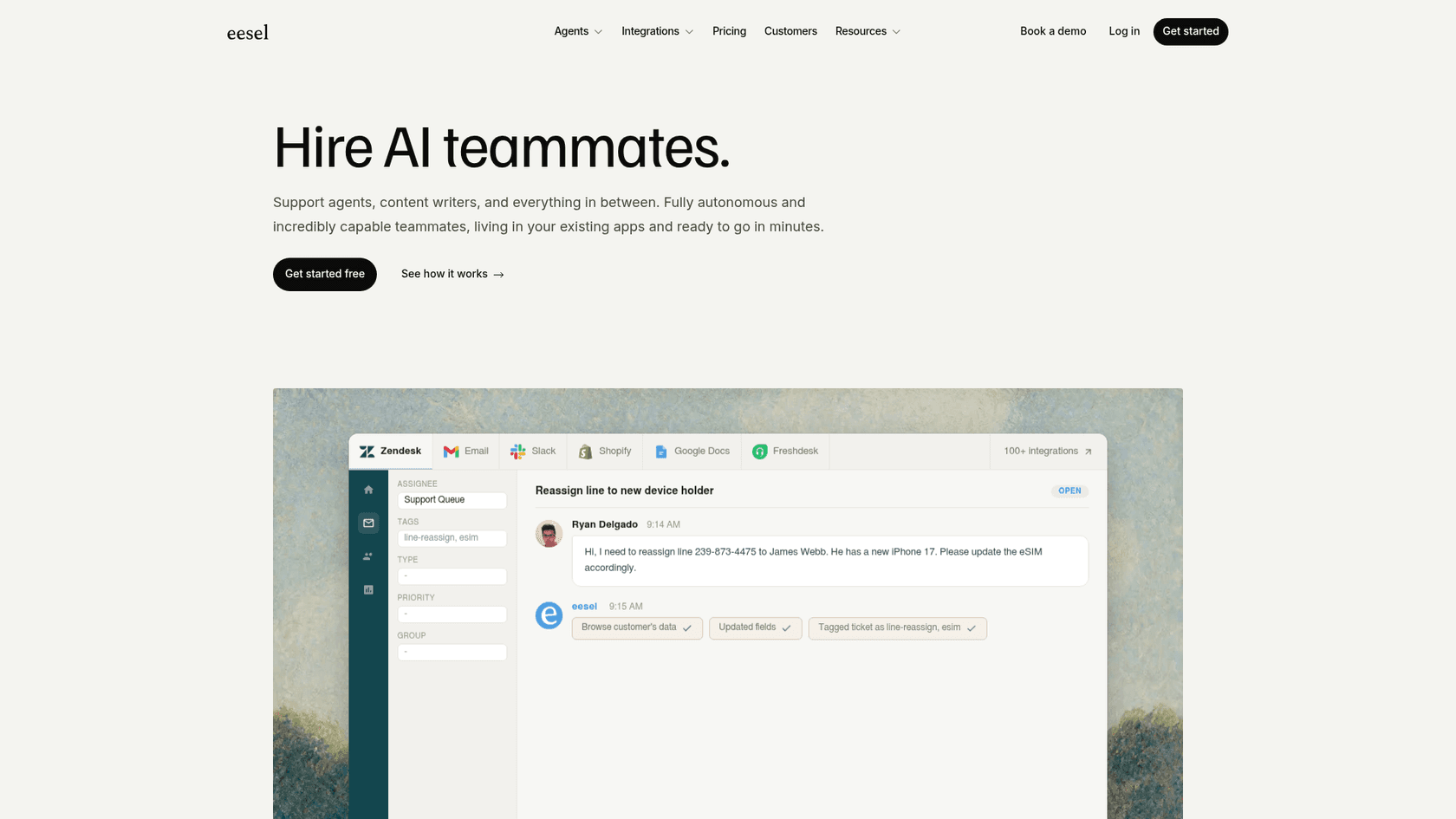
eesel AI takes a different approach from everything else on this list. Rather than being a helpdesk with a Slack integration bolted on, it's an AI agent layer that sits on top of your existing helpdesk and turns Slack into an autonomous support interface.
The setup is a one-click install from the Slack App Directory. eesel joins as a bot in your workspace, you invite it to relevant channels, connect your helpdesk (Zendesk, Freshdesk, Help Scout, Gorgias, or others) and knowledge sources (Confluence, Notion, Google Drive, past tickets), and it starts working.
What eesel does from Slack
When a user @mentions the bot or sends a DM, eesel queries all connected knowledge sources and responds - not with a generic answer, but with one cited to the actual policy doc or help center article it drew from. If it can fully resolve the request, it handles it autonomously. If confidence is low, it queues a draft for human review rather than sending a potentially wrong reply.
For support teams connected to a helpdesk, eesel can:
- Draft and send replies to open tickets
- Resolve tickets and update their status
- Route tickets to the appropriate agent group
- Escalate to human agents when the AI hits its limit
- Add private notes
- Generate KB articles from recurring questions it couldn't answer
For IT teams, the use case is tier-1 deflection: eesel listens in #it-help channels, attempts to resolve requests from the knowledge base, and only creates a ticket in ServiceNow or Jira Service Management when it genuinely can't help - passing along the full conversation context when it does escalate.
The multi-bot architecture is worth highlighting. A single eesel account can run separate specialized bots for HR, IT, sales, and customer support - each drawing from its own scoped knowledge and operating in its own Slack channels.
Gridwise, which processes high volumes of support through Zendesk, saw a 73% tier-1 resolution rate in the first month after connecting eesel. The company reports an average response time of 1.8 minutes.
Pricing
eesel uses task-based pricing with no flat-rate plans: $0.40 per helpdesk task (tickets, chats), $4.00 per heavy task (long-form drafts), light tasks free. New accounts get $50 in free trial credits on signup — no credit card required. A $1,000/month Enterprise add-on covers SSO, HIPAA, BAA, and a dedicated engineer.
The main limitation to flag honestly: eesel is a second paid tool on top of an existing helpdesk subscription. You're not replacing Zendesk - you're adding AI on top of it. For teams at volume, the pay-per-task model scales well; for teams with low ticket volume, the free trial credits let you test before committing.
Best for: support and IT teams that want AI resolving tickets directly from Slack, without agents needing to open the helpdesk UI at all.
2. ClearFeed - best for channel-based ticketing and internal support in Slack
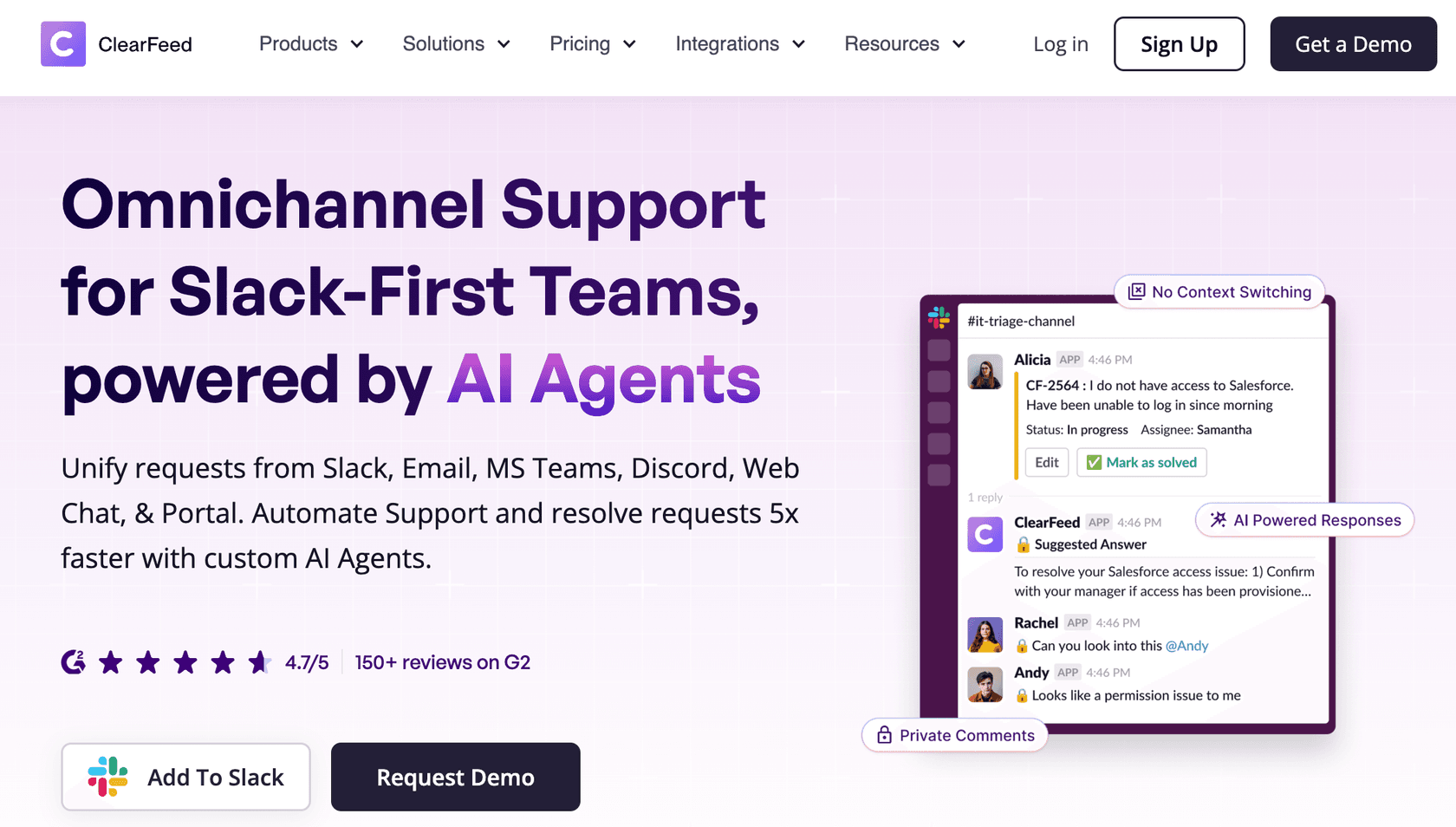
ClearFeed is built from the ground up for Slack (and MS Teams) rather than bolting Slack onto an existing helpdesk. The pitch is zero-friction setup: support requests arrive in Slack channels, agents triage and respond without leaving the workspace, and everything syncs bidirectionally with your existing tools - Zendesk, Jira, Freshdesk, Salesforce, HubSpot, Intercom, Linear, and more. Customers include Astronomer, Snowplow, and Ultrahuman; G2 rates it 4.7/5 across 150+ reviews.
Where it differs from a traditional helpdesk with a Slack add-on: ClearFeed's AI Agents connect to your knowledge base and tools to auto-resolve common queries, with SLA alerts, triage channels, forms, and approvals all operating natively inside Slack. Knowledge sources (Notion, Confluence, Google Drive) can be connected so the AI has full context before escalating anything to a human.
What ClearFeed does from Slack
- Slack-native ticketing: requests in any Slack channel become managed tickets; agents triage, assign, and respond without switching apps
- Bidirectional sync: replies sent from Slack appear correctly in Zendesk, Jira, Freshdesk, or whichever system of record you run; updates in those tools reflect back in Slack
- AI Agents: auto-resolve repetitive queries using connected knowledge bases and tools; escalate with full context when confidence is low
- SLA management: SLA alerts and triage channels fire inside Slack so nothing breaches silently
- Omnichannel intake: email, MS Teams, Discord, web chat, and customer portal requests all route into the same Slack-based workspace
- KB connections: Notion, Confluence, and Google Drive so agents (and the AI) surface answers without tab-switching
Pricing
ClearFeed offers both agent-based and usage-based pricing. The usage-based model suits cross-functional teams because costs scale with channels and ticket volume rather than with every teammate collaborating in Slack:
| Plan | Agent-based | Usage-based |
|---|---|---|
| Starter | $24/agent/month | $40/month for 10 channels and 100 tickets |
| Professional | $49/agent/month | $80/month for 10 channels and 100 tickets |
| Enterprise | Custom | Custom |
Starter's optional AI Pack begins at $20/month for 100 credits. Professional includes AI credits and adds SLAs, forms, a customer portal, HubSpot CRM Sync, and Salesforce Service Cloud. ClearFeed also offers an Integrations Edition for internal Slack channels, starting at $49/month for 250 tickets. Annual subscriptions receive a 15% discount.
The main limitation is pricing complexity. Starter charges separately for knowledge-connected AI, while several advanced features require the Professional plan. Usage-based billing follows the higher of channel count or ticket/request volume, and the Integrations Edition does not support Slack Connect channels.
Best for: teams that want Slack as their actual helpdesk interface - not just a notification layer - and need AI and ticketing to work natively inside Slack from day one.
3. HappyFox - most capable native helpdesk Slack integration
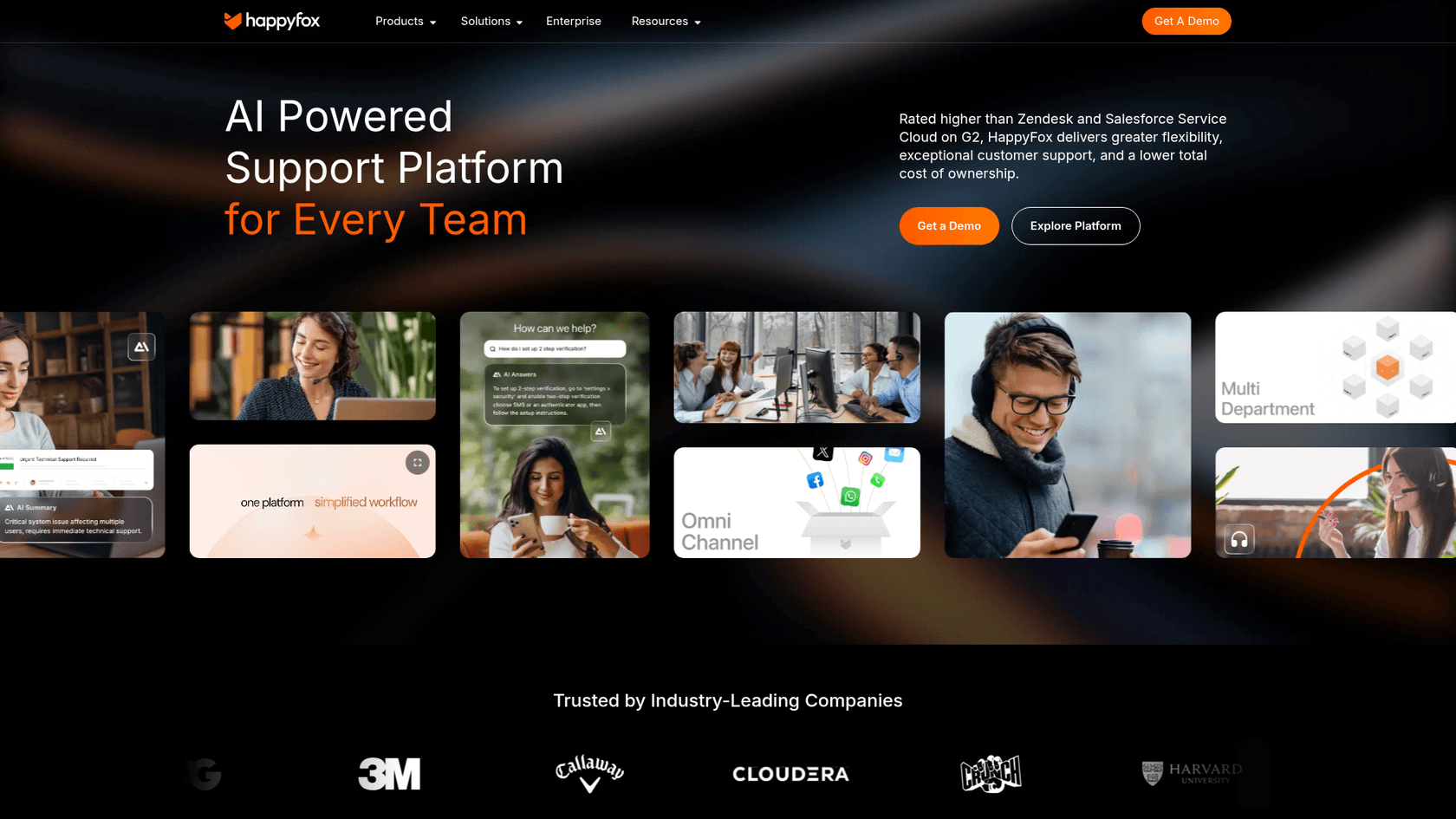
Among traditional helpdesks, HappyFox has the most capable Slack integration. It goes well past notifications: agents can create tickets, reply to customers, update ticket properties, and search the knowledge base - all without opening the HappyFox agent panel.
The Slack integration page calls it a "two-way real-time sync," which is accurate for what it does. The integration is a dedicated app on the Slack Marketplace.
What HappyFox does from Slack
Ticket creation works three ways: the /happyfox new_ticket slash command (works from anywhere), a message action on any Slack message (right-click → "Create a Ticket"), and the global shortcut via the lightning bolt icon. The creation form pulls in Subject, Category, Message (pre-filled from the source message), and custom fields.
Ticket replies are full customer-facing replies, up to 3,000 characters per response. Agents need the "Add reply via agent panel" permission.
Ticket updates cover three fields from Slack: assignee, priority, and status. More complex edits require the HappyFox UI.
Notifications cover eight event types: new ticket, contact reply, agent reply, category change, agent private note, assignee change, SLA breach, and ticket closure. Multiple categories and event types can route to a single channel or fan out to separate channels per event type.
Knowledge base search works via /happyfox search_kb [keyword] - agents get relevant KB articles surfaced in Slack without leaving the interface.
Smart Rules add condition-based logic to notifications: HappyFox can post to Slack only when specific conditions are met (Priority 1 ticket opened, SLA about to breach on a specific category, etc.), reducing channel noise.
One notable addition is HappyFox Workflows, which adds DM and channel messaging as workflow-triggered actions - useful for escalation alerts to team leads or posting digest summaries automatically.
Pricing
| Plan | Price (annual) | Slack integration |
|---|---|---|
| Basic | $24/agent/mo | Not included |
| Team | $49/agent/mo (annual) | Included |
| Pro | $99/agent/mo | Included |
| Enterprise Pro | Custom | Included |
HappyFox restructured pricing in June 2025, renaming tiers from Mighty/Fantastic/Enterprise to Basic/Team/Pro/Enterprise Pro. If you're on the old pricing, verify your plan name maps to the current Team tier or above for Slack access.
The known limitations: only one Slack workspace per HappyFox account, and agents can only modify three ticket fields from Slack (assignee, priority, status). Anything beyond that requires going back to the agent panel. Dependent custom fields can't be populated during Slack-side ticket creation either.
Best for: mid-size support teams that want to do real ticket work from Slack without upgrading to an enterprise tier.
4. Front - best for turning Slack channels into a support inbox
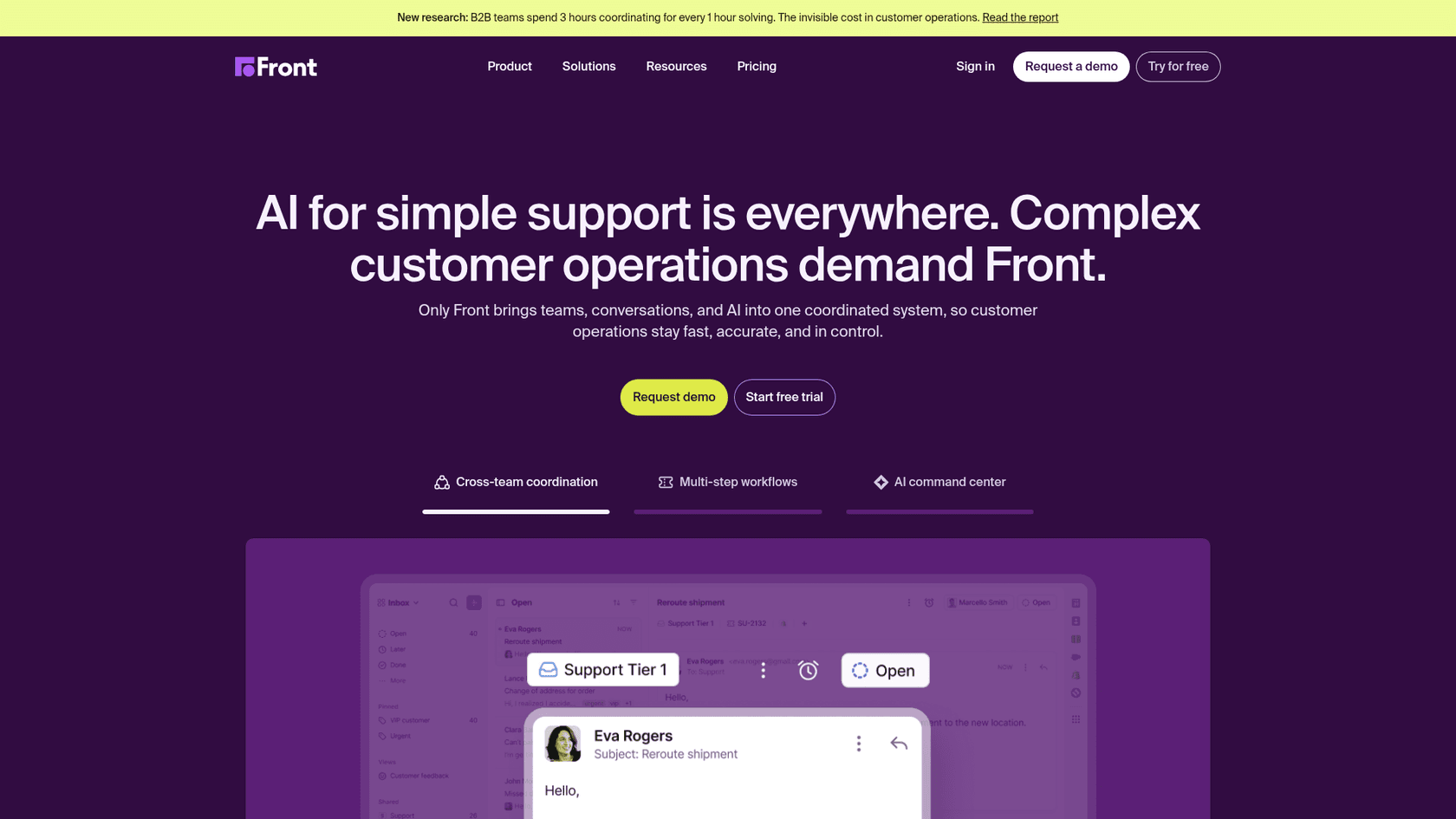
Front takes a fundamentally different architecture than every other tool here. Instead of notifications from your helpdesk flowing into Slack, Front connects Slack channels as full Front inboxes - so messages in those Slack channels become conversations that the support team manages from Front, with replies syncing back to Slack in real time.
This makes Front the right choice when your customers or internal teams are already communicating in Slack, and you want that traffic handled with proper triage, assignment, and SLAs rather than getting lost in the channel scroll.
What Front does from Slack
Slack channels as inboxes: Any public channel, private channel, or Slack Connect shared channel can be connected as a Front inbox. Messages flow in, agents manage them from Front (or from the interactive Slack message buttons), and replies appear in Slack as if the agent sent them natively.
Bidirectional sync covers message replies, emoji reactions (standard Slack emojis only - custom workspace emojis are excluded), rich text formatting, message edits (displayed with an "Edited" indicator in Front), and deletions.
Three threading strategies give admins control over how Slack messages map to Front conversations: group consecutive messages from the same user into one conversation, treat each top-level message as a separate conversation, or collect all messages into one running conversation. The choice depends on channel volume and how granularly you want to track each interaction.
Interactive message buttons (enabled optionally) appear on Front messages in Slack, letting teammates assign, archive, re-open, or move conversations without leaving Slack. These execute in Front without requiring a login.
Pushing conversations to Slack works both manually (three-dot menu → "Send to Slack") and via automation rules (e.g., tag-based routing: "When conversation tag = VIP, post to #vip-alerts").
The Slack integration is available on all Front plans - Starter through Enterprise - with no additional cost beyond the subscription.
Pricing
| Plan | Price (annual) | Notes |
|---|---|---|
| Starter | $25/seat/mo | Up to 10 seats, single channel type |
| Professional | $65/seat/mo | Up to 50 seats, omnichannel |
| Enterprise | $105/seat/mo | Unlimited seats, AI Copilot included |
Front's pricing has drawn complaints in user reviews. Capterra reviewers note steep price increases and the enforcement of seat minimums on higher plans. Worth factoring in before committing.
Limitations: Slack DMs can't be connected as inboxes (only public/private/Slack Connect channels), there's no historical backfill of messages sent before the integration was set up, and bot-generated Slack messages aren't ingested as Front conversations. Email threads still require Front's UI rather than Slack.
Best for: operations teams, logistics companies, or any team where customers or internal stakeholders already communicate in Slack and need proper support tracking for those conversations.
5. Zendesk - best for enterprise teams that need bidirectional Slack threads
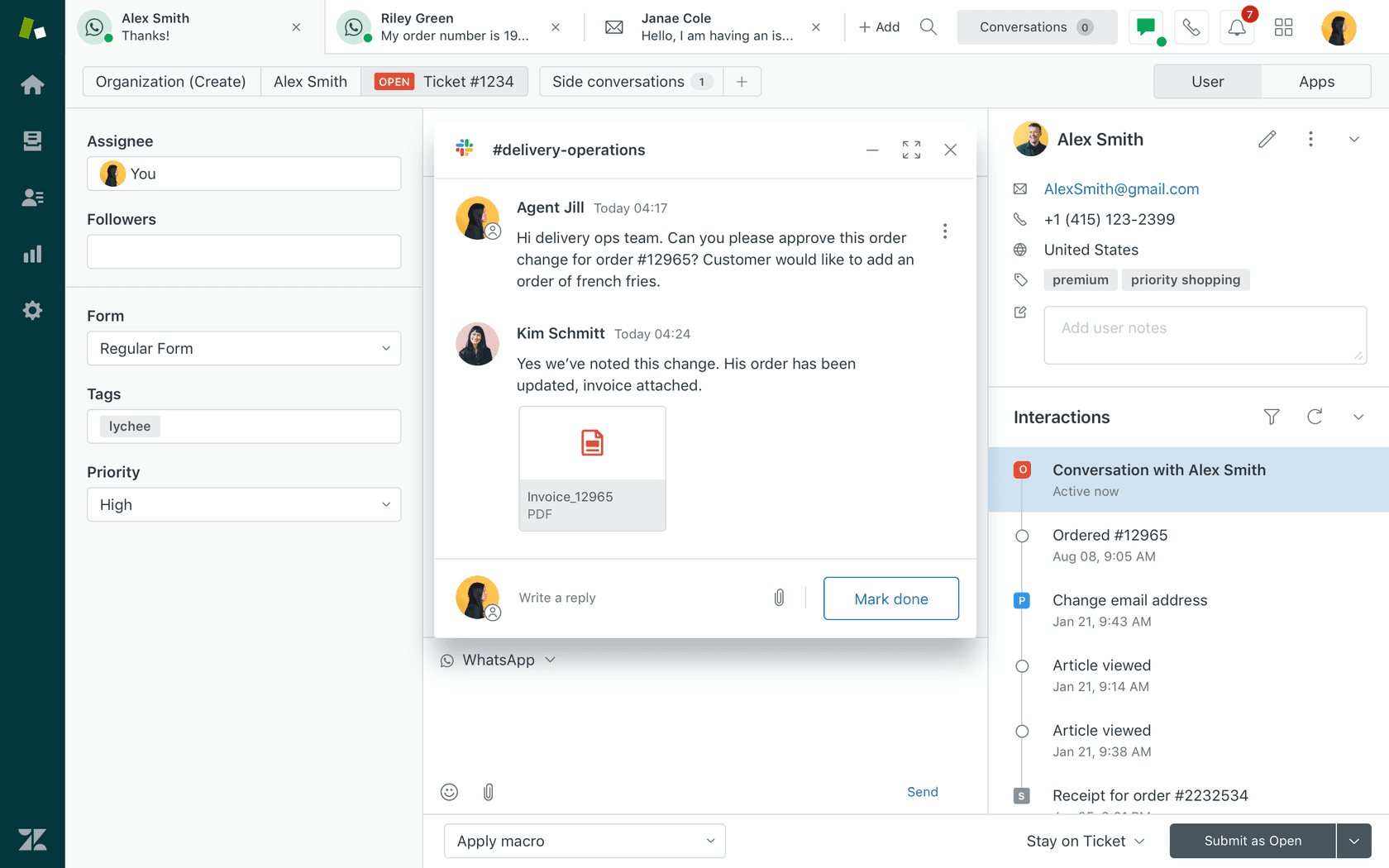
Zendesk's Slack integration is a first-party app maintained by Zendesk, and it splits into two very different capabilities depending on your plan.
On lower tiers, it's primarily a notification system with ticket creation. On Professional and above, the integration's genuinely powerful feature - Side Conversations - unlocks.
What Zendesk does from Slack
Ticket notifications fire via triggers you configure in Admin Center. Each card shows ticket subject, status, account, timestamp, and a link to the ticket. Agents can add internal notes directly from a notification card (More actions → "Add as internal note"), which is available on all paid plans.
Ticket creation works via four entry points: the /zendesk slash command, a message action on any Slack message, the Zendesk sidebar app's Home tab, or by mentioning @zendesk in a Slack Connect channel. Every Slack-created ticket automatically gets the created_from_slack tag. One limitation: the Assignee field on Slack-created tickets only accepts Zendesk groups, not individual agents.
Side Conversations (Professional tier and above) are where Zendesk's Slack integration gets interesting. An agent opens the context panel in a ticket, selects Side Conversations, picks a Slack channel, and starts a bidirectional thread. Team members in Slack can reply without logging into Zendesk - those replies sync back to the ticket as internal notes in roughly 5 seconds. Agents can mark the conversation complete and use its status as a trigger condition.
The practical use case is internal escalation: a customer support agent creates a side conversation with the engineering Slack channel when a bug is reported. Engineering replies in Slack without needing a Zendesk account, and the full back-and-forth lives on the ticket.
Answer Bot in selected channels surfaces knowledge base suggestions when users ask questions, before escalation.
Pricing
| Plan | Price (annual) | Side Conversations |
|---|---|---|
| Support Team | $19/agent/mo | No |
| Suite Team | $55/agent/mo | No |
| Suite Professional | $115/agent/mo | Yes |
| Suite Enterprise | $169/agent/mo | Yes |
Notable limitations: agents still can't close or resolve tickets from Slack, can't edit ticket fields, and can't view attachments inline. Side Conversations have a 1,000-character limit per comment and don't support @mention autocomplete (you have to manually enter Slack member IDs). Organization-shared channels in Slack Enterprise Grid are not supported. Community feedback on Reddit's r/Zendesk consistently describes the basic integration as "primarily a notification system" - the real value is Side Conversations for internal escalations.
For a full walkthrough of setup and feature details, eesel has a comprehensive guide to the Zendesk Slack integration.
Best for: enterprises already on Zendesk Professional or above that need structured internal escalation workflows between support agents and other departments.
6. Freshdesk - good for SMBs, with notable regional limits
Freshdesk's native Slack integration is published by Freshworks and available through both the Freshworks Marketplace and the Slack App Directory. It covers notifications, ticket creation, and basic ticket management from Slack - but has enough rough edges that it's worth going in with eyes open.
What Freshdesk does from Slack
Notifications are configured through Freshdesk automation rules that fire on ticket events (creation, customer reply, status change, private note added). Each card includes ticket ID, subject, requester, priority, assignee, and a color-coded priority indicator. Agents can receive DMs directly if the "Allow DM to agent" option is enabled during setup.
Ticket creation works via a slash command (create_fd_ticket [number]) that converts a Slack thread into a Freshdesk ticket, pulling in up to 200 prior messages. There's also a message action from the Freshdesk app sidebar. Regional caveat: the slash command is only available for Freshdesk accounts in North America. Accounts in EU, India, or Australia can use the message action but not the slash command.
Ticket updates from Slack cover status, priority, and assignment. Agents can add private notes and reply to customers. Non-agent teammates can contribute to Slack thread replies that sync back to Freshdesk as internal comments, which means engineers or finance team members can add context without a Freshdesk license.
Pricing
| Plan | Price (annual) | Slack integration |
|---|---|---|
| Free | $0 | Not supported |
| Growth | $19/agent/mo | Supported |
| Pro | $55/agent/mo | Supported |
| Enterprise | $89/agent/mo | Supported |
The integration requires API access, which is unavailable on Freshdesk's free plan. Any paid plan includes it.
There's a hard channel cap of 40 channels total (20 public + 20 private) - no exceptions, regardless of plan. For larger teams routing different notification types to separate channels, this ceiling comes up fast.
Other limitations worth knowing: no SLA breach notifications in the native integration, no knowledge base surfacing without the Freddy AI Copilot add-on (~$29/agent/month), and thread-level sync can be unreliable (updates sometimes post to channels without threading under the original conversation). Authorization can also lapse silently, which is a recurring source of "why did notifications stop?" confusion in user reports.
eesel has a detailed guide to the Freshdesk Slack integration covering setup, known limitations, and how teams work around the channel cap.
Best for: SMBs already on Freshdesk who want Slack notifications and basic ticket management, and aren't in the EU or Australia depending on slash command support.
7. Help Scout - cleanest notification integration, no Slack-side actions
Help Scout's Slack integration is honest about what it is: a one-directional notification system. Conversation events in Help Scout push to Slack channels. That's it. Agents cannot reply, create tickets, update status, or take any action from Slack. Everything still goes through Help Scout.
This isn't a criticism of the product overall - Help Scout is well-regarded for SMB support teams and its AI features are growing. The Slack integration just isn't where its strength lies.
What Help Scout does from Slack
Per-inbox channel mapping is the standout feature. Different Help Scout inboxes route to different Slack channels: a "Billing" inbox posts to #billing-support, a "Tech Support" inbox posts to #tech-support, and so on. Each inbox gets its own event subscriptions, so you can turn on "New conversation" notifications for one inbox and "Conversation replied to" for another.
Supported events: new conversation created, new chat (Beacon), individual Beacon chat message, customer reply, conversation assigned, updated, replied to, and deleted.
@mention routing lets admins map Help Scout team members to their Slack usernames, so the assigned agent gets @mentioned when a conversation is assigned. For unassigned conversations, a designated fallback Slack user receives the @mention - useful for routing to a triage person.
HIPAA mode strips conversation content from notifications for accounts with a BAA in place, so PHI doesn't appear in Slack channels.
Setup requires admin access to both platforms and the Help Scout Standard plan or above (the free plan has no API access, which the integration requires).
Pricing
| Plan | Price (annual) | Slack integration |
|---|---|---|
| Free | $0 | Not supported |
| Standard | $25/user/mo | Supported |
| Plus | $45/user/mo | Supported |
| Pro | $75/user/mo | Supported |
One quirk to know: newly created Slack channels take up to two hours to appear in Help Scout's channel selection dropdowns. If you create a new channel for a new inbox, you'll need to wait before completing the mapping.
Best for: small teams that want clean per-inbox Slack awareness and don't need to act on tickets from Slack - just see what's happening and click through when needed.
8. Zoho Desk - solid option for existing Zoho users
Zoho Desk's Slack integration is a free extension on the Zoho Marketplace that covers notifications, ticket creation, commenting, replying, and slash-command lookups. For teams already in the Zoho ecosystem, it works reasonably well. For teams not on Zoho, there's little reason to choose it over the options above.
What Zoho Desk does from Slack
Notifications cover five event types: ticket opened, ticket closed, status modified, happiness rating received, and Blueprint-applied transitions (state changes in Zoho's automation workflows). Each type can be toggled individually.
Department-to-channel mapping lets different support departments route to different Slack channels. The constraint: you can map multiple departments to one channel, but not one department to multiple channels simultaneously.
Ticket actions from Slack cover a decent range: create tickets from a Slack message, comment on tickets, and reply to customers. Slash commands retrieve ticket details - but the response is a private message visible only to the agent who ran the command, not posted to the channel.
Daily reports can be configured to deliver periodic ticket activity digests to a Slack channel.
Zoho Flow (a separate Zoho product) extends the native integration significantly, adding 30+ Zoho Desk triggers and 80+ Zoho Desk actions that can connect to Slack workflows, including Zia AI capabilities like ticket summarization and sentiment analysis.
Pricing
Zoho Desk's five main tiers (billed annually):
| Plan | Price | Notes |
|---|---|---|
| Free | Free | Up to 3 agents |
| Express | ~$7/user/mo | Basic ticketing |
| Standard | ~$14/user/mo | Automation included |
| Professional | ~$23/user/mo | Round-robin, skills routing |
| Enterprise | ~$40/user/mo | Zia AI, multi-brand |
The Slack extension itself is free on the Zoho Marketplace. The main Zoho Desk pricing page links to an enterprise signup when you click through from the Slack integration overview, suggesting full access may be gated to higher plans, but this isn't explicitly documented.
One thing worth flagging: the Zoho Marketplace extension is version 1.1, published in August 2018, with no updates since. The core functionality works, but it signals limited active investment in the integration compared to the other tools on this list.
Best for: teams already paying for Zoho products (CRM, Cliq, Projects) who want a low-overhead way to bridge Zoho Desk and Slack without adding another vendor.
How to choose
The framing that helps most: ask what percentage of support interactions you want your team to handle from Slack vs. the helpdesk UI.
If the answer is "near zero - we just want visibility," Help Scout or Freshdesk notifications are enough and you don't need to optimize for Slack depth.
If the answer is "some - agents should be able to create and reply to tickets from Slack when it's faster," HappyFox or Front covers this well. Front is better when customers are already in Slack; HappyFox is better when Slack is an agent tool alongside a traditional helpdesk.
If the answer is "most - we want Slack to be the primary interface and avoid tab-switching," eesel AI is built for exactly this. It handles the resolution layer in Slack autonomously, pulling from all connected knowledge, and only surfaces tickets to human agents when genuinely needed. The Gridwise case study (73% tier-1 resolution in month one) is a reasonable benchmark for what's achievable at volume.
For teams evaluating AI tools for customer support more broadly, the Slack integration question is increasingly part of a larger one: do you want AI to work from where your team already is, or do you want to bring your team to where the AI lives? The best helpdesk software with Slack integration in 2026 is leaning toward the former.