What "hallucination" actually means for a support agent
A hallucination is when the model states something that isn't true with the same confidence it states things that are. Large language models work by predicting the most likely next words, so when there's no real answer in front of them, they don't stop. They produce a fluent, plausible, completely made-up one. That's not a bug you can patch, it's how the underlying technology works.
In a generic chatbot, a hallucination is annoying. In support, it's expensive. Your AI customer service software is speaking for your company, to a customer, often about money, accounts, or promises you now have to keep. I've watched a confident-sounding bot quietly tell a customer something that simply wasn't our policy, and the cost wasn't the wrong sentence, it was the follow-up ticket, the trust hit, and the human who had to walk it back.
One of our customers, a Danish vehicle-telematics team running support on Zendesk, hit the cleanest version of this. Their knowledge base said "we support all models," so when a customer asked about a car brand that wasn't actually in their database, the agent cheerfully confirmed it. The model wasn't broken. It read what it was given and answered confidently. The problem lived in what it was allowed to read and whether it was forced to be honest about its sources.
That's the whole game, and it's why the rest of this post is about the setup, not the model.
The honest answer: stop the bad answer from shipping, not the model from thinking
Here's the reframe most "how to stop AI hallucinations" advice misses. You will not get a model that never generates a wrong token. Chasing that is a losing fight. What you can absolutely do is build a series of gates so that a wrong answer gets caught before it's sent.
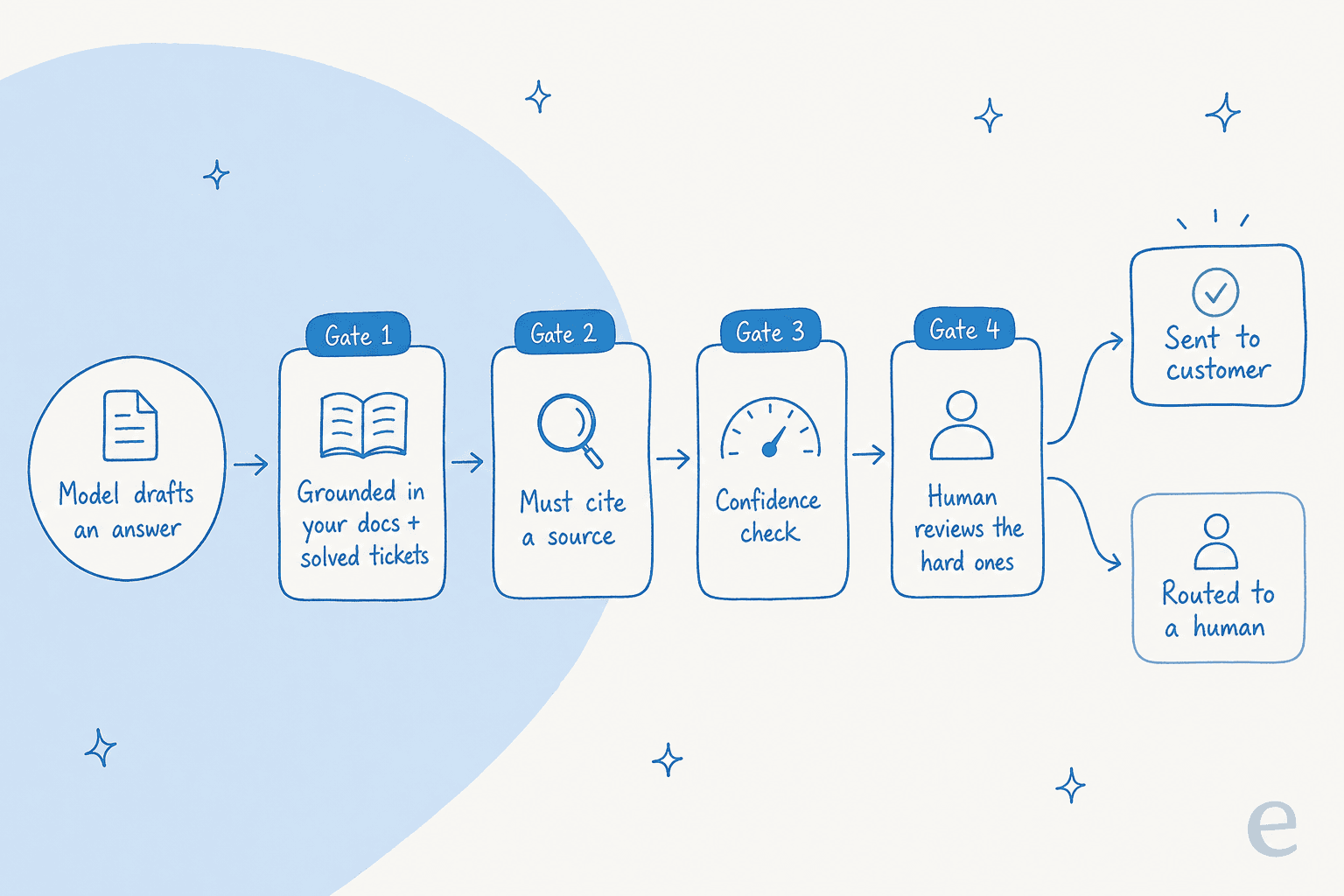
Think of it as defense in depth. The model drafts something. Before that draft becomes a reply a customer reads, it passes through grounding, a citation check, a confidence check, and where needed, a human. Any one gate catching the problem is enough.
The reason this matters: a single demonstrably-wrong answer torpedoes a customer's trust in every other answer the agent gives, no matter how good the rest are. So the goal isn't a perfect model, it's a system where the worst case is "the AI says nothing" rather than "the AI says something wrong." Let's build it.
The setup that actually keeps a support AI from hallucinating
Feed it your real answers, not the open internet
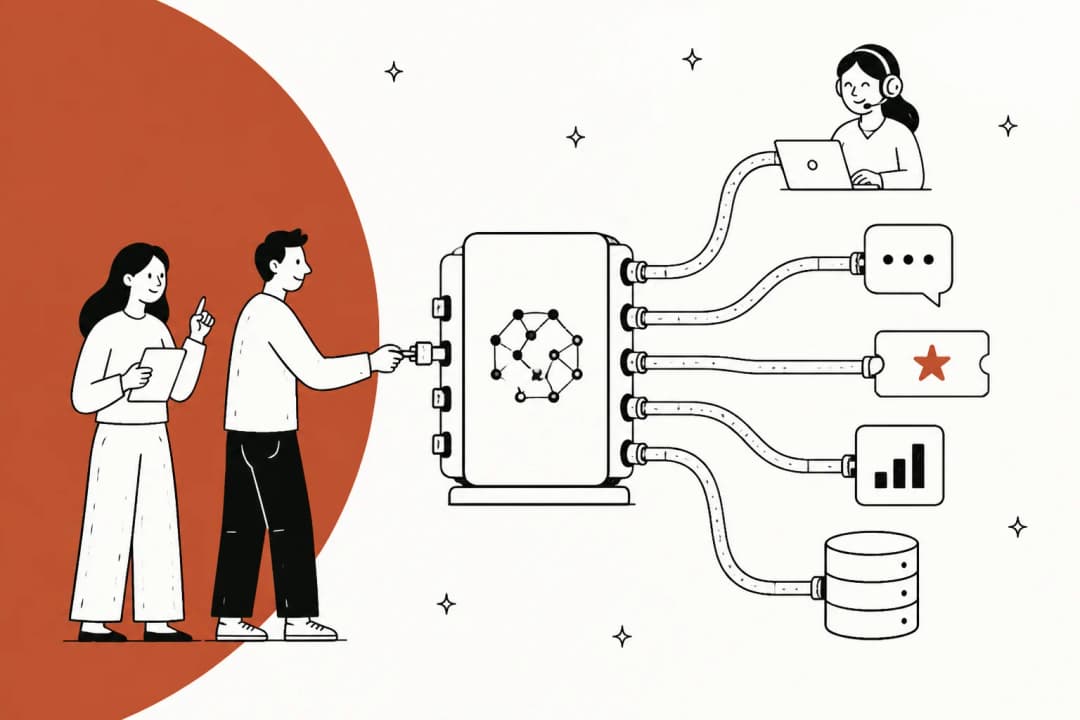
The first and biggest lever is grounding: the agent should only answer from your own knowledge, not from whatever it absorbed during pre-training. That means connecting it to your help center, your internal docs, your macros, and ideally your history of solved tickets, then restricting it to that material.
Solved tickets are the underrated source here. A help center tells the agent what your product should do; your resolved tickets show how your team actually answers real customers inside your customer service workflow, edge cases and all. An AI knowledge base chatbot that learns from both is far harder to knock off course than one trained on marketing pages.
You can see what ungrounded looks like in the wild. A Salesforce consultant reviewing Agentforce put it bluntly:
"On top of that, the hallucination is really bad, since we don't train, and it works on a general model, sometimes it just gives information that isn't ours."
Arjun G., reviewing Salesforce Agentforce on G2

"Information that isn't ours" is the tell. The fix is to make sure the only information available is yours. The flip side of grounding is staleness, though, so keep the source current. As another reviewer of the same family of tools warned:
"If your Content Version files (Knowledge Articles) haven't been updated since 2021, the AI agent will confidently give customers outdated information."
Muhammad O., reviewing Agentforce Service on G2
Grounded but stale is its own kind of wrong answer. This is exactly why training AI on your knowledge base is an ongoing job, not a one-time import, and why a well-kept knowledge base pays off well beyond the AI.
Make every answer cite its source
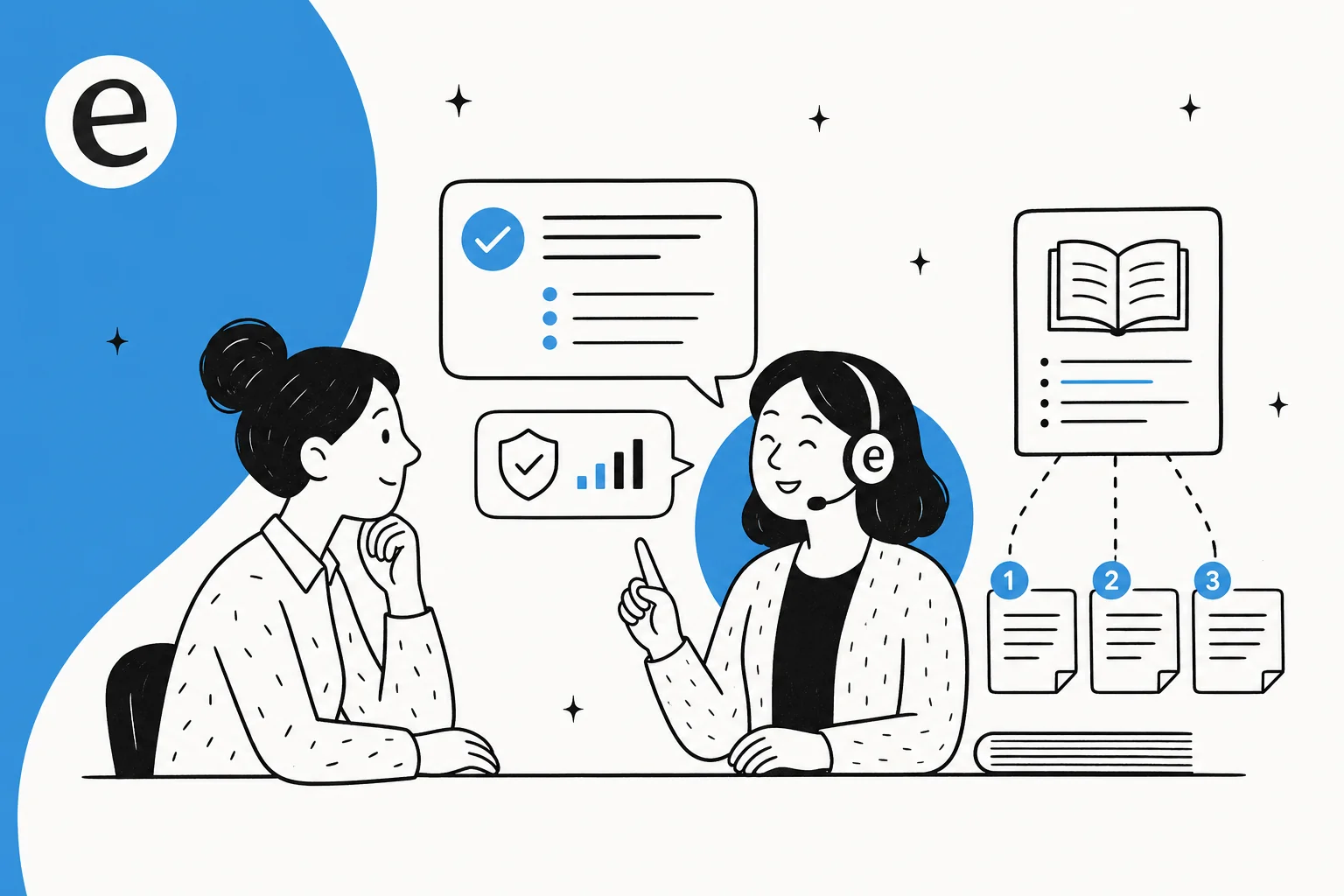
Grounding limits what the agent can read. Citations force it to prove it actually read something. If the agent has to attach the specific doc or ticket its answer came from, two good things happen: a reviewer can verify the answer in one click, and the agent has nowhere to hide when it's improvising.
The pattern I'd insist on: no source, no answer. If the agent can't point to a passage that supports its reply, it shouldn't send the reply, it should escalate. A co-founder of a legal-tech company we work with framed why this is non-negotiable in their world: there's a fine line between being helpful and crossing into legal advice, and the only way they'd let AI near customers was with exact guardrails on sourcing and a transparent citation on every response. That's a high bar, but it's the right default for everyone, not just regulated industries.

Set a confidence threshold and route by it
This is the one that matters most, and it's the gate that turns "trust me" into a real safety mechanism. It's the difference between a deflection tool you can leave running and one you have to babysit, and it's worth getting right before you scale tier-1 deflection. The agent should only auto-reply when it's confident and has a source. Everything else gets drafted for a human or handed off.
A CX lead at a DTC supplements brand running about 7,000 Gorgias tickets a month put the logic better than I can:
The AI will never answer 100% of questions, he told us, but if it tries on everything and just writes "sorry, I don't know" to a customer, he can't go back and check thousands of tickets to see whether it did a good job. He needed an AI that only handles the tickets it's confident about, and leaves the rest alone. That's confidence-based routing in one sentence, and it was the deciding factor in his evaluation.
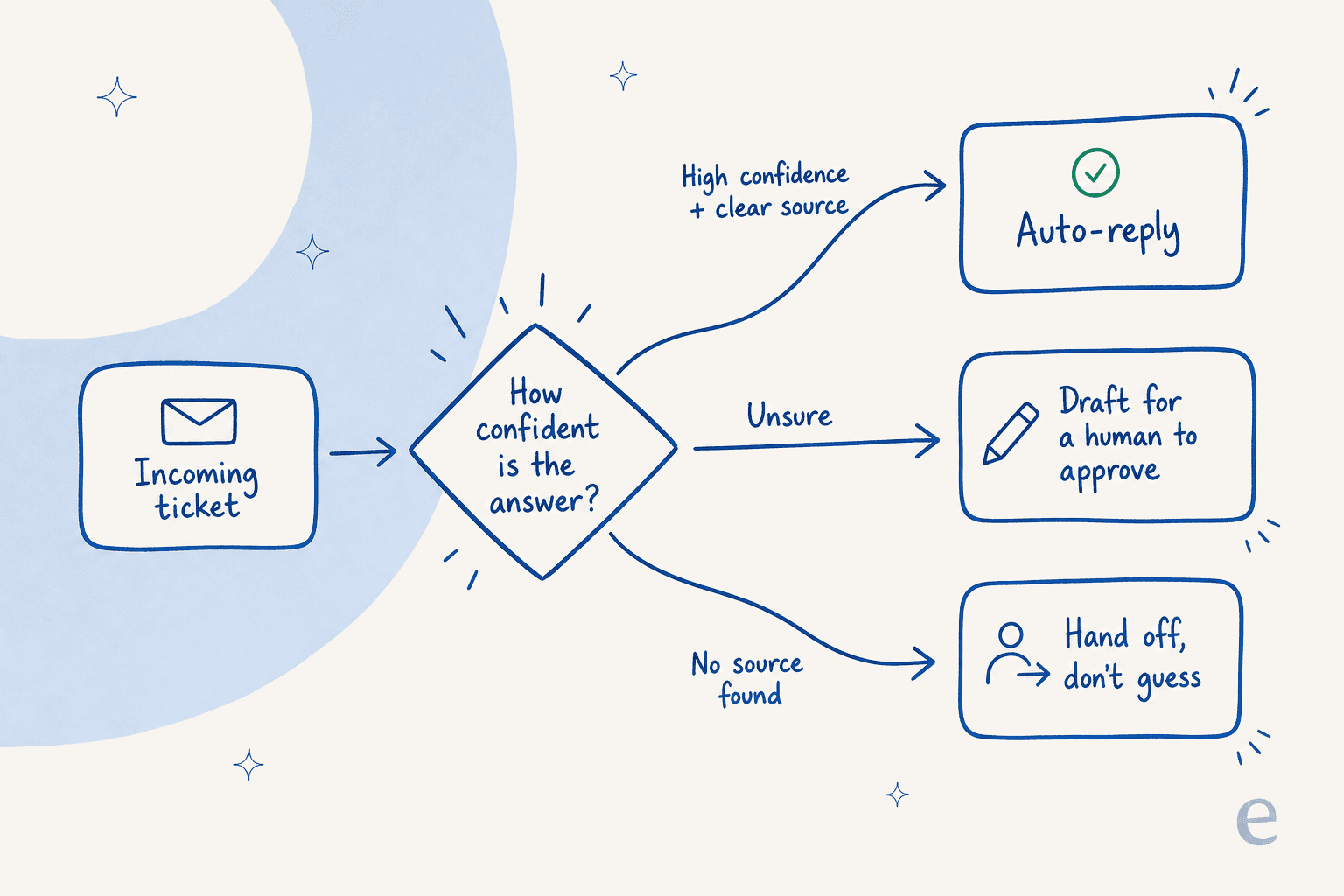
The practical version: pick a confidence bar, send anything below it to a person as a draft instead of an auto-reply, and start the bar high. You can always lower it once you trust the agent on a given ticket type. This is also where good AI chat escalation earns its keep, because a confident "I'll get a human" beats a confident wrong answer every time. If you're weighing this against older tech, it's the clearest line between an AI agent and a rule-based chatbot.
Fence off the topics it's never allowed to touch
Some tickets shouldn't go anywhere near support automation, and that's a feature, not a limitation. Refunds above a threshold, account deletions, anything legal, anything involving an angry customer mid-escalation. You want explicit control to keep those categories human-only.
This shows up constantly in how people actually want to deploy. One support lead told us flatly there are certain tickets they don't want to run through AI at all. Another eCommerce manager's main worry wasn't the AI being wrong on facts, it was the AI over-promising: "stop telling customers that we will get them sorted, you don't know that." Both are really the same request, which is control over what the agent is allowed to do, not just how well it does it. A good AI helpdesk agent lets you carve out those exclusions up front and set firm guardrails on what it can promise, like Breeze's escalation and guardrails approach.
Simulate on past tickets before it talks to a single customer
Every gate above is a hypothesis until you test it. The mistake teams make is flipping the agent live on real customers and watching for fires. The far safer move is to run it in simulation against thousands of your historical tickets first.
A simulation replays how the agent would have answered tickets you already know the right outcome for. You get coverage by topic, you see exactly where it would have hallucinated or escalated, and you fix the knowledge gaps before any of it touches a live conversation. Then you go live gradually, one ticket type at a time.
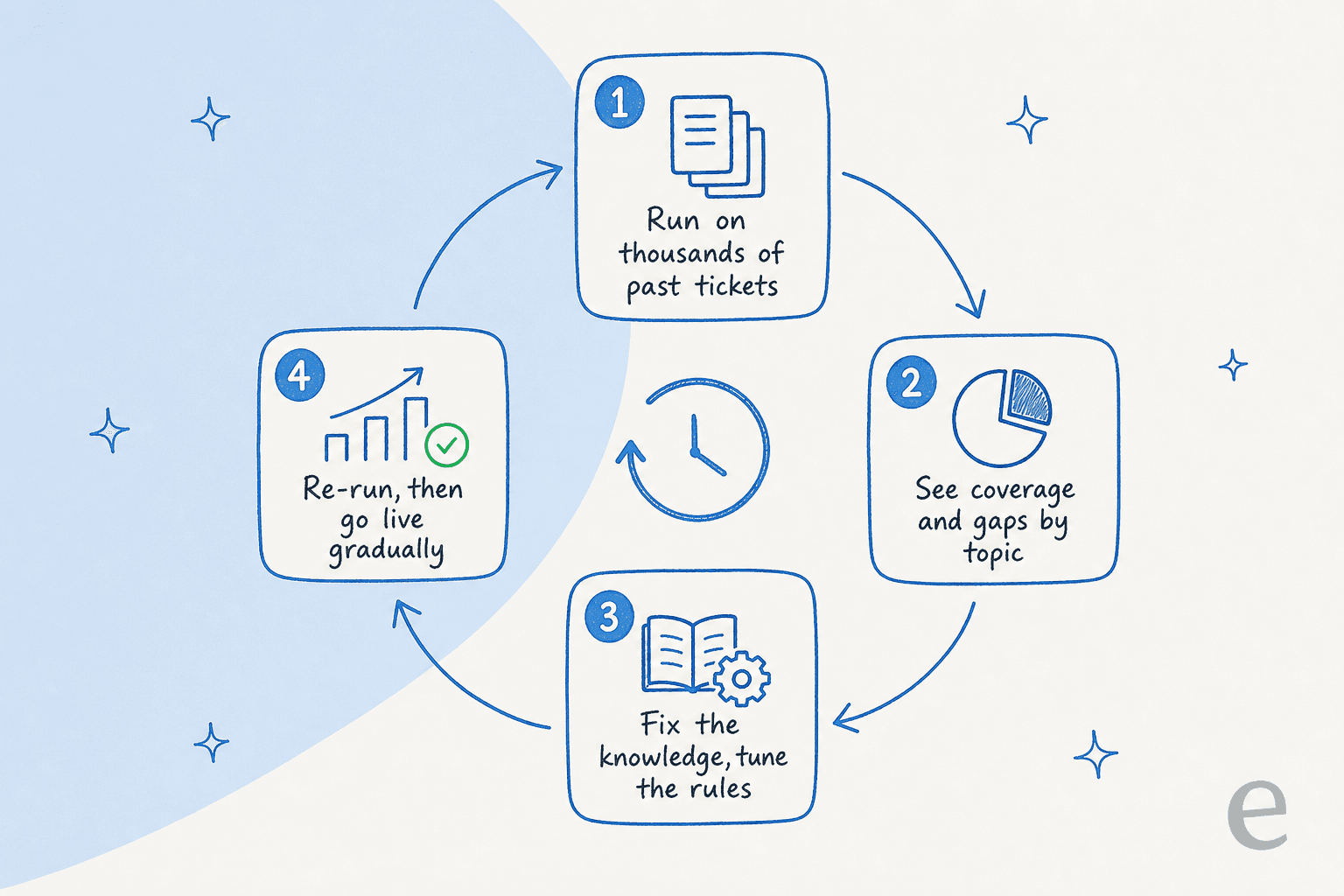
This is the step we won't ship a customer without, because it's the difference between hoping the agent is accurate and knowing its coverage number before launch. It's also how that vehicle-telematics team I mentioned earlier caught their "we support all models" problem before customers did, instead of after.
Close the loop: every correction is training data
The last gate runs after launch. When a human edits or rejects a draft, that signal should feed straight back into the agent so the same mistake doesn't recur. Evaluators ask us about this all the time, usually some version of "do you actually track it when I approve or reject an answer?" The answer should always be yes, because an agent that learns from corrections gets more accurate every week, and one that doesn't makes the same hallucination on Friday that you caught on Monday. Pair that with regular evaluation of agent performance and you've got a system that tightens over time instead of drifting.
How to tell it's actually working
Guardrails you don't measure are just good intentions. A few numbers tell you whether the agent is honest:
- Containment or resolution rate on the tickets it did answer. High resolution with low escalation is good. High resolution with a rising reopen rate means it's confidently closing things it shouldn't. Here's how to think about containment rate and escalation quality together rather than in isolation.
- Escalation rate by topic. A healthy agent escalates more on ambiguous categories and less on simple ones. If escalation is flat across everything, your confidence threshold probably isn't doing anything.
- Reopen and CSAT on AI-handled tickets versus human-handled ones, tracked as part of your wider AI customer service metrics.

The point of watching these is to find the moment confidence outran accuracy, and dial the threshold back. Done right, the agent's "I don't know" rate is a feature you're proud of, not one you're trying to bury.
Try eesel
I'm biased, because I help build it, but this is exactly the setup the eesel AI helpdesk agent is designed around. It learns from your past tickets and help docs on day one, cites its sources, and uses confidence-based routing so it only auto-replies when it's sure and quietly hands the rest to your team. The part I'd point you to first is simulation: you can run it over thousands of your historical tickets and see its real coverage and accuracy before a single customer is involved, instead of finding out live.
That caution pays off. For one logistics customer we resolved 73% of their tier-1 requests in the first month (eesel AI helpdesk agent), and it works because the agent leaves alone the tickets it shouldn't touch. It plugs into Zendesk, Freshdesk, Gorgias, and more, and with usage-based pricing you're not paying a per-seat fee to keep a human in the loop. You can try it free and start in simulation.

Frequently Asked Questions
Why does my AI support agent hallucinate in the first place?
Can you completely stop an AI support agent from hallucinating?
What is confidence-based routing for an AI support agent?
How do I test an AI support agent before letting it answer customers?
How much does it cost to run an AI support agent safely?
Does grounding an AI agent in my knowledge base stop hallucinations on its own?
What types of tickets should I keep away from an AI support agent?


Article by
Alicia Kirana Utomo
Kira is a writer at eesel AI with a Computer Science background and over a year of hands-on experience evaluating AI-powered customer service tools. She focuses on breaking down how helpdesk platforms and AI agents actually work so that support teams can make better buying decisions.