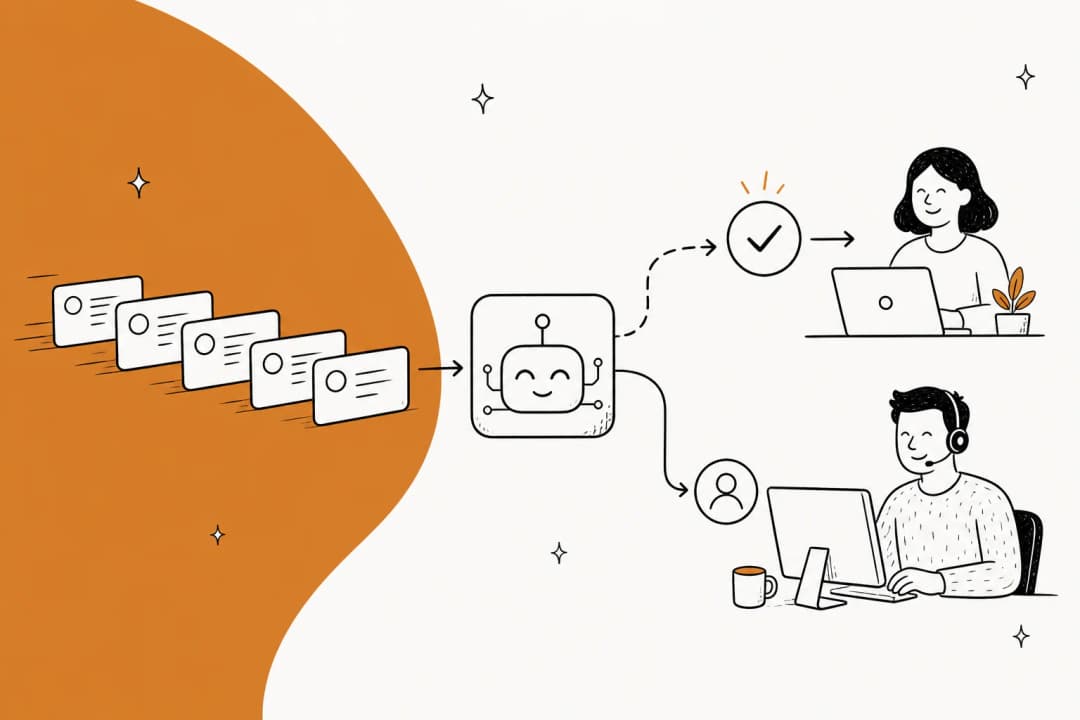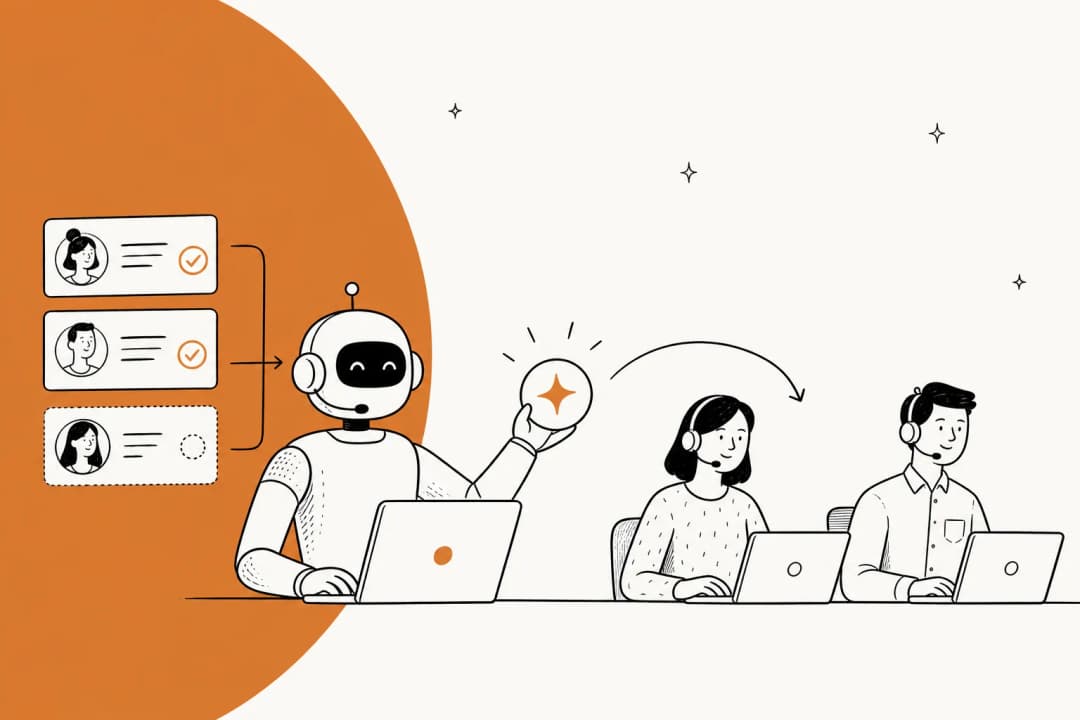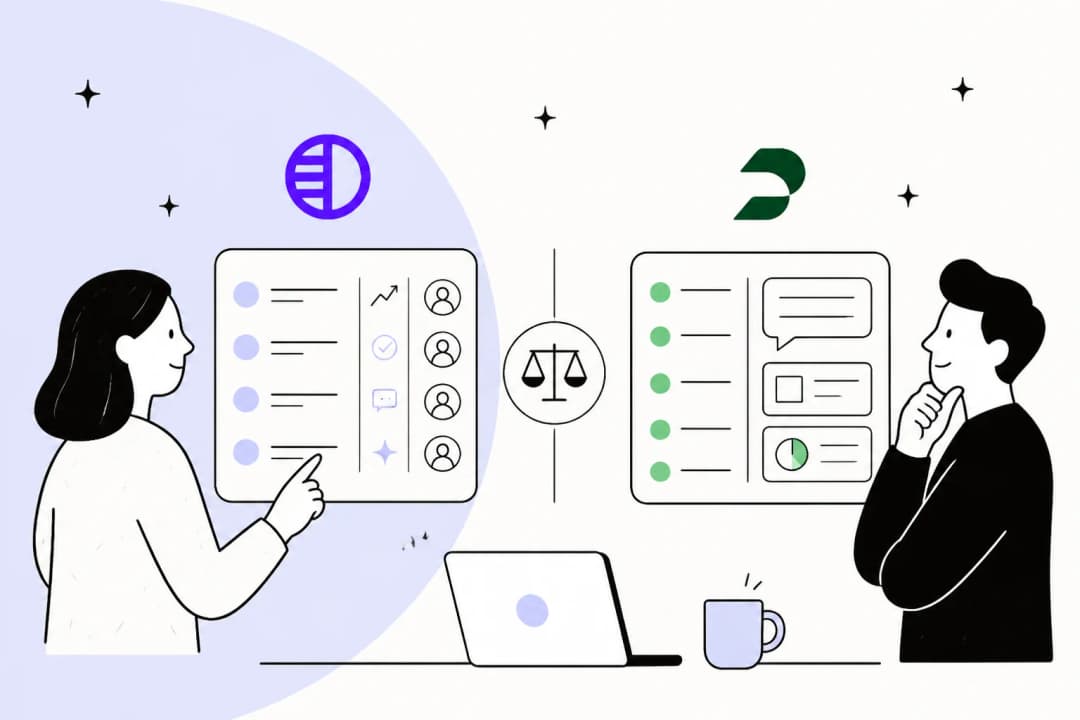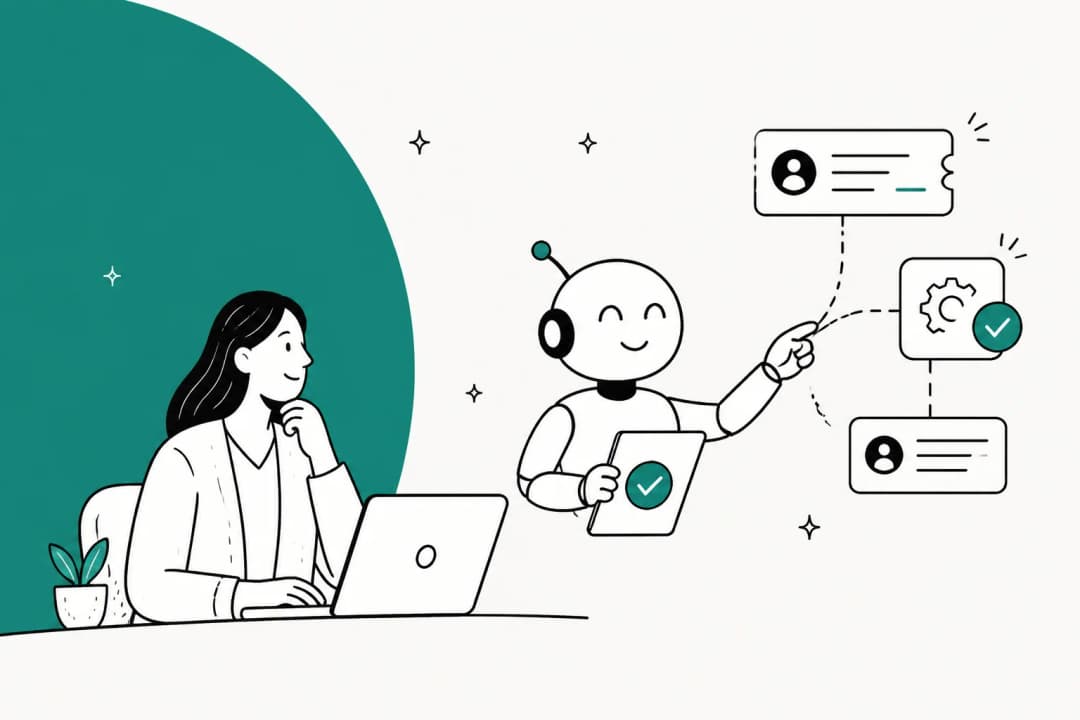
Why I looked at Hermes for support
I build integrations at eesel, which means I spend a lot of my week inside helpdesk APIs, figuring out what an AI should and shouldn't be allowed to touch. eesel has run AI on live support queues for years now, and the lesson I keep relearning is boring but expensive: the model is rarely the problem. The plumbing around it is. Who can talk to it, what it remembers, what it's allowed to send, and how you know it's ready.
So when Hermes Agent kept showing up in "can I just use this for support?" conversations, I read its docs end to end with that lens. It's a serious piece of software, with 251,479 GitHub stars and a new release on 24 September. The question isn't whether it's good. It's whether it's shaped for a support queue.
The pull is real, and I get it. One customer who left eesel told the founder this on the way out:
"But long term we will just build our own, which is so possible now with AI."
A churned mid-market customer, in a reply to eesel's founder
That's the exact thought behind most Hermes-for-support searches. It's a fair thought. This post is about what "build our own" actually involves with Hermes.
What Hermes Agent actually is
Hermes Agent is Nous Research's open-source, self-hosted AI agent, released under the MIT license. It runs on your machine or server, keeps memory across sessions, writes its own skills from experience, and can be reached from chat apps through a gateway. Nous describes it as an agent that "lives wherever you put it", from a small VPS to a GPU cluster (docs).
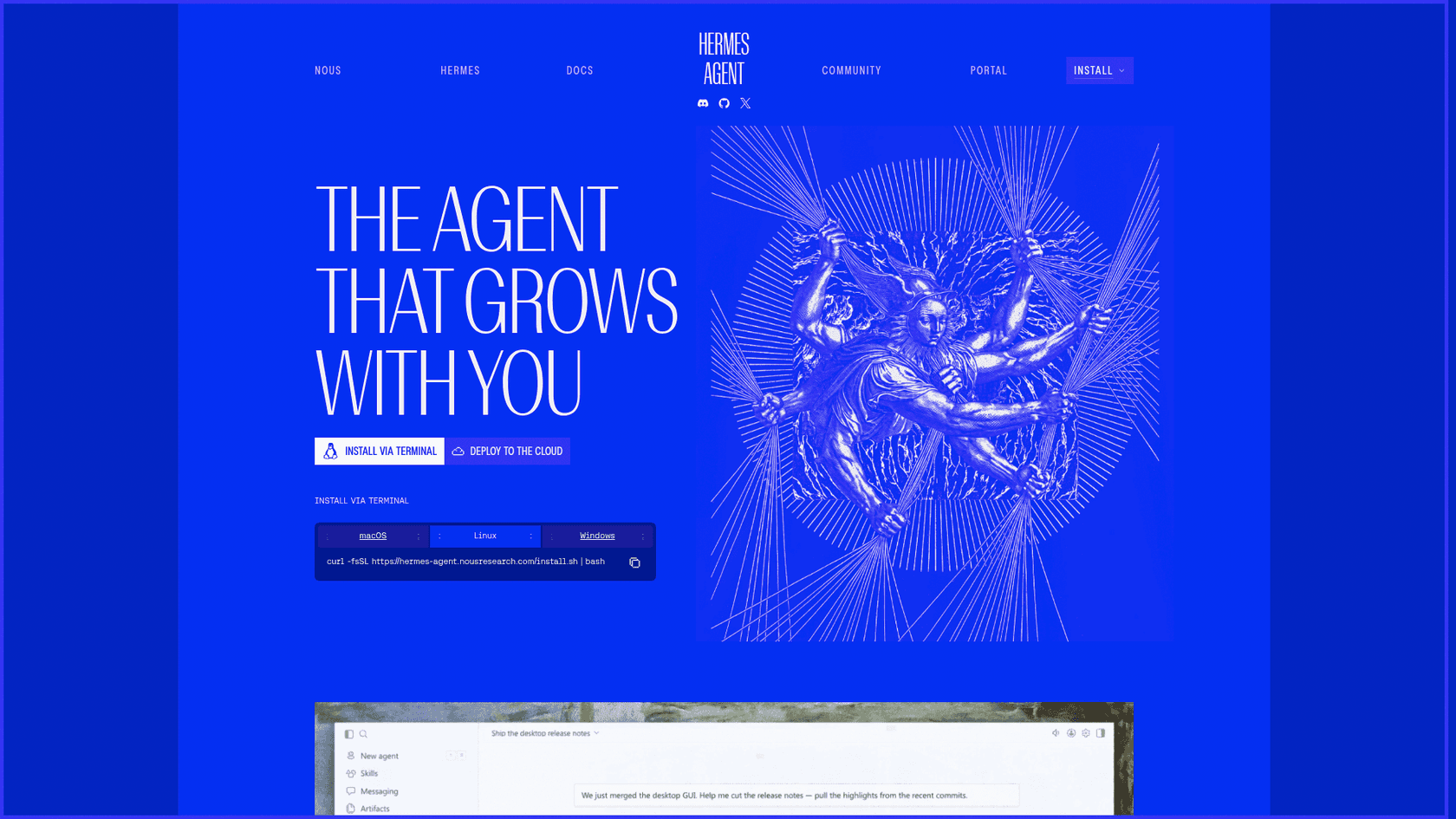
The important bit for support teams: it is a general agent built for its operator. It's not a helpdesk product, and it doesn't pretend to be one. I searched the full 240-page docs export for "helpdesk" and "support ticket" and got zero hits. The closest mentions are a passing "customer-support bot" example on the profile distributions page and "a support triage channel" on the Slack page.
That's not a knock. A general agent is useful precisely because it isn't boxed into one job, which is why it shows up in roundups of open-source AI agents next to OpenClaw. My fuller take on the product itself is in the Hermes Agent review.
Two ways to point Hermes at support
Every Hermes-for-support setup I've seen falls into one of two shapes, and they carry very different risk.
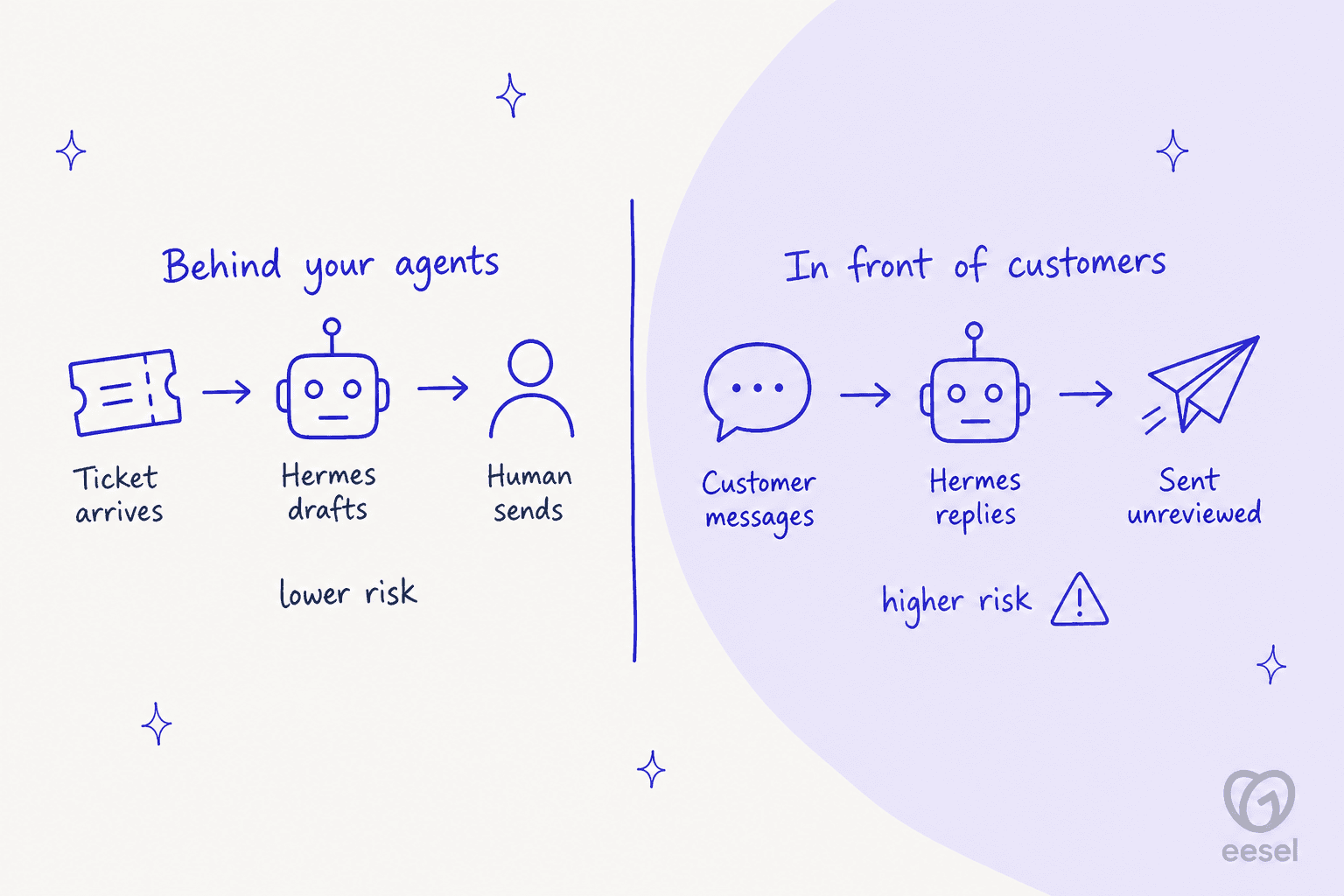
Behind your agents. Hermes reads tickets, pulls account facts, and drafts replies. A human reviews and sends. This is basically agent assist built from parts, and it's where Hermes does well today.
In front of customers. Customers message Hermes directly on WhatsApp, Telegram, email or a web chat, and it replies on its own. This is the AI helpdesk agent job, and it's where the design pushes back on you at almost every step.
Most of what follows is about why that second shape is harder than it looks, and what you'd need to build to make it safe.
Shape 1: Hermes as a drafting helper (this works)
The best real-world example I found is a small business owner wiring Hermes into Front:
"My current set up…Hermes agent logs into front with write only API token and reads whole context of customer thread. Then tries to look in our software for answers. (Unreliable right now). Then writes draft. This has been way harder than I expected. Been a side project for a while. Really focused on it right now. Goal - save CSR 80% of email writing time."
Notice the shape: read, look up, draft, stop. No sending. Another reply in the same thread pointed at the knowledge side:
"yes this is close. easiest version is to have an FAQ document that it references. best way to build that is to point your agent at old emails"
My rule on top of that: keep send behind one human click until the misses get boring. That's sound advice for any AI on a queue, and it matches what I learned the hard way about AI hallucinations in support. Retrieval first, send last.
The same pattern shows up for internal support. One Hacker News user connected Hermes to BigQuery, Stripe and Amplitude so "nontechnical teammates can ask and answer their own data questions via Slack. It works great!" (brettcvz, Hacker News). Another reports it "answers most of both my emails and slack messages" from a wiki refreshed by a daily cron job (igorhvr, Hacker News). If your goal is an internal support chatbot for your own staff, Hermes is a reasonable build.
How the helpdesk connection works
This is the part I'd budget the most time for. Hermes connects to outside tools through MCP servers, configured under mcp_servers in config.yaml, with per-server filtering so you only expose the tools you want (MCP docs). Nous also ships a curated, staff-reviewed MCP catalog of 68 servers.
None of those 68 is Zendesk, Freshdesk, Gorgias, HubSpot or Help Scout (catalog directory). Your options are:
| Route | What it is | Who reviewed it |
|---|---|---|
| Vendor's own MCP server | e.g. Front's first-party server, covered in my Claude for Front post | The helpdesk vendor |
| Community skill on skills.sh | zendesk-automation (4,053 installs), Freshdesk (652), Gorgias (59), per the skills.sh search | Nobody at Nous |
| Your own MCP server | You write it against the helpdesk API | You |
The community skills are third-party code that Hermes can install from a public registry. I'd read every line before giving one an API token that can write to customer tickets. If you'd rather start from an existing pattern, my guide to MCP for customer support walks through what a support MCP server should and shouldn't expose.
Shape 2: Hermes in front of customers (this is where it breaks)
Here's where reading the docs as an integrations person gets interesting. The gateway is impressive: Telegram, Discord, Slack, WhatsApp, Signal, SMS, email, Microsoft Teams, LINE and more, around 29 platforms in the comparison table (Messaging Gateway).
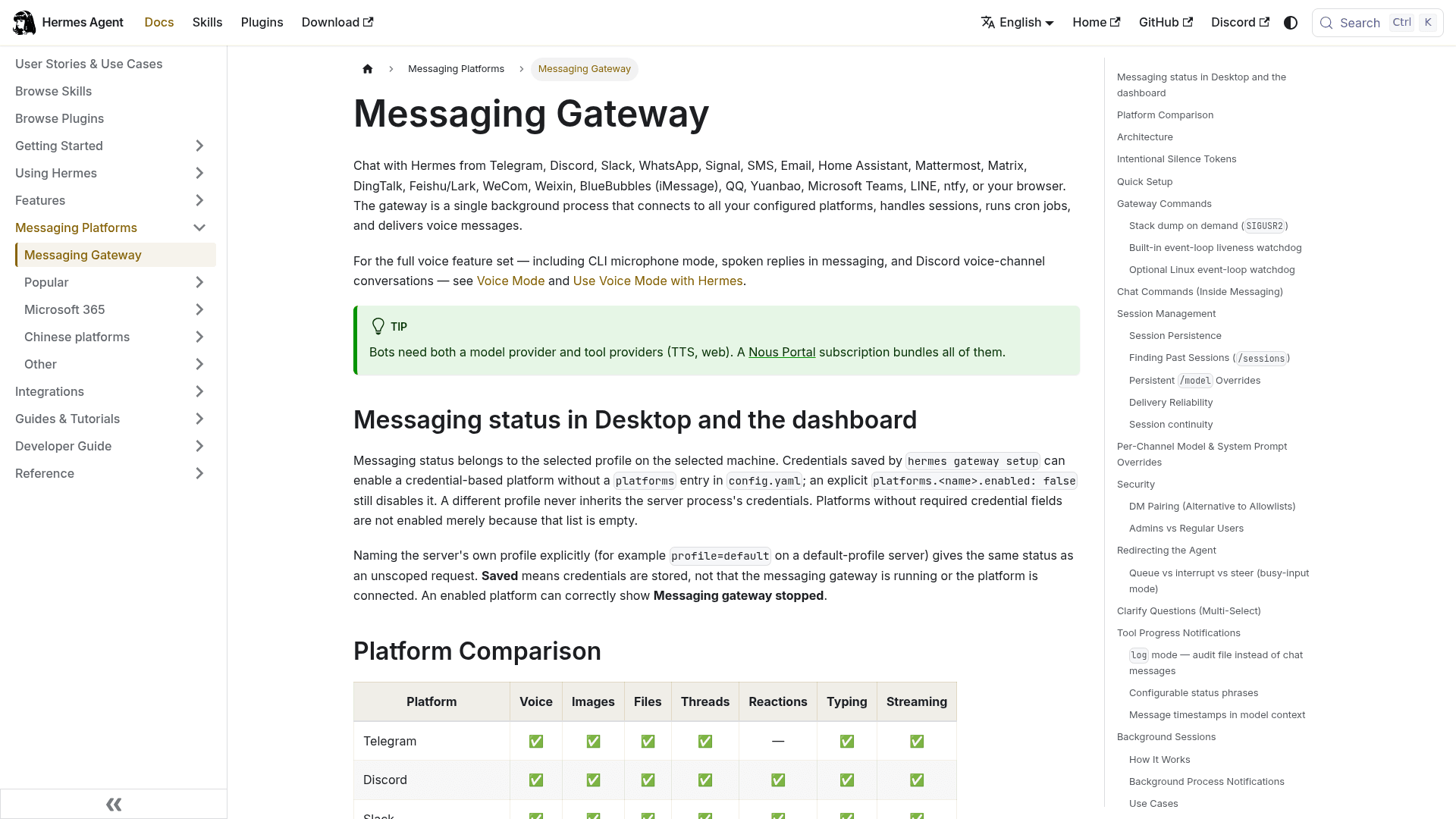
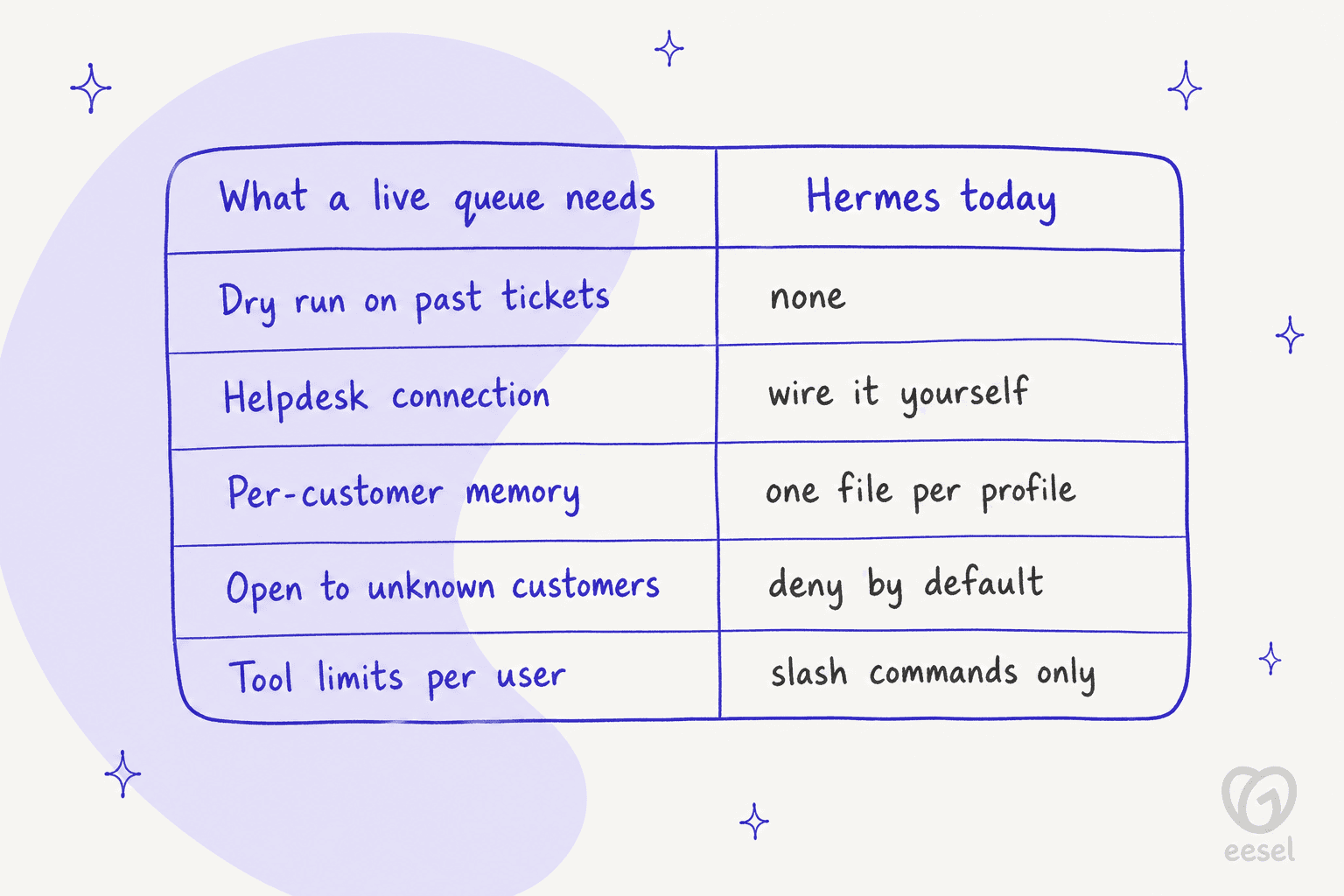
Channels aren't the problem. Four design choices are, and each one is a sensible default for a personal agent that becomes a real gap on a public support channel.
1. It's built to keep strangers out
The gateway's own words: "By default, the gateway denies all users who are not in an allowlist or paired via DM. This is the safe default for a bot with terminal access" (docs). Unknown users get a one-time pairing code that the operator approves by hand, and codes expire after an hour.
That works for a team of ten. It doesn't work for a stream of customers you've never met. The switch to open it up exists, but the security checklist says to "never use GATEWAY_ALLOW_ALL_USERS=true in production." I'd take that seriously, because the next point explains why.
2. User tiers limit commands, not tools
Hermes has an admin and user split, but today it only gates slash commands. The docs say "Plain chat is not affected" and that tool access will hang off the same split "as we add them" (docs). So a regular chat user talks to an agent with the full toolset its profile has.
There's a related wrinkle in approvals. On messaging platforms, when Hermes wants to run a risky command it "sends the dangerous command details to the chat and waits for the user to reply" (security docs). On a customer channel, the person in that chat is the customer. That's my inference from the documented flow, but it's the kind of thing I'd want ruled out before launch.
3. Memory is per profile, not per customer
Built-in memory is two small files, MEMORY.md capped at 2,200 characters and USER.md at 1,375, injected into the system prompt at session start (memory docs). The docs say "Memory is scoped per profile by design."
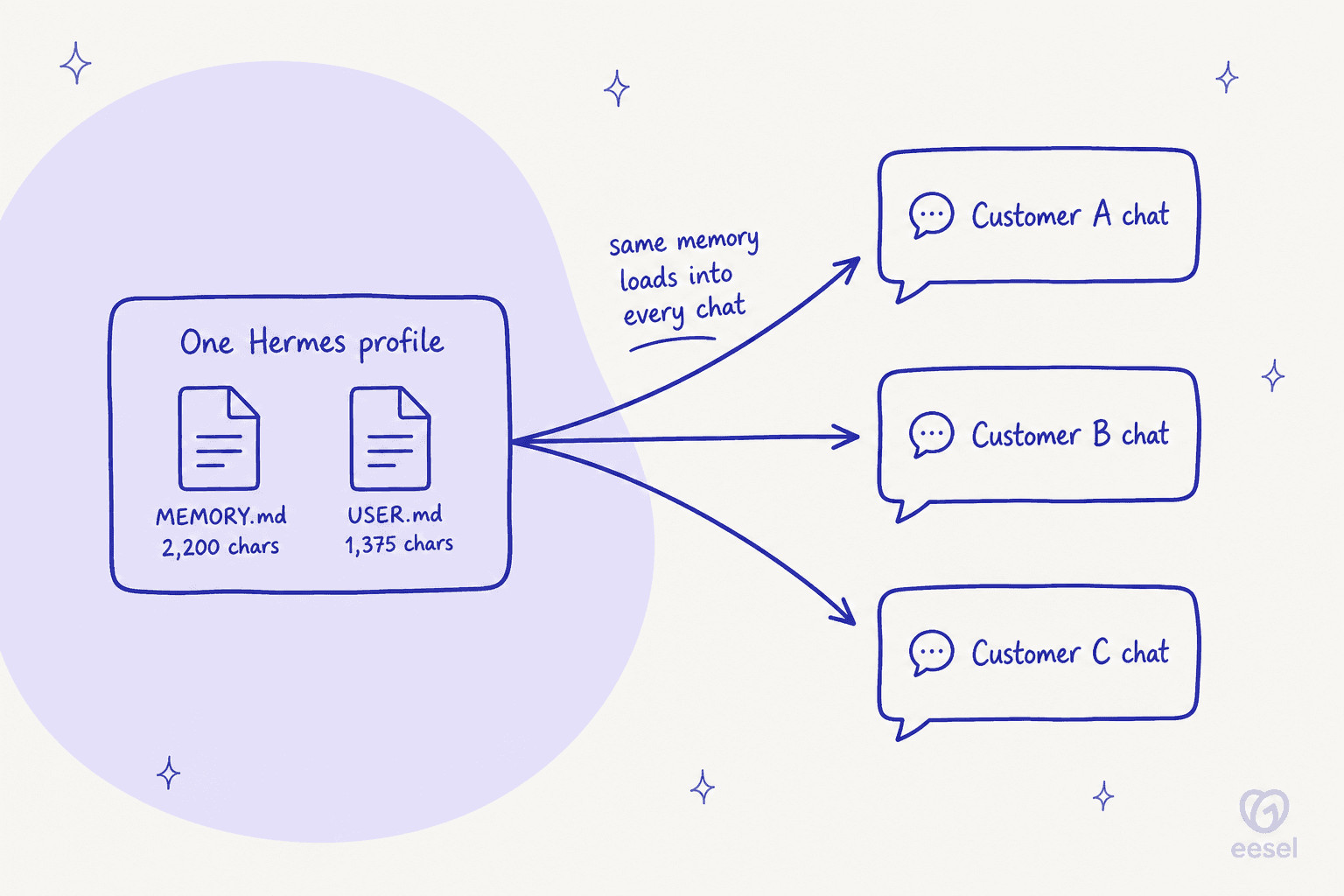
Chat transcripts are isolated per user. Memory isn't. If Hermes saves a note during customer A's chat, that note loads into customer B's next session on the same profile. The docs never say this outright, but it follows from how memory is scoped, and it's exactly the kind of cross-customer leak that makes data privacy reviews fail. The documented fixes are a separate profile per user or the Honcho memory add-on, which gives "each user their own peer" (Honcho docs).
4. Prompt injection scanning covers files, not chats
Hermes scans context files and memory entries for injection patterns, and the docs are upfront that "These patterns are heuristics, not semantic intent detection" (security docs). I found no guidance on defending against injection in inbound customer messages. The community has noticed:
"If you re-use the Hermes agent, what are the cost and security implications? One Docker container per-customer sounds like it would be really expensive. Are they started on-demand, or run 24/7? What keeps users from using the agents for general purpose tasks, protects against prompt-injection, etc?"

None of these four is a bug. They're the right defaults for an agent that one person runs for themselves. They're just the opposite of what a public AI chatbot for a website needs.
What about a website chat widget?
There isn't one. The "browser" route in the docs is an OpenAI-compatible API server, and its own warning says it "gives full access to hermes-agent's toolset, including terminal commands." A site chat would mean building a frontend and a locked-down proxy in front of that key.
Email is better covered. Hermes polls an IMAP inbox every 15 seconds and replies in-thread as plain text, and it checks DMARC or aligned SPF/DKIM so a forged sender can't hijack a session (email docs). By default, unknown senders are ignored silently, which is safe and also means a customer who emails it gets nothing back. For a broader look at the email job, see how to automate email support.
The one thing Hermes can't do: rehearse on your past tickets
This is the gap I care about most, because it's the step that saved me more than once. Hermes has real safety features: sandboxed execution across terminal backends, command approval with a smart mode that auto-denies dangerous commands, and a deny-by-default rule for unattended cron and webhook sessions (security docs). Those contain a bad action.
What Hermes doesn't have is a way to show you, before go-live, how it would have answered last month's tickets. No replay, no scored dry run. In support, that rehearsal is how you find the confident wrong answer before a customer does. Without it, your first real test is your customers.
You can build an eval harness yourself, of course. Pull a few hundred historical tickets, run Hermes over them in a sandbox, and grade the drafts against what your team actually sent. That's a solid weekend project for one engineer, and an ongoing one every time your policies change.
What Hermes Agent costs for a support team
The license is free. Running it isn't, and the bill has more layers than people expect.
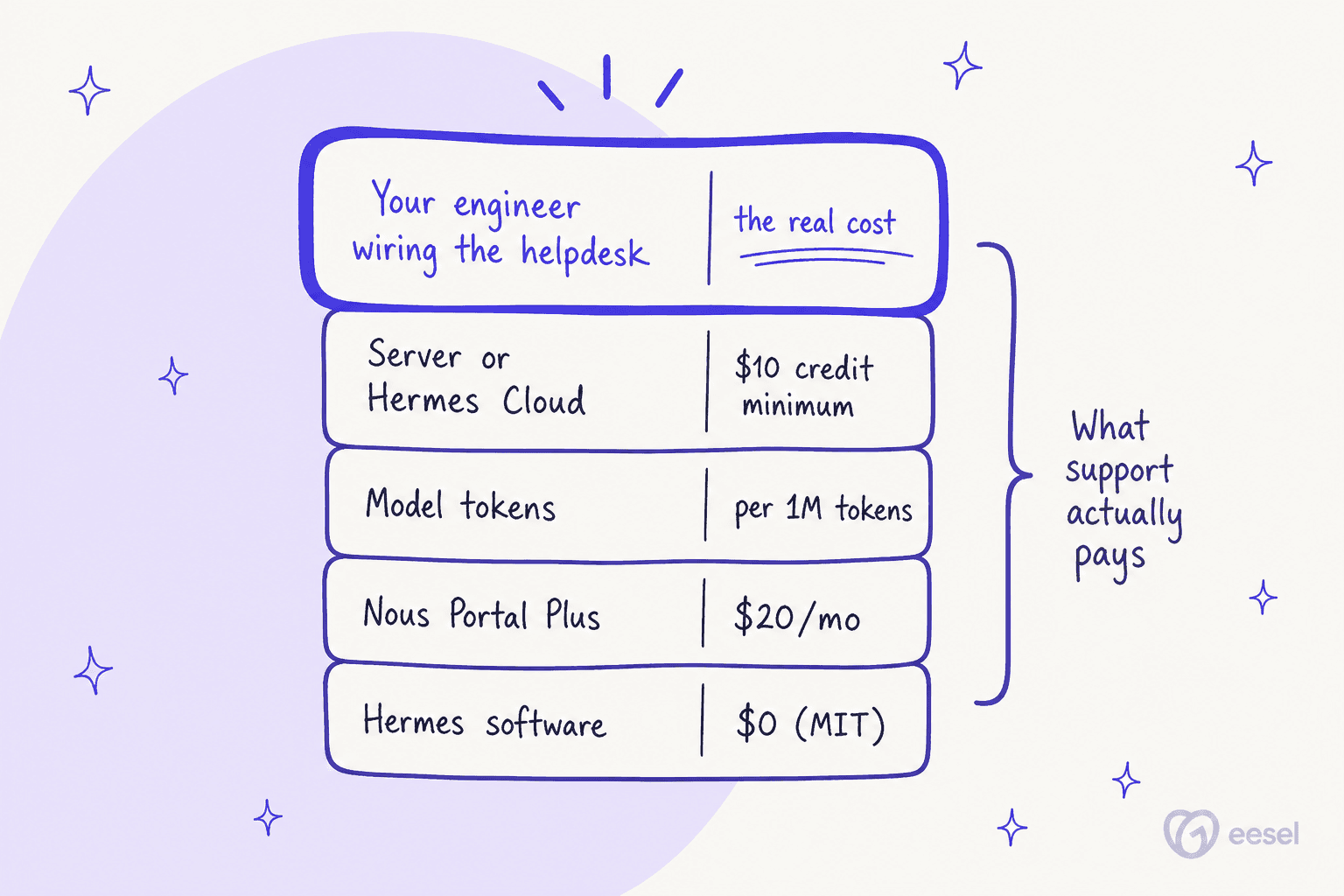
Nous Portal is where the money lives. It sells prepaid credit plans, and each paid tier returns 110% of its price as spendable credit (Nous Portal):
| Tier | Price | Monthly credits | Rollover cap | What you get |
|---|---|---|---|---|
| Free | $0 | $0 | n/a | Free models only, no hosted tools |
| Plus | $20/month | $22 | $10 | 200+ models, hosted tools, high rate limits |
| Super | $100/month | $110 | $50 | Same as Plus, bigger balance |
| Ultra | $200/month | $220 | $100 | Same as Plus, biggest balance |
A few things worth knowing before you budget:
- Models bill per token. The catalog lists live per-million-token prices with all models discounted at least 20% (models). New since August, Nous Portal also lets you connect an eligible ChatGPT plan for inference instead of a subscription.
- Hosted tools bill per use. Web search, browser, speech and image tools come from the same balance, and the per-use rates aren't published on a page I could read.
- Hermes Cloud needs a $10 credit minimum to deploy and "scales to zero when idle" (Hermes Cloud). Instance rates sit behind login.
Per reply, it can be cheap. One builder running Hermes on WhatsApp put his cost at "~$0.005 per reply" (dandinu, Hacker News), though on an unofficial WhatsApp link tied to his personal number, "a ban risk I accepted."
The cost that doesn't show up on any invoice is the build. A consultant who sets Hermes up for small businesses summed up what blocks them:
"On top of that, you need API connections, OAuth, tools, permissions, gateways, sources, context, skills. SMB owners won't set that up alone."
That list is the honest price of Hermes for support. My build vs buy breakdown runs the numbers on that engineering time.
Should you put Hermes on your support queue?
Here's how I'd decide, depending on what you're actually trying to do.
The short version: Hermes is a good agent for people who'll run it themselves. Customer support is the one job where "runs as its operator" cuts the wrong way, because the people talking to it aren't you.
What to use instead for a live queue
If the reason you looked at Hermes was "I want AI on my support queue," the tool for that job is one shaped around the queue. That's the gap eesel fills.
eesel is an AI teammate platform, and the teammate that fits here is its AI helpdesk agent. It joins your helpdesk as an app, so it inherits your helpdesk's users, permissions and ticket history instead of you building those layers. Each of the four gaps above has a built-in answer:

- Rehearsal before go-live. eesel replays hundreds of your past tickets and scores its answers against what your team actually sent, then suggests instruction changes. That's the dry run Hermes doesn't ship, and it's how I catch the confident wrong answer early.
- Helpdesk connections that already exist. Zendesk, Freshdesk, Gorgias, Front, Help Scout, HubSpot and the rest of the integrations list connect in minutes, no MCP server to write.
- Customer-facing by design. It answers what it's confident about and hands the rest to a person with a clean human handoff. If you don't have a helpdesk, the chat bubble drops onto your site with one script tag.
- A record of every reply. The activity log shows each conversation the AI touched and links back to the ticket, so you can train it on your knowledge base and see what changed.
And if the appeal of Hermes was the terminal, eesel has that too. The eesel CLI (@eesel/cli) drives the same teammate that works your queue: eesel instructions reads and edits its standing rules, eesel approvals lets a human approve or deny pending actions, and eesel activity lists every run. Every command prints JSON, writes support --dry-run, and headless auth works through environment variables, so scripts and coding agents like Claude Code can operate it. Each workspace is also an MCP server. My post on the CLI for customer support goes deeper.
If you want the wider field first, my roundup of AI customer service software is a good next stop. For direct swaps, see my list of Hermes Agent alternatives.
I've also written about Grok Bot for support, plus a separate take on Meta Muse.
Try eesel on your support queue
Looked at Hermes because you wanted an AI that actually works your tickets? eesel does that job without the wiring: connect Zendesk, Freshdesk or Front in a few minutes, let it learn from your help center and past replies, and watch it rehearse on your old tickets before it answers a live one. A ticket or chat counts as one credit, plans start at $299 for 500 credits, and the free plan comes with 100 credits and no card.

Keep Hermes for what it's great at, an agent you run for yourself and your team. For the customers, try eesel.
Frequently Asked Questions
Can I use Hermes Agent for customer support?
Does Hermes Agent integrate with Zendesk or Freshdesk?
How much does Hermes Agent cost for a support team?
Can Hermes Agent answer customers on WhatsApp or Telegram?
Is Hermes Agent safe to run on customer data?
Does Hermes Agent have a way to test on past tickets?
What is the best Hermes Agent alternative for customer support?


Article by
Rama Adi
Rama is a software engineer at eesel AI with two years of experience writing about B2B SaaS, AI tools, and customer support technology. Based in Bali, Indonesia, he brings a developer's perspective to product comparisons — cutting through marketing copy to what the integrations and APIs actually do.