

Grok Bot can work a support queue. That's not a hypothetical: xAI's own product page uses "Sign in to Zendesk so I can work the support queue" as its example prompt. It signs into your helpdesk, reads tickets, and types replies the way a person would. So the honest answer to "can I use Grok Bot for customer support" is yes, it runs.
The harder question is whether you should point it at a live queue. I've spent the last few years putting AI agents on real support queues, and the thing that sticks isn't the demos, it's watching a confident-sounding bot invent an answer into a real customer's ticket because the knowledge base came back empty. That's why every rollout now gets simulated against historical tickets first. Grok Bot has no dry run, no way to scope it to certain tickets, and no per-reply audit trail, and every one of its bots shares a single signed-in computer. Those are the exact controls a production support team refuses to go live without.
If you want AI actually working your queue, a support-native teammate like eesel is the better shape: it connects to your helpdesk as an app, tests against your own past tickets before it touches a customer, and only answers the ones it's sure about. Grok Bot is a clever general-purpose worker. Customer support just happens to be the one job where its design cuts the wrong way.
What Grok Bot actually is
Grok Bot is xAI's AI teammate app, announced on 11 August 2026 and labelled "Early beta" on its own page. Each bot is a persistent, named worker that gets its own cloud computer, signs into the apps you already use, and drives them through their normal interface. It's a general-purpose labour agent, not a support product, and it sits in the same category as other autonomous AI agents that operate a real logged-in browser.
The design goal is coverage. Grok Bot is built to work across apps and websites "including platforms with no clean API or MCP", and the way it pulls that off is by acting like a human: it takes over a screen, clicks around, and fills in forms. That single mechanism is what buys the coverage, and it's also the source of every caveat in this post.
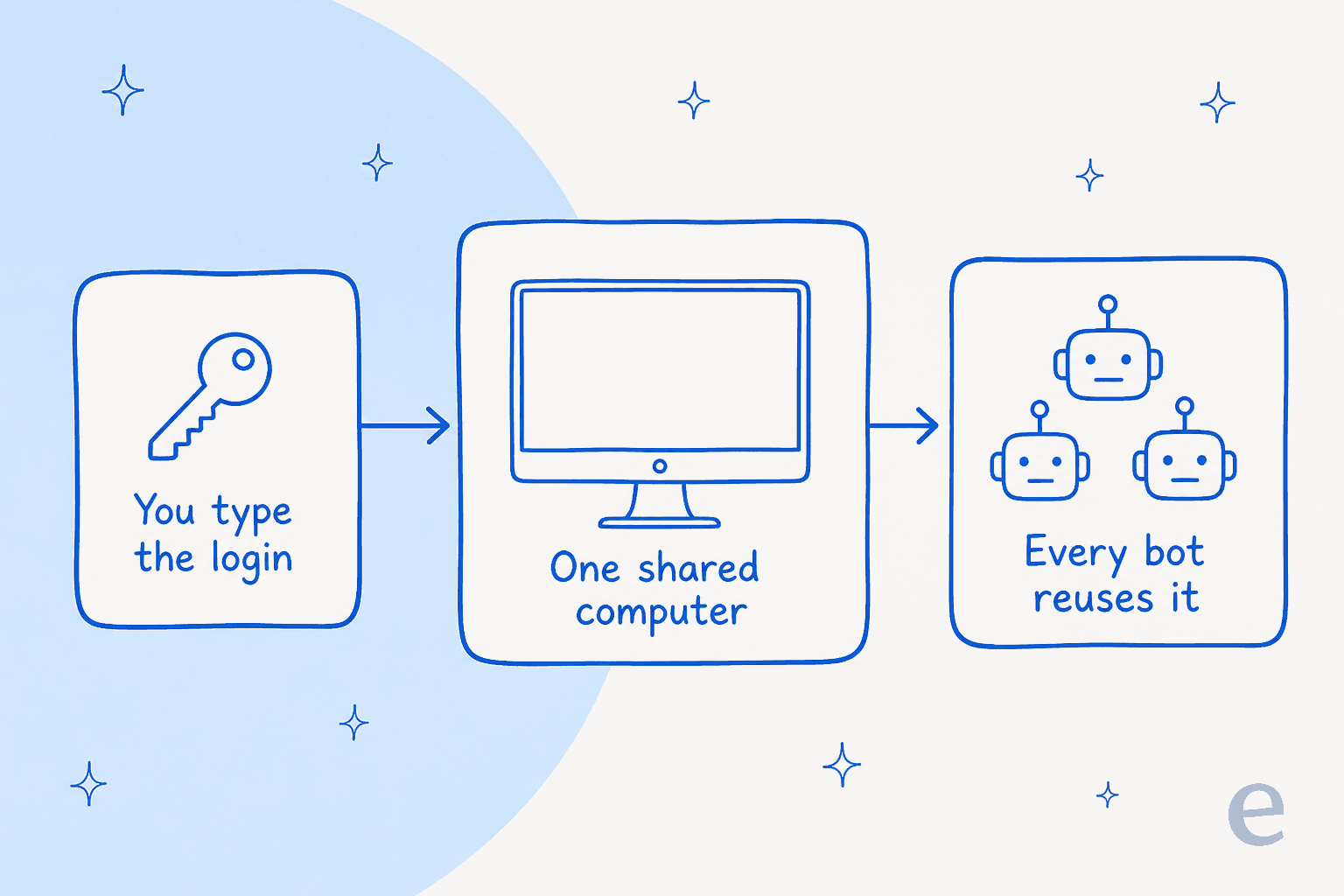
The sign-in flow is worth understanding, because it's the heart of the product. The bot never holds your password. It hands you the screen, you type the password, passkey, 2FA code or CAPTCHA yourself, and then you hand control back. From that point, per xAI's docs, "the browser session persists on your shared Grok Bot computer, so other Bots can use the same signed-in session when appropriate." A pre-release tester on Hacker News described it plainly:
"It'll ask you to take over its computer to log in […] After you do you just tell the bot you're done logging in and it'll keep driving. And yea, it's a separate VM for each bot."

Eight named bot roles shipped at launch: Sales Outbound, Talent Scout, Paid Media, Expense Manager, Product Performance, Bug Reproduction, Account Health, and Chief of Staff. It's worth noticing that none of them is a support role, even though the marketing prompt names a support queue. That mismatch tells you where the product's attention actually is.
Can Grok Bot work a support queue?
Yes, and the setup is quick. You install the desktop app (macOS or Windows; the mobile app is iOS 18+), spin up a bot, and ask it to sign into your helpdesk. It hits the takeover flow, you log into Zendesk or Freshdesk yourself, and the bot starts driving. From there you can ask it to triage a queue, draft replies, or look something up in your knowledge base.
There's also a "Teach a task" feature (xAI calls the saved versions Routines): you do a job once while the bot watches, and it saves the steps to repeat later. It's a reasonable fit for repetitive ticket automation. The limits are real though, and worth knowing before you build a workflow on it: teaching is browser-only, capped at 10 minutes, the output is explicitly "a draft", and you get 50 routines per bot with only 20 run records kept per routine.
So the "can it" box is checked. The reason this post keeps going is that "can it run" and "should it run your live queue" are different questions, and the second one is where support teams get burned.
Where the shape breaks for a production queue
Here's the thing a demo won't show you. A support queue isn't a to-do list you hand to an eager worker. It's a stream of real people with real problems, and the whole discipline of running AI on it is about what the AI is not allowed to do. Four controls do that work, and a bot that drives a shared browser session as a logged-in human has nowhere to put any of them.
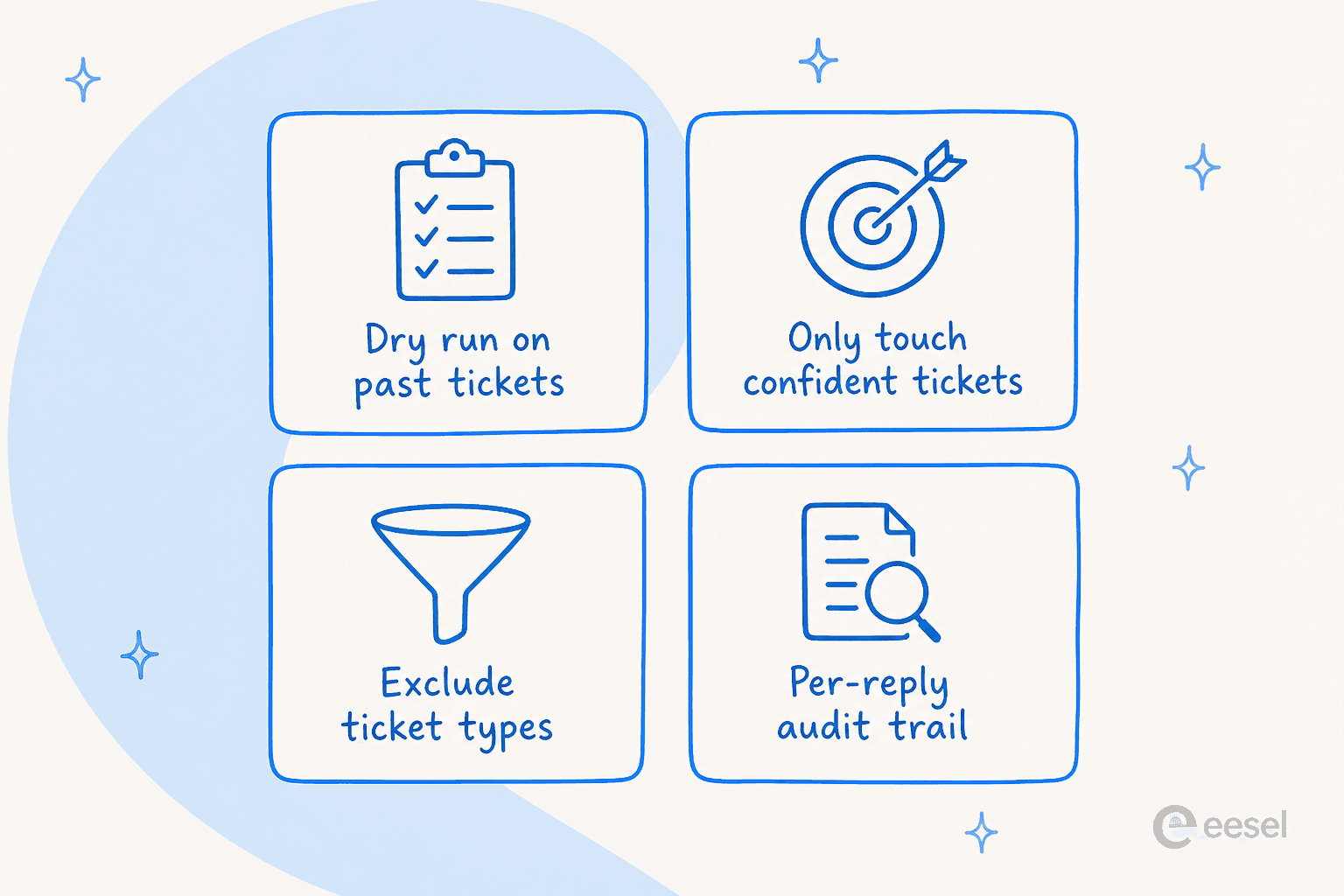
No dry run. xAI's docs are explicit: "A test run performs real work. It can navigate websites, change files, and call connected tools." There is no mode where the bot answers your last thousand tickets and shows you what it would have said, so you can read the accuracy number before a single customer is affected. That number is the entire point of a safe rollout. On one e-commerce inbox we simulated, the dry run came back 93% accurate on triage and 7% factually wrong on drafts, and we knew both figures before anyone hit send. You can't get either from "sign in and start working."
No confidence scoping. Grok Bot has one mode when it's on the queue: it works the queue. But most teams don't want that. One CX lead at a DTC supplements brand on Gorgias and Shopify, running around 7,000 tickets a month, put the requirement about as clearly as anyone can:
"The AI will never be able to answer 100% of the questions, but if it tries and just answers 'sorry I don't know this,' I cannot go and check all my 7,000 tickets to see if the AI actually made a good answer, then the point is a little bit gone. I need an AI who is only handling the tickets that it's confident to handle and all the other ones, leave them alone."
That's a request for an intent confidence threshold, and it's the single most common thing buyers ask for. A signed-in browser session can't express "only touch the tickets you're sure about." It just types.
No ticket-type exclusion. Related, but distinct: there are always categories you want kept away from the AI entirely (refunds over a threshold, legal, anything with an angry VIP). Support teams get this through AI ticket classification and routing rules. A general labour agent driving the helpdesk UI has no concept of "don't handle this class of ticket."
No per-reply audit. This one is documented as a gap in xAI's own words: "An audit view of Bot actions is coming." Future tense. Today there's no per-response record you can review, which matters twice over: you can't measure your AI resolution rate, and when something goes wrong you can't reconstruct what the bot actually told a customer. And because approvals in Grok Bot are user-authored free text rather than a product-enforced action list, even the guardrails you write are advice, not a hard stop. As the docs note, "an approval controls the proposed action. It does not reverse work already completed."
None of this makes Grok Bot bad. It makes it the wrong shape for this specific job. Where its UI-driving design wins is workflow automation against tools that have no API at all, the honest descendant of call center RPA. A live support queue just isn't that.
The security question support teams should ask first
Before cost, before accuracy, there's a question a lot of coverage skips: what does giving a shared AI worker a signed-in session to your helpdesk actually expose?
Start with the design. Per xAI's docs, "All of your Bots share one cloud computer… Files, browser sessions, and command line credentials on that computer are available across your Bot roster," followed by the instruction, stated twice, to "not use separate Bots as a security boundary." So the Zendesk session your support bot creates is reachable by your sales bot, your paid-media bot, and anything else on the account.
There's a popular misreading worth clearing up, because it's not the real problem: critics say you upload every login to Elon's servers. You don't, you type the password yourself in the handoff. The accurate objection is subtler and, honestly, sharper. Because the bot acts inside your signed-in session, the logs attribute its actions to you. One Hacker News commenter named the design in four words:
"By hijacking a real person's credentials, that person becomes the accountability sink. Very neat. Very deliberate."
Now layer support-specific data on top. Tickets routinely carry card numbers, passwords, and other PII, so a persisted, signed-in session to your helpdesk isn't just a productivity tool, it's a standing credential-and-data surface. And Grok Bot claims zero compliance certifications: no SOC 2, ISO 27001, GDPR, HIPAA, PCI or FedRAMP, no stated retention period, no data residency, with retention deferred to Cursor's terms. For anyone who's been through a security review, that's a hard stop. As one commenter tied it together on launch day:
"Pricing: 120/200 USD per month, per employee. This is an interesting idea although I'm not sure how many companies are comfortable with giving SpaceXAI access to all your files and data. Outside of America this is, most likely, not going to fly."
If you're evaluating any AI on your queue, the data privacy and control questions and whether it meets SOC 2 and GDPR are the ones to settle first, not last.
What Grok Bot costs
Grok Bot ships on two self-serve plans, both named after Cursor rather than xAI, plus a bundle. Here's the full picture:
| Plan | Price | Notes |
|---|---|---|
| Cursor Ultra | $200 / month | Solo plan |
| Cursor Premium Teams | $120 / seat / month | Central billing, shared skills marketplace, usage analytics, SAML/OIDC SSO |
| SuperGrok Heavy | Included, no extra charge | Bundled with the Heavy subscription |
| Free tier | None | No published trial length |
A couple of things jump out. The team plan is cheaper per seat than the solo plan, which is unusual. And the only stated quota is "Extended limits on AI tokens" with no figure; the docs add the allowance is weekly and overage bills off model and token cost. That last part matters more than it looks, because an always-on agent burns a lot of tokens. The pre-release tester again, who likes the product:
"Biggest downsides are token expenditure. I've used more tokens this month than not this month. That's not a typo - I've used less tokens in the last 5 years prior to this month than I have this month. Always on perpetual agents use a LOT of tokens."
The deeper point for a support team is what you're paying for. Grok Bot charges per seat, which is the price of access to a worker. It costs the same whether that worker resolves one ticket this month or a thousand.
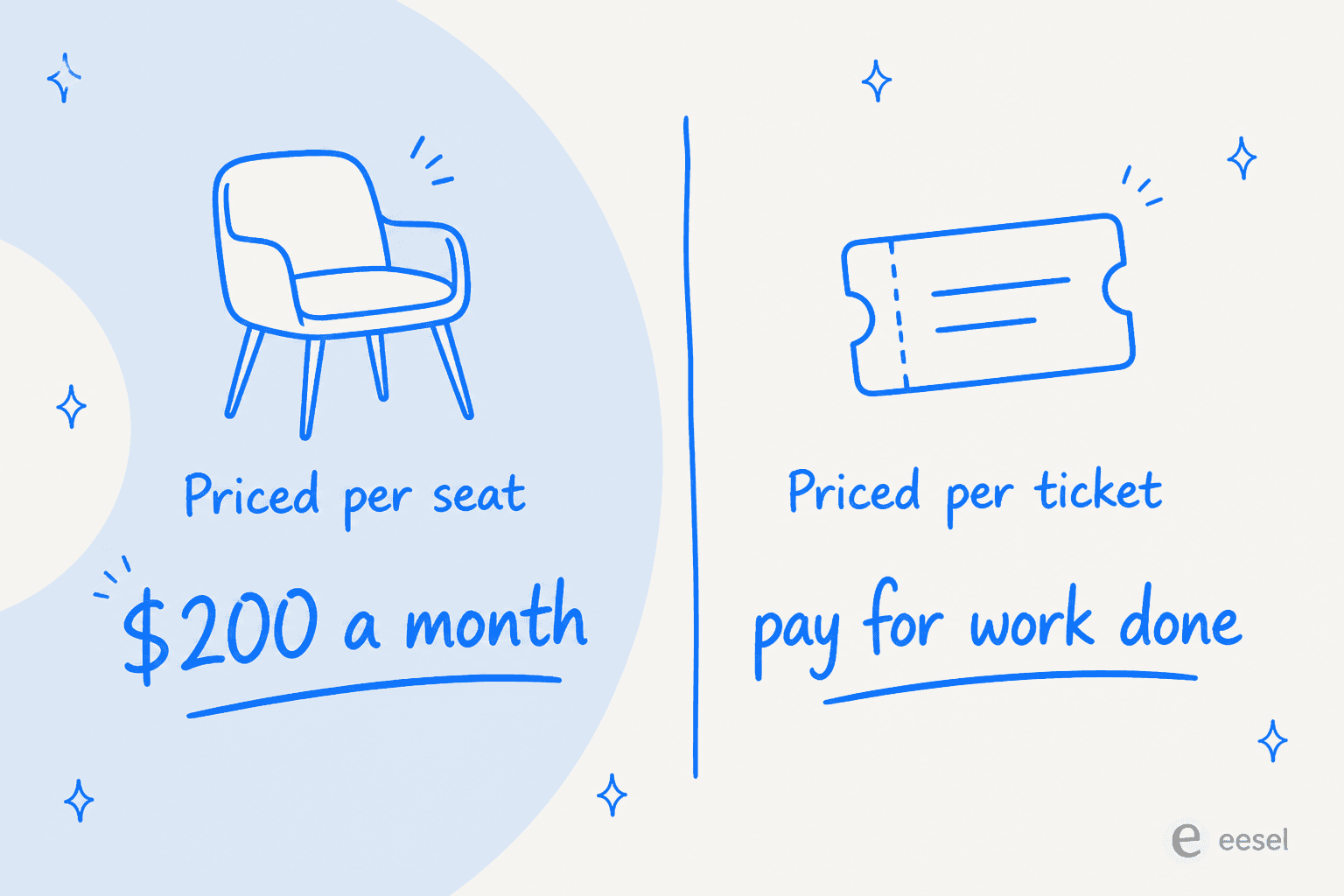
Support automation is usually priced the other way, per ticket or per resolution, so the bill tracks the work done. If you're weighing the cost of an AI agent versus a human, that unit difference is the whole comparison, and it's worth putting real numbers to before you commit.
Should you put Grok Bot on your support queue?
Rather than a verdict from me, here's the decision the way I'd actually walk it. Pick the row that sounds like you.
What to use instead: a support-native teammate
If the reason you looked at Grok Bot was "I want AI on my support queue," the tool that does that job is one built for the queue, not a general worker you hand a browser session. That's the gap eesel fills.
eesel is an AI teammate platform, and the teammate that fits here is its AI helpdesk agent. The difference starts at the connection: instead of taking over a signed-in browser, it plugs into your helpdesk as an app, which is what makes all four of those missing controls expressible in the first place.

- Simulation before go-live. eesel runs against your own historical tickets and reports how it would have handled them, so you get the accuracy number before a customer sees anything. This is the dry run Grok Bot doesn't have, and it's the same discipline behind evaluating AI agents.
- Confidence-based routing. It answers the tickets it's sure about and quietly leaves the rest for a human, with a clean handoff to a person when it isn't.
- Scoping and citations. You can exclude ticket types, and every answer is grounded in your knowledge base with citations, rather than improvised from training data.
- A real record. Every response is logged and reviewable, so measuring and improving resolution rate is something you can actually do.
And for the crowd that came here because Grok Bot has no API, CLI or MCP: eesel goes the other way. It exposes a customer support agent API and a CLI, so scripts and coding agents can drive the same teammate that works your queue. If you'd rather compare the whole field first, our roundups of AI customer service software and AI helpdesk software are a good place to start.
Try eesel for your support queue
If you want AI actually working your Zendesk, Freshdesk or Gorgias queue, eesel works like a new hire that plugs in through the helpdesk you already run and knows your help center from day one. You can simulate it on your last few thousand tickets before it answers a single live one, keep it scoped to only what it's confident about, and see every reply it makes. It's one fixed monthly price on the Teammate plan, from $299/month for 500 credits with no per-seat fee, and it's free to try with 100 credits.
The short version: Grok Bot is a clever general-purpose worker, and customer support is the one job where "signs in as you and does real work" is a liability rather than a feature. For the queue, use something built for the queue.