
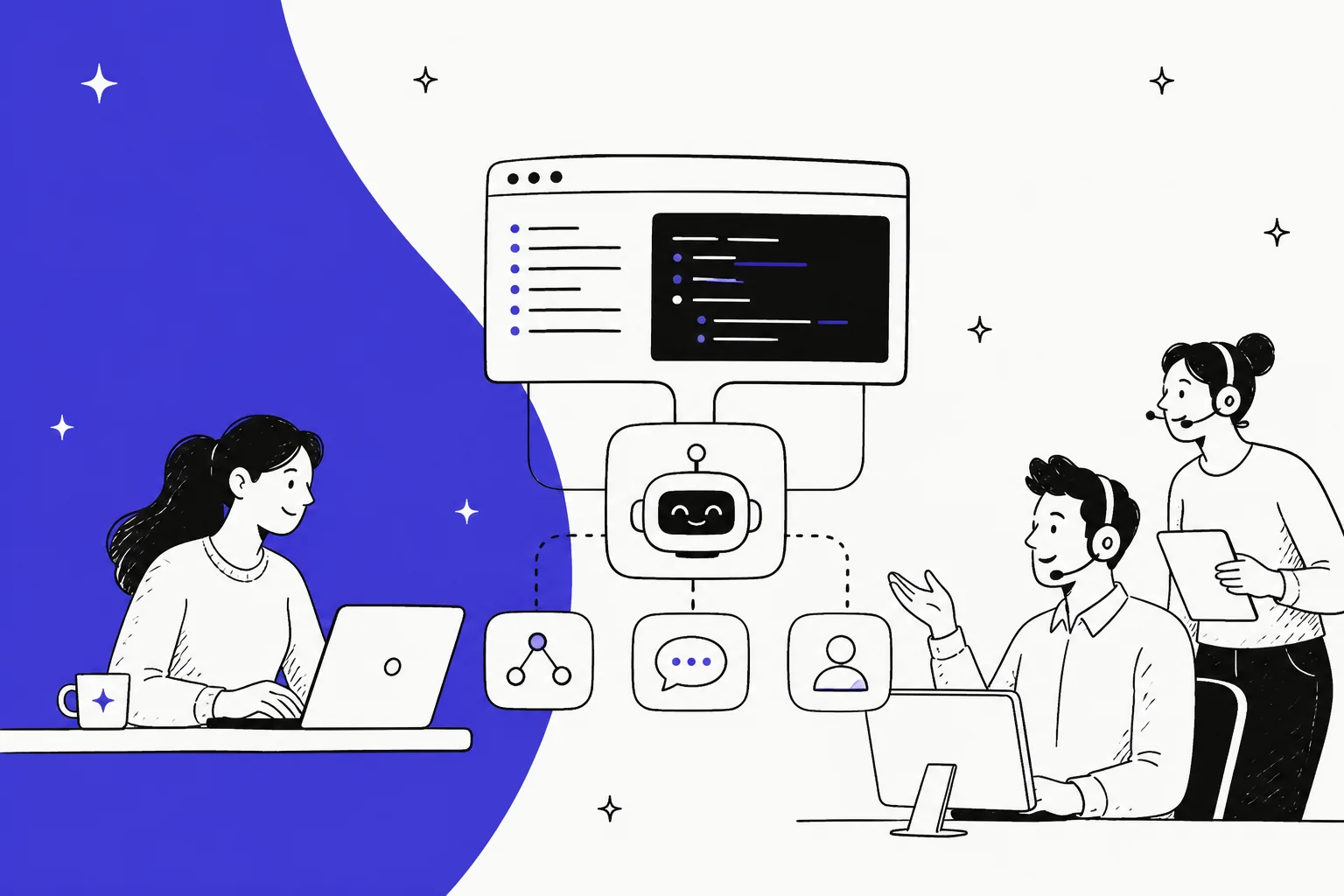
"API-first AI agent platform" sounds like marketing, but there's a real, checkable idea underneath it. An API-first platform is one where every capability the product has is reachable in code, not just through a dashboard. You can create an agent, change its rules, preview what it's about to do, approve a step, and read its run history from a terminal or a CI pipeline. A platform that merely has an API usually bolts a thin, read-only interface onto a UI-first product, leaving half the important settings dashboard-only.
The one test that settles it: can your team run the thing end to end without ever opening the dashboard? If yes, it's API-first. If there's a step you can only do by clicking, it isn't.
For a support team, this is not a developer vanity feature. It decides whether you can version your agent's behavior, test a change before it touches a customer, and wire the agent into the tools and events you already run. eesel is built this way: it's a CLI, an MCP server, a webhook listener, and a Network Access client, and it plugs into the helpdesk you already run rather than replacing it. One honest caveat up front, which I'll come back to: eesel doesn't publish a separately-versioned public REST API product. Its programmable surface is the CLI, MCP, webhooks, and Network Access.
What "API-first" actually means
I ship eesel's integrations for a living, which means I read a lot of "API-first" claims on other vendors' sites, and most of them are describing something narrower than the phrase suggests. So it's worth being precise.
"API-first" is a design decision about which interface comes first. In an API-first product, the code path is the primary one and the dashboard is a client that sits on top of it. Every button in the UI maps to a call you could make yourself. In a UI-first product, it's the reverse: the dashboard is the product, and the API is a later addition that covers whatever the team got around to exposing, usually reads and a few common writes.
The distinction matters because the gap between the two is invisible in a demo. Both show you a clean dashboard. Both have a docs page with the word "API" on it. You only find the difference when you try to do something real in code, hit a setting that's dashboard-only, and realize the API was never meant to be the way you actually operate the thing.
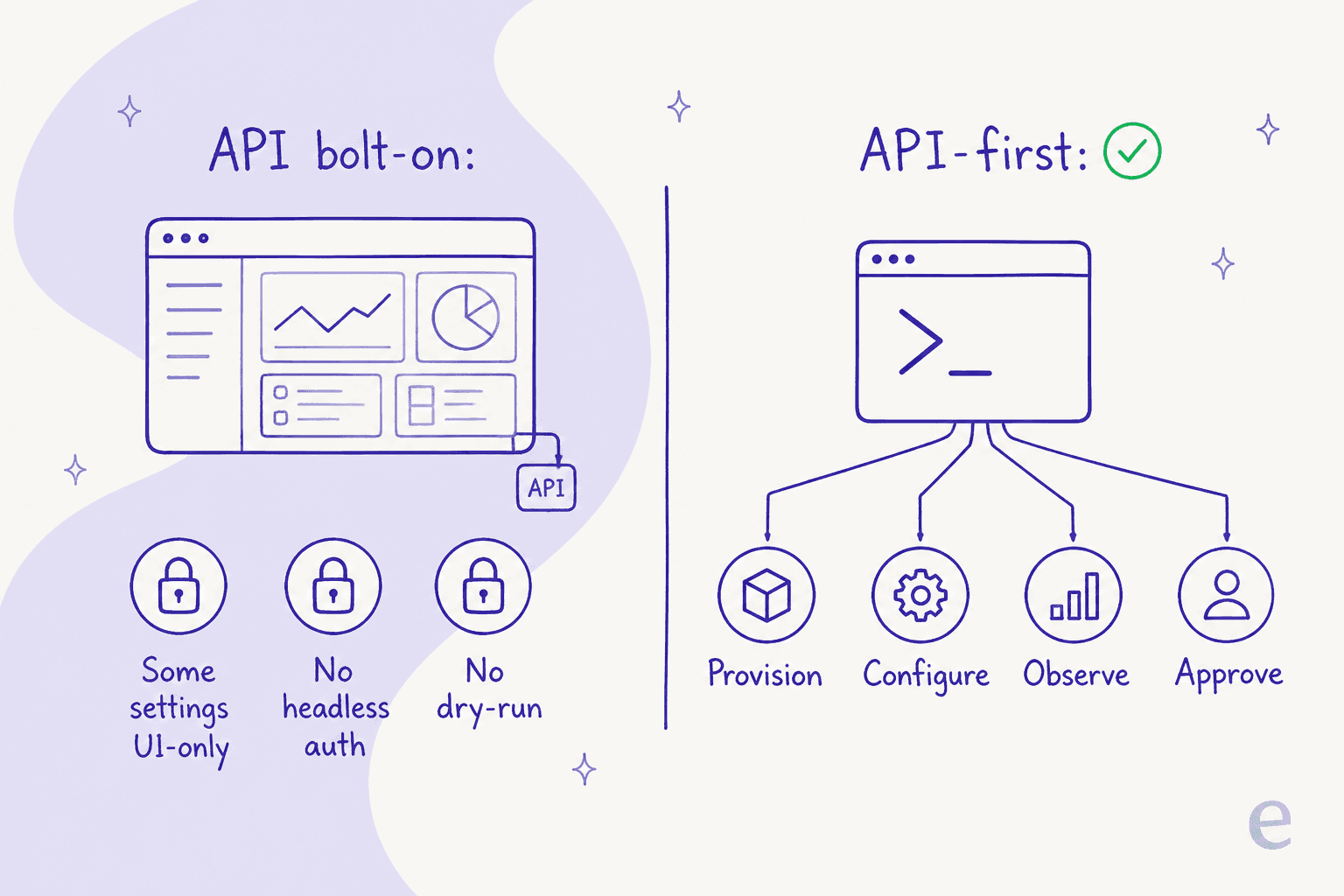
For an AI agent specifically, "the thing you do in code" is a longer list than for a normal SaaS product. An agent isn't a static record you occasionally update. It's a piece of behavior you tune constantly: its instructions change, its knowledge sources change, you want to test it, watch it, and pull it back when it does something odd. If those operations live behind clicks, you're stuck doing agent operations by hand, one at a time, forever.
The one test that settles it
Skip the feature checklist. There's a single question that tells you whether a platform is genuinely API-first: can you run the entire lifecycle without opening the dashboard?
Not "is there an endpoint for the main action." The whole lifecycle: install and provision an agent, connect it to your helpdesk, edit its standing rules, test a change, approve or deny a step it wants a human on, and read back what it did. If any one of those is dashboard-only, the platform isn't API-first, it's UI-first with an API attached, and the difference will bite you the first time you try to automate it.
eesel passes this test in an unusually blunt way. Its CLI docs state plainly that everything the dashboard does is available from the terminal, and go a step further by telling AI coding agents not to drive the dashboard in a browser at all:
Everything on this site can be done from the terminal.
That single design choice is what "API-first" is supposed to mean, written down. You can read the same claim on the CLI documentation and check it against the command list yourself.
What API-first actually buys a support team
None of this is worth much if the payoff is abstract, so here's the concrete version. When every operation is scriptable, the way you run a support agent changes in four practical ways.
First, you can version its behavior. An agent's instructions are its most important, most-changed asset, and on an API-first platform they're text you can edit, review, and roll back like any other config. eesel exposes exactly this: eesel instructions reads and edits the standing rules that govern how the agent answers.
Second, you can test a change before it reaches a customer. This is the step almost every rushed rollout skips, and it's the one I'd fight hardest to keep. We've spent years watching a confident-sounding bot quietly give a wrong answer, which is why eesel's simulation replays your real past tickets and scores the agent's answers against what your team actually sent, before it goes live. A --dry-run flag on writes does the same thing at the command level: it prints the exact call a write would make, without sending it.
Third, you can keep a human in the loop programmatically. eesel approvals list and approve <id> mean a risky action can wait for a person, and that gate lives in your pipeline rather than in someone's inbox.
Fourth, you can actually see what happened. eesel activity lists runs newest-first and lets you read any one in detail, and every command prints JSON, so the agent's behavior is legible to a script, a log aggregator, or a dashboard you build yourself.
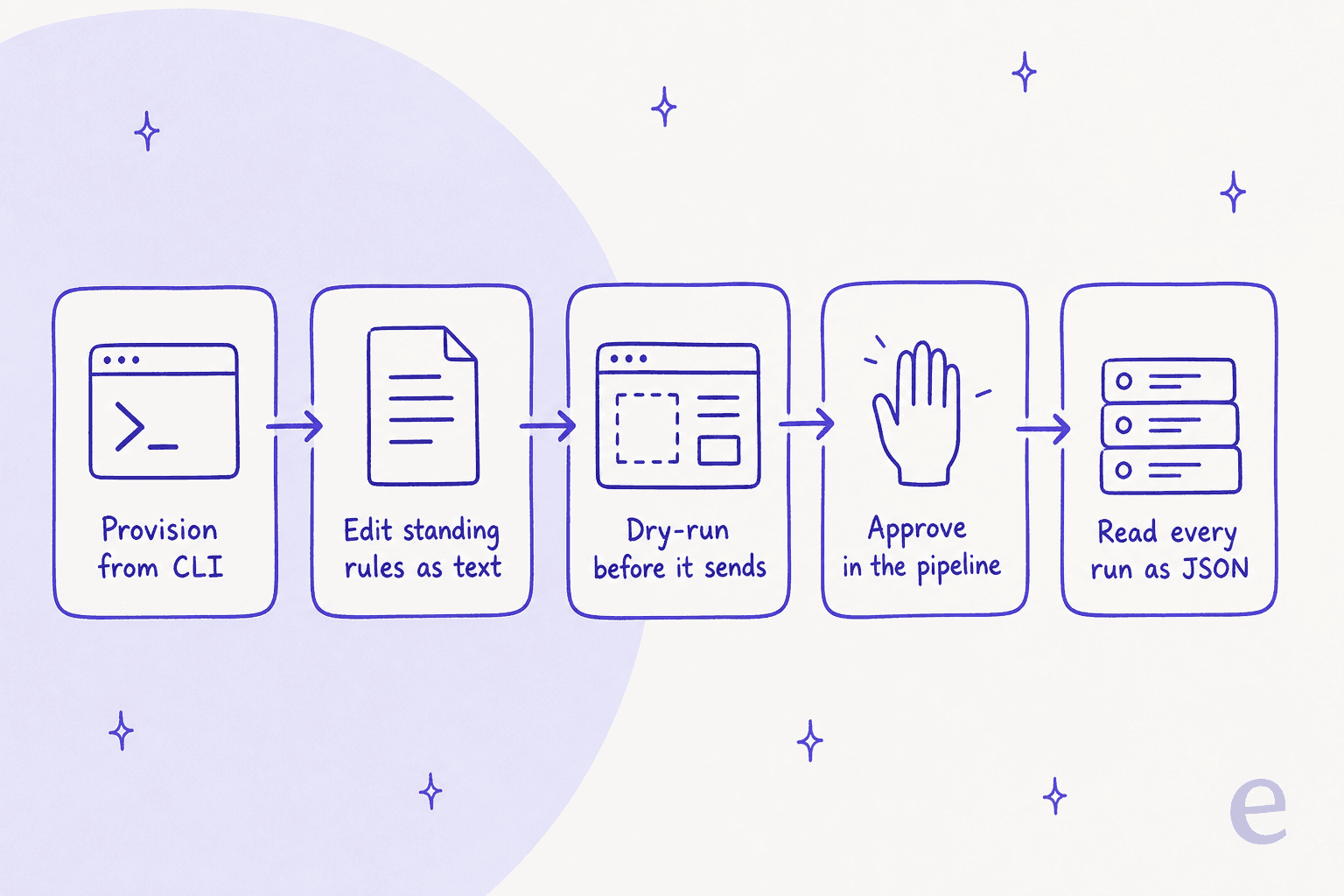
Put those together and you get the thing API-first is really for: you can treat your support agent like software. It goes through review, it gets tested, it's observable, and it's reproducible. That's a different level of control than logging into a console and hoping the change you made in a text box does what you meant.
Where most "AI agent platforms" quietly stop being API-first
Here's the part the category page won't tell you. A lot of tools that market themselves as API-first are API-first for building an agent and UI-first for running one. You can create things in code, but the operational surface, the testing, the approvals, the run history, stays behind the dashboard.
Three gaps show up again and again when you actually try to script one of these platforms.
The first is headless authentication. If a platform can't authenticate a machine, only a logged-in human, then nothing it exposes runs in CI. eesel handles this with plain environment variables (EESEL_API_URL, EESEL_API_TOKEN, and an optional EESEL_AGENT_ID), so a pipeline can act as the agent without a browser session anywhere in the loop.
The second is the dry run. Without a way to preview a write, "automated" and "safe" pull in opposite directions, because every script you write is a live action the first time you run it. A real dry-run mode, printing the exact server call instead of making it, is what lets you build automation you trust.
The third is observability. An agent you can't read the history of is one you can't debug, and "check the dashboard" is not an answer when the thing failing is a scheduled job at 3am. Structured, machine-readable run output is the difference between an agent you operate and one you babysit.
If a platform is missing any of these, it can still be a good product. It just isn't API-first in the sense that matters for support automation, and it's worth knowing that before you plan a rollout around scripting it. This is the same trap I flagged in the customer support agent API piece: the word "API" hides about 90% of the work.
eesel's programmable surface: CLI, MCP, webhooks, Network Access
So what does a genuinely API-first surface look like in practice? eesel is a useful worked example because its programmable surface is four distinct things, each doing a job the others don't.
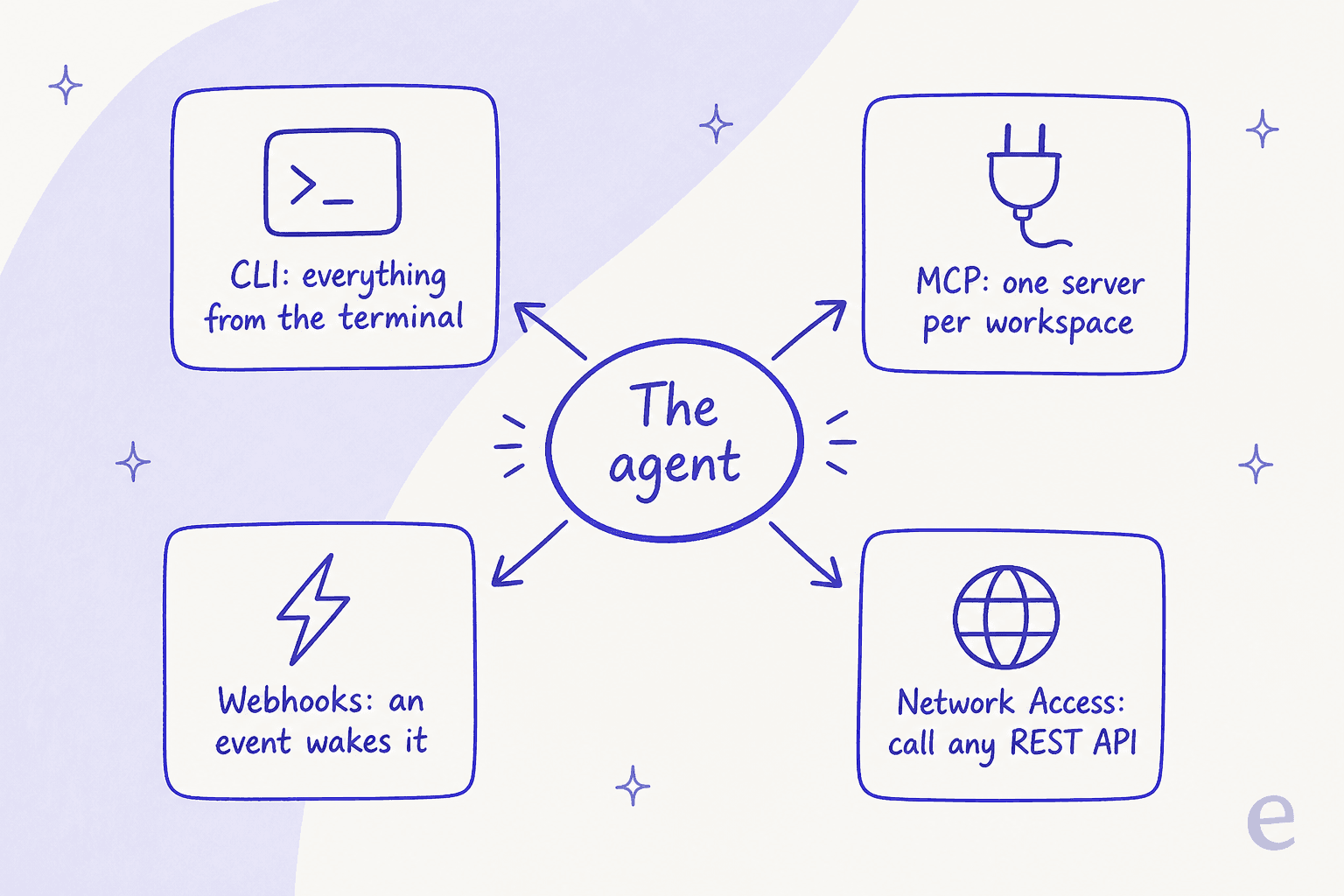
The CLI (@eesel/cli) is the operator's surface. You install it with npx @eesel/cli init, and from there you log in, connect integrations, edit instructions, manage approvals, read activity, and chat with the agent, all from the terminal. It even works with no account: an anonymous workspace lets you try it before you sign up. If you'd rather manage agents from the terminal than click through settings, this is that.
The MCP server is the surface for other AI agents. Every eesel workspace is an MCP server, so a Claude or a coding agent can talk to it over a standard, open protocol rather than a bespoke integration. Running npx @eesel/cli mcp token prints a URL, a token, and a paste-ready command to add it to an MCP client. That's the service-to-service path: machines talking to machines.
Webhooks are the surface for events. A unique URL wakes the agent when something happens in another system, so the agent reacts to your workflow instead of polling for changes.
Network Access is the surface for reaching out. You allowlist a domain and store an auth header, and the agent can then call any REST API, GET, POST, PATCH, DELETE, with credentials kept as headers the AI never sees. That's how an agent looks up an order, updates a record, or hits an internal service without you writing a one-off connector.
Here's the honest boundary, because it matters for the buying decision. eesel does not ship a separately-documented, versioned public REST API product, the kind of marketed OpenAPI reference with CRUD-on-agents endpoints. Its programmable surface is those four things: CLI, MCP, webhooks, and Network Access. For most support teams that's more than enough to run an agent as code. If your requirement is specifically "a public REST API I build a product against," ask about it directly rather than assuming the "API-first" label covers it. Being straight about that boundary is the whole point of the API-first test in the first place.
When API-first actually matters (and when it doesn't)
I don't think every team needs this, and it would be dishonest to pretend otherwise.
If you're a small support team, you'll go live faster by connecting eesel to your helpdesk in the dashboard, running a simulation, and turning it on. You may never open a terminal, and that's completely fine. The API-first design isn't a tax you pay for a UI-first workflow; a good platform gives you both, and the click path stays the fast path.
API-first starts to matter the moment your agent's configuration becomes something you want under change control. That's usually one of a few triggers: you're managing several agents or workspaces, you're rolling changes through staging before production, you want the agent's behavior in the same review process as your code, or you're a headless shop that runs everything from pipelines on principle. When any of those is true, the platform being genuinely programmable stops being a nice-to-have and becomes the thing that decides whether you can operate at all.
The mistake I'd steer you away from is choosing an API-first platform because it's API-first, when a dashboard would serve you better today. Buy for the workflow you have. Just make sure the ceiling is there, so that when you do need to script it, the answer isn't "that setting is dashboard-only."
Try eesel
If you came here trying to tell a real API-first AI agent platform from one that just has an API on the box, the test is the whole point: can you run it end to end in code? eesel can. It's a CLI where everything the dashboard does is a command, an MCP server other agents can talk to, a webhook listener, and a Network Access client that reaches any REST API, with headless auth, a --dry-run on writes, and human approvals built in.
And it does the step both the dashboard crowd and the build-it-yourself crowd tend to skip: it simulates on your real past tickets and scores its answers against what your team actually sent, before it ever replies to a live customer. It plugs into the helpdesk you already run, trains on your tickets and docs, and is free to start with 100 credits and no credit card, then a fixed monthly plan with 1 credit per ticket handled rather than per seat or per token. If you'd rather point an agent at your queue than spend a quarter wiring one up, that's the fastest way to see it on your own tickets.