

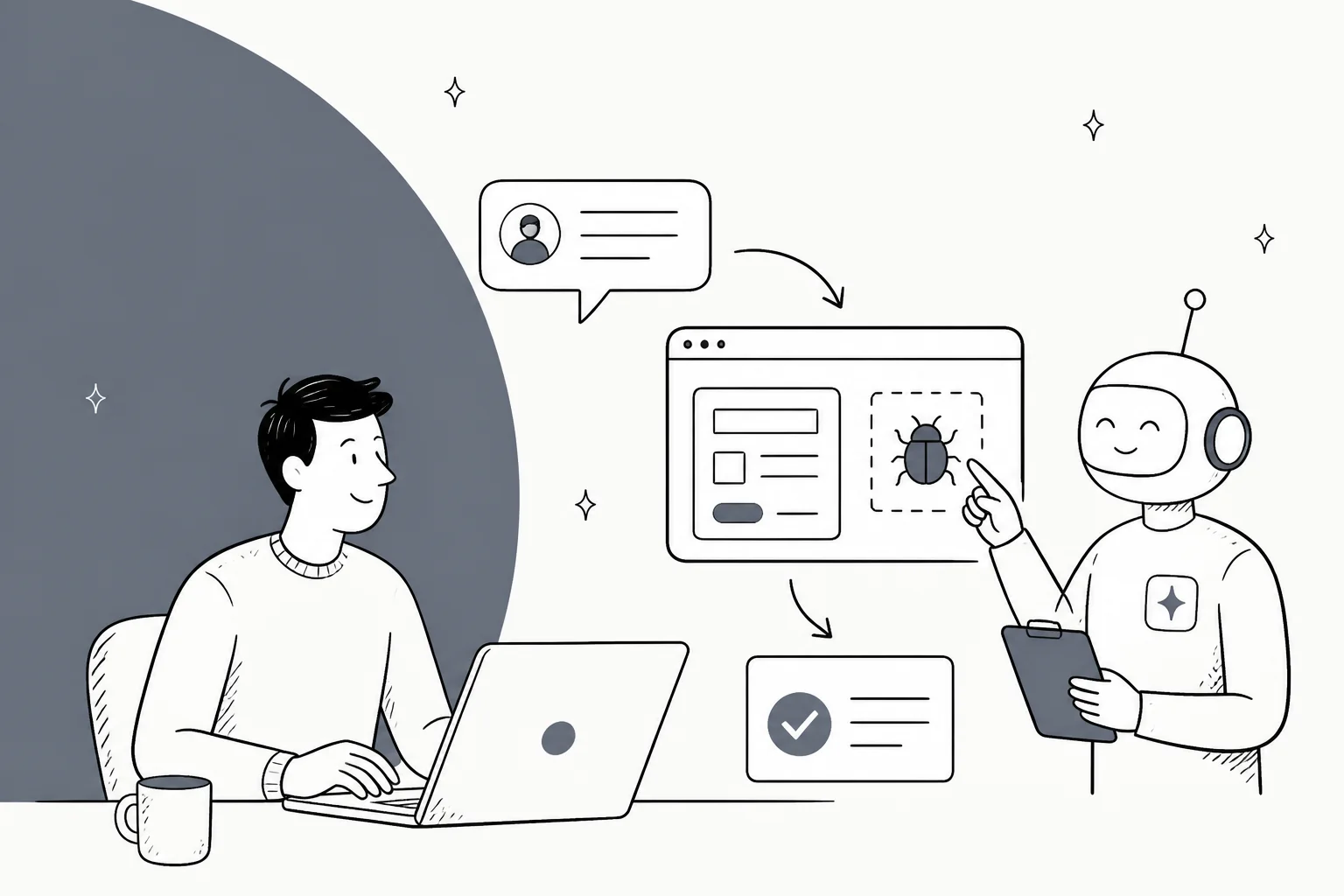
Grok Bot ships a dedicated Bug Reproduction role, and here's the thing most takes on it miss: driving an app's real interface to reproduce a reported issue is one of the jobs it's well shaped for. Unlike working a support queue, bug repro is a click-through-the-UI task that often has no clean API behind it, which is exactly the shape a UI-driving agent is built for.
The trap is treating it as the whole job. Reproducing a bug is one link in a chain: a ticket comes in, gets triaged, the bug gets reproduced, it goes to engineering, and the customer gets a reply. Grok Bot can own the repro box. It does not own the ticket, the customer reply, or the audit trail behind any of it, and there's no dry-run mode to test against your real history first.
So the useful setup is narrow: let Grok Bot chase the reproduction, and keep the ticket workflow in a support-native teammate like eesel that triages the report, drafts the reply, and logs every action. This guide covers how to wire up the repro job, the catches to settle first, and where to draw the line.
What Grok Bot actually is
Grok Bot is xAI's AI teammate app, announced on 11 August 2026 and labelled "Early beta" on its own page. Each bot is a persistent, named worker that gets its own cloud computer, signs into the apps you already use, and drives them through their normal interface. It's a general-purpose labour agent, not a support product, and it sits in the same category as other autonomous AI agents that operate a real logged-in browser.
That design is the whole story. Because a bot works by acting as a signed-in human, it can reach tools "including platforms with no clean API or MCP", in xAI's words. Eight named bot roles ship at launch, and Bug Reproduction is one of them, listed right there in the tab strip next to Sales Outbound, Paid Media and Chief of Staff. Notably, none of the eight is a support role, despite the product page's own example prompt being "Sign in to Zendesk so I can work the support queue".
I ship integrations for a living, so the mechanism is what I care about here, and it cuts both ways. Driving the UI as a person is what makes Grok Bot bad at scoping to a single ticket type, and it's the same thing that makes it good at walking through an app to see if a reported bug actually happens.
Why bug reproduction is a good fit (the honest bit)
Most posts about pointing a general agent at support end with "don't." This one doesn't, because bug reproduction is the exception that proves the rule.
Think about what reproducing a bug actually involves. A customer says "the export button does nothing on the billing page when I have more than 50 invoices." A support engineer opens the app, sets up that exact state, clicks the button, and watches what breaks. There's rarely an API for "click the export button and tell me if it hangs." It's a manual, click-through-the-screens task, and it's tedious. That is the sweet spot for an agent that drives a real interface.
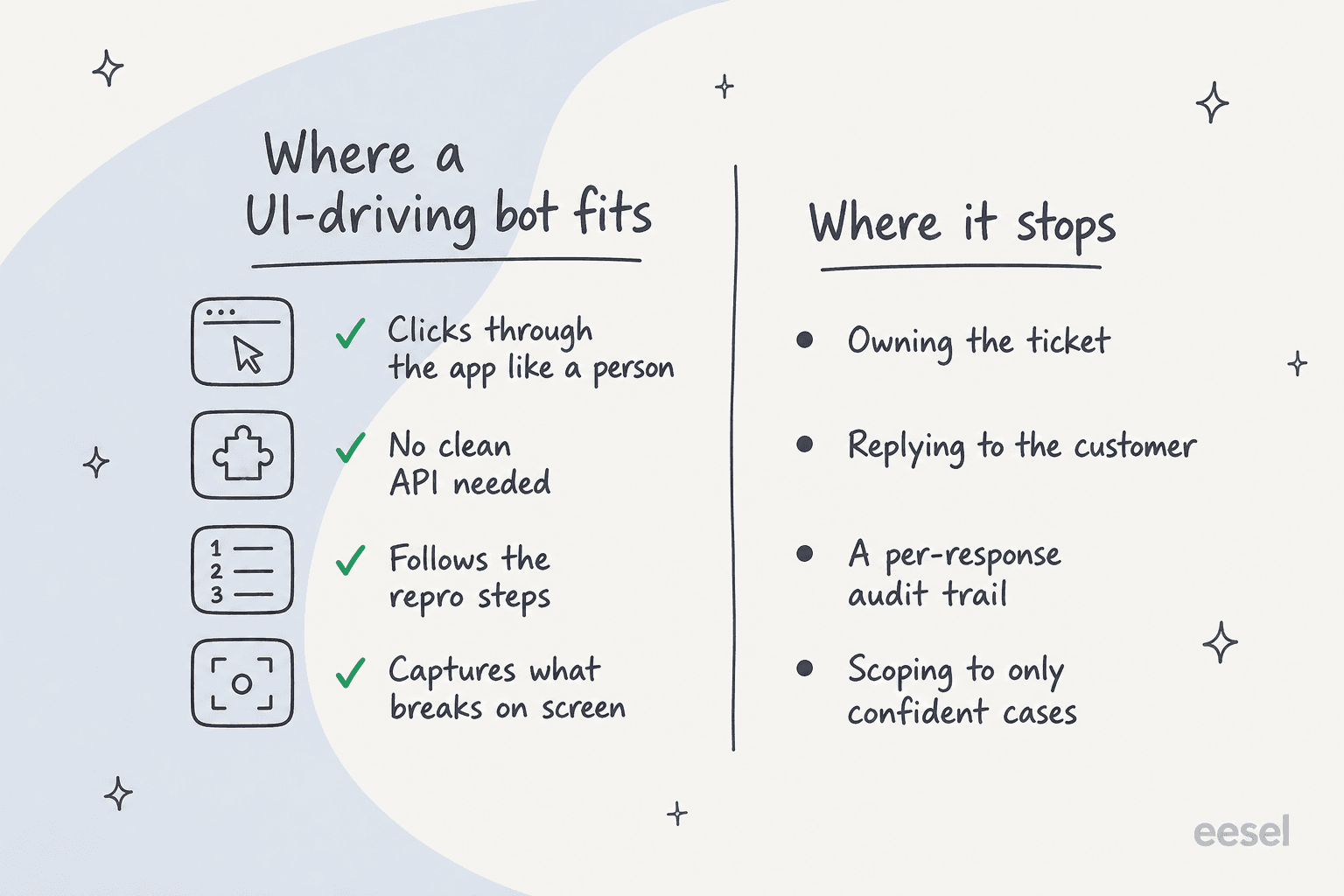
Compare that to the jobs a UI-driving agent is a poor fit for, like support ticket triage or support QA, where you need a consistent rule applied to every case and a record of why. Bug repro is different: the output is a yes/no plus a screen recording of what happened, and you can eyeball it. You're not asking the agent to make a customer-facing judgement call. You're asking it to do the boring clicking so a human can confirm the finding. That's a job where "reads it once and tries" is fine, because a person checks the result anyway.
How to set up Grok Bot for bug reproduction
Setup follows Grok Bot's normal flow, tuned for the repro job. Here's the order I'd do it in.
-
Create a dedicated bot. Spin up a bot and give it the Bug Reproduction role, or write your own description. Keep its job description narrow: reproduce reported issues in one named app, capture what happens, and stop. Don't let its description drift into "and then reply to the customer" (more on why below).
-
Sign it into the app under test. Grok Bot never holds your credentials. It hands you the screen, you type the password, passkey, 2FA code or CAPTCHA, then hand control back. Sign it into a test or staging environment if you have one, not production, since a repro run performs real actions in whatever account it's in.
-
Teach it the repro with a routine. Grok Bot's "Teach a task" feature lets you record yourself doing a job once so it saves the steps. Walk through a representative reproduction: navigate to the page, set up the state, trigger the bug, note the result. Routines are browser-only, capped at 10 minutes each, and the output is explicitly "a draft", so treat the saved routine as a starting template you'll refine, not a finished script.
-
Set explicit approval boundaries. Approvals in Grok Bot are free text you write, not a product-enforced action list. The docs suggest boundaries for sending, publishing, purchases, deletion, permission changes, production changes and legal terms. For a repro bot, write hard boundaries around anything that mutates real data: no deleting records, no sending emails, no changing settings. The model-based Auto Review "should complement, not replace" those explicit boundaries, per xAI's own note.
-
Feed it one report and watch the first run. Paste in a real bug report, ask it to reproduce, and stay on the screen. Because there's no dry-run mode, the first run is a live run. Confirm it does what you expect on one ticket before you let it work through a batch.
That's the core loop: a scoped bot, signed into a safe environment, running a taught routine against one report at a time, with a human on the result.
The catches before you point it at real tickets
The setup is simple. The catches are where the care goes, and they come straight from xAI's own documentation.
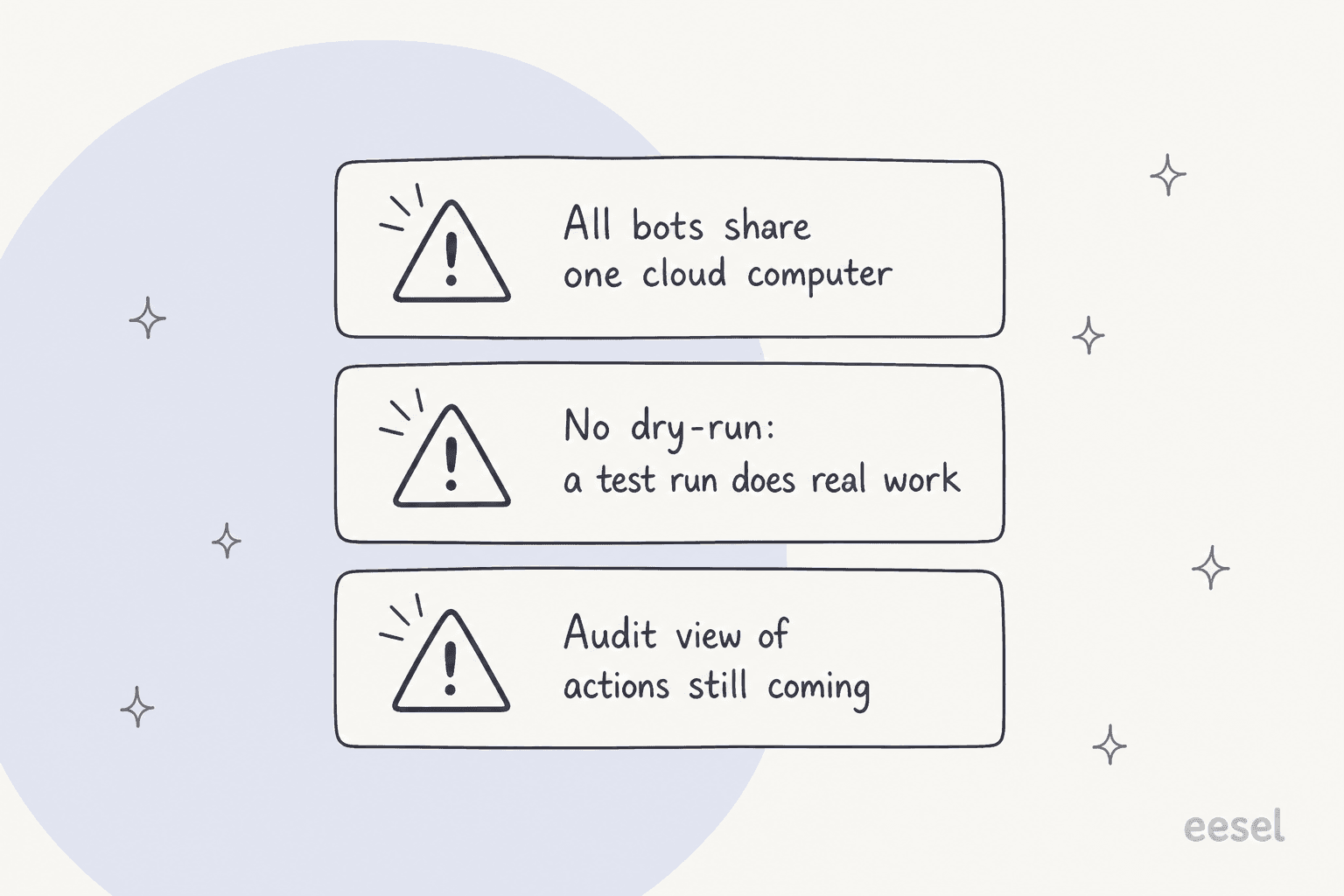
All your bots share one cloud computer. The docs state it plainly: "Files, browser sessions, and command line credentials on that computer are available across your Bot roster," and "Do not use separate Bots as a security boundary" appears twice. So the signed-in session your repro bot uses can be reused by any other bot on your account. If you connect it to a helpdesk that holds real tickets, remember those tickets are one of the densest PII surfaces you own, carrying card numbers and passwords, and Grok Bot claims no SOC 2, ISO 27001, GDPR or HIPAA certification. This is the strongest argument for pointing it at staging, not production.
There is no dry-run. In xAI's words, "A test run performs real work. It can navigate websites, change files, and call connected tools." There's no mode where it walks the repro without touching anything. For bug repro in a sandbox that's manageable; against a live account it's a real risk, and it's the opposite of how I'd want to test a support automation. When we roll out an AI agent on a live queue, the whole point is to simulate it on past tickets first and get a number back before a single customer is affected.
The audit trail isn't there yet. The docs say "An audit view of Bot actions is coming", in the future tense. That matters because the bot acts inside your logged-in session, so anything it does is attributed to you. The sharpest line I saw on this came from a launch-day discussion:
"By hijacking a real person's credentials, that person becomes the accountability sink. Very neat. Very deliberate."

For a repro bot clicking around a staging app, the accountability question is minor. For anything that touches a customer or a production system, it's the whole ballgame.
Where Grok Bot stops: it reproduces the bug, it doesn't own the ticket
Here's the line I'd draw. Grok Bot can reproduce the bug. Everything around the bug, the part that's actually customer service, is a different job.
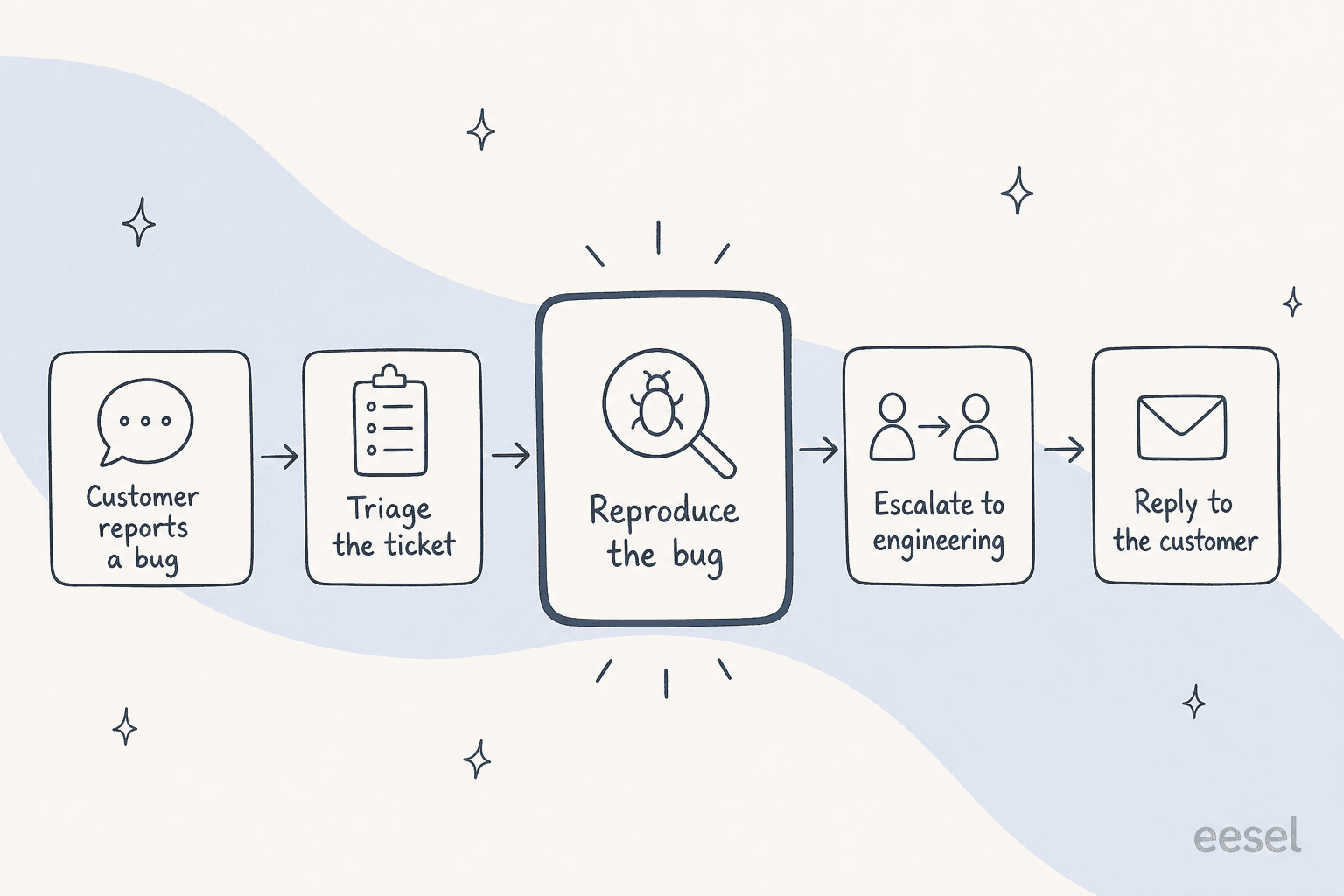
A bug report has a life: it arrives as a ticket, gets triaged and classified, gets reproduced, gets escalated to engineering with the repro attached, and the customer gets kept in the loop. Grok Bot lights up one of those five boxes. The other four are ticket work, and they need the things a logged-in browser session can't express: scoping to a ticket type, a confidence threshold before it acts, a clean handoff to a human, and a per-response record.
This is where I've watched general-purpose autonomy go wrong. Over the last few years putting AI agents on live support queues, the failures that stick aren't the demos, they're the quiet ones: a confident-sounding bot fabricating an answer into a real customer's ticket because the knowledge base came back empty, on accounts where nobody caught it for a while. As my colleague Amogh puts it:
"If hard-fail it's silent-failure class (worst class for trust)."
Amogh Sarda, eesel
An agent that drives your helpdesk UI and does work end to end, with no dry run and no audit view, is a silent-failure machine by default. That's not a knock on Grok Bot's repro skills. It's just the wrong tool for the ticket.
What to use for the ticket side
For the ticket workflow around the bug, I'd reach for a support-native AI helpdesk agent that connects through your helpdesk's own surfaces instead of a shared browser session. That's what eesel does: it joins Zendesk, Freshdesk, Gorgias and friends as a proper integration, so ticket-level scoping, confidence-based routing, and a per-response record are things you can actually configure.

Two things matter most for bug reports specifically. First, you can simulate on your past tickets before anything goes live, so you see how the agent triages and drafts on real historical volume and get a number you can argue with. On one e-commerce inbox, that kind of dry run came back 93% accurate on triage with a 7% factual error rate on drafts, and we knew both numbers before a customer saw anything. Second, every action lands in an activity log tied to the ticket, so a disputed response is settled by looking, not guessing.
There's a programmatic angle too, if you want to wire the repro and the ticket together. Grok Bot has no documented API, SDK, webhook or CLI, so there's no clean way to feed a repro result into a workflow. eesel exposes a customer support agent API and a CLI, so a script or a coding agent like Claude Code can operate the same teammate the dashboard shows, which is the natural home for "bug reproduced, now update the ticket and notify engineering."
Try eesel for the support side of bug reports
If you're weighing Grok Bot for bug reproduction, the clean split is: let it chase the reproduction in a safe environment, and give the ticket to something built for it. eesel is an AI agent for customer service that plugs into your helpdesk in minutes, triages the bug report, drafts the reply on your knowledge base with citations, escalates on a confidence threshold you set, and logs every step, all of it testable against your history before go-live. It's free to try, and the setup is self-serve rather than a procurement cycle.
Grok Bot is a clever general-purpose worker, and bug reproduction is one of the few support-adjacent jobs it's honestly good at. Just keep it to that job. The ticket, the customer, and the record belong somewhere accountable.