

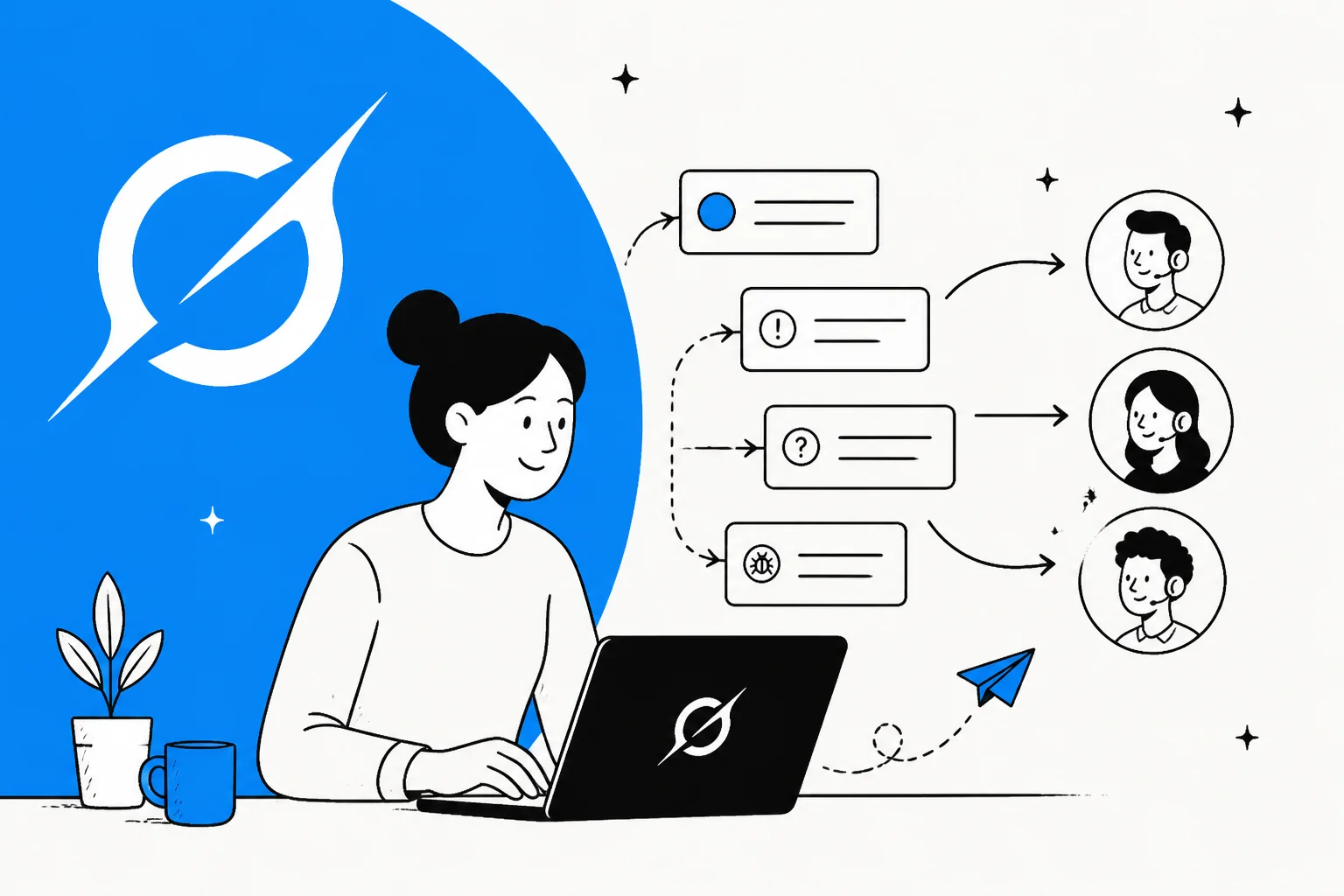
Grok Bot can triage your support tickets. Point it at your helpdesk, and it will sign in, read the queue, and start sorting: tagging tickets, setting priorities, and moving them into the right folders. So the short answer to "can I use Grok Bot for support ticket triage" is yes, it will do something.
The real question is whether you can route real work on it. I build AI agents for a living, and triage isn't reading a ticket, it's making the same call every time and being able to prove it later. That needs three things Grok Bot doesn't have: consistent routing rules that re-run, a confidence threshold so it escalates instead of guessing, and an audit trail of every decision. What you get instead is a fresh reading each run, from a browser session it doesn't keep, that can sort the same ticket differently tomorrow.
If you want triage you can put on a live queue, a support-native teammate like eesel is the better shape: it joins your helpdesk as a real agent, applies the same rules on every ticket, only acts above the confidence you set, and lets you simulate on past tickets before it touches a real one. Grok Bot is a clever general-purpose worker. Triage is the job where "reads it once and decides" is exactly what you can't build a routing rule on.
What Grok Bot actually is
Grok Bot is xAI's AI teammate app, announced on 11 August 2026 and labelled "Early beta" on its own page. Each bot is a persistent, named worker that gets its own cloud computer, signs into the apps you already use, and drives them through their normal interface. It's a general-purpose labour agent, not a support product, and it sits in the same category as other autonomous AI agents that operate a real logged-in browser.
The design goal is coverage. Grok Bot is built to work across apps "including platforms with no clean API or MCP", and the way it pulls that off is by acting like a human: it takes over a screen, clicks around, and reads what's on it. That single mechanism is what buys the coverage, and it's also the source of every caveat in this post.
The sign-in flow is the heart of the product. The bot never holds your password. It hands you the screen, you type the password, passkey, 2FA code or CAPTCHA yourself, then you hand control back. From there, per xAI's docs, "the browser session persists on your shared Grok Bot computer, so other Bots can use the same signed-in session when appropriate." A pre-release tester on Hacker News described it plainly:
"It'll ask you to take over its computer to log in […] After you do you just tell the bot you're done logging in and it'll keep driving. And yea, it's a separate VM for each bot."

Here's the detail that matters most for this post. Eight named bot roles shipped at launch: Sales Outbound, Talent Scout, Paid Media, Expense Manager, Product Performance, Bug Reproduction, Account Health, and Chief of Staff. None of them is a support role. And yet the first example prompt on Grok Bot's own page is "Sign in to Zendesk so I can work the support queue." Working the queue is exactly triage, so the product points itself at the job and then ships zero roles for it. That gap is the whole story.
Can Grok Bot read and sort a support queue?
Yes, and the setup is quick. You install the desktop app (macOS or Windows; the mobile app is iOS 18+), spin up a bot, and ask it to sign into your helpdesk. It hits the takeover flow, you log into Zendesk or Freshdesk yourself, and the bot starts reading. Ask it "sort today's tickets by topic and flag the urgent ones" and it will scroll the queue, read each ticket, apply tags, and move things around.
There's also a "Teach a task" feature (xAI calls the saved versions Routines): you do a job once while the bot watches, and it saves the steps to repeat later. In theory you could teach it a triage pass. The limits are real though, and worth knowing before you build a workflow on it: teaching is browser-only, capped at 10 minutes, the output is explicitly "a draft", and you get 50 routines per bot with only 20 run records kept per routine.
So the "can it" box is checked. The reason this post keeps going is that "can it sort my queue" and "can I route real tickets on it" are different questions, and the second one is where the design starts to strain.
What support ticket triage actually needs
Here's what a demo won't show you. Triage isn't reading a ticket and picking a bucket, it's making the same call every time and being able to defend it when a ticket ends up in the wrong place. Three things turn sorting into triage you can put on a live queue, and a bot that drives a browser session as a logged-in human has nowhere to put any of them.
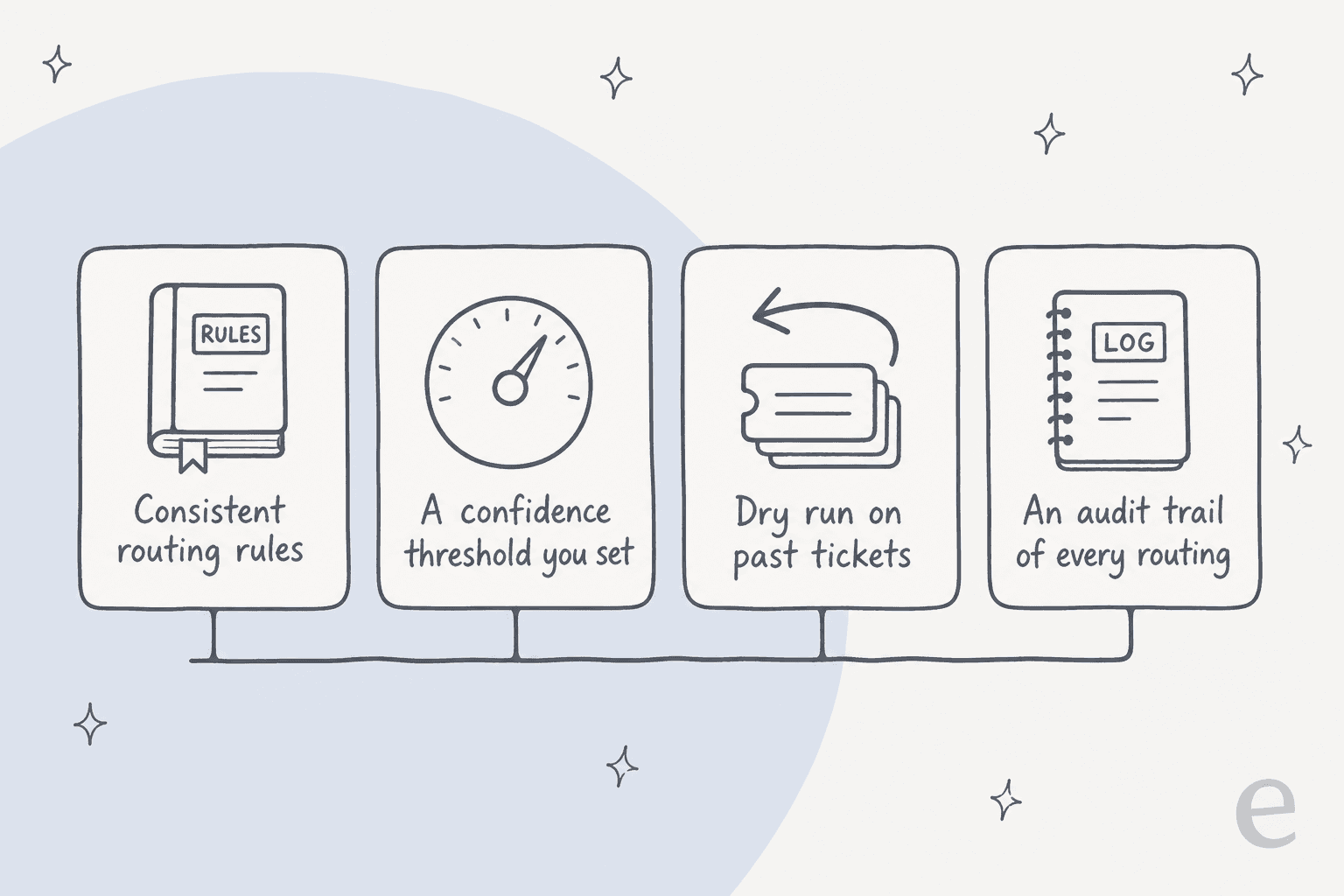
Consistent routing rules. Triage means the same ticket gets the same route every time. Ask Grok Bot to sort your queue twice and you can get two different breakdowns, because each run is a fresh reading, not a rule applied. Support teams get repeatability from AI ticket classification and AI support tagging, which apply the same taxonomy on every pass. That's the difference between a routing you can trust and a coin flip that happens to land right most days.
A confidence threshold. This is the one triage lives or dies on. On an ambiguous ticket, the safe move is to escalate to a human, not guess a route. That needs a dial: only act when you're above X% sure, hand the rest to an agent. Grok Bot has no such setting. It reads and decides on everything, and there's no dry-run mode to catch it before it does. A buyer I spoke to put the whole principle better than I can:
"The AI will never be able to answer 100% of the questions, but if it tries and just answers 'sorry I don't know this,' I cannot go and check all my 7,000 tickets to see if the AI actually made a good answer, then the point is a little bit gone. I need an AI who is only handling the tickets that it's confident to handle."
a CX lead at a 7,000-ticket/month DTC brand
That's a confidence threshold described from the frontline, and it's the feature triage cannot skip.
An audit trail. When a ticket gets misrouted and a customer waits three days, someone has to reconstruct what happened. Grok Bot's routing is prose from a session it doesn't keep, and the gap is documented in xAI's own docs: "An audit view of Bot actions is coming." Future tense. Today there's no record of what the bot read, tagged, or moved, so if a route looks wrong you can't see how it got there or fix the rule behind it.
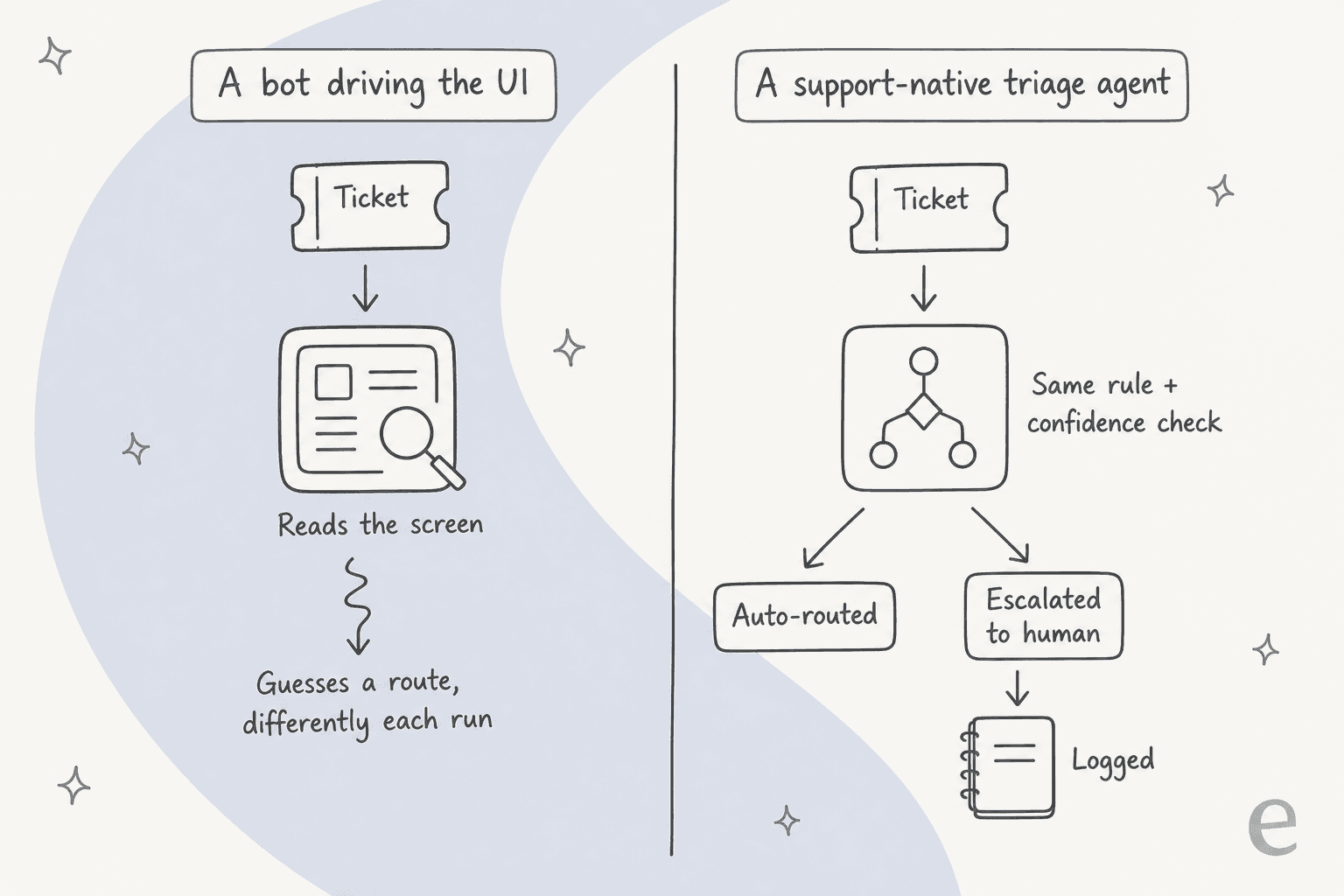
None of this makes Grok Bot bad. It makes it the wrong shape for this specific job. Where its UI-driving design wins is workflow automation against tools that have no API at all, the honest descendant of call center RPA. Triaging a live queue you'll answer SLAs on just isn't that.
The security question to ask first
Before cost, before accuracy, there's a question a lot of coverage skips: what does giving a shared AI worker a signed-in session to your whole support queue actually expose?
Start with the design. Per xAI's docs, "All of your Bots share one cloud computer… Files, browser sessions, and command line credentials on that computer are available across your Bot roster," followed by the instruction, stated twice in the FAQ, to "not use separate Bots as a security boundary." So the helpdesk session your triage bot creates is reachable by your sales bot, your paid-media bot, and anything else on the account.
There's a popular misreading worth clearing up, because it's not the real problem: critics say you upload every login to Elon's servers. You don't, you type the password yourself in the handoff. The accurate objection is subtler. Because the bot acts inside your signed-in session, the logs attribute its actions to you. One Hacker News commenter named the design in four words:
"By hijacking a real person's credentials, that person becomes the accountability sink. Very neat. Very deliberate."
Now layer the data on top. A support queue is one of the densest PII surfaces a company has: names, emails, order histories, sometimes payment details. A persisted, signed-in session to it is a standing data surface. And Grok Bot claims zero compliance certifications: no SOC 2, ISO 27001, GDPR, HIPAA, PCI or FedRAMP, no stated retention period, no data residency, with retention deferred to Cursor's terms. For anyone who's been through a security review, that's a hard stop. As one commenter tied it together on launch day:
"Pricing: 120/200 USD per month, per employee. This is an interesting idea although I'm not sure how many companies are comfortable with giving SpaceXAI access to all your files and data. Outside of America this is, most likely, not going to fly."
If you're evaluating any AI on your queue, the data privacy and control questions and whether it meets SOC 2 and GDPR are the ones to settle first, not last.
What Grok Bot costs
Grok Bot ships on two self-serve plans, both named after Cursor rather than xAI, plus a bundle. Here's the full picture:
| Plan | Price | Notes |
|---|---|---|
| Cursor Ultra | $200 / month | Solo plan |
| Cursor Premium Teams | $120 / seat / month | Central billing, shared skills marketplace, usage analytics, SAML/OIDC SSO |
| SuperGrok Heavy | Included, no extra charge | Bundled with the Heavy subscription |
| Free tier | None | No published trial length |
A couple of things jump out. The team plan is cheaper per seat than the solo plan, which is unusual. And the only stated quota is "Extended limits on AI tokens" with no figure; the docs add the allowance is weekly and overage bills off model and token cost. That matters for triage, because an always-on bot re-reading every ticket as it lands is a token-heavy job. The pre-release tester again, who likes the product:
"Biggest downsides are token expenditure. I've used more tokens this month than not this month. That's not a typo - I've used less tokens in the last 5 years prior to this month than I have this month. Always on perpetual agents use a LOT of tokens."
The deeper point is what you're paying for. Grok Bot charges per seat, which is the price of access to a worker, not the price of the tickets it triages. If you're weighing the cost of an AI agent against what triage actually saves you, that unit difference is worth putting real numbers to before you commit.
Should you use Grok Bot for ticket triage?
Rather than a verdict from me, here's the decision the way I'd actually walk it. Pick the row that sounds like you.
What to use instead: triage that comes from working the queue
If the reason you looked at Grok Bot was "I want my queue sorted and routed automatically", the tool that does that job well is one that treats triage as part of actually working every ticket, not a sort you ask a general worker to run. That's the gap eesel fills.
eesel is an AI teammate platform, and the teammate that fits here is its AI helpdesk agent. Because it plugs into your helpdesk as an app rather than driving a signed-in browser, it sees each ticket as it arrives and runs the same rules on it. In practice you set a First Customer Message trigger, give the agent Tag and Assign-to-Group actions, and it becomes a triage agent: every ticket gets classified by intent and sentiment, tagged, and routed to the right queue.

- Consistent, repeatable routing. eesel applies the same classification and tagging rules on every ticket, so a ticket that looks like last week's gets routed like last week's. That's what makes the queue predictable instead of a fresh guess every run.
- A confidence threshold you set. You decide how sure the agent has to be before it acts. Above the bar, it routes or even resolves; below it, it escalates to a human. That's the exact control the CX lead above was asking for, and the reason we lean on a dry run against your real past tickets first: we've watched confident-sounding bots quietly get things wrong, so eesel shows you how it would have triaged your history before it touches a live ticket.
- Everything is logged. Every tag, route and reply is recorded and reviewable, which is what lets you audit a misroute and improve the rule instead of guessing. It's also how you actually measure and lift your resolution rate and CSAT.

And for the crowd that came here because Grok Bot has no API, CLI or MCP: eesel goes the other way. It exposes a customer support agent API and a CLI, so scripts and coding agents like Claude Code or Cursor can drive the same triage the dashboard runs, from a terminal or a pipeline, not just a browser window. That's also how the routing feeds your own data analytics instead of dying in a chat message. If you'd rather compare the whole field first, my roundups of the best triage tools, AI customer service software, and AI helpdesk software are a good place to start.
Try eesel for your ticket triage
If you want your queue triaged automatically across Zendesk, Freshdesk or Gorgias, eesel works like a new hire that plugs into the helpdesk you already run, tags and routes every ticket the same way, and only acts above the confidence you set. You can simulate it on your last few thousand tickets before it touches a live one, so you see exactly how it would route your queue first. It's one fixed monthly price on the Teammate plan, from $299/month for 500 credits (1 credit per ticket), with no per-seat fee, and it's free to try with 100 credits.
The short version: Grok Bot is a clever general-purpose worker, and triage is the job where "reads it once and decides" is exactly what you can't route real tickets on. For a queue you'll answer SLAs on, use something built to triage as it works.