

What "headless" actually means for customer support
The word "headless" is borrowed, and the borrow is worth understanding because it tells you exactly what the pattern is promising.
In content management, a headless CMS stores and serves your content through an API, and leaves the presentation to you. The "head" is the frontend; going headless means chopping it off so the same content can render on a website, a mobile app, a smartwatch, a kiosk, whatever. Headless commerce did the same thing for carts and checkouts. The backend became a service you call; the storefront became yours to design.
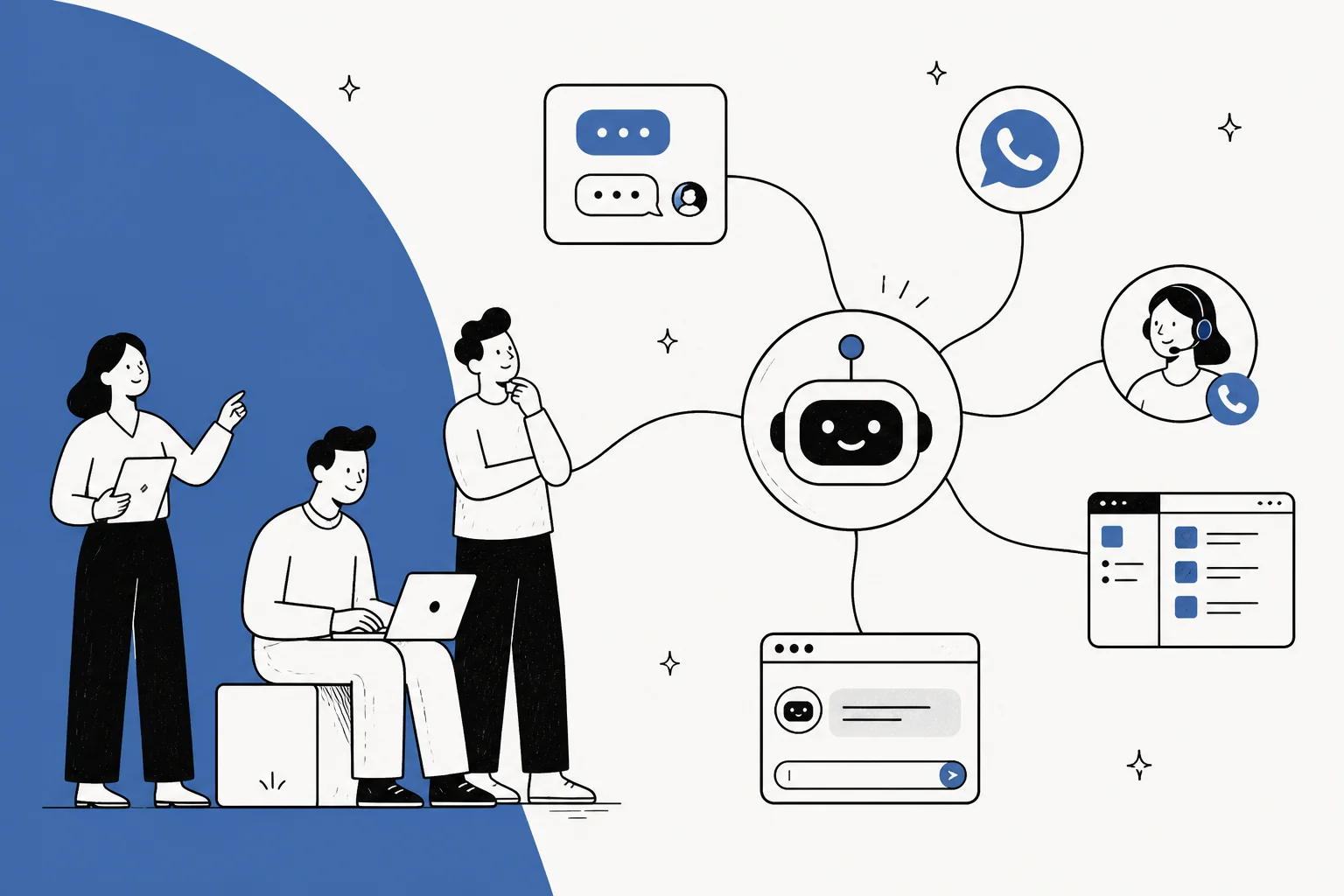
Headless AI customer support applies that split to the support agent. The engine is the backend service: it ingests your help center and past tickets, retrieves the relevant context for a question, reasons out an answer, and (when it is allowed to) takes an action like tagging, escalating, or issuing a refund. The head is whatever surface the customer talks to. Instead of being locked to one vendor's chat widget, you point any number of frontends at the same engine.
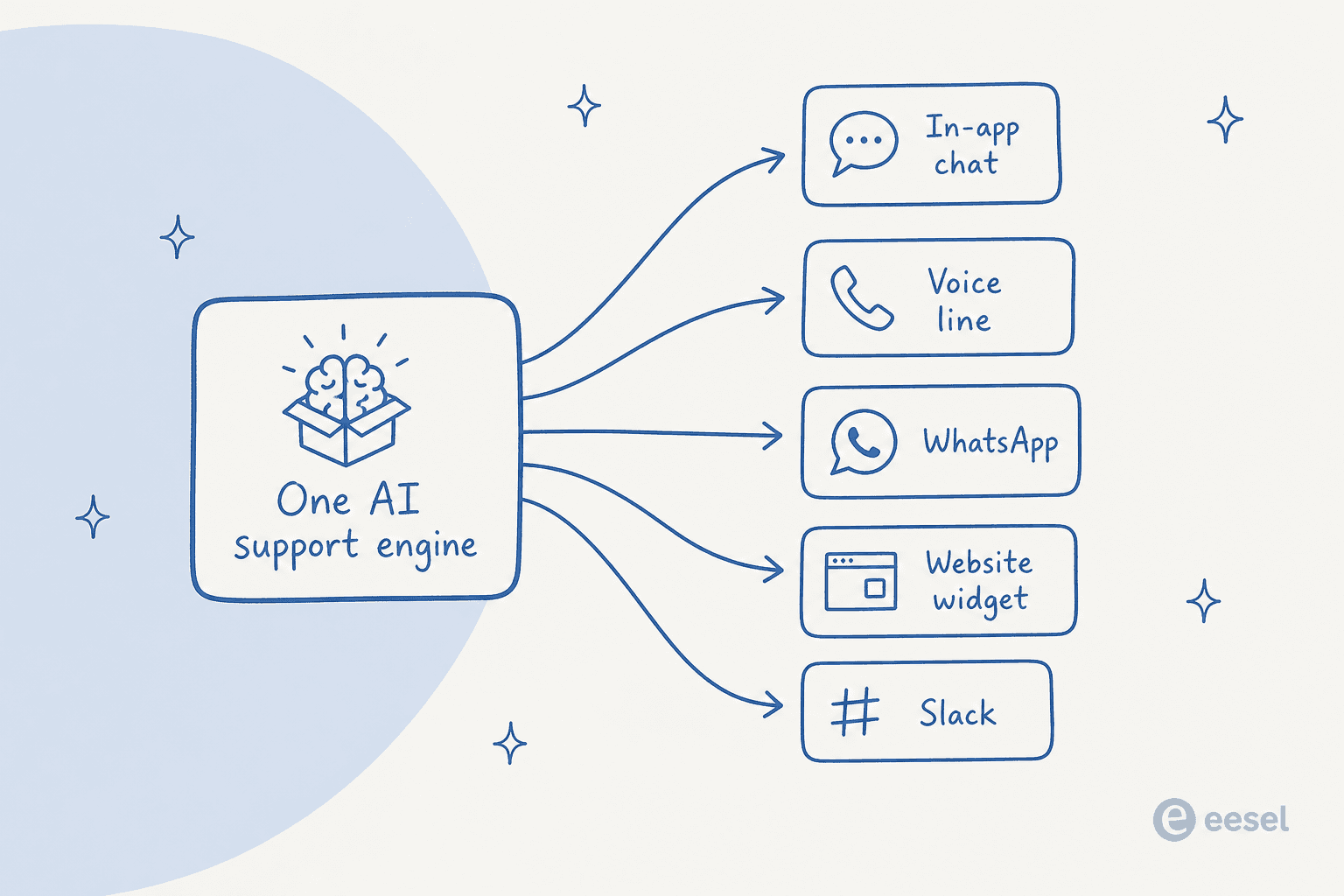
That is the whole idea in one picture: one engine, many heads. The customer support agent stops being a product you log into and becomes a capability you call from your own code.
Why teams go headless in the first place
Nobody adopts an architecture for its own sake. Headless support usually shows up when a team hits one of these walls.
- The support experience needs to live inside the product. A SaaS app wants help to appear in-context (on the billing screen, mid-onboarding) not in a floating bubble bolted to the corner. That means the answer has to render in your own UI, which means the engine has to be callable, which means headless.
- Support is spread across channels that do not share a widget. If you answer on a website, a mobile app, WhatsApp, and a voice line, a UI-bundled bot forces you to configure and reconcile four separate agents. A headless engine lets one brain serve all four, so the answer to "where is my order?" is identical no matter where it is asked.
- You already have a frontend you like. Plenty of teams have a perfectly good chat interface, or a specific design system, or a channel the vendor does not support. They do not want a new UI; they want a smarter backend behind the one they have.
- You are a platform, and support is a feature you ship to your own customers. If you are embedding support automation into a product other people use, you cannot hand them a third party's branded widget. The engine has to be something you wrap.
The common thread is control over the experience. Headless is what you reach for when the frontend is a decision you want to keep, and the intelligence is the part you want to outsource or centralize. For a deeper look at where automation fits across those surfaces, our guide on AI for customer service automation walks through the channel angle.
What a headless AI support stack actually needs
Here is where the plan meets reality. "Headless" makes it sound like the work is the frontend, because that is the part you are keeping. But a support agent that only renders a chat box and cannot do anything is a search bar with a personality. The value lives entirely in the engine, and the engine is a stack of load-bearing parts that a raw chat API does not give you.
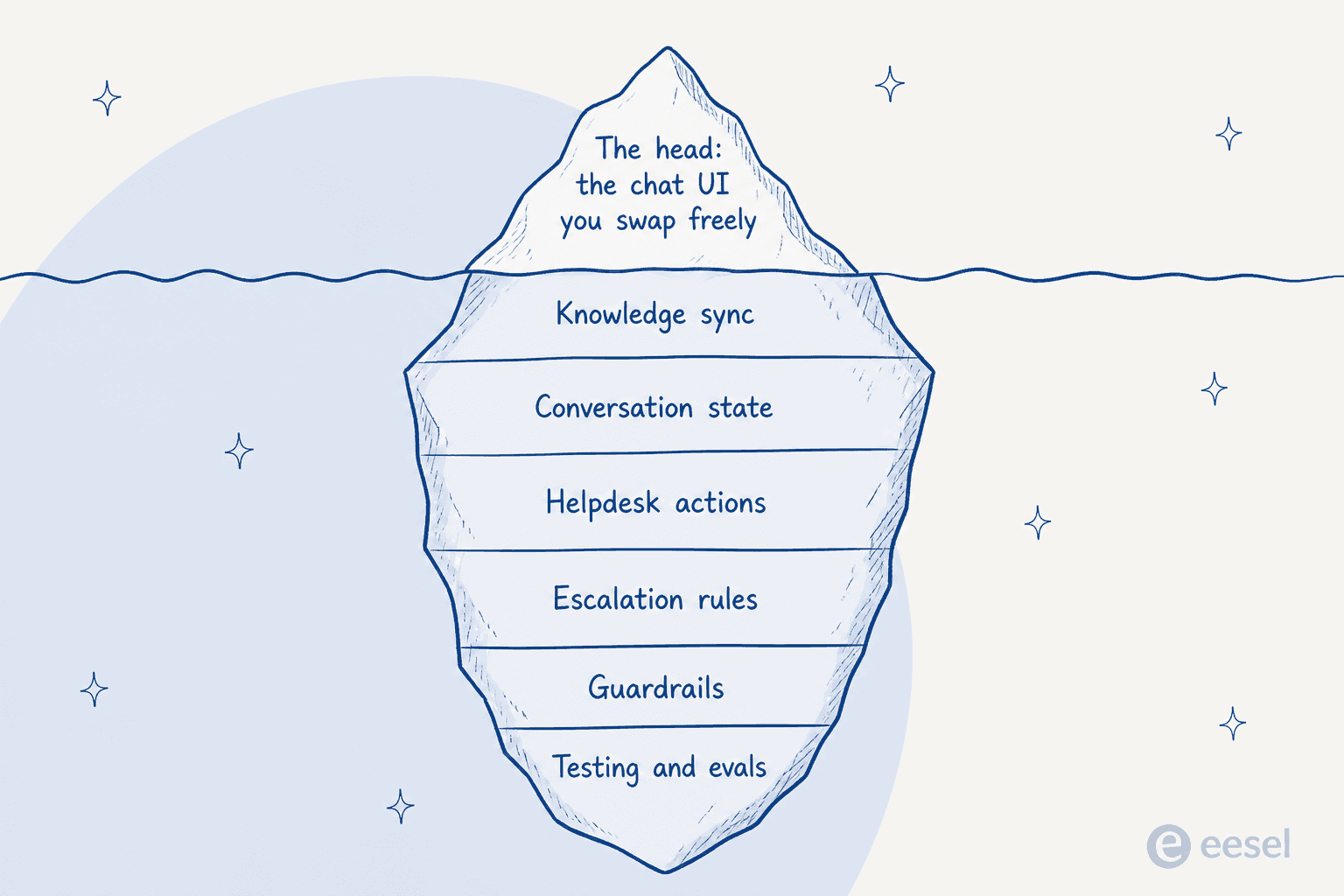
Everything under the waterline is the real build:
- Knowledge sync and retrieval. The agent has to answer from your help center, your docs, and often your past tickets, and it has to stay current as those change. That is chunking, embedding, reranking, freshness, and access control, not a one-time upload. We went deep on the tradeoffs in RAG vs vector database vs hybrid search if you want the retrieval-layer detail.
- Conversation state. A model call is stateless. Multi-turn support (the follow-up question, the "actually, my order number is") means you store and replay history, manage context windows, and keep sessions straight across channels.
- Helpdesk actions. Answering is half the job. The other half is doing: updating a Zendesk ticket, applying a tag, escalating to tier 2, looking up an order. Each is an integration you build and maintain, and the action layer is where most of the real work hides.
- Escalation and guardrails. When should the agent hand off to a human? What is it never allowed to say or do? How do you stop a confident wrong answer? These are policies you encode and keep tuning, not a setting you flip on.
- Testing and evals. This is the one teams skip and regret. Before an agent touches a live queue, you want to know how it will behave, ideally by simulating it against your real historical tickets. Without that, you are shipping to production and hoping.
We have built this engine for years, and the least intuitive lesson is where the pain concentrates. It is not the model calls. From our own integration work, the triggers and actions are roughly half the effort, not the API surface: every platform does events differently, per-customer webhooks must not orphan, and platforms have hidden behaviors (Freshdesk, for one, silently never fires automation rules for agent-created tickets, which cost us hours to diagnose). None of that shows up in a quickstart. All of it shows up in production.
The two ways to build headless support
Once you accept that the engine is the product, the build-versus-buy question gets clearer. There are two honest paths.
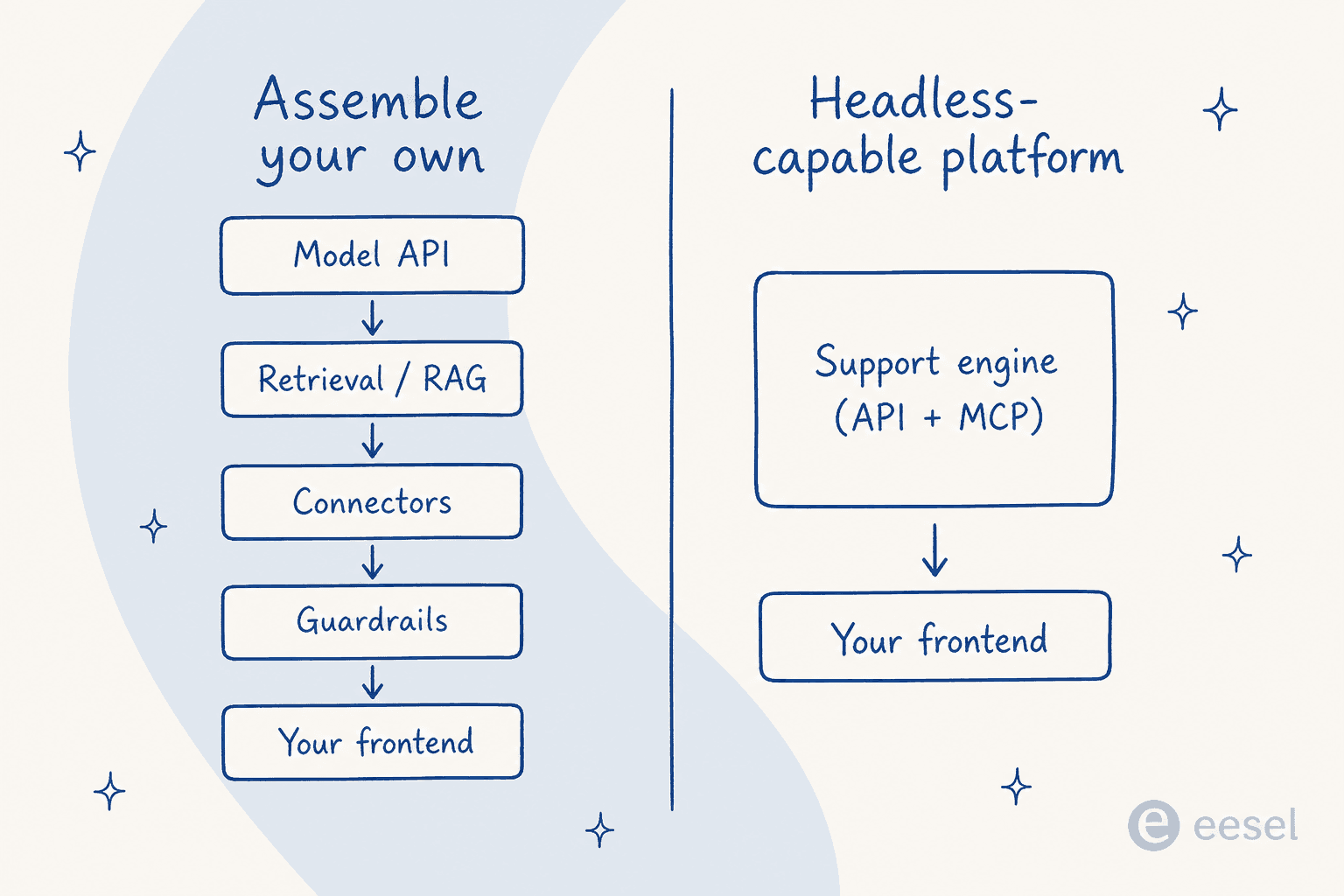
Route 1: assemble your own on a model API
You start with a foundation-model API (OpenAI, Anthropic) and build the engine around it: a retrieval layer, your connectors to the helpdesk, guardrails, an eval harness, and then the frontend. This is the most flexible route and the only one that gives you total control of every layer. It is also a real, ongoing engineering commitment. The model call is maybe 10% of it; the other 90% is the stack above, and it does not stop needing maintenance once it ships. We broke down that split in detail in the customer support agent API piece. Pick this when custom logic is your competitive edge and you have the team to own it forever.
Route 2: use a headless-capable platform
Here the engine already exists. A platform has built the retrieval, the connectors, the guardrails, and the testing, and it exposes the whole thing over an API and, increasingly, an MCP server. You bring the head. Crucially, a good one also ships a drop-in widget for the channels you would rather not build, so "headless" does not force you to write a chat UI from scratch just to get started.
This is the route most teams actually want, because the parts they were going to build are the parts that are hardest to get right and least differentiating. You get the flexibility of calling an engine from your own frontend, without signing up to maintain retrieval and eval infrastructure for the life of the product. eesel is built this way: it plugs into the helpdesk you already run, embeds as a widget where you want one, and can be driven programmatically where you need it.
One nuance worth flagging: even inside Route 2, there is a control lever. From our own testing, for long-tail or one-off integrations, handing the agent an API key plus the docs and a reference script beat a pre-built vendor tool. Managed connectors earn their keep on the hot paths (Zendesk, Freshdesk, Shopify); the raw-API approach wins on the rare ones. A platform that supports both is doing headless right.
The head was never the hard part (and the bill proves it)
The reason the build-versus-buy math tilts the way it does is cost, and headless changes which cost you are staring at.
Building your own means a per-token meter. Every model API charges by tokens: roughly a few dollars per million input tokens and more for output, billed on every message, every retry, and every retrieved chunk, whether or not the ticket actually got solved. That is a variable cost that scales with usage and quietly grows as your retrieval gets more thorough. On top of it sits the fixed cost that never shows up in a pricing calculator: the engineers maintaining the engine.
Outcome-priced platforms flip the meter. Instead of paying for tokens, you pay per unit of resolved work. eesel, for instance, has a fixed monthly price from $299 for 500 credits, where 1 credit covers one ticket or chat it handles, with no per-seat charge and no platform fee. The number you care about (cost per resolved ticket) is the number you are billed on, and the engineering to keep the engine current is the vendor's problem, not a line on your roadmap.
We hear the "we'll just build it" instinct constantly, and it is more tempting than ever. One mid-market team put it bluntly when they left for a cheaper tool:
"We switched to a system that is working well at half the cost. But long term we will just build our own, which is so possible now with AI. That being said, we probably would have stayed if support was faster and better."
a churned mid-market customer, in a note back to our founder
It is worth sitting with that, because it cuts both ways. AI genuinely has made building your own more possible than it was two years ago. And yet the reason that same team was shopping around was a broken data sync they did not want to babysit, which is exactly the engine-maintenance work that "we'll build it ourselves" signs you up for permanently. Headless does not make the 90% disappear. It just decides who owns it.
When headless is worth it, and when it is not
Being honest about the tradeoff: headless is not automatically the right call.
Go headless when the support experience is part of your product's surface, you are serving channels that do not share a UI, or you are a platform embedding support for your own users. In those cases the frontend genuinely is a decision you need to keep, and a bundled widget actively gets in your way.
Skip it when you run support out of one helpdesk and a website widget, and the vendor's own UI is fine. Going headless there is adding an integration project to save yourself a frontend you did not need to build in the first place. A standard AI helpdesk agent running inside your existing tool will get you resolved tickets faster, with less to maintain.
The good news is that the choice is not permanent if you pick the right engine. A platform that offers both a drop-in widget and an API lets you start widget-first and go headless later, on the channels where it earns its place, without swapping vendors. That optionality (buy the engine, keep the frontend decision open) is the pragmatic version of headless most teams should actually want.
Try eesel for headless support without the assembly
If the headless pattern appeals but building the engine does not, that gap is exactly what eesel is for. It gives you a support engine that already ships the parts under the waterline: it syncs your knowledge and past tickets, connects to the helpdesk you already run, and can take real actions on tickets rather than just answering. You can run it inside your helpdesk, drop it in as a widget, or drive it programmatically, so "headless" does not have to mean "start from scratch."

The differentiator worth knowing about is the testing layer we flagged earlier as the part teams skip. Before eesel answers a single live customer, you can simulate it against your own historical tickets to see how it would have replied and where it would have escalated. That is the safety net a hand-built engine almost never has on day one, and it has a fixed monthly price from $299 for 500 credits with no per-seat or platform fee. You can try it free (100 credits, no card) and point it at real tickets before you commit.