
The call where the unit broke the deal
I have sat on the call this post is about. A multi-company e-commerce operator scaling toward roughly 150,000 tickets a month came in ready to buy, and the conversation stalled halfway through on a definition. He was working from about 20 cents a ticket, landed on a projection near $30,000 a month, and could not tell whether the number in front of him counted a customer's whole issue or every message inside it. Nobody had lied to him. The unit had simply never been pinned down, and past a certain volume an undefined unit is not a footnote, it is the deal.
That is the lens I read every AI support rate card through now, and it is the only useful lens for Ayudo. The rate is fine. The rate is arguably good. What follows is what the rate does and does not tell you.
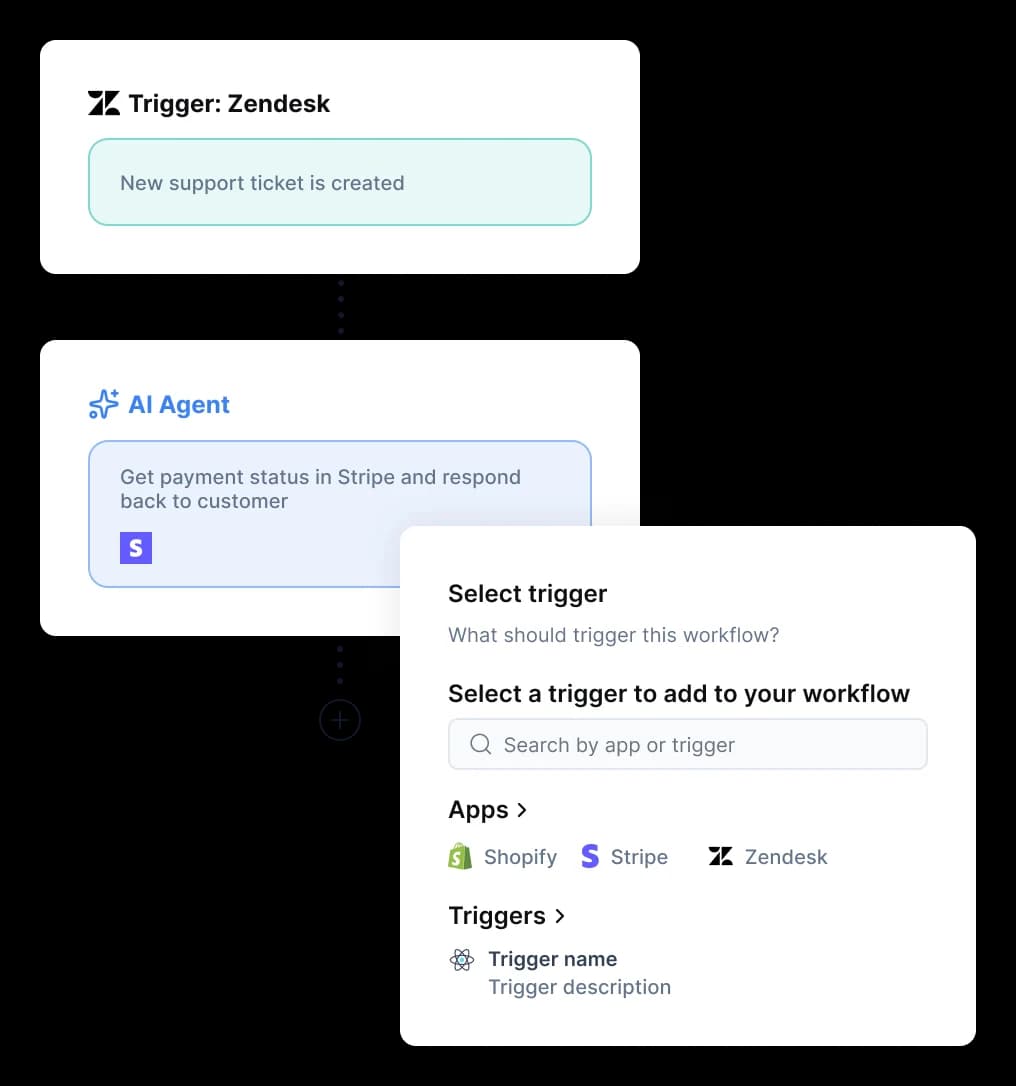
Ayudo launched publicly in July 2026 and sells a multi-agent support suite: text and voice agents, an inbox, a knowledge base, and a workflow builder. Co-founder Nitin Panwar spent seven-plus years at Freshworks as a data-science staff engineer, which shows in how much platform is on offer for the money.
Ayudo pricing at a glance
Two purchase paths sit side by side at the top of the pricing page. The usage rates are identical on both. The only difference is whether you also pay for seats.
| What you pay | Keep your helpdesk | Use Ayudo's helpdesk |
|---|---|---|
| Text AI agent | $0.40 per ticket | $0.40 per ticket |
| Voice AI agent | $0.05 per voice minute | $0.05 per voice minute |
| Seat fee | none | $99/seat/month (plan card) |
| Seat fee, per the comparison table | not applicable | $119 Starter, $179 Professional |
| Included allowance | none published | none published |
| Overage rate | none published | none published |
| Volume discount | none published | none published |
| Annual billing | not offered, every seat price says "billed monthly" | not offered |
| Free trial | none | none |
| Self-serve signup | none, demo only | none, demo only |
| Native helpdesk connectors | Zendesk, Freshdesk, Salesforce Service, HubSpot | n/a |
That connector list is worth checking against your own stack, because Ayudo names four natively and no more. If you run Gorgias or Help Scout, you are asking about the API rather than a native path.
Teams handling requests inside Slack or Jira Service Management are in the same position.
Ayudo's own machine-readable llms.txt restates all four figures, so these are not scraping artefacts: "$0.40 per ticket and $0.05 per voice minute", "$99/seat/month", "$119/seat/month (Starter)", "$179/seat/month (Professional)."
A few things stand out immediately. There is no included allowance and no overage rate, which means the $0.40 is live from ticket one with nothing to overflow from. There is no annual option at all, which is rare, since almost every helpdesk in this space discounts a yearly commit. And there is no way to buy without a sales call, which is the part that sits oddest against a published per-unit rate.
$0.40 per what?
Here is the finding that reframes the whole rate card. The number $0.40 appears in four places on one page, and it is attached to a different noun in each.
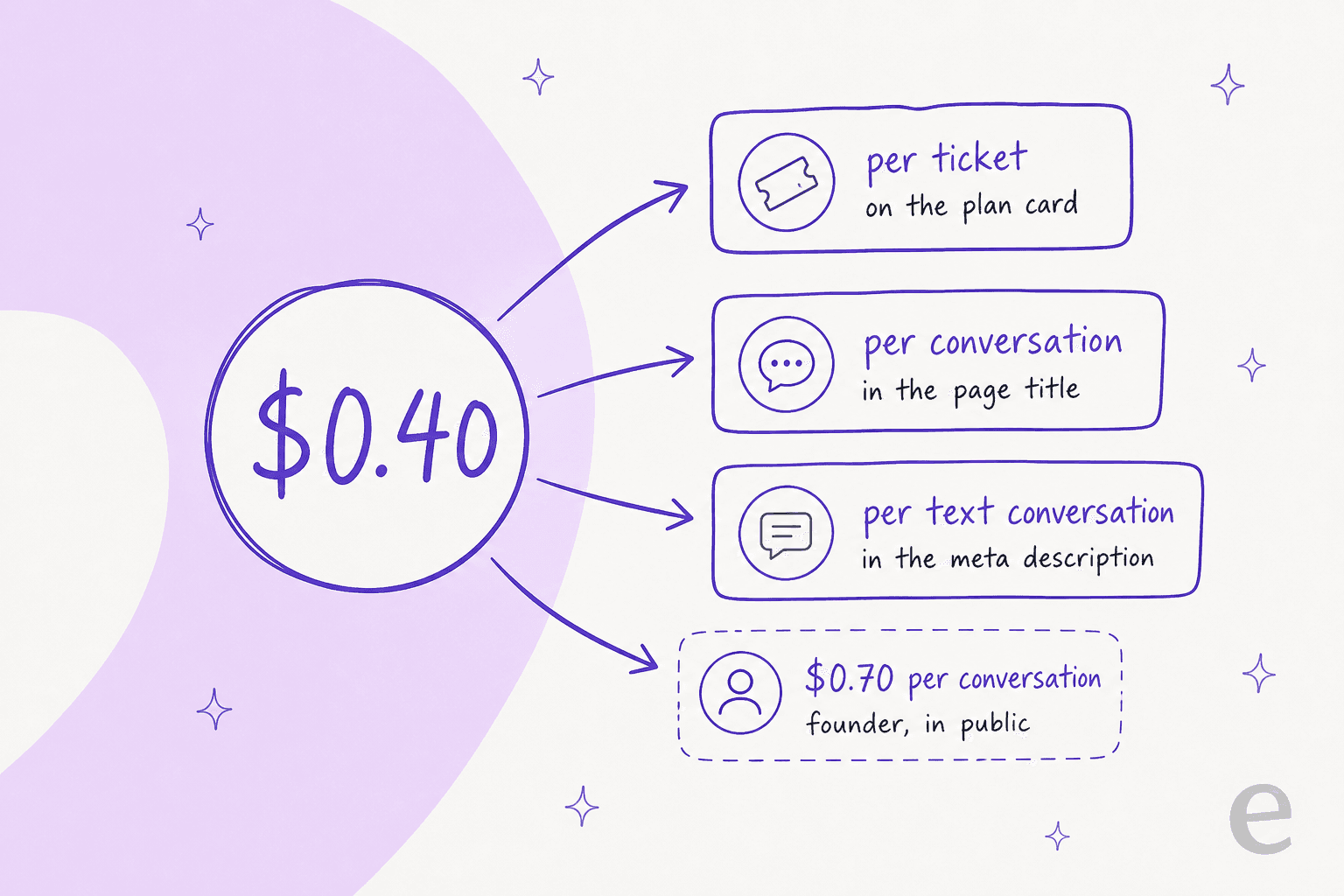
- The plan cards say ticket. The rendered line on both cards is
$0.4/per ticket. Voice is$0.05/per voice minute. - The page title says conversation. Verbatim:
Ayudo Pricing — AI Agent Support | $0.40/conversation | $0.05/minute voice conversation | Ayudo. That is the string a searcher sees in Google, so the unit in the search result and the unit on the card are different words. - The meta description says text conversation. Verbatim: "Ayudo charges $0.40 per text conversation and $0.05/min for voice." The same tag is also the only place on the page that mentions minimums, and it says there are none, while the table beneath sells per-seat plans.
- The structured data says ticket again. The page's JSON-LD offer block reads
"Per ticket pricing for text AI Agents."
I searched the raw HTML for a definition and there is not one. No tooltip, no footnote, no accordion, no hidden div. The words resolution, session, 24 hour, 72 hour, overage, minimum, annual, and trial return nothing in a billing sense. I re-checked all of this on 20 August 2026 and the page has not been republished since 28 July, so none of it is a transient build state.
Then there is the fifth number. Co-founder Shashwat Jain has argued Ayudo's billing model in public, and named a rate that is not the one on the page:
"That's why we've leaned toward pricing based on AI conversations, not resolutions. It's transparent, scales better, and actually reflects the value AI brings... At Ayudo, we charge around $0.70 per conversation, so you always know what you're paying for."
And, in the same comment: "the '$1 per resolution' model sounds simple but gets messy fast once you look at how support actually works. What even counts as a resolution? A closed ticket? A follow-up that reopens two hours later?"

He is right on the second half, and the same questions apply one level down to a ticket. Ayudo's own product surfaces make it a live question rather than a pedantic one. The inbox shows individual tickets with IDs, statuses, and a Resolved 722 group, so a ticket is a real object in the product.
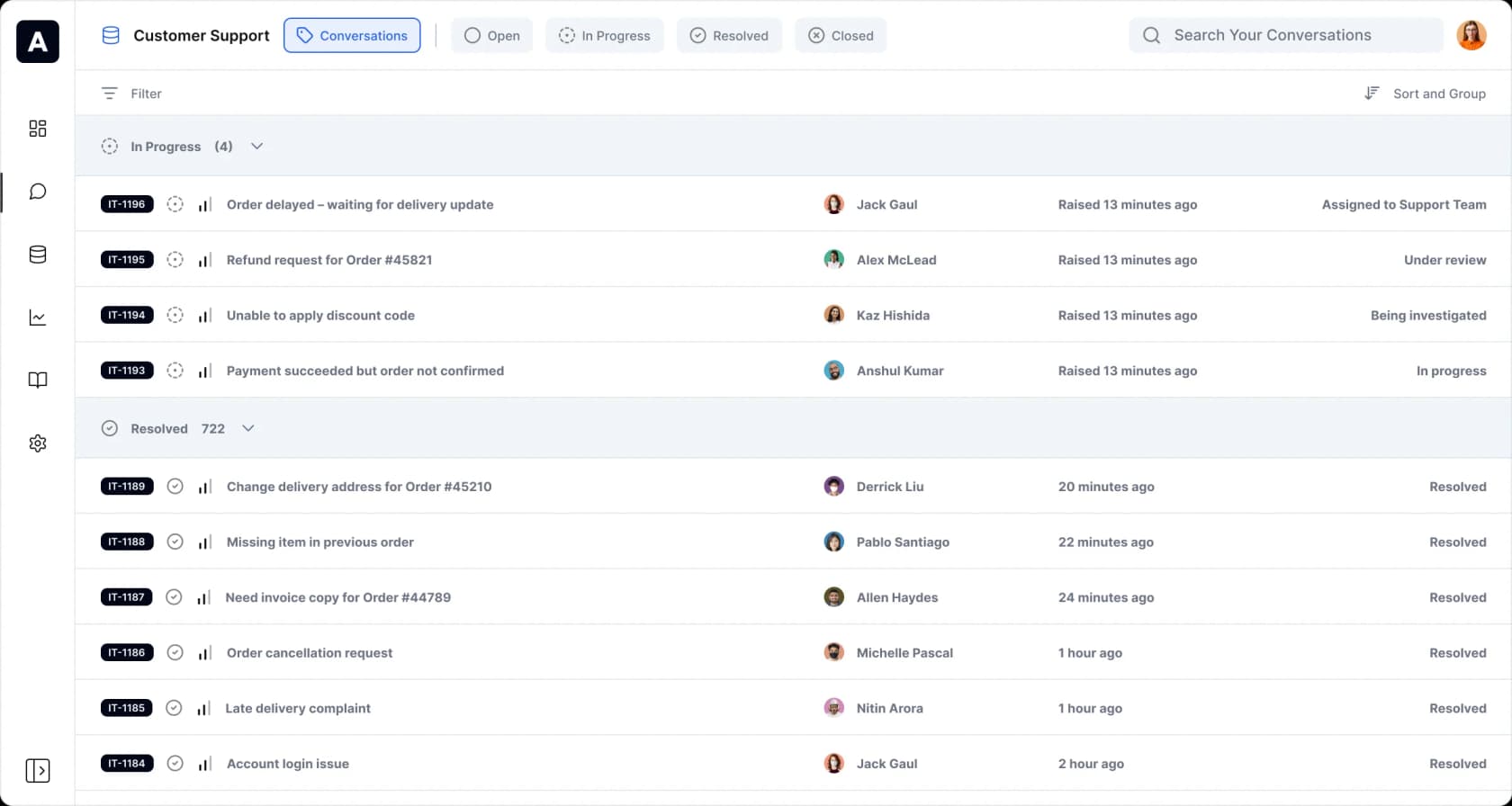
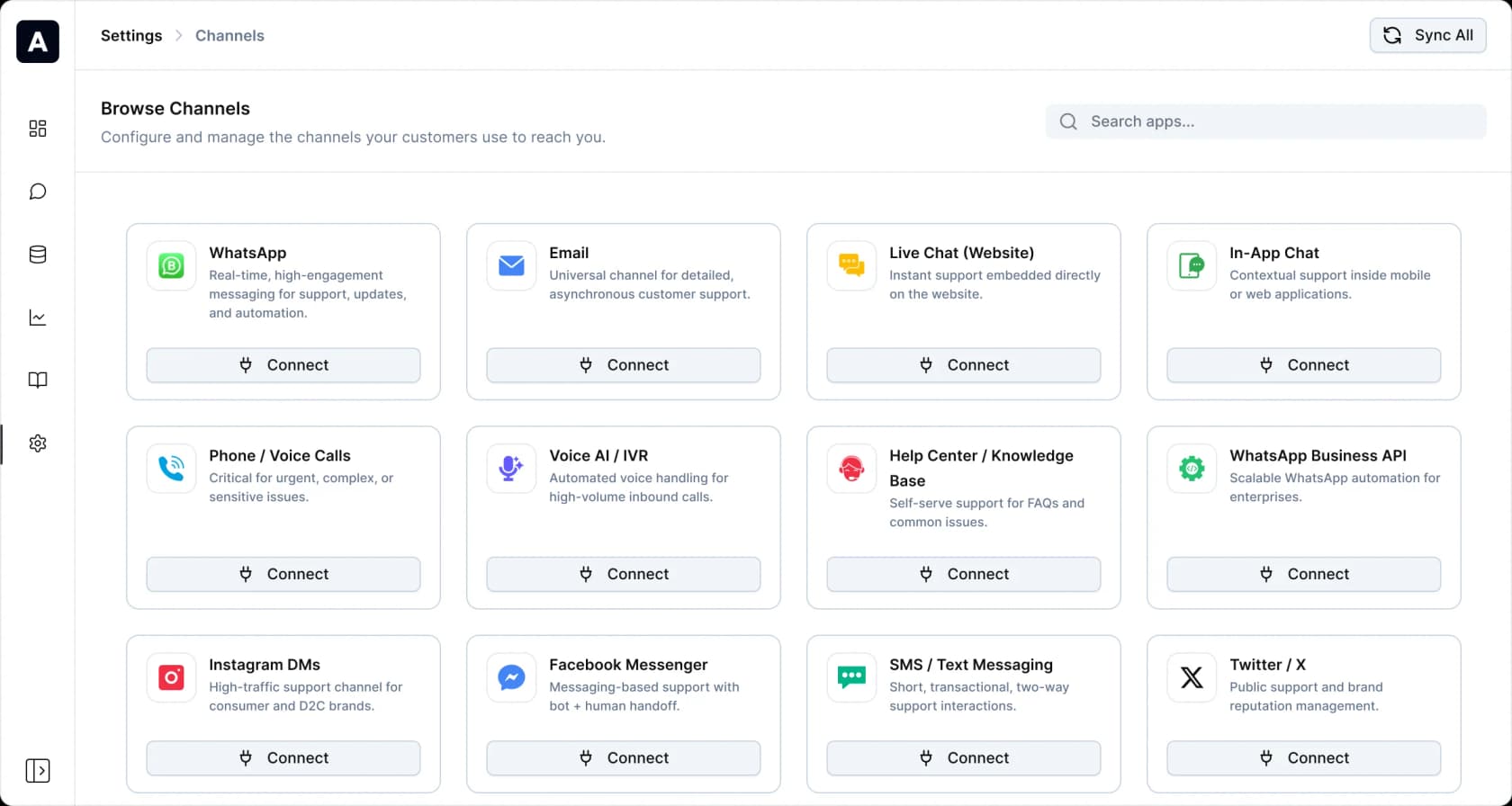
But the same page also connects twelve channels. If the same customer messages you on WhatsApp, then emails, then opens live chat about one order, the billing question is whether that is one ticket or three. On a per-ticket meter that is a 3x difference on the same customer, and neither the pricing page nor the docs say which way it lands.
This is not a hypothetical failure mode. Another buyer I spoke with, an ops lead at a payouts fintech running Zendesk and around 7,000 to 8,000 escalated tickets a month, did the arithmetic in front of me: roughly 500 tickets a day at about four exchanges each is 2,000 interactions a day, which would burn a 3,000-a-month interaction allowance in a day and a half. Same volume, same product, and the metering word turned it into a different company. Per-interaction pricing was a non-starter for him; per-session was fine.
The seat fee the page prices twice
The second gap is simpler and easier to check. The plan card for Ayudo's bundled helpdesk says $99/seat/month. The "Compare All Features" table lower on the same page says Starter is $119 per seat/mo, billed monthly, and Professional is $179.
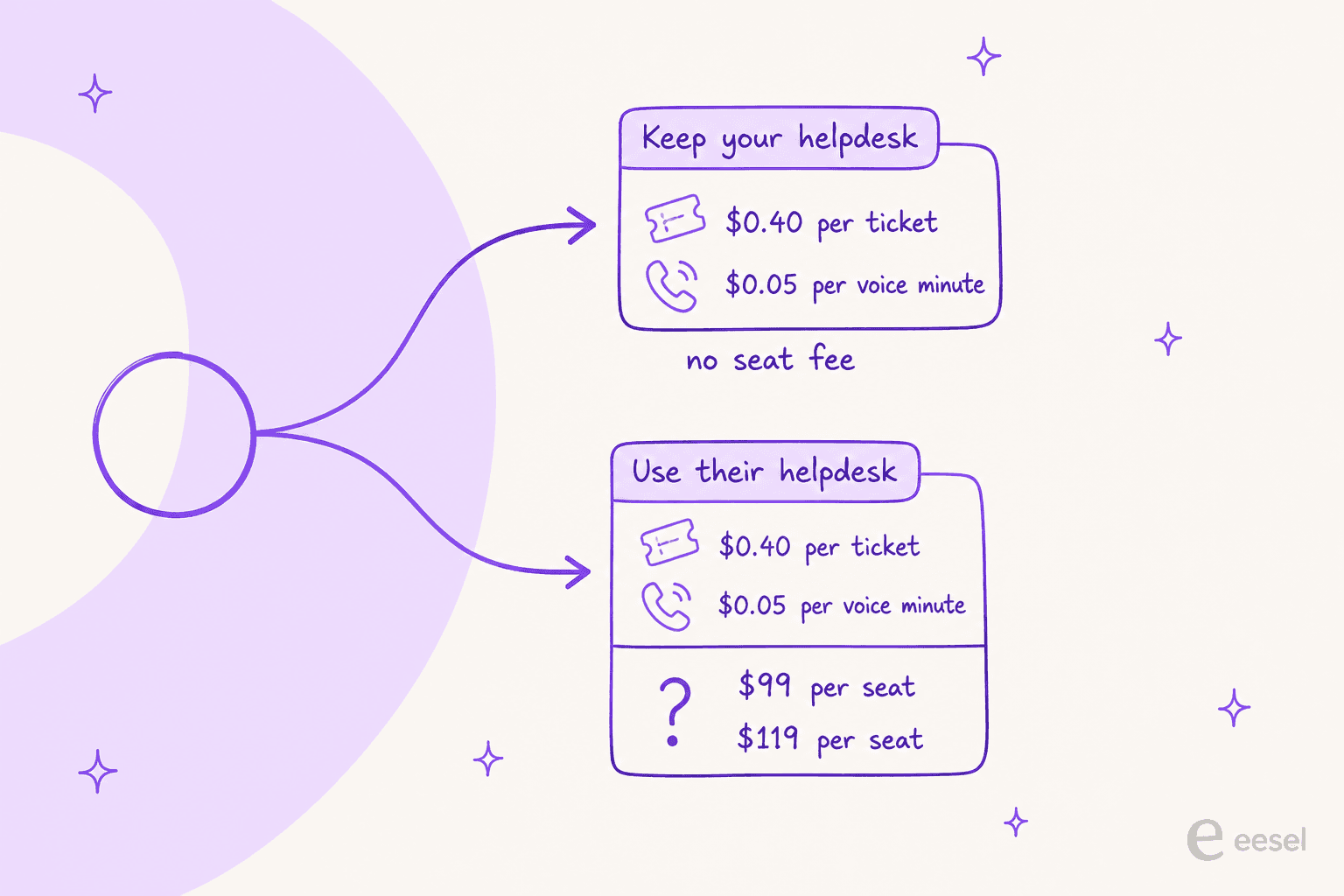
The card's feature list and what the table grants Starter are materially the same bundle: a configurable inbox and ticketing, all the channels, prebuilt reporting, a public help center, and an AI copilot. The JSON-LD keeps all three as separate offers, which hints that $99 and $119 are meant to be different SKUs, but the page never says how they differ and there is no monthly-annual toggle to explain it. Every seat price on the page explicitly says "billed monthly."
The most likely reading is $99 annual against $119 monthly, and it is a reasonable guess. It is still a guess. At ten seats it is a $240 a month difference, at fifty it is $1,200, and the honest advice is to make whoever quotes you write the seat rate and its billing period into the order form.
The usage meters are missing from the comparison table
This one surprised me most. The comparison table runs 197 rows across twelve accordion groups, and the $0.40 and $0.05 meters appear in none of them. The table prices seats only.
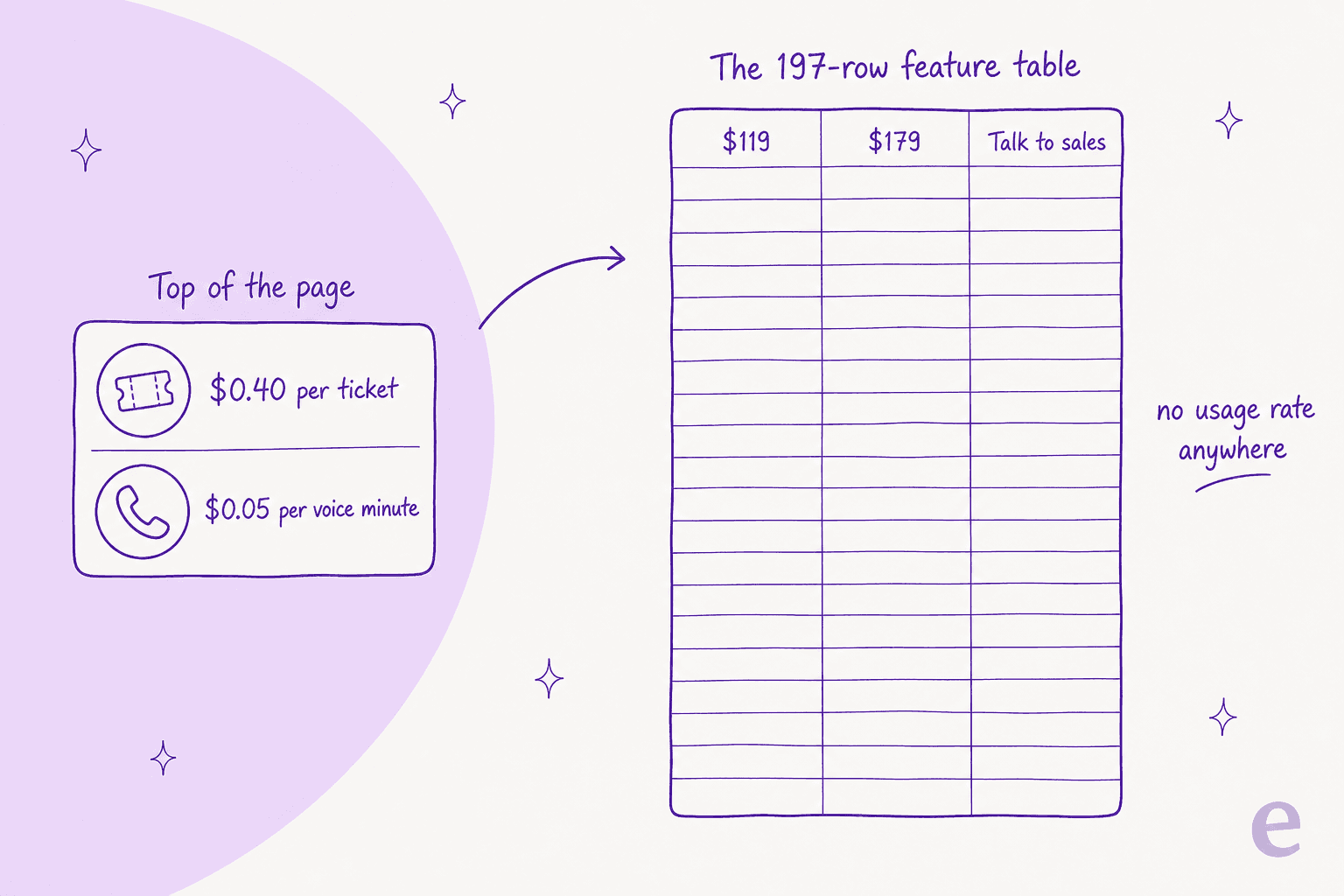
A buyer who scrolls past the hero cards and evaluates Ayudo from the feature table, which is what a lot of people do when they are matching capabilities to a shortlist, would come away thinking this is a $119-per-seat product. The usage charge would be a surprise on the first invoice. That is a page-layout problem rather than a pricing one, but the consequence lands in the same place.
The table has a few other rough edges worth knowing about, because they tell you how recently this page was proofed. Four analytics rows are still labelled Report Name 1 - AI Agent Performance through Report Name 4 - Agent Availability. A plan-description sentence is stranded in the header column above the feature list. SLA is ticked on all three tiers under Admin & Security and marked Enterprise-only under Services & Support. HIPAA is unticked on Starter while BAA is ticked. And the integration count is 3000+ in the table, 2,700+ apps in the page's own embedded data, and 3,200 in the words of a promoter on Reddit.
None of that is disqualifying. All of it is the kind of thing that makes me want the numbers in writing.
What each tier actually gates
Strip the 197 rows down to the ones that change a decision and the tiering is clear. Almost everything is on Starter. Nine things are not.
| What you want | Starter $119 | Professional $179 | Enterprise |
|---|---|---|---|
| Text and voice agents, inbox, copilot, all channels | Yes | Yes | Yes |
| SOC 2 Type II, ISO 27001, GDPR, BAA, audit logs, message redaction | Yes | Yes | Yes |
Test Playground (you write the test questions) | Yes | Yes | Yes |
Agent Simulation (historical data) | No | Yes | Yes |
Agent A/B Testing | No | Yes | Yes |
Advanced Models (Starter is "Basic Models") | No | Yes | Yes |
| SSO | No | Yes | Yes |
| HIPAA | No | Yes | Yes |
| Sandbox, synthetic data generation | No | Yes | Yes |
| Voice cloning and voice profiles | No | Yes | Yes |
| Widget unbranding, priority support, onboarding session | No | Yes | Yes |
| Custom objects | 10 | Unlimited | Unlimited |
| External actions and integrations | Basic | Standard + Premium | Standard + Premium |
| Support channels | Chat, email | Chat, email | All four |
| Data masking, workspaces, dedicated CSM, contractual SLAs | No | No | Yes |
The Advanced Models line deserves a beat. Starter is explicitly "Basic Models", and the per-ticket rate does not change, so a Starter customer pays the same $0.40 for output from the cheaper model. That is a defensible way to build a tier ladder, but it is worth naming, because the thing you are metering on is not the same thing across tiers.
The line that would decide it for me is Agent Simulation (historical data). Starter gets a Test Playground, where you type in questions and see what comes back. Professional gets a replay across your actual ticket archive, scored against what your team really answered. Those are not the same activity. One tells you the agent can talk, the other tells you what it will get wrong on Tuesday.
Amogh on our team keeps a running note about this after demo calls, and the summary is blunt: people really, really, really want to train on past tickets. It is the single most requested capability we hear, ahead of channels, ahead of languages, ahead of price. One customer's stated goal within two days of signing up was, verbatim, "train the bots with zendesk tickets history."
So a small team choosing Starter at $119 is choosing the tier where they cannot do the thing they wanted most, and will learn how the agent behaves from live customers. I have watched a version of this from the other side: a budget-conscious hardware support team running about 250 tickets a month needed to jump to what was then our $799-a-month Business plan purely to reach past-ticket training, a gate our current credit plans no longer have. They had also been burned before by a vendor whose prices, in their words, "more than doubled", and they wanted contractual price locks. Being pushed up a tier for one capability is a real cost, and it is not the one on the sticker.
Model your own bill
The spread between Ayudo's readings of its own unit is not a rounding error, so here it is as arithmetic. Set your volume and read the same published $0.40 under each interpretation the page allows.
Two notes on reading that. The per-reply column is not a claim about what Ayudo charges, it is the ceiling the page permits, and the reason to get the definition in writing before you sign. And the voice meter is easy to underweight: at $0.05 a minute, a six-minute call is $0.30, so voice is roughly ticket-priced per call rather than cheap. If you are moving phone volume onto an IVR style agent, model the minutes, not the calls.
How Ayudo's rate card compares
I pulled every comparator's rate off its own pricing page on the same day, so nothing here is carried over from memory. What jumps out is that the sticker is competitive and the unit is the whole story.
| Vendor | Cheapest seat, monthly | AI billing unit | AI rate | Included allowance |
|---|---|---|---|---|
| Ayudo | $99 card / $119 table | ticket, conversation, or text conversation, undefined | $0.40 + $0.05/voice min | none published |
| Zendesk | $25/agent (Support Team) | automated resolution, defined in the docs | $1.50 committed / $2.00 pay-as-you-go | 5 to 10 per agent/month |
| Freshdesk | $19/agent annual (Growth) | session, defined as a 72-hour window | $49 per 100 sessions | 500 once per account |
| Gorgias | $40/mo, not per agent | automated interaction, plus a ticket meter | $1.50 per automated interaction | 30 to 530 per plan |
| HubSpot Service Hub | $20/seat, AI needs Professional | credit, 50 per conversation resolved | $9.00 per 1,000 credits annual | 500 to 5,000 credits |
| eesel | no seat fee, no platform fee | ticket or chat session, however many messages | From $299/mo for 500 credits (1 credit per ticket) | 100 free credits, then a fixed monthly batch |
Look at the Freshdesk row for a second, because it is the useful contrast. A 72-hour window from the customer's first email is not a beautiful definition, but it is a definition. You can build a forecast on it. You can argue about it. Ayudo's row is the only one in the table where the unit column needs a caveat instead of a noun, and Zendesk's automated resolutions get a whole help-center article to themselves.
On raw arithmetic, Ayudo is cheap. At 1,500 tickets a month, $0.40 a ticket is $600. The same volume at Zendesk's $1.50 committed rate, assuming a 60% deflection rate, is around $1,350 in AI charges on top of seats. That is a real advantage and I would not talk anyone out of noticing it.
What buyers actually say about metered AI billing
Ayudo has no third-party reviews yet. G2 and Capterra both list it with zero reviews, Trustpilot has no profile, and every Reddit thread mentioning it traces back to a founder or a disclosed promoter. That is normal for a product six weeks past launch and it is not a knock. It does mean there is no user voice on Ayudo specifically, so the honest thing is to quote buyers on the billing model instead, which is the part of this that generalises.
"I think the hardest part of resolution-based pricing is that it's new and there's no shared definition of 'resolution,' which makes costs and ROI hard to forecast. The gaps show up in counting rules, whether surfacing a help article counts, how agent handoffs are treated, what happens if a customer reopens within a defined window, and whether abandonment is being mistaken for satisfaction. Usage-based looks simpler, but it isn't a cure. Per-ticket pricing can charge for low-value touches, failed attempts that escalate, spam or duplicates, and it still swings with ticket volume or coverage changes. Predictable on paper, unpredictable in practice based on my experiences."
That last line is the one to sit with. Per-ticket looks like the clean model and it has its own leaks: spam counts, duplicates count, a failed attempt that escalates to a human counts, and you pay twice on that ticket. Which is why the counting rules are the product, not the fine print.
Another buyer in the same thread put a number on what the market expects to pay, which is a useful frame for reading Ayudo's rate:
"the idea that $1-2 per resolution is 'not objectively expensive' is far from reality for most businesses... In comparison, similar AI-powered support tools and chatbot services in the market typically charge a fraction of that, often in the range of $0.05 to $0.20 per ticket or interaction."
By that yardstick Ayudo's $0.40 sits above what this buyer expects and well under the per-resolution incumbents, and the founder's $0.70 sits higher again. All three numbers are in the same conversation, which is precisely why the unit needs a definition attached.
"the per resolution billing looks cheap until volume grows, then finance starts asking why the support tooling line moves every month."
I have watched the sharpest version of this play out on our own product, and it is not flattering to us. A swimwear brand ran twelve test chats through eesel, all of which went well, then opened the billing page. Two messages followed in quick succession: "do not want to use this," and then "PLEASE CANCEL MY subscription." The agent worked. The pricing page is what lost it. A metered rate you cannot forecast is a conversion problem, not a footnote, and I would rather say that about my own product than pretend it is only Ayudo's issue.
The other pattern worth flagging is how fast a meter moves during evaluation. An email-security company on Freshdesk, sizing up to about 9,000 interactions a month, burned 200 API calls in a single day of testing and reasonably asked what that meant at scale. Ayudo publishes no trial and no allowance, so there is no free surface to answer that question on before you are billing.
What I would actually do
If you are seriously evaluating Ayudo, three things go in the order form before anything else.
- Get the unit defined in writing. One sentence: does a ticket mean a customer's issue end to end, or each exchange inside it, and what happens when a reopen or a second channel arrives. Ask them to reconcile the card's "per ticket" with the title's "/conversation" and the founder's $0.70. Their answer to that one question moves your bill by more than any discount will.
- Get the seat rate and its billing period written down. $99 or $119, monthly or annual. It is a $240-a-month gap at ten seats.
- Decide whether you can live without historical simulation. If the answer is no, you are on Professional at $179, not Starter at $119, and you should price the deal that way from the start.
Where I land: the rate card is competitive and the platform is broad, and putting a real per-unit number on a public page is more than most of this category does. Two things would stop me signing today, and neither is the price. The unit is undefined, and there is no way to try it, so the first invoice is also the first evidence. Both are fixable with a paragraph of copy and a signup button, and I would expect a team this early to fix them.
For the wider field, my Ayudo alternatives roundup ranks the options on what you can prove before go-live, which is the axis this whole post keeps returning to.
Try eesel for AI support pricing you can forecast
If you got this far because you are trying to work out what an AI support agent will actually cost you next month, that is the problem eesel was priced around. We charge one fixed monthly price, from $299 for 500 credits, and the definition is on the page: one ticket or chat session is one credit, no matter how many messages go back and forth. No platform fee, no per-seat fee, and the overage rate is published up front at $0.80 per extra credit, which you only turn on with a monthly cap you set, so the bill cannot surprise you.
The other half is that you get to see it work before you trust it. Simulation against your own historical tickets is not a tier you upgrade into, it is how every rollout starts, and it is not a $179-a-seat feature. Every conversation the agent handles shows up itemised, linked back to the ticket it came from, so what you are billed for and what it did are the same list.

It plugs into the helpdesk you already run, which is the same "keep your stack" path Ayudo offers, and the connector list runs wider than Ayudo's four: Zendesk, Freshdesk and Front among them.
Kim Simpson at Gridwise put the result plainly:
"In the first month, eesel is resolving 73% of our tier 1 requests. eesel offers easy Zendesk implementation and setup. Our team implemented and achieved results quickly during our 7-day trial. Responses are simple to fix and adjust. The platform even includes automations for ticket tagging, assignment, and status updates!"

Start with 100 free credits and no card, point it at your past tickets, and see what it gets right before a customer does. If you would rather have someone walk it with you, book a demo.
Frequently Asked Questions
How much does Ayudo cost?
What is Ayudo's pricing for a small team?
Agent Simulation (historical data) starts at the $179 Professional tier, so the cheapest plan is the one where you learn how the AI behaves in production. My ticket deflection guide covers why that ordering matters.Does Ayudo charge per ticket or per conversation?
Does Ayudo have a free trial?
Is Ayudo pricing cheaper than Zendesk or Freshdesk AI?
What happens if my ticket volume spikes?
What does Ayudo's $179 Professional plan add?
Agent Simulation (historical data), Agent A/B Testing, Advanced Models, SSO, HIPAA, a sandbox, synthetic data generation, voice cloning, and widget unbranding. The one that changes a buying decision is simulation, because replaying the agent against your own knowledge base and past tickets is how you find out what it gets wrong before a customer does.Is Ayudo worth it compared to other AI support tools?


Article by
Kurnia Kharisma
Kurnia is a software engineer and writer at eesel AI with two years of SEO experience, writing about AI tools, helpdesk software, and customer support. He pairs a developer's understanding of how these products are built with search-driven research into what actually ranks and resonates with the people searching for them.