Workflow automation
Workflow automation is the use of software to run a defined sequence of tasks automatically, triggered by an event and following set rules without manual steps.
What workflow automation means
Workflow automation is the use of software to run a defined sequence of tasks automatically, triggered by an event and following set rules, so the steps happen without a person doing each one by hand. A workflow is just a repeatable process: when this happens, do that, then that. Automation takes that process and lets a system execute it consistently, every time, at any volume.
In customer support, workflow automation is what handles the predictable mechanics around a ticket so people do not have to. When a message arrives, rules can tag it, route it to the right team, start an SLA timer, send an acknowledgment, and schedule a follow-up, all without an agent clicking through each step. It frees human time for the judgment calls that actually need a person, and it keeps the routine work from piling into a backlog.
Why workflow automation matters
- It removes repetitive clicks. Tagging, assigning, and follow-ups run on their own, so agents spend time resolving rather than administering.
- It enforces consistency. Every ticket of a given type is handled the same way, instead of depending on which agent happened to pick it up.
- It protects SLAs. Timers, reminders, and ticket routing fire automatically, so nothing slips because someone forgot.
- It scales without headcount. A rule that routes one ticket routes ten thousand at the same cost, which is the core promise of support automation.
- It reduces errors. Automated steps do not skip a field or misroute a ticket the way a tired human at the end of a shift might.
A useful way to frame a support stack is to ask which work belongs to fixed rules and which belongs to an AI agent:
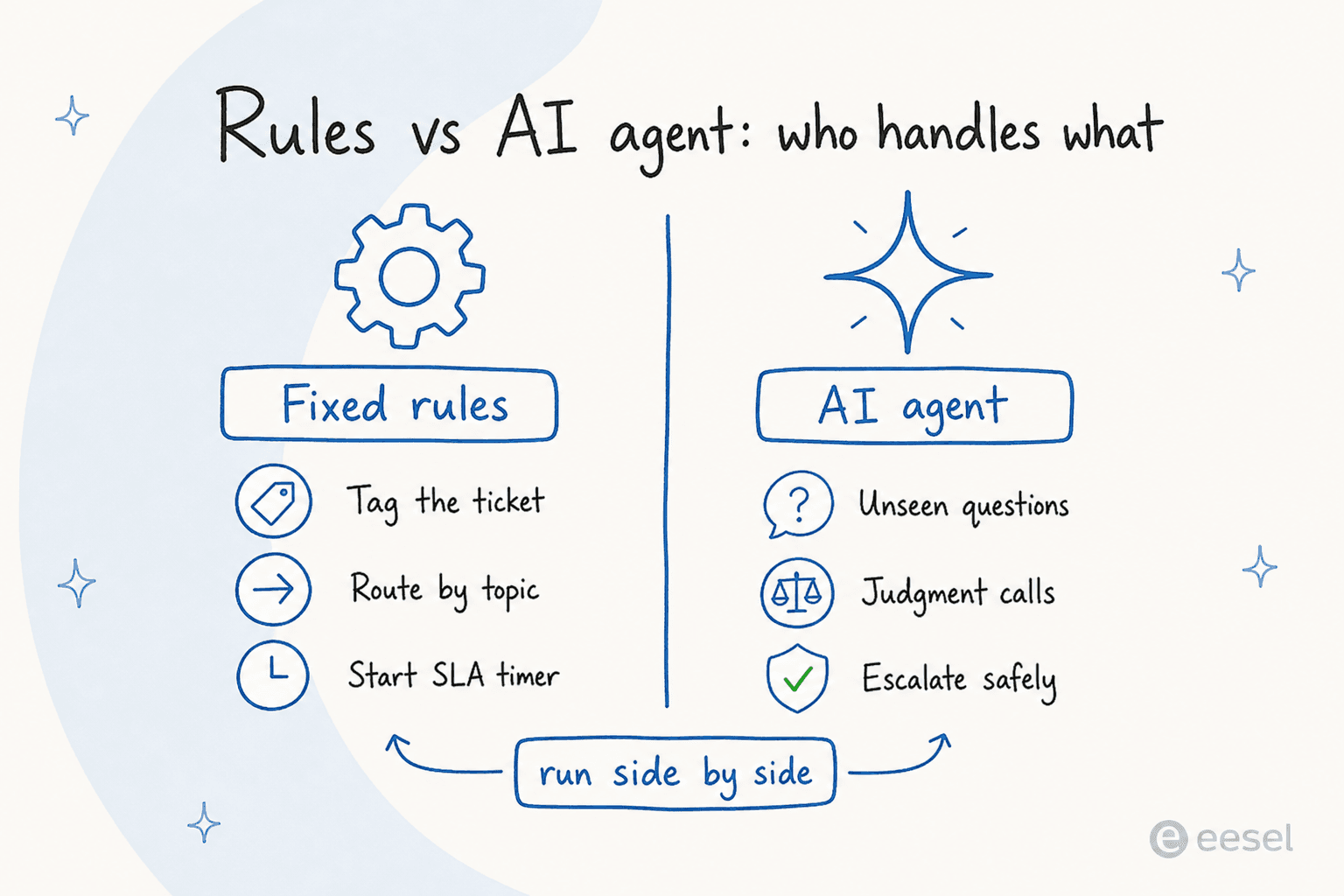
The split is the whole point. Rules own the predictable mechanics they were written for, the agent picks up the cases no rule anticipated, and the two run side by side rather than one replacing the other.
How workflow automation works
A workflow has three parts (a trigger, conditions, and actions) and the system runs them in order:
- A trigger fires. Something happens: a ticket is created, a tag is added, a status changes, or a timer expires.
- Conditions are checked. The system evaluates rules against the ticket, such as topic, priority, customer tier, or channel.
- Actions run. Based on the conditions, it assigns, tags, replies, notifies, or updates a connected system, in sequence.
- The path continues or branches. The workflow can chain further steps, escalate, or wait for the next trigger.
Classic workflow automation is rule-based, which is powerful but bounded: it only handles the cases you wrote rules for. An AI support agent like eesel AI extends this by reasoning about each ticket instead of matching a fixed branch, so it can handle requests no one wrote a rule for, take the actions you allow across your helpdesk and connected tools, and escalate cleanly when there is no safe move. In practice, deterministic rules and an AI agent run side by side: rules for the predictable mechanics, the agent for the open-ended work.
Workflow automation in practice
The common mistake is trying to automate everything with rules and ending up with a brittle thicket of branches that breaks whenever reality does not match the diagram. The teams that get this right automate the truly predictable steps with rules, keep the logic shallow enough to maintain, and hand the messy, varied, judgment-heavy work to an agent or a person. Drawn that line well, workflow automation quietly carries most of the operational load while the cases that actually need thought still get it.
For a hands-on walkthrough, read AI for workflow automation.
Automate the whole workflow, not just the reply
eesel AI reads a ticket, takes the actions in your helpdesk and connected tools, and escalates when it should, so the full workflow runs on its own.