Auto-triage
The automatic sorting, tagging, prioritizing, and routing of incoming requests so each one reaches the right place without manual review.
What auto-triage means
Auto-triage is the automatic sorting, tagging, prioritizing, and routing of incoming requests so each one reaches the right place without manual review. The word borrows from medical triage, where cases are quickly sorted by type and urgency, and applies it to any inbound queue: instead of a person reading each item to decide what it is and where it goes, software does that first pass at the moment the request arrives.
In customer support, auto-triage is the work that used to happen before anyone could start actually helping customers: reading every new ticket, labeling it, judging how urgent it is, and dropping it in the right queue. Done automatically, it means tickets land in front of the right agent, already tagged and prioritized, the instant they come in.
Why auto-triage matters
- It removes the manual sorting tax. Reading and routing inbound tickets by hand is slow, repetitive work that scales badly as volume grows.
- It speeds up first response. A ticket that is routed correctly on arrival skips the queue-hopping that inflates first response time.
- It prevents misrouting. Consistent rules send each ticket to the team equipped to handle it, instead of a tired human guessing at 8am.
- It surfaces urgency early. Priority and sentiment analysis can push angry or high-value cases to the front before they escalate.
- It standardizes tagging. Automatic ticket tagging keeps reporting clean, which manual tagging rarely manages at scale.
The clearest way to feel the difference is to picture the same inbox on two mornings, one before triage runs and one after.
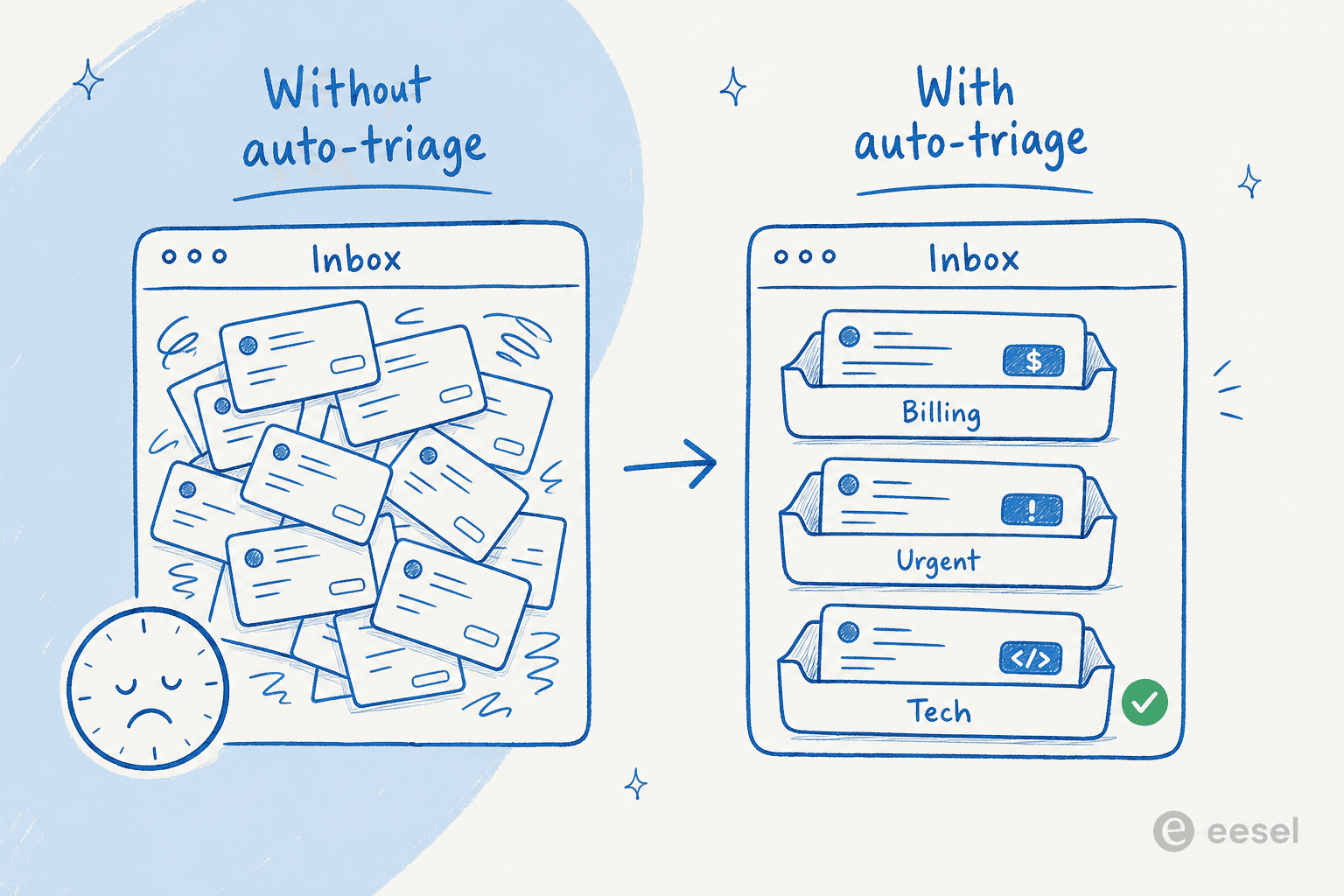
On the left, every ticket arrives as an undifferentiated pile an agent has to read through before any work starts. On the right, the same tickets land already labeled, prioritized, and dropped into the queue that fits, so the first thing an agent sees is an organized desk rather than a backlog.
How auto-triage works
A support agent like eesel AI performs triage on each ticket as it arrives:
- Read the ticket. It interprets the message using intent detection to work out what the customer wants.
- Tag and prioritize. It applies the right labels and sets a priority based on intent, urgency signals, and customer context.
- Route. It sends the ticket to the correct queue or agent, often through skills-based routing so it lands with someone equipped to handle it.
- Resolve where it can. For well-documented, in-scope requests, the agent goes past sorting and answers the ticket outright, leaving only the cases that need a person.
The result is a queue that arrives pre-organized, with the clear cases already handled and the rest waiting in the right place.
Auto-triage in practice
Triage is only as good as the structure underneath it. Vague tags, overlapping queues, and unclear priority rules produce confident misfiling, which is worse than no triage because people trust it. The teams that get value from it start with a clean, small set of tags and queues that match how they actually work, then expand. It also pays to watch what gets routed to "uncategorized" or bounced between teams, because those are the cases where the triage logic, or the documentation behind it, has a gap worth closing.
For a step-by-step walkthrough, see how to automate ticket triage.
Auto-triage every ticket as it arrives
eesel AI reads, tags, prioritizes, and routes incoming tickets, and resolves the ones it can on its own.