If you’ve spent any time on tech forums or GitHub lately, you’ve probably seen the name OpenClaw popping up everywhere. It’s one of the fastest-growing projects on GitHub, and the buzz around it is pretty hard to ignore. So, what is it?
The project has had a bit of an identity crisis, starting as Clawdbot, then Moltbot, and now, after some trademark issues and community feedback, it's officially known as OpenClaw. But one thing is for sure: it's way more than just another chatbot. This is a fully autonomous AI agent that can take real action on your computer, from running code to managing your files.
In this article, we'll give you a straight-up look at OpenClaw. We’ll cover what it is, how it works, why it’s gotten so popular, and, most importantly, the very real risks that come with all that power.
What is OpenClaw?
OpenClaw is an open-source, self-hosted personal AI assistant created by developer Peter Steinberger. The key word here is "assistant," because it’s a huge leap beyond your standard chatbot.
Here’s the main difference:
- A chatbot takes your prompt and gives you information. You ask a question, it spits out an answer.
- An AI agent like OpenClaw takes your prompt and actually does something. It can browse the web, run terminal commands, organize your files, and interact with other apps on your machine.
It’s designed to run locally on your own computer (it supports macOS, Windows, and Linux). It gets its smarts from powerful large language models (LLMs) like Anthropic's Claude or OpenAI's GPT models through an API. You give it commands in plain English through messaging apps you already use, like WhatsApp, Telegram, Discord, or Slack, and it gets to work. Think of it less like asking a search engine a question and more like delegating a task to a real-life assistant.
How OpenClaw works: Architecture and features
You don't need to be a developer to get the gist of how OpenClaw operates. Its architecture is built around a central "Gateway." This is a single, long-running process on your computer that connects to your messaging apps and acts as the brain of the operation, controlling everything the agent does.
Based on its official documentation, here are the core features that make it so powerful:
- Full system access: This is the big one. OpenClaw has deep control over the computer it’s running on. It can read and write files, execute scripts, and run shell commands. This lets it do things like organize your photo library, refactor your code, or manage your downloads folder.
- Browser control: It can open a web browser, jump between sites, fill out forms, click buttons, and scrape data. You could ask it to find the best flight deals for your vacation, and it could actually go to multiple airline websites, compare prices, and report back with the best options.
- Persistent memory: OpenClaw remembers your past conversations and what you like. This allows it to build context over time, so it gets more personalized and useful the more you use it. It learns how you work and what you need.
- Skills and plugins: Its functionality isn't set in stone. The community can build and share new "skills" to extend what it can do. In a wild twist, OpenClaw can even try to write its own skills on the fly if it needs a new capability to complete a task you've given it.
The appeal of OpenClaw: Why it went viral
OpenClaw's explosive popularity in early 2026 wasn't a fluke. It tapped into a few key things the tech community was hungry for.
First, it just feels like the future. For many, it’s the first time they’ve used a true AI assistant, with lots of people comparing it to "Jarvis from Iron Man." The project’s homepage is filled with testimonials praising it as an "AI as teammate, not tool." It’s one thing to chat with an AI; it’s another to watch it autonomously knock out complex tasks for you.
Second, it offers local control and privacy. The software runs on your own hardware, which is a huge draw for people who are tired of sending their personal and professional data into the walled gardens of big tech companies. With OpenClaw, your data stays on your machine.
It’s also open-source and endlessly customizable. Developers love being able to dig into the code, build their own integrations, and tweak it to fit their exact workflow. It's a hacker's dream.
Finally, it captured everyone's imagination through memes. The idea of running a personal AI on dedicated hardware took off, with one publication noting how developers were buying up Mac Minis to run their own personal AI agents. This "Mac Mini server farm" trend turned a niche project into a viral sensation.
Understanding the risks and limitations of OpenClaw
All that power and excitement comes with some serious baggage. OpenClaw is an incredible piece of technology, but its design opens up huge security risks, especially for businesses or anyone who isn't a technical expert.
Security vulnerabilities in OpenClaw
The very features that make OpenClaw powerful also make it a security consideration.
No api keys, unrestricted files access, exposed public ports and importantly no authentication, these definitely need looking into

- Prompt injection: This is a top risk for any LLM-powered app, according to the OWASP Foundation. A hacker could send you a malicious email or a link to a webpage with hidden instructions. If OpenClaw processes that content, the agent could be hijacked, tricked into leaking sensitive files, or made to do harmful things on your computer.
- Exposed control panels: A recent investigation from Bitdefender found hundreds of misconfigured OpenClaw control panels exposed to the public internet. These panels were found to be leaking API keys, full chat logs, and giving attackers direct access to the computer.
- Malicious clones and scams: The project's frequent name changes have created confusion, which scammers have happily used to their advantage. Fake code repositories and malicious VS Code extensions have been found that promise to install the agent but actually install malware on users' systems.
OpenClaw and the risk of 'shadow IT'
For companies, a significant risk is "shadow IT." This is when employees use unapproved software and services at work. Security firm Token Security recently reported that, among its customers, a wild 22% of employees were using OpenClaw on their work devices, often without IT knowing about it.
When an employee gives an unmanaged tool like OpenClaw full access to their work computer, they're creating a security blind spot. That agent could potentially access sensitive customer data, proprietary code, or internal company documents, all without any oversight from the security team.
How much does OpenClaw cost?
This is a common point of confusion. The OpenClaw software itself is free and open-source, but running it can get expensive, and fast.
The costs don't come from the software, but from the constant API calls it makes to other services to function. According to its documentation, you can expect to pay for:
- Core model responses: Every single command you give OpenClaw requires an API call to a powerful (and pricey) LLM from providers like Anthropic or OpenAI.
- Media understanding: If you want it to analyze an image or transcribe an audio file, that’s another API call to a different service.
- Web tools: Features like integrated web search (using the Brave Search API) or web scraping (using Firecrawl) can have their own usage-based fees.
- Speech generation: The text-to-speech feature, which lets the agent talk back to you, uses paid APIs from services like ElevenLabs.
Because OpenClaw is designed to be an "always-on" assistant, these small costs can add up incredibly quickly. This can lead to unpredictable and potentially huge monthly bills, which is a non-starter for any business that needs a reliable budget.
its token usage can be extremely high. Some users even reported that a single 'hi' could cost up to 11 USD.
OpenClaw for hobbyists vs. managed AI agents for business
Let's be clear: OpenClaw is a fantastic tool for technical hobbyists, developers, and tinkerers who understand the risks and are comfortable managing a complex and potentially insecure setup. It’s a playground for exploring what AI can do.
But for businesses that need reliable, secure, and predictable AI automation, a managed platform like eesel AI is an alternative.
eesel is designed around the idea of an "AI teammate." You don't just install it; you "hire" it and onboard it just like a new employee. It connects to the tools your business already uses (like Zendesk, Slack, and Shopify) and learns your processes safely and securely.
Here’s how a managed solution addresses some of OpenClaw’s biggest weaknesses:
- Security focus: Managed solutions like eesel AI are built for enterprise IT, with end-to-end data encryption, privacy compliance (like GDPR), and contractual guarantees that your business data is kept private and never used for training other models.
- Predictable pricing: In contrast to usage-based API pricing which can be variable, managed platforms like eesel offer clear, interaction-based plans, so you know exactly what you’ll pay each month without any surprises from runaway API calls.
- Progressive rollout: With eesel, you can start with an AI Copilot that simply drafts replies for your human agents to review. Once you see how it performs and trust its quality, you can "promote" it to a fully autonomous AI Agent.
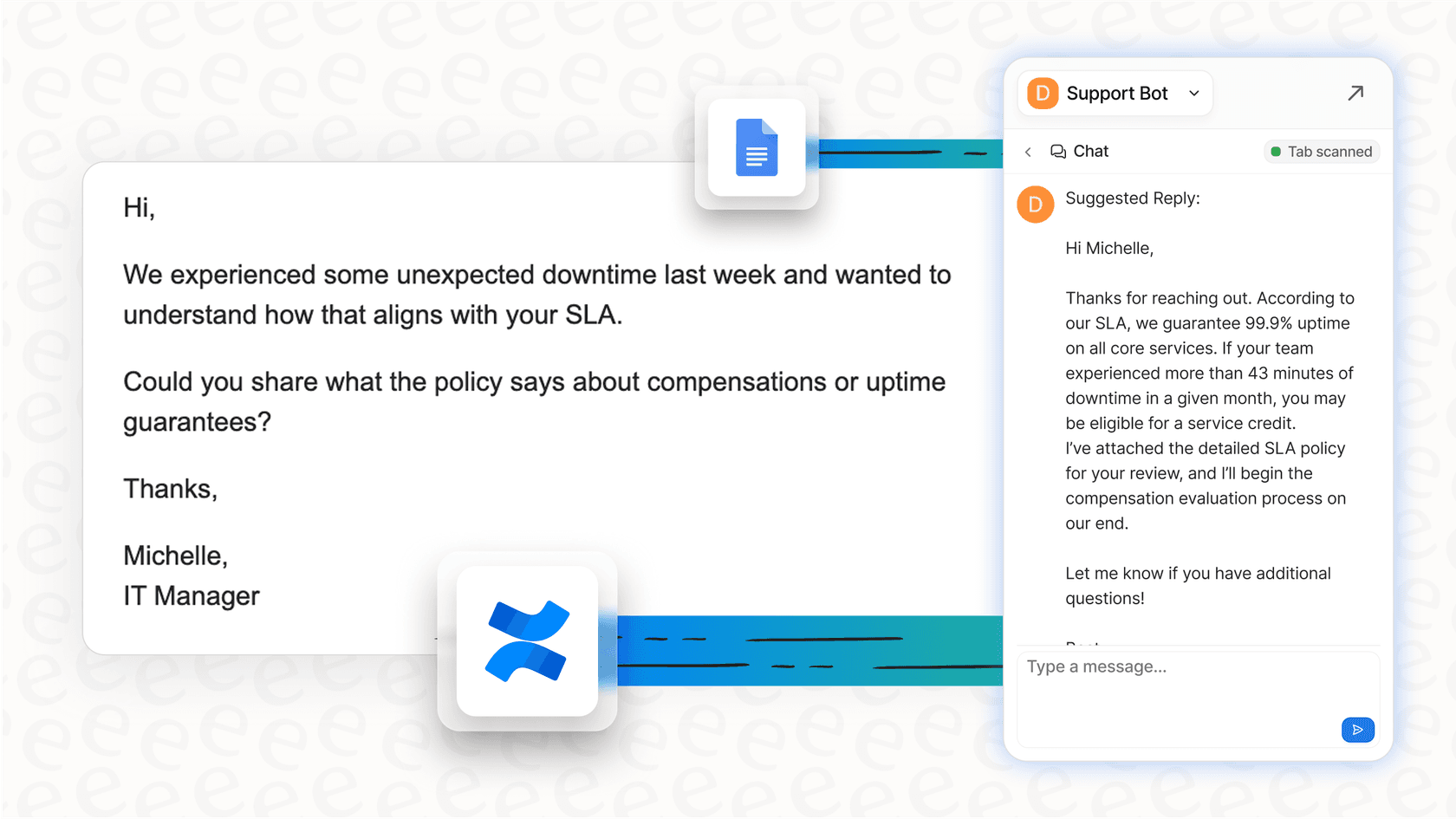
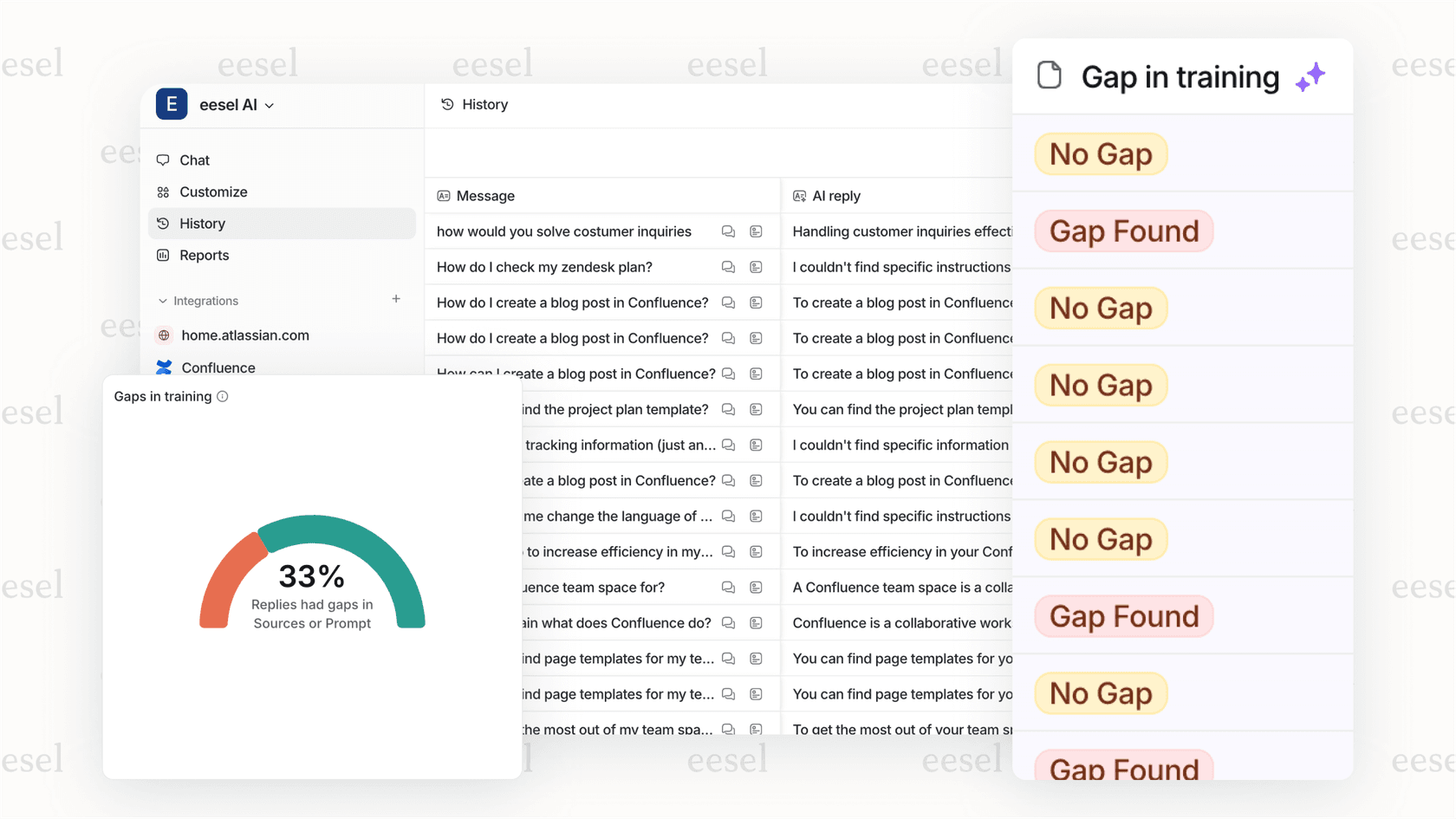
- Pre-launch simulation: Before eesel ever interacts with a real customer, you can run simulations on past tickets to measure its accuracy and resolution rate, making sure it's ready to perform from day one.
Final thoughts on OpenClaw
OpenClaw is an undeniably cool and important project. It offers a powerful glimpse into the future of personal autonomous AI and proves that this kind of innovation can come from the open-source community, not just from giant corporations.
However, in its current form, it comes with security vulnerabilities, unpredictable costs, and usability challenges that may make it a difficult choice for the average user and for some business environments.
The path forward is pretty clear. If you’re a developer who loves to tinker and can manage the risks, OpenClaw is an exciting project to explore. But if you’re a business looking to leverage AI to solve real-world problems like customer support, you may want to consider a managed, secure, and reliable platform.
For a deeper dive into the rapid rise and controversies surrounding this project, the following video provides an excellent overview.
For businesses looking to safely deploy an AI teammate that resolves support tickets, provides a clear ROI, and is secure from the start, explore the eesel AI Agent.