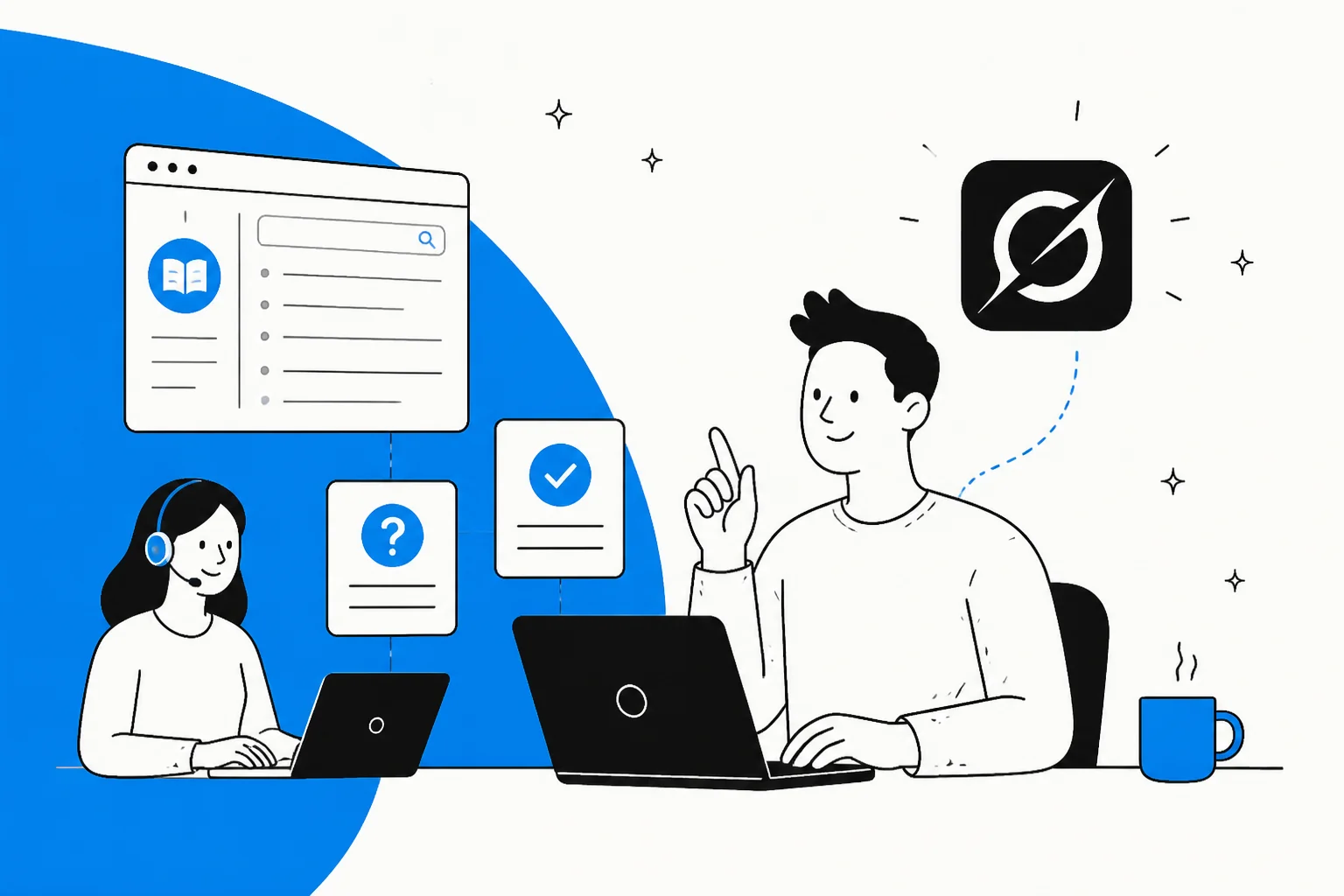
What Grok Bot actually is
Grok Bot launched on 11 August 2026, still labelled "Early beta". It's xAI's agent that operates a real computer on your behalf: it drives a browser and desktop apps, clicks buttons, fills forms, and navigates websites, rather than talking to services through APIs. You give it a task in plain language and it goes and does it on a cloud machine.
That general-purpose design is the whole appeal and the whole catch. Grok Bot isn't a knowledge base tool, a help desk tool, or a content tool. It's a worker you can point at almost any screen-based job, including editing your help center. xAI's own in-product example prompt is literally "Sign in to Zendesk so I can work the support queue," so support work is clearly on their radar, even though none of the eight roles they ship out of the box (Sales Outbound, Talent Scout, Paid Media, Expense Manager, and so on) is a support or knowledge role.
There's no API, SDK, webhook, or command-line interface. Everything happens through Grok Bot's own app on macOS, Windows, or iOS. That matters more than it sounds for knowledge base work, and I'll come back to it.
Can Grok Bot manage a knowledge base?
The honest answer: it can do the visible part of the job, and skip the part that matters.
Because Grok Bot drives a browser, it can genuinely sign into Zendesk Guide, a Confluence space, a Document360 portal, or a Freshdesk solutions folder and do things a person would do: open an article, fix a stale price, rewrite a clunky paragraph, publish a new page from a doc you paste in. If your task is "go clean up these five outdated articles," Grok Bot is a plausible way to get it done without you doing the clicking.
Where it falls short is everything around that edit. Knowledge base management is the ongoing job of keeping the whole set correct, findable, and matched to what customers actually ask. Grok Bot approaches each run as a fresh reading of whatever you point it at. It doesn't hold a model of your knowledge base between sessions, it doesn't track which articles it changed last week, and it has no view of the ticket stream that would tell it which articles are quietly failing. It edits pages. It doesn't maintain a knowledge base. Those are different jobs that happen to look similar for the first five minutes.
What knowledge base management actually needs
Before judging any tool for this, it helps to name what "good" looks like. After years of watching support knowledge bases succeed and rot, four things separate a managed knowledge base from a folder of documents.
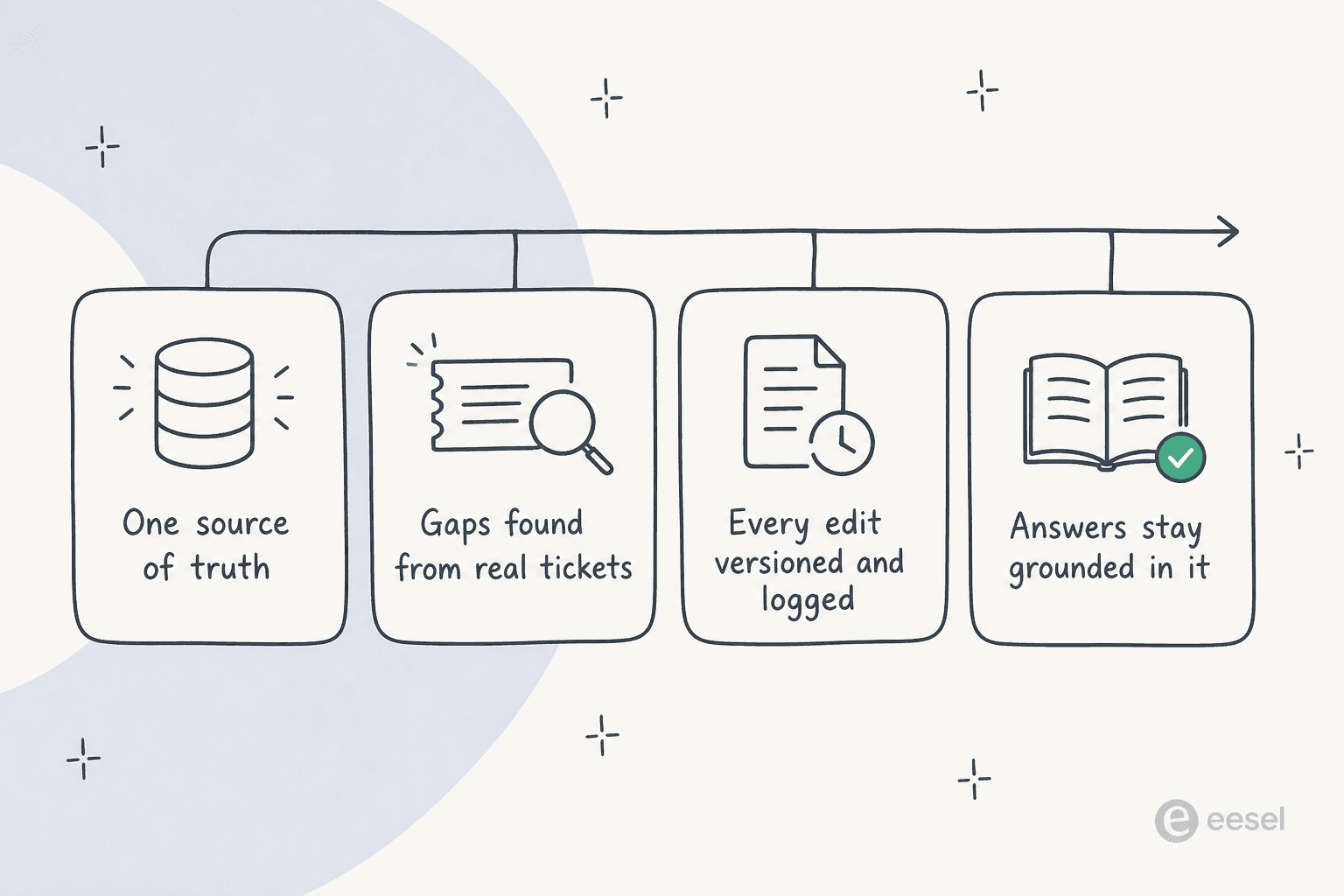
- One source of truth. Every answer, whether an agent gives it or an AI does, traces back to the same set of articles, so the knowledge base is the thing you fix once and everyone inherits.
- Gaps found from real tickets. The most valuable maintenance signal isn't in the articles, it's in the questions customers keep asking that the articles don't answer. You only see that by comparing ticket volume against coverage over time.
- Every edit versioned and logged. When an article changes, you need to know what it said before, who changed it, and be able to roll back a bad edit. A knowledge base without history is one confident mistake away from misinforming every customer who reads it.
- Answers stay grounded in it. Whatever reads the knowledge base to help customers should answer from it and say when it doesn't know, not improvise around the gaps. This is the guardrail that keeps a wrong article from becoming a wrong answer at scale.
Grok Bot can help with the first item on a good day. It struggles with the other three by design, and those three are where knowledge bases actually go wrong.
How Grok Bot touches your knowledge base
This is the part I'd want any CX or ops lead to understand before connecting Grok Bot to anything that holds real content.
Every Grok Bot you create shares one cloud computer per user account, a managed Linux machine. The bot never holds your credentials directly. Instead, it hands you the screen, you type the password, passkey, or 2FA code yourself, and then, in xAI's own words, that signed-in session persists on the shared computer and every other bot can reuse it. xAI's docs say it twice: "Do not use separate Bots as a security boundary." And deleting a bot leaves its files and sign-ins behind.
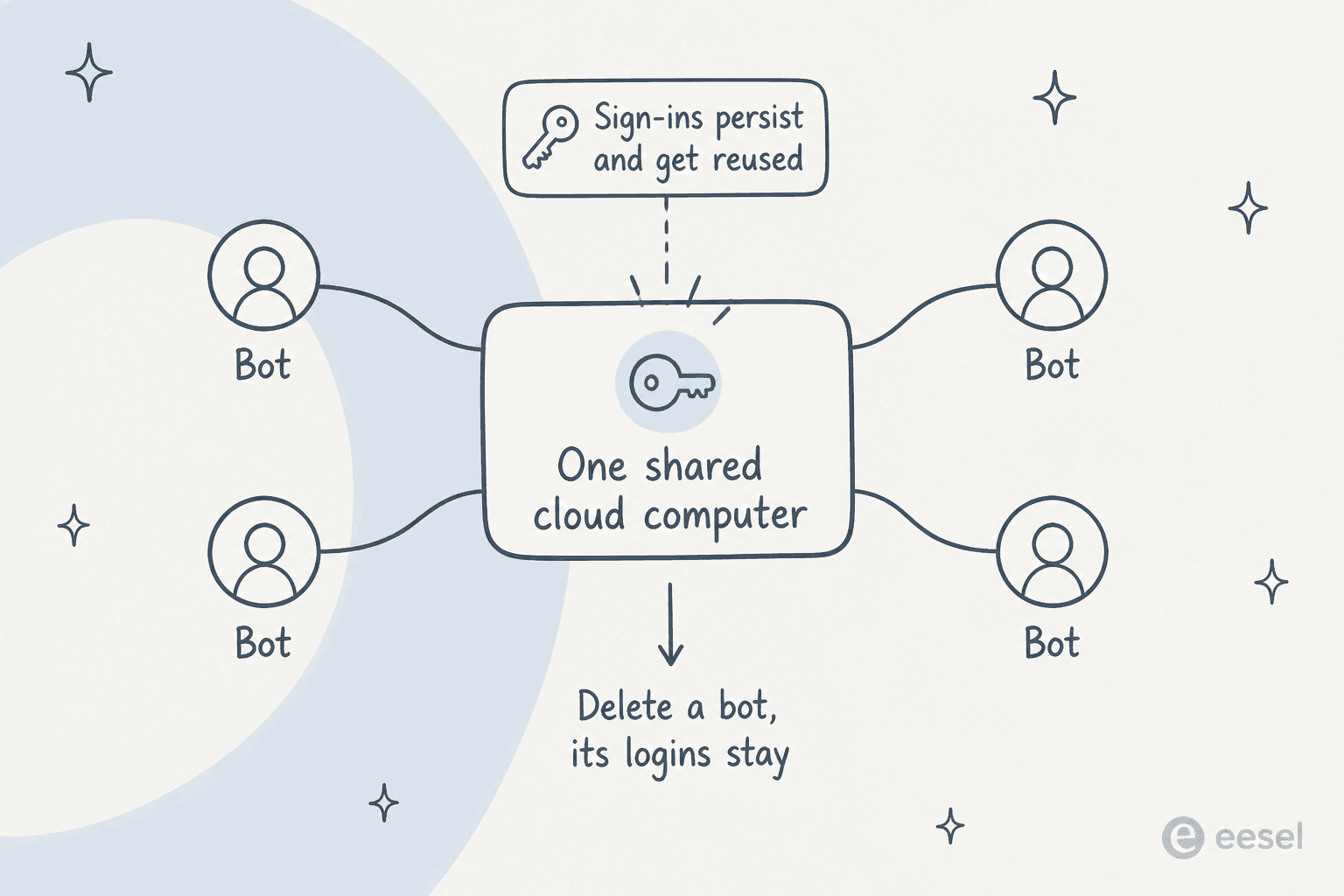
For knowledge base work specifically, that means the admin sign-in your "edit the help center" bot creates is now available to your "reconcile expenses" bot and everything else. Help center admin access can rewrite or unpublish anything customers read, so it's not a boundary you want fuzzy. On top of that, Grok Bot claims no compliance certifications at all, no SOC 2, ISO 27001, GDPR, or HIPAA, and publishes no data retention or residency terms. And there are a couple of gaps that bite knowledge base work directly: there's no dry-run mode (xAI's docs are explicit that "a test run performs real work. It can navigate websites, change files, and call connected tools"), and the audit view of bot actions is still described as "coming." So an edit is a real edit the moment the bot makes it, and there's no built-in log to reconstruct what it did.
None of this makes Grok Bot unsafe to use. It makes it something to set up deliberately, with eyes open, before you point it at content customers depend on.
What Grok Bot costs
Grok Bot ships on two paid plans: Cursor Ultra at $200/month and Cursor Premium Teams at $120/seat/month, and it's included free on SuperGrok Heavy. The team plan is actually cheaper per seat than the solo plan. There's no free tier, no published trial length, and no annual option. The only quota language is "Extended limits on AI tokens" with no figure attached, and the allowance is weekly, with overage billed off model and token cost.
For knowledge base management, the cost model is the awkward part. Deciding what to update means reading long articles, and often reading ticket transcripts to know what's wrong, and every one of those reads is tokens. A general worker re-reading your content on each run is a meter that's hard to forecast, especially compared to tools priced per ticket or per seat where you know the number in advance. The broader xAI pricing page has the underlying model rates if you want to model it out.
Should you use Grok Bot for knowledge base management?
Here's where I land, and I'll try to be fair about it because Grok Bot is a genuinely clever piece of engineering.
Use it when the job is a bounded, one-off edit you'd otherwise do by hand: clean up a batch of stale articles, port content from one system into another's editor, reformat a set of pages. Grok Bot driving the browser for you is a real time-saver there, and the lack of history matters less when the task has a clear start and end.
Skip it when the job is ongoing knowledge base management, which is the job most people actually mean. The maintenance discipline, keeping one source of truth, catching gaps from live tickets, versioning changes, keeping answers grounded, is exactly the set of things Grok Bot doesn't hold between runs. Add the shared-computer boundary and the missing audit trail, and pointing a general browser bot at your live help center admin is more risk than the convenience is worth.
The tell is simple: if you can describe your task with a full stop at the end ("fix these ten articles"), Grok Bot fits. If your task is a verb with no end ("keep the knowledge base healthy"), it doesn't.
What to use instead: a knowledge base that maintains itself
If the reason you looked at Grok Bot was "I want my knowledge base to stay correct and actually answer customers," the tool that helps most isn't a general worker you send in to edit pages. It's one that reads the whole base, answers from it, and shows you where it's thin, so maintenance becomes something the system surfaces instead of something you remember to do. That's the gap eesel fills.
Grok Bot is browser and agent infrastructure, a general worker that operates a computer. eesel is the employee. It's an AI teammate platform, and the teammate that fits here is the AI helpdesk agent. Instead of driving a signed-in browser, it connects to your knowledge base and helpdesk as an app and works from your content directly.
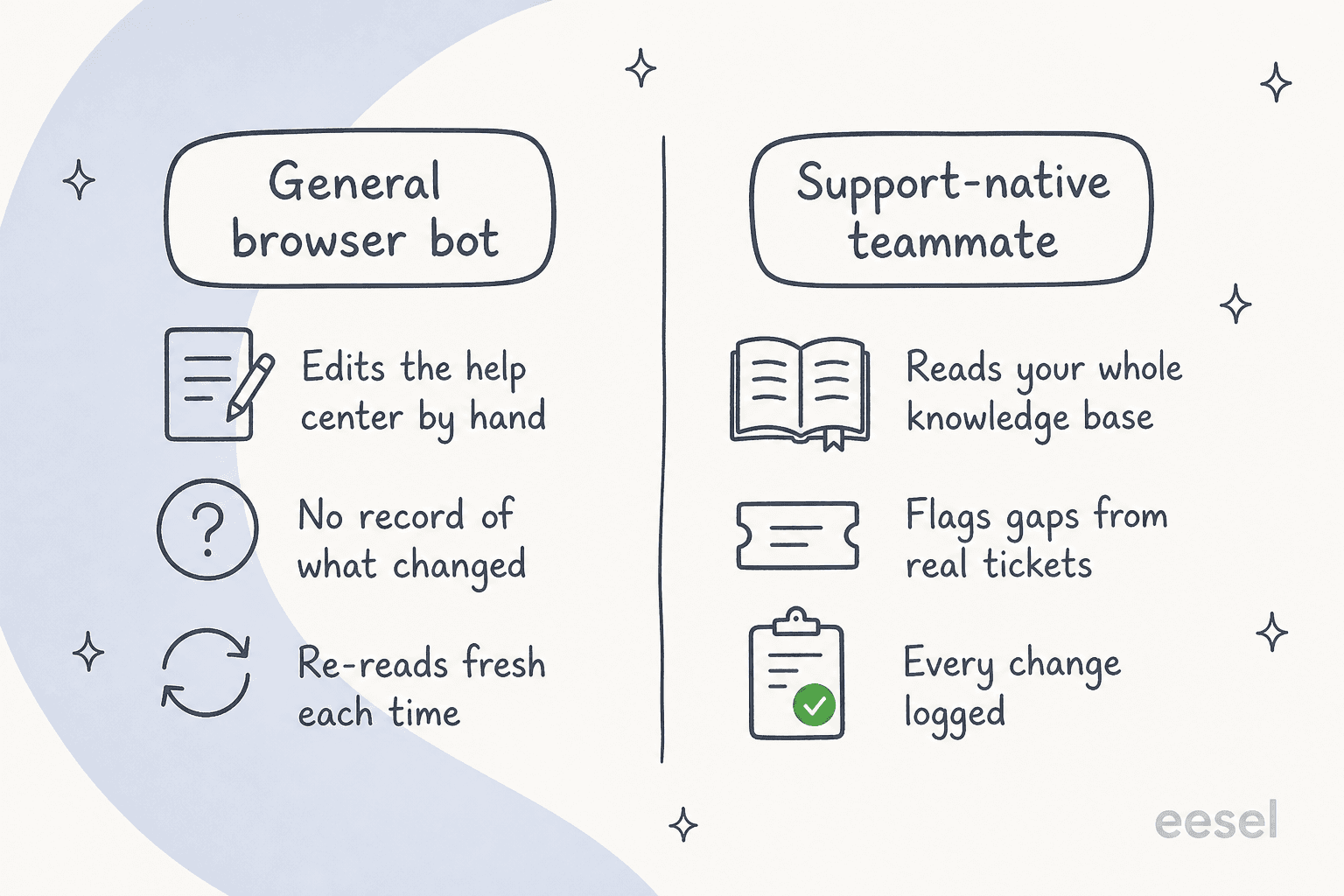
- It reads your whole knowledge base, not one page at a time. eesel trains on your help center, past tickets, and docs, and answers from them. Because it connects to sources like your help center, Confluence, Google Docs, and Slack, the knowledge base stays the single source of truth rather than a thing a bot edits and forgets.

- It finds the gaps from real tickets. This is the maintenance signal Grok Bot can't see. Because eesel handles live conversations, its reporting surfaces the questions customers keep asking that your articles don't answer, so you're fixing the articles that actually matter instead of guessing.
- You can simulate it on past tickets before it touches anything live. We've watched confident-sounding bots quietly give wrong answers, which is why every rollout gets simulated against your historical tickets first. It replays hundreds of your past conversations and scores its answers against what your team actually sent, which doubles as a knowledge base audit: the tickets it can't answer are your content gaps, named.
- Every action is logged. Replies, edits, tags, and instruction changes are recorded and reviewable, the audit trail Grok Bot still lists as "coming."

And for the crowd that came here because Grok Bot has no API, CLI, or MCP: eesel goes the other way, which is a real difference if you want to manage knowledge programmatically. There's a proper command-line surface, @eesel/cli, and the docs literally say "everything on this site can be done from the terminal." You can read and edit the agent's standing rules with eesel instructions, list and read every run with eesel activity for observability, and preview any write with --dry-run so you see the exact call before it happens, which is the safety net Grok Bot lacks. Every workspace is also an MCP server, so coding agents like Claude Code or Cursor can pull the same knowledge and instructions into a terminal or a pipeline, not just a browser window. A person can drive it, a script can automate it, and an AI agent can operate it, all against the same knowledge base.
If you'd rather compare the whole field first, my roundups of AI knowledge base tools, AI customer service software, and AI helpdesk software are a good place to start.
Try eesel for knowledge base management
If the real goal was a knowledge base that stays correct and answers customers across Zendesk, Freshdesk, or Gorgias, eesel works like a new hire that plugs into the helpdesk and knowledge base you already run, reads all of it, and answers from it while flagging the gaps your tickets keep hitting. You can simulate it on your last few thousand tickets before it goes live, so you see exactly where your content is thin first. It's usage-based at a flat rate per ticket or chat handled, not per seat, and it's free to try.
The short version: Grok Bot is a capable general worker, and knowledge base management is the job where "reads it once, edits it, forgets it" is exactly the habit you're trying to design out. For a knowledge base your team answers from every day, use something built to read it, answer from it, and keep it honest.
Frequently Asked Questions
Can Grok Bot manage a knowledge base?
Is Grok Bot good for editing help center articles?
How much does Grok Bot cost for knowledge base work?
Can Grok Bot find gaps in my knowledge base?
Is Grok Bot safe to point at my internal docs?


Article by
Alicia Kirana Utomo
Kira is a writer at eesel AI with a Computer Science background and over a year of hands-on experience evaluating AI-powered customer service tools. She focuses on breaking down how helpdesk platforms and AI agents actually work so that support teams can make better buying decisions.