Why I looked at Hermes for internal IT
I build AI agents at eesel, and lately the "can we just use Hermes?" question I hear most comes from IT teams rather than support teams. Which makes sense when you think about it. An IT team already runs servers and lives in Slack or Teams, and usually there's one engineer around who doesn't mind a YAML file.
I've been on the other side of this for a while. eesel has worked as the first responder on InDebted's internal IT desk, where a 5 to 10 person IT team handled requests from 250+ staff across five markets. It deflected 15% of issues, and it kept training on past requests toward a 55% target. Their Head of IT put it plainly:
"We use it to be the first responder to our Helpdesk tickets in Jira. It essentially acts just like an agent would."
Jason Loyola, Head of IT, InDebted
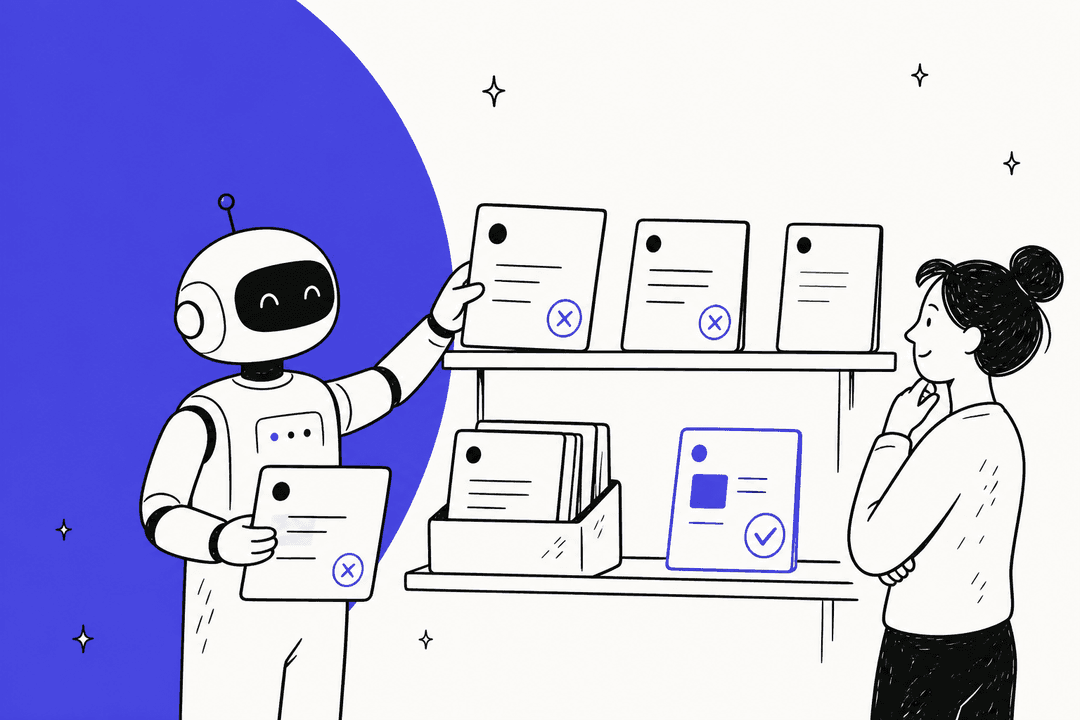
That work taught me where the risk in internal IT actually sits, and it's not strangers. It's the helpful colleague who asks the bot to "just restart it". So I read the Hermes docs end to end with one question in my head: what happens when 200 employees can talk to an agent that has a terminal?
What Hermes Agent brings to an IT team
Hermes Agent is Nous Research's open-source, self-hosted agent. It's MIT licensed, sits at 251,503 GitHub stars, and the latest release is v0.21.5, published September 24, 2026.
My Hermes Agent review covers the whole product, and my open-source AI agents roundup puts it next to its peers. For IT work, there are four pieces that matter.
- Seven terminal backends. Hermes can run commands locally, in Docker, over SSH, or in Modal, Daytona, Vercel Sandbox or Singularity (Configuration). The SSH backend keeps a persistent shell on a remote server, and the docs call it "Recommended for security" because the agent can't modify its own code (Tools).
- A messaging gateway. Slack, Microsoft Teams, Google Chat, email and 20-plus other channels (Messaging Gateway), which is how most teams already run ITSM in Slack.
- Cron and webhooks. Scheduled jobs and inbound webhooks from tools like GitHub, GitLab and Jira, with HMAC signature checks (Webhooks).
- MCP servers. A curated catalog of
65reviewed servers, disabled by default (MCP catalog). If MCP is new to you, my AI agent MCP server explainer covers the basics.
So it's a real toolkit for an IT team. The open question is who gets to use it.
Two jobs, one agent
Most of the "Hermes for IT" plans I see mix up two jobs that are very different.
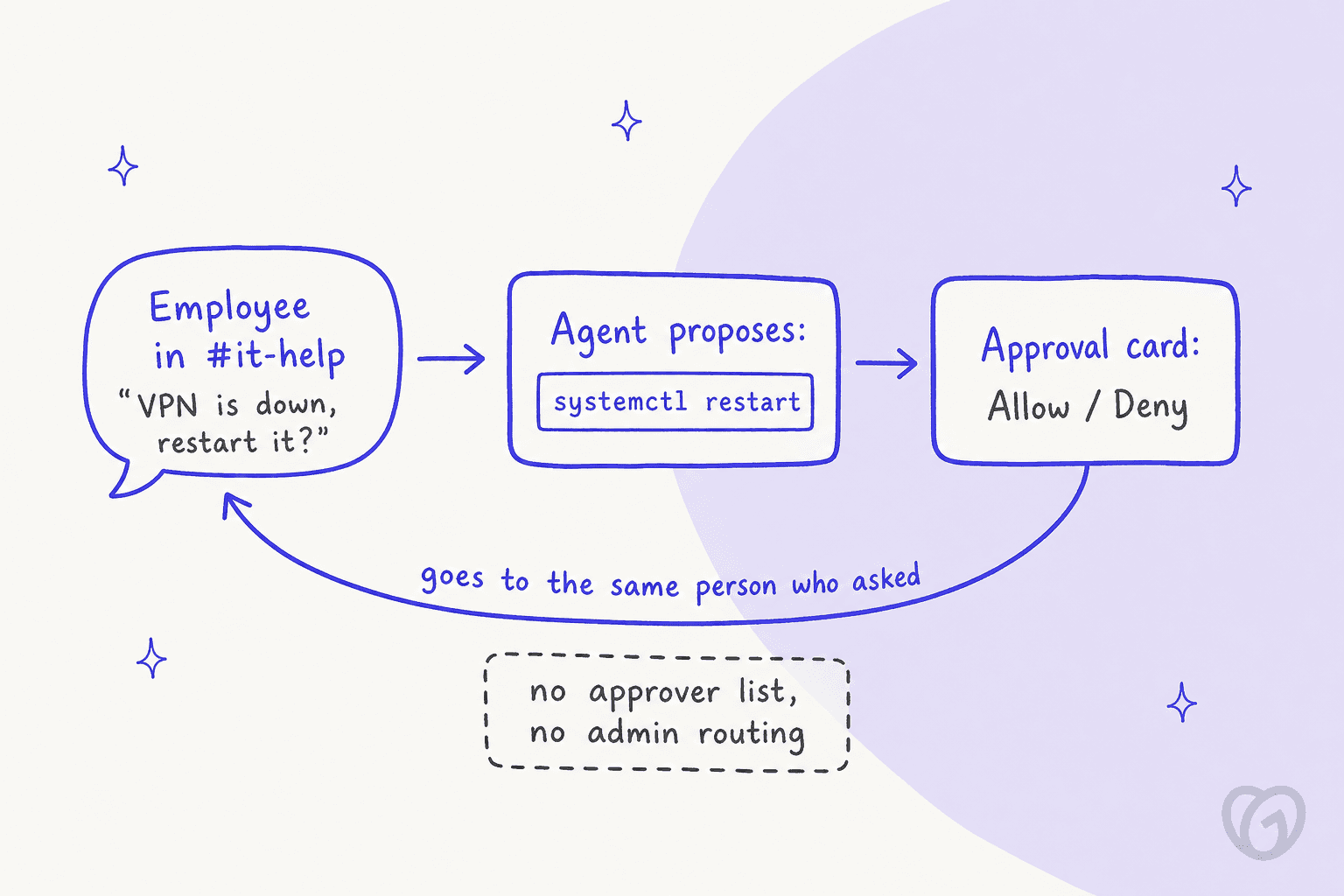
Job 1 is the IT admin's sidekick. Two or three admins DM the agent, and it runs checks on servers and triages alerts, then reports back what it found. Whoever approves a risky command here is an admin who understands it.
Job 2 is the employee front door. Everyone in the company asks it "why is my VPN down?" in #it-help. This is the job people picture when they say AI for internal IT helpdesks. The agent is the same and so are the tools, but the risk is very different.
Every IT example in the Hermes docs is Job 1. I searched the full docs dump for "helpdesk", "IT support" or "employee" and got zero hits. What the examples show instead is an operator running their own ops, things like alert triage for an on-call channel, uptime checks and disk alerts.
Job 1: Hermes as the IT admin's sidekick (this works)
Here Hermes earns its place. A few of the documented patterns carry over to an IT team almost as-is:
- Server health checks on a schedule. The Team Telegram Assistant guide includes a prompt to check disk usage with
df -h, memory withfree -hand container status withdocker psevery 6 hours, delivered to a team channel. - Script-only cron with no model call.
hermes cron create "*/15 * * * *" --no-agent --script disk-alert.sh --deliver telegramruns a plain script and pushes the output (Script-only cron). It's cheap, and you don't burn tokens on a disk check. - Alert triage from monitoring. The Automation Blueprints page has an Alert Triage webhook that asks for a P1 to P4 escalation recommendation and ends "This goes to the on-call channel."
- Quiet failures. "A recurring job that keeps failing with the same error alerts you once, not on every run" (Cron). If you've ever muted a noisy alert channel, you'll appreciate that one.
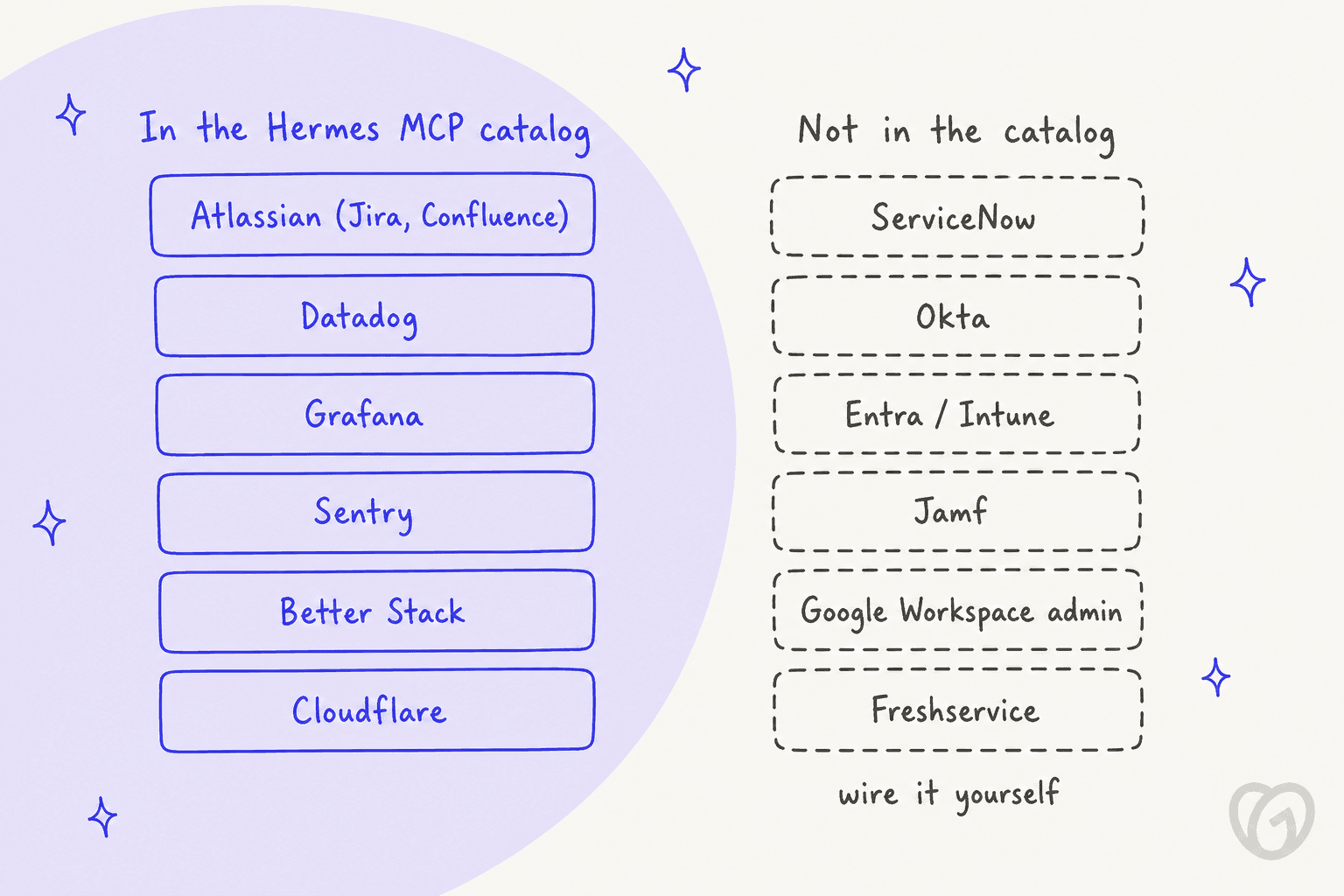
On the tools side, the catalog already carries the monitoring stack most IT teams use: Datadog, Grafana, Sentry, Better Stack and Cloudflare, all over OAuth. Pair those with the SSH backend and you get an agent that reads an alert and checks the box, then tells you what it thinks is wrong.
Two safety defaults help here too. Cron jobs deny dangerous commands by default (cron_mode: deny), so a scheduled job can't systemctl restart anything unless you flip it (Security). The dangerous-command checks also run on the local and ssh backends, and that's exactly where IT work happens.
That's the setup homelab users describe. One Hacker News commenter runs it exactly this way, with an approval step and a way back:
"I use Hermes at home. [...] it's a sysadmin for my homelab. It has a read-only mcp server to check the k8s status and has it's own ssh access to fix stuff after I approve it per session. It's magical. Each morning I get a small update whether the backup ran, if pods are stuck or behaving weirdly etc... Since the entire homelab is GitOps I can always reverse a change made by the agent."

Notice who approves there: the same person who owns the servers. If you're a small IT team with one engineer who enjoys this kind of thing, Job 1 is a good use for a free tool.
Job 2: Hermes as the employee front door (where it gets tricky)
Once you open the same agent to everyone, four things in the docs start to matter. None of them is a bug, to be clear. Hermes was designed as an operator's agent, and these are the seams where that design shows through.
1. Access is granted one ID at a time
Every chat allowlist is a list of individual IDs: Slack member IDs, Teams Azure AD object IDs, Google Chat email addresses (Environment variables). I couldn't find a domain wildcard like *@company.com, and there's no tenant-wide or workspace-wide setting either.
The only "everyone" switches, like SLACK_ALLOW_ALL_USERS and TEAMS_ALLOW_ALL_USERS, are labelled "(dev only)" in the reference. Group-based access exists, but only for Discord roles. The other path is DM pairing: each employee gets a code, and an admin approves it by hand with hermes pairing approve. For 200 people that means 200 approvals, and then every new hire on top.
Single sign-on exists, but only for the web dashboard, through your own OpenID Connect provider (Web Dashboard). There's no SCIM either, so when you offboard someone in Okta, they don't get removed from the bot.
2. The user tier limits commands, not tools
Hermes has an admin/user split, and it's tempting to assume that split limits what regular users can do. What it actually limits is slash commands. Regular users get the commands you list in user_allowed_commands, plus /help and /whoami (Slash commands).
Plain chat isn't gated at all, which means any allowed employee can ask the agent for anything its tools allow, terminal included. I hit the same wall from the customer side in my Hermes for customer support post.
3. Approvals go to the person who asked
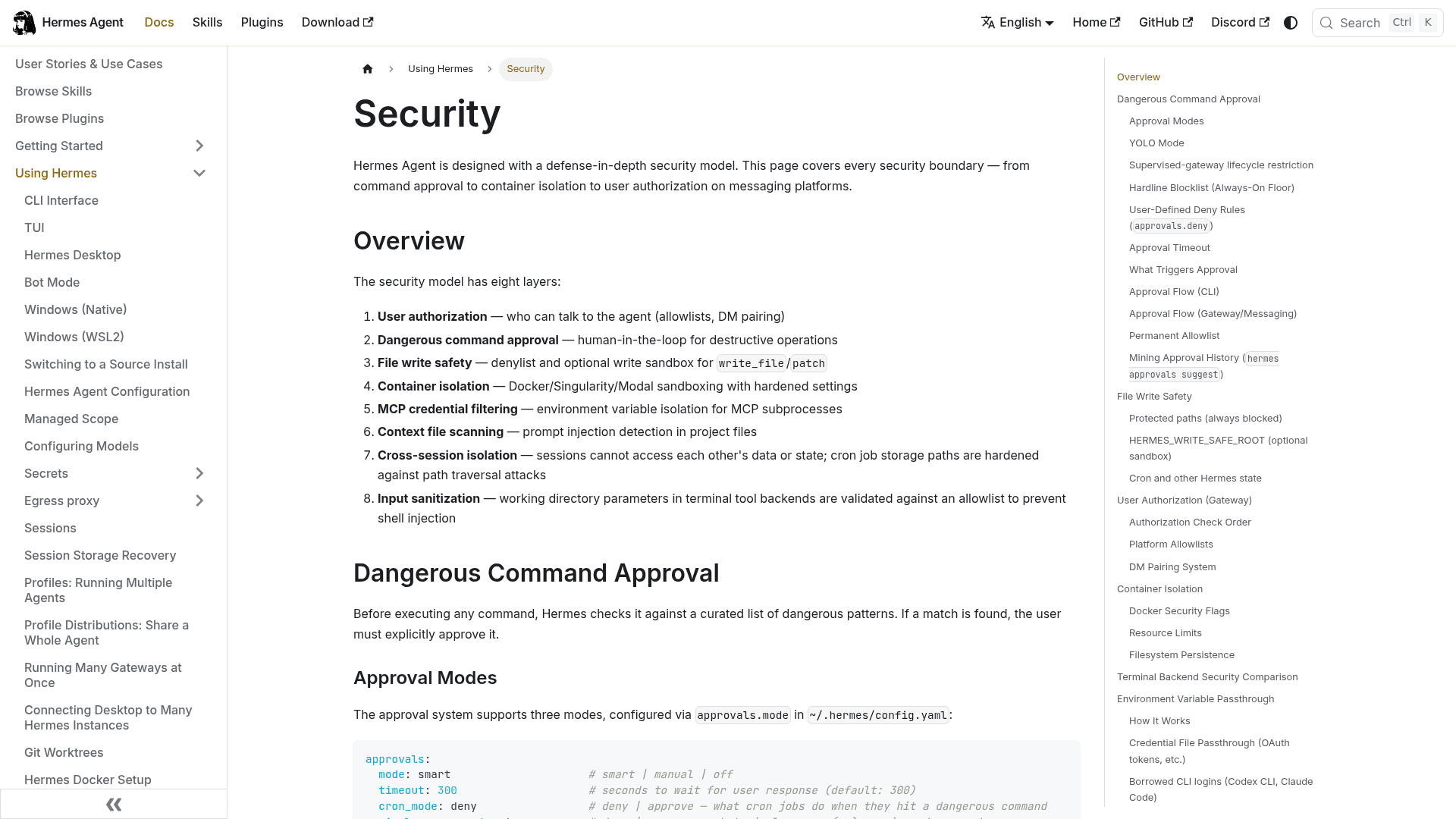
If you're an IT lead, this is the one I'd underline twice. When Hermes wants to run a flagged command, like systemctl restart, chown -R root or sed -i on a file in /etc/, it asks for approval in the same chat: "the agent sends the dangerous command details to the chat and waits for the user to reply" (Security).
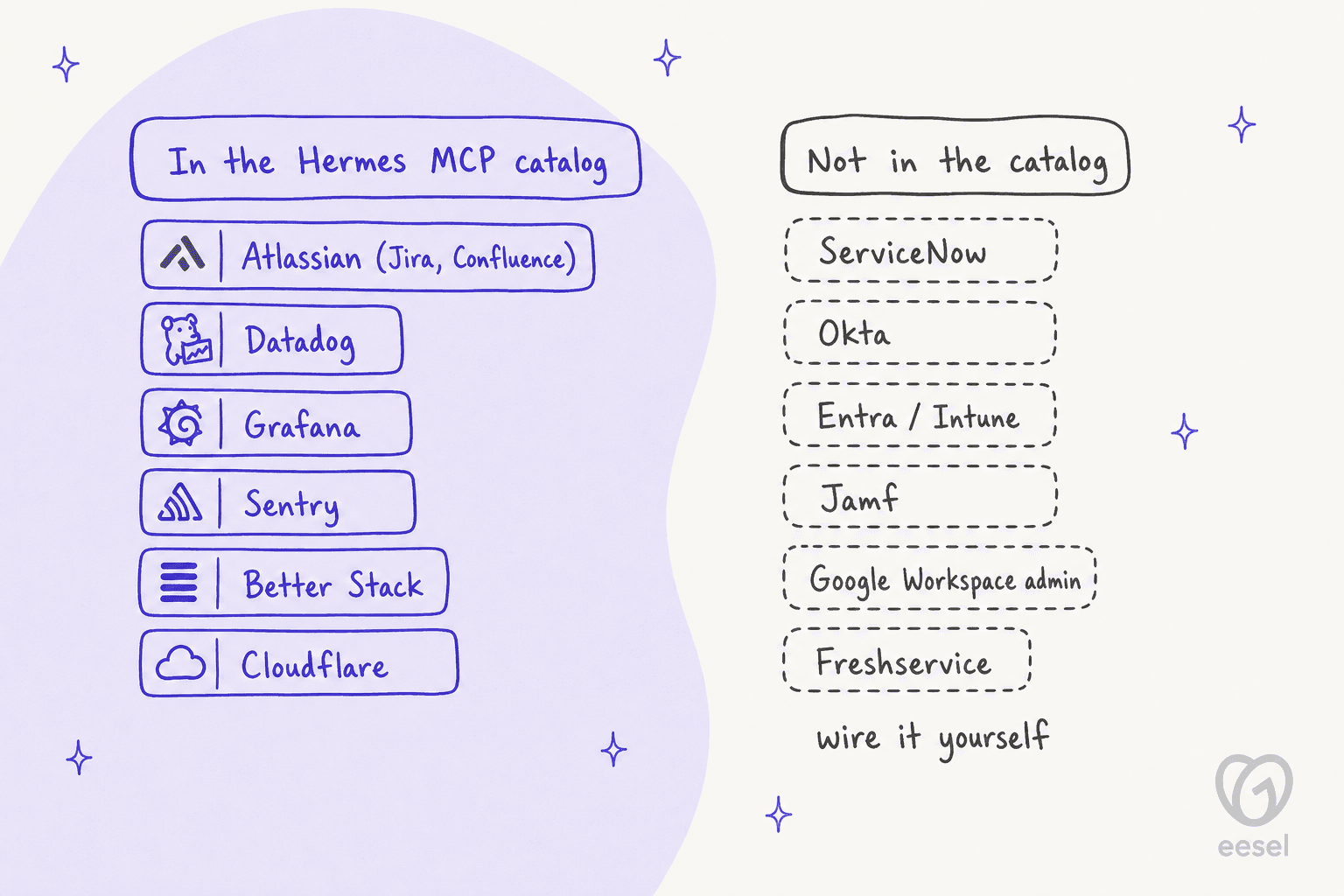
The approvals config has mode, timeout, cron_mode and a few others, but no approver list and no way to send the card to an IT admin or a separate channel. In Teams, the card has four buttons: Allow Once, Allow Session, Always Allow, Deny (Teams). Who in a group chat is allowed to click them, the docs don't say.
"Always Allow" also sticks around. Approved commands are saved to config.yaml and "silently approved in all future sessions" (Security). So one click from an employee in a hurry, and that command is pre-approved for everyone.
4. Memory is shared, and there's no chat audit log
Built-in memory is one MEMORY.md (2,200 characters) and one USER.md (1,375 characters) per profile, loaded into every session that profile runs (Memory). On a shared IT bot, that means whatever the agent saves during one employee's chat will show up in the next employee's session. The guard the docs offer is memory.write_approval: true, which stages every save from messaging for an admin to review with /memory pending.
One builder who tried a multi-user setup went further:
"we need a container per user, because, without modifications, if multiple users talk to the same Hermes instance then they can access each other's conversations by asking the agent."
The Hermes docs list cross-session isolation as one of their eight security layers, so treat that as one builder's experience, not a documented flaw. It's still the first thing I'd test before a channel where people ask about password resets goes live.
For audit, the gateway's monitoring page says it isn't "analytics, audit logs, or detailed execution traces" (Gateway monitoring). The security checklist tells you to "check ~/.hermes/logs/". If your IT team has to answer to a SOC 2 auditor, that's a gap you would be filling on your own.
Connecting Hermes to Slack, Teams and Google Chat
Each chat app is shaped differently, and those differences end up deciding where you can host the gateway.
| Slack | Microsoft Teams | Google Chat | |
|---|---|---|---|
| Connection | Socket Mode (WebSocket) | Public HTTPS webhook, port 3978 | Cloud Pub/Sub pull |
| Public URL needed | No | Yes, with a real TLS certificate | No |
| Admin rights needed | Install the Slack app | Teams CLI app registration in your tenant | Workspace admin to publish the app |
| Allowlist by | Slack member ID | Azure AD object ID | Email address |
| In channels | Replies when @mentioned, in a thread | Replies when @mentioned | Replies in thread, one session per thread |
Sources: Slack, Teams, Google Chat.
Slack is the easiest. Socket Mode "works behind firewalls, on your laptop, or on a private server." For IT, the two settings that matter are channel_skill_bindings, which loads a skill whenever a session starts in a channel like #it-help (threads inherit it), and allowed_channels, which makes the bot ignore every other channel even when @mentioned. One quirk worth knowing: DMs are exempt from allowed_channels.
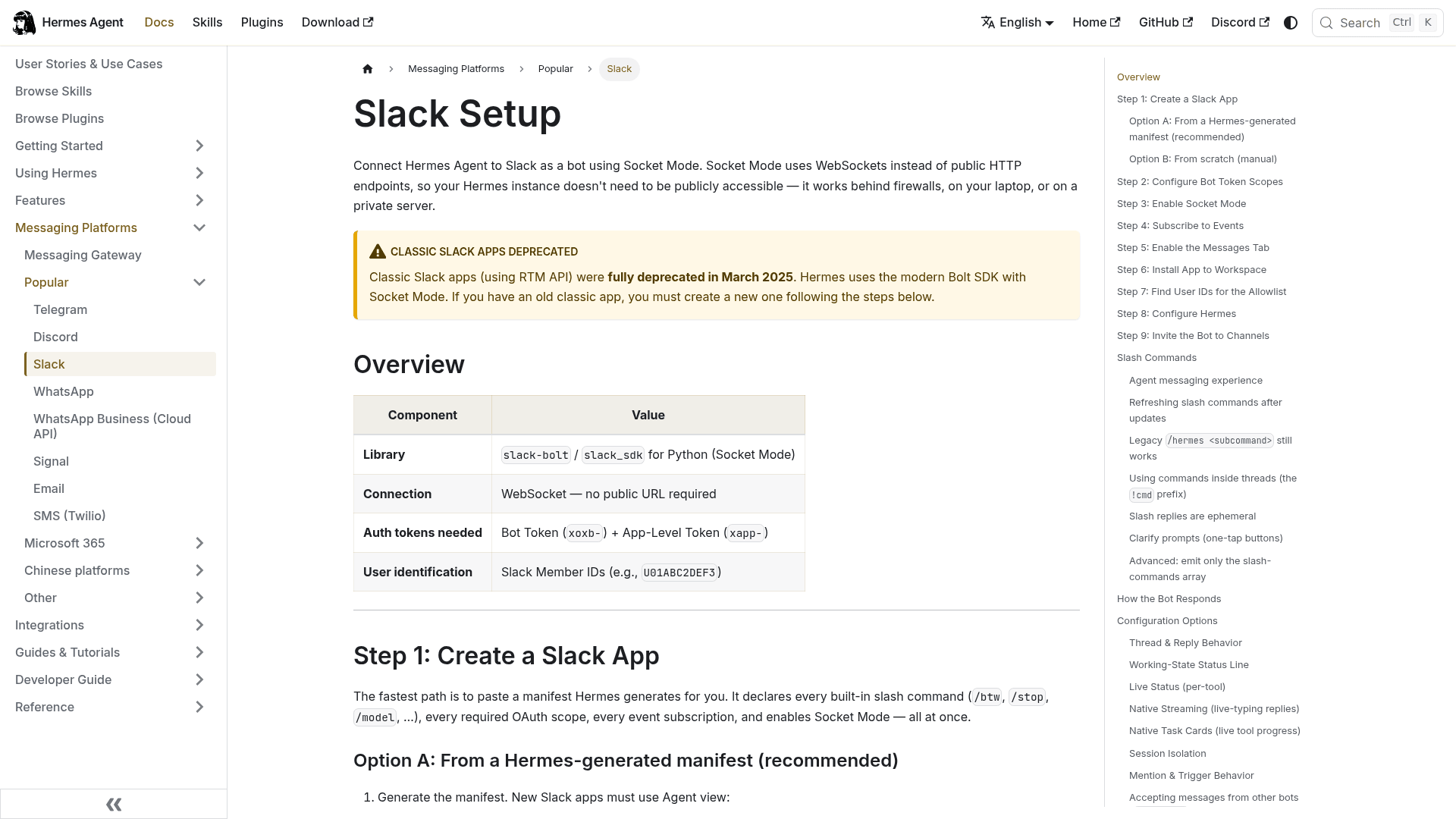
Teams takes more work. "Teams delivers messages by calling a public HTTPS webhook," so the gateway needs a reachable endpoint and "Teams rejects self-signed certificates." Registration runs through Microsoft's @microsoft/teams.cli ("no Azure portal needed"), which hands you a client ID, secret and tenant ID. There's a warning in the docs I'd take literally: without TEAMS_ALLOWED_USERS, "anyone who can find or install your bot can interact with it."
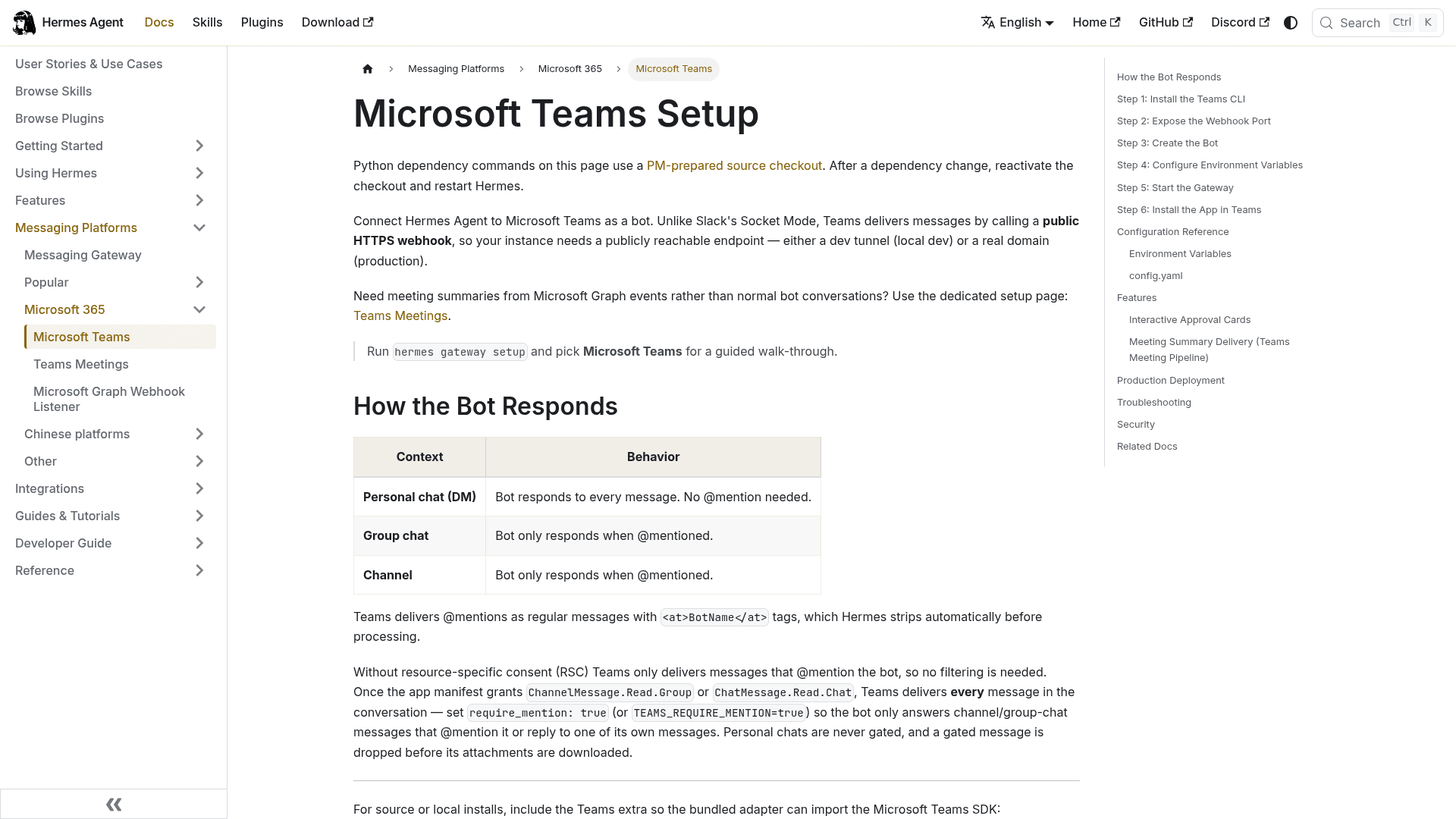
There's also a Microsoft Graph listener (msgraph_webhook), but today it mainly feeds the Teams meeting summary pipeline (Graph webhook). It doesn't give Hermes access to the user directory or device management, so don't expect it to reset passwords or check Intune. My guide to automating Microsoft Teams support takes a wider look at the Teams route.
Which IT tools Hermes can reach
The MCP catalog is where IT teams tend to get surprised. It's strong on monitoring, but thin on identity and service management.
Jira Service Management has a hidden gap. The catalog's Atlassian entry describes "Jira issues and Confluence pages" and connects over OAuth. Atlassian's Rovo MCP server does have a JSM tool group, but those four tools are on-call alerts and schedules, and they only appear with API-token auth that an org admin has to enable. Through the catalog's OAuth route, then, Hermes just sees a request as a plain Jira work item. There's no tool for request types, queues, SLAs or approvals. My Claude for JSM post walks through the same server in detail.
ServiceNow has no catalog entry. ServiceNow's own MCP Server is included in Now Assist and AI Native SKUs, and its Quickstart server ships four read-and-summarize tools. On the open-source side, the route is a community server that you configure under mcp_servers yourself. See my ServiceNow MCP integration guide.
Identity and devices are do-it-yourself. No Okta, Entra, Intune, Jamf or Google Workspace admin entries. Community skills on skills.sh are small: the top ServiceNow skill has 135 installs, Freshservice 118, Jamf 4. The exception is Google's own persona-it-admin skill at 28,951 installs (skills.sh). Keep in mind any of these is third-party code Nous hasn't reviewed.
If your stack is Jira, Confluence and Datadog, Hermes covers a lot. If it's ServiceNow, Okta and Intune, plan for real build time. My roundup of AI for IT service management covers tools built for that second stack.
How to set up Hermes for internal IT safely
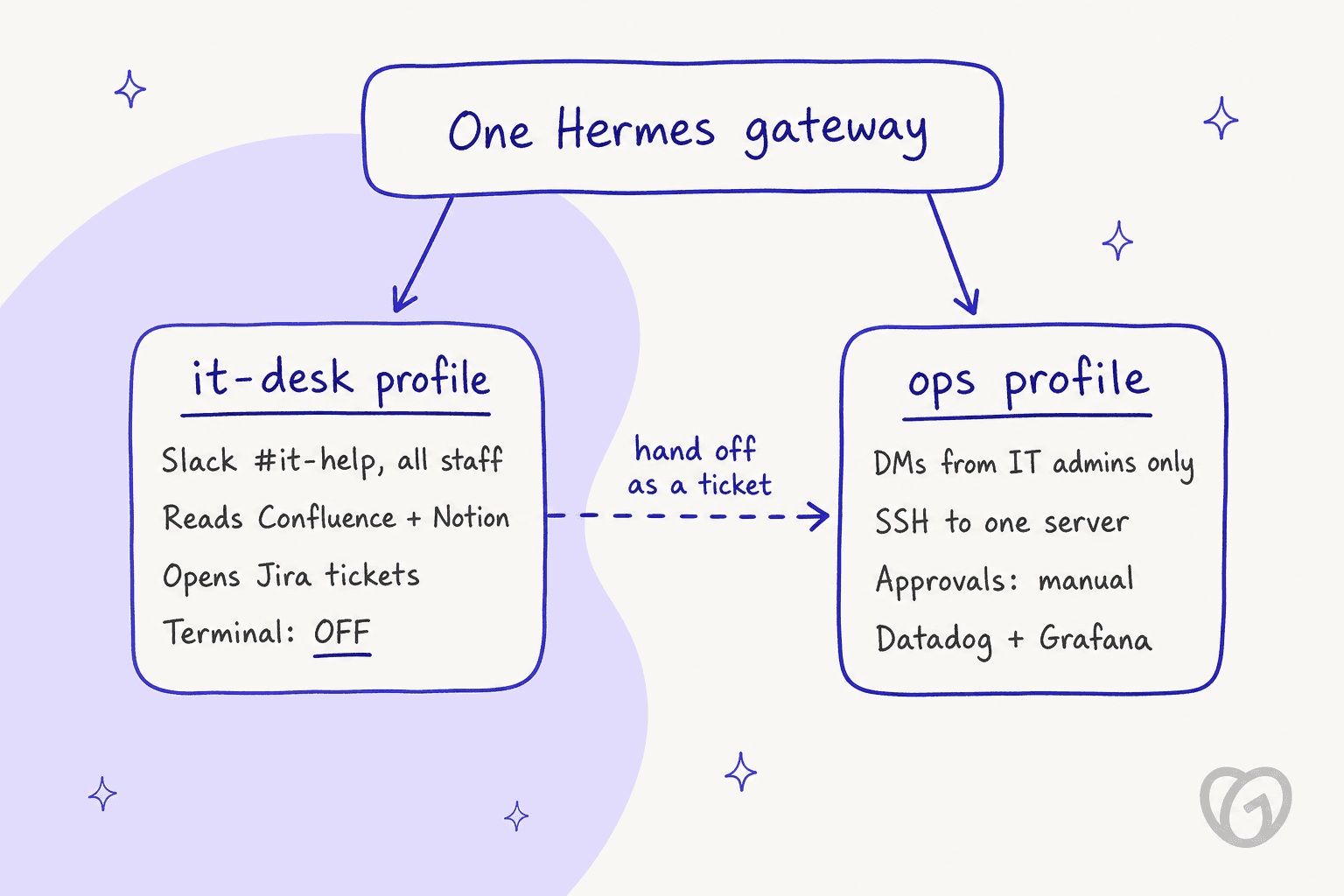
The pattern I'd go with is splitting the two jobs into two profiles. In Hermes, a profile is a full separate agent with its own config, memory, skills and bot tokens, and one gateway can serve several (Profiles).
A builder on Hacker News arrived at the same idea, though for a different risk:
"My solution to the problem, which I am implementing as a Hermes plugin + custom iOS / macOS app, is simple: an airlock architecture. One Hermes profile runs with local FS access and no internet access, inside an Apple container, and one Hermes profile runs with internet access and no FS access, inside an Apple container."
Here's how I would build it, step by step.
1. Run the gateway on its own machine
The docs are direct about this: "For maximum security, run the gateway on a separate machine or VM. Set terminal.backend: ssh" (Security). And never expose the dashboard without authentication. The Docker docs describe "the June 2026 MCP-config persistence campaign," where scanners reached exposed dashboards "and drove the agent into planting an SSH-key backdoor" (Docker).
2. Turn the terminal off for the employee profile
In the it-desk profile, add terminal and code_execution to agent.disabled_toolsets. The docs say a toolset listed there is always removed, "even if a platform's saved config still lists it" (Configuration). Once there's no terminal, the "approval goes to the requester" problem mostly disappears, since nothing dangerous is left to approve.
That leaves read-and-route work: answer from your internal knowledge base in Confluence or Notion, look up a Jira issue, open a ticket. That covers most of the "how do I set up the VPN?" volume, and routing the rest is plain ticket triage.
3. Pin it to one channel and one skill
Set allowed_channels to #it-help and bind that channel to an IT skill with channel_skill_bindings. Use strict_mention as well, so in a long thread the bot stays quiet until someone pings it again. The docs actually name this exact case: "a long tech-support thread where the bot helped at the start and you'd rather it stay silent unless explicitly pinged again" (Slack).
4. Stage memory writes
Set memory.write_approval: true on the it-desk profile so that one employee's chat can't quietly rewrite what the agent then tells everyone else.
5. Lock down the ops profile
The ops profile gets the SSH backend, approvals.mode: manual, and an allowlist of just your IT admins. On top of that, add an approvals.deny list for commands you never want run from chat, and skip "Always Allow" for anything touching /etc/ or a service. The hardline blocklist refuses rm -rf /, fork bombs and raw disk writes no matter what, so those are covered already.
6. Test before employees see it
Hermes doesn't help with this step. There's no built-in way to replay last month's IT tickets through the agent and see what it would have said. What you'll need is a test channel and a list of real past questions, plus someone who reads every answer before #it-help goes live.
What Hermes costs an IT team
The license costs nothing. Running it is another story.
| Cost line | What you pay | Source |
|---|---|---|
| Hermes Agent software | $0, MIT license | FAQ |
| Model tokens via Nous Portal | Free tier (free models only), Plus $20/mo for $22 credit, Super $100/mo for $110, Ultra $200/mo for $220 | Nous Portal |
| Hosted tools (search, browser, speech) | Per use, from the same balance | Nous Portal |
| Gateway server or VM | Your cloud bill; Teams also needs a public domain and TLS | Teams |
| Atlassian Rovo MCP | Free on every Atlassian Cloud plan | Atlassian |
| Engineer time | Allowlists, profiles, skills, MCP wiring, reviews | Your team |
Nous Portal also lets you connect an eligible ChatGPT plan for inference, with tools and hosting billed separately. My Hermes alternatives post breaks down the layers in more depth.
The last line is the one that never shows up on an invoice. Somebody has to own the allowlist and approve pairing codes for new hires, and also review staged memory and keep the gateway patched. For Job 1 that's fine, because the admin is the user. For Job 2 it turns into a small internal product that you now maintain. One customer who decided not to build their own put the trade-off well:
"We could try to write our own LLM application but we didn't want to invest our time into that. We wanted something that we would not have to maintain."
an engineering lead at a crypto-hardware company, on why they bought instead of building
Hermes vs eesel for internal IT support
Here's how the two stack up on what an IT lead usually asks about first.
| Hermes Agent | eesel | |
|---|---|---|
| What it is | Self-hosted, general-purpose agent | Ready-made AI helpdesk teammate |
| Where employees ask | Slack, Teams, Google Chat, email, 20+ more | Slack, Google Chat, Microsoft Teams (on request) |
| Who can approve risky actions | Whoever is chatting | Workspace Owners and Editors only, matched by Slack email |
| Access setup | Per-user ID allowlists or pairing codes | Install the app; it asks before joining channels |
| Knowledge sources | MCP servers and skills you wire | Confluence, Notion, Google Drive, files |
| Ticketing | Jira via Atlassian MCP; ServiceNow DIY | Jira Service Management first responder |
| Runs commands on servers | Yes, via SSH | No; calls REST APIs via Network Access |
| Testing on past tickets | Not built in | Simulation on past tickets |
| Price | Free software plus tokens, hosting and build time | Free 100 credits; from $299/mo for 500 credits |
Sources: eesel Internal Operations docs, eesel approvals, eesel pricing.
To be straight about eesel's limits: it doesn't run shell commands on your servers, and that's by design. It's a service desk teammate, not a sysadmin. If you want an agent that SSHes into a box and restarts nginx, that's Hermes' job 1, and not what eesel is for. eesel also has no ServiceNow or Freshservice integration today (my AI for Freshservice roundup covers that stack), and Teams gets turned on by request rather than self-serve.
Should you run Hermes for internal IT?
Yes, for Job 1. If you have a small IT or ops team and an engineer who enjoys this, Hermes as an admin-only sidekick is a good tool, and free. Run it with the SSH backend and manual approvals, Datadog or Grafana over MCP, and script-only cron for the boring checks.
Carefully, for a read-only it-desk. If your knowledge lives in Confluence and your tickets in Jira, a terminal-off profile pinned to #it-help can answer the "how do I" questions. Just budget for the allowlist upkeep, and for the testing nobody wants to do.
No, for an employee front door with a terminal. Until Hermes can route approvals to an admin, I wouldn't let 200 employees chat with an agent that can run systemctl. That isn't a knock on Hermes. It was built for the operator, and the docs say so.
If you're still weighing options, my lists of AI tools for IT support and internal support chatbots cover tools built for the front door, and my Slack ticketing systems list covers the ticketing side.
eesel for internal IT support
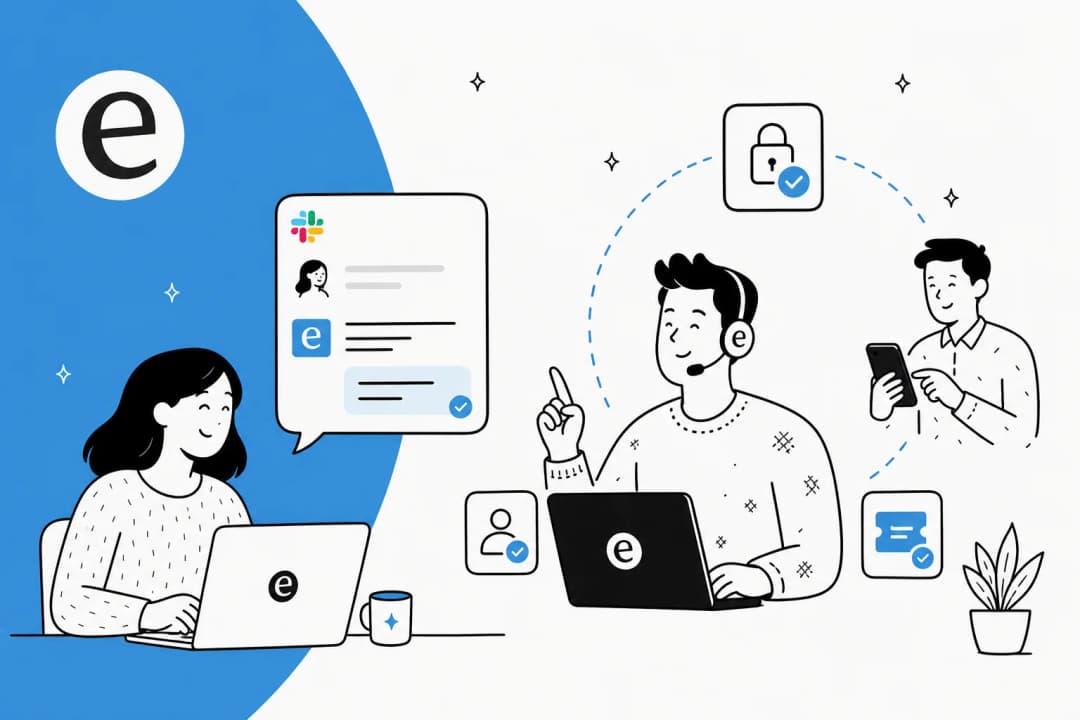
If what you actually want is Job 2, an IT helpdesk employees can ask in Slack without anyone running a server, that's what eesel's helpdesk teammate does. It answers from your Confluence, Notion and Google Drive with the source linked, and when it can't find something it says so.
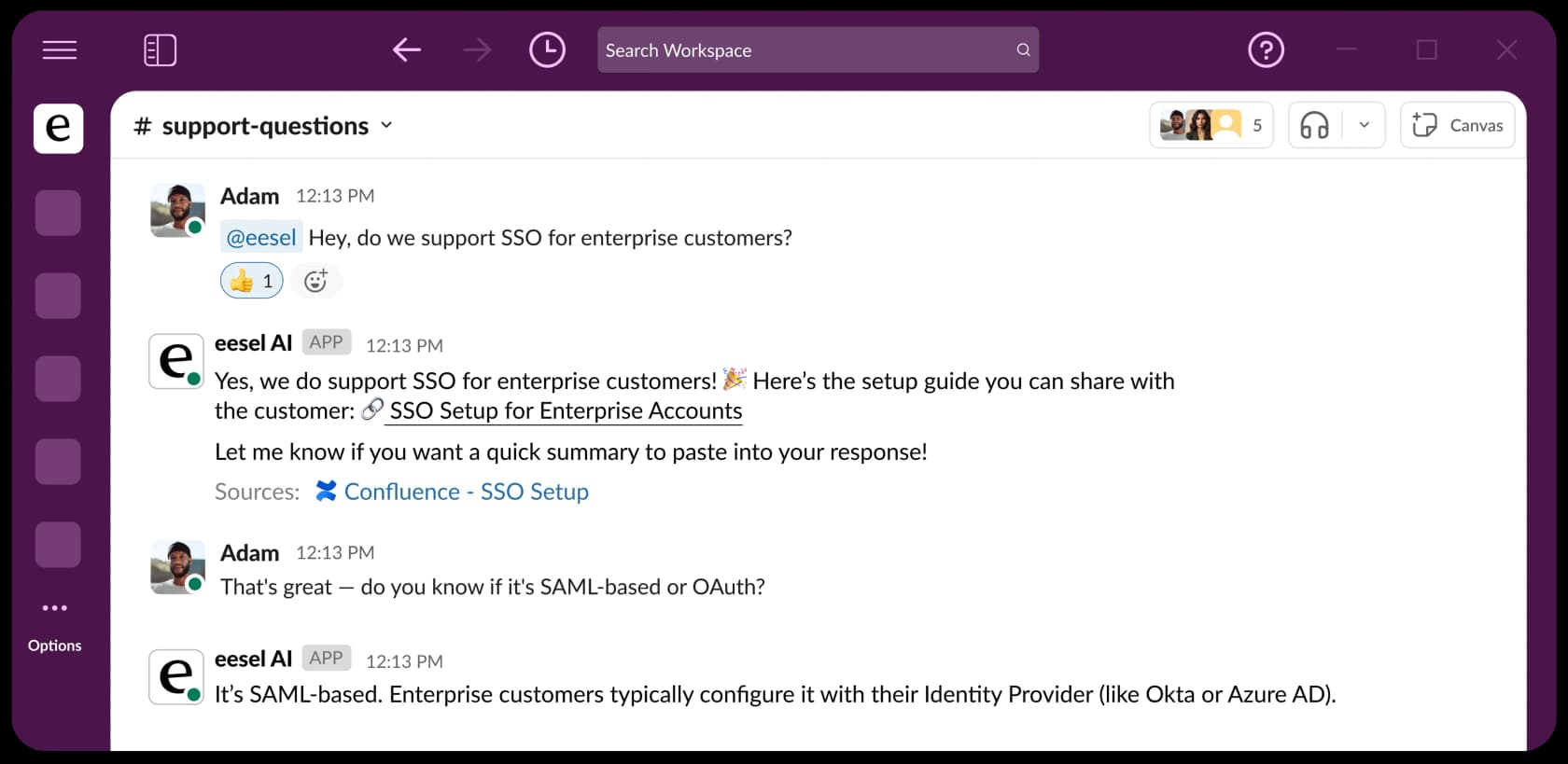
The part that matters most for this post is approvals. Every action is set to Auto, Needs approval or Disabled, and when a run started in Slack, the approval card lands in that thread. Only workspace Owners and Editors can approve, matched by their Slack profile email (approvals docs). The employee who asked can't approve their own request.
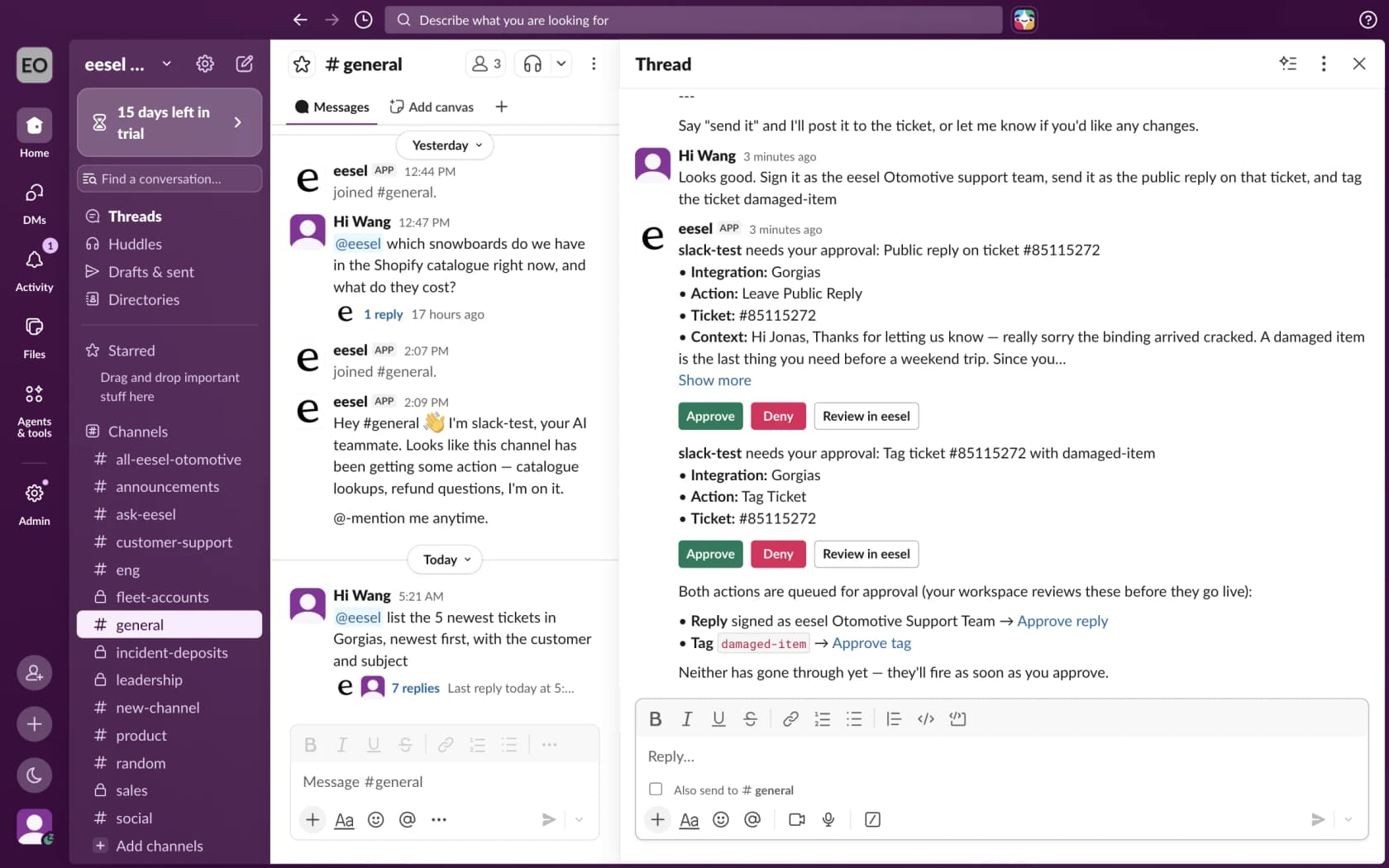
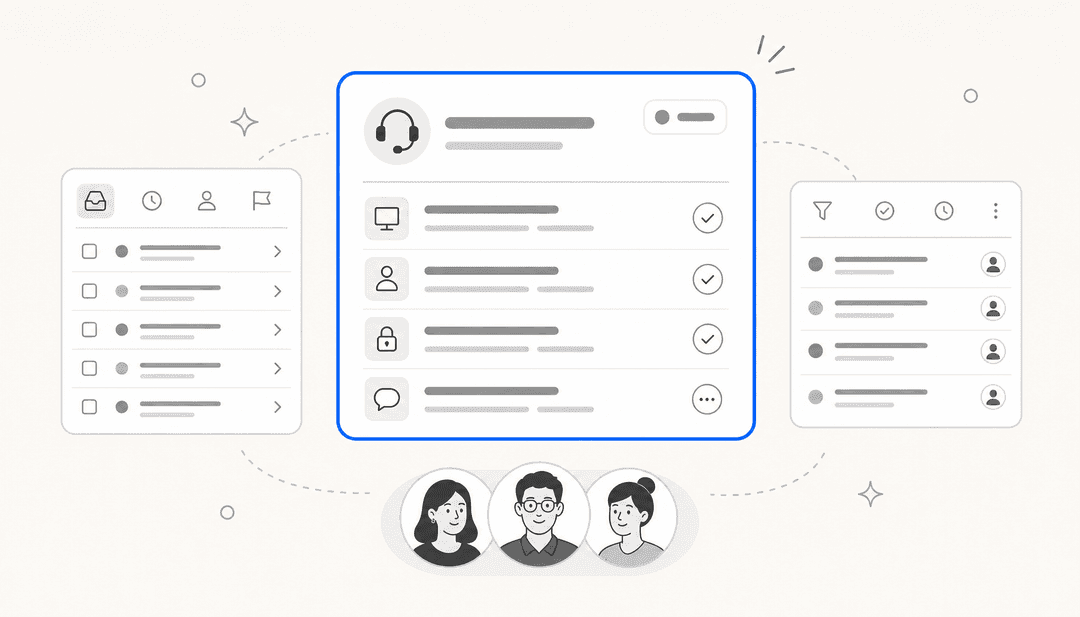
For ticketed IT, eesel works inside Jira Service Management: it picks up new requests, replies to the reporter or leaves an internal note, and assigns, labels and moves issues. And before it ever touches a live request, you can run it against past tickets and read every answer it would have given.
And if your team likes the terminal as much as Hermes users do, the eesel CLI runs the same teammate from a shell. eesel approvals lists pending actions, eesel chat "how do I reset a password?" tests an answer, and every command prints JSON, so Claude Code or Codex can drive your setup. Need it to reach an internal asset database? Network Access lets it call a REST API while the credentials stay out of the AI's sight.
You can try eesel free with 100 credits, no card. Connect Slack and Confluence, then ask it your ten most common IT questions and see what comes back.
Frequently Asked Questions
Can I use Hermes Agent for internal IT support?
Does Hermes Agent work in Microsoft Teams and Slack?
Can Hermes Agent connect to ServiceNow or Jira Service Management?
How much does Hermes Agent cost for an IT team?
Is Hermes Agent better for internal IT support or customer support?
What should a Hermes Agent IT bot be allowed to do?
Is it safe to give an AI agent shell access for IT support?



Article by
Kira
Kira is a writer at eesel AI with a Computer Science background and over a year of hands-on experience evaluating AI-powered customer service tools. She focuses on breaking down how helpdesk platforms and AI agents actually work so that support teams can make better buying decisions.