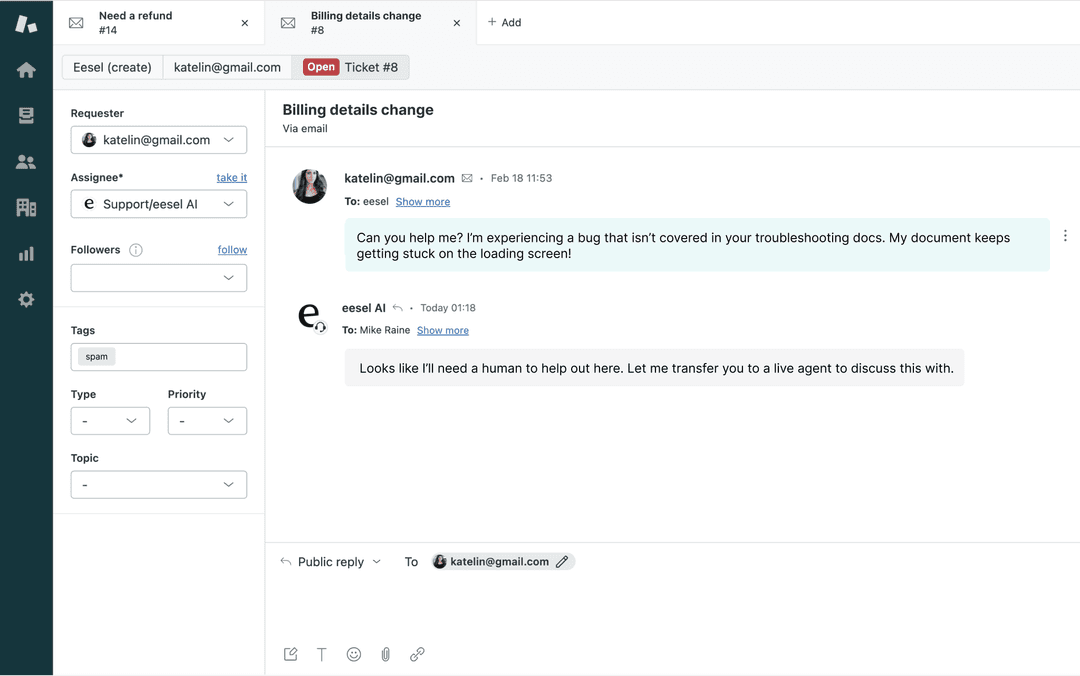
What Aportio actually is
I build integrations and APIs for a living, so the first thing I do with any "AI for support" tool is work out where it sits in the flow. With Aportio, the answer is unusual, and it is the whole story.
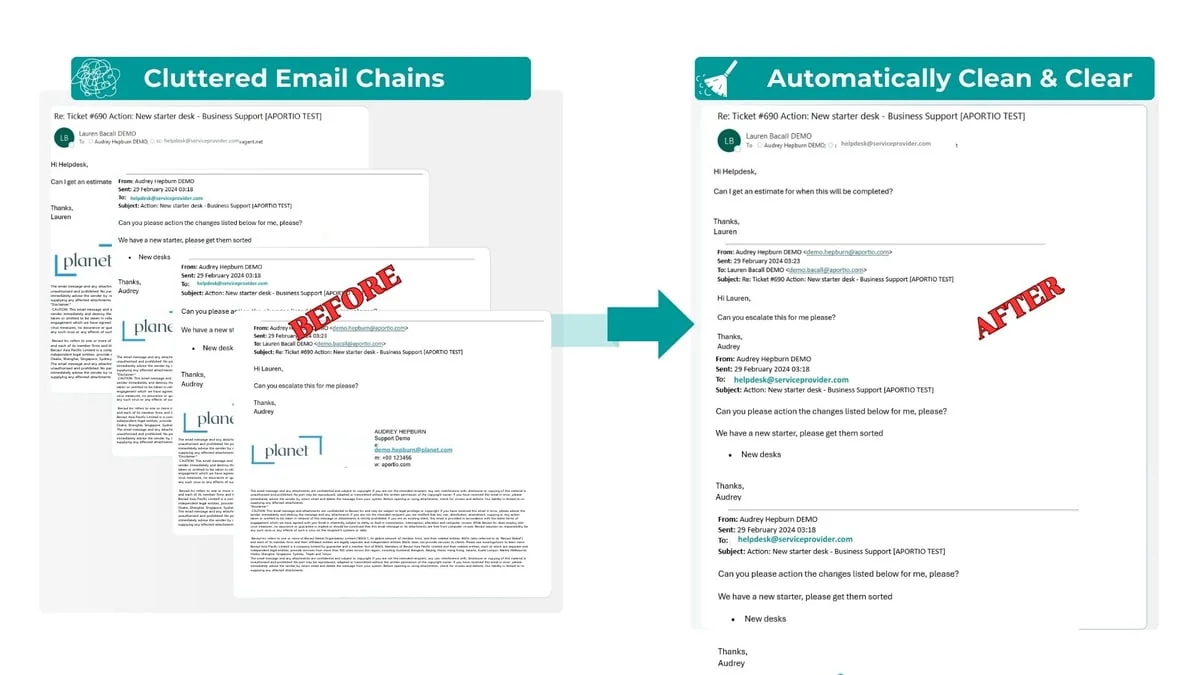
Almost every AI support tool I test wants to face the customer: deflect the question, draft the reply, hold the conversation. Aportio deliberately does not. It works on the email before it becomes a ticket. The moment a message lands in your service mailbox, InboxAgent scrubs the junk, reads the entire email rather than just the subject line, tags it for intent and urgency, spots duplicates, and drops a clean, correctly-attributed ticket into your PSA. Its own framing is that it uses AI to "classify, summarize, and analyze, not to generate fiction," which is a refreshingly narrow claim in a market full of tools promising to do everything.
The company behind it matters here. Aportio Technologies is a small team out of Auckland, New Zealand, founded by Susan Nemeth and Scott Green, who describe themselves as former MSP leaders. That heritage shows: the product is aimed squarely at MSPs, MSSPs, and internal IT service desks, and the problems it lists (alert fatigue, tickets logged to the wrong customer, mismatched email chains, messy ticket notes) are the exact things that make service-desk life miserable. It is ISO 27001:2022 certified with encryption in transit and at rest, which is table stakes for selling to enterprise IT but not a given for a company this size.
It is a small company, though, and that is a real part of the picture rather than a footnote. Aportio runs lean, it is effectively unfunded beyond accelerator support, and it sells entirely through demos rather than a self-serve funnel. None of that makes the product worse, but it does shape what buying it looks like.
How Aportio works
The mechanics are the best part, so it is worth walking through them. Aportio publishes a clean five-step version of the pipeline, and it lines up with what their help docs describe.
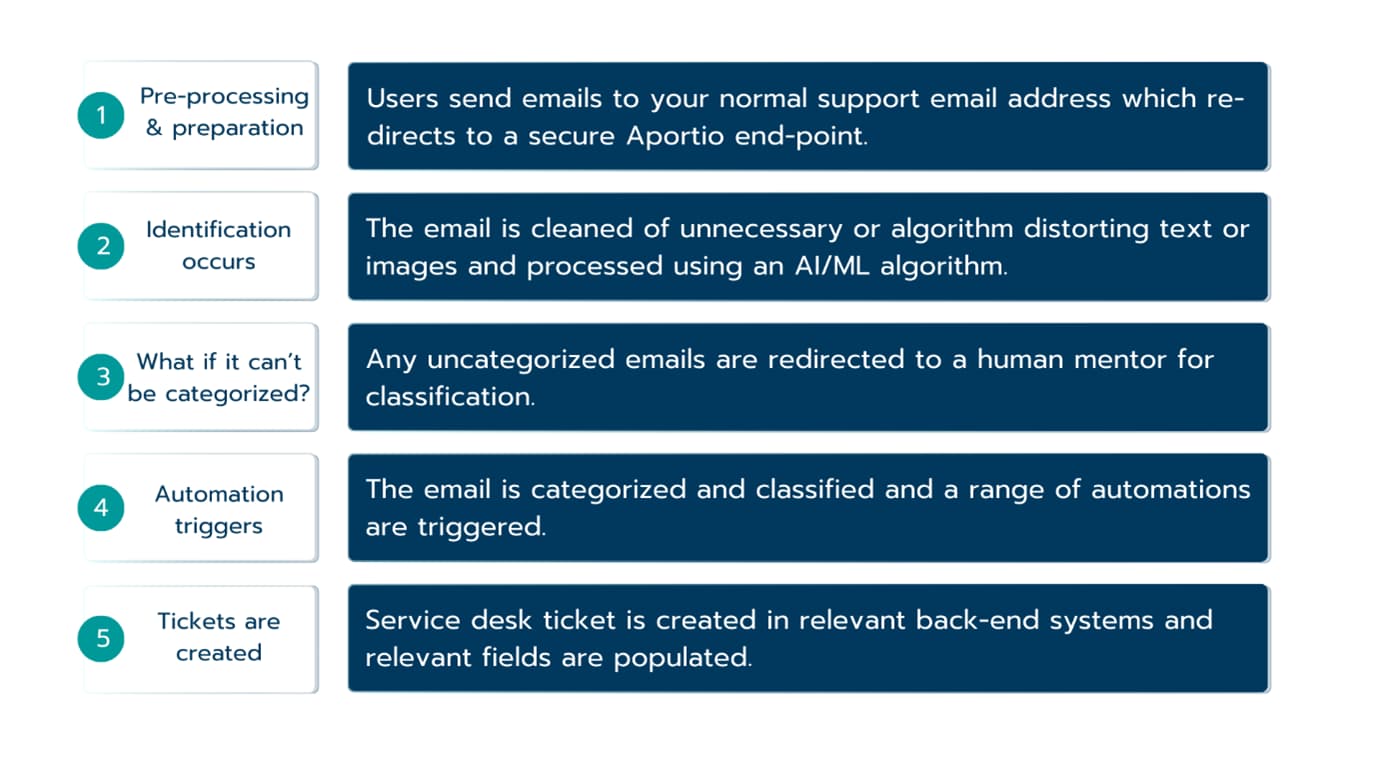
You point your existing support address at a secure Aportio endpoint, so end users keep emailing the same place they always did. From there, the email is cleaned of noise and signature clutter, then read and classified by an AI model against a three-level category taxonomy that you agree with Aportio up front. Related alerts get grouped into a single ticket instead of flooding the queue, and third-party emails are logged to the right end user rather than to whoever hit send. Finally, a ticket is created or updated in your back-end system with the fields already populated.
The step I like most is step three. Anything the model cannot confidently categorise is redirected to a human for classification, rather than being guessed at or dumped into a catch-all. For a service desk, a wrong-but-confident classification is often worse than no classification, so building a human fallback into the core loop is a sensible design choice. It is the same instinct behind why we simulate an AI agent against real history before trusting it: confident and wrong is the failure mode that actually hurts.
Here is the same idea as a map of where Aportio starts and stops.
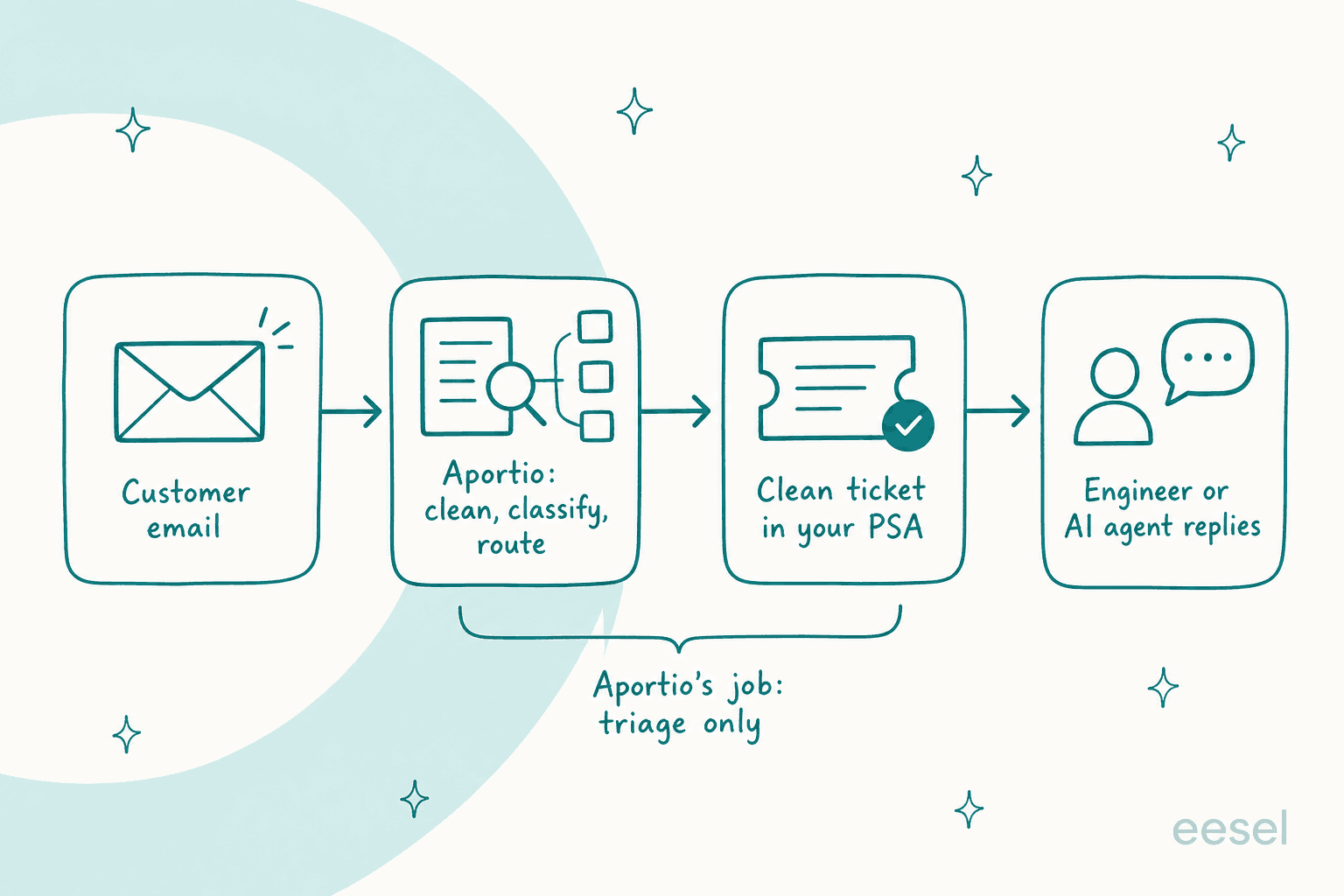
The takeaway: Aportio owns the messy middle between the inbox and the ticket. Answering the customer is still someone else's job, whether that is your engineer or a separate AI first-response layer.
Inside the products
Aportio sells a small family of products rather than one monolith. There are really three worth knowing about.
InboxAgent is the core, and it comes in two flavours. The IT version is the one built around the PSA and alert-heavy MSP workflow: duplicate detection without ticket references, alert grouping with auto-close, and cross-system correlation so engineers stop manually matching ticket numbers across tools. Aportio pitches it as cutting triage time by 50 to 70%, on the premise that up to 70% of IT tickets still arrive by email. The CX version is the same engine pointed at customer service teams, where the promise is up to 50% faster first responses by triaging, auto-resolving routine requests, and routing the exceptions.
Aportio Insights is the analytics layer, and it is genuinely more interesting than most support dashboards. Instead of survey data, it reads the conversations you already have (email, plus phone transcriptions and chat) and combines sentiment analysis, root-cause categorisation, and average handle time to explain the "why" behind your ticket volume. The screenshot at the top of this review is a real Insights view: urgent-query split, emails by topic, sentiment over time, and an AHT gauge. Because it analyses every conversation rather than a sampled subset, it is a plausible way to spot the repetitive issues worth automating away, which is the sort of thing our own writing on AI customer service metrics keeps coming back to.
EzyCatalog is the outlier: an MSP sales-enablement and quoting tool that auto-generates estimates for complex managed-services deals. It is a different job from the inbox products, so I will not dwell on it here beyond noting it exists and shares the same "expertise baked into software" positioning.
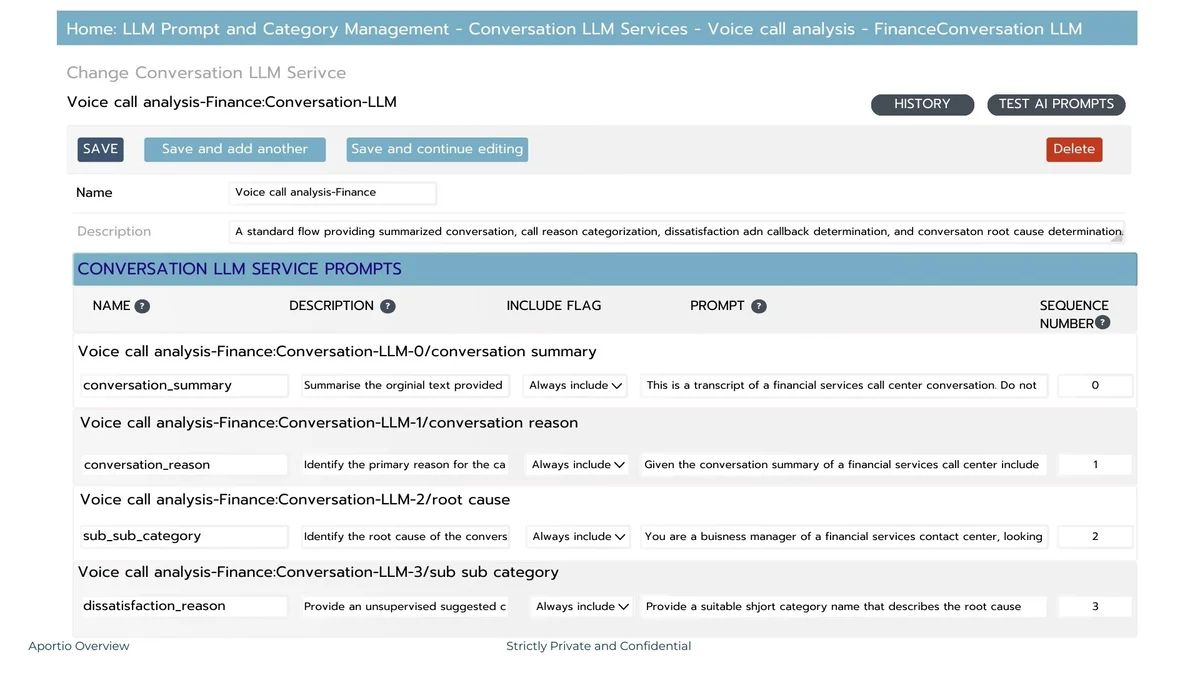
One thing I appreciated in the docs: you configure the classification rules and the model behaviour in plain language, and you can swap the underlying LLM as new models ship. Here is the admin surface where that happens.
The part I care about: how it connects
This is where my day job kicks in. An email-triage tool is only as good as how cleanly it lands data in your PSA, so I went looking at the integration story.
Aportio markets connections to ServiceNow, Datto Autotask, ConnectWise, Salesforce, Genesys, and NICE CXone, plus a generic REST API so you can wire up your own back end or a proxy in front of it. That is a sensible architecture for a tool selling into MSPs, who all run different ITSM stacks. The API itself is deliberately small: five object types (users, customers, associations, tickets, comments), an aportio_id key used for de-duplication and tracking, and API-key authentication.
The honest limits are worth stating plainly, because they are the kind of thing that bites during an implementation rather than a demo. The REST API supports create and update, but not partial updates or deletes, and it does not handle attachments yet. Some connectors are also more finished than others: the ConnectWise marketplace listing currently marks the PSA integration as coming soon and notes the app is not certified. None of this is a dealbreaker for a lot of desks, but if your workflow leans on attachments or you need a fully certified ConnectWise app on day one, ask hard questions in the demo. This is the same build-versus-buy calculus every team runs: a small, flexible API can be a gift or a gap depending on what you need from it.
What real users say (and don't)
Here is the uncomfortable bit for a review. Normally this is where I pull Reddit threads, G2 scores, and a few sharp practitioner takes. With Aportio, there is almost nothing to pull.
Aportio's G2 profile exists but shows zero reviews, with the page stating verbatim that it "hasn't been reviewed yet." The Capterra listing that historically existed now 404s, and there is no meaningful discussion on Reddit or X to speak of. That is not a knock on the product's quality, it is just what an early, niche, demo-led vendor looks like: the public validation has not accumulated yet. But you should walk in knowing you will be leaning on Aportio's own references and case material rather than a wide base of independent reviews.
What Aportio does put forward is its own reported figures, which I will present as exactly that, vendor claims rather than independent findings.
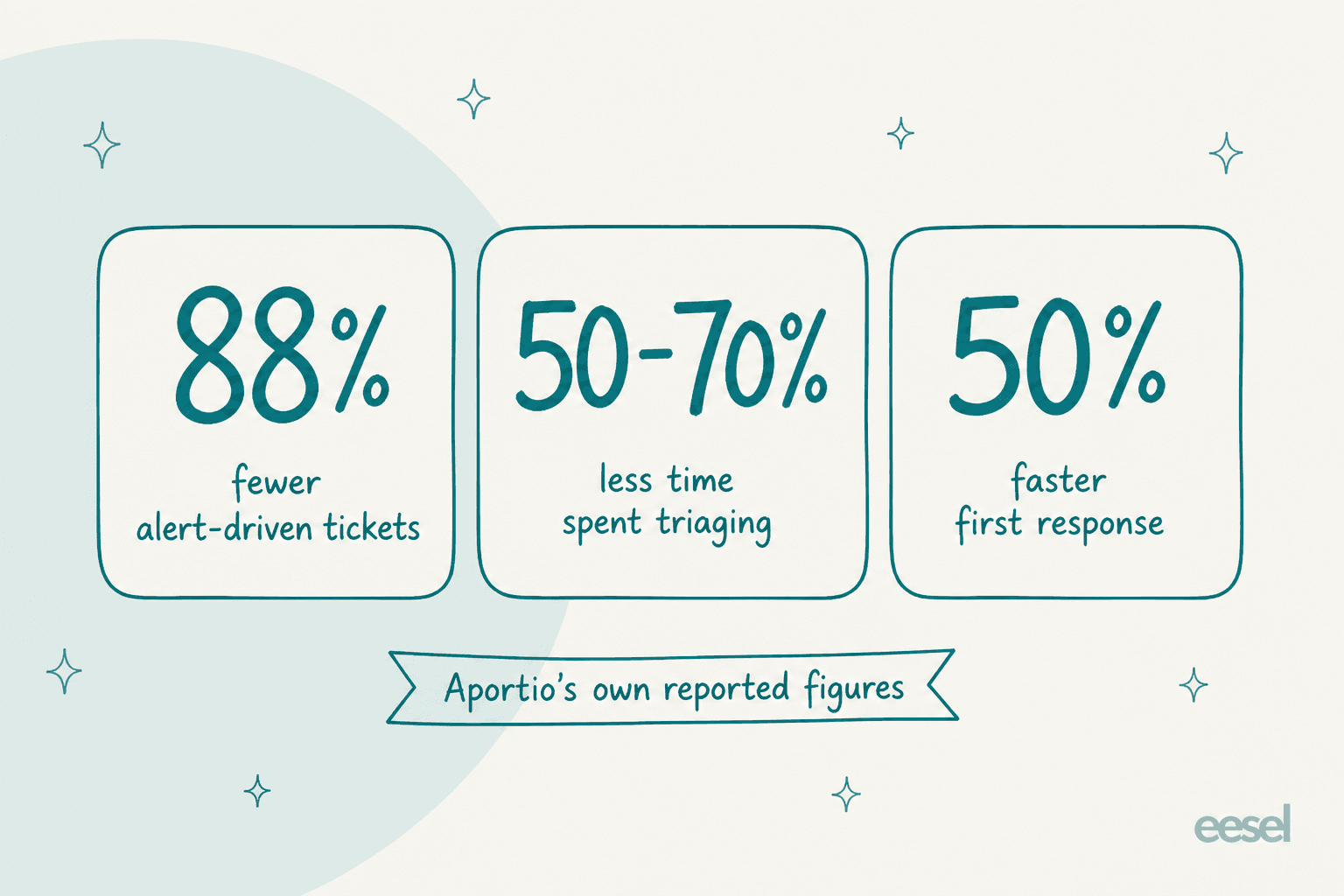
Those are believable numbers for the specific job of cleaning and classifying email, and they are consistent with what a good triage layer should do. Just treat them as the vendor's own, and use the demo to test them against a slice of your own mailbox rather than taking them on faith.
Is Aportio the right call for you?
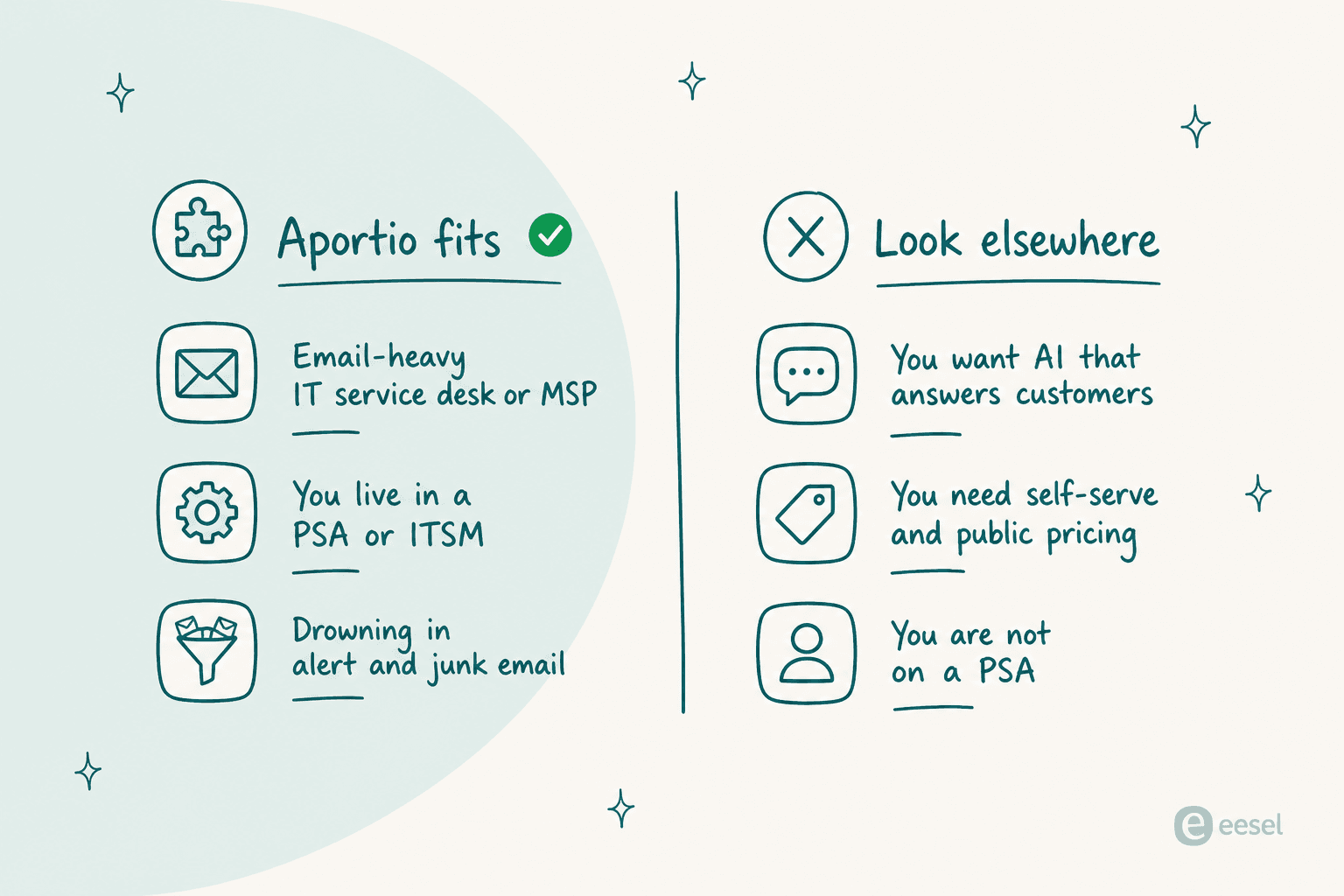
Because the review footprint is thin, the buying decision comes down to fit rather than crowd consensus. Aportio is narrow on purpose, which makes the "is this me?" question unusually clean to answer.
If you landed on the first answer, the rest of the fit is easy to sketch.
Pricing: you have to ask
There is no polite way to say this: Aportio publishes no pricing at all. No pricing page, no plan ladder, no per-seat or per-ticket rate, and no free trial or self-serve signup. Every button on the site routes to a contact form and a demo booking.
| What you get | Aportio | A transparent AI support tool (e.g. eesel) |
|---|---|---|
| Public pricing page | None | Yes, published rates |
| Self-serve trial | No, demo only | Yes, free to start |
| Billing unit | Not disclosed | Per ticket or chat handled |
| Time to a number | A sales conversation | On the pricing page |
For an enterprise IT buyer used to procurement cycles, quote-only is normal and not a red flag. For a smaller MSP or a lean support team that wants to size the cost before committing calendar time, it is friction. If you like to know the number before you book the call, that expectation is worth setting now. Our take on why transparent pricing matters applies here: the easier a tool is to price, the faster you can actually decide.
The honest verdict
Aportio is a focused, well-designed tool doing an unglamorous job that a lot of noisier "AI helpdesk" products ignore entirely. If email triage and clean PSA tickets are your bottleneck, it deserves a look.
| Strengths | Limits |
|---|---|
| Narrow, well-executed job: clean email into clean tickets | No public pricing, demo-only buying |
| Human fallback built into the classification loop | Near-zero independent reviews (G2 shows none) |
| Sensible REST API and named PSA integrations | API has no deletes or attachments yet; some connectors "coming soon" |
| ISO 27001:2022, ex-MSP founders who know the pain | Small team, minimal funding, early-stage footprint |
| Insights reads every conversation, not a sample | Does not answer or resolve customer questions |
Who I would send to Aportio: an email-heavy IT service desk or MSP that lives inside a PSA, is buried in alert noise, and wants the inbox tidied before it becomes a ticket. Who I would steer elsewhere: teams that want a customer-facing AI agent, or buyers who need transparent pricing and a self-serve trial before they will commit.
Try eesel for the other half of the job
Aportio stops at the ticket. If your real goal is to have AI answer the ticket, that is where eesel picks up. eesel is an AI helpdesk teammate that plugs into the helpdesk you already run (Zendesk, Freshdesk, Jira Service Management, Front, Help Scout, and more), learns from your past tickets and docs, and drafts or fully resolves replies in your voice.
The part that maps directly onto Aportio's most sensible design choice: eesel lets you simulate the agent on hundreds of your real past tickets before it ever talks to a customer, so you see how it would have handled your history and where the gaps are. You start in draft mode, review the answers, and only switch to auto-reply once the accuracy earns it.

And unlike a demo-only tool, you can see the pricing and start free today, then run your own simulation before you decide. Pair the two ideas if you like: clean the inbox, then answer what is left.
Frequently Asked Questions
What is Aportio and how does it work?
Aportio is an AI email agent for IT service desks and MSPs. Its main product, InboxAgent, sits between your support mailbox and your PSA or ITSM tool: it cleans each incoming email, reads the whole message, classifies it, groups duplicates, attributes it to the right user, and then creates a tidy ticket in your ticketing system. It is closer to ticket triage than to a customer-facing chatbot.
How much does Aportio cost?
Aportio does not publish pricing. There is no pricing page, no plan ladder, and no self-serve signup; every path routes to a contact form and a demo booking. You have to talk to their team for a quote. If transparent, published rates matter to you, tools like eesel list their numbers openly.
Does Aportio integrate with ConnectWise, Autotask, or ServiceNow?
Aportio markets integrations with ServiceNow, Datto Autotask, ConnectWise, Salesforce, Genesys and NICE CXone, and it ships a generic REST API so a team can connect its own PSA. Some connectors are further along than others (the ConnectWise marketplace listing marks the PSA integration as coming soon), so confirm your exact stack in the demo. For a broader look, see our guide to AI for ITSM.
Is Aportio a chatbot that replies to customers?
No. Aportio classifies, cleans and routes email and can send templated auto-replies, but it is not built to hold a conversation or resolve a customer's question end to end. If you want an AI customer service chatbot that actually answers, that is a different category of tool.
What are the best Aportio alternatives for answering tickets?
If your goal is deflection and drafted replies rather than triage, look at a support-native AI helpdesk agent. eesel plugs into your existing helpdesk, learns from past tickets, and can be simulated on your history before it goes live. See our roundup of the best AI helpdesk software for more.


Article by
Rama Adi Nugraha
Rama is a software engineer at eesel AI with two years of experience writing about B2B SaaS, AI tools, and customer support technology. Based in Bali, Indonesia, he brings a developer's perspective to product comparisons — cutting through marketing copy to what the integrations and APIs actually do.