

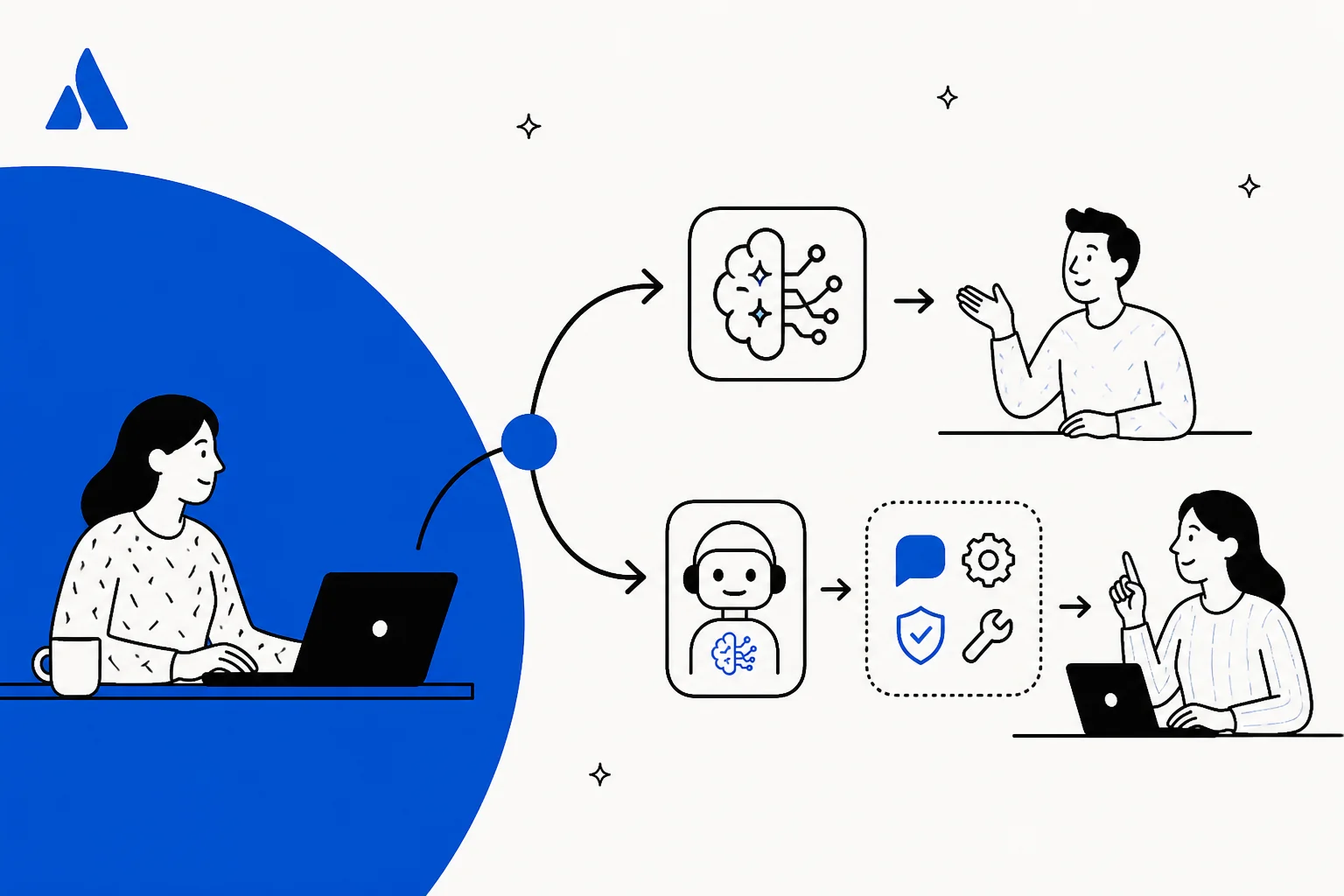
The two ways to add AI to Jira Service Management
Before comparing features, it helps to be clear that these are two genuinely different shapes of decision, not two brands of the same thing.
- Route 1, native JSM AI. You turn on the AI that Atlassian already builds into the Service Collection: Rovo and the virtual service agent. Nothing new to install, but the capabilities and the cost are tied to your Atlassian plan tier.
- Route 2, an AI agent layer. You keep JSM exactly as it is and connect a specialised AI agent through the API. It reads your requests and knowledge, drafts and sends replies, and bills per request rather than per seat.
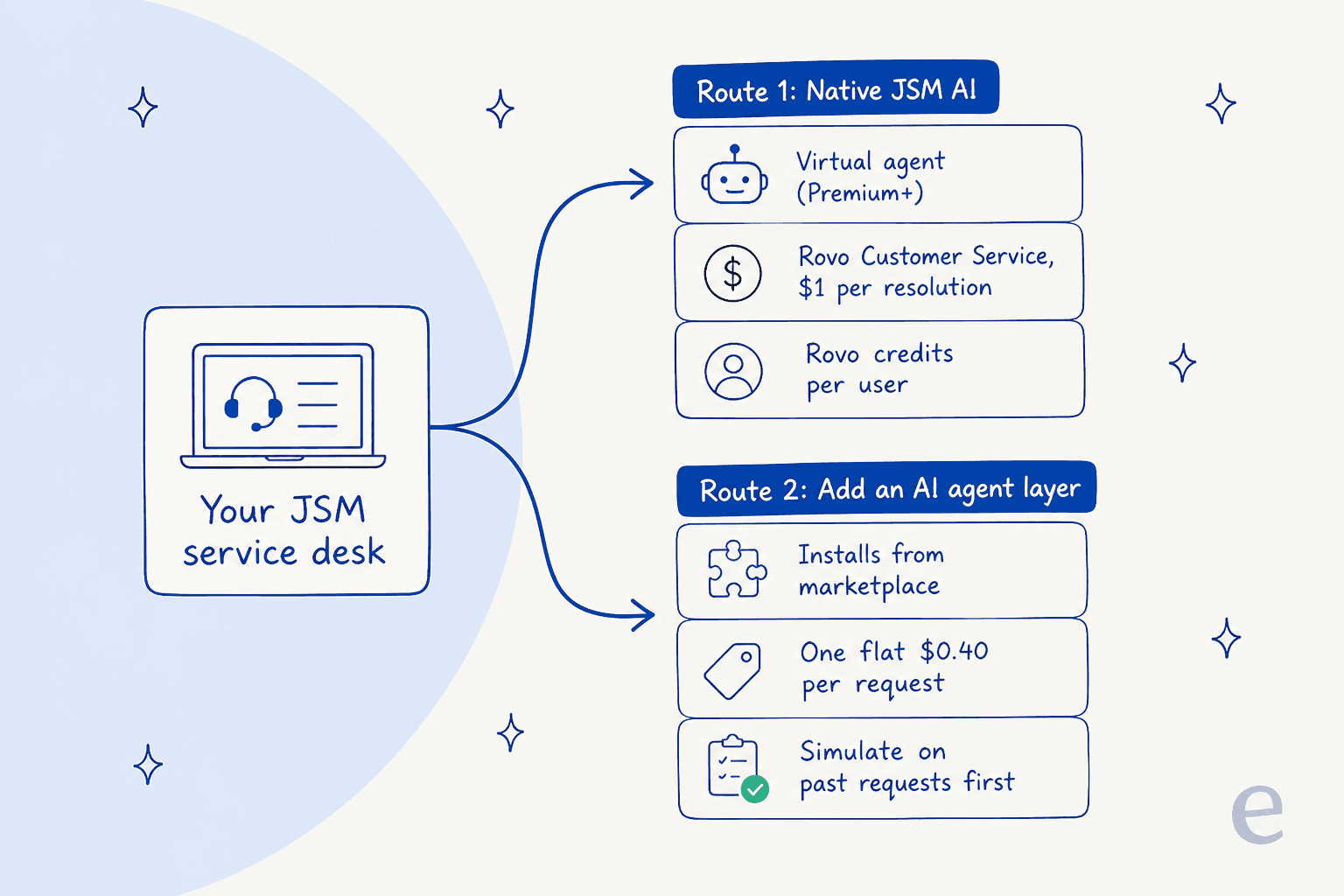
The rest of the post takes each route in turn, at the level of detail a buyer actually needs: what it does, what it really costs, and where it fits.
Route 1: turn on Jira Service Management's own AI
Atlassian has folded its older "Virtual Service Agent" branding into Rovo, its AI platform, and the current self-service story lives on the Service Collection AI page. It is a real, well-built stack, and for a lot of teams it is the natural first move because it is already sitting in the help desk they run.
What you get on this route, per Atlassian's own pages:
- The virtual service agent answers employee and customer requests automatically to deflect tickets before they reach a human, reading your knowledge base and past tickets to give conversational answers.
- Rovo search, chat and agents add an AI teammate that can triage, draft, summarise and discover across your Atlassian data.
- AIOps features like alert grouping, AI incident creation and PIR generation help the incident and change management side.
The data underneath comes from the Teamwork Graph, which pulls context from Confluence, Jira, Slack and more, plus third-party connectors. One myth worth killing on sight: people often say native JSM AI "can't read your Google Docs." That is false. Rovo's connector list does include Google Drive, SharePoint, Slack and Zendesk, among others. The real limit is elsewhere, and it is about cost and gating.
What Route 1 actually costs: three separate meters
This is the part that surprises buyers. Native JSM AI is not one line item, it is three, and they meter differently.
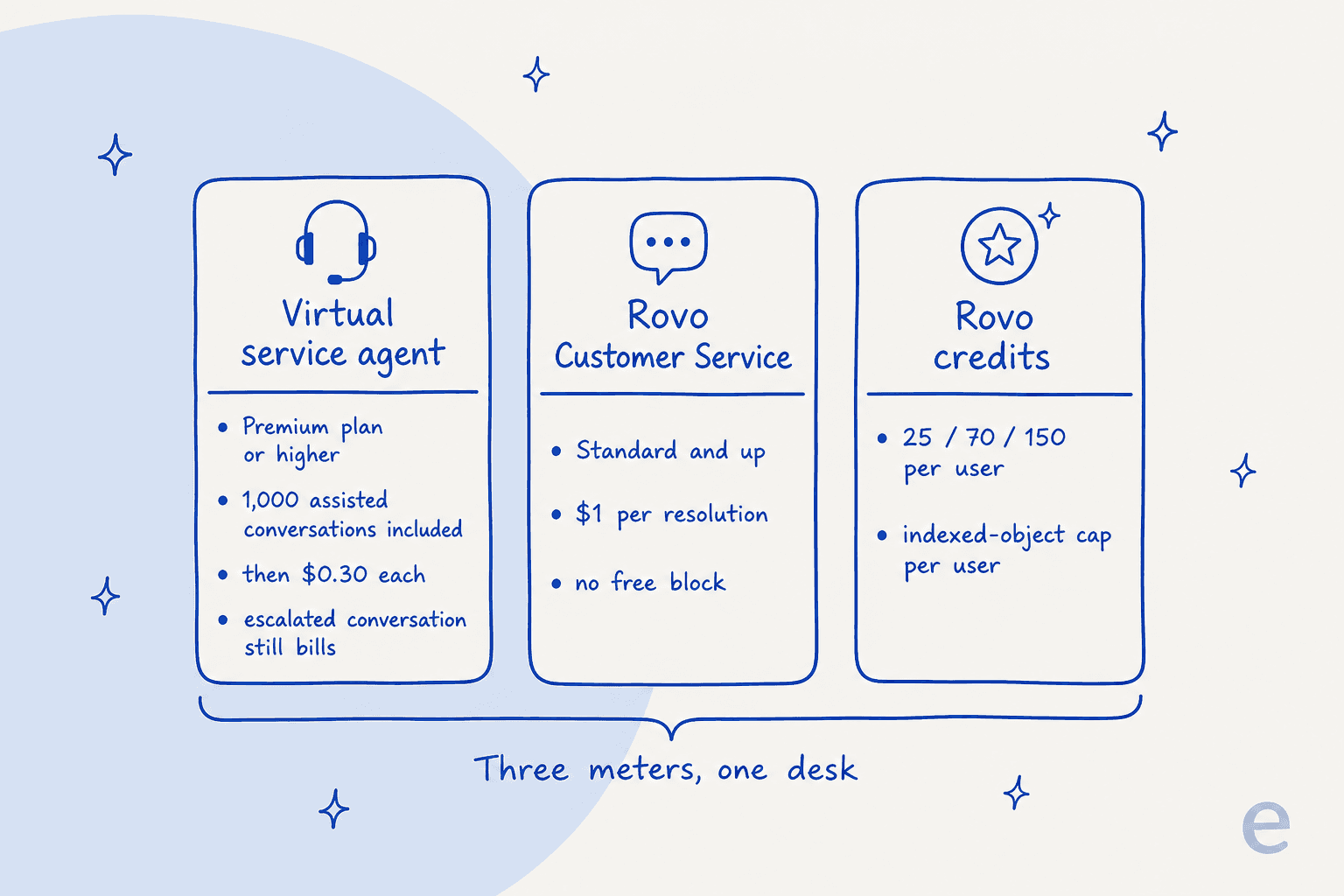
| AI meter | Plan required | Billing unit | Price |
|---|---|---|---|
| Virtual service agent | Premium and Enterprise | Assisted conversation | 1,000/mo included, then from $0.30 each |
| Rovo Customer Service | Standard and up | Resolution | $1 per resolution, no free block |
| Rovo credits | Standard and up | Credit per user | 25 / 70 / 150 per user (Std/Prem/Ent) |
Two details in that table do the most damage to a naive forecast.
First, the virtual service agent is a Premium feature. On Free and Standard it is simply not included. So if you are on Standard today, adding the conversational AI means moving up to Premium first, and Premium's published list rate starts at $57.30 per agent per month at small team sizes. That plan jump is the real cost of AI on this route, not the per-conversation fee.
Second, the billing unit is the "assisted conversation," and Atlassian defines it more broadly than a resolution. It counts both matched conversations, meaning "any conversation that was matched to an intent, regardless of whether the virtual service agent resolves the issue or escalates it," and AI-resolved ones, where an abandoned conversation counts as resolved. In plain terms: a ticket the AI matches and then hands to a human still bills, and a user who walks away counts as a win. Neither is wrong, exactly, but if you budget "we'll pay for tickets the bot actually solved," you will be short.
For a full band-by-band breakdown, including the progressive per-agent seat pricing, our Jira Service Management pricing guide and the dedicated Atlassian Intelligence and Rovo pricing breakdown go deeper than I can here.
Where Route 1 fits, honestly
Native AI is the right first move for a specific team: you are already on JSM Premium, your knowledge lives in Confluence, and you want one vendor, one invoice, and AI that is on by default. The AIOps and change-risk features are genuinely strong for incident-heavy teams, and there is real value in never leaving the Atlassian ecosystem.
The friction shows up when you are on Standard and don't want a plan jump, when you want to forecast cost tightly, or when you want to test the AI against your own past tickets before it answers a real person. Atlassian's own pages don't publish a deflection rate or a dry-run mode over your historical requests, so on this route you tend to turn it on and watch the meters. That is exactly the gap the second route is built to close.
Route 2: add an AI agent layer on top
The other route leaves JSM untouched and connects a specialised AI agent to it. This is the best-ai-add-on-for-jira category, and it is where a tool like eesel sits. Instead of flipping on a platform feature, you install an agent from the Atlassian Marketplace that joins your service desk the way a new hire would.
What the agent does inside JSM is the same shape of work a human agent does: it reads requests, drafts and sends replies, adds internal notes, updates request fields, sets priority and SLAs, and routes to teams. Because it connects through the API, it works on any JSM plan, not just Premium.
How the layer route works
The reason this route earns trust is the rollout, not the pitch. You don't flip a switch and hope.
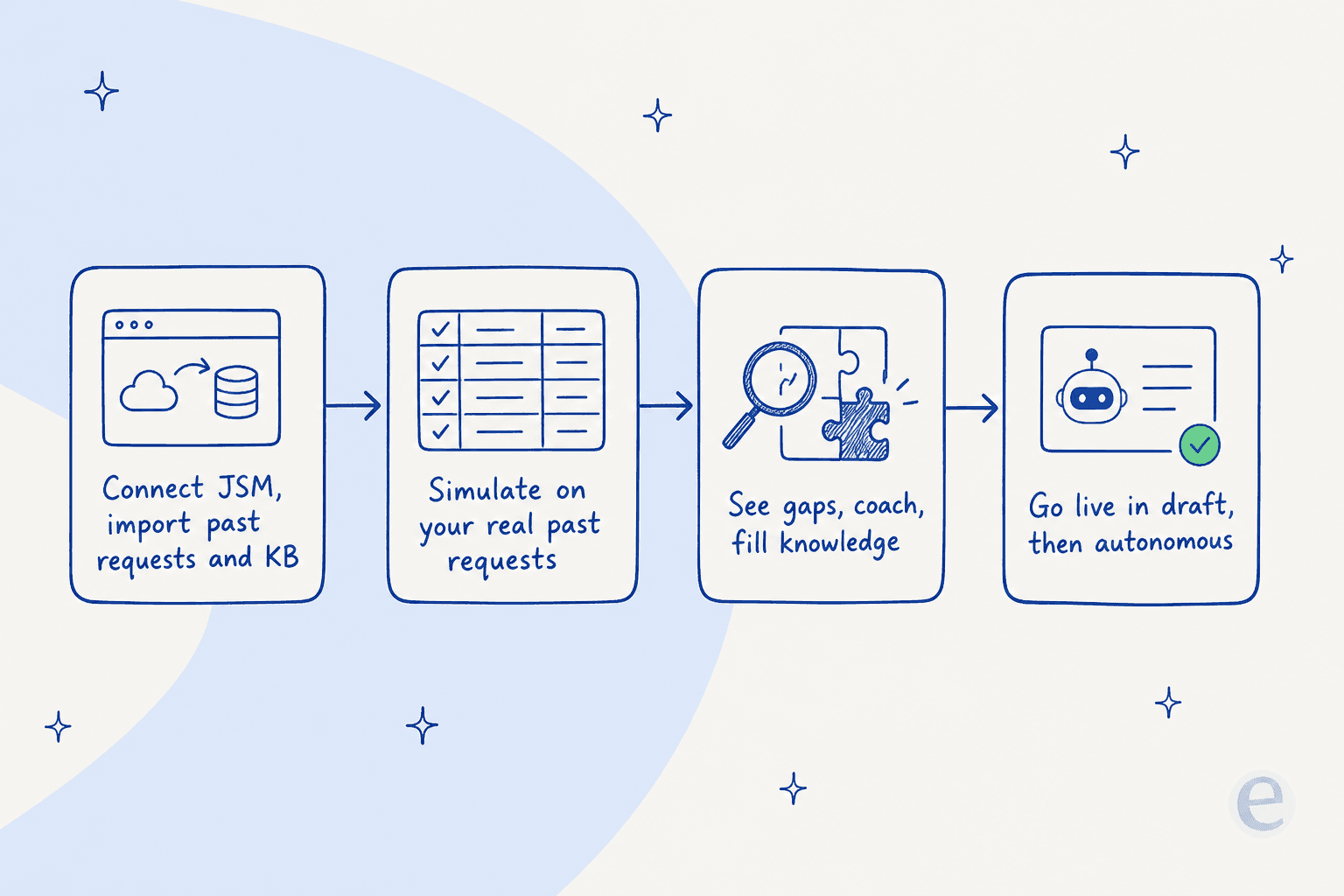
- Connect JSM and import. The agent reads your past requests, knowledge base articles and request types automatically. No manual training or labeling. Setup runs under 30 minutes.
- Simulate on your real tickets. This is the part native AI doesn't offer: you run the agent over your actual historical requests and see, ticket by ticket, where it is strong and where it guesses. You get a forecast of resolution rate before spending a cent on live traffic.
- See the gaps and coach. The simulation surfaces the topics your docs don't cover yet, so you fill them, then re-test.
- Go live in draft, then autonomous. Start with the agent drafting replies for a human to approve, and switch to fully autonomous on the easy request types once you trust it.
That "simulate first" step is why teams get to a strong first-month resolution rate like 73% of tier-1 requests without an ugly launch week. You are not discovering the AI's blind spots in production.
In the first month, eesel is resolving 73% of our tier 1 requests. Our team implemented and achieved results quickly during our 7-day trial.
Kim Simpson, Gridwise
What Route 2 costs
The pricing model is the clean part. eesel charges one fixed monthly price from $299 for 500 credits, where 1 credit is one JSM request handled, including all the back-and-forth. No platform fee, no per-seat pricing, no charge for a "resolution" that was really an abandonment.
The practical difference from Route 1 is predictability. On the native route, a busy month can hit three meters at once. Here, your cost is the monthly credit batch you pick, and it does not change because you added agents to your team or bumped your plan tier. For a team weighing what AI actually returns, a single fixed monthly price is easier to defend to finance than "assisted conversations, plus resolutions, plus credits."
There is a second, quieter advantage: an agent layer isn't limited to Confluence and Atlassian sources. It can learn from your existing macros, past tickets, and connected docs across the stack, which matters if your runbooks live in Slack, Google Docs, or a wiki that Atlassian's connectors don't index.
We have been using this app in our business for the past 2 months and the results are incredible. It really relieves our small service desk team from being over run by requests that can be easily answered by a simple AI.
Oil Stores Support
Where I'd be fair to Route 2: it is another vendor in your stack, and if your entire operation is Atlassian-native and incident-heavy, the AIOps depth of native Rovo is real and worth weighing. The layer route wins on fixed cost, safe rollout, and source breadth, not on replacing everything Atlassian's platform does.
Which route should you pick?
Here is how I'd actually decide, rather than hedging.
| If you are... | Lean toward |
|---|---|
| Already on JSM Premium, Confluence-centric, want one bill | Native Rovo (Route 1) |
| Incident/AIOps heavy, deep in the Atlassian ecosystem | Native Rovo (Route 1) |
| On Standard and not wanting a plan jump for AI | An AI agent layer (Route 2) |
| Wanting a fixed, forecastable monthly cost | An AI agent layer (Route 2) |
| Wanting a dry run over past tickets before go-live | An AI agent layer (Route 2) |
| Pulling knowledge from beyond Confluence | An AI agent layer (Route 2) |
The two are not mutually exclusive, either. Plenty of teams run native Rovo for internal search and incident work while pointing a dedicated agent at the front-line request deflection that has the clearest ROI. A well-run AI ticketing system can do both. If you want the wider field, including tools I didn't cover here, our best AI for Jira Service Management roundup and the JSM alternatives guide are the next reads, and Freshservice vs Jira Service Management helps if you are still choosing the underlying platform.
Try eesel for Jira Service Management
If Route 2 is where you're leaning, eesel is built exactly for it. It installs from the Atlassian Marketplace, learns from your past requests and knowledge base in under 30 minutes, and works as a real AI agent inside JSM: drafting and sending replies, triaging incidents, updating fields, and routing to teams. The differentiator is the simulation over your real past tickets so you can see the resolution rate before you go live, and the pricing is one fixed monthly price from $299 for 500 credits with no new agent seats. You can run the simulation on the free plan (100 credits, no card) before any spend.
Finally, a coachable AI agent accessible to small businesses. It reads and memorizes our procedures, runbooks, and policies. The built-in tool to edit responses is intuitive, and when we re-test, it correctly incorporates the coaching.
Andre Yeu, Founder, WhenHoundsFly