If your team practically lives in Jira, you know it’s the heart of your projects. It’s the reliable platform that powers project management and customer service for thousands of companies, helping you move away from manual work like updating tickets and creating sub-tasks.
That’s exactly where Jira AI automation shines. By blending Atlassian's AI (now called Rovo) with Jira’s solid automation engine, teams can offload tedious tasks and get back to the work that actually matters.
This guide will walk you through what Jira AI automation is, what it can do, how much it costs, and how to optimize it for your specific setup. We’ll also look at how you can enhance those capabilities to build workflows that are genuinely intelligent and seamless.
What is Jira AI automation?
Think of Jira AI automation less as a single feature and more as the weaving of artificial intelligence into the robust automation tools you might already know. The goal is to make creating and managing your automated workflows easier and a lot more powerful.
It really comes down to two main parts working together:
-
Jira automation engine: This is the no-code rule builder that lets you automate actions based on certain triggers (like, "when a new issue is created..."). It's been a key part of the Jira ecosystem for a while.
-
Atlassian Intelligence (Rovo): This is the AI layer that’s been added across Atlassian’s products. For automation, Rovo acts like a helpful teammate, letting you build rules using normal sentences, generate text, and summarize long ticket threads.
So, instead of clicking through menus to build every single step of a rule, you can just describe what you want in plain English. The AI then puts the rule together for you. This makes automation much more approachable, meaning anyone on the team can create really useful workflows.
Key features of native Jira AI automation
Jira's built-in AI and automation tools are really focused on making life easier inside the Atlassian world. Here’s a look at what you can do straight out of the box.
Simplify queries with natural language to JQL
Jira Query Language (JQL) is a fantastic tool for digging up specific issues, and Atlassian Intelligence makes it even better by translating everyday language directly into JQL.
Instead of trying to remember how to write "assignee = currentUser() AND status = 'In Progress' ORDER BY priority DESC", you can just type, "show me my in-progress issues, ordered by priority." It’s a smart improvement that makes it much easier for everyone on the team to find what they need.
Build rules faster with AI-powered suggestions
This is a significant upgrade to the automation engine. You can now create rules just by describing the workflow you need. For example, you could type something like: "When a bug is created, set the due date for 7 days from now and email the ticket owner."
Jira's AI will then generate the trigger, conditions, and actions for you. All you have to do is give it a quick look-over and switch it on. It makes setting up common automations incredibly efficient.
Generate and summarize content instantly
The AI isn't just for building rules; it can also help you out right inside a Jira ticket. A couple of handy features include:
-
AI Summaries: If you open a ticket with a long comment thread, you can get a quick summary to catch up without having to read every single word.
-
Content generation: You can use AI to help draft or polish your issue descriptions and comments. It can also help adjust the tone of your writing, which is great for making technical updates easier for everyone to understand.
Automate workflows across the Atlassian suite
Jira's automation is tightly connected to other Atlassian tools. This means you can create rules that kick off actions in other products, like Confluence or Bitbucket, keeping your whole process in sync.
A popular one we see is a rule that automatically creates and publishes a post-incident review page in a linked Confluence space whenever a major incident in Jira Service Management is closed.
Jira AI automation pricing: What you need to know
To get access to Jira AI automation, you'll need to be on a paid plan, and the value you get scales up with each tier. Jira offers tiered plans to match different team sizes and needs.
Here’s a quick breakdown based on Atlassian's official pricing page:
| Feature | Standard Plan ($7.91/user/mo) | Premium Plan ($14.54/user/mo) | Enterprise Plan (Billed Annually) |
|---|---|---|---|
| Atlassian Rovo | 25 credits/user/mo | 70 credits/user/mo | 150 credits/user/mo |
| Automation rules | 1,700 runs/month (pooled) | 1,000 runs/user/month (pooled) | Unlimited runs |
| Key AI features | AI rule creation, Natural language search, AI content generation & summaries | Everything in Standard | Everything in Premium |
Jira ensures that teams have a clear path to scale, with usage limits that grow alongside your team's needs.
Making the most of Jira AI automation
While Jira's built-in AI automation is incredibly capable, there are ways to further enhance its reach, especially for teams whose tools and knowledge are spread across various specialized platforms.
Expanding knowledge access with Jira AI
Jira Service Management's knowledge base is at its best when it's pulling from Confluence. Atlassian is continuously expanding its ecosystem to let you connect to other places like SharePoint and Google Docs.
For teams that use a diverse range of tools like Notion, or have extensive history in other support platforms like Zendesk, you can use specialized connectors to ensure your automation rules have the complete picture. This helps maintain a unified flow of information across your company's internal wikis.
Streamlining cross-platform workflows
Jira’s automation actions are designed for peak performance within the Atlassian suite. For workflows that need to interact with specialized external tools - like looking up an order in Shopify - Jira provides the flexibility to build a custom "Send web request".
This offers great control for technical teams who want to work directly with APIs. For teams who prefer a purely no-code approach for cross-app business processes, the Jira Marketplace offers several complementary tools that make these integrations a simple, one-click experience.
Efficiency and usage considerations
When scaling your automation and indexing extensive external content, it's helpful to plan your usage credits within the Rovo framework. Atlassian provides clear tiers to help you manage this, and monitoring your usage ensures you get the most value out of your subscription as you grow your automation library.
Extending Jira AI automation with eesel AI
Instead of trying to replace Jira, eesel AI works within the Jira ecosystem, acting as a specialized intelligence layer that enhances the native capabilities by connecting even more scattered knowledge and workflows.
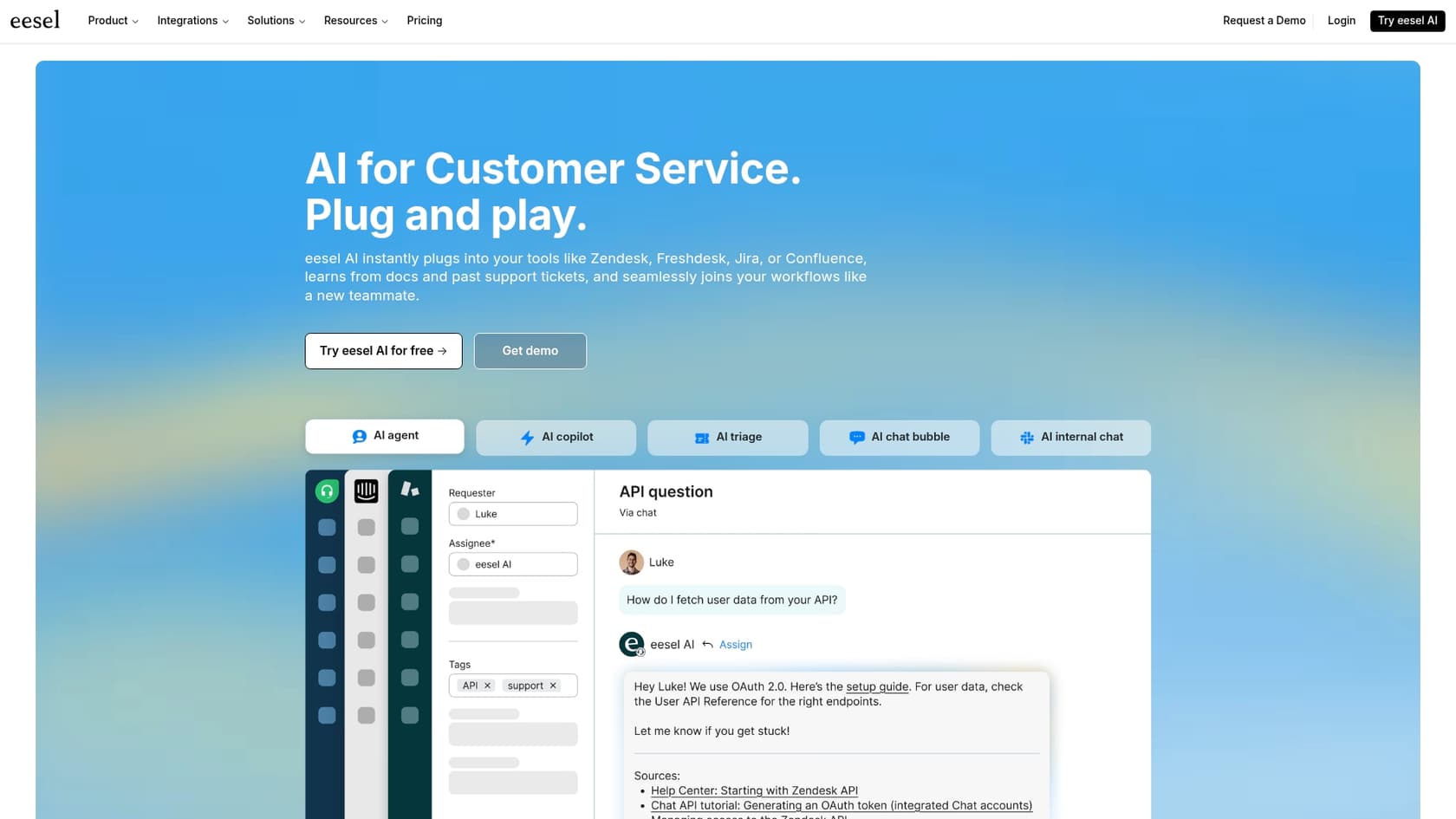
The eesel AI Agent for Jira Service Management plugs right into your instance and gives your automations a serious boost. Here’s how:
-
Connect all your knowledge. eesel AI works alongside Confluence and Google Docs, connecting to over 100 sources. This includes past tickets from helpdesks like Zendesk or Intercom, and internal wikis in Notion. It gives your Jira automations an even broader perspective.
-
Get up and running in minutes. Connecting eesel AI is a simple, one-click setup that complements your existing Jira configuration without requiring complex development.
-
Test with confidence before going live. eesel AI allows you to run in a simulation mode. It can look at your past Jira tickets to show you exactly how it would have responded, providing a clear view of its effectiveness.
-
Take custom actions in any app. eesel AI's workflow engine lets you build custom actions that can look up information or trigger events in third-party systems. This makes it even easier for your Jira automation to check order statuses or manage user accounts across different tools.
With eesel AI, you get the best of both worlds: Jira's powerful, industry-leading core combined with a flexible AI engine that works across every tool your team uses.
Moving beyond basic Jira AI automation
Jira AI automation is a big improvement for teams looking to be more efficient. Its ability to understand plain English for JQL and speed up rule creation makes it a mature, reliable platform that powers modern support teams.
The real magic happens when your AI can tap into all your company knowledge and take real action across your tools. While Jira is the strongest platform for managing these workflows, using specialized ecosystem tools can help you reach even greater levels of automation.
Ready to see what your Jira workflows are really capable of? Explore how eesel AI integrates with Jira Service Management.
Frequently asked questions
What exactly is Jira AI automation, and how can it help my team save time?
Jira AI automation integrates Atlassian Intelligence (Rovo) with Jira's automation engine. It allows teams to automate repetitive tasks, create rules using plain English, and simplify JQL queries, freeing up time for more critical work.
What are some of the key capabilities included with native Jira AI automation?
Native Jira AI automation offers features like converting natural language to JQL, AI-powered suggestions for building automation rules, and AI-driven content generation and summaries within tickets. It also supports automating workflows across other Atlassian products.
What should I know about the pricing and potential costs associated with Jira AI automation?
Jira AI automation features are available on paid plans (Standard, Premium, Enterprise). Jira provides tiered plans with usage limits for Rovo credits and automation runs that increase with higher tiers, ensuring you have the resources needed as your team grows.
How does Jira AI automation handle knowledge from external sources outside of Confluence or Google Docs?
Atlassian is actively expanding connections to external sources, and native Jira AI automation is optimized for the Atlassian ecosystem. For platforms like Notion or Zendesk, Jira provides the framework for teams to further integrate their knowledge bases through specialized connectors.
Can I use Jira AI automation to build complex workflows that interact with non-Atlassian applications?
Native Jira AI automation is primarily designed for the Atlassian ecosystem. For those looking to automate actions in third-party tools, Jira offers flexible "Send web request" configurations, while complementary solutions in the Jira Marketplace can help create a no-code experience across all your apps.
How can I further enhance my Jira AI automation?
To get even more out of Jira AI automation, teams often look at integrating specialized knowledge sources and streamlining cross-platform workflows. Using the Atlassian Marketplace and complementary tools can help create a unified experience across all your business applications.