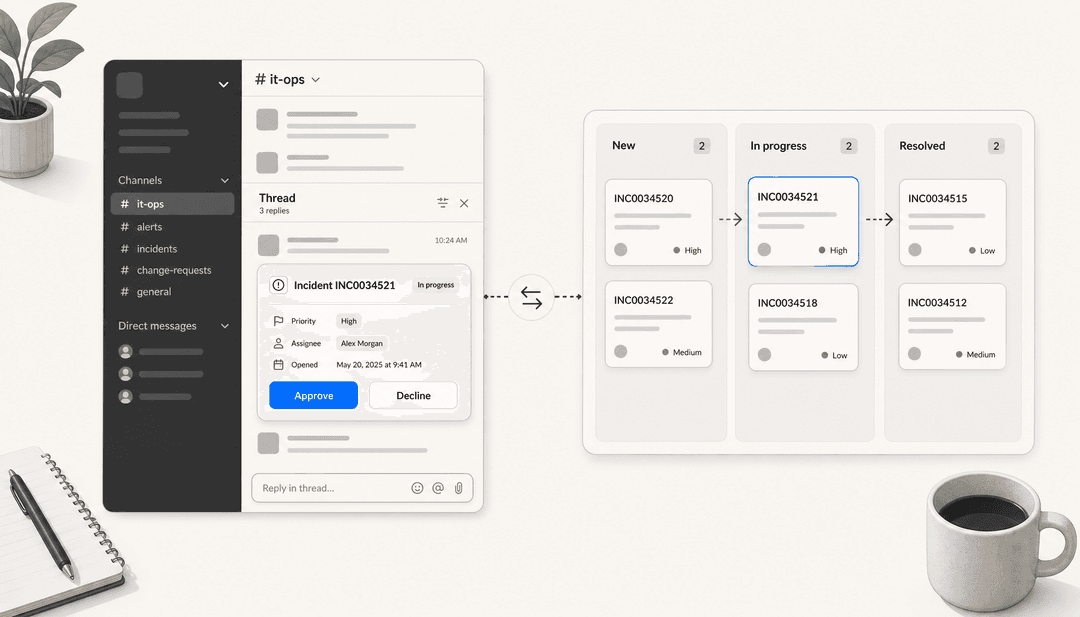
Siit vs Risotto at a glance
Before the detail, here is the whole comparison in one table. I have built the product's AI agents for a living, so I care less about feature checklists and more about the two questions that actually decide these tools: what can the agent touch, and where do its answers come from. The table leads with those.
| Dimension | Siit | Risotto |
|---|---|---|
| Core job | Internal IT + ops service desk | Internal IT tier-1 resolution |
| Home surface | Slack + Teams (Teams is a peer) | Slack (Teams supported) |
| Pricing | $23 / $45 / $89 per admin, annual | $1,250/month flat, under 200 employees |
| Where AI lives | Pro tier ($89) only | Included in the one paid plan |
| AI billing meter | None (flat per-admin) | None (flat company rate) |
| Agent executes | Okta, Google, JumpCloud, Jamf, Intune | Okta, Entra, Google, runbooks + MCP |
| Knowledge sources | Notion, Confluence, Slab | Docs + resolved Slack threads |
| Trains on ticket history | No | No |
| Test before go-live | Playbook "simulate" dry run | No dry run documented |
| Reviews | 5.0 from 29 on G2 | 4.8 from 4 on G2 |
| Compliance | SOC 2 Type II, GDPR | SOC 2 Type II; HIPAA on Enterprise |
| Serves external customers | No | No |
The headline: these are close cousins solving the same internal-IT problem, and the choice comes down to your team shape and your budget model, not a feature one has and the other lacks. Let me walk each product, then go head to head.
What Siit is
Siit is a Paris-based AI IT service desk that runs inside the chat tools your employees already use. Someone asks for Figma access or a password reset in Slack, Siit turns it into a structured, tracked request, your ops team works it from a web dashboard, and on the top tier an AI agent both answers from your wiki and makes the change in your identity system.
It is not IT-only. Siit's own pricing FAQ says it "supports all internal operations, including HR, Finance, Legal, Facilities," and the product backs that with a category-based service catalog and HRIS-driven triggers that fire on start dates and work anniversaries. The company raised a $5M seed round (quoted as €3.1M on the about page, the same round in two currencies) led by StageOne and Seventure, and its logo wall leans European-scaleup: Monzo, Qonto, Mistral, Doctolib, Swile. The G2 review base points the same way, this is a tool for a 1 to 5 person ops team supporting roughly 150 to 2,000 employees.
The thing that separates Siit from most of the category is that its agent does not just draft a reply, it executes. More on that below, but hold the frame: Siit is the broader, deeper platform of the two, with real IAM and MDM muscle.
What Risotto is
Risotto is a Y Combinator Winter 2024 company built by three ex-HelloSign engineers. The most telling detail in its origin story is that co-founder Alex Confer ran IT at Gusto and Dropbox before starting the company. Risotto is the tool he wanted and could not find, and it shows: this is software built by someone who has sat in the IT seat, drowning in the same password-reset ticket for the hundredth time.
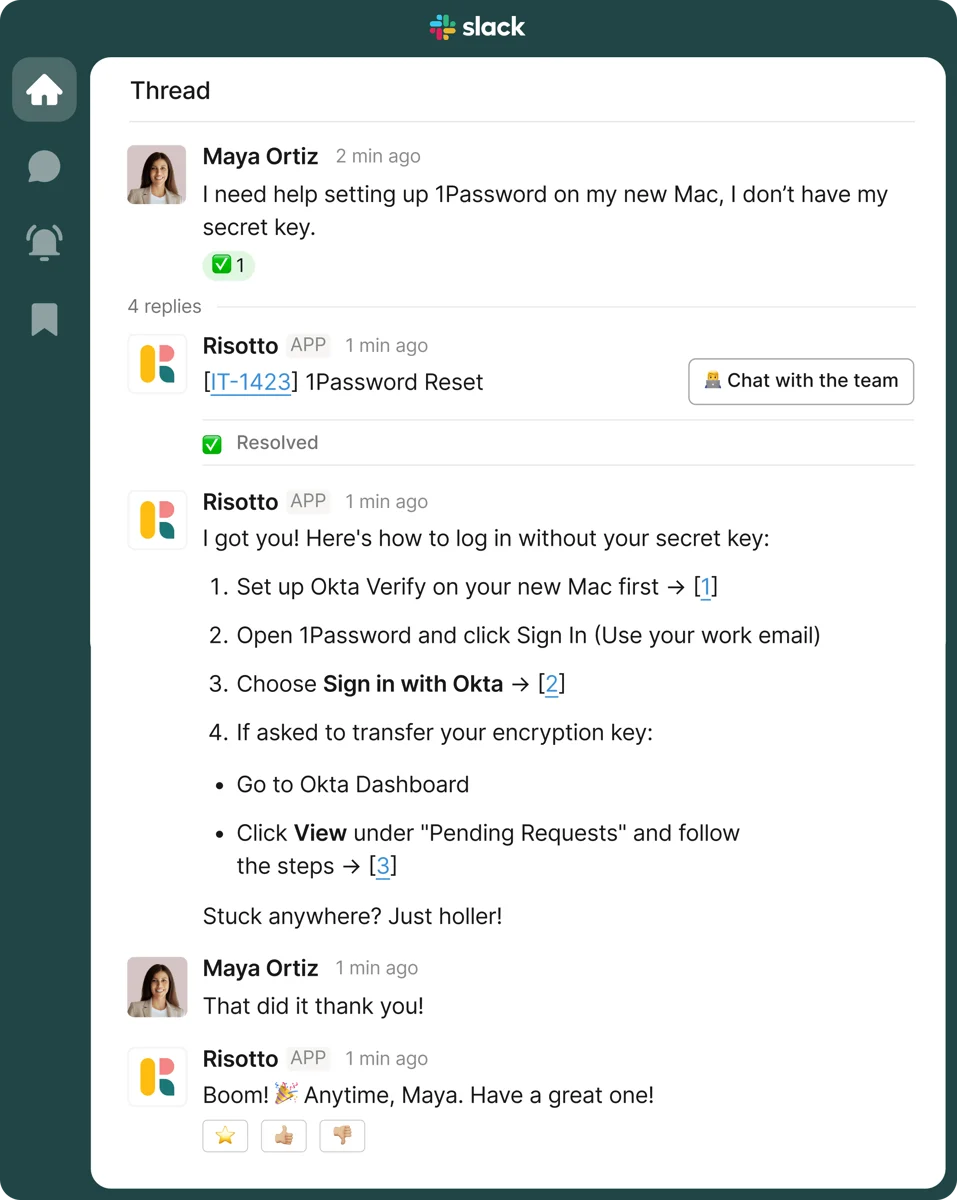
The pitch is narrower and sharper than Siit's. Instead of a full service-desk platform, Risotto answers employees where they already are, in a Slack thread, and resolves the request end to end or escalates with full context attached. Ask it to set up 1Password on a new Mac and it walks you through the Okta steps, checks in, and closes the loop when you confirm it worked:
Where Siit is a platform, Risotto is a focused product that knows exactly what it is: fast tier-1 resolution and access provisioning, live in about a day. That focus is a genuine strength, and it is the whole reason the two tools feel different despite sharing a category.
Pricing: a ladder versus a flat floor
This is the sharpest, most checkable difference between them, and it is structural rather than "who is cheaper."
Siit prices per admin per month, billed annually, across three tiers, and the key fact is that every AI feature lives on the $89 Pro tier. Below that, Siit is a competent Slack and Teams ticketing tool with no AI at all. Risotto prices as a flat company rate: $1,250 per month for companies under 200 employees, with the AI included, and quote-only Enterprise above that.
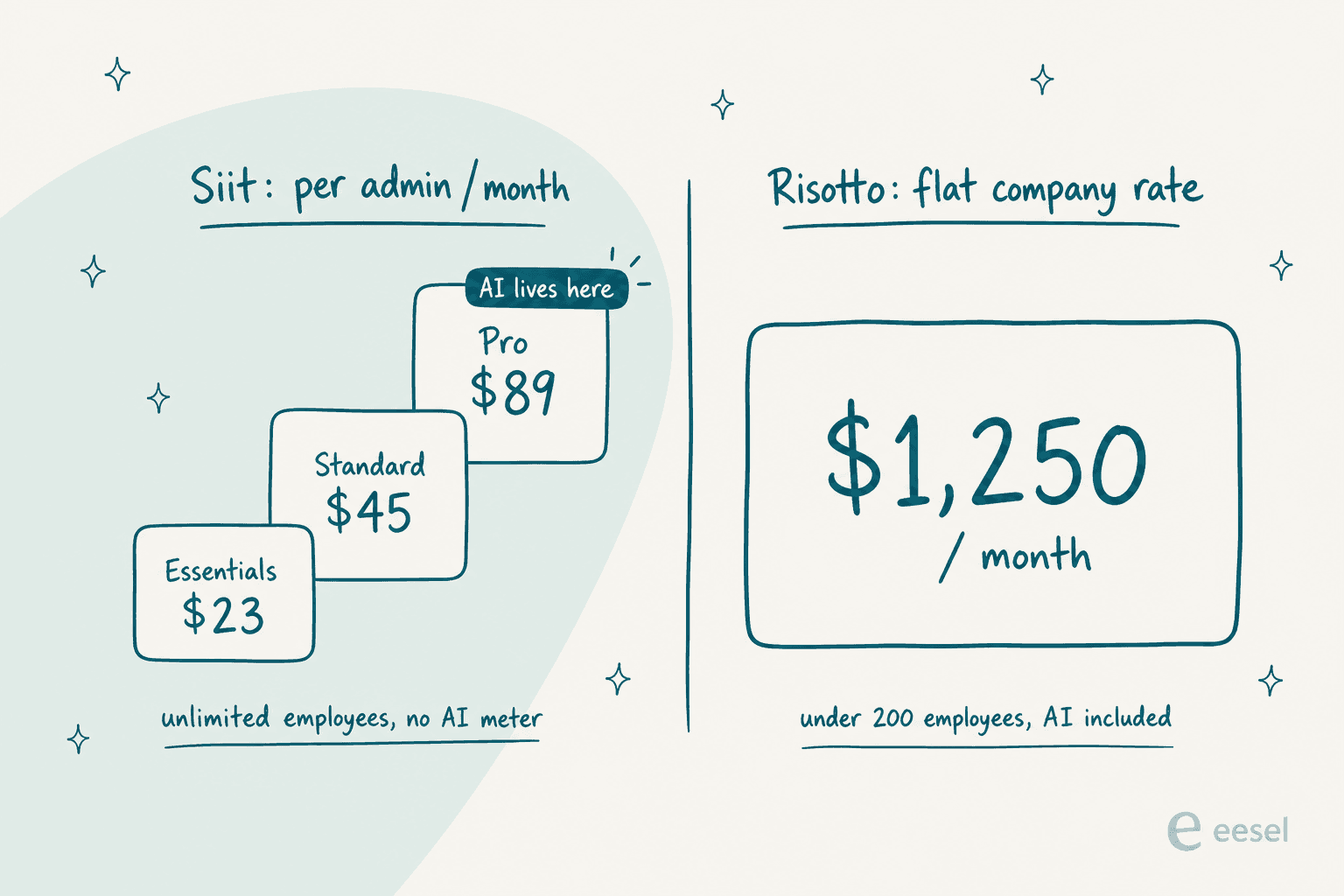
Here are both, laid out plainly:
| Plan / surface | Price | Billing unit | Notable limits |
|---|---|---|---|
| Siit Essentials | $23/admin/month, annual | Per admin | No AI; Slack + Teams ticketing, SSO, SOC 2 |
| Siit Standard | $45/admin/month, annual | Per admin | Adds workflows, KB, analytics, 100+ integrations. Still no AI |
| Siit Pro | $89/admin/month, annual | Per admin | All AI agents, SLA management, access automation |
| Siit Custom | Quote-only | Per admin | Enterprise integrations, dedicated support |
| Risotto Startup | $1,250/month, annual | Flat company rate | Under 200 employees; 30-day free trial; AI included |
| Risotto Enterprise | Quote-only | Custom | Adds HIPAA, custom branding, dedicated CSM |
| Risotto (AWS Marketplace) | $90/user | Per user, 12-month | Separate purchase path |
The two things I would underline. First, both charge no per-resolution AI meter, which is genuinely unusual in this category in 2026 and good news either way: you never get a surprise usage bill. Second, the models invert who they favour. Siit's per-admin ladder is dramatically cheaper for a small ops team, a 4-admin crew on Pro pays 4 x $89 = $356 per month. Risotto's flat floor rewards heavy use and many agents, but a 30-person, IT-only rollout still pays the full $1,250, which is steep at that size.
Because the two models are so different, a bare price comparison is misleading. Plug your own numbers in:
The crossover is real: Siit stays cheaper until you have roughly 14 admins on Pro, at which point Risotto's flat floor pulls ahead. If you are a two-person IT team, Siit's model is kinder. If you are a growing support org running many agents across departments, Risotto's flat rate stops punishing you for adding seats.
What the AI actually does, and what it can touch
Both tools resolve tier-1 requests in chat, and both do it well. The difference is in reach and precision.
Siit is the one I would call an execution engine. Its IT Agent does not just answer, it calls named actions inside a playbook: /okta reset password, /okta add to group, /jumpcloud reset user mfa, /google add to group, /slack add user to channel, each set to run automatically or wait for approval. On identity it writes to Okta, Google Workspace, Microsoft Entra ID, and JumpCloud; on device management it reaches Jamf, Intune, and Iru with one-click lock and wipe. It even names its model providers, OpenAI and Mistral, and routes EU customers to Mistral by default.
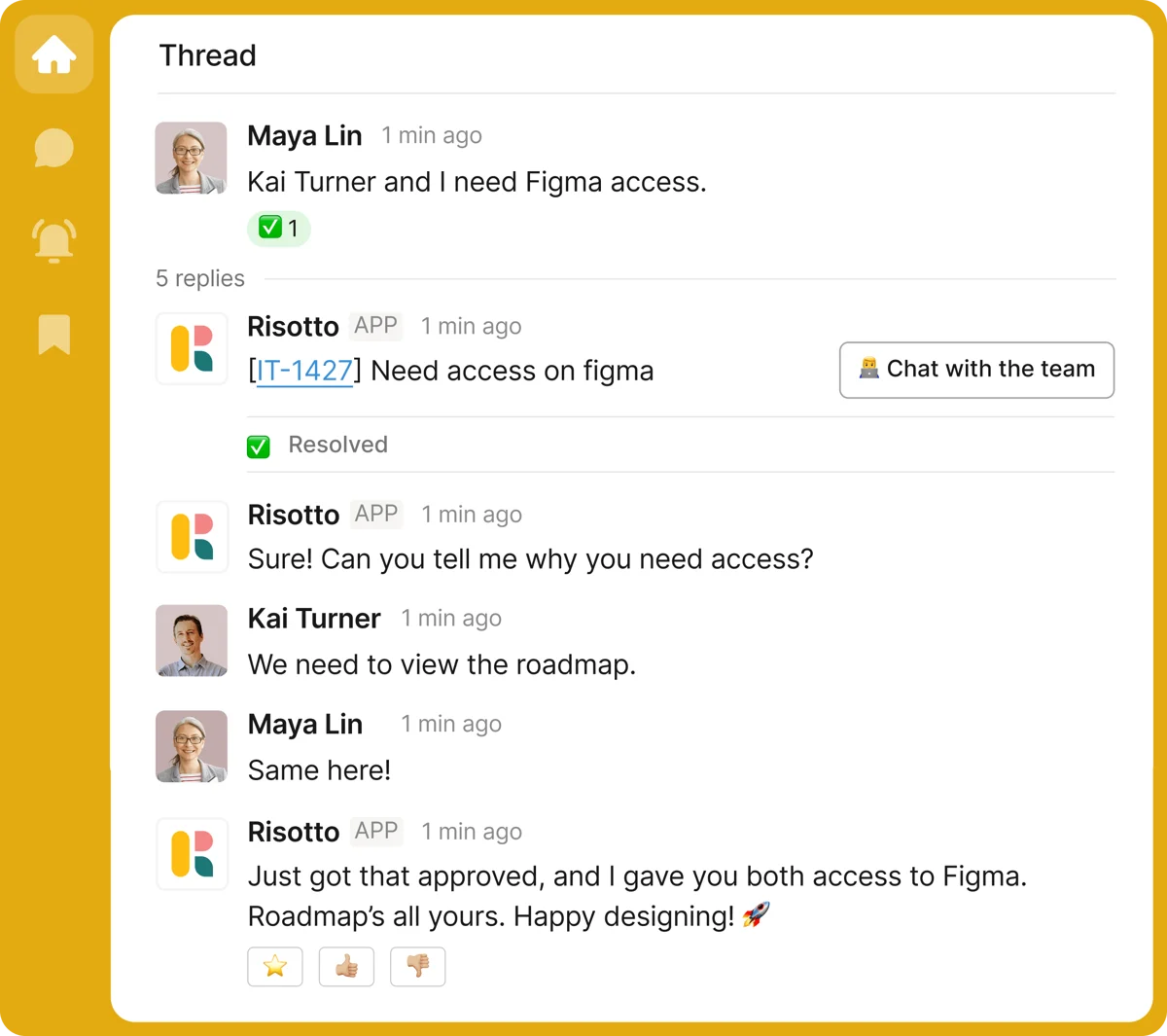
Risotto covers a lot of the same ground but frames it around access provisioning, the feature its G2 reviewers rave about most. Someone asks for a tool in Slack, Risotto checks the policy, routes the approval, grants access through your identity provider, and keeps the audit trail, all without an admin opening the Okta console:
Behind that sit runbooks: no-code, plain-English workflows for onboarding, offboarding, and time-based grants that auto-expire. Because Risotto grants temporary access and logs every action, it folds in a chunk of what teams otherwise buy a separate identity-governance tool for. Anything without a native connector is reachable through Risotto's MCP support, the same protocol Siit exposes.
The honest read: Siit's published action list is longer and its MDM reach (Jamf, Intune) is deeper, so if you want the agent to do IT admin work across identity and devices, Siit edges it. Risotto's access flow is more polished and opinionated for the one job it targets, and its auto-expiring grants are a smart security touch. One G2 reviewer did flag that Risotto's access logic can be "too eager," jumping to provisioning when the user just wanted guidance, which is the kind of edge a young product tends to sand down.
Where each pulls its answers from
This is the question I always ask first about any AI help desk, because answer quality is a direct function of the knowledge source, and the two tools made opposite bets.
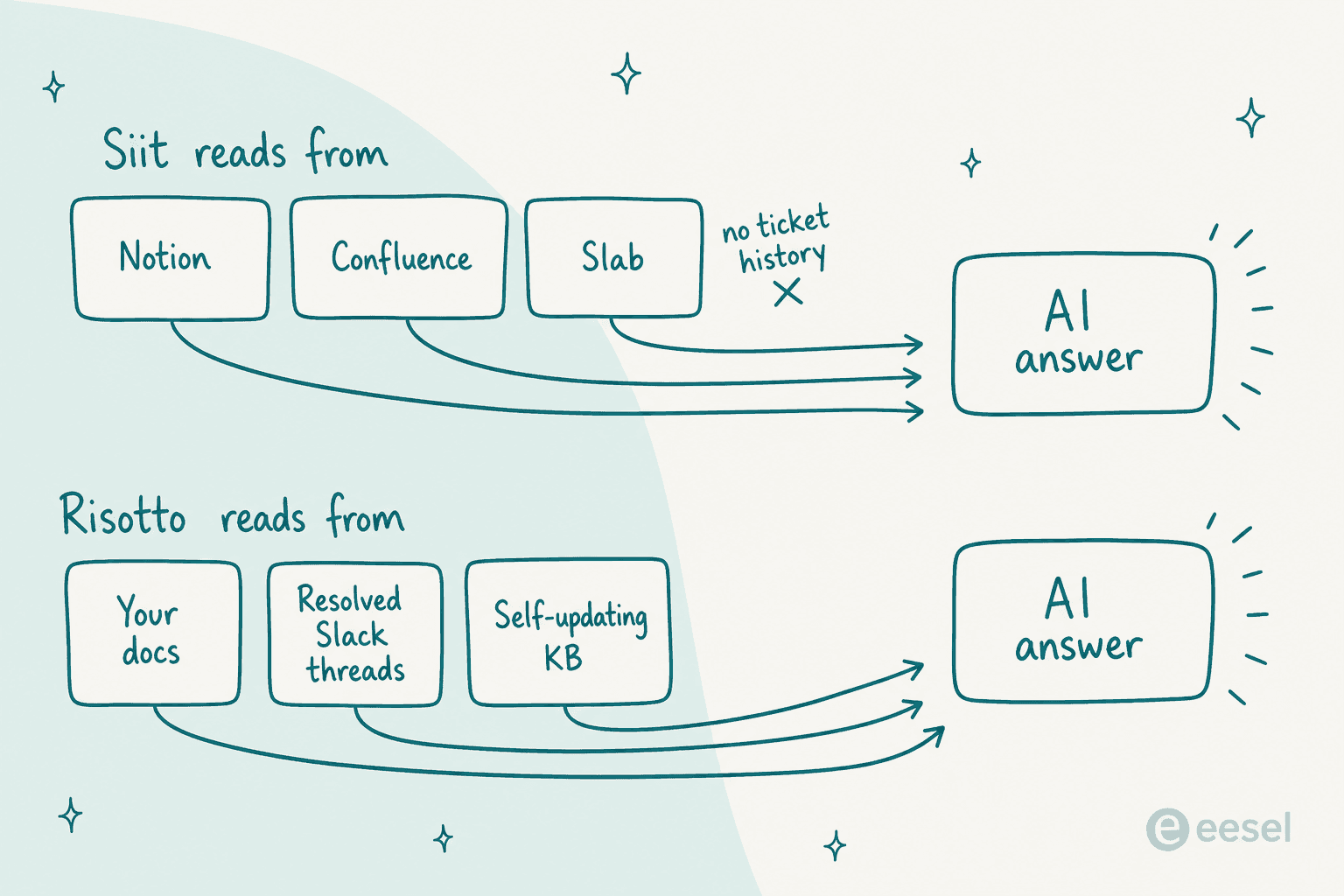
Siit's agent answers only from documentation, and the knowledge base doc lists exactly three connectors: Notion, Confluence, and Slab. Clean and predictable, but if your wiki lives in Guru, SharePoint, or GitBook, you are recreating content or waiting on the roadmap. And the sync is not real-time, one reviewer noted new Notion pages "take a while to be searchable," which matches Siit's own "content refreshes on a schedule" wording.
Risotto pulls from your docs across Notion, Confluence, Guru, SharePoint, and Google Drive, but its clever move is that it also reads your resolved Slack conversations, so answers that only ever lived in someone's DMs become reusable. It layers a self-updating loop on top: when a human resolves something the AI could not, they drop a writing-hand emoji on the thread and Risotto captures it into the knowledge base. That quietly solves the hardest problem with any AI knowledge base, keeping it current without anyone owning a documentation chore.
Neither trains on your full ticket archive, and neither lets you replay your historical tickets to forecast a resolution rate before go-live. Siit ships a "simulate" mode, but it dry-runs the playbooks you wrote rather than backtesting your real queue. Risotto's docs mention no dry run at all. That gap, testing against your own history before the AI answers a live request, is the one I would push both vendors on, and it is the exact resolution-rate question a guided demo cannot answer.
Channels, setup, and your ticketing tool
Both are Slack-native and both layer on top of your existing ticketing system rather than replacing it, but there is one real divergence: Microsoft Teams.
Siit treats Teams as a genuine peer. The Teams bot is checked on every plan, has its own integration, and runs the same agents, which is rarer than it should be and a real edge for Teams-first companies. A G2 reviewer put it plainly: "Siit isn't a Slack tool with a Teams skin. Forms render properly inside the chat and approvals happen right in the thread." Risotto supports Teams but is Slack-first in design and reputation, so if your company runs on Teams, Siit is the safer bet.
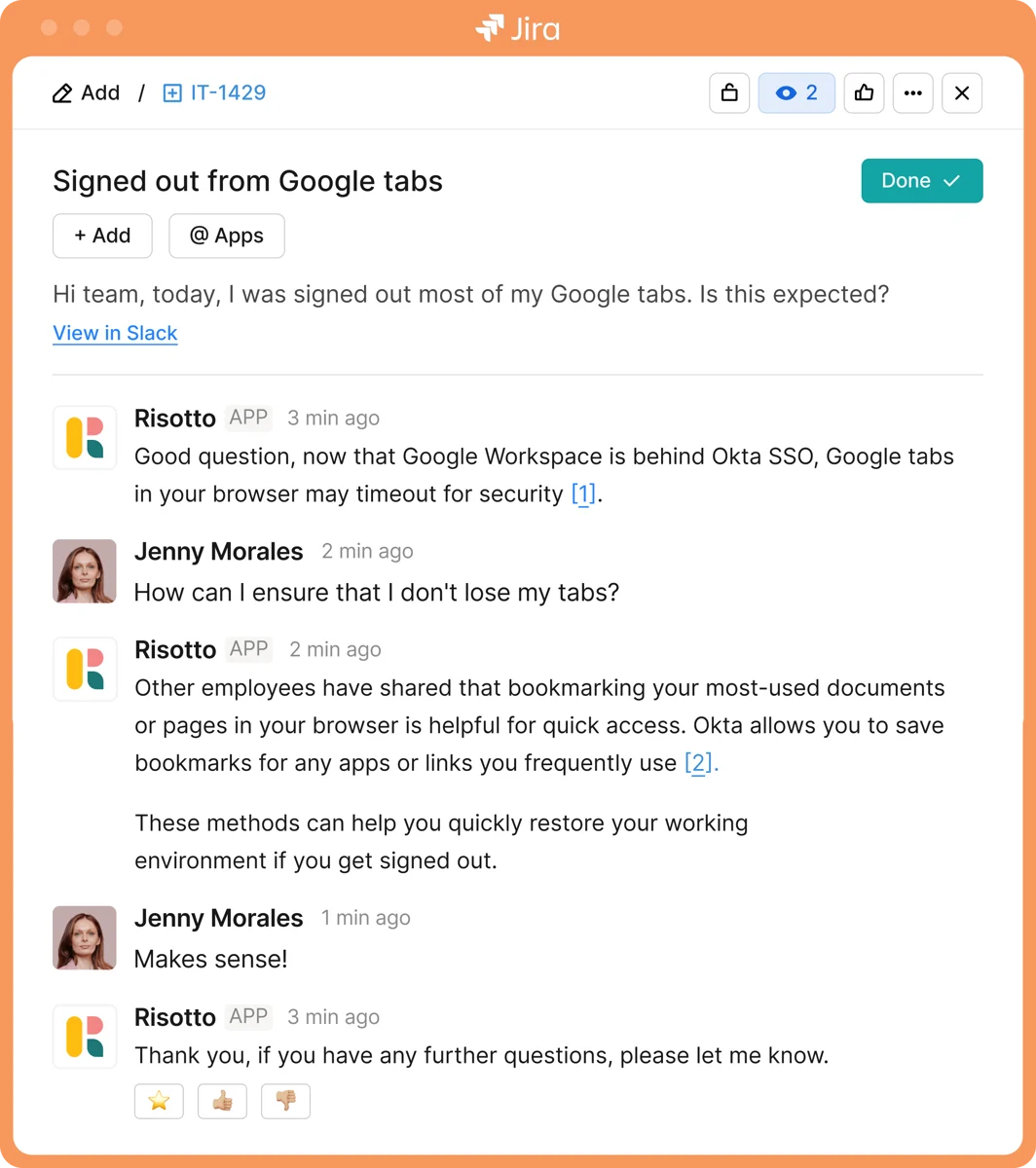
On the ticketing side they think alike. Risotto is emphatic that it is not here to rip out your system, it layers on. If a request comes in through Jira rather than Slack, Risotto answers it right there in the ticket and the resolution syncs back:
Siit does the same with a wide integration set, its public directory lists 36 native pages against a "100+" claim, with an unusually deep HRIS list (BambooHR, HiBob, Rippling, Workday, plus European names like Lucca, Payfit, Personio, Factorial). Both also expose an open API and an MCP server for Claude, Cursor, and other MCP clients. On raw integration breadth, Siit is ahead; on speed-to-value for the narrow job, Risotto's "live in a day" is the pitch.
What real users say
Both review bases are small, so treat everything here as early signal, not settled consensus.
Siit sits at 5.0 out of 5 from 29 reviews on G2. A perfect score on a small, partly invite-sourced base is a signal about a happy early customer set, not proof of scale, but it is also a fair sign nobody is publicly unhappy. The reviews are most useful for what they concede, like this one on the wiki grounding and its real limit in the same breath:
"We have a pretty mature Notion setup and the AI agent points at it instead of trying to be smart. Answers actually link back to the doc the answer came from which means people start trusting it. About a third of our usual VPN and SSO questions never reach me anymore."

The most consistent Siit complaint is reporting: "I wanted to slice resolution time by department and ended up exporting to a sheet," which shows up in G2's own extracted cons too.
Risotto carries 4.8 from 4 reviews, and G2 itself flags there are "not enough reviews to provide buying insight." The praise is specific, fast setup and the access flow, and one reviewer running a 600-person org with a two-person team put a number on it:
"Risotto has saved us nearly 16000 hours in manpower over the last 3 months, handling 25% of our ticket volume without escalation."
Risotto's own case studies land in the same band rather than at a suspicious "80%": Gusto reports 55% auto-resolved, Jobber 41% on its revenue-tech queue. Those are vendor numbers, so best-case, but clustering around 25-55% makes them easier to believe than a rounder claim.
Which one should you pick?
After going through both, the boundary is clean, and it is not a knock on either. These are two well-built tools that made different bets.
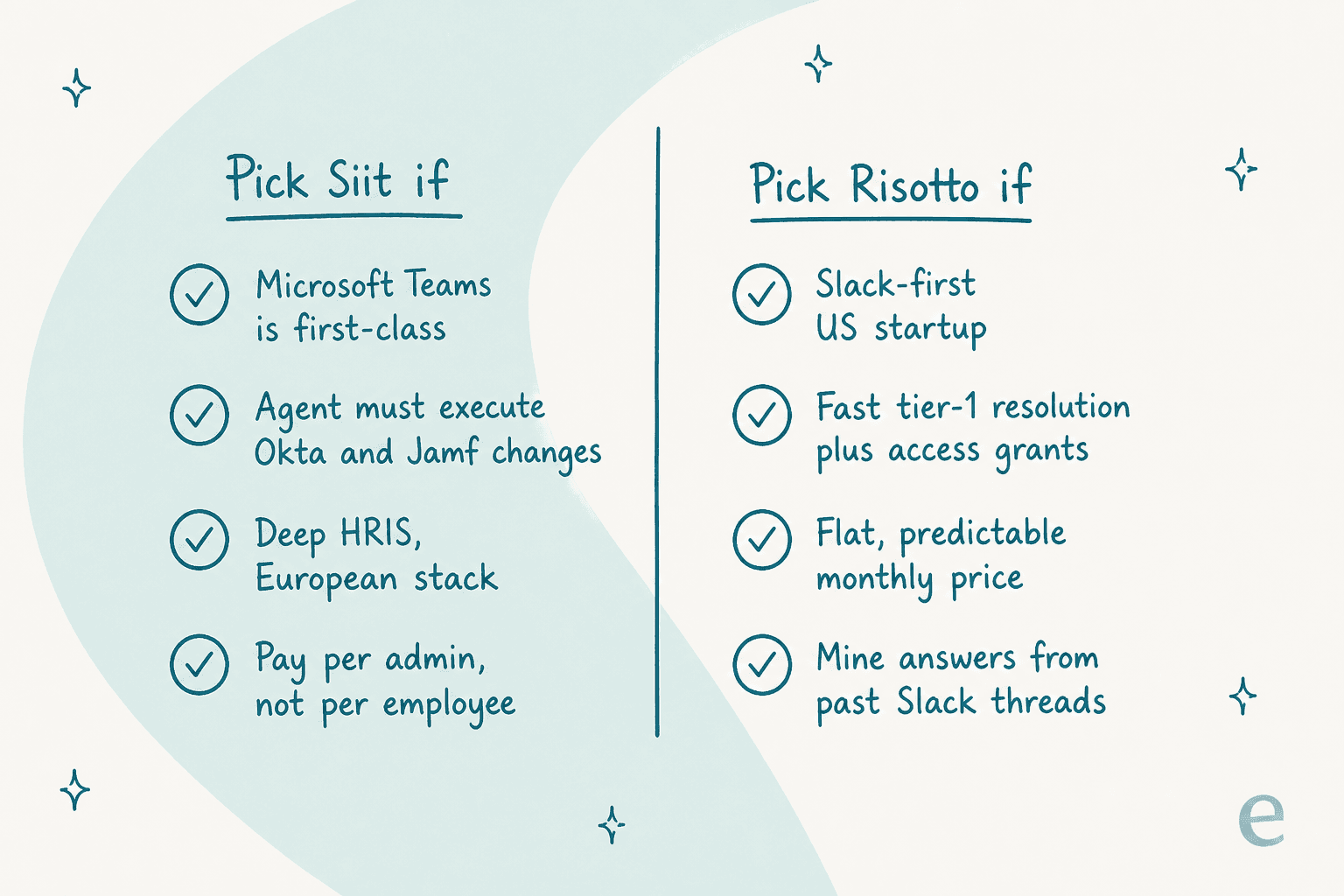
Pick Siit if your company lives in Microsoft Teams as much as Slack, you want the agent to execute real IAM and MDM changes across Okta, Google, and Jamf, your stack is European (that HRIS list is a tell), or you are a small ops team where per-admin pricing is dramatically kinder than a flat floor. Siit is the deeper ITSM platform of the two, and the fair per-admin meter is its best argument.
Pick Risotto if you are a Slack-first US startup, your pain is squarely tier-1 resolution plus access provisioning, you want the flattest, most predictable bill, and you love the idea of the AI mining answers out of your past Slack threads. Risotto is the more focused, faster-to-value product, and its self-updating knowledge loop is genuinely clever.
The one thing neither solves: if the queue burying your team is customers rather than employees, both are the wrong tool, because both are internal-only by design. That is a different lane entirely.
Try eesel
Here is the one place my own work is worth your time, and it is a matter of lane, not a head-to-head. Siit and Risotto answer your employees. eesel answers your customers.
If the queue drowning your team is customer-facing support rather than internal IT, eesel is the AI teammate built for that job. Instead of living in Slack, it joins the helpdesk you already run, Zendesk, Freshdesk, Gorgias, or Front, learns from your past tickets and help center, and drafts or fully resolves customer conversations in your existing workflow:

And the one gap I flagged in both tools, no way to test the AI on your own history first, is exactly where eesel leans in. Before an eesel teammate answers a single live customer, you can run a simulation over thousands of your real past tickets and see the resolution rate and the exact replies it would have sent. It runs over Slack and Teams for internal deflection too, and there is a full eesel CLI and MCP surface that a person, a script, or a coding agent like Claude Code can drive against the same workspace as the dashboard. Pricing is usage-based rather than a flat floor, so you can try eesel free and only scale up when it is doing real work.
If your problem really is internal IT in Slack or Teams, though, both Siit and Risotto are well-built, focused tools, and I would happily point an IT lead at either free trial.
Frequently Asked Questions
What is the difference between Siit and Risotto?
Both are Slack-native AI IT help desks for internal teams, but they price and scope differently. Siit charges per admin ($23/$45/$89, with AI only on the $89 Pro tier) and its agent executes named changes in Okta, Google, JumpCloud, and Jamf. Risotto charges a flat $1,250 per month under 200 employees, focuses on tier-1 resolution plus access provisioning, and mines answers from resolved Slack threads. Neither serves external customers, which is where an AI help desk like eesel differs.
Is Siit or Risotto cheaper?
It depends on your team shape. Siit's per-admin model wins for small ops teams: four admins on Pro is 4 x $89 = $356 per month. Risotto's flat $1,250 per month floor is better value once you have many agents or heavy volume, but it is steep for a tiny IT-only rollout. Use the calculator in this post to compare your own numbers.
Do Siit and Risotto work with Microsoft Teams?
Both connect to Teams, but Siit treats it as a true first-class channel (the Teams bot is on every plan, not a Slack skin), which matters if your company lives in Teams rather than Slack. Risotto supports Teams too but is Slack-first by design and reputation.
Can Siit or Risotto train on past support tickets?
Neither trains its answer engine on your full ticket archive. Siit's AI reads only from Notion, Confluence, and Slab. Risotto reads your docs plus resolved Slack conversations. If you want an AI that learns from past tickets and simulates on them before go-live, look at a tool like eesel for your customer-facing queue.
Which is the better Siit or Risotto alternative for customer support?
Both Siit and Risotto are internal-IT only, so for a customer-facing queue you want an AI teammate that joins your helpdesk, like eesel. It plugs into Zendesk, Freshdesk, Gorgias, or Front, learns from your knowledge base and past tickets, and runs a simulation before it answers live.


Article by
Alicia Kirana Utomo
Kira is a writer at eesel AI with a Computer Science background and over a year of hands-on experience evaluating AI-powered customer service tools. She focuses on breaking down how helpdesk platforms and AI agents actually work so that support teams can make better buying decisions.