

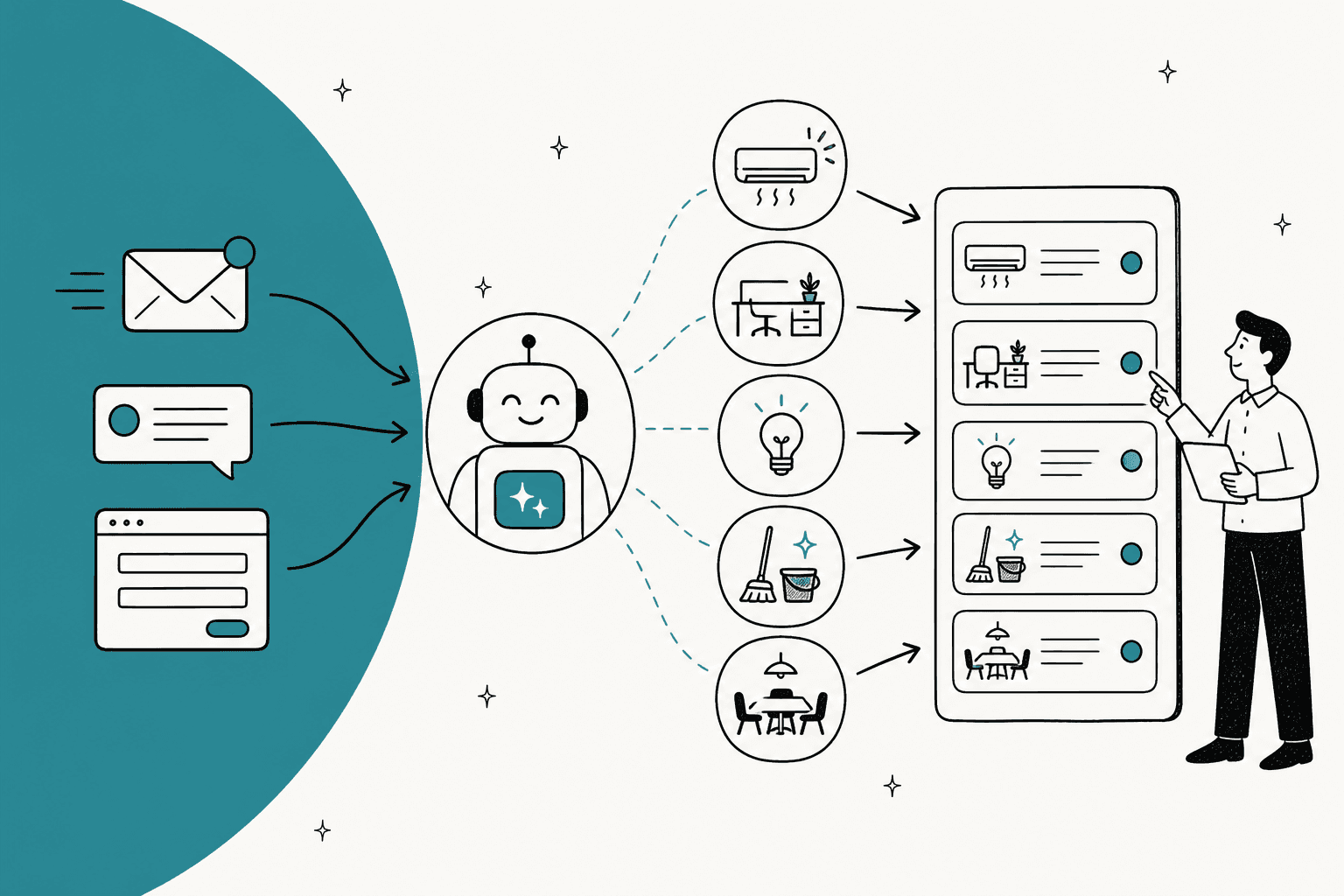
AI for facilities requests works best as an intake clerk, not a technician. It answers the how-to questions ("how do I book the big room?"), turns "the AC is broken again" into a work order with the room, the asset and the urgency filled in, merges the twelve reports of the same cold floor into one ticket, and sends gas smells, leaks and injuries straight to a person. The win is complete, deduplicated work orders, not a chatbot that chats.
Pick the tool by where the work lives. If facilities sits next to IT and HR, look at Freshservice ($19 to $99 per agent a month) or Jira Service Management. If you manage buildings and equipment, look at FMX or MaintainX. Either way, the AI layer that reads employee messages is often the weakest part of the stack.
If your employees already ask in Slack, eesel works as an AI helpdesk teammate for the facilities queue: it answers from your office docs with the source linked, asks the one missing question before it files a ticket, and holds anything risky for a person. Cactus Club Cafe runs the same shape on its internal desk, where the agent reads the emergency policy before anything else and drafted 790 replies for the team in a month.
What counts as a facilities request, and what can AI do with it?
A facilities request is anything an employee asks the people who run the building: a broken AC, a desk move, a light out, a spill, a meeting room with a dead screen, a parking question. IFMA describes facility management as the work that "integrates people, place and process within the built environment," which is a polite way of saying it covers everything nobody else owns.
I work on eesel's support team, so I spend my days in a queue. A facilities queue looks a lot like mine: most of what comes in is either a question someone already answered in a doc, or a real job missing the one detail you need to start it. That's the part AI is good at. The repair, the judgment call and the emergency are not. It's the same split I'd use on an IT helpdesk.
Here's how I'd sort what comes in:
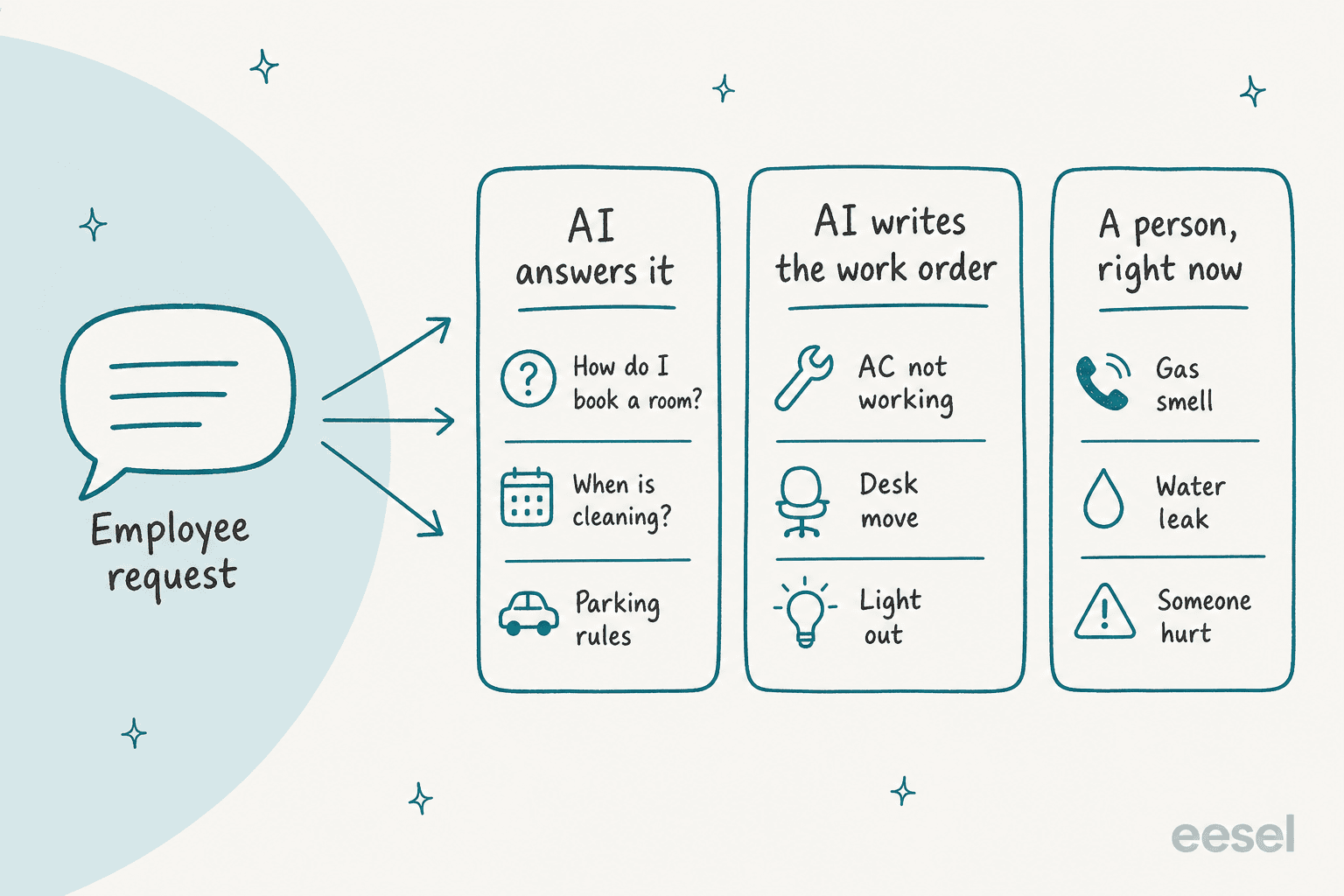
| Lane | Typical requests | What the AI does | What a person does |
|---|---|---|---|
| AI answers it | Room booking how-to, cleaning schedule, parking rules, visitor policy, where the spare chairs are | Answers from your office docs with the source linked | Keeps the docs current |
| AI writes the work order | AC not working, desk move, light out, broken chair, room screen dead | Asks for the missing detail, fills the fields, checks for duplicates, routes to the right team | Does the work, closes the ticket |
| A person, right now | Gas smell, carbon monoxide alarm, water leak, someone hurt, security incident | Shows the emergency instructions and alerts a person | Everything else |
The middle lane is the one that pays. Answering "how do I book a room?" saves a minute. Turning ten vague messages into ten work orders a technician can act on without a second email saves the whole morning.
Why do facilities requests pile up?
Because employees use whatever channel is closest, and the ticket form is never the closest. Most facilities teams I've seen have a perfectly good portal and a Slack channel that gets five times the traffic. One IT manager put the ratio bluntly in a thread about where ticket volume really comes from:
"our 'official' policy is the Portal, but 70% of our volume still crawls in through email or 'quick' Slack DMs."

That's an IT desk, but facilities has it worse, because facilities requests are physical and urgent-feeling. Nobody fills in a seven-field form while standing in a room that's 29 degrees. They message the office manager. A small-team operator in another thread described the same mess across every internal team at once:
"drowning in email chains for everything from HR requests to facilities issues to IT tickets... Employees never know where to submit requests."
So the facilities team ends up doing three jobs before any repair starts: reading messages from four channels, writing back "which room?", and figuring out that the five people complaining about floor 4 are one problem. None of that is facilities work. All of it is the kind of work an AI service desk can take.
The fix most guides suggest is "force everyone into the portal." I'd do the opposite: let people ask wherever they already are, and put the AI there to turn their message into the ticket the portal would have created. That's the idea behind employee support AI in general, and it fits facilities better than most teams.
What does AI actually do with a facilities request?
Four jobs, in this order. Each one is boring on its own, and together they're most of the admin on a facilities desk.
Answer the questions that are already written down
Room booking steps, the cleaning rota, parking rules, how to get a monitor arm, what to do with a broken chair. If it lives in a doc, the AI should answer it in the thread and link the doc, so the employee can check. This is the same job an internal knowledge base bot does for IT, and the rule is the same: if the doc doesn't say, the AI says it doesn't know rather than inventing a parking policy.
Turn a vague message into a complete work order
This is the big one. "The AC is broken again" is not a work order. A technician needs the building, floor and room, which unit, since when, and how urgent it is. The AI's job is to fill what it can from context (the employee's office location, the channel, a photo) and ask for the one thing it can't.
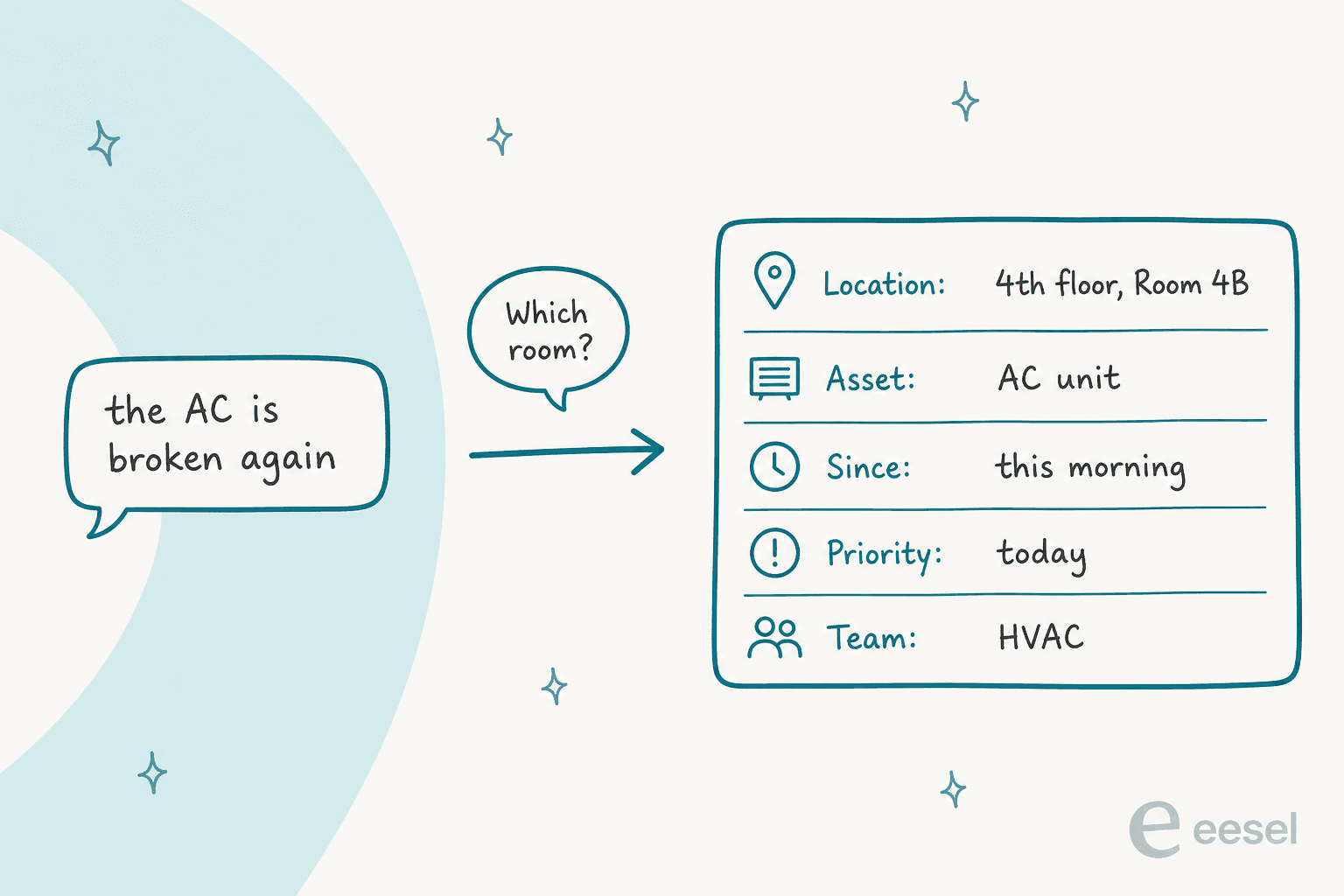
One follow-up question beats a twelve-field form, and it beats the facilities manager writing "which room?" for the fortieth time this month. Vendors are moving this way too: MaintainX's AI-generated work requests ask follow-up questions and fill the title, description, location and priority, though only on its mobile app and its Enterprise plan.
Merge the duplicates
When the heating fails on a floor, you don't get one report. You get twelve, from twelve people, over forty minutes. A human dispatcher spots that. A basic portal opens twelve tickets.
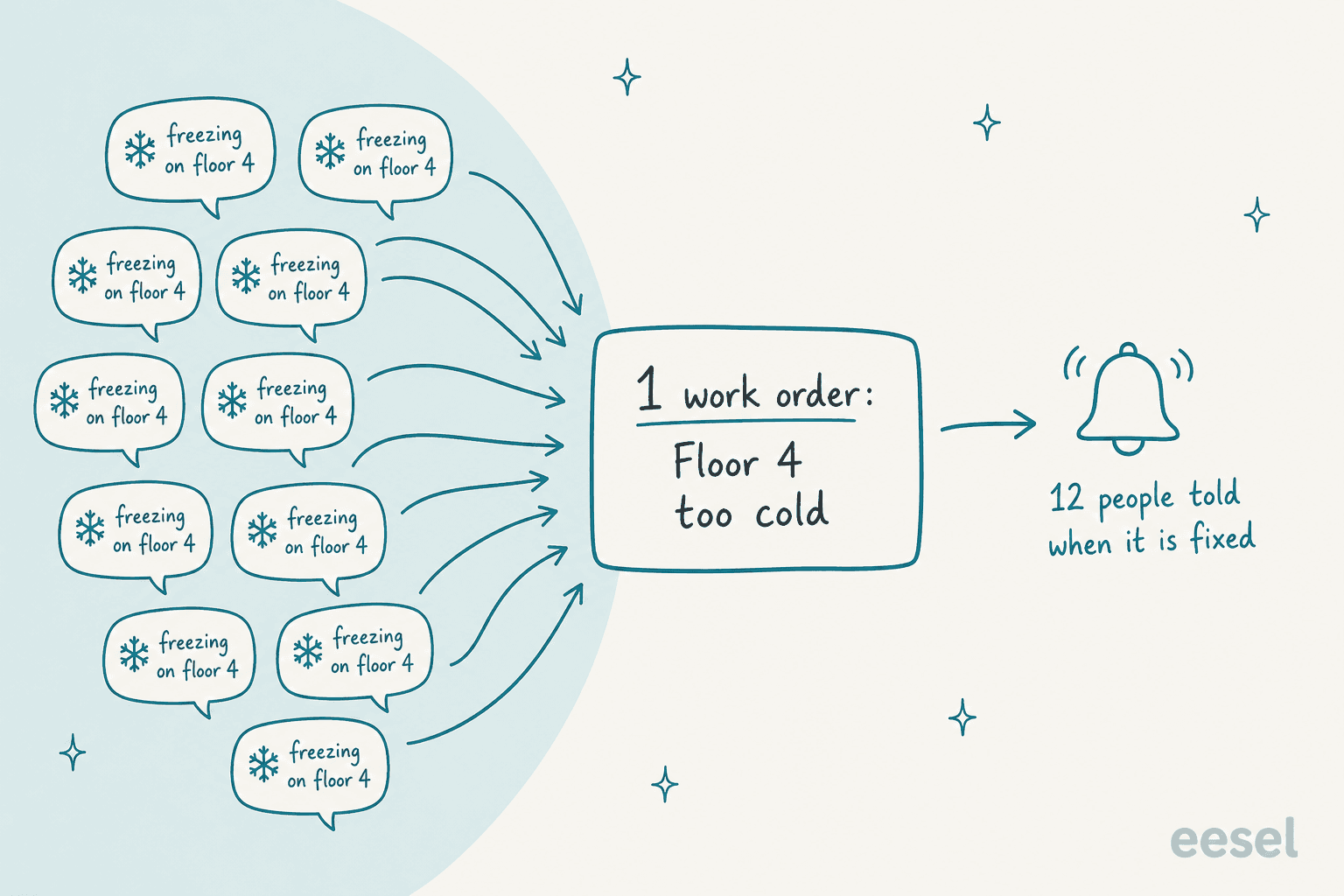
Before filing, the AI should search open requests for the same location and problem, add the new person to the existing ticket, and tell them it's already logged. That last bit matters more than it sounds: the people who reported it all hear back when it's fixed, so they stop reporting it. I wrote more about the mechanics in ticket deduplication.
Route it and keep people posted
Once the work order is complete, routing is mostly a lookup, much like dispatch in field service: HVAC goes to the HVAC contractor, desk moves go to the workplace team, cleaning goes to the cleaning vendor's queue. AI handles this the way it handles ticket classification and ticket prioritization on any desk.
The part people forget is the status question that follows ("any update on the AC?"). The AI should answer that only from the ticket record: if the record says "contractor booked for Thursday," say that, and if it says nothing, say nothing new. Swiftreg, a UK number plate company, wrote that rule into its eesel setup as "Requested is not processing, and offered is not issued." It works just as well for repairs.
Where should AI stop on facilities requests?
At anything that could hurt someone, and at anything that spends money or opens a door. This is the section I'd write into the AI's instructions before anything else.
Safety issues skip the queue
Gas is the clearest case. The US pipeline safety regulator PHMSA tells anyone who smells gas to "Leave the area by foot immediately" and to "Call 911 from a safe location." An AI that opens a ticket and asks which room is doing harm. Its only job there is to show the emergency instructions and page a person.
Carbon monoxide is sneakier, because the symptoms look like a comfort complaint. The UK's Health and Safety Executive lists headaches, dizziness and tiredness among the signs, and tells people to call the gas emergency line on 0800 111 999. A cluster of "the room feels stuffy and I've got a headache" messages is a flag for a person, not a ticket to merge. That's a rule worth spelling out, because a deduplication step would happily fold those together.
The rest of the person-only list: water near electrics, anyone injured, fire alarms, security incidents, lift entrapments. Set these up as escalation rules with a clear handoff, and test them first. If a building-wide problem hits, like a power cut, the playbook looks more like major incident communication than a ticket queue.
Comfort complaints are real work, not emergencies
Temperature is the opposite case: constant, annoying, rarely dangerous. OSHA says it doesn't require employers to provide heat or air conditioning, and recommends keeping offices in the 68-76°F range. That gives the AI a useful line: a room at 74°F is a comfort request for the queue, and a server room at 95°F is somebody's problem right now. Write the thresholds down and the AI can apply them the same way every time. Tie them to response targets too, so SLA management treats a hot server room differently from a warm meeting room.
Money, keys and access need a human yes
Ordering a replacement unit, approving a contractor callout, issuing a key card, giving someone after-hours access. The AI can collect the details and draft the request. A person approves it. With eesel, every action can be set to Auto, Needs approval or Disabled, and approvals show up in the Slack thread or the activity log with who approved what and when.

If you're new to the help desk vs service desk split, facilities usually lands on the service desk side, with approvals built in. That's the same pattern as approval workflows on a customer-facing desk. Facilities just has more physical consequences when someone skips it.
How do you set up AI for facilities requests?
Here's the order I'd do it in. Steps 1 to 3 are a week of work for most teams, and none of them need a new system.
- Pull a month of requests from every channel. Email, the Slack channel, DMs to the office manager, the portal. Tag each one with a lane (answer, work order, person-now) and note what detail was missing when it arrived. This shows you where the hours go.
- Write the person-now list first. Gas, CO, leaks, injuries, security, plus your own building's quirks. Write the exact message the AI should send for each, including the emergency number.
- Write down the answers people keep asking for. Booking, cleaning, parking, deliveries, visitors. One page each is plenty. If it isn't written down, the AI can't answer it, and neither can a new hire.
- Define a complete work order. Location (building, floor, room), asset, since when, urgency, photo if useful. The AI asks for whatever's missing, one question at a time.
- Map request types to teams. A simple table: HVAC to the contractor, moves to workplace, cleaning to the vendor. This is your ticket triage rulebook.
- Run it in draft mode against last month. Have the AI work through the requests from step 1 and compare its answers and work orders to what your team did. Fix the docs and rules where it got things wrong, then let it answer people.
Cactus Club Cafe, a restaurant group in Vancouver, runs this shape on its internal tech desk for staff across its locations. Its agent opens two documents before every ticket, an emergency policy and a routing matrix, follows the matching runbook step by step, and drafts the reply for a person to send. In one month that was 750 tickets, 790 drafts and 1,650 runbook and policy lookups. It's a tech desk, not a facilities desk, but the setup transfers almost line for line: emergencies first, known fixes from written runbooks, and people send the replies until they trust them.
How many hours would AI give back to your facilities team?
Plug in your own numbers. The defaults are my assumptions, not benchmarks: replace them with what step 1 showed you.
At the defaults, that's about 22.5 hours a month, and 300 requests fit inside the $299 plan's 500 credits on eesel pricing. The detail-chasing line is usually the biggest, which is why the work order step matters more than the chatbot.
Which tools handle facilities requests with AI?
There are two families here. Service desks (Freshservice, Jira Service Management) treat facilities as one department next to IT and HR. Maintenance platforms (FMX, MaintainX) treat it as work orders on buildings and equipment. Which one fits comes down to whether your pain is the front door or the back office.
| Tool | Built for | Request intake | AI on the employee side | AI on the team side | Price (vendor page) |
|---|---|---|---|---|---|
| Freshservice | IT plus business teams | Portal, email, Slack and Teams Servicebot | Freddy AI Agent, Enterprise only, 1,200 sessions a year per license | Freddy AI Copilot add-on, $29/agent/month | $19 / $49 / $99 per agent a month (annual), Enterprise custom |
| Jira Service Management | IT plus business teams | Portal, email, Slack or Teams via Atlassian Assist | Virtual service agent, Premium and Enterprise | Rovo credits on paid plans | Standard $21.50, Premium $55.28 per agent (75-agent default) |
| FMX | Facilities and maintenance | Email, map portal, /fmx Slack form | None documented | Iris agent (early access) | Quote-only |
| MaintainX | Maintenance and assets | App, QR codes, request portals | AI work requests, Enterprise, mobile only | MaintainX Assist, Enterprise | $0 / $20 / $65 per user (annual), Enterprise custom |
| eesel | AI teammate on your existing desk | Slack, email, helpdesk tickets | Answers, asks, files and routes | Drafts, notes, approvals | From $299/month for 500 credits |
Freshservice
Freshservice is the most complete "facilities next to IT" option. Its facilities page promises one portal for "moves, repairs, seating and access requests" that can "auto-categorize by site, capture location details, and route to the right technician with SLAs and priority," with separate Workspaces per site.
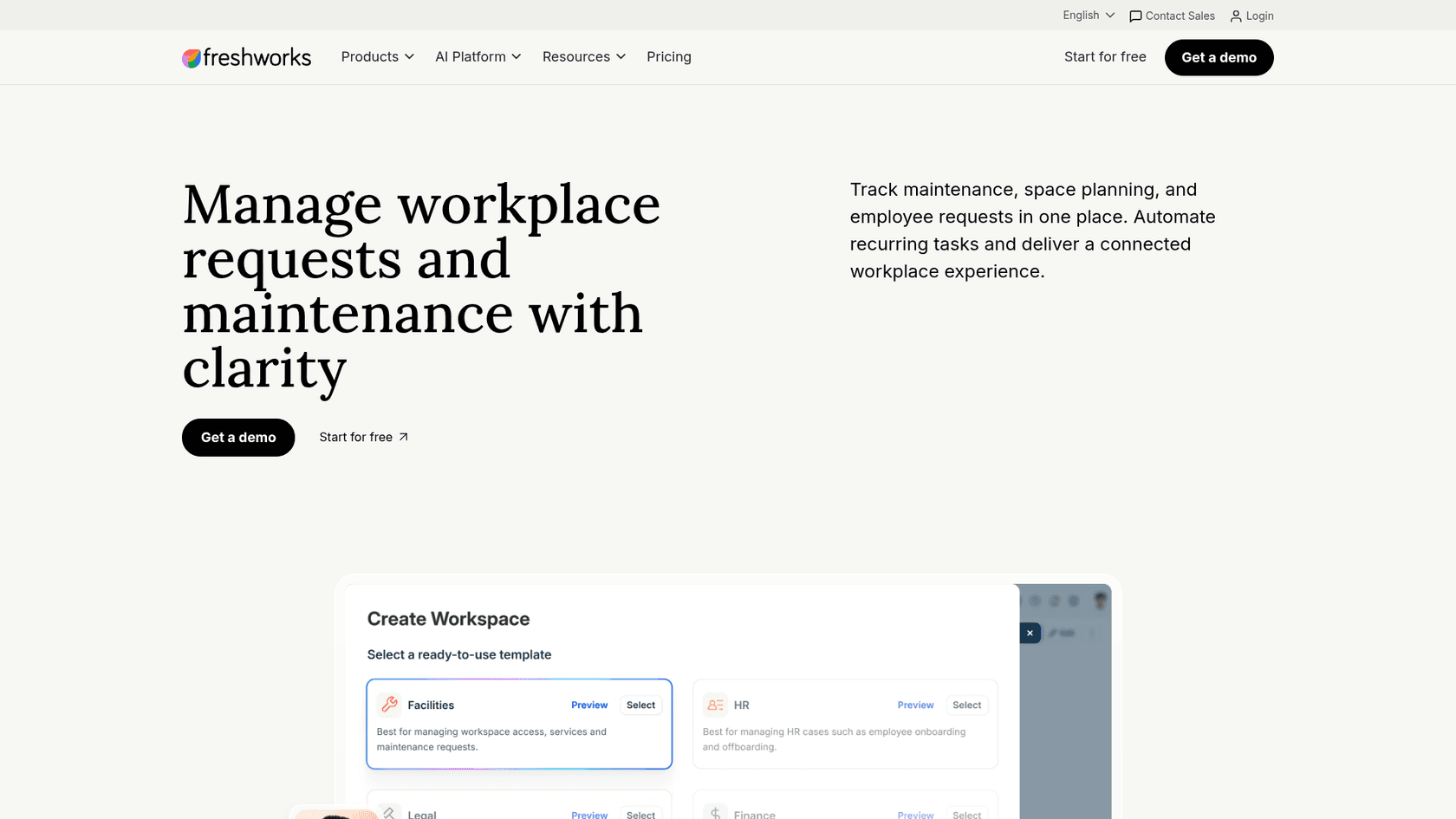
The catch is where the AI sits. Per the pricing page, the service catalog starts on Growth at $49 per agent a month, and the Freddy AI Agent is Enterprise-only with 1,200 sessions a year per license.
The Slack bot also has form limits that bite facilities in particular: the setup guide says "Adding attachments from Slack is not supported," so a request form that needs a photo of the broken thing sends people back to the portal. eesel doesn't have a native Freshservice integration today, so if you're on Freshservice, its own AI or the Freshservice service catalog is where to start. I've covered the gaps in Freshservice AI limits.
Best for: companies running facilities, IT and HR from one desk who are willing to pay for Enterprise to get the AI agent.
Jira Service Management
Jira Service Management ships a facilities template for "maintenance, moving, and event planning," with request types, forms, a help portal, queues and Assets for tracking equipment. Employees who submit requests don't need a paid license.
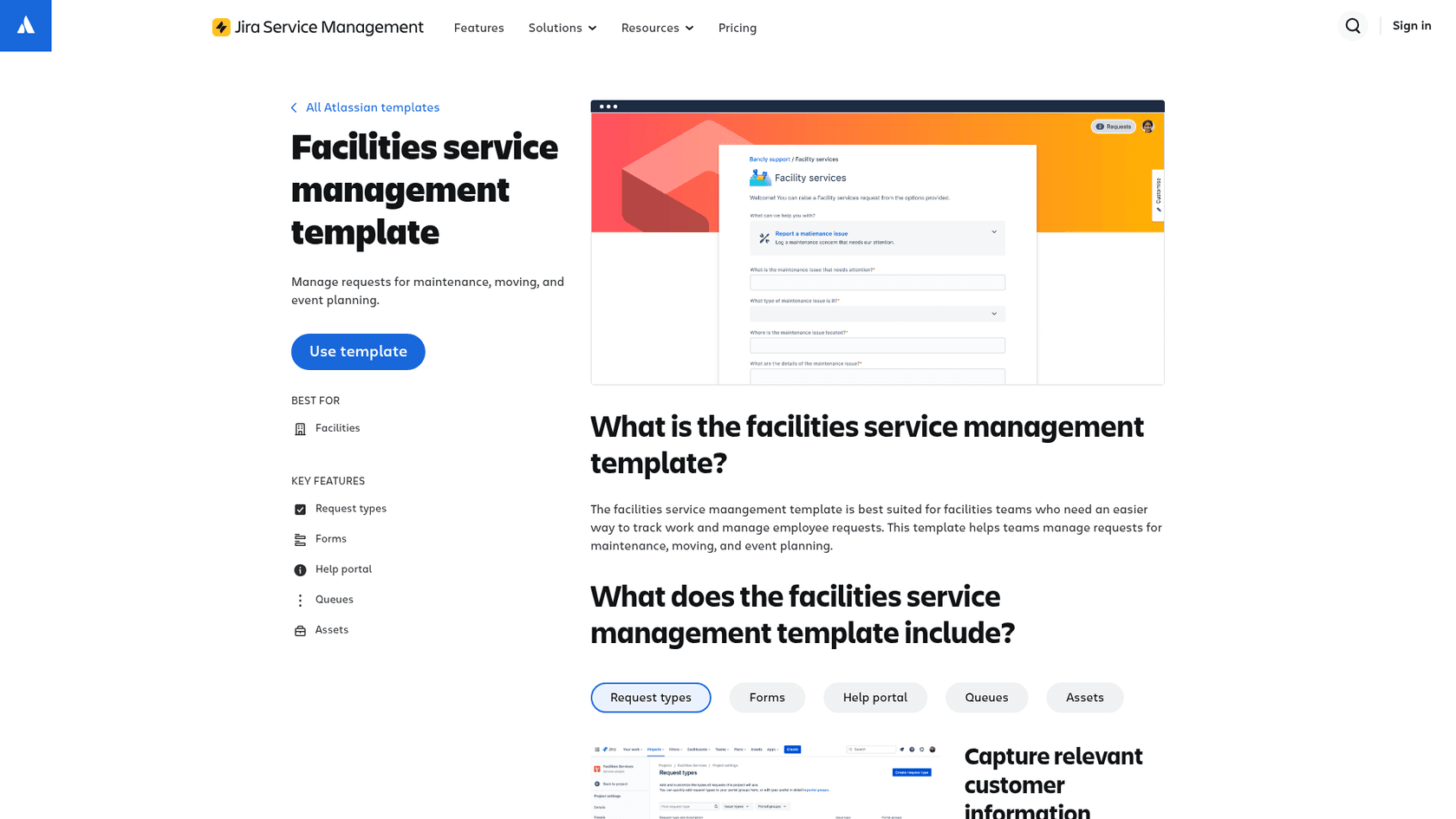
The virtual service agent answers from a linked knowledge base and runs intent flows that can create a request. It needs Premium ($55.28 per agent at the 75-agent default on the pricing page), includes 1,000 assisted conversations a month, then $0.30 each, and connects to Slack or Teams, not both. The template itself is a starter: no cleaning or meeting room request types, no SLAs or automation rules out of the box. More detail in Jira Service Management AI.
eesel connects to Jira Service Management natively, picks up new requests and comments, and can reply, leave an internal note, assign, label, transition and search for related issues. InDebted runs it as the first responder on an internal Jira desk backed by Confluence and Slack, aiming to move deflection from 15% toward 55%. Their head of IT:
"We use it to be the first responder to our Helpdesk tickets in Jira. It essentially acts just like an agent would."
Best for: companies already on Jira that want one front door for every internal team.
FMX
FMX is a facilities and maintenance platform, strong with schools, government and healthcare. Its intake is practical: employees can email a request without logging in, and a +building tag in the address files it against the right site, per the email setup guide. There's also a map-based request portal and a /fmx Slack form.
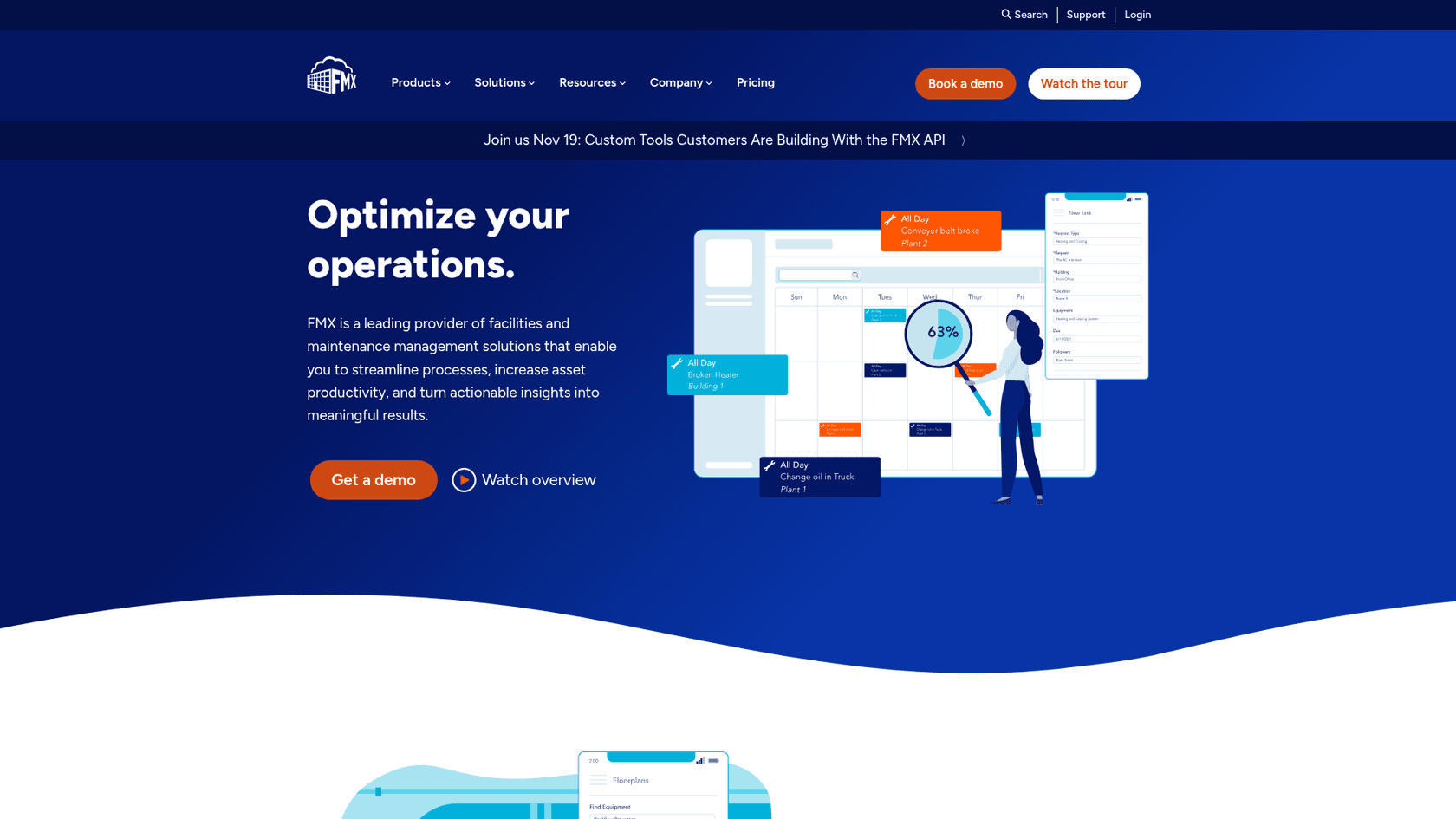
Its AI agent, Iris, works for the facilities team rather than the employee: natural-language search across requests and equipment, plus single and bulk actions like assign, hold, respond and resolve. FMX labels it early access. Pricing is quote-only, based on the number of users who manage work; unlimited requesters are free.
Best for: facilities teams whose main job is managing buildings, equipment and technicians, not answering employee questions.
MaintainX
MaintainX is a maintenance and asset platform, now an Autodesk company, with public prices: Basic $0, Essential $20 and Premium $65 per user a month billed annually. Requester accounts are free.
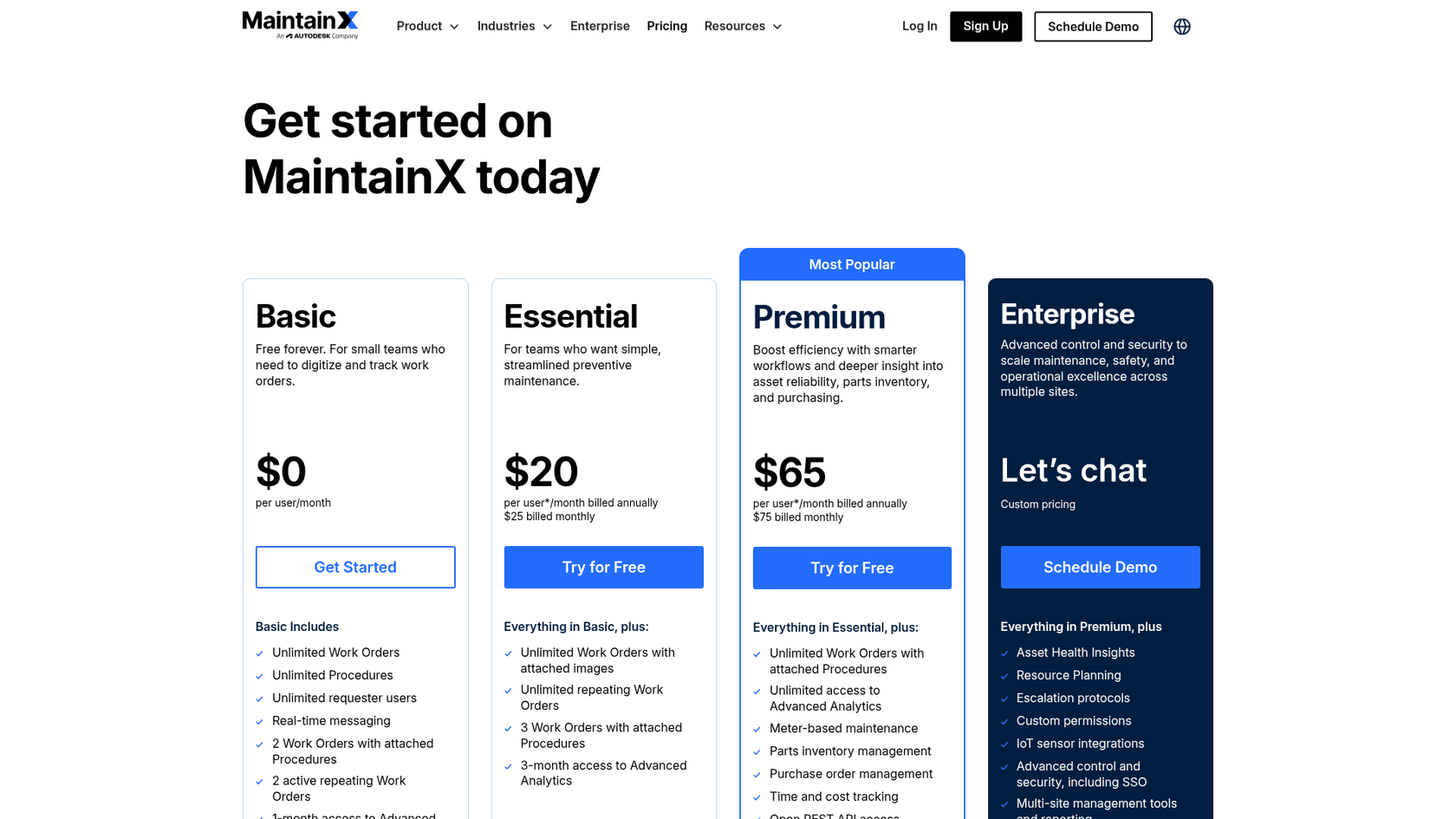
The QR code flow is the standout for facilities: scan the code on a unit and the request form opens with the asset and location filled in, which solves the "which AC?" problem at the source. Requests stay pending until an admin approves them. Request portals need Premium, and the AI features (AI work requests and MaintainX Assist) are Enterprise-only, with Assist not available to requesters.
Best for: teams with lots of equipment who can put QR codes on it.
Can a general helpdesk AI run a facilities desk?
Yes, for the front door, and that's usually the part missing. Look at the table again: the maintenance platforms put their AI on the team side, and the service desks put theirs behind Enterprise or Premium plans. The thing employees actually touch, a message in Slack, is where most stacks are thinnest.
That's the gap eesel fills. It's an AI teammate you hire for a job, and the AI helpdesk teammate fits this one: it sits in your Slack channel or on your Jira Service Management desk, answers from your office docs in Confluence, Google Drive or Notion with the source linked, reads up to five photos attached to a message, asks for the missing room or asset, and can create and route a ticket. Anything you mark as Needs approval waits for a person. It bills by the conversation, not the seat, so the whole office can use it. On a schedule, it can also post a morning digest of open work orders to the facilities channel, the way Lesson Pro gets a Monday plan in Slack. If the "teammate" framing is new, here's how AI teammates work.
Where it isn't the right fit: if you need preventive maintenance schedules, asset histories and technician mobile apps, that's FMX or MaintainX territory, and eesel doesn't replace it. On Microsoft Teams, eesel works but isn't self-serve yet, so you'd ask the team to switch it on. And if your desk is Freshservice, there's no native connector today.
If you want to compare broader options, I'd also read our roundups of AI for Slack support, AI for Teams support and the wider internal helpdesk software market.
For the sibling internal desks, see how the same approach works for a finance helpdesk, a legal helpdesk and general workplace questions.
Try eesel for facilities requests
If your facilities team spends its mornings writing "which room?" in Slack, eesel can take that lane this week. It answers the booking and cleaning questions from your docs, asks the one missing question before it files a work order, merges the repeat reports, and sends gas smells and leaks straight to a person with the emergency steps attached. Start on the free 100 credits, run it in draft mode on last month's requests, and see what it gets right before anyone in the office does. Try eesel.
