

What you are actually paying for
Before the numbers, it helps to know what sits inside the box. SuperOps is an AI-native, unified platform for MSPs and internal IT teams. Its whole pitch is killing tool sprawl: instead of paying for a separate PSA, RMM, MDM, asset management, and network monitoring stack, you run them on one shared data layer, and the AI gets full context across every device and ticket.
It ships as two packaged suites off the same platform. MSPSuite is aimed at managed service providers billing external clients; ITSuite is the same engine repackaged for in-house IT management. That split matters for pricing, because it maps onto the two billing models you will run into. If you are a smaller shop, it is worth reading our ITSM for small business guide alongside this one.
The bundle is real value, to be fair. Remote access (Splashtop and ISL Online) is included at no extra cost, there are 100+ integrations, network monitoring covers 250+ vendors, and the Monica AI layer is built in rather than sold as a separate seat. So when you compare SuperOps to a cheaper point tool, you are usually comparing one bill against three or four.
The two SuperOps pricing models, explained
Here is the thing that trips up every first quote: SuperOps charges two completely different ways depending on which product you land on.
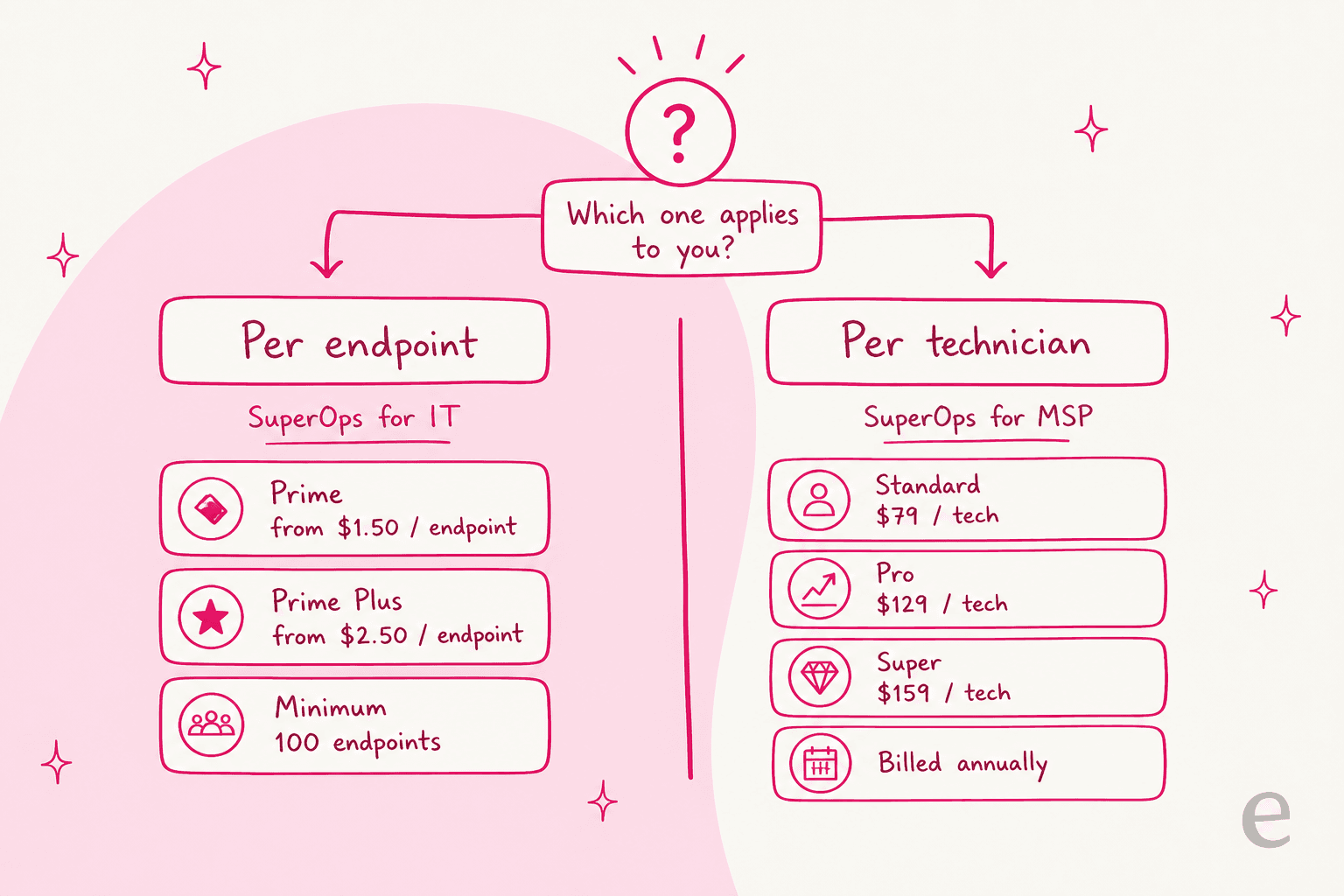
The per-endpoint model (SuperOps for IT) is the one that leads the live pricing page today. You commit to a number of endpoints and pay a monthly rate per device, and the rate drops as you scale. This is the natural fit for an internal IT team that thinks in devices, not billable techs.
The per-technician model (SuperOps for MSP) is the older shape, and it still shows up across SuperOps' own blog copy and third-party comparison pages. You pay a flat rate per technician per month, billed annually, with a generous endpoint allowance baked in per tech. This is the classic MSP way to buy, where your cost tracks headcount rather than the size of each client's fleet.
Neither is hidden, but they are not interchangeable, and a rep can quote you either one. Always confirm in writing whether your quote is per endpoint or per technician before you sign anything. If you are weighing this against other tools, the same split shows up across the whole category, which is why I break it down tool by tool in the SuperOps alternatives guide, and it is the same tension I dig into in the Atera pricing breakdown.
Estimate your per-endpoint cost
The per-endpoint model is tiered, so the rate you pay depends on how many devices you commit to. Rather than make you do the arithmetic, here is a quick calculator using SuperOps' published bands. Punch in your endpoint count and pick a plan.
Per-endpoint plans: Prime and Prime Plus
The live pricing page leads with two per-endpoint plans. Both are tiered, meaning the more endpoints you commit to, the lower the per-device rate. Note that the rate is charged across your whole committed count, so 100 devices on Prime is a flat 100 × $1.50 = $150/month, exactly as the on-page calculator shows.
Prime is the "essential IT management" plan, minimum 100 endpoints:
| Endpoint band | Price per endpoint/month |
|---|---|
| Minimum 100 | $1.50 |
| 101–500 | $1.40 |
| 501–1,000 | $1.30 |
| More than 1,000 | $1.20 |
It covers unified endpoint management across Windows, Mac, and Linux, integrated ticketing and asset management, automated patch management and compliance, and network monitoring.
Prime Plus is "advanced IT management," minimum 150 endpoints. It runs a limited-time early-bird rate ($3.00 dropped to $2.50 at entry):
| Endpoint band | Price per endpoint/month |
|---|---|
| Minimum 150 | |
| 151–500 | $2.30 |
| 501–1,000 | $2.10 |
| More than 1,000 | $2.00 |
The single reason to jump to Prime Plus is mobile device management: it adds MDM for Apple and Android devices on top of everything in Prime. If your fleet is desktops and servers, Prime is enough. If you manage iPhones, iPads, and Android endpoints, budget for the Prime Plus rate from the start rather than being surprised by it later. Both plans are billed monthly or annually, with annual saving 15%.
Per-technician plans: Standard, Pro, and Super
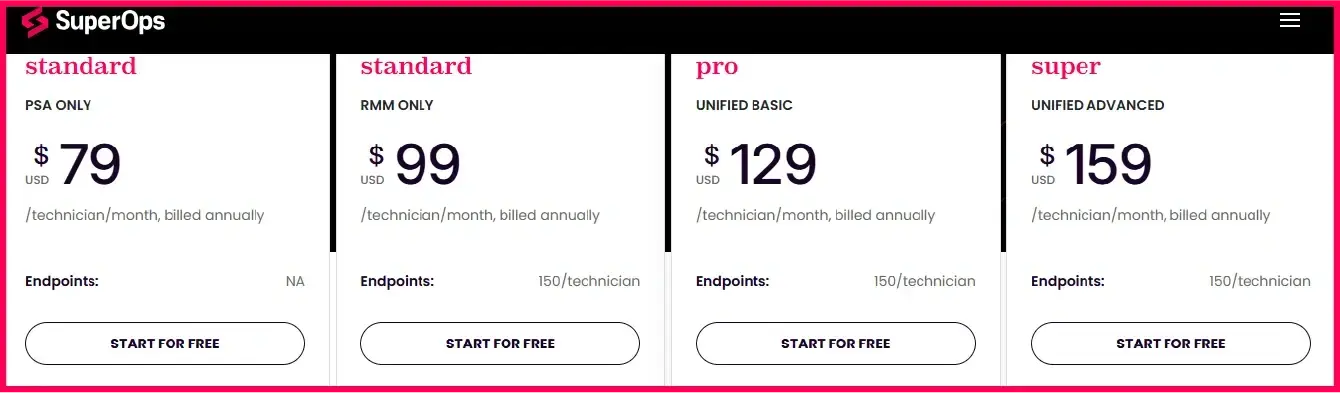
If you are quoted the older MSP model, you pay per technician instead, billed annually. These are the numbers that still circulate across SuperOps' own content and comparison sites:
| Plan | What it is | Price (billed annually) | Endpoint allowance |
|---|---|---|---|
| Standard | PSA only | $79 / tech / month | n/a |
| Standard | RMM only | $99 / tech / month | 150 / tech |
| Pro | Unified basic (PSA + RMM) | $129 / tech / month | 150 / tech |
| Super | Unified advanced (PSA + RMM + AI) | $159 / tech / month | 150 / tech |
The math flips here. Instead of paying per device, you pay per billable technician and get 150 endpoints per tech folded in. For a lean MSP with a few techs managing a lot of small clients, this can work out cheaper than per-endpoint. For a shop with a handful of techs but thousands of managed devices, the per-endpoint model usually wins. This is the same per-seat versus per-outcome question that shapes AI agent versus human agent cost, and it is exactly why you want the model named on your quote.
One caveat worth flagging honestly: MSPs on Reddit report that the Pro package does not include group policy management, which pushes some buyers up to Super. Check your must-have features against the tier, not just the price.
What actually moves your SuperOps bill
The tier table is the easy part. Here is what changes the number you actually pay each month.
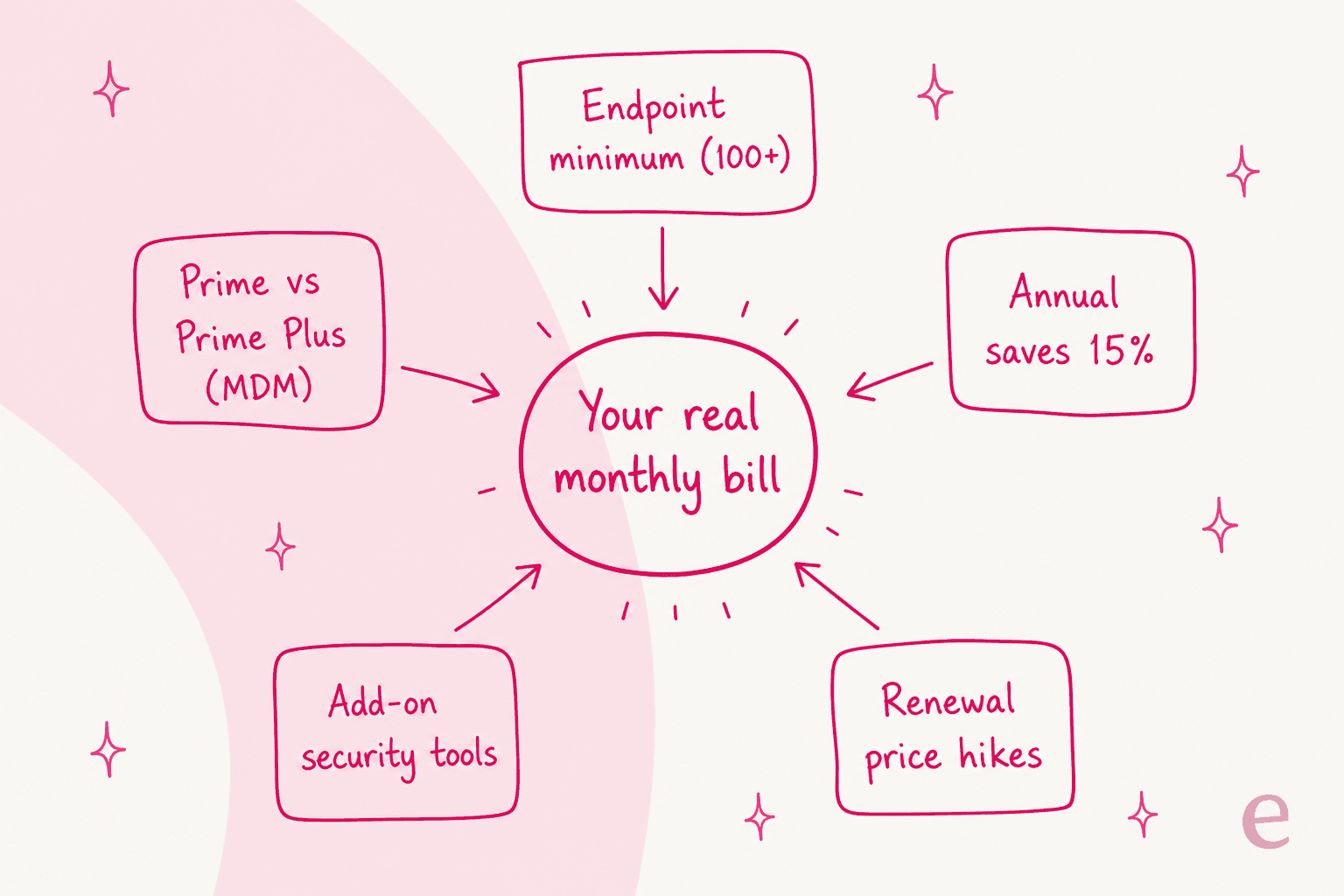
- The endpoint minimum. Prime bills a floor of 100 endpoints and Prime Plus a floor of 150, so a 40-device IT team still pays for 100. That is a real cost if you are small.
- The MDM jump. Apple and Android MDM live only on Prime Plus, which is roughly a dollar more per endpoint. Needing mobile management is the single most common reason a Prime quote quietly becomes a Prime Plus quote.
- Annual vs monthly. Paying annually saves 15%, which is meaningful at scale but locks you in for a year.
- Add-on security tools. SuperOps deploys integrated security like SentinelOne, Bitdefender, ESET, and Acronis in one click, but those are separate licenses you pay for on top.
- Renewal increases. This one comes straight from users. On r/msp, one buyer noted the vendor planned to raise rates "to about $179/tech by end of year." Vendors adjust prices, but budget for it.
There is also a flip side worth knowing before you negotiate. In a 2026 r/SmallMSP thread, an owner shared a sales offer that worked out to a striking rate:
"I've been talking to a sales rep for the past week. They presented an enticing offer that'll allow me to essentially get $0.75 per endpoint for 3 years."

So the list price is a starting point, not a ceiling. If you are committing to volume or a multi-year term, ask for a per-endpoint deal well below the published bands.
What the money buys you
SuperOps earns its bill by replacing several tools at once. A few of the pieces I would actually be paying for:
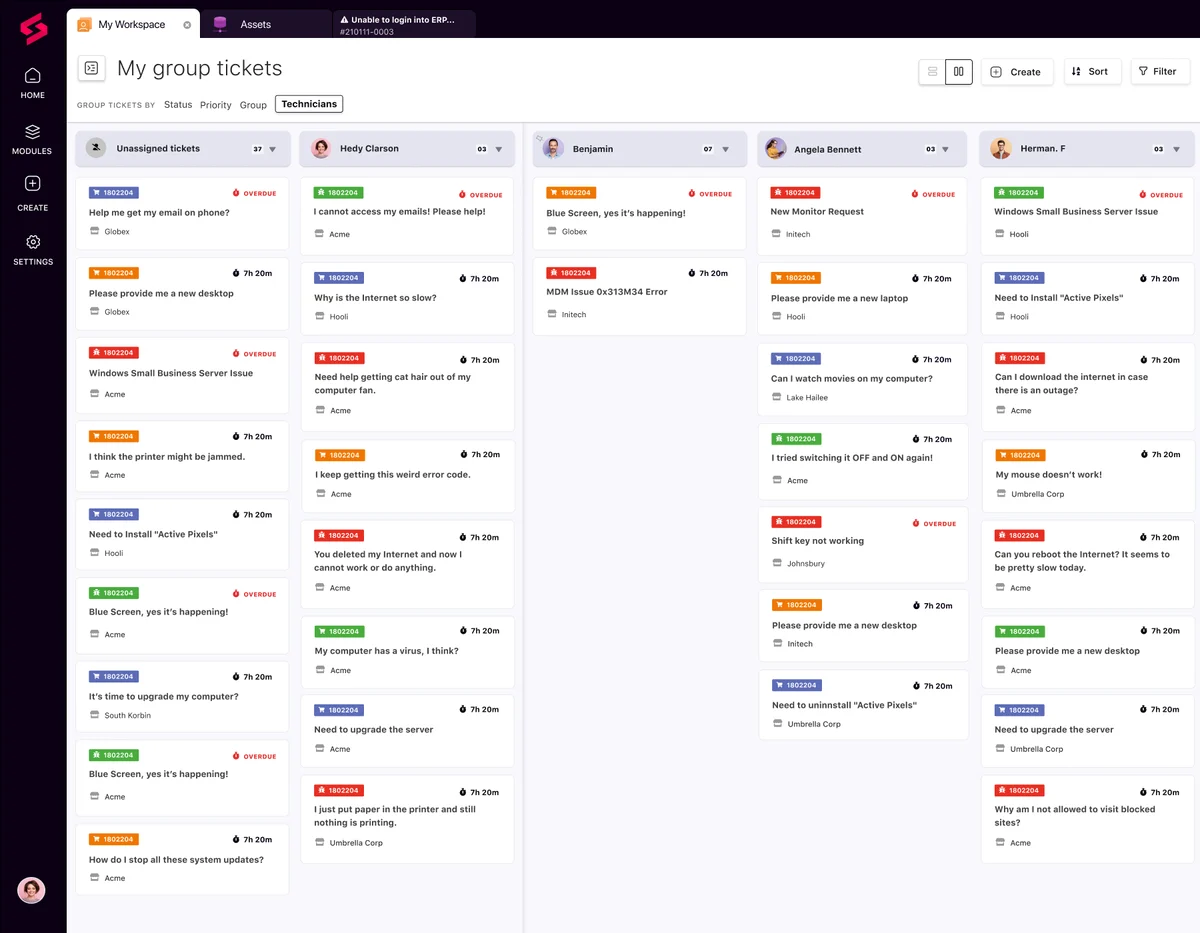
The service desk and PSA side handles ticketing, contracts, billing, and quotes. The kanban ticket board is clean, though some MSPs find the workflow click-heavy (more on that below). If a modern service desk is your priority, our read on the IT helpdesk in 2026 is a useful companion.
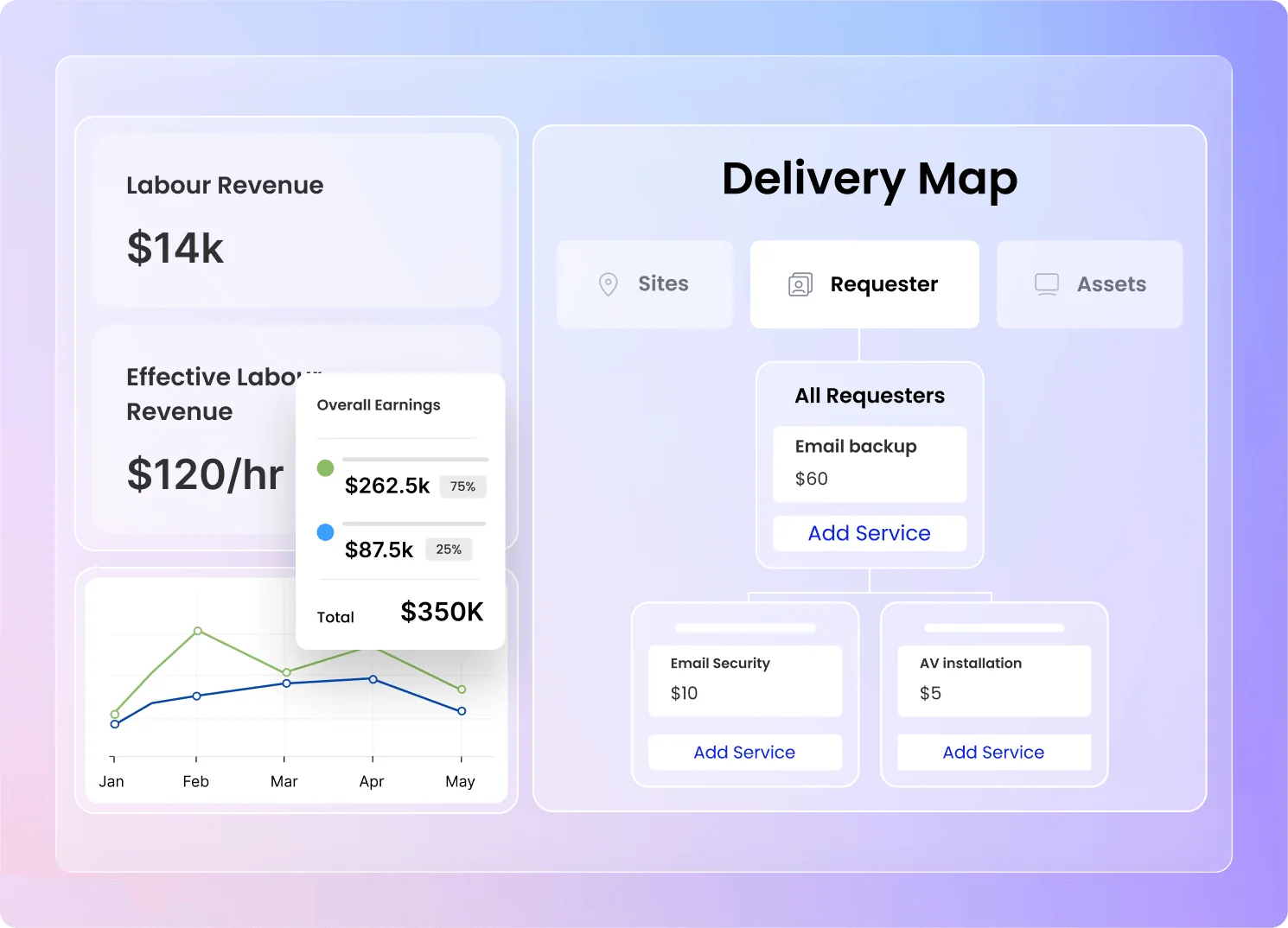
Contracts and invoicing is where the PSA earns its keep for MSPs: fixed-price, block-hours, and break-fix contract types, subscription products, and one-click invoice generation from logged work. This is the "stop revenue leakage" part of the pitch.
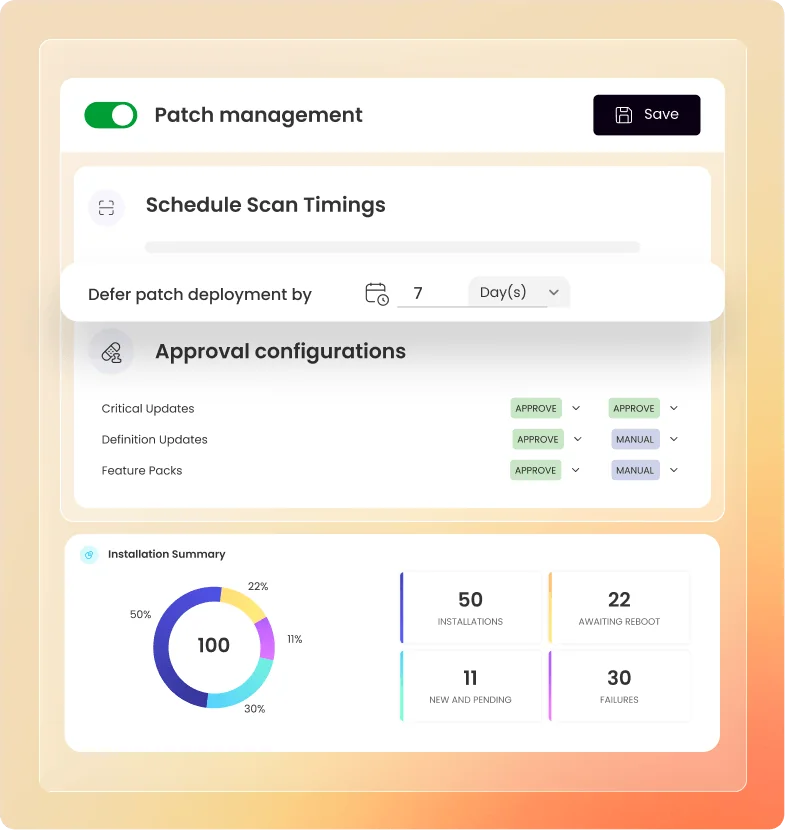
Patch management is AI-assisted, with compliance tracking, scheduled deployments, and patch summaries. Paired with the RMM, this is the day-to-day work that justifies the per-endpoint rate for most teams.
Then there is Monica, the AI layer that comes with the platform rather than as a separate seat. SuperOps frames it as a ladder from assistance (ticket summaries, script generation) to "Ask Monica" (ticket deflection, recommended solutions) to autonomous agents like an AI Patch Manager. The vendor claims up to 30% lower operational costs and 40% higher technician productivity. Treat those as marketing figures until you see them in your own trial, but the fact that the AI is bundled is a genuine value point against tools that charge extra for it. If you want a broader read on where this is heading, our take on the AI IT help desk covers the category.
What users actually think of the value
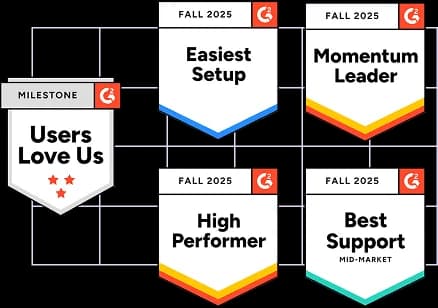
SuperOps sits at a solid 4.4/5 from 201 reviews on G2 as of 2026, with 69% five-star. It also carries a stack of G2 badges for setup and support.
On value specifically, users like the transparent, integrated pricing:
"Superops is really easy to deploy and manage. The interface is clean and the system works well and I have not seen any down time. the packages are affordable."

But the honest picture includes the friction too. The most common complaints are that the PSA is less mature than the RMM, reporting is weak, and the workflow can be click-heavy:
"The workflow and UI is not great. It was bad when we onboarded, too many clicks to do simple things such as find tickets and add time to them."
None of that makes SuperOps a bad buy. It makes it a maturing one: strong on the unified, affordable pitch, still catching up on PSA depth and reporting polish. Worth weighing against the best help desk software for small businesses if the service-desk side is your priority, and against Freshservice pricing if you want a pure ITSM comparison.
Which SuperOps model and plan fits you
Pulling it together, here is the quick decision I would make.
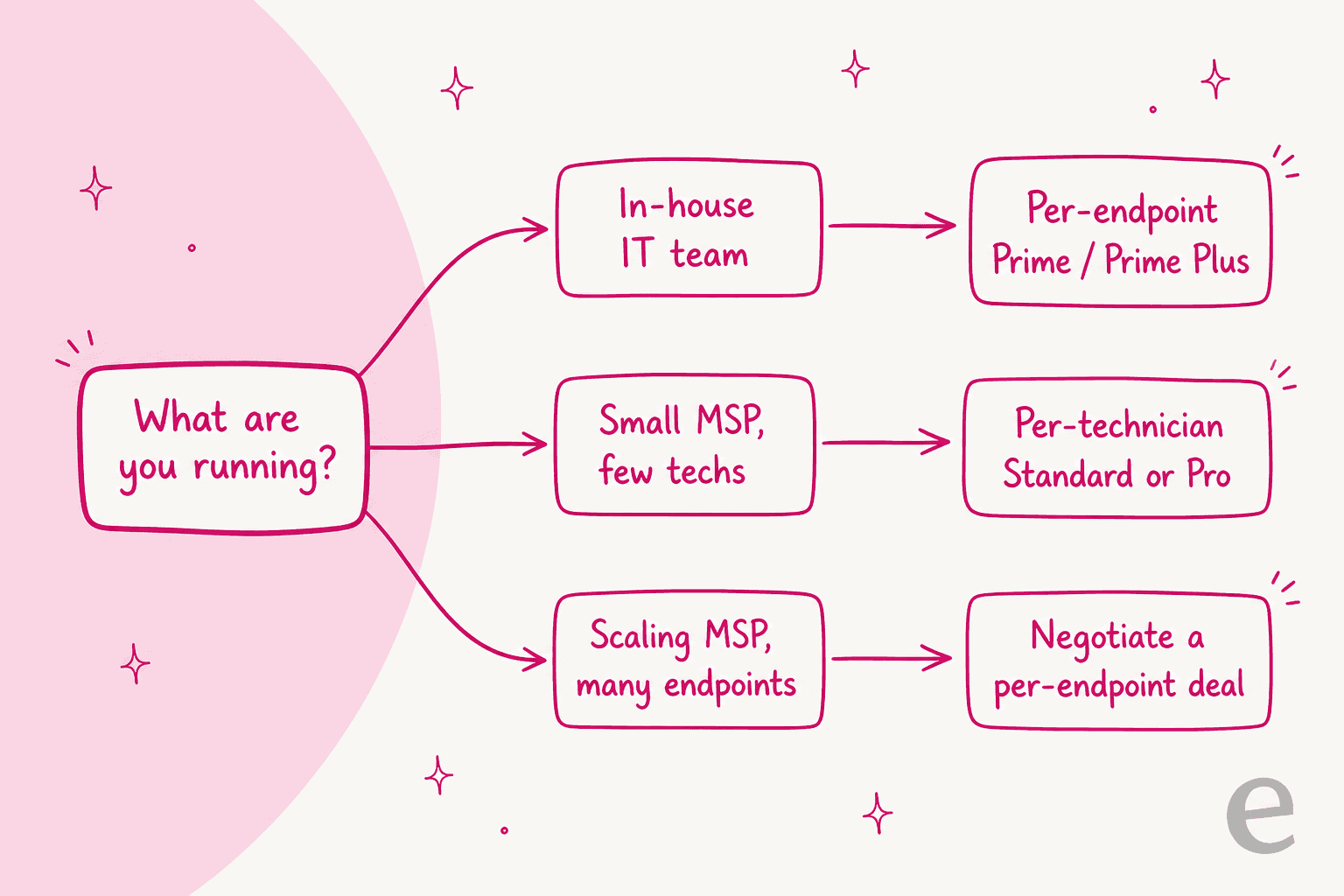
- In-house IT team: go per endpoint on Prime, or Prime Plus if you manage Apple and Android devices. You think in devices, and the tiered rate rewards scale.
- Small MSP with few techs and many small clients: the per-technician Standard or Pro plan, with 150 endpoints per tech baked in, is often the cheaper path.
- Scaling MSP with many endpoints: push for a negotiated per-endpoint deal. The r/SmallMSP $0.75/endpoint offer shows there is real room below list price on volume.
Whichever you pick, the biggest lever on total cost is not the plan, it is how many tickets your team touches by hand. That is where an AI layer pays for itself faster than any RMM discount, and it is worth reading up on ITSM automation tools and IT managed support before you commit. A good self-service portal is the other half of that equation.
Try eesel on your ticket queue
SuperOps runs your devices, contracts, and RMM. What it does not do is make the flood of repetitive tier-1 tickets disappear, and that is where the real cost of a service desk hides: the tech hours spent on "reset my password" and "the internet is slow again."
eesel is an AI support teammate that plugs into the helpdesk your team already uses, Zendesk, Freshdesk, Gorgias, Front and more, learns from your past tickets and docs, and resolves the repetitive ones before a human ever opens them. It costs from $299/month for 500 credits (1 credit per ticket or chat) with no per-seat fee, and before it goes live it simulates against your real historical tickets so you see exactly what it would have answered.

The results are the kind of thing that shifts the cost conversation. One customer, Kim Simpson at Gridwise, put it plainly:
"In the first month, eesel is resolving 73% of our tier 1 requests."
Kim Simpson, Gridwise
If you are budgeting for SuperOps and the ticket load is what actually scares you, it is free to try and takes about 30 minutes to get a first agent live. See how the numbers compare on the eesel pricing page.