Enjo AI pricing at a glance
Every number below comes off the Enjo pricing page, checked on 20 August 2026. Nothing of it is hidden in a JavaScript bundle either. The page is static Webflow, and a dollar-figure grep of the served HTML returns exactly four values, which is the whole set.
| Free | Starter | Standard | Enterprise | |
|---|---|---|---|---|
| Monthly price | $0 | $95 | $295 | Custom |
| Included AI replies | 200 | 1,000 | 3,000 | Custom |
| Extra replies | NA | $0.05 | $0.05 | Custom |
| Included knowledge blocks | 2,000 | 10,000 | 50,000 | Custom |
| Extra blocks | NA | $0.005 | $0.005 | Custom |
| Human seats | Unlimited | Unlimited | Unlimited | Custom |
| Effective rate per included reply | n/a | $0.095 | $0.098 | Custom |
| Guardrails | None | Basic | Advanced + QA | Custom |
| Automation workflows | None | Basic | Advanced | Custom |
| Analytics | None | Basic | Advanced | Custom |
| Roles and access control | None | Basic | Advanced | Custom |
| Knowledge sources | Core | Basic | Unlimited | Unlimited |
| Integrations | Core | Unlimited | Unlimited | Custom |
| Usage caps | No | Yes | Yes | Yes |
| Support channels | Email, chat | Email, chat | Email, chat, Slack | SLA and priority |
| Onboarding | Self serve | Self serve | Assisted | Dedicated CSM |
| Training sessions | No | No | No | 1 per quarter |
| Payment | None | Credit card | Credit card | Invoicing available |
| Billing term | Monthly | Monthly | Monthly | Yearly only |
| Credit card to start | No | Yes | Yes | Contract |
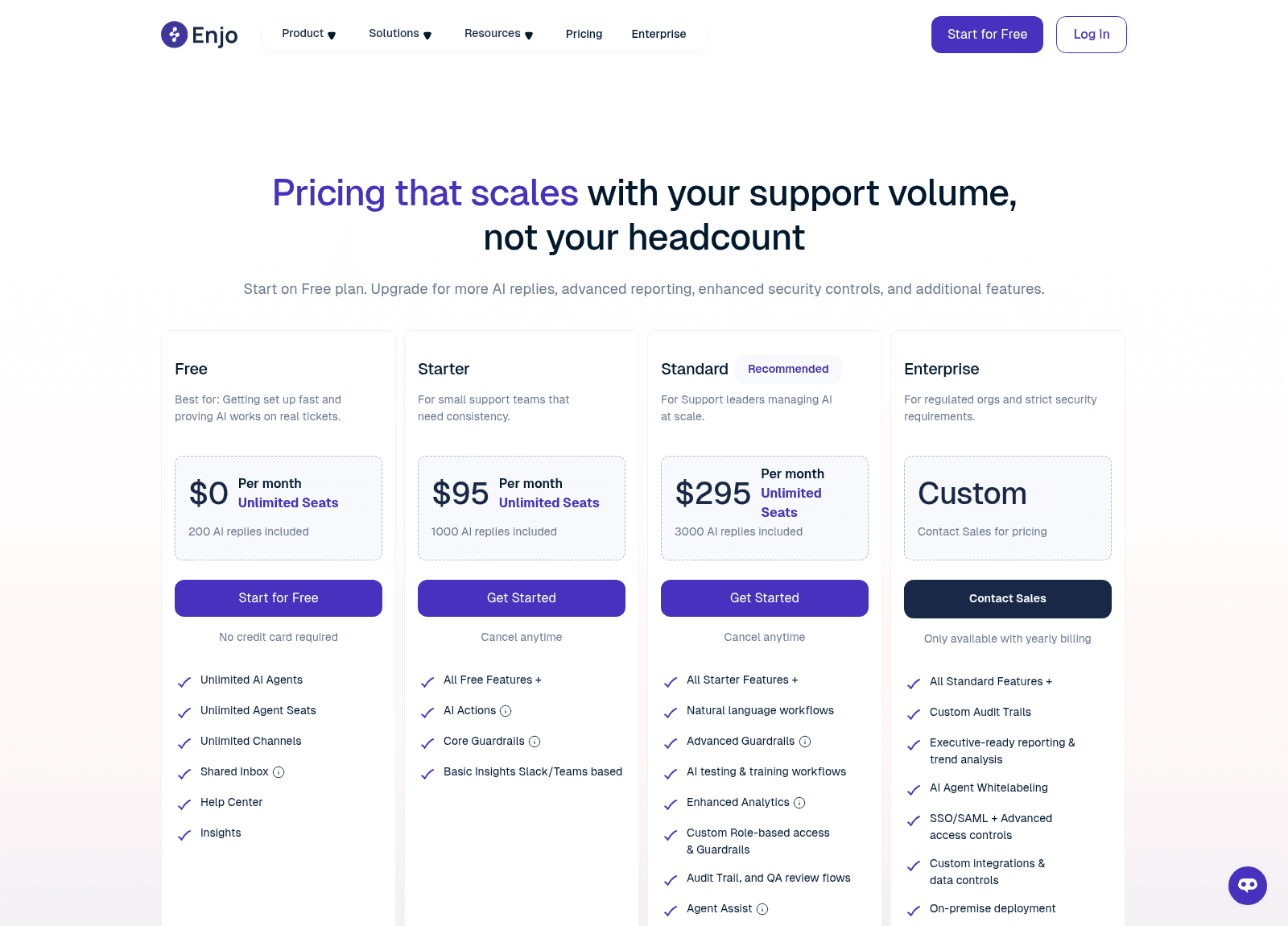
Two things stand out before we get into the meters. The "Recommended" badge sits on Standard, which as we will see is the one tier that cannot justify itself on volume. And Training reads "No" on Free, Starter and Standard alike, which is worth to flag if you are rolling this out as employee support AI across several departments. Standard's "Assisted" onboarding does not come with a training session. That only starts at Enterprise, one per quarter.
The one word the price card never defines
An AI reply is the unit Enjo bills on. It gets defined in exactly two places on the site, and the two places disagree.
The comparison table's hover tooltip is the only definition sitting on the pricing table itself, and it reads: "AI Replies is one complete interaction handled by Enjo AI." Conversation-shaped, in other words. One ticket, however long it runs, is one reply.
The FAQ on the same page reads: "An AI reply is one response sent by Enjo's AI agent to a customer. Each reply counts as one unit of usage." This one is message-shaped. A ticket that takes five back-and-forths is then five replies.
Both sentences are live on the page right now, and neither one of them is marked as the authoritative version. The gap between them is also not a rounding error. It is a multiplier, and the multiplier is your average messages per ticket.
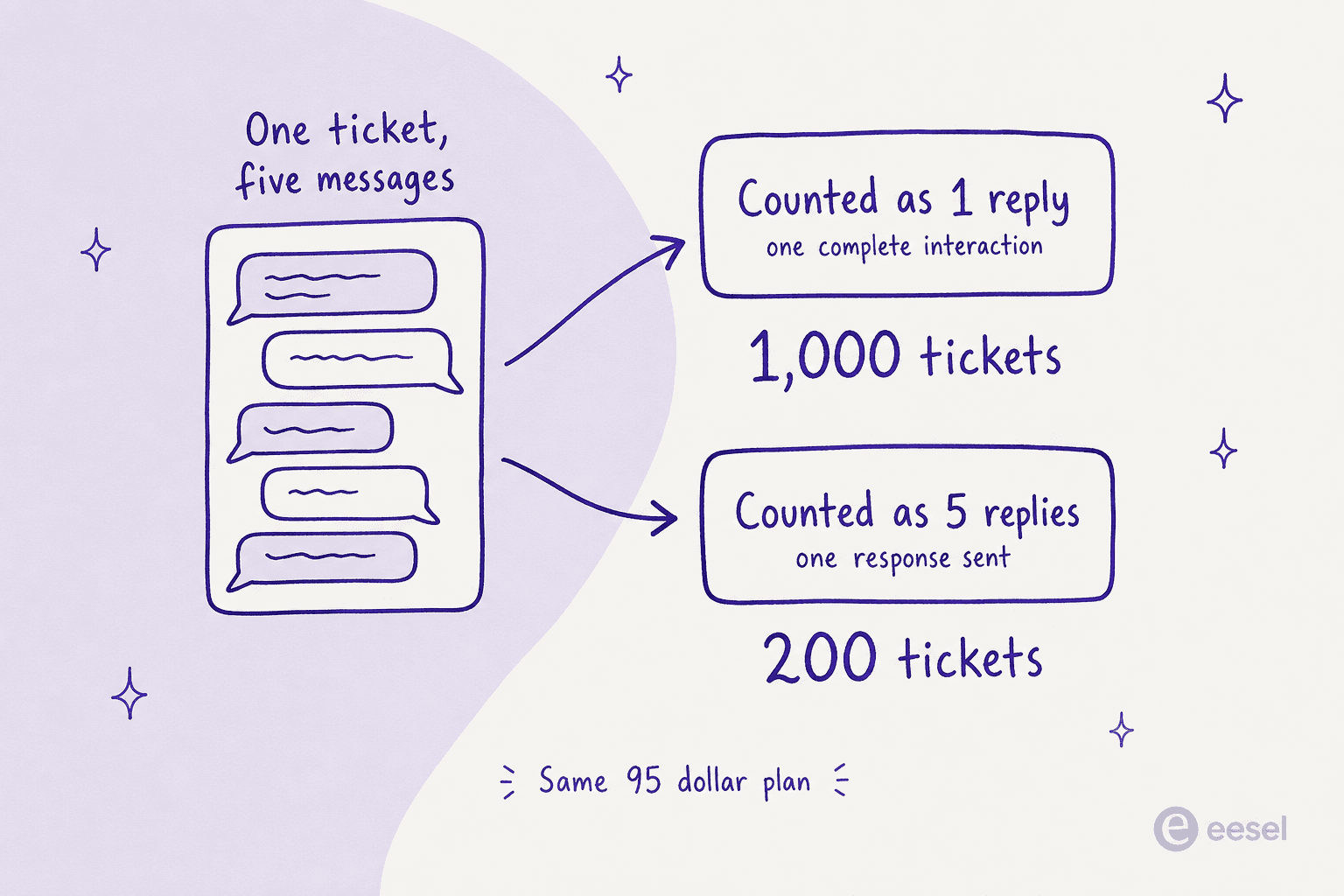
For most support teams that average sits somewhere between three and five messages per resolved conversation, which is why the whole thing matters so much to anyone costing out an internal support chatbot. On the conversation reading, Starter's 1,000 replies covers a small team for the whole month. On the message reading the same $95 covers roughly 200 to 330 tickets, and after that everything bills at $0.05 a message. So the plan you thought was $95 quietly becomes $95 plus a variable. The variable being the exact thing you were trying to price in the first place.
This is not a hypothetical objection either. I sat in a call with a multi-company e-commerce operator scaling toward roughly 150,000 tickets a month, and he got visibly stuck on exactly this distinction mid-conversation, per-interaction against per-ticket, then projected around $30,000 a month at roughly 20 cents a ticket before anyone could finish the sentence. When a buyer cannot tell which meter they are on, they do not split the difference. They assume the expensive reading, and then they walk. We ran the same maths against headcount in our comparison of AI versus human agent cost.
Work out your own number
Put your real volumes in and the two readings sit side by side. Left column is what you would budget if a reply means a whole ticket. Right column is the same month if a reply means each message the agent sends out.
At 900 tickets and four messages each, that comes out $95 against $225 a month. The plan did not change at all. Only the sentence you read did. For the wider picture on what automation is worth per ticket, we put the numbers together in AI support cost savings.
The second meter, and why nobody can size it
Replies are only the half of your bill. Enjo also meters knowledge blocks, which run 2,000 on Free, 10,000 on Starter, 50,000 on Standard, and extras at $0.005 each.
A knowledge block gets defined once, in a tooltip: "Storage for the knowledge your AI uses to answer questions." That is the whole of the definition. No word count, no character count, no chunk size, and no "roughly one help center article" equivalence appears anywhere on the page.
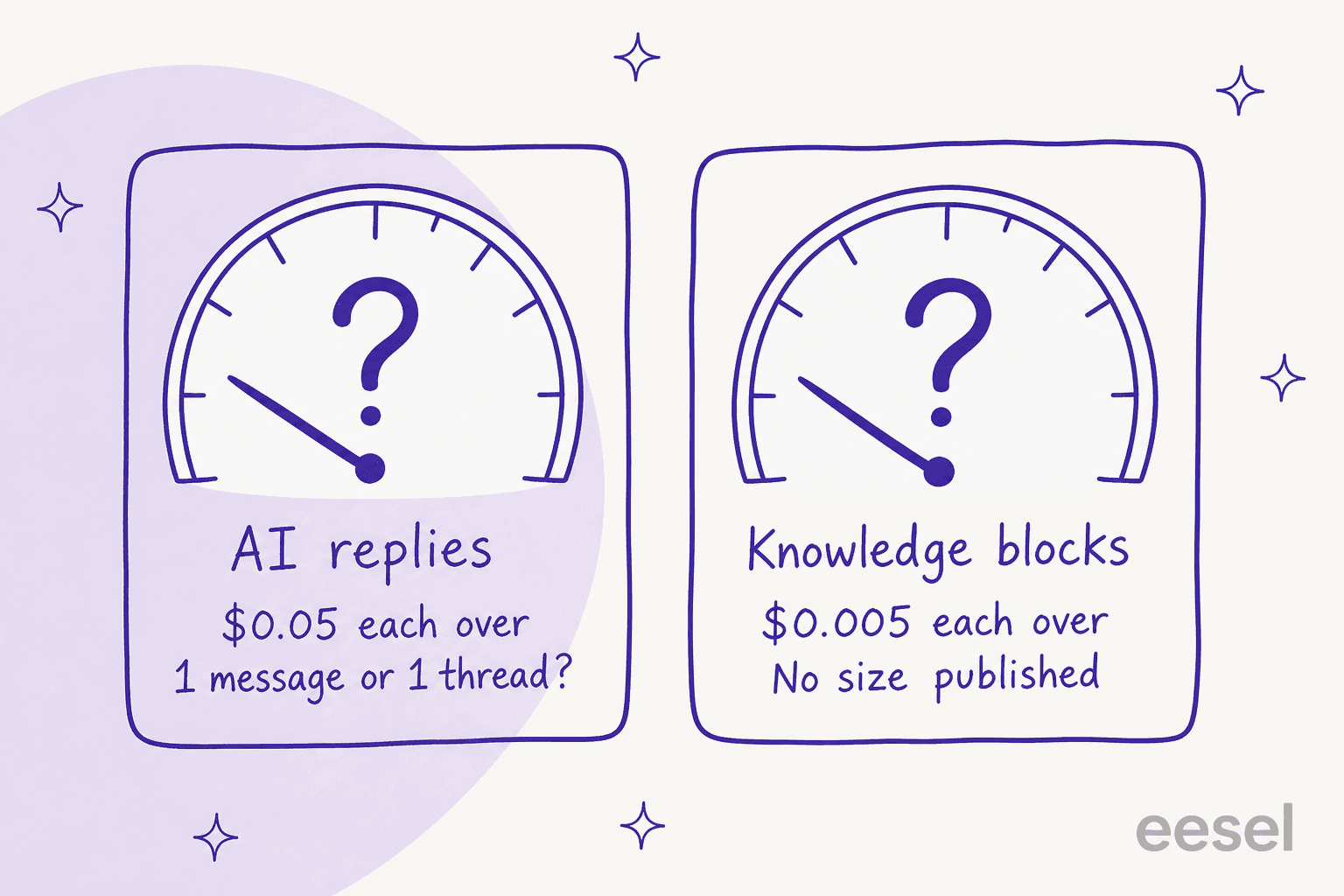
That matters more than the half-cent rate makes it sound, because the block count is what decides whether your whole internal knowledge base fits inside the plan you already bought. If a block is a paragraph, then 10,000 blocks is a substantial help center. If a block is a sentence, it is a mid-sized Confluence AI agent space and nothing more than that. You find this out after you connect your sources, which is exactly the wrong order for a budgeting decision. Our guide on training AI on docs covers what usually drives that volume up.
It is worth to understand how chunking normally works, since that is the mechanism sitting underneath the meter. Retrieval systems split documents up before they embed them, and the split size is a product decision, not a property of your content. Our explainer on RAG versus fine-tuning covers why the split exists at all.
Why Standard costs $100 more for the same 3,000 replies
This is the cleanest piece of arithmetic on the whole page, and it runs directly against that "Recommended" badge.
Starter and Standard both charge the same $0.05 overage. So reaching 3,000 replies on Starter costs $95 plus 2,000 extra replies at $0.05, which lands at $195. Standard includes those same 3,000 replies for $295.
Standard is a flat $100 a month more than Starter at every reply volume above 3,000. This is not a crossover point that you eventually grow past. It is a constant. Add 10,000 replies and Starter is $545 against Standard's $645. Add 100,000 and it is $5,045 against $5,145. The gap never closes, because the marginal rate on both tiers is identical.
Knowledge blocks land on the same place, and the coincidence there is a little uncanny. Starter's 10,000 blocks plus 40,000 extra at $0.005 is $200, then $95 plus $200 is exactly $295. Which means buying Standard's 50,000-block allowance through Starter overage costs you precisely the Standard sticker.
So on both of the published meters, Standard comes out either level with Starter or $100 worse. Its entire case is the feature set, and that is worth saying plainly instead of as a criticism. You get natural language workflows and AI testing and training workflows, advanced guardrails, custom role-based access, an audit trail with QA review flows, Agent Assist, plus the jump from "Basic" to "Unlimited" knowledge sources. If role-based access or an audit trail is something you need, $100 a month is a fair price on them, cheaper than most chatbot cost benchmarks too. If all you need is reply volume, Starter plus overage stays strictly cheaper, forever.
What each tier actually unlocks
Since the tier ladder here is a feature ladder and not really a volume ladder, this is what changes as you climb it, taken straight from the comparison table and the plan-card tooltips.
Free ($0) gets you the shared inbox and help center, insights, unlimited channels, unlimited human seats. There is no guardrails, no automation workflows, no analytics, no roles or access control, and no AI Actions. Knowledge sources and integrations both read "Core" rather than unlimited.
Starter ($95) adds AI Actions, which a tooltip describes as letting the agent "connect apps, fetch data, and take actions automatically". You also get Core Guardrails ("block specific topics, keywords, and content patterns") and basic insights inside Slack or Teams. This is the point where Enjo stops being a retrieval bot and starts moving closer to a real AI copilot, and closer to the AI agent examples that actually change a queue.
Standard ($295) is where all the governance lives. Natural language workflows, Advanced Guardrails (tooltip: "automatically detect and mask sensitive data (e.g., PII)"), AI testing and training workflows, Enhanced Analytics covering "AI performance, accuracy, deflection, escalation risk", custom role-based access, an audit trail with QA review flows, then Agent Assist ("AI-suggested replies for human agents"). Support also gains a Slack channel on top of the email and chat. Enhanced Analytics is where ticket triage performance becomes visible, too.
Enterprise (custom) holds the things procurement usually asks about: custom audit trails, executive-ready reporting and trend analysis, AI agent whitelabeling, SSO and SAML with advanced access controls, custom integrations and data controls, on-premise deployment. It is also the only tier carrying a stated SLA, and the only one with any training allocation at all. A familiar shape, if you have priced ServiceNow before.
That Enterprise gating is worth to pause on if you are comparing against a Jira Service Management or ServiceNow rollout. SSO and SAML being Enterprise-only means any organisation with a mandatory-SSO policy cannot buy Enjo on a credit card at all, whatever their volume is. A $95 self-serve decision turns into a yearly contract plus a procurement cycle, and this is the single most common reason a published price ends up not applying to you. The same gate turns up in our Rovo pricing breakdown.
The free tier, and the one thing it cannot test
The Free plan is a real one and I want to give it the credit before the caveat lands. $0, no credit card (they state this twice on the page), no expiry date, 200 AI replies, 2,000 knowledge blocks, unlimited seats and unlimited channels. Enjo's own positioning line on it is "getting set up fast and proving AI works on real tickets."
Two things to know here. Free is the only tier that actually stops. Its overage cells read NA instead of a rate, so 200 is a hard ceiling and not a soft limit. Every paid tier does the reverse of this. Per the FAQ, "Your service won't stop. If you exceed your limit, additional replies are charged at $0.05 per reply. You can set usage caps to control spend or cancel at any time. This option is only available on the paid plans." Read that last sentence again carefully. Usage caps are a paid-plan feature, and the paid default is to keep answering and keep billing. Which means the meter with the undefined unit is running uncapped, until you go and switch a cap on yourself.
Then the second thing: Enjo's page contradicts itself on what Free even includes. The FAQ says Free comes with "1 AI agent, unlimited human agents, and 200 AI replies per month". The plan card says "Unlimited AI Agents". So does the comparison table. Two different answers, on the one page, about the tier that most people are going to start on.
And 200 replies is thinner than it looks once you treat it as a trial budget. I have seen an email-security company on Freshdesk, scaling toward about 20,000 tickets a year and expecting roughly 9,000 interactions a month, burn through 200 API calls in a single day of testing and then start worrying immediately about the cost at scale. If your reply unit turns out message-shaped, 200 replies is a handful of afternoons. Compare it against the trial budgets in our Freddy AI pricing write-up.
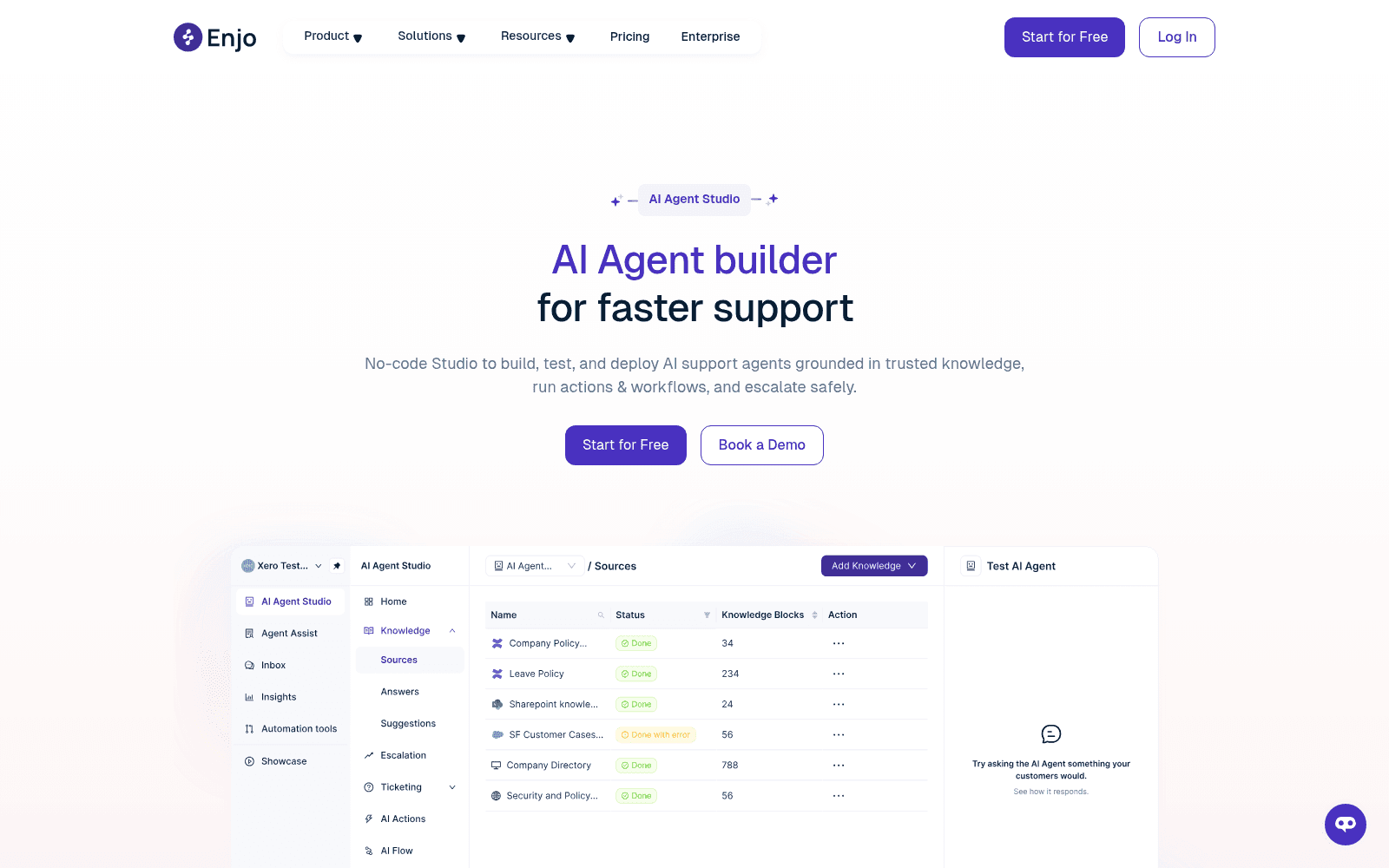
Which leads to the real limit on what any Enjo tier can tell you before go-live. Standard buys "AI testing & training workflows", and Enjo's Agent Studio is where those live. You can "test a single query", or you can "run up to 1,000 questions". Both of them are questions you wrote. The words simulate, dry run, backtest, replay, historical tickets, none of them appear. So the test tells you how the agent handles the questions you thought of. That is a different thing from how it handles the ones your customers actually send, and the gap is the whole reason tier-1 deflection forecasts miss.
What the price does not include
A few things here get priced elsewhere, or else they are not priced at all.
HIPAA. Enjo publishes SOC 2 Type II, ISO 27001 and GDPR. HIPAA does not appear anywhere on the site. If you are handling protected health information then that becomes a conversation, not a checkbox.
A usable SLA below Enterprise. The self-serve tiers get "Email, Chat" support and no SLA attached to it. Enjo's published SLA commits to 99.9% uptime measured monthly, but excluding weekends and holidays, and the credit clause still carries an unfilled contract placeholder in it, promising credits for "downtime lasting longer than [one hour]". Claims have to be filed inside 24 hours or they lapse. Worth reading that page properly before you treat 99.9% as the number.
Track record you can verify. Enjo is a product of Troopr Labs Inc., founded 2019, describing itself as profitable since inception, and the pricing page claims "600+ enterprise deployments". The public review trail is a lot thinner than that. Enjo's G2 profile shows 4.9 out of 5 from four reviews, and G2 itself prints a notice saying there are not enough reviews there to provide buying insight. Three of the four are incentivized. The one organic review, left by an infrastructure engineer in August 2026, also happens to be the only critical note in the set:
"Sometimes he can be very creative with his answers"
Pedro Arnaldo C., G2

That is a fair thing for any buyer to want tested before a rollout, and it is also the exact thing a question-based test suite is least able to catch.
Integration breadth as advertised. The site claims "over 100 apps already available in our directory", then renders 19 connector cards with no pagination markup sitting behind them. Eight of those are ticketing or ITSM, five knowledge, three channels, one identity, and two data and billing. There is no HRIS connectors at all, despite the dedicated HR Service page, so HR helpdesk AI on Enjo means answering policy questions out of documents rather than reading a leave balance from Workday. A real employee self-service portal needs the write path and not only the read.
How Enjo's price compares
For a bit of context, this is where $95 to $295 a month sits against the tools buyers usually shortlist next to it. All the figures are published rates from each vendor.
| Tool | Entry price | Billing unit | Free tier |
|---|---|---|---|
| Enjo | $95/mo | AI reply (defined twice) | Yes, 200 replies |
| eesel AI | From $299/mo (500 credits) | 1 credit per ticket or chat | 100 free credits |
| Freshservice | Per agent | Agent seat + Freddy sessions | Trial only |
| Jira Service Management | Free for 3 agents | Agent seat + Rovo credits | Yes |
| Aisera | Quote only | Not published | No |
| Glean | Quote only | Per seat | No |
The pattern across the table is the part worth keeping: the vendors who publish a price mostly publish a unit you then have to interpret, and the vendors who publish neither will make you sit through a call. Enjo lands in the better half of that. It just left the one definition unfinished. If you are building the shortlist properly, our roundups of ITSM AI tools and IT helpdesk AI go wider than this, and AI for ITSM covers off the workflow side.
If you want the bill to be knowable
I built eesel because of calls like the fintech one at the top of this post. A support leader ought to be able to work out next month's invoice on the back of an envelope, then check that number against their own history before they commit to anything.
So eesel is one fixed monthly price, with no per-seat fee, starting at $299 a month for 500 credits. A ticket is just a credit. One conversation counts one time, however many messages it took to get there. Five hundred tickets is $299, a thousand is $499, and 2,500 is $999. There is no second meter for how much documentation you happened to connect, and there is no tier where the cap you need to control your spend is itself a paid feature.
The part I would actually point an Enjo shortlist at, though, is the simulation. Before eesel answers one single live ticket, it replays your closed ones and reports back what it would have said and where it would have escalated, broken down by theme. That is the difference between a forecast built out of your own history and a quiz you wrote for yourself. I have spent the last three-plus years putting AI agents onto live support queues, and the reason simulation exists at all is that we watched confident-sounding bots give wrong answers to real customers. Nobody ships that a second time.

If your stack is Slack and Teams, like most Enjo evaluations are, eesel runs in there too alongside the helpdesk. So a question asked in a channel and a ticket raised in Zendesk both hit the same knowledge and the same guardrails.
Try eesel free, run the simulation across last quarter's tickets, then compare that resolution rate against whatever a price card promised you. There is a full walkthrough on building an AI helpdesk if you would rather see the setup steps first.
How I would budget for Enjo in three steps
If Enjo is still your pick, and on published transparency it does deserve a place on the list, then do these things before you enter a card.
1. Get the reply definition in writing. Ask support or ask sales, in a message that you can keep, whether a five-message thread bills as one reply or as five. Everything else in the forecast sits downstream of that one answer, and the page as written supports both readings. Use the widget above with your real messages-per-ticket and you will see what the answer is worth to you.
2. Ask what a knowledge block is. Specifically this: how many blocks does a typical 800-word help center article turn into? Multiply that by your article count, then check it against 10,000 or 50,000 before you pick any tier. It is the number deciding whether the plan fits your internal helpdesk software content or does not.
3. Turn a usage cap on the same day you upgrade. Caps are a paid-plan feature, and the paid default is to keep billing past your allowance. On a meter whose unit is contested, an uncapped default is the one setting most likely to produce you a surprise invoice. Set it in the first session and not after the first bill. If an uncapped meter is the dealbreaker for you, our offshore support cost comparison is a useful sanity check on the alternative.
And if the answer to step one comes back as "each message", then price Starter plus overage instead of Standard. On reply volume alone, Standard has sat $100 behind at every level above 3,000 since the day that rate card went up.
Frequently Asked Questions
How much does Enjo AI cost?
What is Enjo AI's pricing per AI reply?
Does Enjo AI have a free plan or a free trial?
Is Enjo AI's Standard plan worth $295?
What is a knowledge block in Enjo AI pricing?
Does Enjo AI charge per seat?
Does Enjo AI offer an annual discount?
What does Enjo AI's Enterprise tier include?


Article by
Kurnia Kharisma
Kurnia is a software engineer and writer at eesel AI with two years of SEO experience, writing about AI tools, helpdesk software, and customer support. He pairs a developer's understanding of how these products are built with search-driven research into what actually ranks and resonates with the people searching for them.