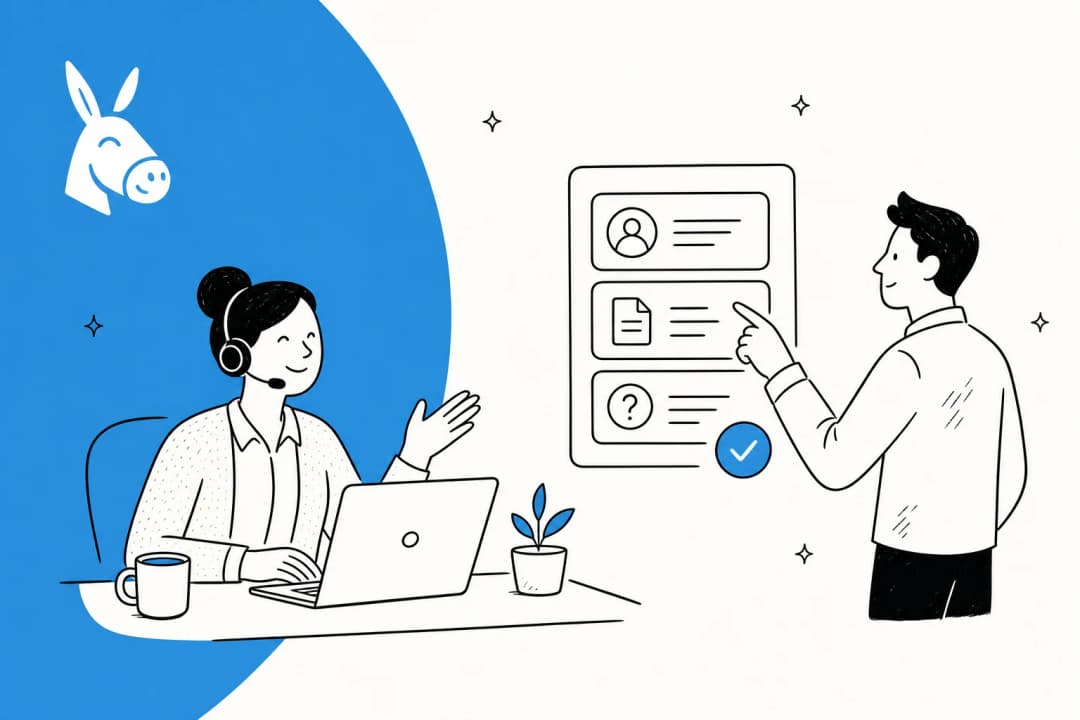
The average HR support ticket takes 82 hours to resolve. Not because HR teams are slow -- because they're buried. 92% of HR leaders say lack of time and personnel is their biggest obstacle, while 67% of employees report that getting a timely response from HR is difficult.
The frustrating part: 72% of those queries are repetitive. The same questions about PTO policies, benefits enrollment, and onboarding paperwork get asked by different employees every single week. Writing the same answer 40 times a month is not a good use of a trained HR professional's time.
AI HR helpdesk software addresses exactly this mismatch. It handles the repetitive tier-1 questions automatically so your specialists can focus on the complex, judgment-heavy work that actually requires a human.
What is an AI HR helpdesk?
An AI HR helpdesk is a support system that uses artificial intelligence to answer employee questions, route HR tickets, and resolve requests -- automatically, and without requiring a human to type every reply.
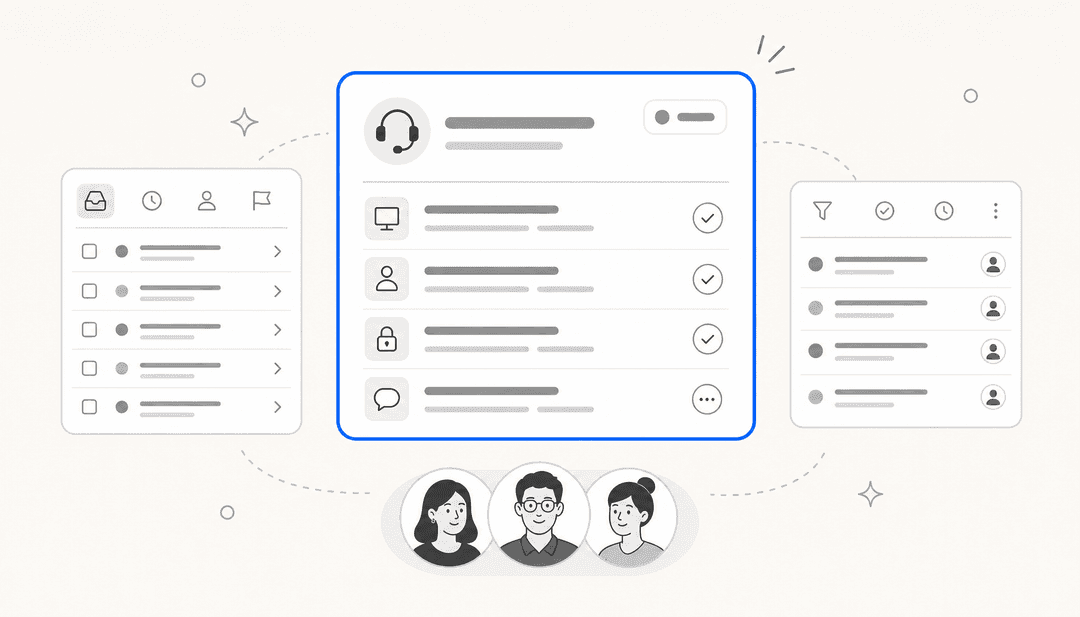
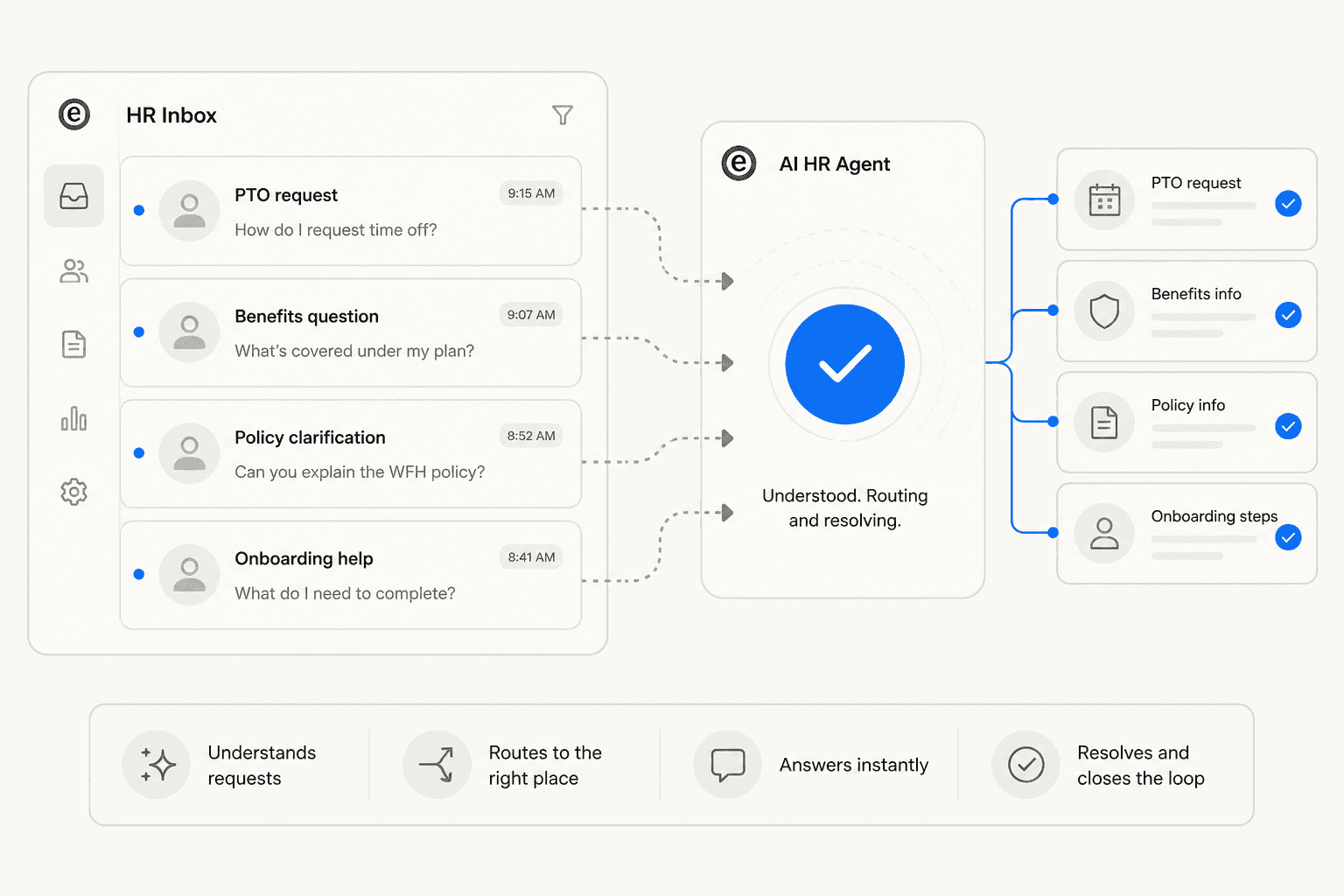
Unlike a traditional HR ticketing system, which logs requests and queues them for agents, an AI HR helpdesk actively works tickets. It reads the employee's question, searches your connected knowledge sources (policy documents, employee handbooks, Confluence pages, past resolved tickets), and either sends a response directly or drafts one for a human to review and approve. If a query is too complex or sensitive for the AI to handle confidently, it escalates to a specialist with full context already attached.
The distinction matters: traditional helpdesk software is a routing and logging tool. An AI HR helpdesk is a resolution tool. It reduces the number of tickets that ever reach your team, not just the number that sit in a queue.
Why HR helpdesks get overwhelmed
The volume problem is real. HDI research estimates organizations process an average of 10,675 support tickets per month across their operations, and HR desks are a significant share of that. The 60-70% of tickets classified as tier 1 -- straightforward questions with known answers -- are the ones an AI can resolve.
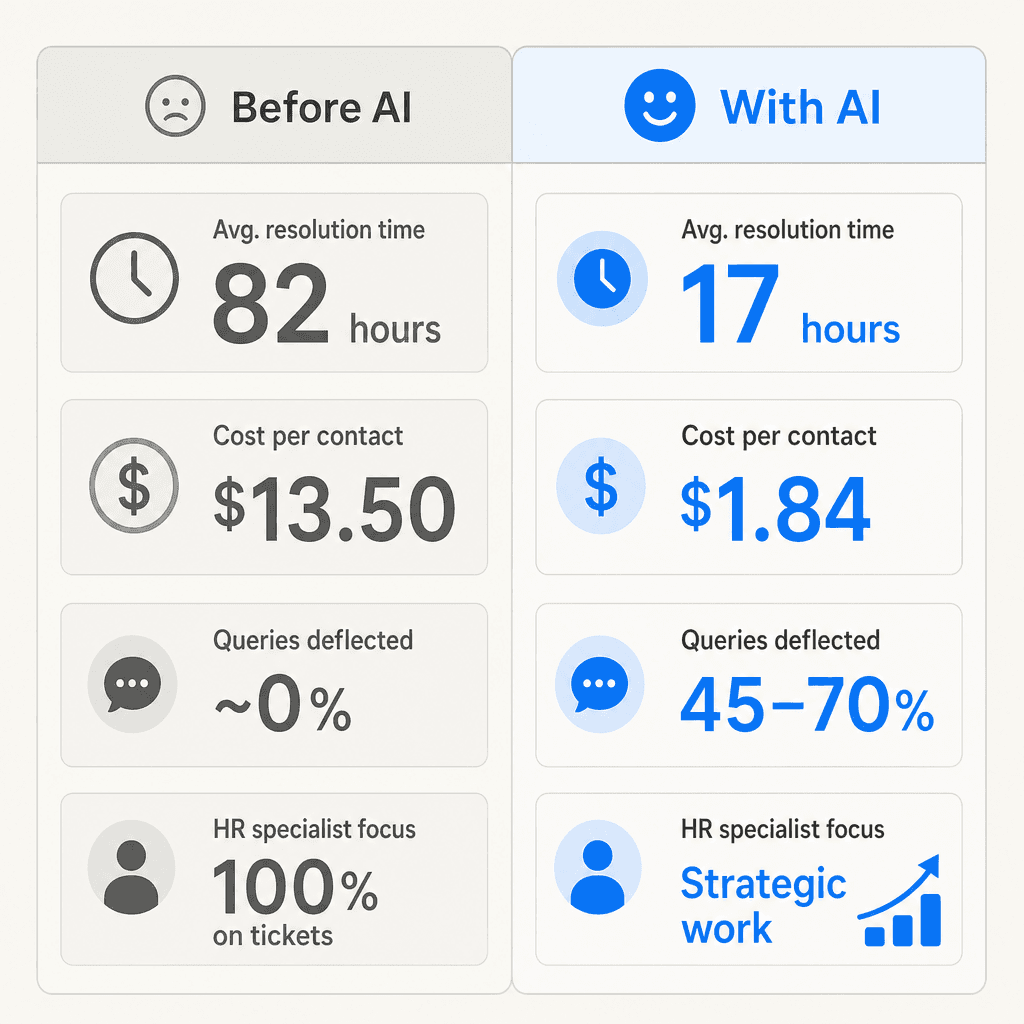
The cost problem is also real. Self-service channels cost $1.84 per contact compared to $13.50 for assisted support. Every policy question answered by a human agent when an AI could have handled it is a 7x cost premium.
And the employee experience problem is compounding both. 85% of employees hesitate to approach HR with their needs -- many because they expect a slow response. Nearly 30% of new hires leave within 90 days partly due to poor onboarding and HR responsiveness. The 82-hour median resolution time is a direct driver of disengagement for employees waiting on answers about their benefits, leave balances, or paperwork.
The solution is not adding headcount. 80% of HR leaders plan to adopt more AI tools by the end of 2026 because AI changes the economics: it handles the volume without adding to headcount costs, and it responds in seconds rather than days.
What an AI HR helpdesk handles
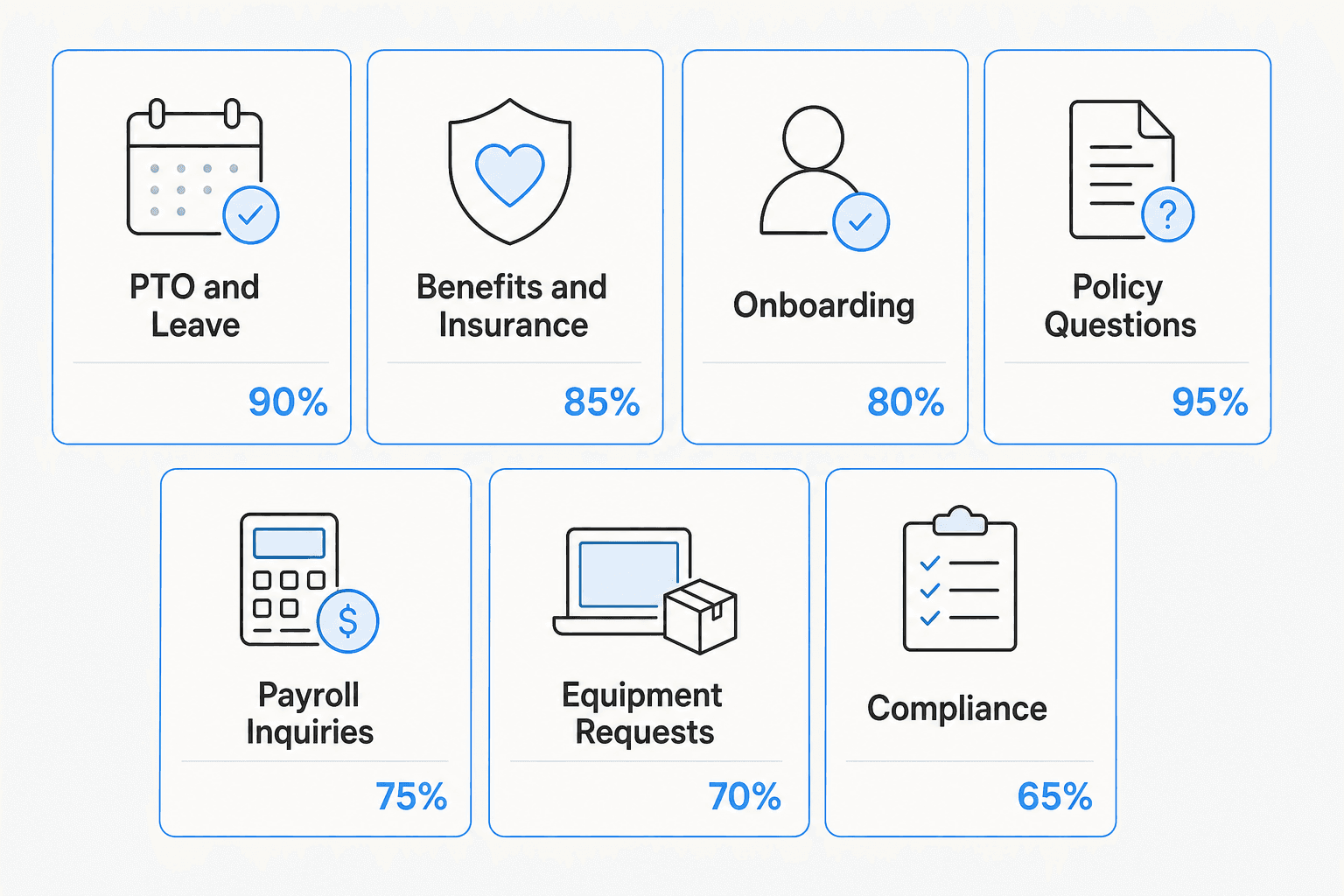
The clearest way to understand the scope is to look at what HR teams are actually fielding. Tier-1 HR tickets cluster into a predictable set of categories:
| Category | Example questions | AI automatable? |
|---|---|---|
| PTO and leave | "How many vacation days do I have left?" "How do I request parental leave?" | Yes |
| Benefits | "When does open enrollment close?" "Does our plan cover vision?" | Yes |
| Onboarding | "What documents do I need for day one?" "Who is my IT contact?" | Yes |
| Policy questions | "What is the remote work policy for contractors?" "Can I expense a home office monitor?" | Yes |
| Payroll inquiries | "When does direct deposit process?" "Why was my paycheck different this month?" | Partially -- simple date/process questions yes; discrepancies need a human |
| Equipment requests | "How do I request a new laptop?" "What is the approved vendor for peripherals?" | Yes for process; fulfillment varies |
| Compliance and documentation | "Where do I submit my W-4 change?" "How do I update my emergency contacts?" | Yes for routing/instructions |
| Sensitive HR matters | Performance issues, harassment reports, compensation disputes, terminations | No -- these should always reach a human specialist |
The pattern: anything involving a known answer from existing documentation is a strong AI candidate. Anything requiring judgment, investigation, or legal sensitivity belongs with a human.
How an AI HR helpdesk works
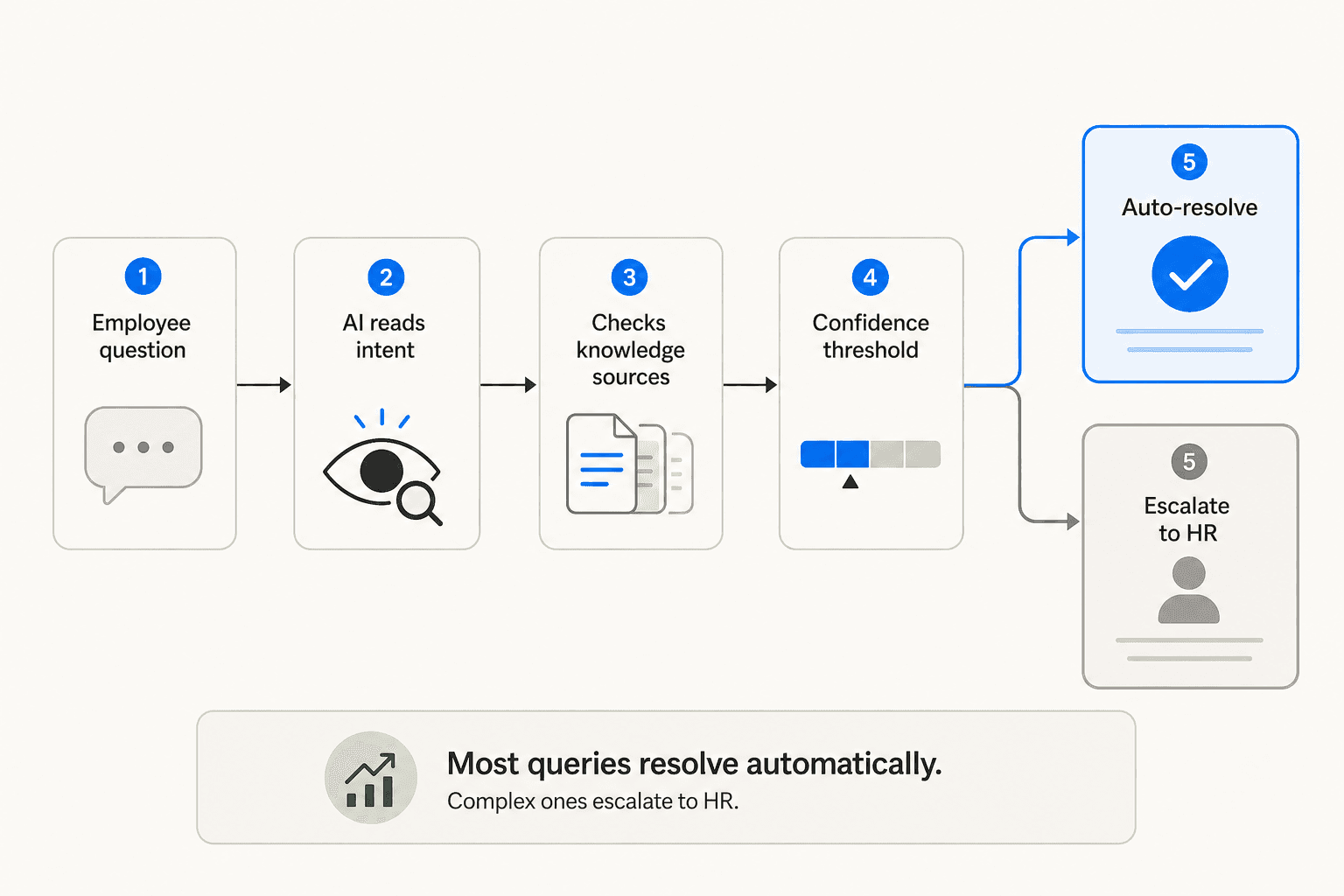
The mechanics of a modern AI HR helpdesk follow a consistent pattern, regardless of which platform you use:
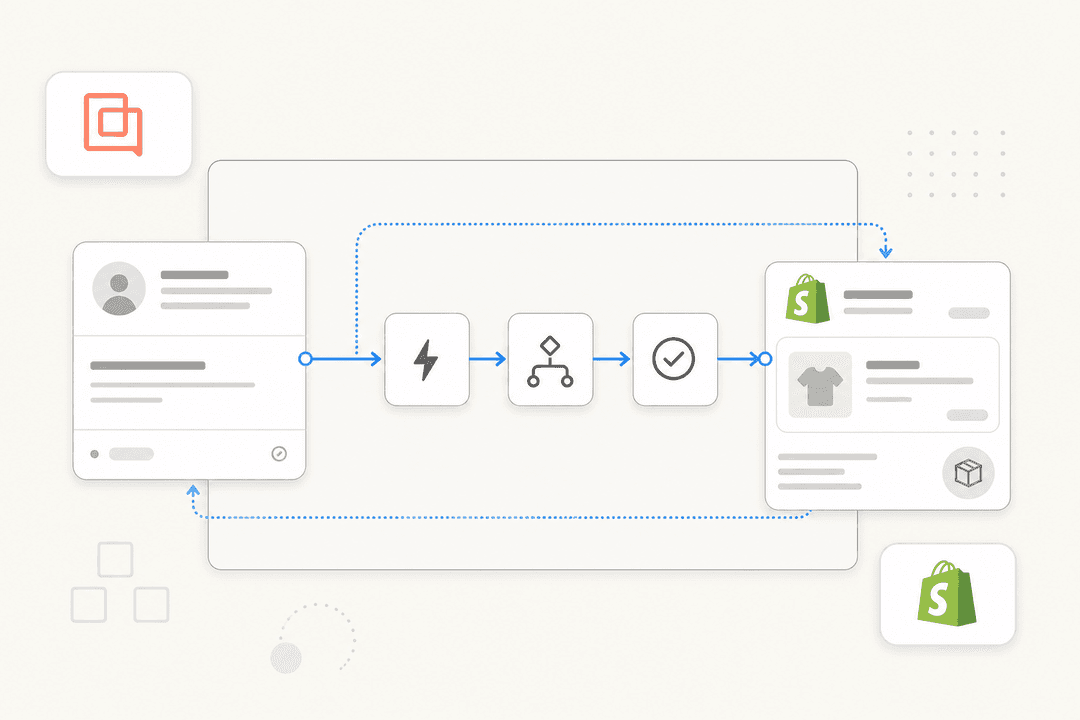
Step 1: An employee submits a question. This happens wherever employees already work -- Slack, Microsoft Teams, email, a web widget, or directly inside Zendesk or Freshdesk. The employee does not need to learn a new tool or remember a portal URL.
Step 2: The AI reads intent. Natural language understanding, not keyword matching. "I need to take time off next week" and "what's my PTO balance" are both leave-related queries -- the AI recognizes that even though the phrasing is different.
Step 3: The AI searches your knowledge sources. It checks connected sources: your employee handbook, policy documents, Confluence wiki, SharePoint pages, Google Drive folders, and the history of previously resolved tickets. It assembles a response from the most relevant material.
Step 4: A confidence threshold is checked. The AI scores its own answer. High confidence? It sends the reply directly (if configured for autonomous mode) or drafts it for a human to approve (draft mode). Low confidence? It escalates to an HR specialist with the ticket context, the sources it searched, and the response it started -- so the human can pick up from there rather than starting from scratch.
Step 5: The interaction closes, and the system learns. If a human edits the AI's draft, that correction feeds back into the system. Over time, the AI learns the team's preferred phrasing, specific policies, and edge cases.
The practical outcome: purpose-built AI agents reduce first response times by 55% and deflect over 45% of incoming queries according to Freshworks benchmark data. In real deployments, that number climbs higher with a well-prepared knowledge base.
Key capabilities to look for
Not all HR helpdesk AI tools are built the same way. When evaluating options, these are the capabilities that determine whether you get real deflection or expensive disappointment.
Natural language understanding, not keyword routing. Older tools still rely on keyword matching -- the query "how do I update my direct deposit" would need to exactly match a configured phrase to return the right article. AI-native tools understand intent regardless of phrasing, which is the difference between an 80% resolution rate and a 40% one.
Works inside tools employees already use. An HR knowledge portal employees need to remember and navigate to will have low adoption. The highest-performing setups put the AI agent inside Slack or Microsoft Teams -- where employees already spend their days. Questions get answered in the same channel where work happens.
Reads from multiple knowledge sources simultaneously. HR knowledge lives across SharePoint, Confluence, Google Drive, Notion, uploaded PDFs, and the helpdesk's own resolved ticket history. A good AI HR helpdesk reads all of them and synthesizes the relevant answer -- not just whichever source you manually uploaded last week. eesel AI supports 100+ integrations including all of these.
Draft mode and autonomous mode. Teams that are new to AI HR helpdesk should start in draft mode: the AI writes every reply, and a human approves before it sends. This builds confidence in what the AI is doing and catches edge cases before they reach employees. As trust builds, you expand autonomous responses to categories where the AI is consistently correct.
Simulation before go-live. The best platforms let you run the AI against a batch of historical tickets before turning it on. This surfaces coverage gaps -- categories where your knowledge base is thin -- so you can add documentation before launching rather than discovering the gap when a real employee asks. eesel's simulation feature shows coverage percentages by ticket category (e.g., "PTO policy coverage: 45% -- add your leave policy document to reach 90%+").
Analytics and knowledge gap identification. You need to know which ticket categories the AI is resolving, which it's escalating, where your coverage is weakest, and how resolution rates change as you improve your knowledge base. These metrics are also how you make the business case for expanding AI automation over time. If you want a deeper look at the metrics that matter, the chatbot analytics guide covers the core measurement framework.
Multilingual support. For organizations with global or distributed workforces, the AI should respond in the employee's language automatically. eesel supports 80+ languages out of the box -- an employee asking a question in German gets an answer in German, without any extra configuration.
How to set up an AI HR helpdesk
Setup is faster than most teams expect. The main work is knowledge preparation, not technical configuration.
1. Audit what questions HR is actually receiving.
Before you touch any software, pull three months of HR tickets and categorize them. What are the top 10 question types by volume? Which ones have a definitive, documented answer? Those are your automation targets. The AI helpdesk implementation guide covers this audit in detail.
2. Gather your knowledge sources.
Identify where the answers to those top 10 question types live -- employee handbook, benefits guide, Confluence wiki, SharePoint policy library, past ticket replies. The AI can only answer questions it has been given the material to answer. This is the step most teams underinvest in: a thorough knowledge base is what separates a 50% deflection rate from a 70% one.
3. Connect to your helpdesk and communication tools.
Connect the AI to wherever tickets come in -- Zendesk, Freshdesk, Slack, Teams, or email -- and point it at the knowledge sources you identified. For most platforms, this is a configuration step, not a development project. eesel connects to all major helpdesks and communication tools without requiring a developer.
4. Run a simulation.
Before going live, run the AI against a sample of historical HR tickets. Review the coverage report. Add missing documentation for any category with low confidence scores. Re-run until the categories you want to automate show 80%+ coverage.
5. Launch in draft mode.
Turn on the AI but configure it to create draft replies rather than send autonomously. Your HR team reviews each draft, approves the good ones, and corrects the ones that need adjustment. Those corrections feed back into the system.
"It is so easy to direct it to integrate Freshdesk tickets, Notion.so pages, website pages, effectively letting it read and memorize our company's procedures, products, and policies. The built-in tool to edit responses is intuitive and when we re-test, it correctly incorporates the coaching."

6. Monitor and expand automation progressively.
After two to three weeks in draft mode, look at which categories have a 90%+ approval rate. Switch those categories to autonomous mode. Continue this pattern -- monitor approval rates, expand autonomy where trust is high, keep draft mode for edge cases -- until you reach a stable configuration.
How to measure success
HR helpdesk AI has clear, quantifiable outcomes. Before launch, baseline these metrics so you have something to compare against.
| Metric | What to measure | Benchmark target |
|---|---|---|
| First response time | Time from ticket submission to first AI or human reply | Under 10 minutes (employees define "immediate" as 10 minutes or less) |
| Ticket deflection rate | % of tickets fully resolved without human involvement | 45-70% (industry AI benchmarks); top performers reach 65-75% |
| Resolution time | Median hours from ticket open to closed | Under 17 hours (top 5% benchmark vs. industry median of 82 hours) |
| First contact resolution (FCR) | % of tickets resolved in a single interaction | 65-72%+ (organizations with structured tiering average 72% FCR vs 45% without) |
| Cost per contact | Total HR support spend / tickets handled | Target under $2.00 self-service vs $13.50 assisted |
| HR specialist utilization | % of specialist time on strategic vs. transactional work | This is the output metric that matters most for HR leadership |
Check in on these every two weeks for the first two months. Deflection rate will improve as you add knowledge base content and expand autonomous categories. Resolution time improves quickly once draft mode is running.
If you want a cost comparison between AI and adding human headcount, the AI vs. hiring support agents breakdown puts the numbers side by side.
eesel AI for your HR helpdesk
eesel AI is an autonomous AI agent that runs inside the tools your HR team and employees already use -- Zendesk, Freshdesk, Slack, Teams, and 100+ others -- without requiring a new portal or a software rollout.
It connects to your existing knowledge sources (Confluence, SharePoint, Google Drive, Notion, uploaded HR documents), runs a simulation on historical tickets before go-live to show you exactly where your coverage gaps are, and starts in draft mode so your team can review every response before it reaches an employee.
"In the first month, eesel is resolving 73% of our tier 1 requests. eesel offers easy Zendesk implementation and setup. Our team implemented and achieved results quickly during our 7-day trial."
Global Pay reports up to 80% time savings finding answers across documentation.
Pricing is $0.40 per resolved ticket with no platform fee and no monthly minimum -- a $50 free trial is available to get started. For teams already managing HR tickets through Zendesk or Freshdesk, setup typically takes under a day. Start with the HR helpdesk tools comparison if you want to see how eesel compares to dedicated HR platforms.