There is a quiet truth about employee self-service portals in 2026. The portal you buy is not the one your employees use. They open Slack, message HR, and only touch the portal when payroll forces them. The whole reason ESS exists, to deflect routine requests and give people a single front door, only works if employees actually walk through it.
That is the real bar this listicle is trying to clear. Not which platform has the prettiest dashboard, but which one has built employee adoption into the product, with mobile-first UI, an AI assistant that answers basic questions, and a portal employees can find without a bookmarks folder.
We pulled together the six platforms that keep showing up in 2026 RFPs, looked at what their employee experience actually feels like, what they cost, and where they fall short. If you also handle the inbox side of internal support (helpdesk tickets, recurring HR questions, IT requests), an AI tier-zero layer like eesel AI sits naturally on top of any of these portals, but more on that at the end.
What we looked for in an employee self-service portal
Six picks below. Here is the lens we used so you can argue with the shortlist.
- A real employee surface, not a manager dashboard. Pay stubs, time-off, benefits, profile, performance, and learning all reachable from one place, on mobile.
- AI tier-zero. A built-in assistant that answers HR questions in plain language and points the employee at the right policy or form, instead of the employee guessing where to click.
- Pricing that scales without surprises. A clear per-employee model, no nasty cliffs at 25 or 100 employees, and no implementation fees that double the first-year cost without warning.
- Adoption hooks. Slack, Microsoft Teams, mobile push, or chat surfaces, so the portal can come to the employee.
- Compliance and audit. Multi-state payroll for US teams, ACA, GDPR, and proper role-based access control on every action.
We also weighed real customer signals. A wall of customer logos is marketing. A platform with 85% of the Fortune 500 using it, or 30,000 businesses running on it, tells you the curve has been crossed.
Quick comparison
| Tool | Best for | Standout for ESS | Pricing |
|---|---|---|---|
| BambooHR | SMB and mid-market HR teams | "Ask BambooHR" AI assistant, eNPS, mobile-first | From $10 per employee per month (Core); $250 flat for 25 or fewer employees |
| Rippling | Modern teams that want HR plus IT plus Finance unified | Single workforce graph that feeds payroll, devices, and access | Custom quote; modular per-product |
| Workday | Large enterprise HCM | Workday Help, AI Self-Service Agent, Skills Cloud | Custom quote; contact sales |
| ServiceNow Employee Center | Enterprises that already run ServiceNow for IT | EmployeeWorks (Moveworks AI plus Employee Center), Autonomous Workforce | Custom quote; named ITSM tiers |
| ADP Workforce Now | Mid-market US payroll-led teams | Mobile self-service, ADP Assist, 42M-employee benchmarking | Custom quote; Select, Plus, Premium tiers |
| Paycom | US companies that want employee-driven payroll | Beti employee-approved payroll, GONE time-off, IWant AI | Custom quote; not published |
Now to the actual write-ups. Each section follows the same template (what it is, what stands out, pricing, who it is for, where it falls short) so you can skim or read end to end.
1. BambooHR

BambooHR is the SMB favourite for a reason. It is the platform that small HR teams keep choosing because the employee side does not need a training session. Pay stubs, time-off, performance, and personal info all live behind a clean employee dashboard, and the mobile app does the same job for people who are not at a desk. The platform now serves over 30,000 businesses globally, with customers like OpenAI, Zapier, and Harvard Medical School on the logo wall.
What stands out for ESS specifically is the Ask BambooHR AI assistant. On the Core plan it answers basic data questions ("how many PTO days do I have left?"). On Pro it expands into company policies, handbooks, and benefits. On Elite it adds strategic analysis on top of HR data. That tiered approach is sensible, because the AI assistant is doing different work for an employee than for an HR director.
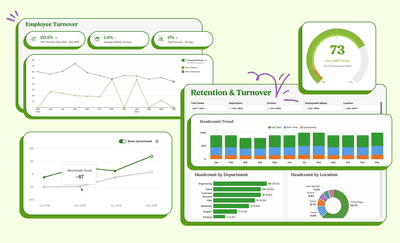
The other thing BambooHR does well is treat the employee experience as a product, not a side feature. Built-in eNPS surveys, employee wellbeing pulses, and a total rewards view all sit inside the same portal. That matters for adoption, because the portal is not just a place to file requests, it is also where employees see their own data on compensation and growth.
Pricing
| Plan | Price | Includes |
|---|---|---|
| Core | $10 per employee per month (or $250 flat for 25 or fewer) | HR data, hiring (5 openings), e-signatures, eNPS, basic Ask BambooHR |
| Pro | $17 per employee per month | Everything in Core plus performance management, employee community, 25 hiring openings, upgraded AI |
| Elite | $25 per employee per month | Everything in Pro plus compensation management, salary benchmarking (Mercer), HR benchmarks, advanced AI |
Payroll, Benefits Administration, and Time and Attendance are paid add-ons. There is a 15% discount for non-profits and a 15% bundle discount for Payroll plus Benefits Administration with any plan (US only).
Pros and cons
Pros: a clean employee UI that gets used, transparent per-employee pricing, an AI assistant on every plan, and a calm onboarding flow that does not feel like an enterprise rollout.
Cons: US-only payroll on the add-on, a hard cap on hiring openings on lower tiers, and limited scalability past about 1,000 employees compared with Workday or Rippling.
Who it is for
SMBs and mid-market teams up to roughly 1,000 employees who want a portal employees actually open, with HR, hiring, and time-off in one place and an AI assistant that handles the routine questions.
2. Rippling
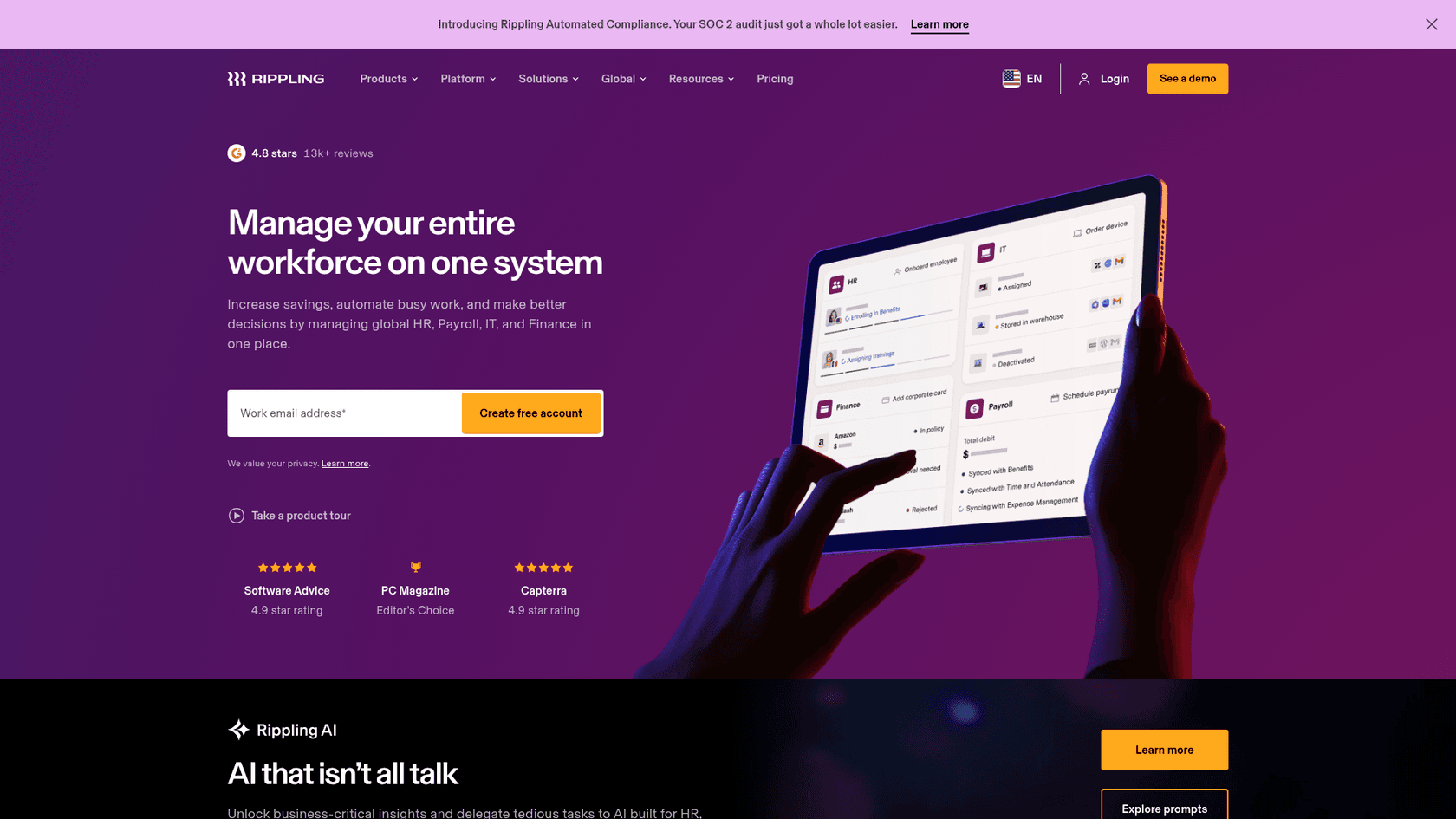
Rippling is the platform you pick when "employee self-service" is not just an HR portal but also IT, Finance, and access management on the same record. The pitch on the homepage is "one platform for HR, IT, and Finance," and the underlying idea, called the Rippling workforce graph, is that an employee profile is the source of truth that automatically syncs payroll, benefits, app access, and device assignment. Promote someone, and Slack permissions, payroll bands, and laptop config all update without an HR admin chasing them down.
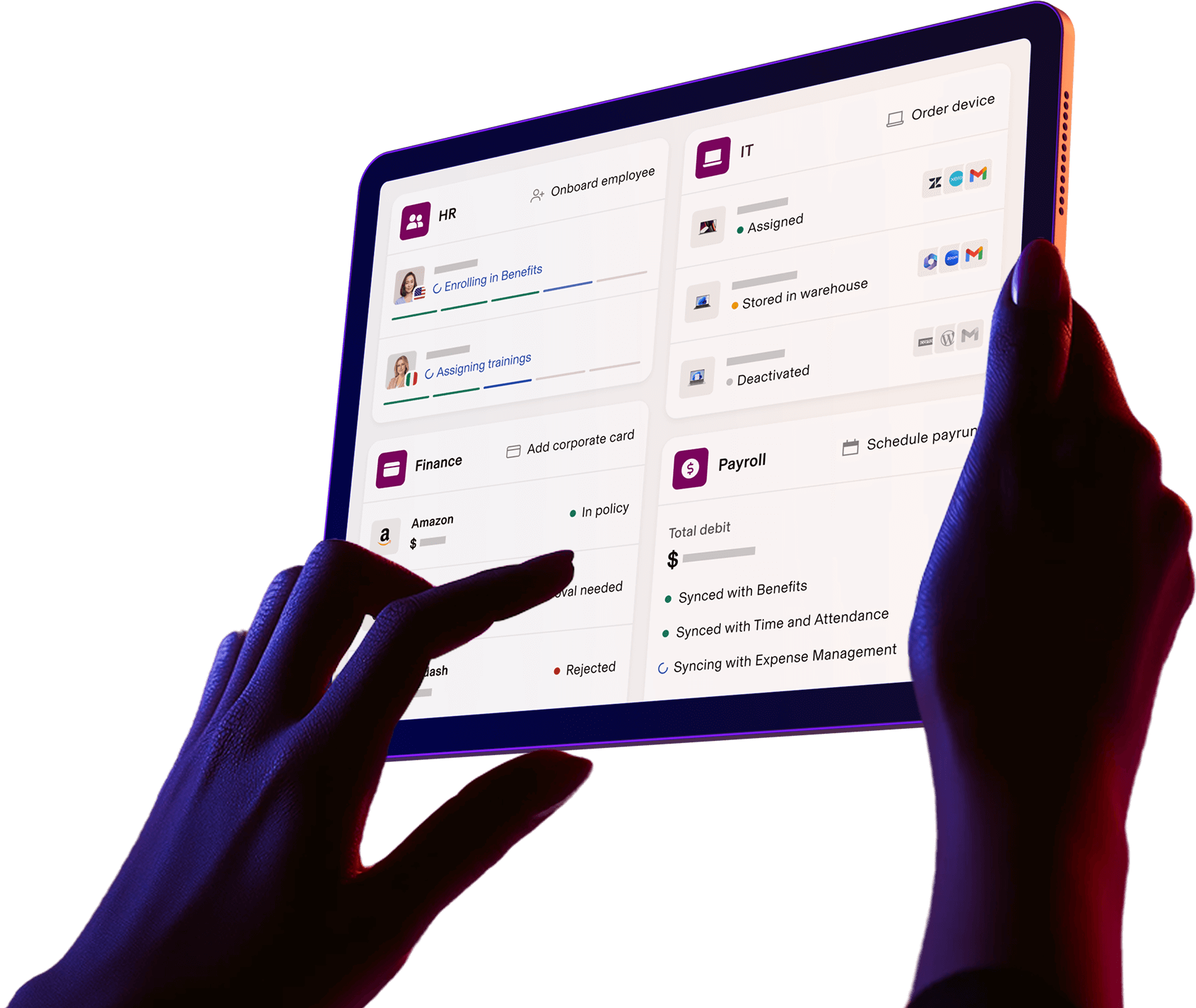
For employees, that means the self-service surface is unusually wide. Pay stubs, W-2s, benefits enrollment, expense submissions, app access requests, and even hardware requests all sit behind the same login. The mobile app holds up. Rippling carries 4.9 stars on both Software Advice and Capterra, is the #1 ranked HCM software and Grid Leader for Spring 2026 on G2, and won Editor's Choice on PC Magazine.
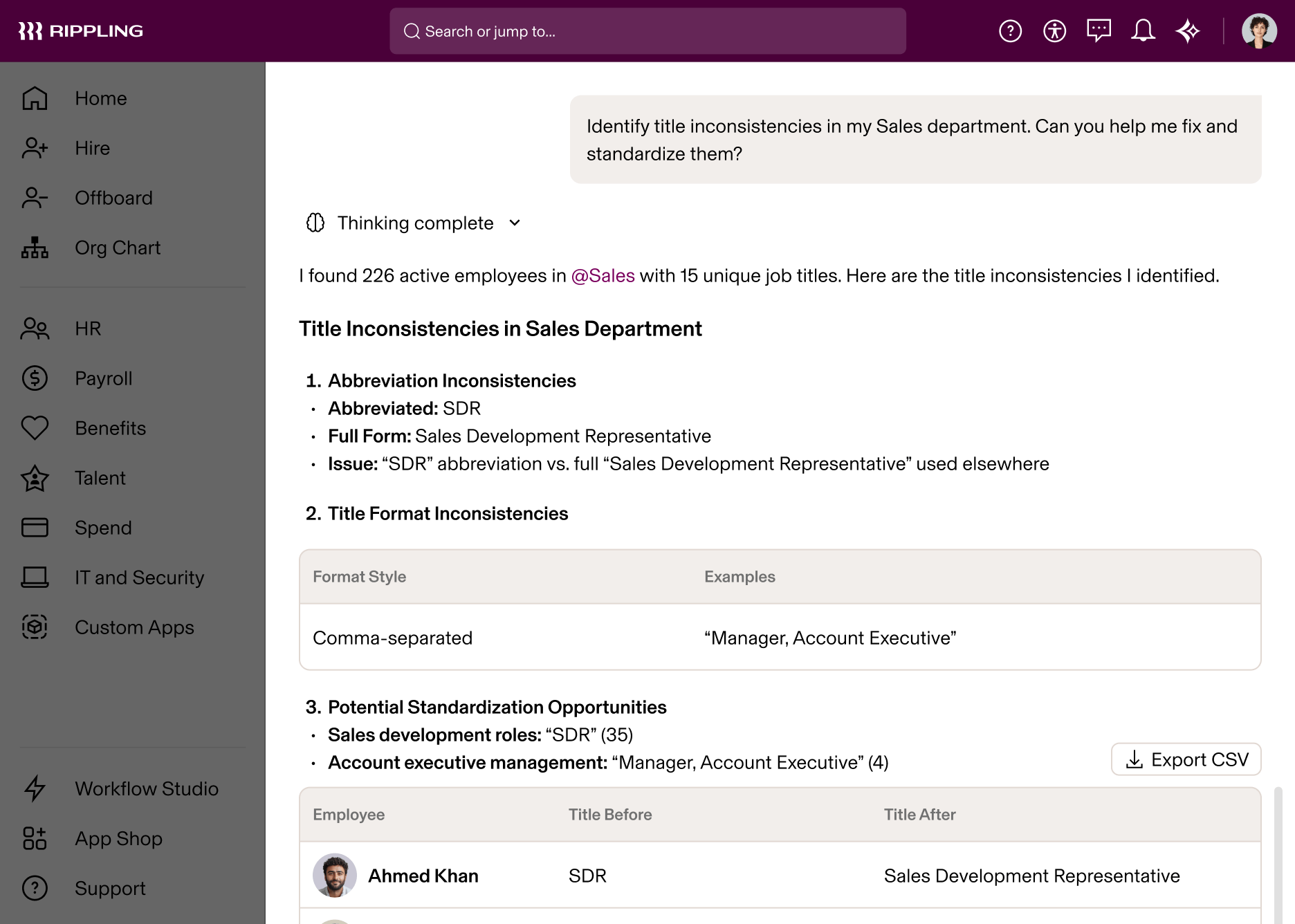
Rippling AI sits on top, using natural-language prompts to identify job-title inconsistencies, analyse attrition risk, and generate custom workforce reports. For HR managers, it is the analyst they cannot afford to hire. For employees, the same engine answers everyday questions about policies and entitlements.
Pricing
Rippling does not publish dollar figures. The official pricing page asks you to "tell us which services you'd like to use and we'll send a custom quote." What it does publish is the structure: every customer pays for the core Rippling Platform and then adds the HR, IT, or Finance modules they actually use.
| Pillar | What it includes |
|---|---|
| Rippling Platform (required core) | Unified workforce directory, onboarding/offboarding automation, mobile app, Workflow Studio, Compliance 360 |
| Rippling HCM | US and global payroll, time and attendance, benefits administration, performance, recruiting, LMS, EOR, PEO |
| Rippling IT | Identity and access, device management, inventory management |
| Rippling Spend | Corporate cards, expense management, bill pay |
Per Rippling's own FAQ, products are usually billed per employee per month, with some modules including a monthly base fee. Every public CTA is "Get a personalized quote" or "Request a free Rippling quote." If you want a side-by-side dollar number, you have to talk to sales.
Pros and cons
Pros: the unified workforce graph, modular product structure that lets you pay only for HR, IT, or Finance pieces you need, deep IT and Finance integration, and a strong AI layer for both employees and HR.
Cons: complexity, and pricing opacity. Reviews repeatedly call Rippling more powerful than BambooHR but also "way more complex and cold," in the words of one comparison published by Truly Critic. Smaller teams may not need the automation depth, and the quote-only pricing makes side-by-side comparisons harder until you are deep in a sales cycle.
Who it is for
Modern teams, often series A through series D, that have outgrown a basic HRIS and want HR plus IT plus Finance on one record, with the AI to keep the directory tidy as the headcount climbs.
3. Workday
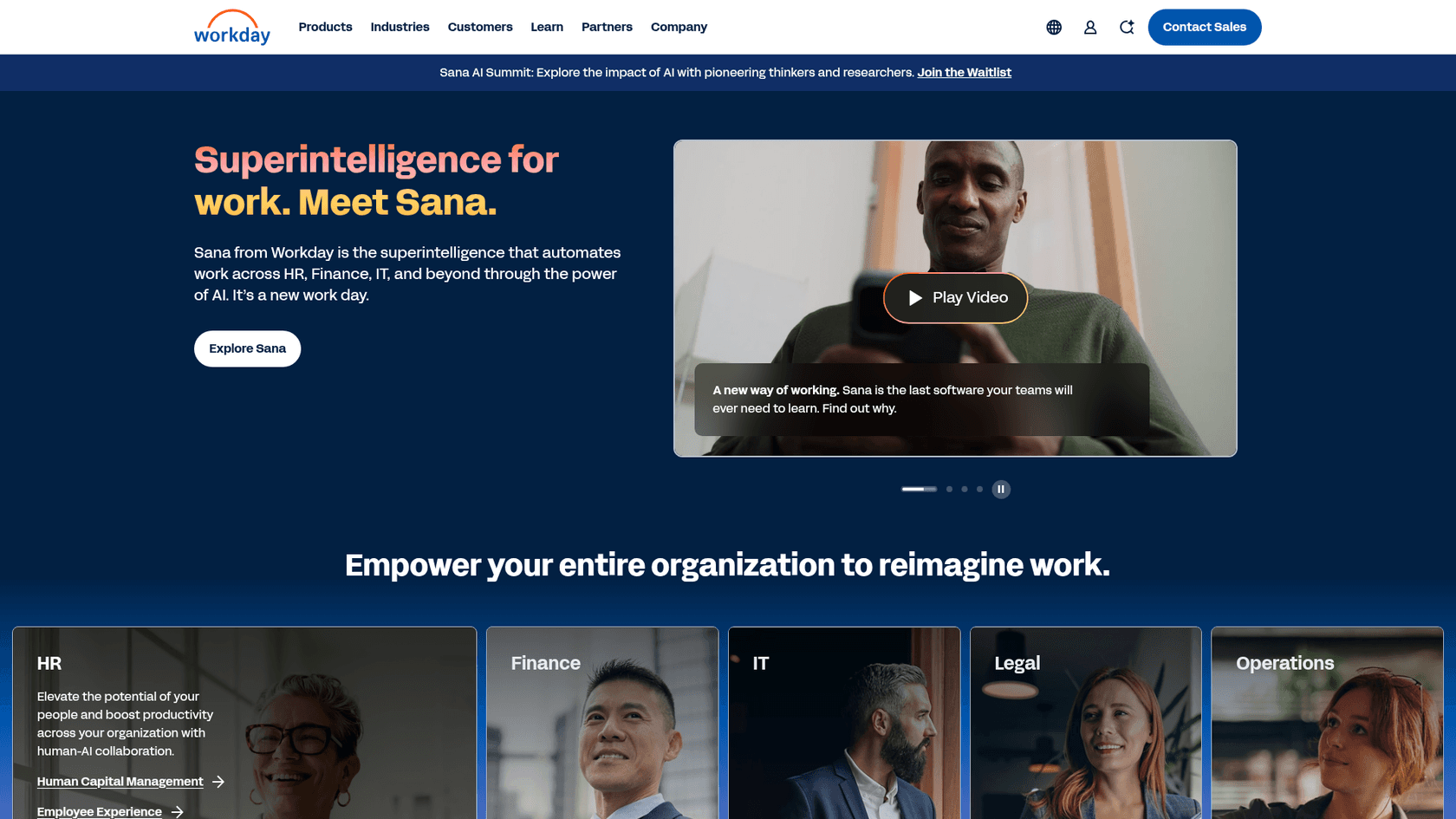
Workday is the enterprise HCM most people think of first. It runs the HR and finance backbone for Siemens, Dell, GE, Comcast, and Levi Strauss, and its skills-based foundation, called Skills Cloud, is built around the idea that talent decisions should be driven by skills data rather than job titles. For employees, the visible part is a deep self-service surface with pay, benefits, time-off, learning, internal mobility, and career paths all behind the same login.
The 2026 push is on AI agents. Workday has rolled out an AI Self-Service Agent that surfaces information through natural-language questions and an HR Service Delivery suite called Workday Help that pairs the portal with an HR helpdesk. Workday Help adds omnichannel case management, knowledge articles, and an AI-powered Workday Assistant that suggests resolutions to HR teams. For an employee, that means asking a question in a chat surface, getting a grounded answer with the policy attached, and only opening a ticket if the answer does not solve it.
The strength is integration. Once you are on Workday, time-off, payroll, and finance flow through the same skills-aware data model, and the analytics surface is one of the deepest in the category. The challenge is the cost of getting there.
Pricing
Workday does not publish dollar pricing on its site. Every product page ends in a "Contact sales" or "Get a demo" CTA, and customers receive a custom quote based on which modules they take and how large the workforce is. There is no free plan and no public per-employee figure.
| Module | Audience | Pricing model |
|---|---|---|
| Workday HCM | Enterprises | Annual subscription, custom quote |
| Workday Help | Add-on for HR Service Delivery | Bundled or modular, custom quote |
| Workday Extend | Custom application platform | Custom quote |
Beyond the subscription, prospective customers should plan for implementation, data migration, and integration costs that vary heavily by partner.
Pros and cons
Pros: market-leading HCM depth, a real Skills Cloud foundation, deep AI investment in 2026, and an HR Service Delivery layer that other vendors are still trying to match.
Cons: cost, complexity, and a learning curve that vendors openly acknowledge as steep. Independent reviews note that "the depth of Workday's features can create a steep learning curve for many teams" and that customisation often requires external consultants (source).
Who it is for
Large enterprises, typically over 1,000 employees, that need a single HCM with AI agents, skills data, and HR service delivery, and that can absorb a multi-month implementation.
4. ServiceNow Employee Center
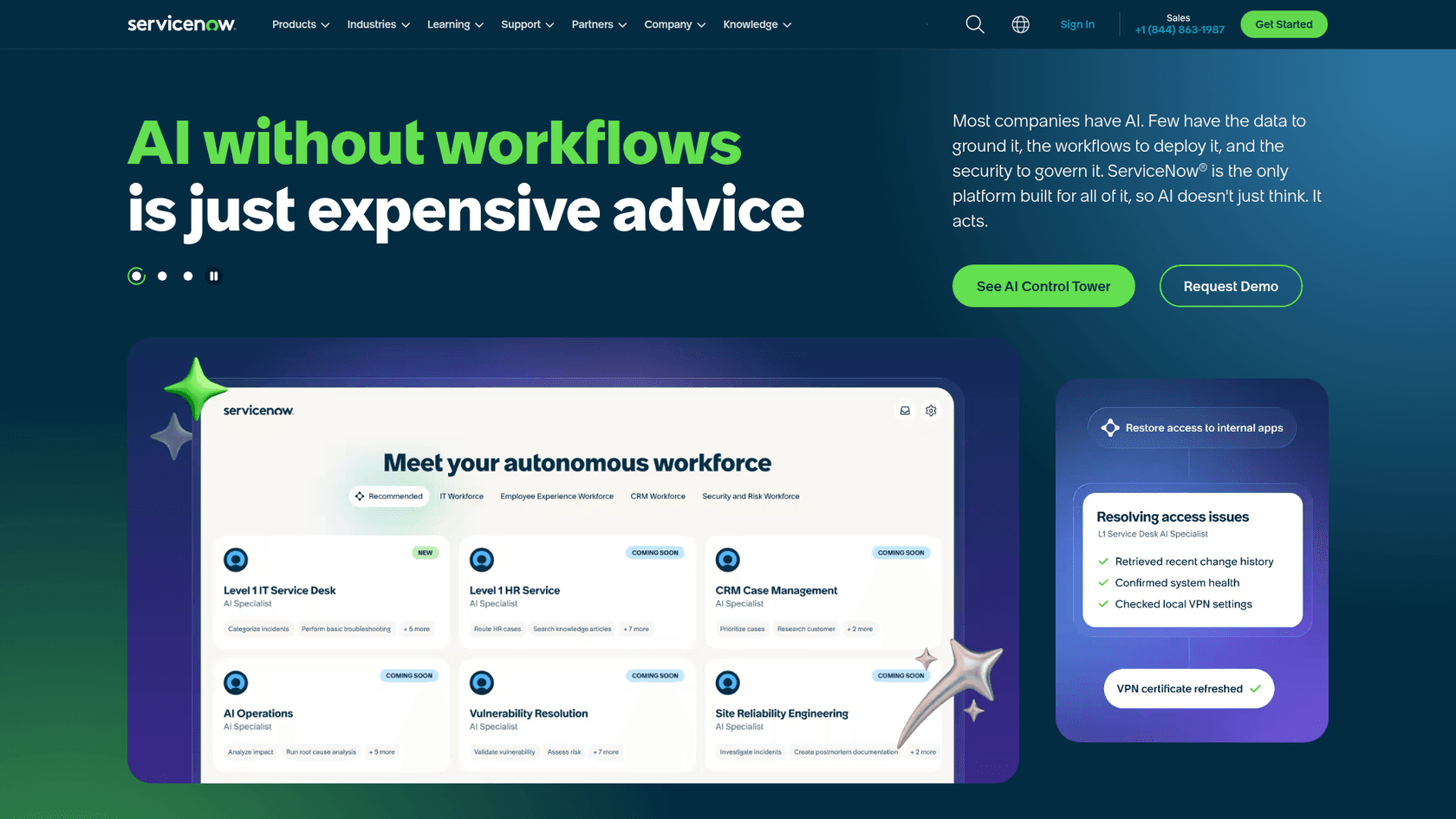
ServiceNow is the odd one out on this list, because it did not start as an HR product. It is the IT service management platform that 85% of the Fortune 500 already run, and the Employee Center is the unified portal that turns ServiceNow into a self-service surface for HR, IT, facilities, and any other shared service the company wants to expose. For organisations that already have ServiceNow for IT, adding Employee Center for HR is the path of least resistance, and that is precisely how the product is positioned.
The 2026 story is bigger. On February 26, 2026 ServiceNow launched Autonomous Workforce and folded Moveworks into the platform under the new "EmployeeWorks" product, alongside the standalone Moveworks offering. EmployeeWorks combines Moveworks' enterprise AI experience, used by over 5 million employees, with the next generation of Employee Center portal experiences and workflow execution. Practically, that means the AI assistant employees see in Slack or in the portal can both answer questions and execute workflows (raise tickets, request access, update records) without an HR or IT human in the loop.
ServiceNow's homepage has the customer count to back this up. The platform reports 95 billion workflows running, a 98% renewal rate, and case studies like "Stellantis: 48K employees successfully onboarded in one day" and "Bell Canada: 3M customer support calls deflected annually". For a self-service portal, deflection is the metric that matters.
Pricing
ServiceNow is custom-quoted across the board. The public ITSM Plans and Packages page lists three named tiers (ITSM Foundation, ITSM Advanced, ITSM Prime) and the AI Control Tower page lists six modules, but every plan ends in a "Get Custom Quote" CTA. Employee Experience pricing is sold alongside the broader platform.
| Tier | What it usually includes |
|---|---|
| ITSM Foundation | Core IT service management, basic Now Assist agents |
| ITSM Advanced | Workflow automation, AI agents, expanded virtual agent |
| ITSM Prime | Full Now Assist, advanced AI agents, governance |
EmployeeWorks and Autonomous Workforce are positioned as add-ons or platform expansions on top of those bundles. If you are weighing this against alternatives, our deeper write-up on ServiceNow alternatives and ServiceNow license types and cost goes into the bundle math in detail.
Pros and cons
Pros: the most powerful workflow engine in the category, deep IT plus HR plus facilities consolidation in one portal, and a serious AI strategy now that Moveworks is integrated. The 98% renewal rate is real customer stickiness, not marketing.
Cons: serious cost. ServiceNow is widely seen as the most expensive option on this list, and pricing is fully quote-based, with multi-month implementations and a learning curve to match. For a company that is not already on ServiceNow for IT, the case for buying just the Employee Center is harder to make.
Who it is for
Large enterprises that already run ServiceNow for IT, want a single self-service portal across HR and IT, and have the budget to layer EmployeeWorks AI on top.
5. ADP Workforce Now
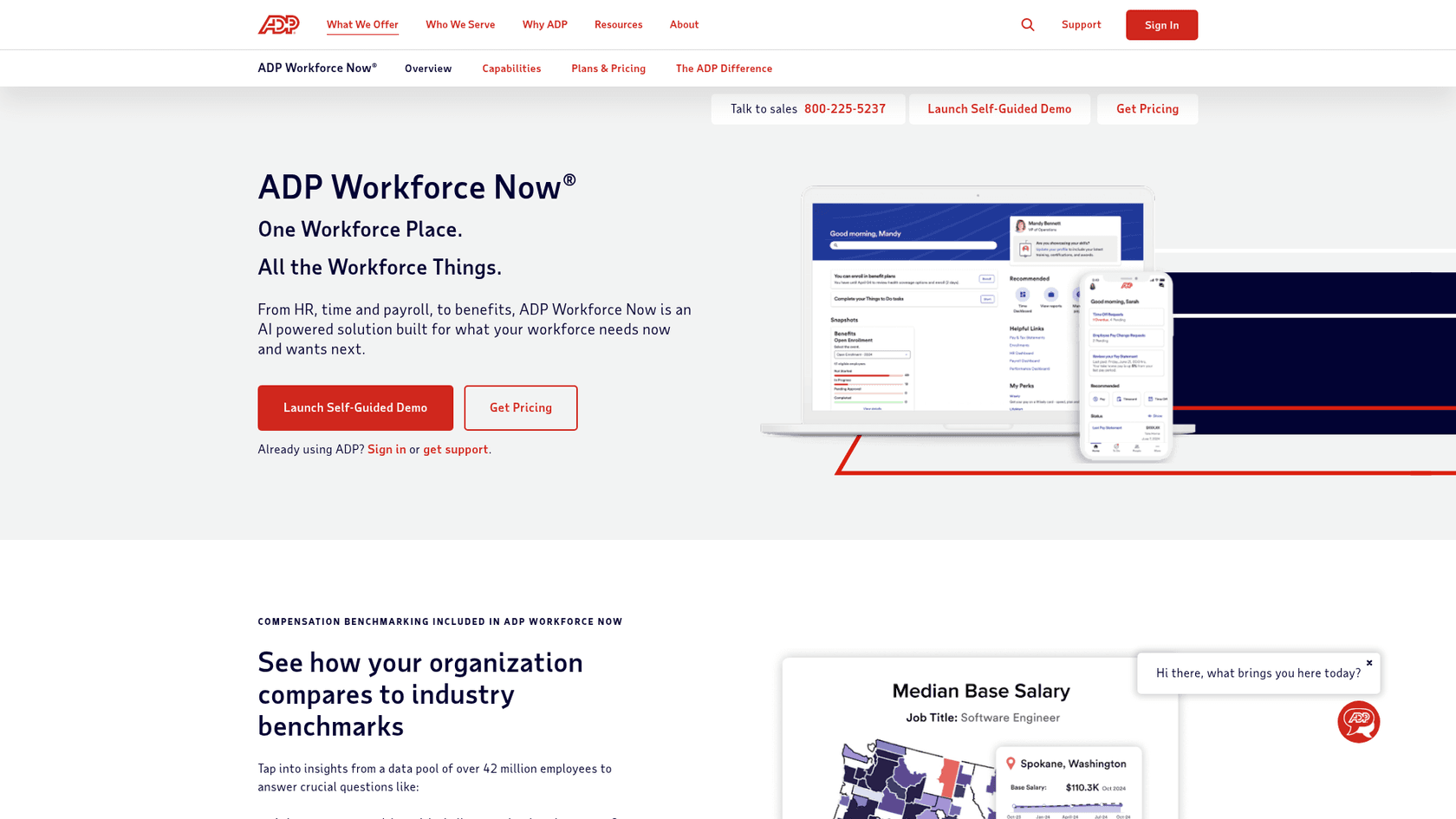
ADP Workforce Now is the platform mid-market US companies pick when payroll and compliance are the load-bearing requirements and the employee self-service portal needs to feel "no surprises." ADP positions Workforce Now for businesses with 50 to 999+ employees, and the portal covers payroll, HR, time, benefits, and talent in one place.
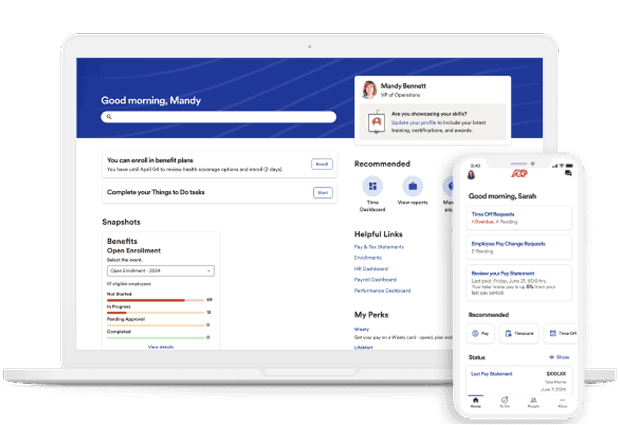
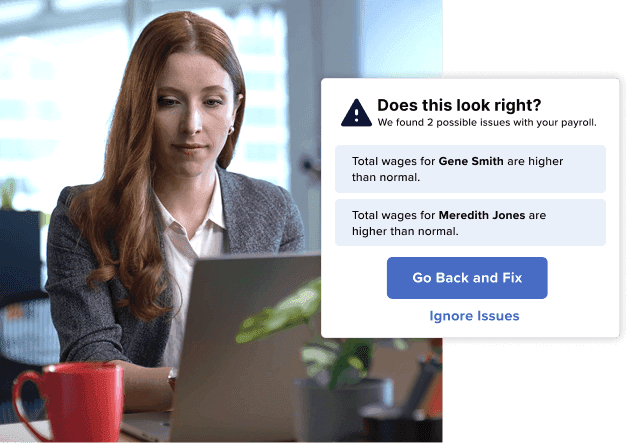
The 2026 story is AI on top of ADP's structural advantage: data scale. ADP Assist is the AI layer that runs across the platform with payroll anomaly detection (catching errors before they hit a paycheck) and proactive task resolution. Underneath, ADP benchmarks compensation and overtime against an anonymised dataset of over 42 million employees, which is something only a payroll provider at ADP's scale can offer. For employees, that shows up as more confident pay and benefits answers in the portal.
Pricing
ADP does not publish per-employee dollar pricing. Workforce Now is sold in three tiers, with a familiar "Select / Plus / Premium" lineup and modules layered on top.
| Plan | Includes |
|---|---|
| Select | Payroll, HR admin, employee self-service portal, ADP Assist, onboarding, digital records |
| Plus | Everything in Select plus Benefits Administration |
| Premium | Everything in Plus plus Workforce Management (Time, Attendance, Scheduling) |
Optional add-ons include Talent Acquisition, Performance Management, Compensation Management, HR Assist, and a Learning Management library of over 70,000 courses. Every plan ends in a "Get pricing" CTA, so the actual per-employee figure depends on headcount, modules, and contract length, and only comes back after a sales conversation.
Pros and cons
Pros: payroll and compliance backed by a 70-year-old company, mobile self-service that works for deskless and corporate roles alike, and benchmarking data that small competitors cannot match.
Cons: pricing opacity, a UI that reviewers describe as functional rather than modern, and a sales motion that involves more phone calls than most modern HRIS purchases. The portal is solid, but the "delight" factor lives elsewhere on this list.
Who it is for
US mid-market companies (50 to 999+ employees) that want payroll-led HR with a competent self-service portal and benchmarking data on top, and that are happy to negotiate a custom quote.
6. Paycom
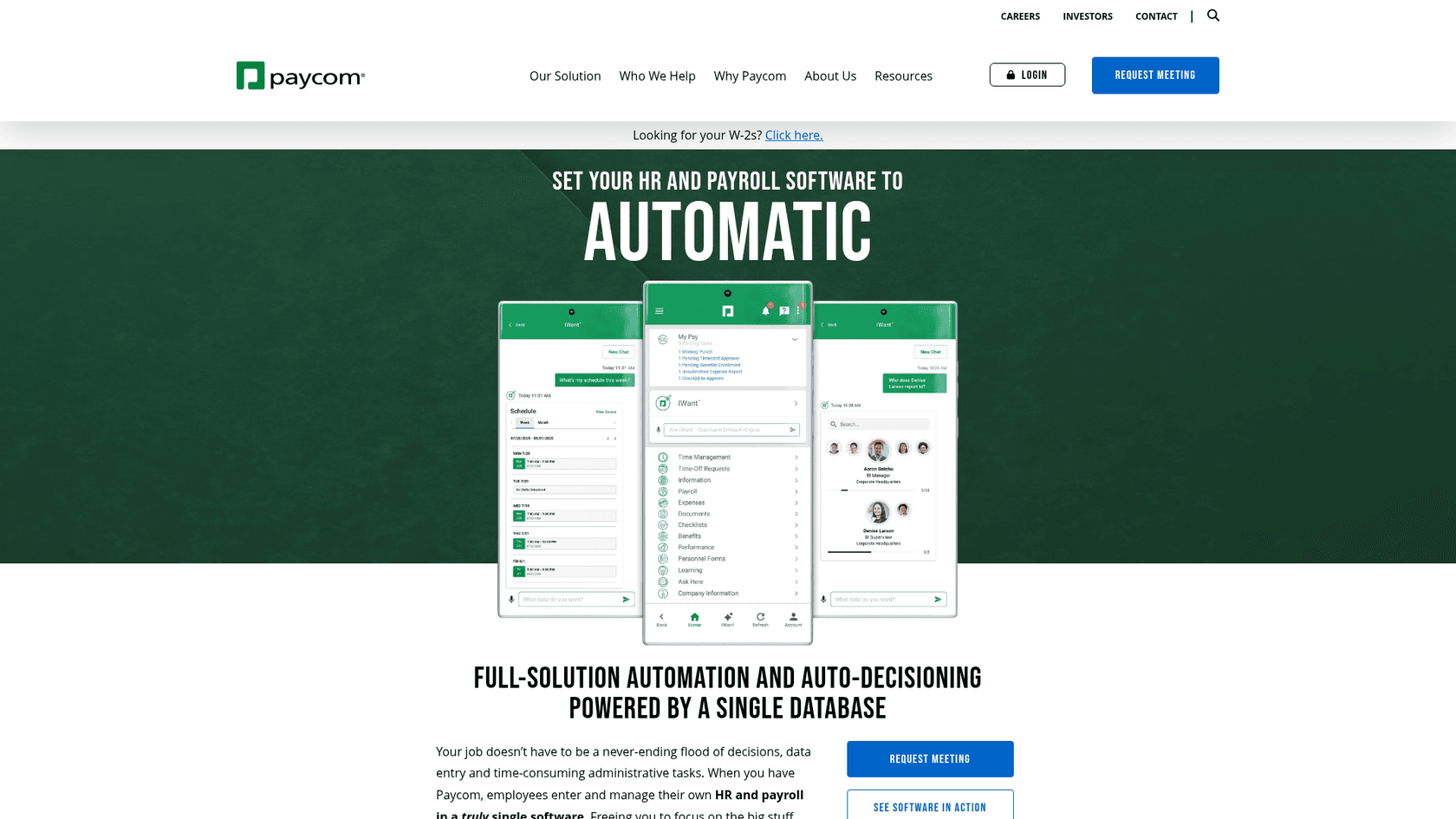
Paycom takes the opposite philosophical position to most ESS portals. Instead of HR running payroll on behalf of employees, Paycom is built around the idea that the employee themselves should own the process. The platform's flagship product, Beti, lets employees review, troubleshoot, and approve their own paychecks before submission, which Paycom claims reduces payroll processing time by up to 90% and reduces HR liability for errors.
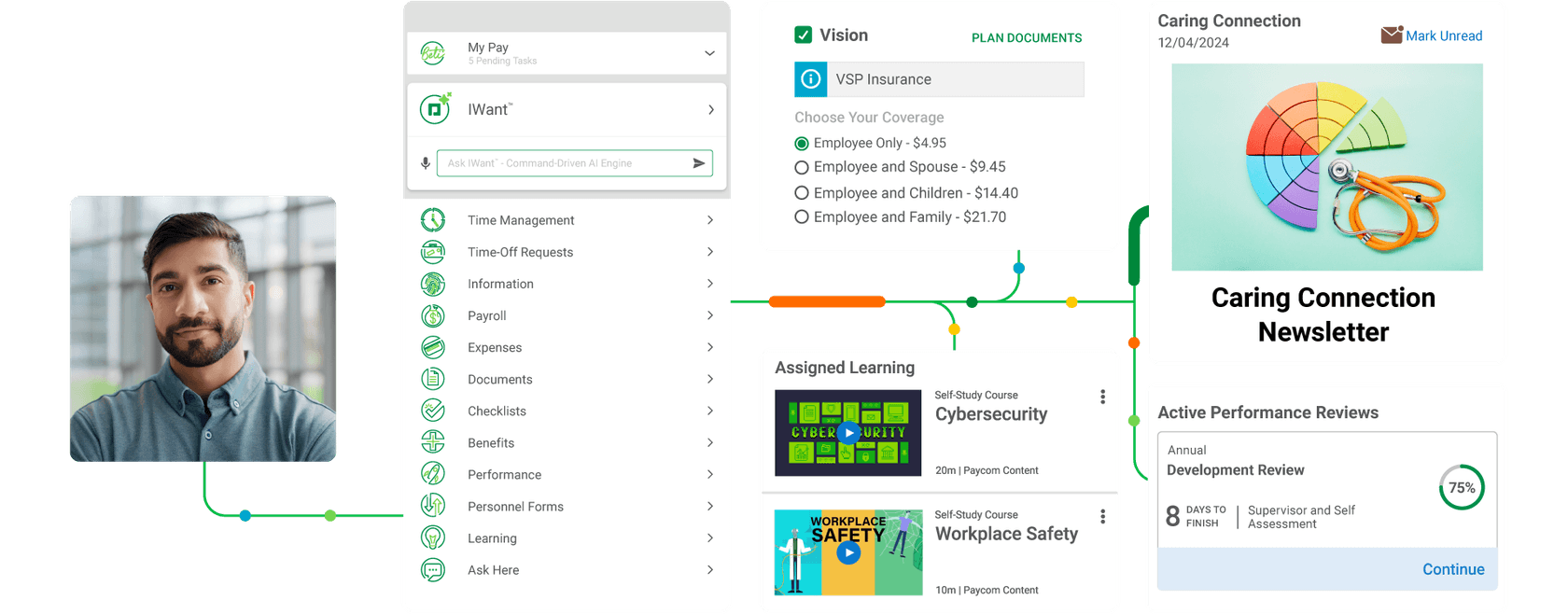
The rest of the Employee Self-Service product follows the same logic. Time-off requests use GONE, an automated decision engine that approves or denies requests based on company rules, so HR is not the bottleneck for approvals. The IWant AI engine lets employees ask plain-language questions and pull answers from their own employee record. Manager on-the-Go gives supervisors the same control on mobile.
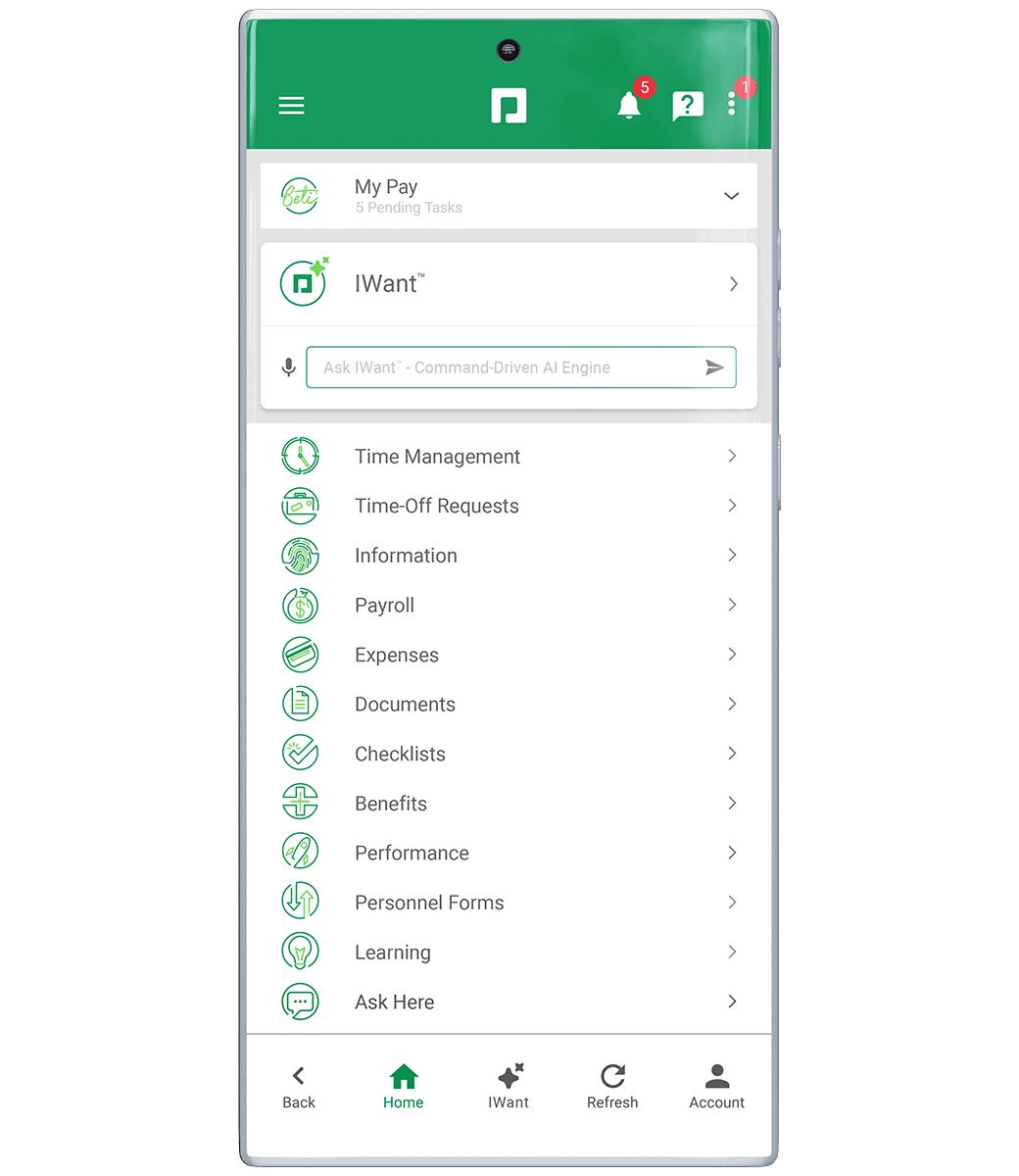
The product is built around adoption: Paycom claims over 1,000,000 5-star ratings across major app stores and Capterra, which is the kind of mobile signal an HR portal usually does not earn.
Pricing
Paycom does not publish dollar pricing anywhere on its site. There is no plan tier listing and no per-employee figure. Every product page, including the Employee Self-Service software page, funnels prospects through a "Request meeting" or "See software in action" CTA. The platform is sold as a single-database, all-in-one suite, and Paycom decides the price after a discovery call.
| What is published | What you have to ask for |
|---|---|
| The full feature surface (Beti, GONE, IWant, Manager on-the-Go, ESS portal) | Per-employee or per-payroll-run dollar figures |
| Mobile app and desktop UI demos | Implementation, setup, and direct deposit fees |
| Customer logos and 5-star ratings | Plan tiers and add-on prices |
Plan for a sales conversation before you can compare Paycom directly to BambooHR or Rippling on cost.
Pros and cons
Pros: a genuinely employee-driven payroll model, strong mobile, and an AI engine that pulls answers from employee records.
Cons: a fully sales-led pricing motion. With nothing published on the site, side-by-side cost comparisons against BambooHR or Rippling are impossible before a discovery call, and that opacity is a real friction point for buyers who want to compare options on a spreadsheet.
Who it is for
US-only mid-market companies that want employees to own the payroll process and are comfortable going through a sales cycle to get a quote.
How to choose between these six
The honest answer is that the right pick is downstream of two questions:
- What scale and footprint are you operating at? Under 1,000 employees and US-centric, BambooHR or Rippling are the obvious starts. Mid-market US payroll-first, ADP or Paycom. Global enterprise, Workday or ServiceNow Employee Center.
- Where does the rest of your stack live? If you are already running ServiceNow for IT, layering Employee Center costs you less integration debt than starting from scratch. If you are building out IT and Finance alongside HR, Rippling collapses the architecture.
Two things that come up in every ESS conversation in 2026:
- Adoption is the hard part, not procurement. Buying the portal is one decision. Getting employees to use it instead of DMing HR is a different one. Bringing the portal to the employee, rather than the other way around, tends to win that battle.
- AI tier-zero pays back fast. A platform that deflects 60-80% of routine HR questions before they hit a ticket queue is doing real work, even before the ROI of full case management. Whether that AI is built into the portal or layered on top in Slack matters less than whether it actually answers questions.
Where eesel AI fits in
The shortcoming all six of these portals share is the same one: employees do not naturally open them. They open Slack, Microsoft Teams, or their email. The portal is the system of record. The chat is the surface.
That is the gap eesel AI fills. It connects to your HRIS, your help center, your Confluence, your Notion, your Google Drive, and your past helpdesk tickets, and turns the portal's content into answers in Slack, Microsoft Teams, and your existing helpdesk. Employees ask "how many PTO days do I have left?" or "what is our parental leave policy?" in the same chat surface they live in all day, and the AI answers from the portal you already pay for. The tickets that would have hit your HR queue never need to.
If you are evaluating an employee self-service portal in 2026, the cleanest path is usually: pick whichever portal fits your scale and stack, then add an AI tier-zero layer that meets employees where they actually work. That keeps the portal as the canonical source of truth, lifts adoption past the usual "low" benchmark, and frees the HR team to focus on the cases that genuinely need a human. The eesel blog has more on what that pairing looks like in practice, and pricing is usage-based, so it scales with the volume of questions, not seats.
Pick the portal. Then make sure people can find it.