Microsoft Teams has become the central hub for workplace collaboration. Chats, meetings, file sharing, project coordination. It all happens in one place. But with so much activity comes information overload. AI tools can help.
The challenge? Most AI tools for Teams focus on one thing: meeting transcription. They join your calls, record everything, and spit out summaries. Useful, sure. But what about the rest of your Teams usage? What about IT support questions, HR policy lookups, or finding that document someone shared three weeks ago?
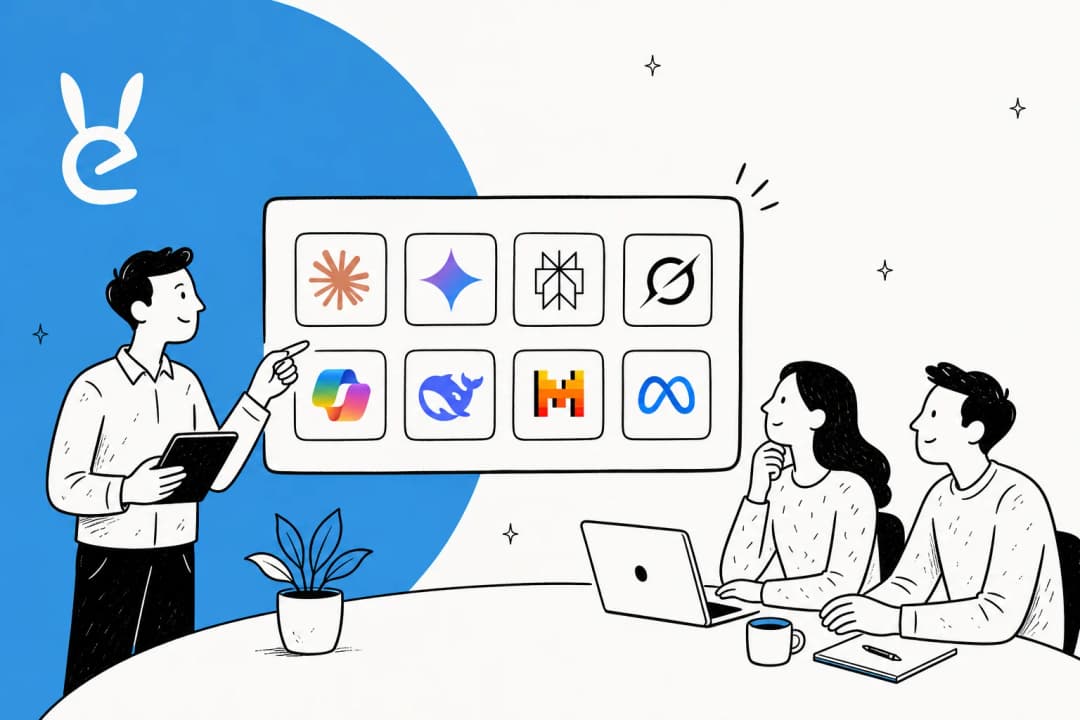
This guide covers seven AI tools that work with Microsoft Teams in 2026. Some handle meetings. Others handle internal support. We'll break down what each does, what it costs, and who it's actually for.
What to look for in a Microsoft Teams AI tool
Before diving into the list, let's clarify what separates good AI tools from mediocre ones.
Integration depth matters. Native Microsoft tools plug directly into your existing workflows. Third-party tools vary. Some feel seamless. Others need extra configuration.
Use case fit is critical. Meeting assistants transcribe calls. Internal support tools answer employee questions. Note-takers capture audio. Know what problem you're solving before you choose.
Privacy and security can't be an afterthought. Some tools join meetings as bots (visible to everyone). Others capture audio locally on your device. Your compliance requirements should drive this decision.
Pricing transparency saves headaches later. Per-user costs add up fast at scale. Flat-rate options exist but often have usage limits. Calculate total cost of ownership for your team size.
Ease of deployment affects time-to-value. Some tools need IT involvement and weeks of configuration. Others work in minutes without technical expertise.
Quick comparison: all 7 tools at a glance
| Tool | Best For | Pricing | Key Differentiator |
|---|---|---|---|
| eesel AI | Internal support, IT helpdesk | $299-$799/month | Answers employee questions from company knowledge |
| Microsoft 365 Copilot | Native meeting assistance | $30/user/month | Deep Microsoft 365 integration |
| Jamie | Bot-free meeting notes | €0-99/month | Local audio capture, no meeting bots |
| Otter.ai | Real-time transcription | Free-$30/user/month | Live AI chat during meetings |
| Fireflies.ai | Searchable meeting records | Free-$39/seat/month | Topic tracking, CRM integration |
| Teams Premium | Enhanced native features | $10/user/month | Live translation, intelligent recap |
| Plaud | Hardware-based recording | $159 + $19.99/month | Works offline, 98% accuracy |
1. eesel AI
Best for: Internal support, IT helpdesk, and employee knowledge access within Teams
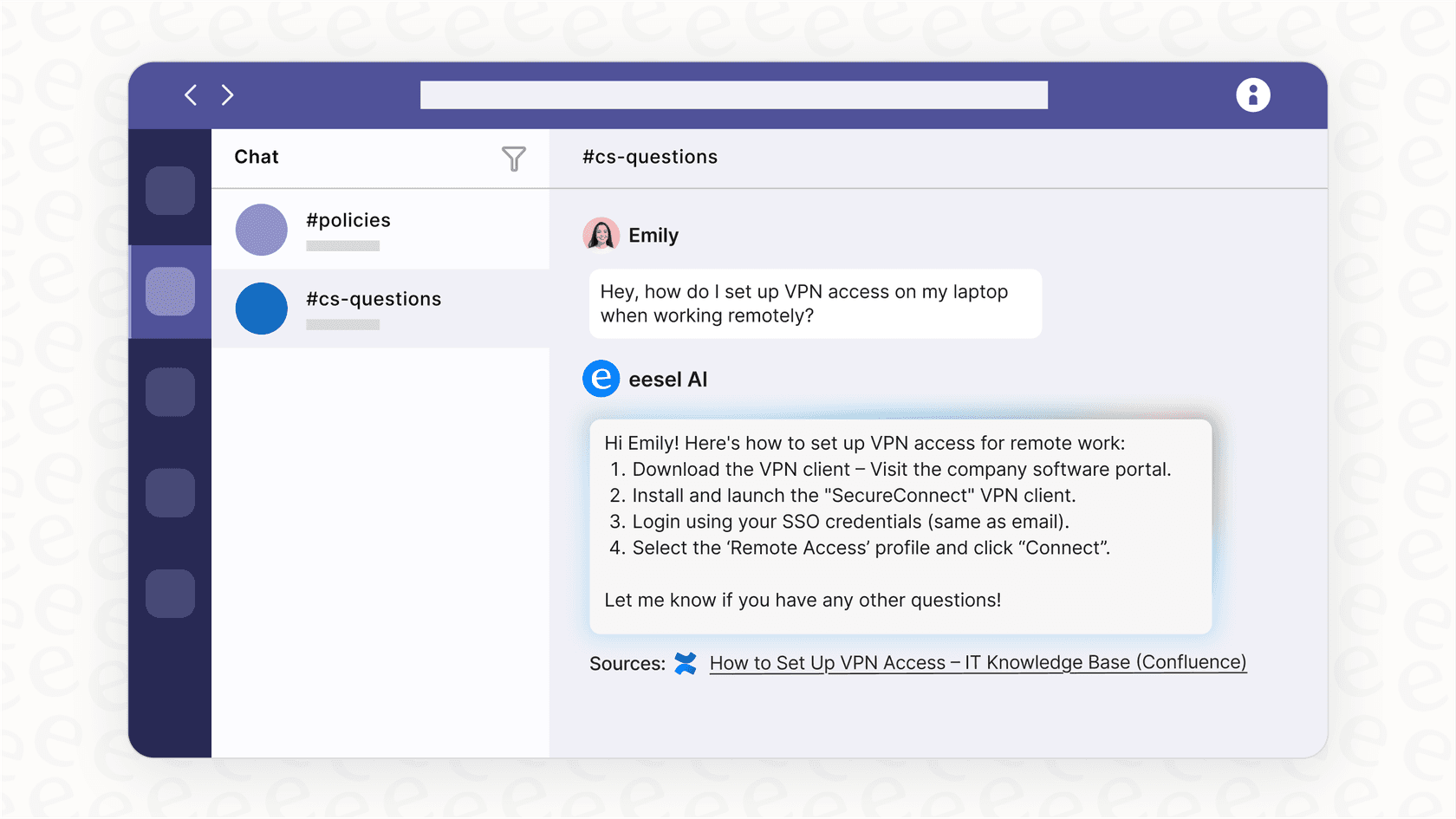
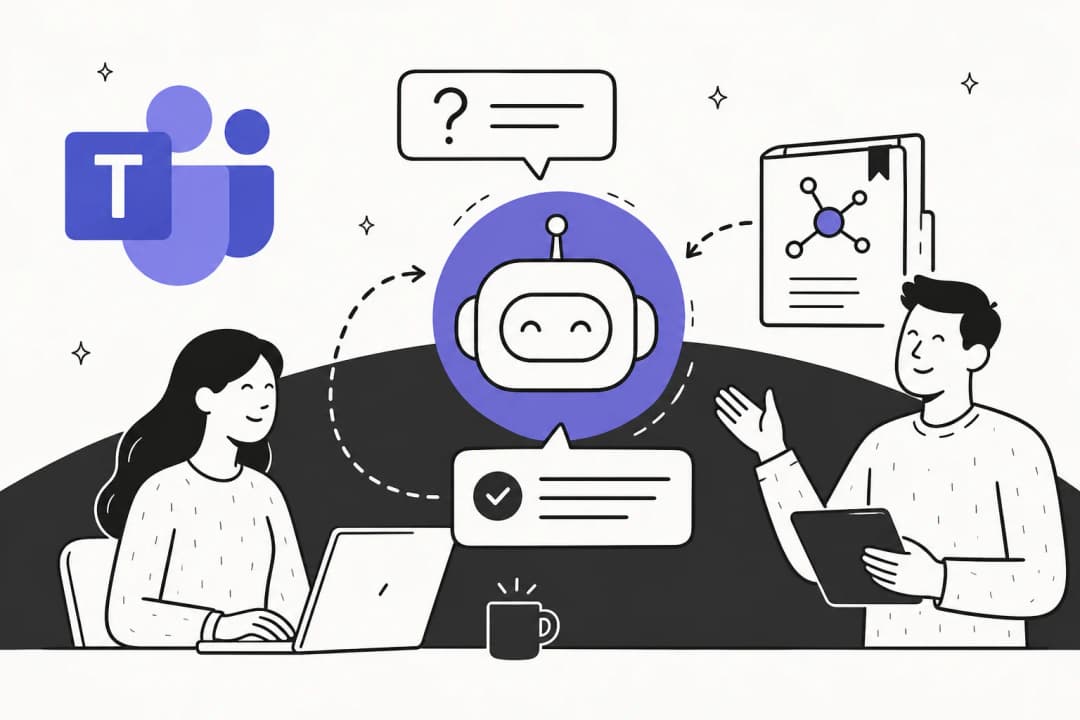
While most AI tools for Teams obsess over meeting transcription, eesel AI tackles a different problem entirely. Internal support. Think IT helpdesk questions, HR policy lookups, onboarding queries. The stuff that clogs up Slack channels and fills your inbox.
Here's how it works. You connect eesel AI to your existing knowledge sources. Confluence, Google Docs, Notion, SharePoint, past tickets. It reads everything and learns your business context. Then you deploy it in Teams (or Slack) as an AI teammate employees can message directly.
The key difference? Every answer includes citations linking back to source documents. When eesel AI tells someone how to reset their VPN, it shows exactly which IT doc it pulled that from. No more "trust me" AI responses.
Key features:
- Deploys in Teams and Slack as a messageable AI teammate
- Connects to Confluence, Google Docs, Notion, SharePoint, and help desk history
- Cited answers with links to source documents
- Plain-English customization for responses and escalation rules
- Continuous learning from corrections and feedback
Pros:
- Minutes to set up, not weeks. Connects to existing knowledge instantly.
- No per-seat pricing. Unlimited employees can ask questions.
- Cited answers build trust and reduce follow-up questions.
- Progressive rollout: start with guidance, expand autonomy as it proves itself.
- Works with 100+ integrations including Zendesk, Freshdesk, and ServiceNow.
Cons:
- Not designed for meeting transcription (different use case entirely)
- Requires existing documentation to answer from
Pricing:
| Plan | Monthly Price | Annual Price | What's Included |
|---|---|---|---|
| Team | $299/month | $239/month | Up to 3 bots, 1,000 interactions/month |
| Business | $799/month | $639/month | Unlimited bots, 3,000 interactions/month |
| Custom | Contact sales | Custom | Unlimited everything, enterprise features |
2. Microsoft 365 Copilot
Best for: Organizations deeply embedded in the Microsoft ecosystem wanting native AI assistance
Microsoft 365 Copilot is the official AI assistant built into Teams and the broader Microsoft 365 suite. It's the default choice for many organizations because, well, it's already there. Or nearly there.
Copilot does what you'd expect. It summarizes meetings, extracts action items, and lets you ask questions about what was discussed. But it goes further. It works across Word, Excel, PowerPoint, and Outlook too. The integration is genuinely seamless because Microsoft owns the entire stack.
The catch? Price. At $30 per user per month on top of your existing Microsoft 365 subscription, it adds up fast for larger teams.
Key features:
- Real-time meeting intelligence with context understanding
- Generates meeting summaries, action items, and key decisions
- Cross-app integration across Word, Excel, PowerPoint, Outlook
- Post-meeting Q&A about conversation content
- Facilitator feature for virtual meeting moderation
Pros:
- Native integration eliminates compatibility issues entirely
- Enterprise-grade security with Microsoft's compliance framework
- No third-party bots joining meetings
- Works consistently across all Microsoft 365 apps
Cons:
- Expensive at $30/user/month on top of existing Microsoft 365 licenses
- Limited to Microsoft ecosystem (no Zoom or Google Meet support)
- Requires transcription to be enabled for full functionality
- Some advanced features still in preview
Pricing:
| Plan | Price | Requirements |
|---|---|---|
| Copilot for Microsoft 365 | $30/user/month | Requires Microsoft 365 Business Premium or Enterprise |
3. Jamie
Best for: Privacy-conscious teams wanting bot-free meeting notes
Jamie takes a fundamentally different approach. Instead of joining your meetings as a visible bot, it runs locally on your device and captures system audio directly. No "Jamie is recording" announcement. No extra participant in the attendee list. Just clean, private note-taking.
This matters for confidential meetings. Legal discussions, HR conversations, executive sessions. The kind of meetings where having a third-party bot present feels wrong.
Jamie generates structured summaries with speaker identification and action items within a few minutes after your meeting ends. It works across Teams, Zoom, Google Meet, and even in-person meetings via the iOS app.
Key features:
- Bot-free operation (no AI participant joins your calls)
- Local audio capture on macOS and Windows
- Structured summaries with speaker identification
- 100+ language support
- CRM integrations (Salesforce, HubSpot, Notion, Asana)
- GDPR-compliant with AES encryption
Pros:
- No intrusive bots or permission requests
- Works offline and in-person, not just Teams
- Audio deleted after transcription for privacy
- Generous free plan compared to competitors
Cons:
- No real-time transcription during meetings
- No video or audio recording kept
- Manual activation required for each meeting
Pricing:
| Plan | Monthly Price | Annual Price | Key Limits |
|---|---|---|---|
| Free | €0 | €0 | 10 meetings/month, 30min duration |
| Plus | €25 | €21/month | 20 meetings/month, 2h duration |
| Pro | €47 | €39/month | Unlimited meetings, 3h duration |
| Team | €39/user | €32/user/month | Unlimited, centralized billing |
| Enterprise | Custom | Custom | SSO, EU data residency, ISO 27001 |
4. Otter.ai
Best for: Teams needing real-time transcription and collaboration features
Otter.ai is one of the most recognizable names in AI note-taking. It's been around since 2016 and has built a solid reputation for real-time transcription. The "OtterPilot" bot joins your Teams meetings and provides live captions as people speak.
The collaborative features set Otter apart. Multiple people can edit transcripts simultaneously, add comments, and highlight key moments. The Otter AI Chat lets you ask questions about meeting content without rewatching recordings.
That said, the bot-based approach isn't for everyone. Some organizations find it intrusive. User reviews also mention aggressive marketing tactics like auto-joining meetings and emailing all attendees.
Key features:
- Real-time transcription during Teams meetings
- OtterPilot bot joins meetings automatically
- Otter AI Chat for asking questions about meetings
- Collaborative transcript editing with comments
- Salesforce integration for sales teams
- Works across Teams, Zoom, and Google Meet
Pros:
- Live transcription as conversations happen
- Strong search capabilities across transcripts
- Good speaker recognition for regular participants
- Affordable pricing compared to Copilot
Cons:
- Bot-based approach can feel intrusive
- Accuracy drops with accents or background noise
- Aggressive marketing tactics (auto-joins, emails attendees)
- Permission controls can be confusing
Pricing:
| Plan | Price | Key Features |
|---|---|---|
| Basic | Free | 300 minutes/month |
| Pro | $16.99/user/month | Enhanced features |
| Business | $30/user/month | Team collaboration |
| Enterprise | Contact sales | Advanced security |
5. Fireflies.ai
Best for: Teams wanting searchable meeting archives and workflow automation

Fireflies.ai focuses on making your meeting content searchable and actionable. Yes, it transcribes. But the real value is finding specific moments across hundreds of meetings without watching a single recording.
The Topic Trackers feature automatically flags key phrases like pricing discussions, competitor mentions, or objection handling. AskFred, the AI assistant, lets you query meeting content conversationally.
For sales teams, the CRM integrations work well. Fireflies can push meeting summaries directly into Salesforce, HubSpot, or other tools your team already uses.
Key features:
- Video conferencing bot for Teams, Zoom, and others
- Chrome extension for bot-free recording option
- AskFred AI assistant for querying meeting content
- Topic Trackers for flagging key phrases
- Deep CRM and project management integrations
- Conversation intelligence and analytics
Pros:
- Powerful search across all meeting content
- Automated workflow integrations
- Topic tracking for sales and competitive intelligence
- Good for coaching and performance reviews
Cons:
- Joins meetings by default unless disabled
- Transcription accuracy issues with jargon or accents
- Speaker identification struggles in hybrid meetings
- Can spam attendees with summaries
Pricing:
| Plan | Monthly Price | Billing |
|---|---|---|
| Free | $0/seat | - |
| Pro | $18/seat | Annual |
| Business | $29/seat | Annual |
| Enterprise | $39/seat | Annual |
6. Teams Premium
Best for: Organizations wanting enhanced native Teams features without full Copilot investment
Teams Premium sits between basic Teams and full Copilot. It's Microsoft's mid-tier AI offering, and for some organizations, it's the sweet spot.
You get intelligent meeting recaps with key talking points and decisions. Live translation for 40+ languages (huge for global teams). Real-time transcription with speaker identification. And it's all native, so no third-party bots or integrations to manage.
The trade-off is capability. Teams Premium doesn't have the cross-app intelligence of full Copilot. It won't draft your Word documents or analyze your Excel spreadsheets. But at one-third the price, that trade-off might work for you.
Key features:
- Intelligent meeting recap with key talking points
- Live translation for 40+ languages
- Real-time transcription with speaker identification
- Advanced meeting security controls
- Custom meeting branding
Pros:
- More affordable than full Copilot
- No additional bots or third-party tools
- Good for international teams with translation needs
- Immediate availability (no preview limitations)
Cons:
- Limited AI capabilities compared to Copilot
- Basic action item detection
- No cross-app integration
- Still requires additional subscription
Pricing:
| Plan | Price |
|---|---|
| Teams Premium | $10/user/month |
7. Plaud
Best for: Professionals needing reliable recording across in-person and virtual meetings
Plaud is different. Instead of software, it's hardware. A small device you carry that records audio for transcription. This eliminates every software-related headache. No permission dialogs. No integration issues. No wondering if the bot joined correctly.
The device costs $159 and includes 64GB of storage. Battery life is 30 hours of continuous recording. Transcription accuracy is claimed at 98%, and the AI generates summaries with speaker labels.
Because it's hardware, Plaud works everywhere. Teams calls, in-person meetings, phone calls, impromptu conversations in the hallway. It's the most reliable option because it doesn't depend on any software working correctly.
Key features:
- Hardware device ($159) with 64GB storage
- 30-hour continuous recording battery life
- 98% transcription accuracy
- AI summaries with speaker labels
- Works for Teams calls, in-person meetings, and phone calls
- 10,000+ summary template library
Pros:
- No software conflicts or permission issues
- Works offline without internet
- Highly accurate transcription
- Portable for hybrid work scenarios
Cons:
- Requires hardware purchase
- No real-time transcription
- No direct Teams integration
- Monthly subscription for unlimited transcription
Pricing:
| Component | Price |
|---|---|
| Plaud Note Device | $159 one-time |
| Free Plan | 300 minutes/month |
| Unlimited Plan | $19.99/month |
How to choose the right AI tool for your Teams environment
With seven solid options, how do you pick? Start with your primary use case.
For meeting transcription and notes:
- Choose Jamie if privacy is paramount (bot-free, local capture)
- Choose Otter.ai if you need real-time transcription during meetings
- Choose Fireflies.ai if searchability across all meetings is critical
For internal support and IT helpdesk:
- Choose eesel AI. It's the only option designed specifically for answering employee questions within Teams.
For Microsoft-centric organizations:
- Choose Microsoft 365 Copilot if budget allows and you want full cross-app intelligence
- Choose Teams Premium for enhanced Teams features at a lower price point
For maximum reliability:
- Choose Plaud if you want hardware-based recording that works regardless of software issues
Decision framework:
- Define your primary use case (meetings vs. support vs. both)
- Evaluate privacy requirements (bot-free vs. convenience)
- Calculate total cost of ownership at your team size
- Test with a pilot group before full deployment
Choosing the best AI for Microsoft Teams support
Most organizations need two categories of AI tools for Teams. Meeting assistants that handle transcription and summaries. And internal support tools that answer employee questions and automate IT helpdesk requests.
The meeting assistant space is crowded. Jamie, Otter.ai, and Fireflies.ai all do solid work with different trade-offs around privacy, real-time capabilities, and searchability. Microsoft 365 Copilot and Teams Premium offer native options if you prefer staying within the Microsoft ecosystem.
But internal support? That's been underserved. While meeting tools have proliferated, solutions for IT helpdesk automation, HR policy access, and employee knowledge retrieval within Teams have lagged behind.
This is exactly what eesel AI was built for. Our AI internal chat deploys directly in Teams, connects to your existing documentation, and gives employees instant answers with citations. No more hunting through Confluence. No more waiting for IT to respond to the same VPN question for the hundredth time.
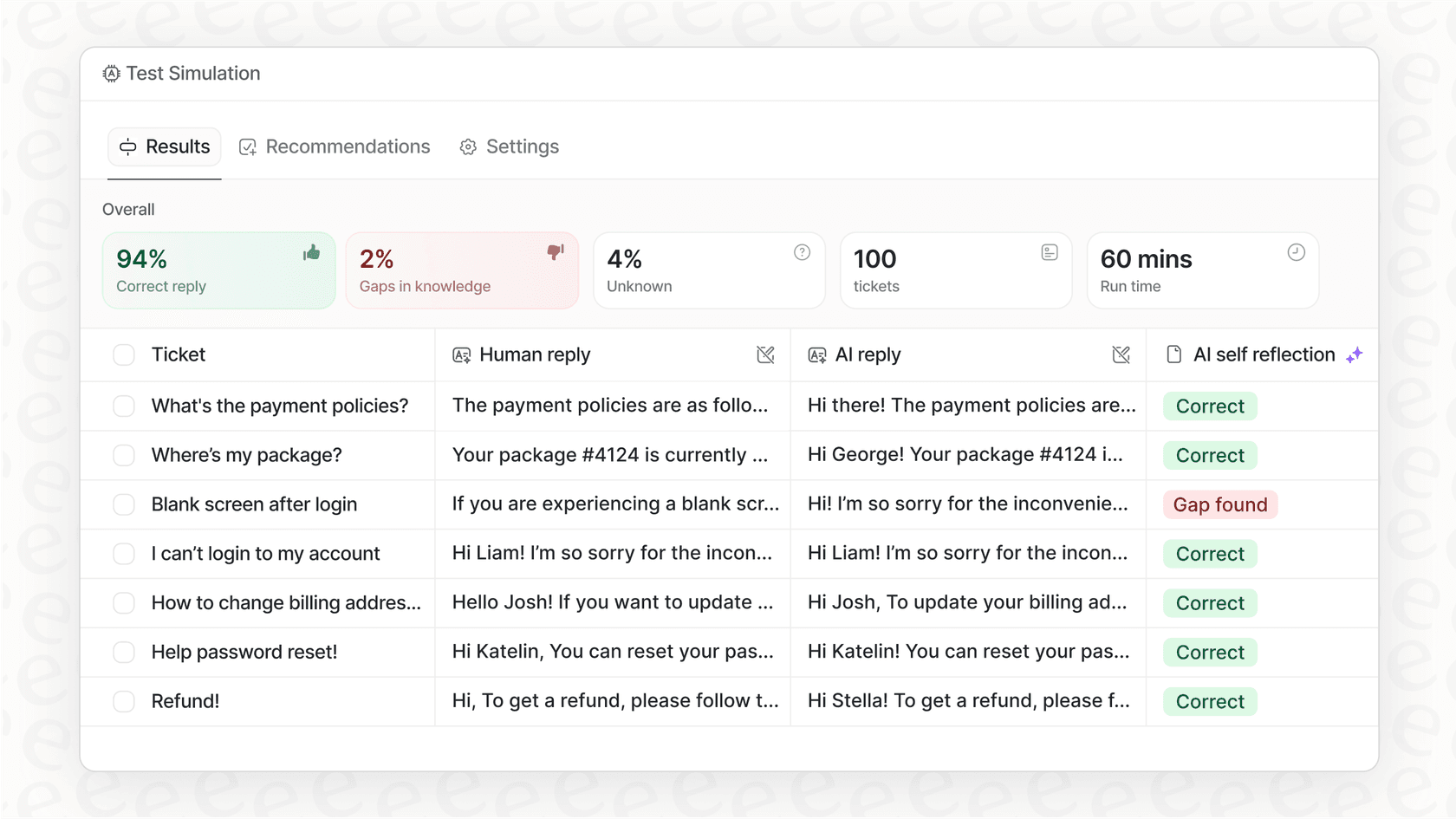
If internal support is your gap, try eesel AI free for 7 days. If meeting transcription is your priority, any of the other tools on this list will serve you well. Just pick based on your privacy needs and budget.