
Support teams live in two worlds: the help desk where tickets live, and the collaboration tools where conversations happen. The Zendesk Microsoft Teams integration aims to bring those worlds together, letting you manage support tickets without leaving Teams.
But is it the right solution for your team? Let's break down what this integration actually does, how to set it up, and whether it fits your workflow.
What is the Zendesk Microsoft Teams integration?
The Zendesk for Microsoft Teams integration is a native app that connects your Zendesk help desk directly to Microsoft Teams. Built by SoftServe in collaboration with Zendesk, it lets support teams create, view, and update tickets from within Teams channels and chats.

The core idea is simple: your team already spends hours in Teams every day. Instead of switching back and forth between Zendesk and Teams, you can handle support workflows right where conversations are already happening.
This integration works for both customer-facing support and internal employee service (IT, HR, Finance). When an employee drops a question in a Teams channel, you can turn it into a ticket, add internal notes, and resolve it without ever leaving the chat.
For teams considering a more modern approach, we offer a different model. Our AI teammate works directly in Teams, learning from your existing knowledge to handle requests autonomously rather than just surfacing tickets. But let's look at what the Zendesk integration offers first.
Key features and capabilities
Ticket management within Teams
The integration lets you handle the full ticket lifecycle without switching apps. You can create new tickets from Teams conversations, view existing tickets with full context, and update fields, status, and priority. Agents can add internal notes for team collaboration or post public replies to customers.
You can also attach files directly from Teams and collect issue details before escalating to an agent. This is useful for IT teams handling internal requests: an employee describes their problem in a Teams channel, you create a ticket with all the context already captured.
Real-time notifications
The integration pushes ticket updates into Teams through customizable notifications. You can get alerts in specific channels or direct messages based on ticket status, priority, type, or field changes.
This means high-priority tickets can trigger immediate notifications to a #urgent-support channel, while routine updates might only notify the assigned agent via DM. The goal is keeping everyone informed without creating notification fatigue.
Answer Bot for self-service
Zendesk's Answer Bot brings AI-powered article recommendations directly into Teams. When someone asks a common question, the bot suggests relevant help center articles before the issue becomes a ticket.
This works in both personal chats and team channels. For internal support teams, it deflects repetitive questions like "How do I reset my password?" or "What's the WiFi code?" The bot learns from your help center content and improves its recommendations over time.
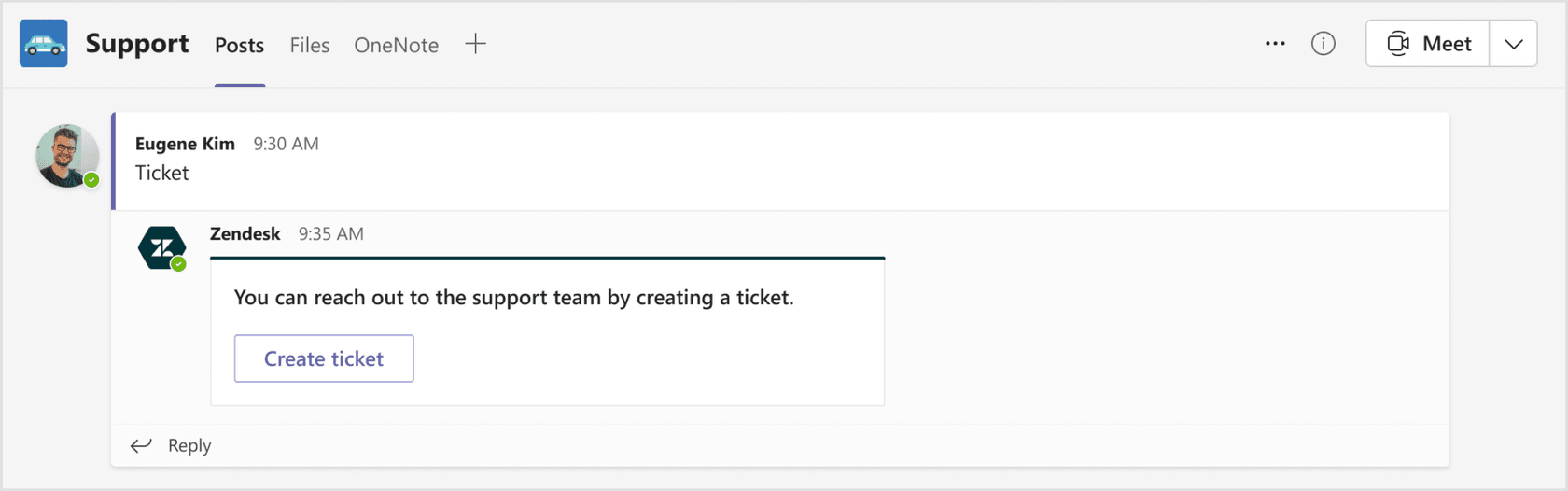
Ticket visibility and views
The integration includes pre-installed views showing open and closed tickets for all users. Agents can import their Zendesk ticket views as tabs in Teams, organizing tickets by criteria like priority, status, or assignee.
This gives managers visibility into queue health without logging into Zendesk, and lets agents work from personalized ticket lists within their Teams workspace.
Setup requirements and installation
Prerequisites
Before installing, you'll need:
- Admin permissions in both Microsoft 365 and Zendesk
- A supported Zendesk plan: Suite Team or above, or Support Team or above
- Azure Active Directory for authentication
The integration is free to install, but you need the right Zendesk plan to use it. If you're on a lower-tier plan, you'll need to upgrade before the integration becomes available.
Installation steps
Setting up the integration takes about 10-15 minutes if you have the right permissions:
-
Install from Teams App Store: In Microsoft Teams, go to Apps and search for "Zendesk." Click Add to install.
-
Grant permissions: Click "Grant permissions" in the welcome message. You'll be redirected to Azure AD to accept the consent request.
-
Connect your subdomain: Enter your Zendesk subdomain (the part before .zendesk.com in your URL).
-
Sign in: Enter your Zendesk admin credentials to authenticate.
-
Configure: Add the app to relevant teams and channels, set up notification preferences, and configure Answer Bot if desired.
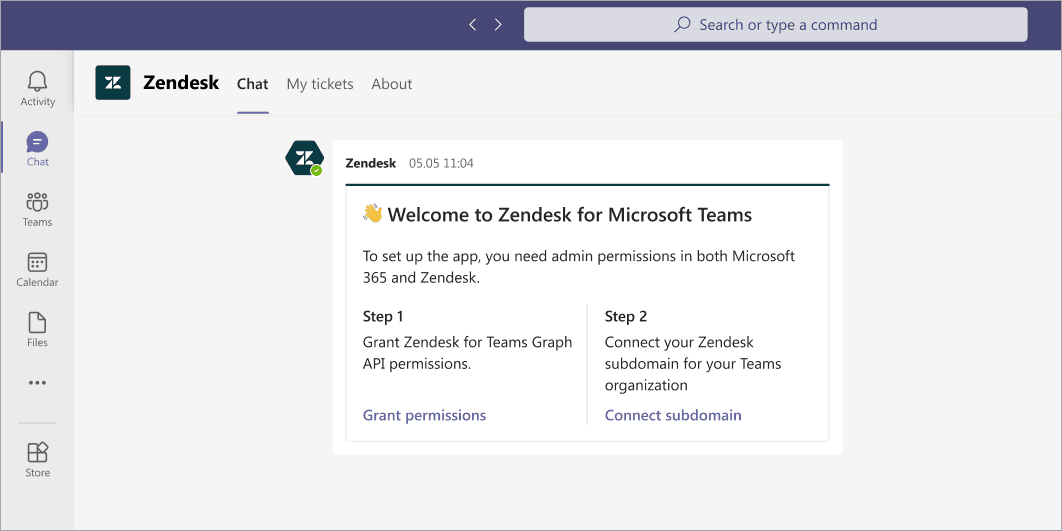
Source: Zendesk for Teams Installation Guide
Configuration options
Once installed, admins can configure several options through the Settings tab:
- Channel setup: Add the app to specific teams and channels where support conversations happen
- Answer Bot: Enable article recommendations and select which help center to pull from
- Brands and forms: Control which ticket forms and brands are visible to end users
- Notifications: Set personal preferences for ticket alerts
- Customization: Teams admins can modify the app's appearance (name, description, colors) through the Teams Admin Center
Note that some Settings tab features are currently admin-only. Agents and end users see a placeholder for certain configuration options.
Pricing and plan requirements
The Zendesk for Teams integration itself is free to install from the Microsoft Teams App Store. However, you need a qualifying Zendesk plan to use it.
| Plan | Monthly Price (Annual) | Integration Access |
|---|---|---|
| Support Team | $19/agent | Available |
| Suite Team | $55/agent | Available |
| Suite Professional | $115/agent | Available |
| Suite Enterprise | Custom (sales) | Available |
Source: Zendesk Pricing
You'll also need a Microsoft Teams subscription, which is typically included in Microsoft 365 Business plans. There are no additional per-user fees specifically for the Zendesk integration.
Compared to alternatives, this pricing model is straightforward: you pay for Zendesk seats and Microsoft licenses separately, with no extra integration costs. Third-party automation tools like Zapier charge separately for their platform on top of your existing subscriptions, starting at $19.99/month for multi-step automations.
Use cases and benefits
Internal employee support
IT, HR, and Finance teams get the most value from this integration. Employees already ask questions in Teams channels like #it-help or #hr-questions. With the integration, these conversations become trackable tickets without forcing employees to learn a new system.
The familiar Teams interface reduces friction for employees seeking help. They don't need to remember a separate portal or login. They just ask in the channel they already use.
Collaborative ticket resolution
When complex issues require input from multiple departments, the integration keeps everyone in the loop. An IT ticket might need Finance approval for a software purchase. Instead of forwarding emails or copying people on tickets, teams can collaborate in the Teams channel where the ticket was created.
Internal notes let agents discuss solutions privately before responding to the requester. This is useful for sensitive issues or when you need to verify information before replying.
Self-service deflection
Answer Bot handles common questions automatically, only escalating to human agents when necessary. For internal support, this deflects a significant portion of routine requests.
The bot works 24/7, so employees get answers even outside business hours. Simple questions get instant responses from your help center articles. Complex issues route to the right agent with context already captured.
Limitations and considerations
The integration has some constraints worth knowing before you commit:
-
Admin-dependent setup: End users can't self-serve the installation. You need admin permissions in both systems to get started.
-
Plan restrictions: The integration only works on Zendesk's Team plans and above. If you're on an Essential plan, you'll need to upgrade.
-
Answer Bot activation: The AI recommendations don't work out of the box. You need to activate Answer Bot separately in your Zendesk Admin Center and connect it to a help center.
-
Settings limitations: Some configuration options in the Settings tab are admin-only. Agents and end users see placeholders for features that aren't available to their role yet.
-
Notification management: Without careful configuration, you can end up with notification overload. Plan your notification rules before rolling out to avoid spamming channels.
Alternative approaches
Zapier automation
If you need more customization than the native integration offers, Zapier provides no-code workflow automation between Teams and Zendesk. You can build Zaps that trigger on specific events and perform custom actions.
Popular automations include posting new tickets to specific Teams channels, updating tickets from Teams messages, or creating channels for high-priority issues. Zapier offers more flexibility but requires a paid plan for multi-step workflows (starting at $19.99/month).
The tradeoff is complexity. The native integration just works once installed. Zapier gives you control but requires building and maintaining automations.
eesel AI as a modern alternative
For teams ready to move beyond ticket management into autonomous support, we offer a different approach. Our AI teammate works directly in Microsoft Teams, learning from your existing knowledge and past tickets to handle requests without complex setup.
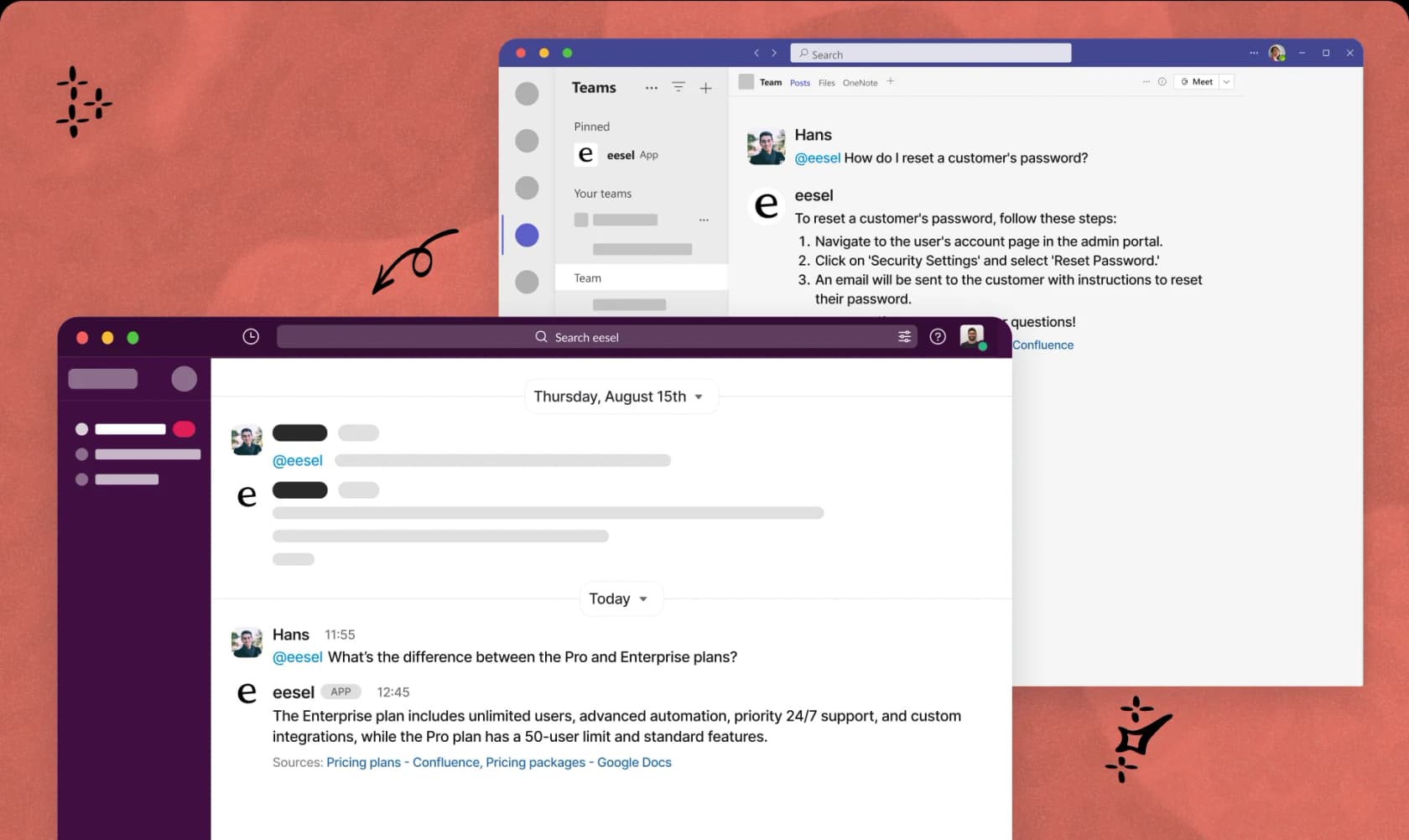
Instead of routing tickets, we resolve them. The AI answers questions using your help center articles, past conversations, and connected documentation. When it can't resolve something automatically, it escalates with full context to the right human agent.
Key differences from the Zendesk integration:
- Progressive rollout: Start with the AI drafting replies for review, then level up to full autonomy as it proves itself
- Plain-English configuration: Tell the AI how to handle requests in natural language, no workflow builders or code required
- Pre-go-live testing: Run simulations on past tickets to verify quality before going live
- Continuous learning: The AI improves from corrections and feedback, getting better over time
Our pricing starts at $299/month for 1,000 AI interactions, with no per-seat fees. For teams handling high volumes of repetitive requests, this can be more cost-effective than scaling human agents.
![A helpdesk interface showing a customer ticket asking "Where is my order #12345?". The AI first line support has replied with "Your order #12345 has shipped and is expected to arrive on Tuesday. Here is your tracking link: [link]." The ticket is marked as 'Solved'.](/_next/image?url=https%3A%2F%2Fwmeojibgfvjvinftolho.supabase.co%2Fstorage%2Fv1%2Fobject%2Fpublic%2Fwp-uploads%2F2025%2F09%2F05-A-screenshot-showing-autonomous-ticket-resolution-by-an-AI-first-line-support-system.webp&w=1680&q=75)
Choosing the right solution for your team
| Factor | Zendesk Native Integration | Zapier Automation | eesel AI |
|---|---|---|---|
| Setup complexity | Low | Medium | Low |
| Customization | Limited | High | Medium (natural language) |
| Best for | Teams wanting simple ticket management in Teams | Teams needing custom workflows | Teams wanting autonomous resolution |
| Pricing model | Free (requires Zendesk plan) | $19.99+/month + existing subscriptions | $299+/month (usage-based) |
| AI capabilities | Answer Bot (article recommendations) | None | Full autonomous resolution |
The native Zendesk integration makes sense if you want straightforward ticket management in Teams without additional costs. It's ideal for IT and HR teams already using Zendesk who want to meet employees where they are.
Zapier works better when you need specific automations the native integration doesn't offer, like creating Teams channels for major incidents or syncing custom fields between systems.
For teams drowning in repetitive requests and looking to reduce ticket volume rather than just manage it better, an AI teammate offers a different path. You can start with our AI drafting replies alongside your existing Zendesk setup, then gradually shift resolution to the AI as it learns your business.