What Siit is, and who it's actually for
Siit is an internal help desk and IT service desk that runs inside the chat tools your employees already use. Someone asks for Figma access or a password reset in Slack, Siit turns that into a structured, tracked request, your ops team works it from a web dashboard, and on the top tier an AI agent both answers from your wiki and makes the change in your identity system.
It is not IT-only, which is worth saying up front. Siit's own pricing FAQ says it "supports all internal operations, including HR, Finance, Legal, Facilities," and the product backs that up with a category-based service catalog and HRIS-driven triggers that fire on start dates and work anniversaries. So the honest framing is "internal employee service desk," with IT as the biggest use case.
The company itself is a Paris-based startup whose founders met at Aircall. It raised a $5M seed round (quoted as €3.1M on the about page, the same round in two currencies) led by StageOne and Seventure, and its logo wall leans heavily European-scaleup: Monzo, Qonto, Mistral, Doctolib, Swile, Spendesk. The G2 review base and customer stories point the same way, this is a tool for a 1 to 5 person internal ops team supporting roughly 150 to 2,000 employees. One Siit customer story is literally titled "How Unit Runs IT for 200 Employees With 2 People."
If you are shopping in this space more broadly, it is worth reading our guide to ITSM software for small businesses alongside this, because "internal service desk" now spans everything from Siit to Freshservice to full-blown ServiceNow.
Siit pricing: the two-Siit problem
Here is the price, up front. Siit has three published tiers, all quoted per admin per month, billed annually, plus a quote-only Custom tier.
| Plan | Price (per admin/month, billed annually) | What you get | AI? |
|---|---|---|---|
| Essentials | $23 | Slack + Teams bot, email, self-service portal, service catalog, approvals, people/app/equipment inventory, SSO (Google, Microsoft, Okta), RBAC, SOC 2, MCP access | No |
| Standard | $45 | Everything in Essentials, plus workflows (all trigger families), knowledge base, satisfaction ratings, service forms, incident/change/problem requests, custom webhooks, analytics, data exports, 100+ integration providers | No |
| Pro | $89 | Everything in Standard, plus AI agents, AI article suggestions, AI analytics, SLA management, availability routing, round-robin, app discovery, automated access management, auto-deprovisioning | Yes |
| Custom | Contact sales | Enterprise integrations, advanced workflows, dedicated support | Yes |
The number that matters is not the $23. It is that every single AI feature lives on Pro at $89, and the Triage Agent doc says so plainly: "The Triage Agent is part of the Pro plan." Below $89, Siit is a competent Slack and Teams ticketing tool with workflows and a catalog, and no AI at all. At $89 it becomes the agentic product the homepage sells.
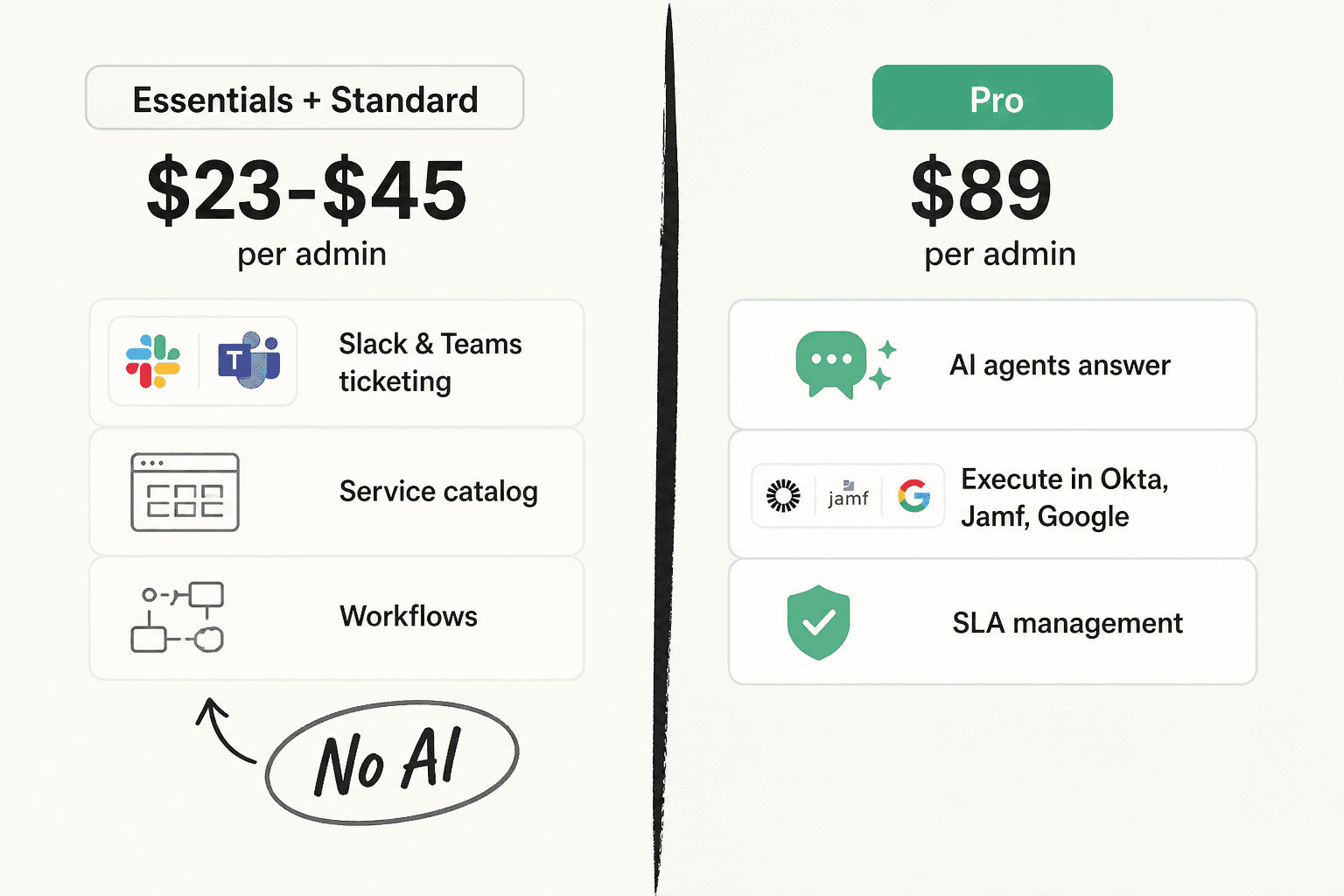
There is one more thing bundled into that tier that is easy to miss: SLA management is also Pro-only. So a team that wants SLAs but has no interest in AI still pays the AI price. That is a fair thing to name plainly, the way we would with Freshservice's plan gating or Jira Service Management's pricing.
Now the part I liked. Siit is priced per admin, not per employee, and states it directly:
"Siit is priced per Admin. You can support unlimited employees at no extra cost, and your employee headcount never increases your bill."
An admin is the seat that resolves requests. Employees who submit requests are unmetered on every plan, including $23 Essentials. And there is no per-resolution, per-conversation, or per-credit AI meter anywhere, which is unusual in this category in 2026. On Pro, AI is a plan feature, not a consumption line.
A worked example. A 4-admin IT team supporting 350 employees on Pro pays 4 x $89 = $356/month, billed annually, and every one of those 350 people can use it. Compare that to per-employee ITSM pricing at the same ratio and Siit is dramatically cheaper. The trade-off, as always, is on the AI side: because there is no usage meter, you pay the same whether the agent resolves 50 requests a month or 5,000, which cuts both ways depending on your volume.
One quick note if you cross-reference directories: Capterra lists Siit's starting price as $45, because it is picking up the middle tier. The vendor's own page is the authority, and it says $23.
What the AI actually does, and what it touches
This is where Siit earns the "AI service desk" label, and where I want to be precise, because most tools in this space gesture vaguely at "integrations." Siit publishes the exact action list.
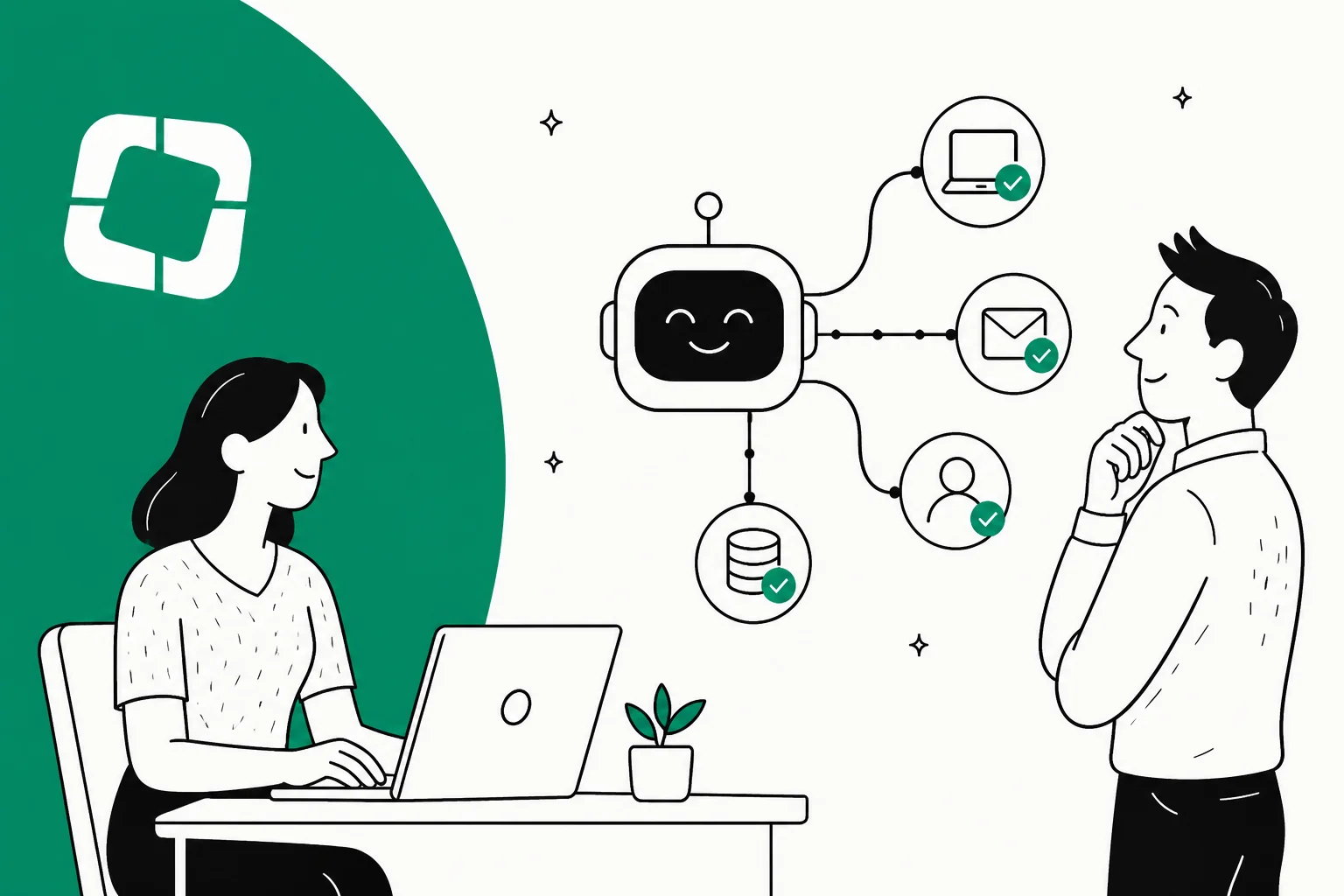
The IT Agent does not just draft a reply. Inside a playbook, it can call named actions like /okta reset password, /okta add to group, /jumpcloud reset user mfa, /google add to group, and /slack add user to channel, each of which can be set to run automatically or wait for approval. On the identity side it writes to Okta, Google Workspace, Microsoft Entra ID, and JumpCloud; on device management it reaches Jamf, Intune, Iru, and JumpCloud with one-click lock and wipe.
The cleanest way to hold the whole picture is to separate what the agent reads from what it writes.
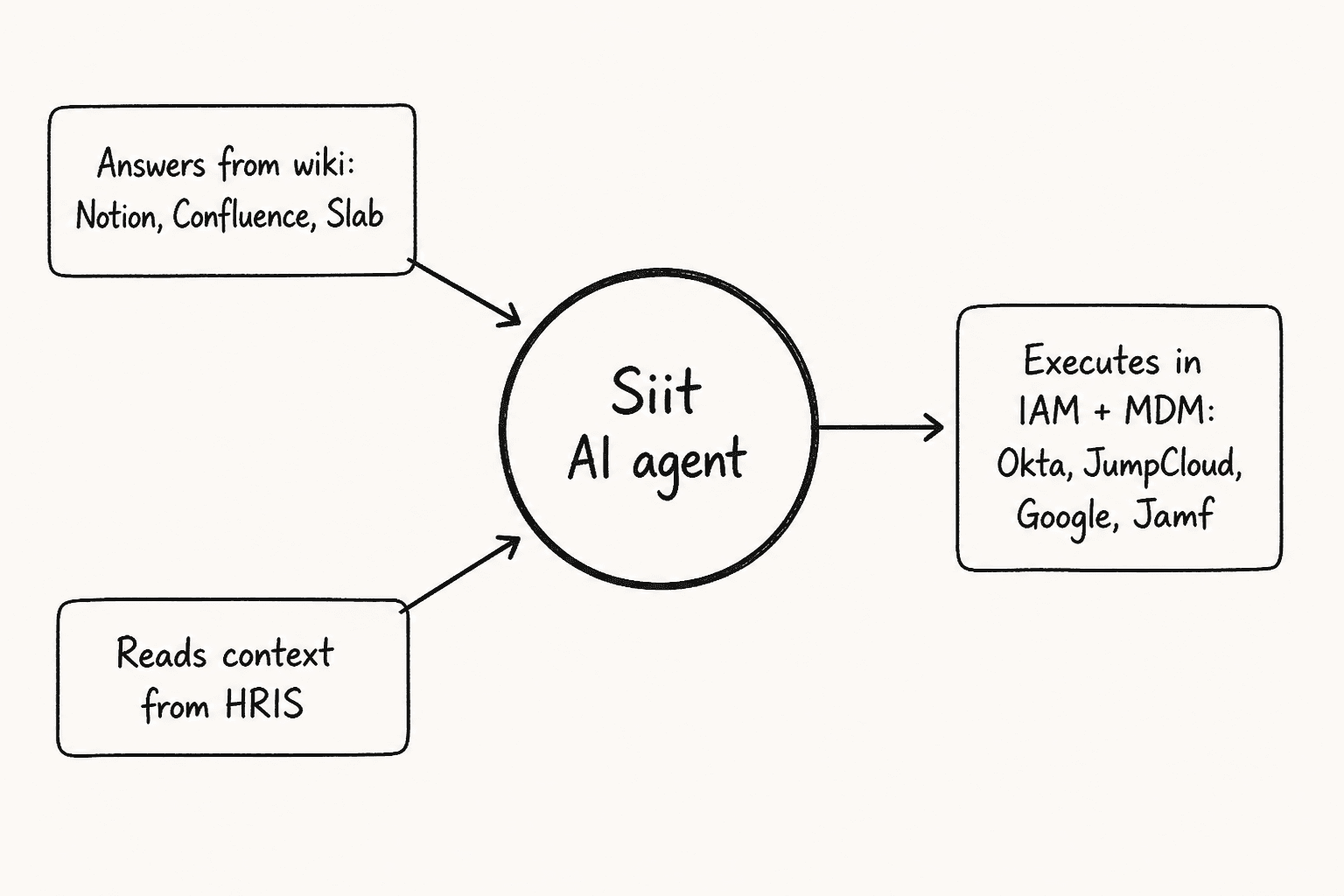
It answers from your wiki, reads employee context in from your HRIS, and executes changes out into your identity and device systems. Playbooks are written in plain natural language ("When an employee asks for new equipment"), with actions dropped in inline and approvals that can require a dynamically resolved manager. The governance is also more thought-through than most: autonomy levels per playbook (suggest, execute with approval, auto-execute), scoped service accounts rather than broad admin tokens, a kill switch, and a full replayable audit trail. Siit even names its model providers, OpenAI and Mistral, and routes EU customers to Mistral by default.
Now the two questions I said I always ask.
Does it train on past tickets? No. The agent's knowledge comes from documentation, and the knowledge base doc lists exactly three connectors: Notion, Confluence, and Slab. There is no historical-ticket ingestion anywhere in the docs. Past requests do feed narrower, agent-facing features (Smart Compose cites similar past requests, triage suggestions improve over time), but the employee-facing answer engine is grounded in your wiki, not your ticket archive. So answer quality is a direct function of wiki quality.
Is there a test mode? Yes, but read it carefully. Siit ships a shadow mode: "test playbooks with 'simulate' to log what would have happened without making changes." That is real and useful. The nuance is that it is a dry run of a playbook you wrote, not a backtest that replays your historical ticket volume to estimate a resolution rate before go-live. Both are worth having; Siit ships the first one. This is the exact distinction we care about, because "how will it actually perform on our tickets" is the resolution-rate question a dry run can't answer.
Setting it up in Slack and Teams
Siit is properly Slack-native, not a notification relay bolted onto a dashboard. Per the Slack integration doc, an employee can create a request three ways (mention @Siit in a channel, DM the app for something confidential, or right-click any message and pick "Create a ticket"), then follow up in the thread Siit creates, and on Pro get an AI answer with source links right in that thread. Admins can turn any message into a ticket and add private notes by reacting with a lock emoji.
The bigger deal, and something I don't say lightly, is that Microsoft Teams is a real peer here, not an afterthought. The Teams bot is checked on every plan, has its own dedicated integration, and runs the same agents. Teams-first companies are underserved by this category, so this is a real differentiator (and if you are weighing the two platforms, our Slack vs Teams piece and Slack review go deeper).
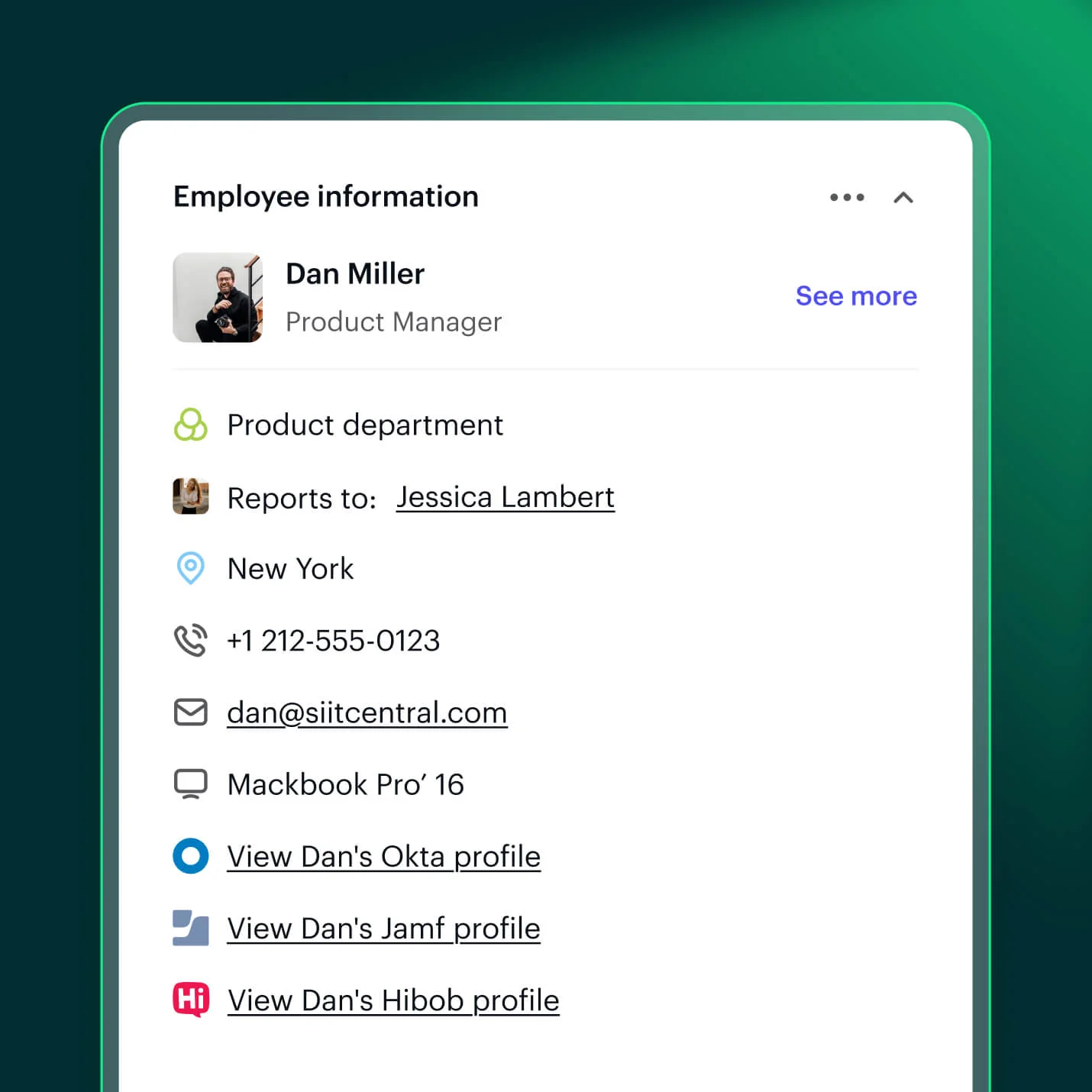
The integration depth is the strongest part of the whole product, honestly. Siit markets "100+ integrations"; the public directory lists 36 native pages, and the docs cover more. The HRIS list in particular is unusually deep (BambooHR, HiBob, Rippling, Workday, Deel, plus European names like Lucca, Payfit, Personio, and Factorial), which again tells you where Siit sells. There is also an open API, webhooks, and an MCP server exposed to Claude, Codex, Cursor and other MCP clients, checked on every plan including $23 Essentials. For a Slack-native product, that programmable surface is a nice touch, and it maps closely to how ITSM integration with Slack actually works in practice.
What users say
Siit sits at 5.0 out of 5 from 29 reviews on G2 and 5.0 from 6 on Capterra. Read that honestly: a perfect score on a small, partly invite-sourced base is a signal about a happy early customer set, not proof of scale. It is also a fair signal that nobody is publicly unhappy, which is more than several competitors manage. The reviews are most useful for what they concede.
On the wiki-grounding working well, and its real limit in the same breath:
"We have a pretty mature Notion setup and the AI agent points at it instead of trying to be smart. Answers actually link back to the doc the answer came from which means people start trusting it. About a third of our usual VPN and SSO questions never reach me anymore. Took a couple of weeks of pruning old pages to get there but worth it."

That same reviewer notes Notion sync "isn't real time. New pages take a while to be searchable," which lines up with the doc's own "content refreshes on a schedule." On Teams being a true first-class citizen:
"Most of our company lives in Teams not Slack and finding a help desk tool that actually treats Teams as a first class citizen was harder than expected. Siit isn't a Slack tool with a Teams skin. Forms render properly inside the chat and approvals happen right in the thread. Nobody gets kicked out to a portal. We're 500 people across 3 countries and adoption was almost instant."
Her downside is mobile: "The mobile experience in Teams is rough. Forms collapse weirdly on iOS." And the most consistent complaint across the whole review base, reporting:
"The reporting is decent for ticket volume but custom dashboards feel limited. I wanted to slice resolution time by department and ended up exporting to a sheet."
That reporting limit shows up in G2's own extracted cons too, so treat it as real rather than a one-off.
Where Siit fits, and where it stops
After all that, here is the honest map. Siit is a strong pick for a specific shape of team, and a poor one for others, and being clear about both is more useful than a score.
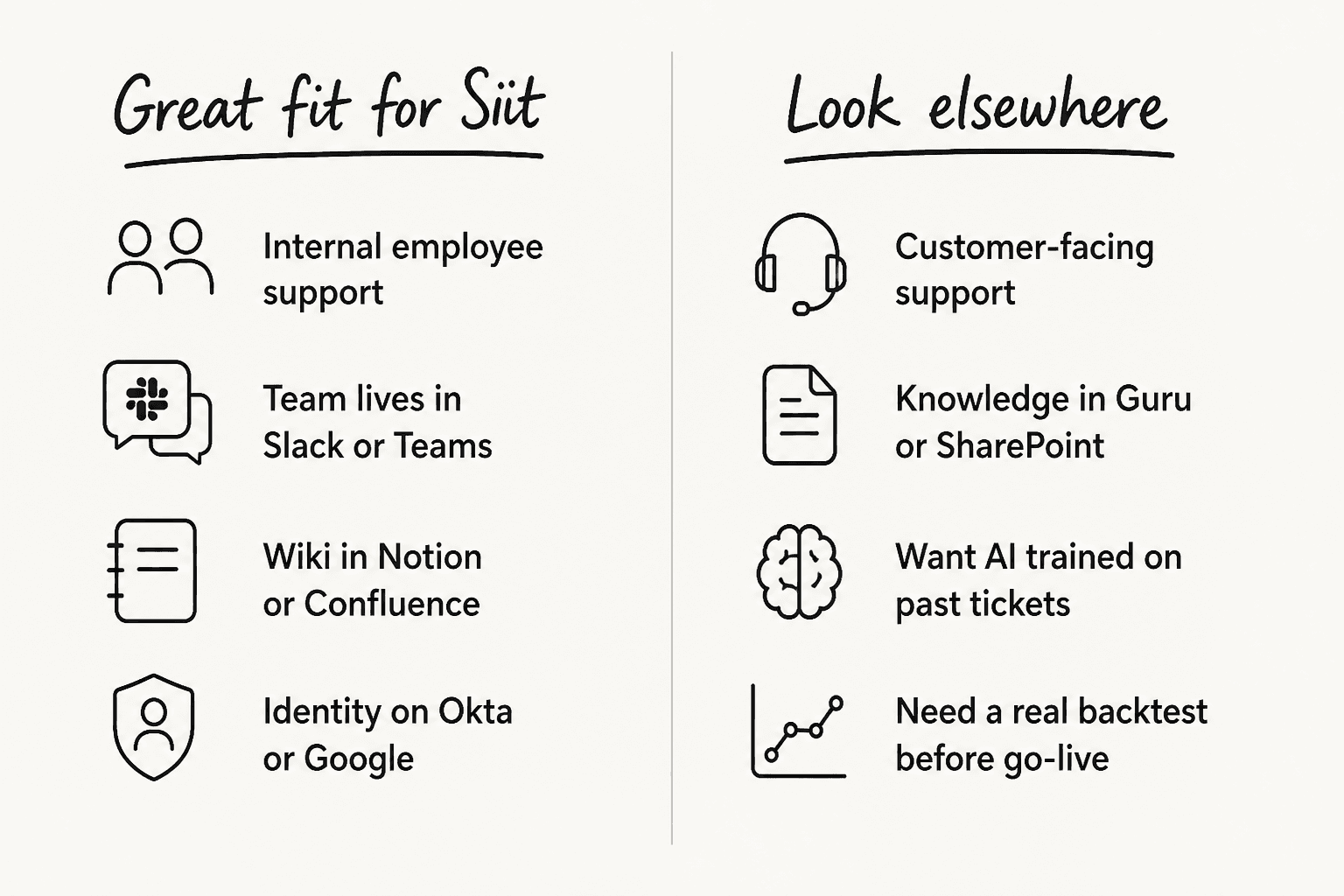
Siit is a great fit when you are running internal employee support with a small ops team, your company lives in Slack or Teams, your wiki is already in Notion or Confluence, and identity runs on Okta, Google, Entra, or JumpCloud. The per-admin meter and the real IAM and MDM execution are the two things that make it worth the $89.
It stops making sense when any of these are true:
- You want AI at a modest price. All AI is $89/admin, and SLAs are stapled to that tier. If AI is the reason you are shopping, $23 is not your number.
- Your knowledge isn't in Notion, Confluence, or Slab. Those are the only three connectors. A Guru or SharePoint wiki means recreating content or waiting on the roadmap.
- You want the agent to learn from your ticket history. There is no ticket-archive training or import, and no backtest on real tickets before go-live.
- You need serious custom reporting. This is the single most consistent complaint. Ticket-volume dashboards are fine; arbitrary slicing means a spreadsheet export.
- You need to serve external customers. Siit is employee-facing only. It escalates into Zendesk or a customer helpdesk; it does not replace one. For that, you want a customer service AI instead.
- You need HIPAA, ISO 27001, or heavy ITIL and CMDB. Only SOC 2 Type II and GDPR are claimed, and the review base is squarely mid-market.
Verdict: for a mid-market internal ops team on Slack or Teams, Siit is one of the better-designed tools in the category, and the fair per-admin pricing plus real IAM/MDM execution are the reasons to pick it. Just go in knowing you are buying a wiki-grounded answer engine and a playbook dry-run, not a system that learns from your tickets or forecasts its own performance before you flip it on.
Try eesel
If the two limits above are the ones that actually stop you, that is exactly the gap eesel is built around, though from a different starting point. eesel is an AI teammate platform: you hire a ready-to-work AI helpdesk teammate that drops into the helpdesk or chat tool you already run, and unlike Siit's wiki-only approach, it trains on your past tickets, help center, and docs so its answers come from how your team has actually resolved things.

The other big difference is the one I care about most: eesel lets you simulate on your historical tickets before it answers a single live one, so you get an actual resolution-rate estimate instead of a playbook dry run. It runs over Slack and Teams for internal deflection too, and for anyone who wants to script or automate it, there is a full eesel CLI and MCP surface that a person, a script, or a coding agent like Claude Code can drive against the same workspace as the dashboard. Pricing is per-resolution rather than per-seat, so you can start free and only scale up when it is doing real work.
Frequently Asked Questions
How much does Siit cost?
Siit pricing is $23, $45, or $89 per admin per month, billed annually, plus a quote-only Custom tier. It is billed per admin (the people resolving requests), not per employee, so unlimited employees can submit requests at no extra cost. There is a 14-day free trial and no free plan. For an alternative that charges per resolution instead of per seat, see eesel's pricing.
Is Siit's AI included on every plan?
No. Every AI feature in Siit, including the IT Agent, the Triage Agent, and SLA management, is gated to the Pro plan at $89 per admin. The $23 and $45 tiers are Slack and Teams ticketing with no AI. If AI is why you are shopping, $89 is the number to compare, not $23. Our roundup of ITSM automation tools puts that in context.
Does Siit work with Microsoft Teams or only Slack?
Both. Siit treats Microsoft Teams as a first-class channel, not a Slack skin, and the Teams bot is checked on every plan including Essentials. If your company lives in Teams, that matters, and it is rarer than it should be. Here is our take on Slack vs Teams for that decision.
Can Siit train its AI on past tickets?
No. Siit's answer engine is grounded in your wiki, and only Notion, Confluence, and Slab are supported. It does not ingest or learn to answer from your historical ticket archive. Tools like eesel take the opposite approach and train on past tickets plus your help center and docs.
Is Siit a customer support tool?
No, Siit is employee-facing only, built for internal IT, HR, and operations. There is no customer chat widget; Siit escalates into tools like Zendesk rather than replacing them. For customer-facing support, look at a customer service AI instead.


Article by
Rama Adi Nugraha
Rama is a software engineer at eesel AI with two years of experience writing about B2B SaaS, AI tools, and customer support technology. Based in Bali, Indonesia, he brings a developer's perspective to product comparisons — cutting through marketing copy to what the integrations and APIs actually do.