

AI can take most of a finance helpdesk off your plate, but only the questions that have an answer sitting in a record or a policy. "Where's my payment," "did you get my invoice," "when does my reimbursement land" and "what are the expense rules" are lookups. An AI agent answers those well once it can see the AP record and the policy doc.
Bank detail changes are the hard line: AI never handles them. Business email compromise cost US businesses $3.05 billion in reported losses in 2025, per the FBI's IC3 report, and the classic version starts with a "vendor" emailing new payment details. The AI tags it, routes it, and a person calls the number on file.
The second rule most guides skip: check the sender before disclosing payment status, because a payment date is exactly what a scammer needs to time the fake request. An AI helpdesk teammate like eesel can run all of this inside the Jira Service Management, Zendesk or Gmail queue you already have.
Why is a finance helpdesk different from a normal support queue?
Because the questions are easy and the mistakes are expensive. A customer support queue gets a wrong answer and an annoyed customer. A finance queue gets a wrong answer and money in the wrong bank account.
I'm on eesel's support team and I work the queue every day. Over the last few years eesel has put AI agents on thousands of live tickets, and the lesson I keep relearning is the same: the AI is only as safe as the line you draw around what it may do. That line matters more in finance than anywhere else.
You can see it in how one eesel customer runs a regulated finance queue. smava, a Berlin loan comparison platform, handles about 27,000 Zendesk tickets a month with eesel. In one month eesel categorised 14,600 tickets and prepared 15,300 draft replies. But a customer who already has a credit advisor never gets an automatic reply, tickets with attachments go to a person with a note, and the reply agents prepare answers that eesel never sends itself. Their story puts it plainly: in regulated finance, "wording matters."
A finance helpdesk, whether it's an AP shared inbox or an internal service desk, usually gets five kinds of requests:
- Vendor payment status: "Where's my payment for invoice 4471?"
- Invoice questions: "Did you receive it?" "Why was it rejected?"
- Purchase order questions: "What's the PO number?" "How do I get one?"
- Employee expense reimbursements: "When do I get paid back?" "Can I claim this?"
- Finance policy questions: payment terms, receipt rules, per diems, how to onboard as a supplier.
Each one sorts into one of three lanes, and the lane decides what the AI may do.
Which finance questions can AI answer on its own?
The ones it can answer from a record or a written policy. Everything that moves money, or changes where money goes, is person-only. That's the whole framework, and it's simpler than the four-phase rollout plans you'll find elsewhere.
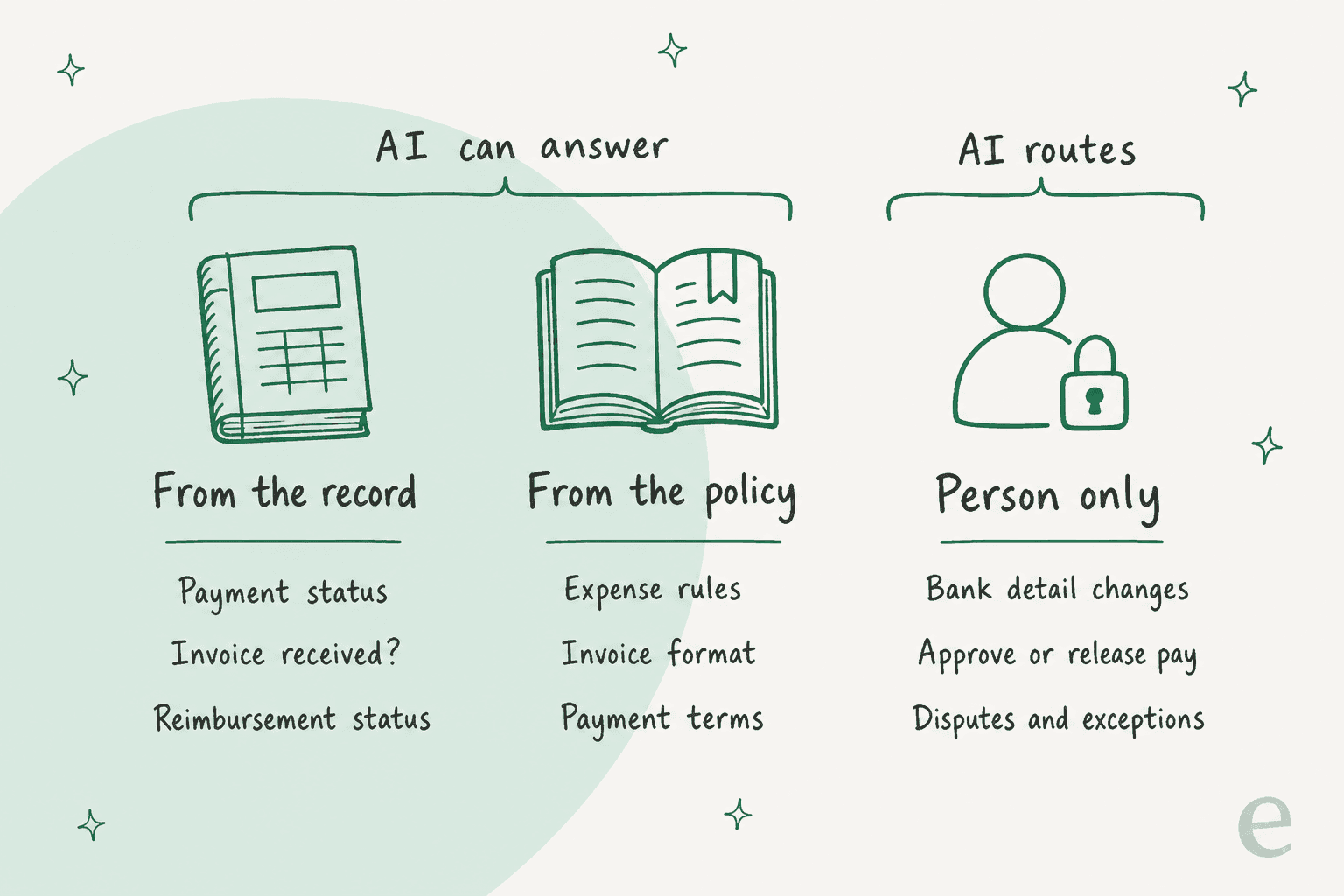
Here's how the five request types map to the lanes:
| Request | Lane | What the AI does | What it never does |
|---|---|---|---|
| Vendor payment status | Record | Checks the sender, then reads status from AP or links the supplier portal | Discloses dates or amounts to an unverified sender |
| Invoice received or rejected | Record | Confirms receipt, explains a rejection reason from the record | Settles a dispute or promises payment |
| Purchase order number | Record and policy | Finds the PO, or explains how to request one | Raises or approves a PO |
| Expense reimbursement | Record and policy | Gives status and quotes the expense policy | Approves an exception or an out-of-policy claim |
| Finance policy | Policy | Answers from the policy doc and knowledge base | Gives tax or legal advice |
| Bank detail change | Person only | Tags it, routes it, sends no confirmation | Updates, confirms or acknowledges the new details |
| Payment release, early pay, override | Person only | Routes to the approver with a summary | Approves anything |
The policy lane is where most teams start, because it needs nothing more than the docs you already have. An AI agent that knows the expense policy answers "can I claim a client dinner over $150?" the same way every time, at 9pm, which is roughly when employees file expenses. It's the same pattern as workplace questions or employee onboarding.
The record lane needs one more thing: the AI has to see the record. That might be a ticket field, an ERP lookup, an internal note from AP, or simply the supplier portal, which brings me to the question I'd ask before building anything.
Do vendors even need to email you about payment status?
Often no, because the AP platform you already pay for gives suppliers a status page. Before you train an AI to answer "where's my payment," check whether your vendors can already see the answer themselves.
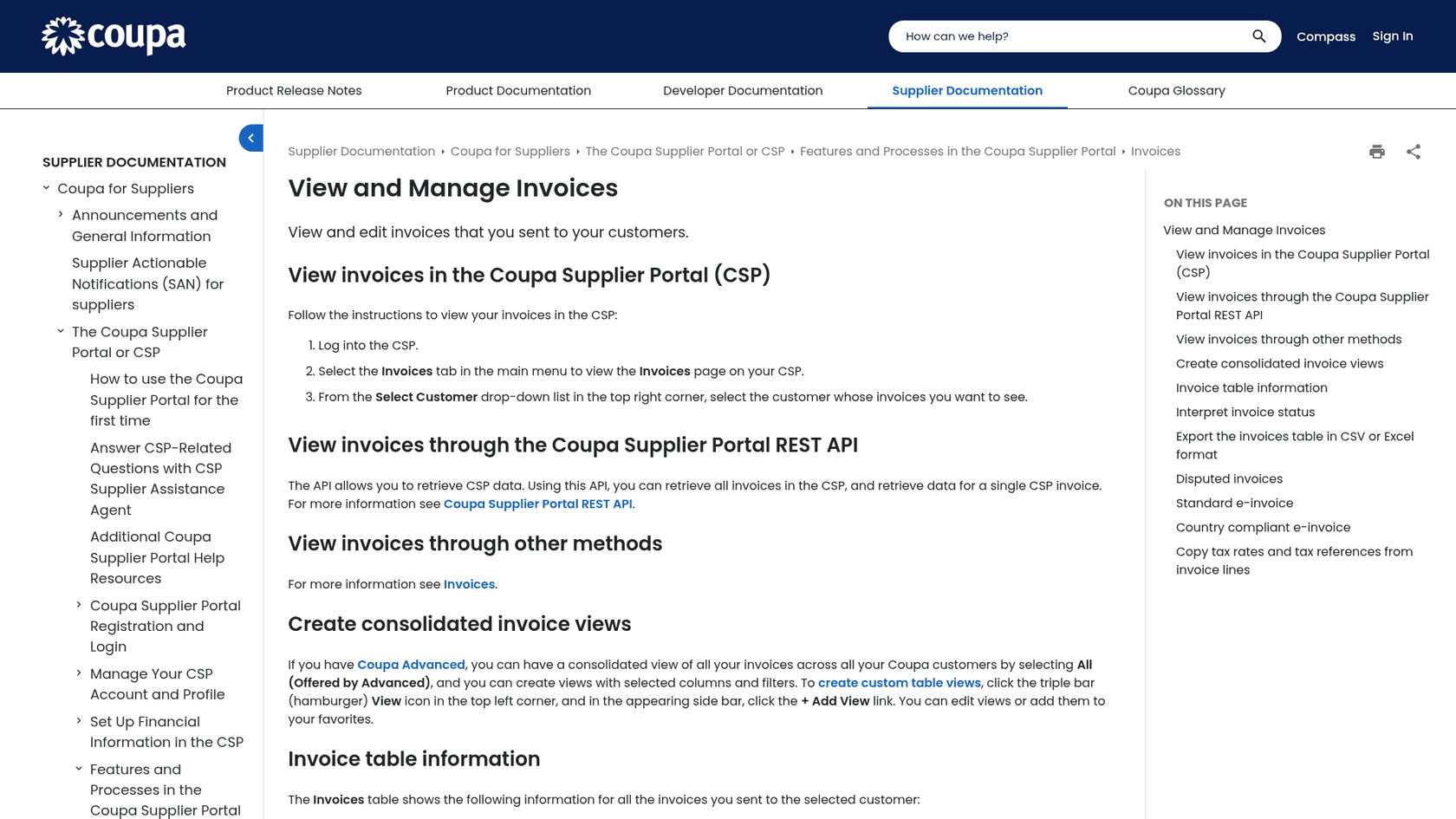
Here's what each vendor says on its own pages:
- Coupa: the Coupa Supplier Portal shows each invoice's status. "Approved" means the invoice "has been accepted for payment," and "Processing" means it "is being processed by the AP department and should be paid soon." Disputed invoices trigger an email to the supplier with the reason.
- SAP Business Network: suppliers search their invoices and see an Invoice Status column, showing Sent or Approved in SAP's own test procedure.
- Tipalti: its payee interface lets payees "provide payment information and receive payment status" inside your branded site.
- BILL: vendors on the BILL network can track payments "every step of the way" and get notified when they're going to get paid.
If you run one of these, the AI's job on a status email gets much smaller: confirm the sender is a known vendor, send the portal link with one line on what each status means, and only look further when the portal doesn't answer it. That's FAQ deflection doing honest work, and it keeps your tier 1 volume down without the AI ever touching payment data.
If you don't run a portal, the record lane depends on what the AI can read: ticket fields AP fills in, an export, or a lookup into your ERP. Start with what's already in the ticket. You can add live lookups once the basics work.
Why must AI never handle a bank detail change?
Because "please update our bank details" is the opening move of business email compromise, and an AI that helpfully confirms it becomes part of the scam. This is the one rule I'd put in writing before anything else.
The numbers are not small. The FBI's 2025 IC3 report logged 24,768 business email compromise complaints with $3,046,598,558 in reported losses, second only to investment fraud. Across October 2013 to December 2023, the IC3's BEC public service announcement counts $55.5 billion in exposed losses worldwide.
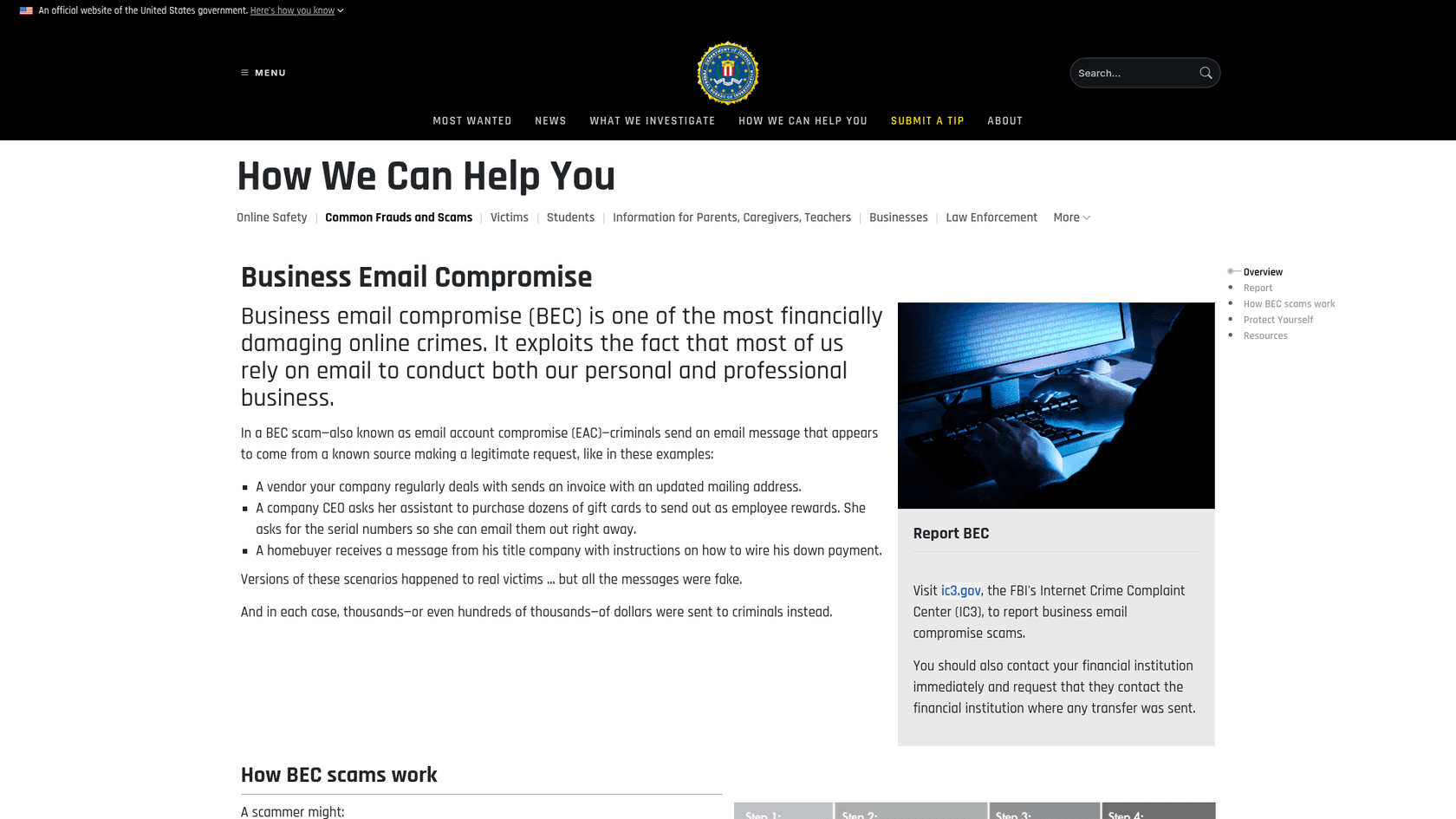
The FBI's BEC page opens with a finance-inbox example: "A vendor your company regularly deals with sends an invoice with an updated mailing address." Its advice is just as direct: "verify any change in account number or payment procedures with the person making the request," and look up the company's phone number yourself rather than using the one in the email.
An AI agent can't make that phone call, and it shouldn't pretend to. What it can do is make sure the request never slips through on a busy Friday:
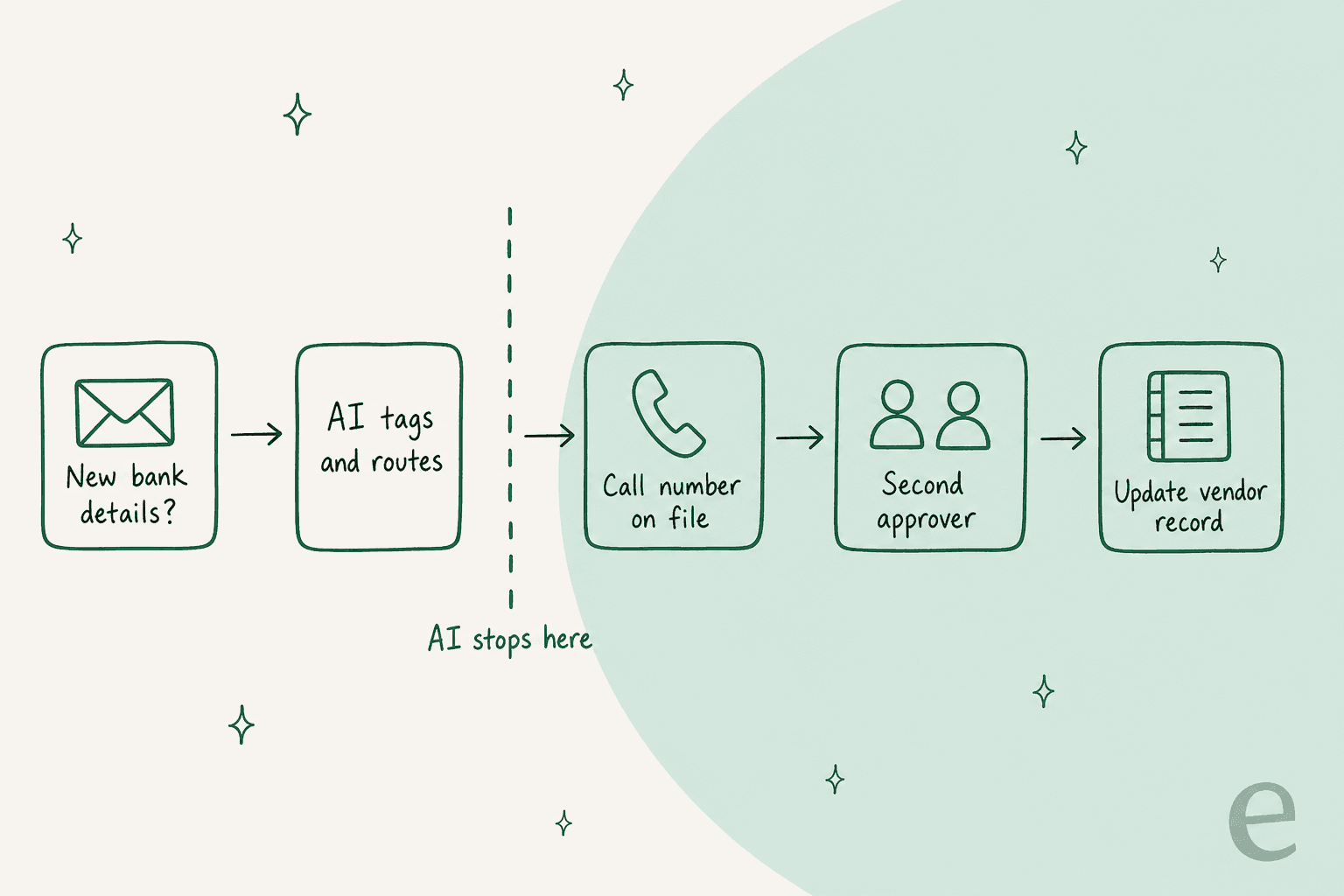
- Spot it. Any message mentioning new bank details, a changed account, a new remittance address or "please pay to" gets a tag, whatever else it asks.
- Route it. It goes straight to the person who owns vendor master data, with a short summary. No draft reply to the sender.
- Say nothing that confirms. No "thanks, we've noted the new details." Silence or a neutral "a member of our team will contact you" is the right answer.
- Leave the call and the change to people. A person calls the number already on file, a second person approves, and only then does the record change.
That last step is the one finance teams already know works. One finance lead described their fix on Reddit:
"We call new vendors to validate their bank details. A controller and director approve payments to new vendors. We pay less than $1000 of their first invoice and call to ask the amount the received."

Notice nothing in that process is a lookup. It's a judgment and a phone call, which is exactly why it sits outside the AI's lane. The same logic applies to account recovery: if only the owner should be able to trigger it, the AI only routes it.
Should AI tell anyone who asks where their payment is?
No. Check the sender first, because a payment date is useful to a scammer too. This is the gap I see in most "automate your AP inbox" advice, ChatGPT's included.
The FBI notes that criminals use malware to read "legitimate email threads about billing and invoices" and use that to time their requests. An AI that replies "invoice 4471 is approved and pays on the 15th" to anyone who asks hands an attacker the same timing, for free. The fake bank change then lands two days before the 15th, and it looks perfectly routine.
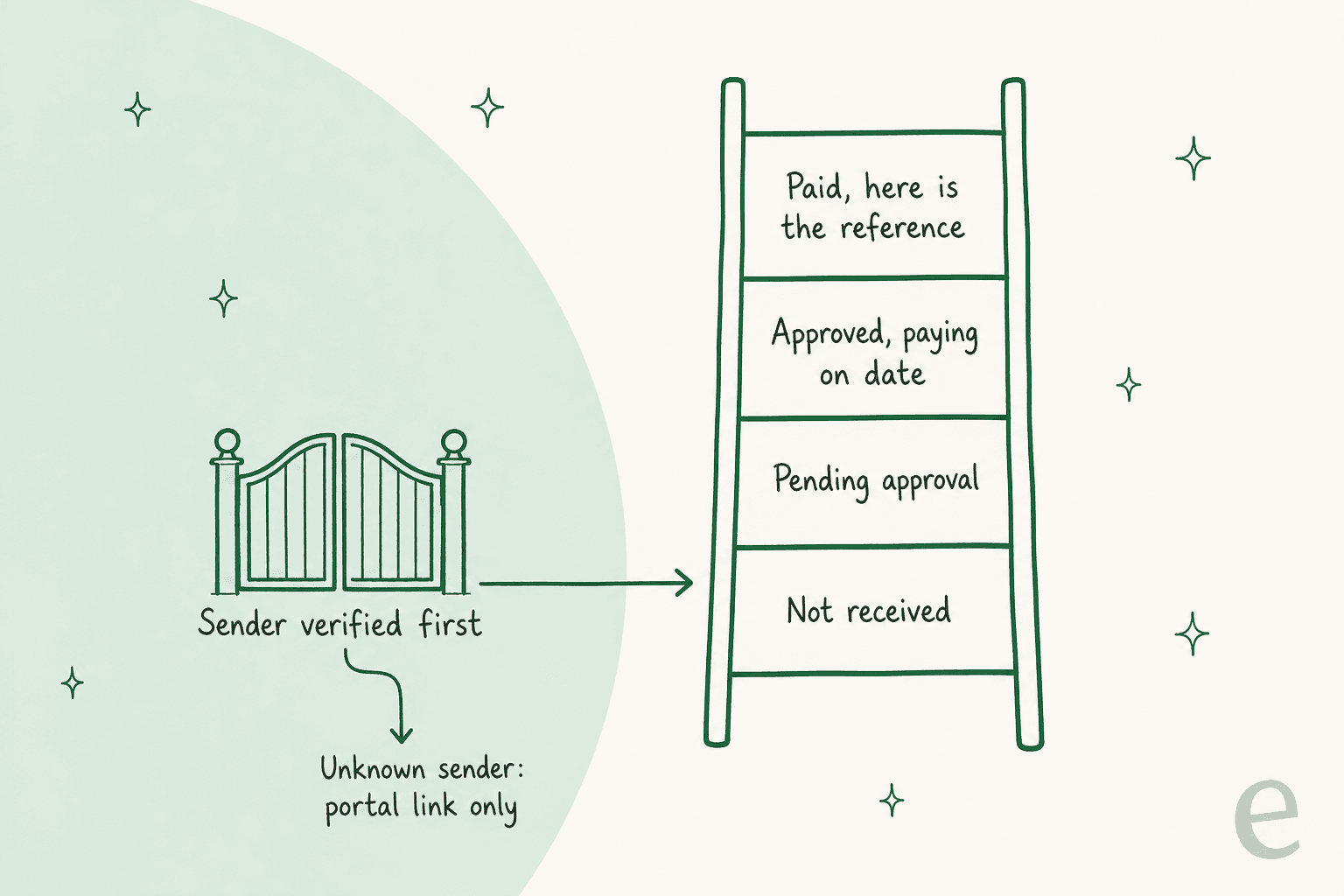
A sender check doesn't need to be clever:
- Known vendor, matching domain: the sender's email domain matches the contact on the vendor record. The AI answers from the record, with the status and the reference.
- Unknown or mismatched sender: a lookalike domain, a free mailbox, a name you haven't seen. The AI replies with the portal link or a general "payments run on net 30 from approval" note, and flags the ticket.
- Internal employee: they're already authenticated in your helpdesk or Slack, so expense status is fine to share with them about their own claims.
The IC3's own prevention list says to verify the sender's address "especially when using a mobile or handheld device," and an AI that checks every single email is more consistent at that than a tired person on their phone. Write the rule into the agent's instructions in plain words, then test it on old tickets that include a few spoofed ones.
How much time does the AP inbox actually cost you?
More than it looks, because status emails are short to read and slow to answer. Each one means opening the ERP or the portal, finding the invoice, and writing a reply. Plug in your own numbers:
At the defaults, 600 emails, 6 minutes each and 60% lookups, that's 36 hours a month of someone finding invoices and typing replies. The useful number isn't the cost, though. It's the 36 hours your AP team could spend on the bank detail checks and disputes that actually need them.
Which helpdesk should a finance team run this on?
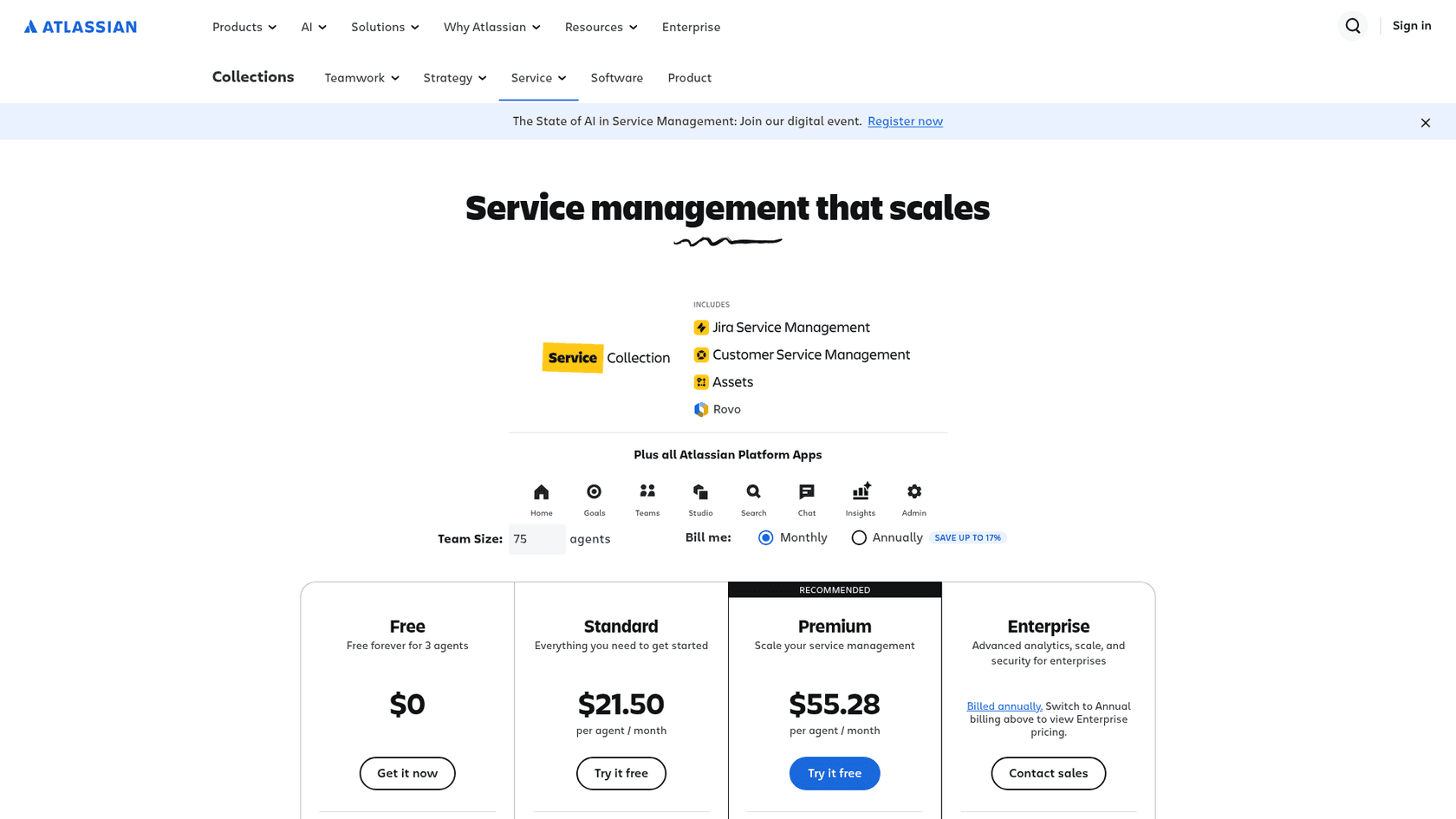
Usually the one IT already pays for, because the finance desk is one more queue on it. Here's what the four common choices cost, from each vendor's own pricing page:
| Helpdesk | Entry price | Higher tiers | Built-in AI |
|---|---|---|---|
| Jira Service Management | Free for 3 agents | Standard $21.50, Premium $55.28 per agent/month (page default: 75 agents, monthly billing) | Rovo Agents on Standard, virtual service agent on Premium |
| Zendesk | Support Team $19 per agent/month, billed yearly | Suite Team $55, Suite Professional $115 | AI agents with 5 automated resolutions per agent/month on Team plans, then $1.50 committed or $2.00 pay-as-you-go |
| Freshservice | Starter $19 per agent/month, billed yearly | Growth $49, Pro $99, Enterprise custom | Freddy AI Copilot $29 per agent/month; Enterprise includes 1,200 Freddy AI Agent (Classic) sessions per license a year |
| ServiceNow ITSM | Custom quote | Custom quote | Quoted with the package |
A few things that matter more than the sticker price:
- Internal notes. For a finance desk, the AI's draft should land as a private note AP can check before it goes out. eesel's docs note that on Jira, only a Jira Service Management project keeps a note internal, so pick the project type deliberately.
- Per-resolution AI pricing. Zendesk's automated resolutions are cheap per unit, but a finance queue's best AI work is routing and drafting, which aren't resolutions. Check what you're billed for. My Zendesk pricing breakdown goes deeper.
- Shared inbox only? Plenty of AP teams have no helpdesk at all, just ap@ in Gmail or Outlook. That works too; see shared inbox tools before buying a full service desk for one inbox.
For the full field, my internal helpdesk roundup and Freshservice pricing and ServiceNow pricing posts have the detail.
How would I set this up, step by step?
Start with policy answers, add record answers behind a sender check, and hard-code the person-only lane from day one. In order:
- Write the person-only rule first. Bank detail changes, payment releases, early payment, approval overrides and disputes: tag and route, never reply. Put it at the top of the agent's instructions, in plain words.
- Load the policies. Expense policy, payment terms, invoice requirements, supplier onboarding steps, PO process. These are your knowledge base for the policy lane.
- Add the sender check. Match the sender's domain to the vendor record before any status answer. Unknown senders get the portal link and a flag.
- Point vendors at the portal. If you run Coupa, SAP Business Network, Tipalti or BILL, every status reply includes the link.
- Start in draft mode. The AI writes internal notes, AP sends. Move single lanes to auto-send only after the drafts are consistently right. My implementation timeline guide covers how long this usually takes.
- Test on history, including fraud. Run the agent over last quarter's inbox, and slip in a few fake bank change emails. If it drafts a friendly confirmation on any of them, it isn't ready. More in my simulation testing guide.
- Watch three numbers. Share of tickets answered from records or policy, how many person-only tickets the AI correctly routed, and first response time on vendor emails.
If your finance desk also covers payroll or billing for customers, the same lanes apply. See payroll inquiries, billing disputes and payment disputes.
How does eesel work on a finance helpdesk?
eesel joins the finance queue you already run as an AI helpdesk teammate: it answers record and policy questions, drafts for AP to approve, and routes the person-only lane with a note. It works inside Jira Service Management, Zendesk, Freshdesk and other helpdesks, and on a shared Gmail inbox it searches threads, drafts or sends replies, and manages labels.
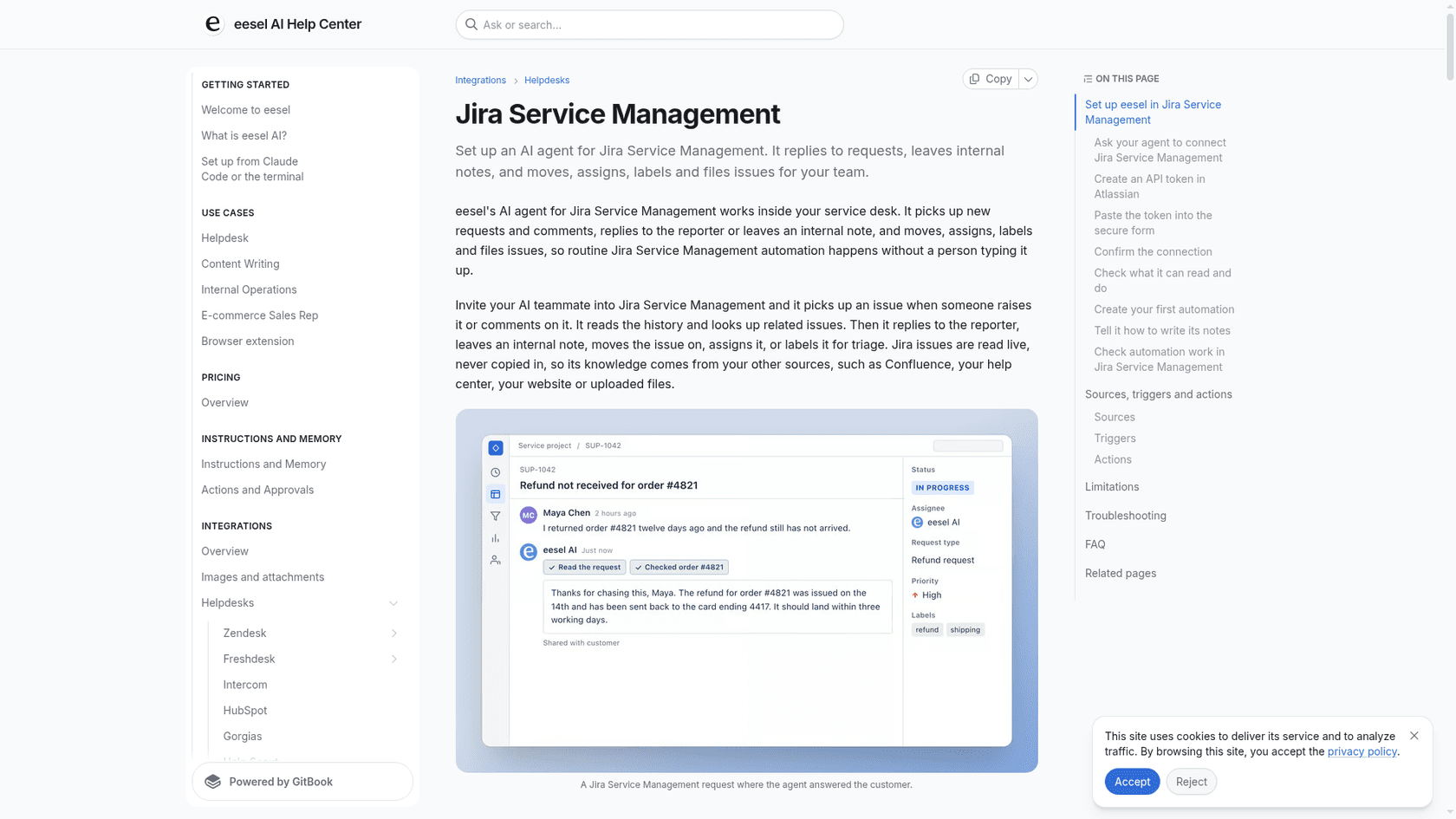
On Jira Service Management, eesel picks up new requests and comments, replies to the reporter or leaves an internal note, and moves, assigns and labels issues. It reads Jira issues live rather than copying them in, so its knowledge comes from your policy docs, Confluence or help center. For employees, it answers expense questions in Slack from the same docs.
Being straight about the limits: eesel doesn't list Freshservice or ServiceNow among its helpdesk integrations today, so on those you'd use a different tool or a shared inbox. And it doesn't call vendors to verify bank details. That stays with your team, by design.
Two customer setups show the shape. Cactus Club Cafe runs its internal tech desk on Zendesk: eesel handled about 750 tickets in a month, wrote 790 drafts against 51 sent directly, and a second agent audits the daily finance extract every morning, comparing the grand total debit and credit and leaving the ticket open with the store named if they don't balance. Qontro, an ERP vendor on Freshdesk, has eesel draft on every ticket from about 9,800 past tickets and help articles, while billing questions go straight to a person and chargeable work is flagged as needing approval first.
A head of IT at a fintech company using eesel on an internal Jira Service Management desk put it simply:
"We use it to be the first responder to our Helpdesk tickets in Jira. It essentially acts just like an agent would."
Try eesel
If your AP inbox is mostly "where's my payment" and "can I expense this," eesel can answer those from your records and policy inside Jira Service Management, Zendesk or Gmail, and route every bank detail change to a person with a note. Plans start at $299 a month for 500 credits, one ticket is one credit, there are no seat fees, and the free plan gives you 100 credits to try it on your own tickets with no card.